Posted on — Leave a comment

Zigbee vs WiFi for Smart Home Devices: What to Use Where

Use WiFi for anything that streams Video or needs the internet directly — cameras, Video doorbells, Smart speakers. Use Zigbee for anything that is battery-powered, numerous and low-data — Door/window sensors, motion sensors, water leak sensors, and switches that only report state. Zigbee devices do not each need your router; they form a mesh that reaches further and keeps working when the internet drops.

The mistake most people make is buying every device in WiFi and then discovering 30 clients on a Home router, batteries that die every few months, and automations that stop when the broadband does.

The practical difference

  • WiFi connects each device straight to your router. High bandwidth, high power draw, one more client per device, and it depends on router quality.
  • Zigbee connects devices to a small hub, and the mains-powered devices in the mesh relay messages for each other. Very low power, instant local response, no router load, but low bandwidth — fine for “door open”, useless for Video.

What to buy in Zigbee

Sensors

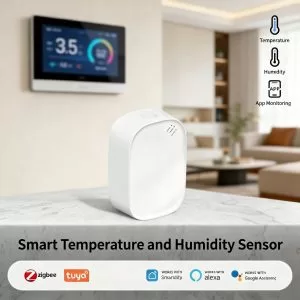
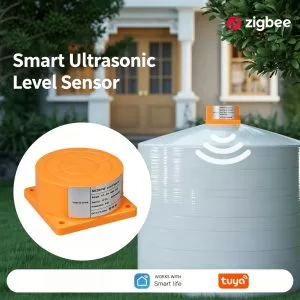
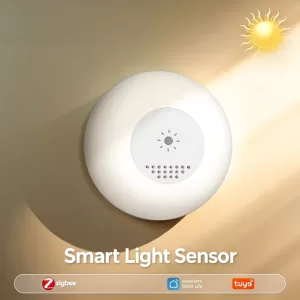
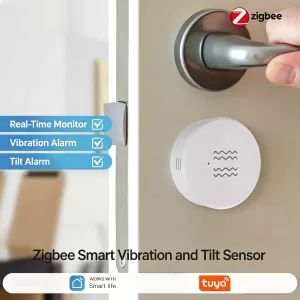
Door/window contacts, PIR motion sensors, water leak detectors, rain sensors, temperature and humidity sensors. A Zigbee sensor on a coin cell typically runs one to two years, versus a few months for the WiFi equivalent, and it reports state to the hub locally in well under a second. This is why a whole-house sensor set is normally Zigbee.

Switches and relays that only report state

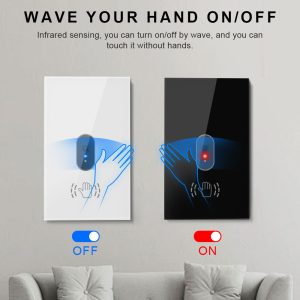
Light switches, curtain switches and boiler relays are mains-powered, so battery life is not the issue — reliability is. Zigbee keeps them off your WiFi and, importantly, keeps local automations working if the internet goes down.

Large installs

Once you pass roughly 15–20 devices, Zigbee’s mesh matters more than any single device spec. Put a few mains-powered Zigbee devices (Smart plugs or in-wall modules) around the house and they will act as repeaters for the battery sensors. C08 Gimbal Stabilizer 69cm, Extendable Selfie Stick Tripod for iPhone & Android

What to keep on WiFi

Cameras and video doorbells

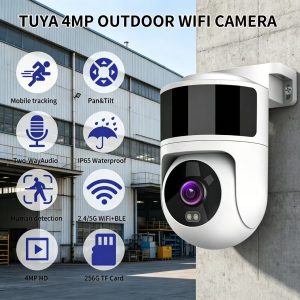
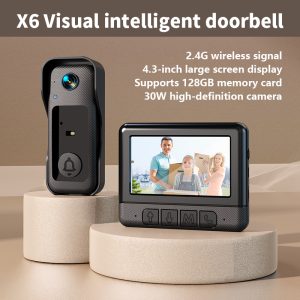
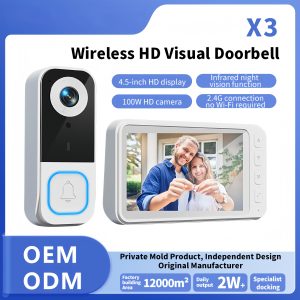
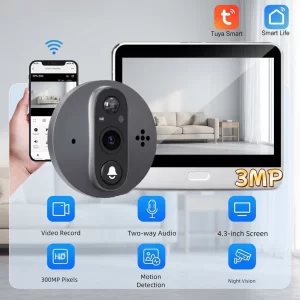
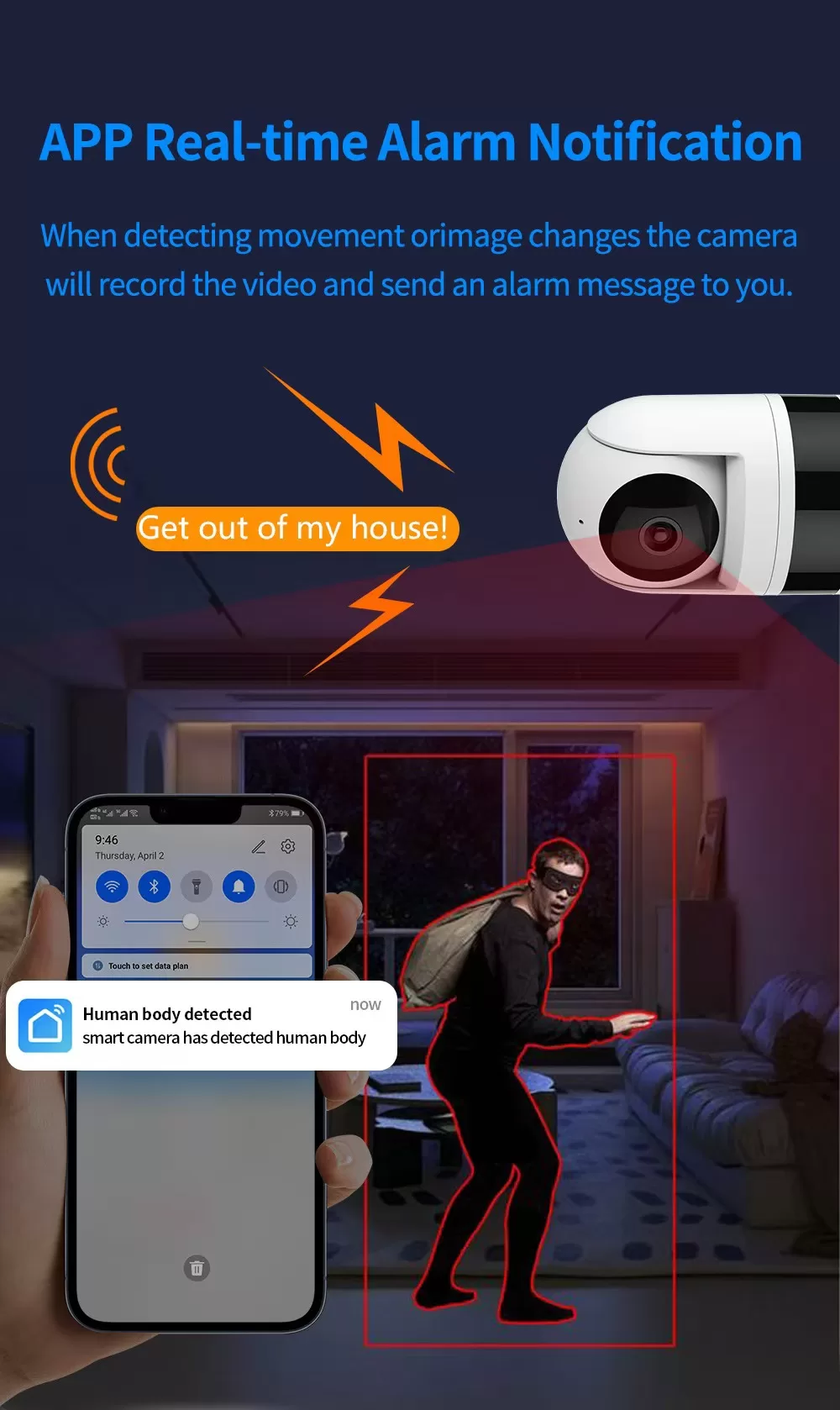
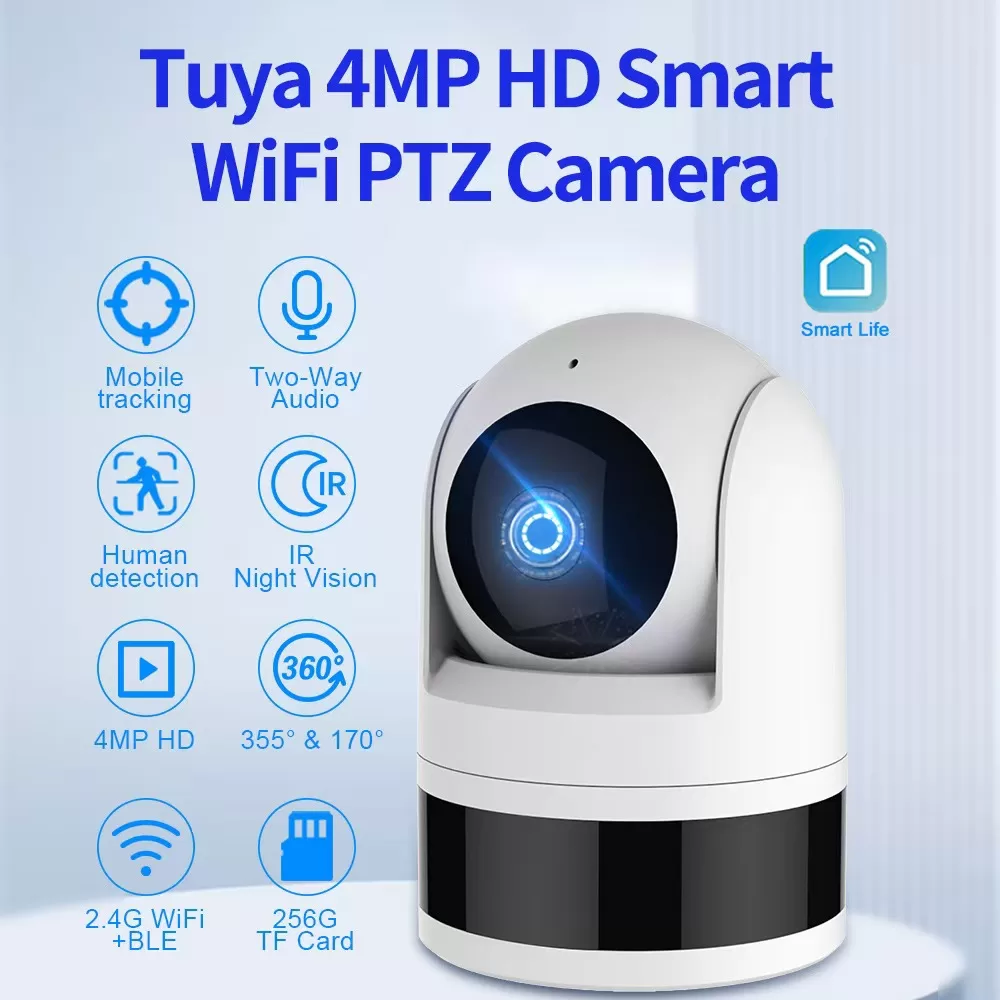
Video needs bandwidth Zigbee cannot deliver. Keep cameras on WiFi, give them their own 2.4 GHz SSID if your router supports it, and do not judge the rest of your Smart home by how flaky a camera at the front door feels.

Plugs and appliances you want to control from anywhere without a hub

A WiFi Smart plug is the simplest possible first device: no hub, works with voice assistants directly, and metering models report power. If you only want two or three, WiFi is fine.

Where a hub is unavoidable

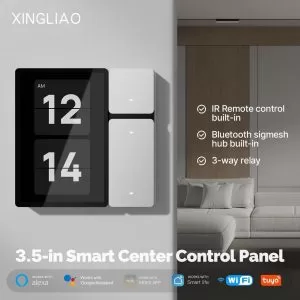
Zigbee needs a coordinator — a hub, a speaker with a built-in radio, or a control panel. That single purchase is what makes the rest cheap and reliable. Choose a hub that supports Zigbee 3.0 so devices from different brands interoperate for basic on/off, open/close and battery reporting. Note that brand-specific extras (advanced metering, proprietary scenes) may still need that brand’s own app.

Matter and Thread, briefly

Matter is a device-level standard that sits above the transport: it lets a device work with any Matter-certified controller, whether it arrives over WiFi, Thread or a bridge. Thread is a low-power mesh in the same role as Zigbee. In practice: if you are buying sensors today, a Zigbee 3.0 or Matter-over-Thread device from a brand whose hub you already own is the safe choice.

Planning a house, room by room

  • Front door: WiFi video doorbell (bandwidth), Zigbee door contact (backup), Zigbee leak sensor if there is a utility cupboard nearby.
  • Living room: Zigbee motion sensor for lighting automations; WiFi plug for the lamp or TV standby load.
  • Kitchen and utility: Zigbee water leak sensors under the sink, behind the dishwasher and next to the boiler — these are the cheapest insurance in a smart home.
  • Bedrooms: Zigbee temperature/humidity sensors; keep cameras out of sleeping areas.
  • Heating: WiFi thermostat Where it needs remote scheduling, Zigbee boiler relay where it only follows a Schedule and a local temperature sensor.

Troubleshooting checklist

  • Sensor drops offline: add a mains-powered Zigbee repeater between it and the hub; check for a metal cabinet or a mirror in the path.
  • Pairing fails: bring the device within a metre of the hub, reset it properly (usually a 5-second hold), and pair before mounting.
  • Automations are slow: check whether the automation runs locally or in the cloud; cloud ones stop when the internet does.
  • WiFi device keeps disconnecting: you probably have too many clients or a 2.4/5 GHz band-steering problem. Give smart devices a dedicated 2.4 GHz SSID.

Browse the range

Frequently Asked Questions

Do I need a hub for Zigbee devices?

Yes. Zigbee devices talk to a coordinator — a smart speaker with a Zigbee radio, a dedicated hub, or a control panel. That hub is what connects them to your app and to your WiFi network.

Is Zigbee better than WiFi for smart home devices?

For battery sensors, yes: far longer battery life, a self-healing mesh, and local automations that survive an internet outage. For cameras and anything streaming video, WiFi is the only practical option.

How many Zigbee devices can one hub handle?

Commonly 30–60 direct children per coordinator, with mains-powered devices acting as repeaters to extend reach. Large homes usually add a second hub or place repeaters rather than replacing the hub.

Can I mix Zigbee and WiFi devices in one app?

Yes, if your hub or platform supports both — most do. The device radios are different; the app layer presents them together, and automations can cross between them.

Do Zigbee devices work when the internet is down?

Local automations run on the hub and keep working. Remote access and any cloud-dependent automation will not. This is one of the main reasons to prefer Zigbee for essential automations.

Should I wait for Matter instead?

No need. Buy Zigbee 3.0 or Matter-over-Thread devices from a brand whose hub you already run; both are supported by current platforms, and Matter devices can be added alongside existing Zigbee ones.

Related guides

Browse sensors and alarms · Ask which hub fits your setup

Related Articles

You Might Also Like

Posted on — Leave a comment

White Label Smart Home Devices for Brand Owners

White Label Smart Home Devices for Brand Owners

Launch a smart-home brand without an R&D team. We manufacture Wi-Fi Smart switches, Video doorbells, and IP cameras as white-label products — your logo, your packaging, your app.

Product lines

  • Touch Smart switches (Wi-Fi / Zigbee), glass panel, 1–4 gang
  • Video doorbells: 1080p–2K, wired or battery
  • IP cameras: indoor 2MP to outdoor PTZ 5MP

Why brand with us

  • Factory-direct pricing, no middleman
  • Existing certified platforms — skip 6 months of development
  • Flexible MOQ per SKU to test your market

FAQ

Can I mix SKUs in one order? Yes, mixed containers supported.

Lead time? 15–25 days after artwork confirmation.

Payment terms? T/T; established partners get net terms.

Request the white-label catalog: WhatsApp or sales@odmhome.com. Smart Sensors Buying Guide: How to Make Your Home Feel Its Environment

Related Articles

You Might Also Like
Frequently Asked Questions

Is White Label Smart worth buying?

Based on the breakdown in this article, White Label Smart offers a solid mix of features and value. If your main goal matches the key benefits described above, it is a practical choice for everyday use.

How do I choose the right white label smart for my needs?

Start with your core use case, then compare battery life, compatibility, and build quality as covered above. Choosing the right white label smart comes down to matching specs with how you actually use it.

Does white label smart require a companion app?

Most devices of this type pair with a free companion app for setup and firmware updates. A few advanced features may sit behind a paid plan, so check the official specs page before buying.

Posted on — Leave a comment

Hotel Smart Security Solutions

Hotel Smart Security OEM Solutions: Video Doorbells, IPC & Smart Switches

For hotels and Apartment buildings, a unified smart-security bundle reduces staffing cost and lifts guest experience. We OEM the full stack under your brand.

What the bundle includes

  • Wi-Fi video doorbell with two-way audio and mobile alert
  • Indoor/outdoor IPC (2–5MP, PoE optional) with night vision
  • Touch Smart switches (Wi-Fi / Zigbee) for guest rooms

Why hotels choose us

  • White-label firmware & app with your logo
  • CE / FCC certified, RF compliant
  • Low-MOQ pilot batch, then volume ramp
  • Russian & English docs and support
FAQ

What is the MOQ? Pilot from a few hundred units; scale to volume.

Do you support OEM? Yes — logo, packaging, and app under your brand. Smart Sensors Buying Guide: How to Make Your Home Feel Its Environment

Which certifications? CE (EU), FCC (US), RF as required. Smart Lighting Complete Guide: From Color Temperature to Automation Scenes

Scope your hotel bundle: message us on WhatsApp or email sales@odmhome.com. Home Security Systems Explained: 5 Essential Devices to Protect Your Family

Related Articles

You Might Also Like
Frequently Asked Questions

Is Hotel Smart Security worth buying?

Based on the breakdown in this article, Hotel Smart Security offers a solid mix of features and value. If your main goal matches the key benefits described above, it is a practical choice for everyday use.

How do I choose the right hotel smart security for my needs?

Start with your core use case, then compare battery life, compatibility, and build quality as covered above. Choosing the Right hotel Smart security comes down to matching specs with how you actually use it.

Does hotel smart security require a companion app?

Most devices of this type pair with a free companion app for Setup and firmware updates. A few advanced features may sit behind a paid Plan, so check the official specs page before buying.

Posted on — Leave a comment

Smart Home Automation Guide 2026: 7 Practical Scenes That Save Time, Money and Energy

Tuya 4MP Indoor WiFi Smart Camera - HD Night Vision Pan-Tilt Remote Home Monitor with Two-Way Audio
Smart Home Automation Guide 2026: 7 Practical Scenes That Save Time, Money and Energy

However, Smart home automation is no longer a luxury for tech enthusiasts. In 2026 it is the fastest way to make a home safer, more comfortable and noticeably cheaper to run. The best part? You do not need a full renovation or a huge budget. With a few Smart switches, sensors, a doorbell camera and an affordable ecosystem hub, you can build genuinely useful automations in an afternoon.

Tuya indoor WiFi smart camera for home security automation

Therefore, This guide explains what smart home automation actually means, the devices that matter, and seven practical scenes you can copy today. It also includes a short buying checklist for distributors who want to stock a complete, compatible automation range.

What smart home automation means

Moreover, Automation is the difference between controlling a device remotely and having it react by itself. When you automate, a rule triggers an action without you touching your phone. For example: motion detected at the front door and after sunset, the porch light turns on automatically. No app, no Button, no thinking required.

In addition, The rules live in the app of your ecosystem, most commonly Tuya-based platforms that unify hundreds of brands. The same app controls switches, cameras, sensors, doorbells and pet feeders — which is exactly why distributors prefer open-protocol products that speak the same language.

The building blocks of a smart home

Smart switches and sockets

For example, A smart wall switch replaces your existing switch and gives every light in the room a Wireless brain: on/off schedules, remote control and voice commands. Smart sockets do the same for appliances such as heaters, fans and coffee makers, with energy monitoring to reveal what is really consuming Power.

Smart sensors

Consequently, Door/window sensors, motion sensors, temperature and humidity sensors turn ordinary rooms into aware rooms. They are the “eyes and ears” that trigger other devices. A motion sensor plus a smart bulb, for instance, creates automatic lighting in hallways and bathrooms. M8 Dopamine Color Wireless Lavalier Microphone: Get Clear Studio Audio For Vlogging & Live Streaming

Video doorbells and security cameras

A video doorbell gives you a live view of your entrance, two-way talk and motion alerts. Indoor and outdoor Security cameras extend that coverage to every room and corner. Combined with local SD card storage, they create a subscription-free security layer that works even when you are away.

Tuya pan-tilt security camera home surveillance

Automatic pet feeders

WiFi pet feeders dispense scheduled meals and let you check on your pet with a built-in camera — perfect for long workdays and travel, and a growing category in every pet-owner household.

7 practical automation scenes for 2026

  • Morning wake-up: a bedroom smart switch fades the lights on at 7:00, and a wall socket starts the coffee maker right after.
  • Welcome home: a door/window sensor on the main door triggers the hallway lamp the moment you walk in.
  • Away mode: all lights follow a random schedule while you travel, and the security camera arms itself and records on motion.
  • Energy saving: temperature and power-monitoring sockets switch off standby devices at night, cutting standby power that can reach 10% of your bill.
  • Pet care: the pet feeder dispenses lunch at 12:00, and your indoor camera checks that your pet actually ate.
  • Security: motion at the back door after midnight triggers the siren-linked socket and pushes a live view notification to your phone.
  • Elderly care: a motion sensor in a parent room alerts family if no movement is detected for a set number of hours.

Installation: how hard is it really?

Smart bulbs and sockets install in under five minutes with zero wiring. Smart wall switches need standard wiring but most follow a simple two-wire design that an electrician can retrofit in one visit — or a confident homeowner can handle with the included manual. After hardware is in, pairing takes one QR scan per device and naming the room. Automation rules are drag-and-drop scenes, not programming.

Buying checklist for distributors

  • Choose one open protocol (Tuya is the most universal) so every product works together out of the box.
  • Prefer devices with local storage options — subscription-free features sell better globally.
  • Stock complete kits: switch + sensor + doorbell + camera + feeder — one shipment, one ecosystem.
  • Confirm multi-country power standards and universal voltage for export markets.
  • Request demo units and factory samples so your team can test scenes before you commit.

Building a smart home automation line? Contact our factory for wholesale pricing, OEM/ODM support and sample testing on switches, sensors, doorbells, cameras and pet feeders.

You Might Also Like
Frequently Asked Questions

Is Smart Home Automation worth buying?

Based on the breakdown in this article, Smart Home Automation offers a solid mix of features and value. If your main goal matches the key benefits described above, it is a practical choice for everyday use.

How do I choose the right smart home automation for my needs?

Start with your core use case, then compare battery life, compatibility, and build quality as covered above. Choosing the right smart home automation comes down to matching specs with how you actually use it.

Does smart home automation require a companion app?

Most devices of this type pair with a free companion app for setup and firmware updates. A few advanced features may sit behind a paid plan, so check the official specs page before buying.

Posted on — Leave a comment

Best Smart Home Starter Kit for 2026: Switches, Doorbells, Cameras, Sensors and Pet Feeders Compared

Automatic pet feeder with camera and stainless steel bowl
Best Smart Home Starter Kit for 2026: Switches, Doorbells, Cameras, Sensors and Pet Feeders Compared

However, Getting started with a Smart home is easier when you build it one device at a time. In this guide we compare the five categories that make up a complete starter kit — Smart switches, Video doorbells, Security cameras, Sensors and pet feeders — and show which combination gives the best value in 2026. In short, Smart home starter

Video doorbell with two way audio for smart home kit

1. Smart switches and sockets

Best for: instant convenience and energy savings.

Therefore, A smart switch replaces your wall switch and brings voice and app control to every light. Smart sockets do the same for heaters, fans and coffee makers. Look for energy monitoring, scheduling and easy pairing. A two-pack of smart sockets is the cheapest upgrade you can make and typically pays for itself within a season.

Moreover, What to check: wiring compatibility (neutral wire or no-neutral design), load rating, and app ecosystem.

2. Video doorbells

Best for: front-door security and package awareness. Q81 Wireless Button Microphone – Mini Invisible Lapel Mic for Vlogging, Interview & Live Streaming

In addition, A video doorbell gives a live view of your entrance, two-way talk and motion alerts. Key features to compare: resolution (2K or 4MP), night vision, field of view, two-way audio quality and local storage. Battery versions are simpler to install; wired versions never need recharging. M8 Dopamine Color Wireless Lavalier Microphone: Get Clear Studio Audio For Vlogging & Live Streaming

For example, What to check: storage without subscription, app delay, and motion detection zones.

3. Security cameras

Best for: whole-home monitoring and peace of mind.

Consequently, Indoor cameras cover living rooms, nurseries and offices; outdoor models guard entrances and driveways. Look for pan-tilt movement, 360-degree coverage, two-way audio, night vision and SD card recording. Pan-tilt indoor models are the most popular first camera because one unit covers an entire room.

What to check: local storage, motion alerts, and whether it works with your existing hub or app.

Automatic pet feeder with camera for smart home

4. Sensors

Best for: automation that runs by itself.

Door/window sensors, motion sensors and temperature sensors trigger other devices automatically: Lights on when you enter, alerts when a door opens, heating adjusted by temperature. They are small, cheap and multiply the value of every other device in your kit.

What to check: battery life, signal range, and scene options in the app.

5. Pet feeders

Best for: pet owners with busy schedules.

Automatic pet feeders with built-in cameras schedule meals, control portions and let you check on your pet remotely. Look for a stainless steel bowl (easier to clean), app schedule, voice recording to call your pet, and a camera for live checks.

What to check: Power backup, portion accuracy, and food type compatibility (dry kibble usually).

Which starter kit fits you?

Scenario Recommended kit
Budget convenience 2 smart sockets + 1 sensor
Security first Video doorbell + 1 indoor pan-tilt camera
Full automation Switch + sensor + doorbell + camera
Pet-owner household Pet feeder + indoor camera

Installation recap

Sockets, bulbs and sensors install in minutes with no wiring. Doorbells mount on existing wiring or run on battery. Wall switches may need a quick visit from an electrician. All devices pair in a few minutes with a QR scan and the free app.

Building your starter kit or planning to stock smart home bundles for your store? Contact our team for wholesale pricing and ready-to-sell kit configurations.

You Might Also Like
Frequently Asked Questions

Is Smart Home Starter worth buying?

Based on the breakdown in this article, Smart Home Starter offers a solid mix of features and value. If your main goal matches the key benefits described above, it is a practical choice for everyday use.

How do I choose the right smart home starter for my needs?

Start with your core use case, then compare battery life, compatibility, and build quality as covered above. Choosing the right smart home starter comes down to matching specs with how you Actually use it.

Does smart home starter require a companion app?

Most devices of this type pair with a free companion app for setup and firmware updates. A few advanced features may sit behind a paid plan, so check the official specs page before buying.

Posted on — Leave a comment

Smart Home Market Trends 2026: What Distributors Must Know About Modular Security, Voice Control and Energy-Saving Devices

Tuya 4MP Indoor WiFi Smart Camera - HD Night Vision Pan-Tilt Remote Home Monitor with Two-Way Audio
Smart Home Market Trends 2026: What Distributors Must Know About Modular Security, Voice Control and Energy-Saving Devices

However, Smart home demand keeps growing, but the way people buy is changing fast. End customers now expect modular systems that start small and scale up, voice control that works out of the box, and products that visibly cut their energy bills. For distributors and wholesalers, stocking the right trends means higher attachment rates, fewer returns and stronger repeat orders. Here is what matters most in 2026. In short, Smart home

Smart Home Market Trends 2026: What Distributors Must Know About Modular Security, Voice Control and Energy-Saving DevicesSmart home security camera market trend 2026″/>

Trend 1: Modularity beats all-in-one luxury

Therefore, Consumers used to buy a single expensive hub. Today they prefer to start with one or two affordable devices and grow the system room by room. A smart switch here, a door sensor there, a camera next month. This behavior favors distributors who stock a complete, interoperable range under one app ecosystem rather than isolated premium gadgets.

Trend 2: Security is the strongest entry point

Moreover, Video doorbells and indoor/outdoor cameras remain the top first purchase in smart home categories. Buyers want to see who is at the door and check their home remotely. Subscription-free local storage (SD card) is now a decisive factor, as consumers are tired of monthly fees. Products that combine camera plus two-way audio and motion alerts sell fastest in bulk orders.

Trend 3: Voice control is table stakes

In addition, Compatibility with Alexa, Google Assistant and Siri shortcuts is no longer a premium feature; it is expected. Bulk buyers check voice compatibility before anything else. A product that fails this test gets returned; one that passes it gets recommended to friends and neighbors, driving organic demand for your retail channel.

Trend 4: Energy monitoring drives upgrades

For example, With energy prices high across Europe and North America, smart plugs and sockets with power monitoring are booming. Consumers can see exactly which appliance eats electricity and cut standby usage. Distributors who market “save on your bill” rather than “fancy gadget” report higher conversion and fewer price objections.

Trend 5: Pet care is a fast-growing niche

Consequently, Automatic pet feeders with built-in cameras are one of the fastest-growing smart home subcategories. Remote feeding, portion control and live pet checks appeal to working owners. It is a small-format product with strong margins and almost no support burden, making it an easy add-on order for any distributor.

Trend 6: Sensors make homes feel intelligent

Motion, door/window and environmental sensors are the quiet workhorses that turn separate gadgets into a real automation system. They are cheap, compact and pair with switchers and lights to trigger automatic scenes. Expect sensor demand to grow alongside every camera and switch order.

What this means for your purchasing plan

  • Prioritize one universal ecosystem (Tuya-based) so all SKUs work together and simplify your training and returns.
  • Bundle starter kits: switch + sensor + doorbell + camera in one box drives higher basket values.
  • Lead your catalog with security products, then cross-sell energy and pet categories.
  • Request universal-voltage 100–240V versions to serve multiple export markets from one warehouse line.

2026 is a modular, security-first, subscription-free market. Our factory range already covers every trend above. Contact our wholesale team for pricing, samples and market-specific bundle recommendations.

Related Articles

You Might Also Like
Frequently Asked Questions

Is Smart Home Market worth buying?

Based on the breakdown in this article, Smart Home Market offers a solid mix of features and value. If your main goal matches the key benefits described above, it is a practical choice for everyday use.

How do I choose the right smart home market for my needs?

Start with your core use case, then compare battery life, compatibility, and build quality as covered above. Choosing the right smart home market comes down to matching specs with how you actually use it.

Does smart home market require a companion app?

Most devices of this type pair with a free companion app for setup and firmware updates. A few advanced features may sit behind a paid plan, so check the official specs page before buying.

Posted on — Leave a comment

Smart Home Wholesale FAQ: 15 Questions Every Buyer Asks Before Ordering in Bulk

Tuya 4MP Indoor WiFi Smart Camera - HD Night Vision Pan-Tilt Remote Home Monitor with Two-Way Audio
Smart Home Wholesale FAQ: 15 Questions Every Buyer Asks Before Ordering in Bulk

However, Buying Smart home devices in bulk is very different from buying a single unit for yourself. Margins, lead times, certifications, custom branding and after-sales support all change once you start ordering containers instead of cartons. This FAQ answers the 15 questions every B2B buyer asks before their first bulk order of Smart switches, doorbells, security cameras, sensors and pet feeders. In short, Smart home

Wholesale smart doorbell with camera for B2B distribution

1. What is the minimum order quantity (MOQ)?

Therefore, MOQ depends on the product. For standard smart plugs switch modules and sensors, MOQ is usually 200–500 units per model. For larger items such as Video doorbells and pet feeders, MOQ is typically 100–300 units per model. Mixed-model orders are welcome; ask your sales manager for a price list by quantity.

2. Can you do OEM and ODM?

Moreover, Yes. OEM means we print your logo on existing designs. ODM means we adjust firmware, app name, packaging and features for your brand. Most distributors start with OEM, then move to ODM once sales volumes justify the tooling cost.

3. What certifications do your products have?

In addition, Export models generally carry CE, RoHS and FCC where applicable. For target markets we can also advise on UL, PSE or SAA variants. Certificates are provided with the shipping documents, and specific certification requests can be discussed at quotation stage.

4. What is the typical lead time?

For example, In-stock models ship within 7–15 days after payment. OEM orders with new packaging usually take 20–30 days. Fully custom ODM runs with new firmware take about 35–50 days, depending on complexity.

5. What payment terms do you accept?

Consequently, We accept T/T bank transfer, and for verified partners we can discuss flexible terms on repeat orders. For new accounts we typically ask for a 30% deposit and 70% balance before shipment, or 100% against a signed proforma invoice.

6. Can I get samples before I order?

Yes, samples are available for every product in the range. Sample shipping takes 3–7 days and sample costs are usually deducted from your first bulk order. We recommend testing at least the doorbell, camera and switch you plan to feature most.

7. How do you handle after-sales and warranty?

Standard warranty is 12 months from shipment, with replacement units for DOA (dead on arrival) defects. Our after-sales team works directly with your support staff to minimize friction for your end customers.

8. Does firmware support multiple languages?

The Tuya-based app supports dozens of languages out of the box, which is why our range is popular in both European and North American markets. Custom language packs are available for ODM projects.

9. Can my end customers use the products without a subscription?

Yes. Our cameras and pet feeders support local SD card storage, so recording and playback work without any monthly fee. This is a major selling point to highlight in your product descriptions.

10. Do you drop-ship for online sellers?

Yes, for established sellers we can set up drop-shipping agreements, direct dispatch with neutral or private packaging, and shipping labels under your brand. Volume and order flow conditions apply.

11. What is your packaging standard?

Retail-ready color boxes are standard, with foam or cardboard dividers for protection. For cross-border logistics we recommend adding custom outer cartons; we can also design gift-box or combi-kit packaging for OEM buyers.

12. Do you support co-branding and private label?

Absolutely. Co-branding, private-label stickers, custom manuals and localized QR code landing pages are all available. Minimum quantities for private label start from the same MOQ with a small design setup fee.

13. How do you ship internationally?

We ship by sea (LCL/FCL), air and express courier depending on order size and urgency. Most bulk orders go by sea freight with full documentation provided: packing list, commercial invoice and bill of lading.

14. What happens if a batch has a quality problem?

Every batch is inspected before dispatch. If an issue is confirmed after arrival, we honor the warranty and work on a replacement plan. Dispute-free quality control is the reason distributors stay with us for years.

15. Can you build a custom starter kit for my program?

Yes. Many retail programs want a ready-to-sell starter kit: one switch, one sensor, one doorbell and one camera in a single box. We can engineer the kit, print your content on the box and manage the whole bundle as one SKU.

Ready to plan your first bulk order?

Contact our B2B team for a detailed price list, free samples and a tailored quotation for smart switches, doorbells, cameras, sensors and pet feeders. We help you build the exact product range your market needs.

Related Articles

You Might Also Like
4-in-1 Tuya Bluetooth smart knob lock, fingerprint keyless entry round door lockTuya Bluetooth Smart Knob Lock|Fingerprint Password Keyless Entry Round Door Lock Original price was: $45.00.Current price is: $37.00.Tuya smart watch full round 1.28 inch HD touch screen Alexa voice control blood oxygen SpO2 dynamic heart rate pressure detection 10.5mm slim metal body black silicone sport bandTuya Smart Watch 1.28 Inch Full Round HD – Alexa Voice Control Blood Oxygen Heart Rate Pressure Monitor Original price was: $69.96.Current price is: $52.99.
Frequently Asked Questions

Is Smart Home Faq worth buying?

Based on the breakdown in this article, Smart Home Faq offers a solid mix of features and value. If your main goal matches the key benefits described above, it is a practical choice for everyday use.

How do I choose the right smart home faq for my needs?

Start with your core use case, then compare battery life, compatibility, and build quality as covered above. Choosing the right smart home faq comes down to matching specs with how you actually use it.

Does smart home faq require a companion app?

Most devices of this type pair with a free companion app for setup and firmware updates. A few advanced features may sit behind a paid plan, so check the official specs page before buying.

Posted on — Leave a comment

Smart Home Automation Scenes: 6 Practical Setups That Make Your Home Think

What Is a Smart Home Scene?

However, A Smart home scene is a preset configuration that adjusts multiple devices simultaneously with a single command, tap, or trigger. Instead of telling your speaker to “turn off the living room light” and then “set the thermostat to 20” and then “lock the front door,” a scene does all three at once. Smart home

Therefore, Think of scenes as saved “snapshots” of your home’s state. You set up the perfect conditions for different activities, then recall them instantly.

Scene 1: Good Morning

What It Does

  • Bedroom lights gradually brighten from 0% to 60% over 10 minutes (warm to neutral white)
  • Thermostat adjusts from sleeping temperature to comfort temperature
  • Coffee maker turns on (via Smart plug) 5 minutes before wake time
  • Smart speaker reads today’s weather and calendar
  • Bedroom curtains open automatically
  • All other rooms remain off

Trigger

Moreover, Time-based: 6:30 AM on weekdays, 8:00 AM on weekends. Or manually via “Good morning” voice command.

Why It Works

In addition, Gradual light brightening simulates a natural sunrise, signaling your body to wake gently rather than being jolted by an alarm. The coffee being ready when you reach the kitchen is a small luxury that starts your day right.

Scene 2: Leaving Home (Away Mode)

What It Does

  • All lights off (except a few on random timers to simulate occupancy)
  • Thermostat adjusts to energy-saving mode (lower in winter, higher in summer)
  • All doors lock automatically
  • Security cameras arm and start recording on motion
  • Contact sensors activate alerts
  • TV and all non-essential devices turn off
  • Smart plugs cut power to standby devices

Trigger

For example, Geofence: when your phone leaves a 200m radius of home. Or manually via “I’m leaving” voice command or app button. Smart Home Starter Guide 2026: How to Build Your First Connected Home C08 Gimbal Stabilizer 69cm, Extendable Selfie Stick Tripod for iPhone & Android

Why It Works

Consequently, This scene combines energy savings with security. Randomized lights deter burglars, while cameras and sensors ensure you are alerted to any intrusion. Smart plugs eliminate phantom power draw from idle electronics. Biometric Smart Locks Go Mainstream: The Next Big Home Tech Trend Overseas

Scene 3: Welcome Home

What It Does

  • Entryway and hallway lights turn on at 80%
  • Thermostat returns to comfort temperature
  • Front door unlocks as you approach
  • Security cameras disarm
  • Smart speaker plays your favorite playlist
  • Kitchen lights turn on if it is after sunset

Trigger

Geofence: when your phone enters a 100m radius of home. Or when the smart lock is opened with your code.

Why It Works

Coming home to a lit, comfortable house with music playing is a genuinely delightful experience. The automatic unlock means no fumbling for keys with groceries in hand.

Scene 4: Movie Night

What It Does

  • Living room lights dim to 5% warm white
  • TV backlight turns on (bias lighting reduces eye strain)
  • Kitchen lights turn off
  • AV receiver or soundbar switches to movie mode
  • Smart speaker volume lowers
  • Phone goes to Do Not Disturb
  • Curtains close for better viewing

Trigger

Voice command: “Movie time” or when the TV is turned on after 7 PM.

Why It Works

Bias lighting (the light strip behind the TV) reduces the contrast between the bright screen and dark room, reducing eye fatigue. Dim ambient lighting maintains enough visibility to navigate without distracting from the screen.

Scene 5: Goodnight

What It Does

  • All lights throughout the house turn off
  • Bedroom nightlight turns on at 1% amber
  • All doors lock and security arms in “night” mode
  • Thermostat drops to sleeping temperature
  • Phone chargers activate (smart plugs on)
  • White noise machine or fan turns on
  • Garage door closes if open

Trigger

Voice command: “Goodnight” or time-based at 11 PM. Or when you plug in your phone at the bedside smart plug.

Why It Works

This scene ensures peace of mind ??everything is locked, off, and secured ??without a nightly checklist. The nightlight provides just enough illumination for bathroom trips without disrupting sleep. The 1% amber light is specifically chosen because it does not suppress melatonin production.

Scene 6: Vacation Mode

What It Does

  • Lights turn on and off at randomized times matching your normal patterns
  • TV turns on for 2 hours in the evening
  • Curtains open and close at varied times
  • Thermostat set to minimum safe temperature (pipe protection in winter)
  • All security devices armed with maximum sensitivity
  • Smart water valve shuts off main supply
  • All smart plugs cycle to simulate device usage

Trigger

Manually activated before leaving for vacation. Deactivated when you return.

Why It Works

This is the most comprehensive scene. The randomized patterns make the house look genuinely occupied, not just timed. Shutting off the water prevents catastrophic flooding while you are away. The thermostat maintains a safe minimum to prevent frozen pipes. Every device contributes to the illusion of occupancy.

Tips for Creating Your Own Scenes

  • Start simple ??2-3 devices per scene is enough. Add complexity over time.
  • Use delays ??Stagger device actions by 1-2 seconds for a natural feel rather than everything happening at once.
  • Test thoroughly ??Run each scene multiple times to catch issues (lights too bright, thermostat too cold, etc.)
  • Share with family ??Make sure scenes work for everyone, not just your preferences.
  • Use multiple triggers ??Set up both voice and time-based triggers so the scene activates reliably.

Conclusion

Scenes are what separate a smart home from a collection of smart devices. They create experiences rather than just controls. Start with “Good Morning” and “Goodnight” ??these two alone will change how you feel about your home. Then add “Away” and “Welcome Home” for security and convenience. Before long, you will wonder how you ever lived without them. That is why Smart home automation

Related Articles

You Might Also Like
Related guides
Frequently Asked Questions

Is Smart Home Automation worth buying?

Based on the breakdown in this article, Smart Home Automation offers a solid mix of features and value. If your main goal matches the key benefits described above, it is a practical choice for everyday use.

How do I choose the right smart home automation for my needs?

Start with your core use case, then compare battery life, compatibility, and build quality as covered above. Choosing the right smart home automation comes down to matching specs with how you actually use it.

Does smart home automation require a companion app?

Most devices of this type pair with a free companion app for setup and firmware updates. A few advanced features may sit behind a paid plan, so check the official specs page before buying.

Posted on — Leave a comment

Smart Sensors Buying Guide: How to Make Your Home Feel Its Environment

What Are Smart Sensors?

However, Smart sensors are the unsung heroes of a Smart Home. While smart bulbs and speakers get the attention, sensors quietly gather data about your environment and trigger automations that make your home responsive. Think of sensors as the nervous system of your smart home ??they detect what is happening and tell your other devices how to respond.

Types of Smart Sensors

1. Motion Sensors (PIR)

Therefore, Passive infrared (PIR) sensors detect body heat and movement. They are the workhorse of any smart home. Smart Home Automation Scenes: 6 Practical Setups That Make Your Home Think

Best Uses

  • Turn lights on when someone enters a room
  • Trigger security alerts when armed
  • Turn off lights when a room is empty for 5 minutes
  • Activate cameras only when motion is detected

What to Look For

  • Adjustable sensitivity (to ignore pets)
  • Battery life of 1-2 years
  • Detection range of 5-7 meters
  • Field of view of 90-120 degrees

2. Door and Window Contact Sensors

Moreover, These two-piece sensors detect when something opens or closes. One part attaches to the frame, the other to the moving part.

Best Uses

  • Security alerts when doors/windows open while armed
  • Trigger lights when a door opens after sunset
  • Send notifications when the garage door is left open
  • Know if a window was left open before turning on the AC

What to Look For

  • Adhesive mounting (no screws needed)
  • Gap tolerance of 2-3cm (for varied alignments)
  • Low battery alerts in app
  • Quick response time (under 1 second)

3. Temperature and Humidity Sensors

In addition, These sensors monitor the climate in each room, enabling intelligent heating, cooling, and humidification control.

Best Uses

  • Turn on a smart humidifier when humidity drops below 40%
  • Adjust thermostat based on room-specific temperatures
  • Alert if a room gets too hot (fire risk) or too cold (pipe freezing)
  • Optimize plant care based on ambient conditions

What to Look For

  • Accuracy of ?0.5?C and ?2% humidity
  • Refresh rate every 30-60 seconds
  • Historical data charts in the app
  • Battery or USB powered

4. Water Leak Sensors

For example, Place these under sinks, near washing machines, water heaters, and toilets. They detect water on the floor and alert you before damage becomes catastrophic.

Best Uses

  • Instant phone alert when water is detected
  • Trigger a smart water shutoff valve automatically
  • Monitor sump pump areas for flooding
  • Detect slow leaks under appliances

What to Look For

  • Loud built-in alarm (85+ dB) in addition to phone alert
  • Probe cable for hard-to-reach areas
  • Battery life of 2+ years
  • Waterproof construction

5. Light Sensors (Lux Sensors)

Consequently, These measure ambient light levels, enabling truly intelligent lighting automation that responds to natural light rather than fixed schedules. Smart Home Energy Saving Trends: How Overseas Consumers Cut Bills with Automation

Best Uses

  • Turn on lights only when a room is dark enough to need them
  • Adjust curtain motors based on sunlight
  • Dim lights proportionally to natural light
  • Trigger outdoor lights based on actual darkness, not sunset time

6. Air Quality Sensors

Monitor CO2, VOCs (volatile organic compounds), PM2.5, and other pollutants. Especially valuable for homes in urban areas or with allergy sufferers.

Best Uses

  • Trigger air purifier when PM2.5 exceeds 35 ?g/m?
  • Open windows (via smart actuator) when CO2 exceeds 1000 ppm
  • Alert when VOC levels spike (new furniture, paint, cleaning products)
  • Track air quality trends over time

How to Plan Your Sensor Network

Prioritize by Room

  • Entryways: Contact sensors on doors, motion sensors in foyers
  • Living room: Motion sensor, temperature sensor, light sensor
  • Kitchen: Water leak sensor under sink, smoke/heat sensor, motion sensor
  • Bathrooms: Motion sensor (for nighttime lights), water leak sensor
  • Bedrooms: Temperature sensor, door contact sensor
  • Basement/Laundry: Water leak sensor, temperature sensor (freeze protection)

Building Automation Rules

Sensors are only as smart as the rules you create. Here are powerful combinations:

  • Empty room: Motion sensor detects no movement for 10 min ??turn off lights, lower thermostat
  • Night security: After 11 PM, if any contact sensor opens ??flash lights, send alert, start camera recording
  • Leak protection: Water sensor triggers ??shut off main water valve, send urgent alert
  • Comfort: Temperature sensor reads above 26?C ??turn on AC, close curtains
  • Energy saving: Light sensor reads above 500 lux ??turn off indoor lights
Conclusion

Sensors transform your smart home from a remote control into a genuinely intelligent system. Start with motion sensors and contact sensors ??they provide the most immediate value. Add temperature, water, and light sensors as you expand. The more sensors you add, the more your home understands what is happening and the better it can respond automatically. That is the true promise of a smart home.

Related Articles

You Might Also Like
Frequently Asked Questions

Is Smart Sensors Make worth buying?

Based on the breakdown in this article, Smart Sensors Make offers a solid mix of features and value. If your main goal matches the key benefits described above, it is a practical choice for everyday use.

How do I choose the right smart sensors make for my needs?

Start with your core use case, then compare battery life, compatibility, and build quality as covered above. Choosing the right smart sensors make comes down to matching specs with how you actually use it.

Does smart sensors make require a companion app?

Most devices of this type pair with a free companion app for setup and firmware updates. A few advanced features may sit behind a paid plan, so check the official specs page before buying.

Posted on — Leave a comment

Smart Lighting Complete Guide: From Color Temperature to Automation Scenes

Why Smart Lighting?

However, Smart lighting is the entry point for most Smart Home enthusiasts ??and for good reason. It is easy to install, immediately visible, and genuinely improves daily life. Beyond simply turning lights on and off with your phone, smart lighting can transform your home’s atmosphere, improve your sleep, and save energy.

Understanding Color Temperature

Therefore, Color temperature is measured in Kelvin (K) and describes the appearance of light. Understanding it is key to creating comfortable, healthy lighting. Smart Home Automation Scenes: 6 Practical Setups That Make Your Home Think

The Kelvin Scale

  • 2700K ??3000K (Warm White) ??Soft, yellowish light similar to traditional incandescent bulbs. Ideal for bedrooms, living rooms, and evening use. Promotes relaxation and sleep.
  • 3500K ??4000K (Neutral White) ??Balanced light good for kitchens, bathrooms, and workspaces. Neither too warm nor too cool.
  • 5000K ??6500K (Daylight/Cool White) ??Bright, bluish-white light that mimics natural daylight. Best for reading, detail work, and daytime use. Boosts alertness and productivity.

Circadian Lighting

Moreover, Your body’s internal clock (circadian rhythm) responds to light color. Smart bulbs can automatically shift from cool, bright light in the morning to warm, dim light in the evening. This natural progression helps regulate sleep patterns and improves overall well-being. Smart Sensors Buying Guide: How to Make Your Home Feel Its Environment

In addition, Set your bulbs to start at 5000K in the morning, shift to 3500K midday, and gradually warm to 2700K by sunset.

Types of Smart Lighting

Smart Bulbs

For example, The most common entry point. Screw them into existing fixtures and control via app or voice. Available in white-only, tunable white, and full-color variants.

Smart Light Switches

Consequently, Replace your wall switches to control existing bulbs. This is better if you have multiple bulbs on one circuit, as one switch controls them all. It also means family members can still use the wall switch normally. Why Smart Home Security Is Trending Overseas in 2026: Tech That Sells

LED Light Strips

Flexible strips for under-cabinet lighting, TV backlighting, stair illumination, and architectural accent lighting. They add depth and atmosphere to any room.

Smart Outdoor Lighting

Weatherproof bulbs, pathway lights, and floodlights for exterior spaces. Great for security and curb appeal.

Lighting Scenes: Setting the Mood

Scenes are preset combinations of brightness, color, and on/off states across multiple lights. They let you instantly transform your home’s atmosphere.

Essential Scenes to Create

  • Movie Night ??Lights dim to 10%, warm color, TV backlight on
  • Reading ??Single lamp at 80%, neutral white, everything else off
  • Dinner ??Dining area at 60% warm white, kitchen dimmed, ambient music starts
  • Party ??Color-changing lights, bright and energetic
  • Focus/Work ??All lights at 90%, cool white (5000K)
  • Sleep ??All lights off, nightlight at 1% warm amber
  • Wake Up ??Lights gradually brighten from 0% to 80% over 15 minutes

Automation: Let Your Lights Think

The real magic happens when you stop controlling lights manually and let automation handle it.

Motion-Based Automation

  • Hallway lights turn on at 30% when motion is detected after 10 PM
  • Bathroom light turns on at 20% warm white during nighttime visits
  • Garage light turns on when the garage door opens

Time-Based Automation

  • Sunset: Outdoor lights turn on, indoor lights shift to warm white
  • Sunrise: Bedroom lights gradually brighten, kitchen lights turn on
  • Midnight: All non-essential lights turn off

Event-Based Automation

  • When the TV turns on ??activate “Movie Night” scene
  • When the front door unlocks after sunset ??turn on entry lights
  • When the smoke alarm triggers ??flash all lights red

Energy Savings

Smart lighting can reduce your lighting energy consumption by 30-50% compared to traditional bulbs.

  • LED smart bulbs use 75% less energy than incandescent
  • Motion sensors ensure lights are never left on in empty rooms
  • Scheduling prevents lights from running when no one is home
  • Dimming reduces power consumption proportionally
Conclusion

Smart lighting is about more than convenience ??it is about creating the right light for every moment. Start with a few bulbs in your most-used rooms, create scenes that match your daily routines, and gradually add automation rules. The result is a home that always has the perfect lighting, automatically, without you ever touching a switch.

Related Articles

You Might Also Like
Frequently Asked Questions

Is Smart Lighting Color worth buying?

Based on the breakdown in this article, Smart Lighting Color offers a solid mix of features and value. If your main goal matches the key benefits described above, it is a practical choice for everyday use.

How do I choose the right smart lighting color for my needs?

Start with your core use case, then compare battery life, compatibility, and build quality as covered above. Choosing the right smart lighting color comes down to matching specs with how you actually use it.

Does smart lighting color require a companion app?

Most devices of this type pair with a free companion app for setup and firmware updates. A few advanced features may sit behind a paid plan, so check the official specs page before buying.