Posted on — Leave a comment

Smart Home Automation Guide 2026: 7 Practical Scenes That Save Time, Money and Energy

Tuya 4MP Indoor WiFi Smart Camera - HD Night Vision Pan-Tilt Remote Home Monitor with Two-Way Audio
Smart Home Automation Guide 2026: 7 Practical Scenes That Save Time, Money and Energy

However, Smart home automation is no longer a luxury for tech enthusiasts. In 2026 it is the fastest way to make a home safer, more comfortable and noticeably cheaper to run. The best part? You do not need a full renovation or a huge budget. With a few Smart switches, sensors, a doorbell camera and an affordable ecosystem hub, you can build genuinely useful automations in an afternoon.

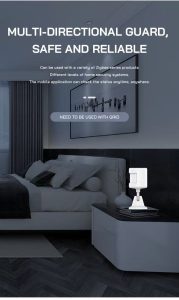
Tuya indoor WiFi smart camera for home security automation

Therefore, This guide explains what smart home automation actually means, the devices that matter, and seven practical scenes you can copy today. It also includes a short buying checklist for distributors who want to stock a complete, compatible automation range.

What smart home automation means

Moreover, Automation is the difference between controlling a device remotely and having it react by itself. When you automate, a rule triggers an action without you touching your phone. For example: motion detected at the front door and after sunset, the porch light turns on automatically. No app, no Button, no thinking required.

In addition, The rules live in the app of your ecosystem, most commonly Tuya-based platforms that unify hundreds of brands. The same app controls switches, cameras, sensors, doorbells and pet feeders — which is exactly why distributors prefer open-protocol products that speak the same language.

The building blocks of a smart home

Smart switches and sockets

For example, A smart wall switch replaces your existing switch and gives every light in the room a Wireless brain: on/off schedules, remote control and voice commands. Smart sockets do the same for appliances such as heaters, fans and coffee makers, with energy monitoring to reveal what is really consuming Power.

Smart sensors

Consequently, Door/window sensors, motion sensors, temperature and humidity sensors turn ordinary rooms into aware rooms. They are the “eyes and ears” that trigger other devices. A motion sensor plus a smart bulb, for instance, creates automatic lighting in hallways and bathrooms. M8 Dopamine Color Wireless Lavalier Microphone: Get Clear Studio Audio For Vlogging & Live Streaming

Video doorbells and security cameras

A video doorbell gives you a live view of your entrance, two-way talk and motion alerts. Indoor and outdoor Security cameras extend that coverage to every room and corner. Combined with local SD card storage, they create a subscription-free security layer that works even when you are away.
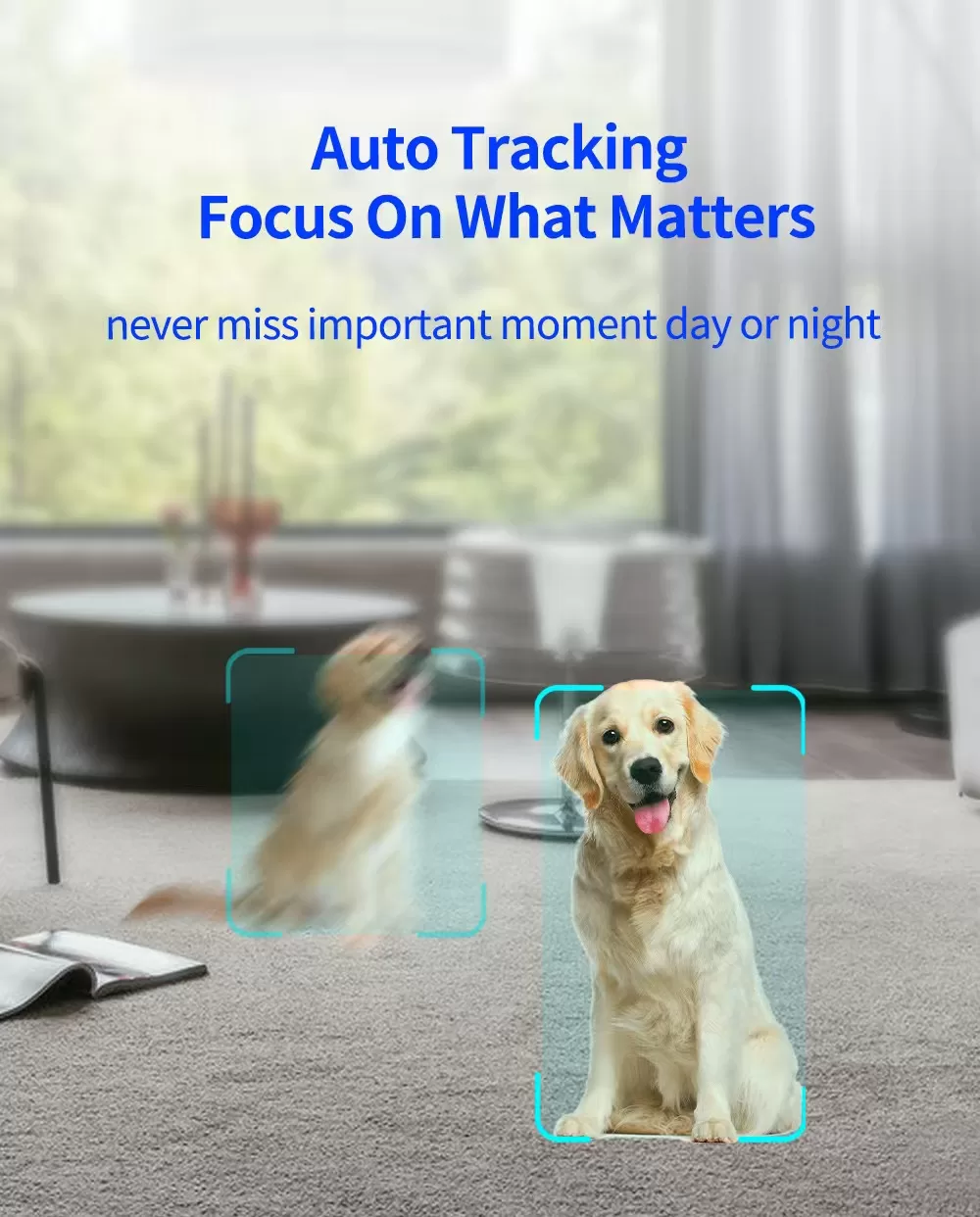
Tuya pan-tilt security camera home surveillance

Automatic pet feeders

WiFi pet feeders dispense scheduled meals and let you check on your pet with a built-in camera — perfect for long workdays and travel, and a growing category in every pet-owner household.

7 practical automation scenes for 2026

  • Morning wake-up: a bedroom smart switch fades the lights on at 7:00, and a wall socket starts the coffee maker right after.
  • Welcome home: a door/window sensor on the main door triggers the hallway lamp the moment you walk in.
  • Away mode: all lights follow a random schedule while you travel, and the security camera arms itself and records on motion.
  • Energy saving: temperature and power-monitoring sockets switch off standby devices at night, cutting standby power that can reach 10% of your bill.
  • Pet care: the pet feeder dispenses lunch at 12:00, and your indoor camera checks that your pet actually ate.
  • Security: motion at the back door after midnight triggers the siren-linked socket and pushes a live view notification to your phone.
  • Elderly care: a motion sensor in a parent room alerts family if no movement is detected for a set number of hours.

Installation: how hard is it really?

Smart bulbs and sockets install in under five minutes with zero wiring. Smart wall switches need standard wiring but most follow a simple two-wire design that an electrician can retrofit in one visit — or a confident homeowner can handle with the included manual. After hardware is in, pairing takes one QR scan per device and naming the room. Automation rules are drag-and-drop scenes, not programming.

Buying checklist for distributors

  • Choose one open protocol (Tuya is the most universal) so every product works together out of the box.
  • Prefer devices with local storage options — subscription-free features sell better globally.
  • Stock complete kits: switch + sensor + doorbell + camera + feeder — one shipment, one ecosystem.
  • Confirm multi-country power standards and universal voltage for export markets.
  • Request demo units and factory samples so your team can test scenes before you commit.

Building a smart home automation line? Contact our factory for wholesale pricing, OEM/ODM support and sample testing on switches, sensors, doorbells, cameras and pet feeders.

You Might Also Like

Frequently Asked Questions

Is Smart Home Automation worth buying?

Based on the breakdown in this article, Smart Home Automation offers a solid mix of features and value. If your main goal matches the key benefits described above, it is a practical choice for everyday use.

How do I choose the right smart home automation for my needs?

Start with your core use case, then compare battery life, compatibility, and build quality as covered above. Choosing the right smart home automation comes down to matching specs with how you actually use it.

Does smart home automation require a companion app?

Most devices of this type pair with a free companion app for setup and firmware updates. A few advanced features may sit behind a paid plan, so check the official specs page before buying.


Posted on — Leave a comment

Smart Home Automation Scenes: 6 Practical Setups That Make Your Home Think

What Is a Smart Home Scene?

However, A Smart home scene is a preset configuration that adjusts multiple devices simultaneously with a single command, tap, or trigger. Instead of telling your speaker to “turn off the living room light” and then “set the thermostat to 20” and then “lock the front door,” a scene does all three at once. Smart home

Therefore, Think of scenes as saved “snapshots” of your home’s state. You set up the perfect conditions for different activities, then recall them instantly.

Scene 1: Good Morning

What It Does

  • Bedroom lights gradually brighten from 0% to 60% over 10 minutes (warm to neutral white)
  • Thermostat adjusts from sleeping temperature to comfort temperature
  • Coffee maker turns on (via Smart plug) 5 minutes before wake time
  • Smart speaker reads today’s weather and calendar
  • Bedroom curtains open automatically
  • All other rooms remain off

Trigger

Moreover, Time-based: 6:30 AM on weekdays, 8:00 AM on weekends. Or manually via “Good morning” voice command.

Why It Works

In addition, Gradual light brightening simulates a natural sunrise, signaling your body to wake gently rather than being jolted by an alarm. The coffee being ready when you reach the kitchen is a small luxury that starts your day right.

Scene 2: Leaving Home (Away Mode)

What It Does

  • All lights off (except a few on random timers to simulate occupancy)
  • Thermostat adjusts to energy-saving mode (lower in winter, higher in summer)
  • All doors lock automatically
  • Security cameras arm and start recording on motion
  • Contact sensors activate alerts
  • TV and all non-essential devices turn off
  • Smart plugs cut power to standby devices

Trigger

For example, Geofence: when your phone leaves a 200m radius of home. Or manually via “I’m leaving” voice command or app button. Smart Home Starter Guide 2026: How to Build Your First Connected Home C08 Gimbal Stabilizer 69cm, Extendable Selfie Stick Tripod for iPhone & Android

Why It Works

Consequently, This scene combines energy savings with security. Randomized lights deter burglars, while cameras and sensors ensure you are alerted to any intrusion. Smart plugs eliminate phantom power draw from idle electronics. Biometric Smart Locks Go Mainstream: The Next Big Home Tech Trend Overseas

Scene 3: Welcome Home

What It Does

  • Entryway and hallway lights turn on at 80%
  • Thermostat returns to comfort temperature
  • Front door unlocks as you approach
  • Security cameras disarm
  • Smart speaker plays your favorite playlist
  • Kitchen lights turn on if it is after sunset

Trigger

Geofence: when your phone enters a 100m radius of home. Or when the smart lock is opened with your code.

Why It Works

Coming home to a lit, comfortable house with music playing is a genuinely delightful experience. The automatic unlock means no fumbling for keys with groceries in hand.

Scene 4: Movie Night

What It Does

  • Living room lights dim to 5% warm white
  • TV backlight turns on (bias lighting reduces eye strain)
  • Kitchen lights turn off
  • AV receiver or soundbar switches to movie mode
  • Smart speaker volume lowers
  • Phone goes to Do Not Disturb
  • Curtains close for better viewing

Trigger

Voice command: “Movie time” or when the TV is turned on after 7 PM.

Why It Works

Bias lighting (the light strip behind the TV) reduces the contrast between the bright screen and dark room, reducing eye fatigue. Dim ambient lighting maintains enough visibility to navigate without distracting from the screen.

Scene 5: Goodnight

What It Does

  • All lights throughout the house turn off
  • Bedroom nightlight turns on at 1% amber
  • All doors lock and security arms in “night” mode
  • Thermostat drops to sleeping temperature
  • Phone chargers activate (smart plugs on)
  • White noise machine or fan turns on
  • Garage door closes if open

Trigger

Voice command: “Goodnight” or time-based at 11 PM. Or when you plug in your phone at the bedside smart plug.

Why It Works

This scene ensures peace of mind ??everything is locked, off, and secured ??without a nightly checklist. The nightlight provides just enough illumination for bathroom trips without disrupting sleep. The 1% amber light is specifically chosen because it does not suppress melatonin production.

Scene 6: Vacation Mode

What It Does

  • Lights turn on and off at randomized times matching your normal patterns
  • TV turns on for 2 hours in the evening
  • Curtains open and close at varied times
  • Thermostat set to minimum safe temperature (pipe protection in winter)
  • All security devices armed with maximum sensitivity
  • Smart water valve shuts off main supply
  • All smart plugs cycle to simulate device usage

Trigger

Manually activated before leaving for vacation. Deactivated when you return.

Why It Works

This is the most comprehensive scene. The randomized patterns make the house look genuinely occupied, not just timed. Shutting off the water prevents catastrophic flooding while you are away. The thermostat maintains a safe minimum to prevent frozen pipes. Every device contributes to the illusion of occupancy.

Tips for Creating Your Own Scenes

  • Start simple ??2-3 devices per scene is enough. Add complexity over time.
  • Use delays ??Stagger device actions by 1-2 seconds for a natural feel rather than everything happening at once.
  • Test thoroughly ??Run each scene multiple times to catch issues (lights too bright, thermostat too cold, etc.)
  • Share with family ??Make sure scenes work for everyone, not just your preferences.
  • Use multiple triggers ??Set up both voice and time-based triggers so the scene activates reliably.

Conclusion

Scenes are what separate a smart home from a collection of smart devices. They create experiences rather than just controls. Start with “Good Morning” and “Goodnight” ??these two alone will change how you feel about your home. Then add “Away” and “Welcome Home” for security and convenience. Before long, you will wonder how you ever lived without them. That is why Smart home automation

Related Articles

You Might Also Like
Related guides
Frequently Asked Questions

Is Smart Home Automation worth buying?

Based on the breakdown in this article, Smart Home Automation offers a solid mix of features and value. If your main goal matches the key benefits described above, it is a practical choice for everyday use.

How do I choose the right smart home automation for my needs?

Start with your core use case, then compare battery life, compatibility, and build quality as covered above. Choosing the right smart home automation comes down to matching specs with how you actually use it.

Does smart home automation require a companion app?

Most devices of this type pair with a free companion app for setup and firmware updates. A few advanced features may sit behind a paid plan, so check the official specs page before buying.
Posted on — Leave a comment

Smart Home Beginner’s Guide 2026: 8 Practical Devices Worth Starting With

Xingliao Smart Home showroom with smart devices display

Building a Smart Home can feel overwhelming with all the buzzwords. This guide breaks it down into 8 practical, field-tested devices — the same models we manufacture and ship most. Read it like a checklist, not a textbook.

Xingliao Smart Home showroom with smart devices display
Xingliao smart home showroom – WiFi switches, doorbells and sensors
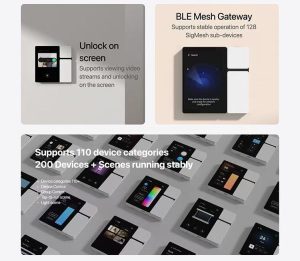
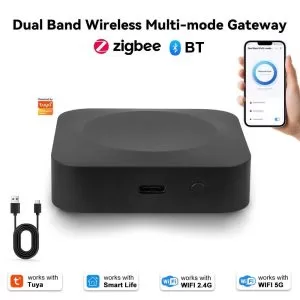
1. Therefore, The Brain — Zigbee Gateway Before you buy any sensor or switch, you need a brain. A smart home is a network, not a single gadget. The Zigbee gateway is that brain. For example, Unlike pure WiFi devices that crowd your router and drop offline when the signal gets weak, Zigbee uses a low-power mesh network. Each powered device extends the network, so the more devices you add, the more stable the whole system becomes. Our gateway supports both 2.4GHz and 5GHz Wi-Fi networks, so it adapts to different routers without hassle. It also handles local automation — meaning once you set up a rule, it keeps working even if your internet drops. In addition, That’s a big deal for security and reliability. Checklist: make sure the hub supports enough sub-devices for your future plan, offers a clean app, and works with your chosen ecosystem.

Why We Recommend Tuya-Based Devices

However, All our plug-and-play devices work with the free Smart Life app (powered by the Tuya IoT platform). That means you can control lights, sensors, cameras, and doorbells from one dashboard, even if you mix brands later.

Zigbee smart home gateway hub with dual band WiFi support
Zigbee gateway connects lights, sensors, and security devices
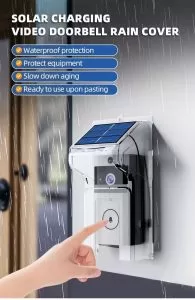
2. Moreover, Front Door Security — U9 Solar Video Doorbell The front door is the smartest place to start. Our U9 solar video doorbell is built for people who don’t want to run cables or climb ladders to swap batteries. The built-in solar panel keeps the internal battery charged year-round, and the unit is all-round rainproof with a high-toughness, wear-resistant, impact-proof shell. Feature-wise, you get 2K HD video, motion detection, two-way talk, night vision, and a free chime included in the box. Furthermore, It also works with Alexa and Google Home, so you can ask a smart display to show who’s at the door. Use case: houses, villas, rental properties, apartment entrances — anywhere you want to see and speak to visitors without opening the door.
	U9 solar powered wireless video doorbell with 2K camera
Solar video doorbell with 2K HD camera, two-way talk, and night vision

3. Wall Control — Tuya Smart Control Panel

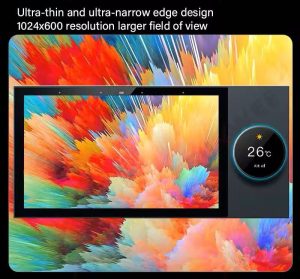
Once you have a hub and a doorbell, the next upgrade is wall control. As a result, The Tuya smart control panel replaces a messy row of switches with one clean touchscreen. From it, you can control lights, curtains, scenes, and music. The version in our catalog supports adjustable light color and RGB lighting, with color temperature range around 35%–65%. Importantly, It also shows live room status like temperature (for example, 26°C on screen).

This panel integrates voice, gateway, and music in one device, and it can connect to the Tuya hotel system if you’re running short-term rentals or hospitality projects. Pick a screen size based on your wall space and existing switch box. Look for one-tap scene switching — that’s what turns “movie night” or “leave home” from a slogan into one button press.

Tuya smart home control panel touchscreen for lights and scenes
Wall-mounted Tuya control panel for smart lighting, curtains, and scenes

4. Notably, Motion & Security — Human Body Sensor

This is the device people call “I can’t live without it anymore.” The human body sensor turns lights on when you walk into a room and off when you leave. It sounds simple, but it saves power, prevents fumbling for switches at night, and makes hallways safer.

Paired with the Zigbee gateway, it can do more than lighting. It can trigger cameras to record, sound an alarm, or send a phone notification when unexpected motion is detected. Meanwhile, you’re away. However, Because it’s wireless and battery-powered, installation is just peel-and-stick. Place it in entryways, hallways, staircases, or near valuables.

Tuya smart home control panel touchscreen for lights and scenes
Wall-mounted Tuya control panel for smart lighting, curtains, and scenes
Zigbee human motion sensor for smart home automation
Motion sensor triggers lights, alarms, and cameras automatically

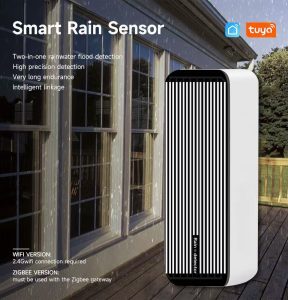
5. Outdoor Alert — Rain Sensor

A rain sensor is one of those small devices that quietly saves money. Therefore, When rain starts, it can send a signal to close motorized windows, retract awnings, or pause irrigation systems. If you have plants, a garden, or outdoor equipment, this pays for itself quickly.

It’s tiny, wireless, and works outdoors. Set the automation once, and you never have to rush home because you forgot to close a window. For example, For greenhouses, balconies, and vacation homes, it’s especially useful.

Smart rain sensor for automatic window and irrigation control
Rain sensor closes windows and pauses irrigation automatically

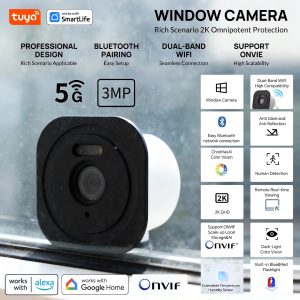
6. Window Watch — Window Camera

Not everyone can drill holes or run cables through walls. The window camera solves that. In addition, It mounts with a suction cup on the inside of a window and gives you a clear view outside. It’s ideal for renters, small shops, apartments, or any room where you want monitoring without renovation.

Phone remote viewing means you can check your home or store from anywhere. Pair it with the motion sensor or doorbell, and you have a layered security setup without professional installation.

Window camera with suction cup mount for indoor security
Suction cup window camera for easy indoor home monitoring

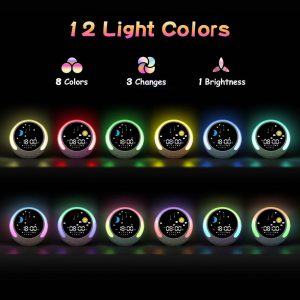
7. Moreover, Better Mornings — Smart Alarm Clock

A smart alarm clock is the gentlest way to upgrade your bedroom. Instead of a harsh buzzer, it uses gradual light to wake you up naturally, plus weather reports and music. Some models also work as a bedside voice assistant or display your daily schedule.

It’s not the most technical device on this list, but it’s the one guests and family members notice first. Furthermore, Put it on a nightstand and let the light-based wake-up replace your phone alarm.

Smart alarm clock with light wake-up and weather display
Smart alarm clock with sunrise light wake-up and music

8. Pet Essential — Auto Pet Feeder

If you travel or work long hours, an automatic pet feeder removes the daily guilt. Our model includes a camera, microphone, and stainless steel food bowl. As a result, You can schedule timed, portioned meals, and press a button to drop a bonus snack remotely.

The camera and mic let you check on your pet and talk to them from work. The stainless bowl is easier to clean and more hygienic than plastic. For cats and small-to-medium dogs, it’s one of the most practical smart home devices you can buy.

Automatic pet feeder with camera and stainless steel bowl
WiFi pet feeder with camera, microphone, and timed feeding
Recommended Buying Order You don’t have to buy everything at once. Importantly, Here’s a sensible order: Start with the Zigbee gateway — nothing else works well without it. Add the U9 solar doorbell for security. Install the control panel to centralize control. Add the human motion sensor for convenience and security. Expand with rain sensor, window camera, smart alarm clock, or pet feeder based on your lifestyle. One Ecosystem Rule The biggest beginner mistake is mixing too many apps. Try to stay inside one ecosystem — Tuya / Smart Life is a solid choice — so scenes and automations actually work together. If you buy a Zigbee hub, a Tuya panel, and Tuya sensors, they will talk to each other. Notably, If you mix brands with closed apps, you’ll end up with five different apps and nothing automated.
Xingliao smart home factory assembly line with workers
Our smart home device production line and assembly workshop
Final Tip Don’t chase “future home” marketing. Start with one or two devices that solve a real daily problem, get them working reliably, then add more. A working doorbell and motion-activated lights will feel more impressive than ten half-connected gadgets. Browse full specs, OEM options, or request a bulk quote at odmhome.com. Tuya Works with Alexa, Google Assistant & More One of the biggest reasons to choose Tuya-based devices is compatibility. However, Because every product here runs on the Tuya IoT platform, they connect seamlessly with Amazon Alexa, Google Assistant, and other mainstream smart speakers — including Apple HomeKit bridges and Siri shortcuts where supported.

Related Articles

You Might Also Like
Frequently Asked Questions

Is Beginner Practical Devices Worth worth buying?

Based on the breakdown in this article, Beginner Practical Devices Worth offers a solid mix of features and value. If your main goal matches the key benefits described above, it is a practical choice for everyday use.

How do I choose the right beginner practical devices worth for my needs?

Start with your core use case, then compare battery life, compatibility, and build quality as covered above. Choosing the right beginner practical devices worth comes down to matching specs with how you actually use it.

Does beginner practical devices worth require a companion app?

Most devices of this type pair with a free companion app for setup and firmware updates. A few advanced features may sit behind a paid plan, so check the official specs page before buying.