Posted on — Leave a comment

Smart Sensors Buying Guide: How to Make Your Home Feel Its Environment

What Are Smart Sensors?

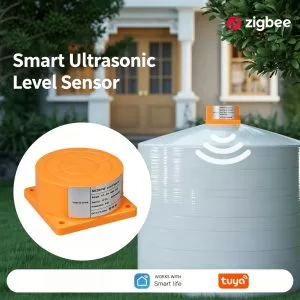
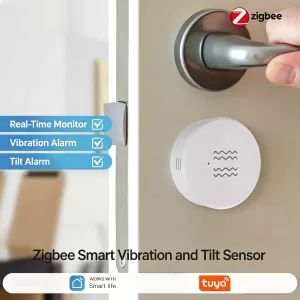
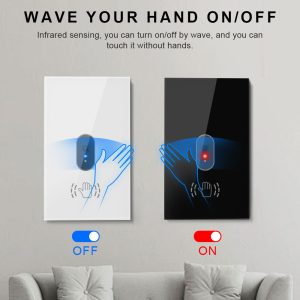
However, Smart sensors are the unsung heroes of a Smart Home. While smart bulbs and speakers get the attention, sensors quietly gather data about your environment and trigger automations that make your home responsive. Think of sensors as the nervous system of your smart home ??they detect what is happening and tell your other devices how to respond.

Types of Smart Sensors

1. Motion Sensors (PIR)

Therefore, Passive infrared (PIR) sensors detect body heat and movement. They are the workhorse of any smart home. Smart Home Automation Scenes: 6 Practical Setups That Make Your Home Think

Best Uses

  • Turn lights on when someone enters a room
  • Trigger security alerts when armed
  • Turn off lights when a room is empty for 5 minutes
  • Activate cameras only when motion is detected

What to Look For

  • Adjustable sensitivity (to ignore pets)
  • Battery life of 1-2 years
  • Detection range of 5-7 meters
  • Field of view of 90-120 degrees

2. Door and Window Contact Sensors

Moreover, These two-piece sensors detect when something opens or closes. One part attaches to the frame, the other to the moving part.

Best Uses

  • Security alerts when doors/windows open while armed
  • Trigger lights when a door opens after sunset
  • Send notifications when the garage door is left open
  • Know if a window was left open before turning on the AC

What to Look For

  • Adhesive mounting (no screws needed)
  • Gap tolerance of 2-3cm (for varied alignments)
  • Low battery alerts in app
  • Quick response time (under 1 second)

3. Temperature and Humidity Sensors

In addition, These sensors monitor the climate in each room, enabling intelligent heating, cooling, and humidification control.

Best Uses

  • Turn on a smart humidifier when humidity drops below 40%
  • Adjust thermostat based on room-specific temperatures
  • Alert if a room gets too hot (fire risk) or too cold (pipe freezing)
  • Optimize plant care based on ambient conditions

What to Look For

  • Accuracy of ?0.5?C and ?2% humidity
  • Refresh rate every 30-60 seconds
  • Historical data charts in the app
  • Battery or USB powered

4. Water Leak Sensors

For example, Place these under sinks, near washing machines, water heaters, and toilets. They detect water on the floor and alert you before damage becomes catastrophic.

Best Uses

  • Instant phone alert when water is detected
  • Trigger a smart water shutoff valve automatically
  • Monitor sump pump areas for flooding
  • Detect slow leaks under appliances

What to Look For

  • Loud built-in alarm (85+ dB) in addition to phone alert
  • Probe cable for hard-to-reach areas
  • Battery life of 2+ years
  • Waterproof construction

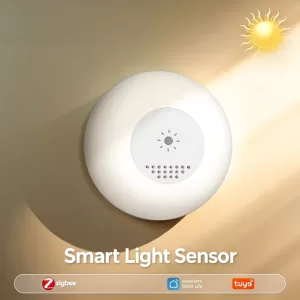
5. Light Sensors (Lux Sensors)

Consequently, These measure ambient light levels, enabling truly intelligent lighting automation that responds to natural light rather than fixed schedules. Smart Home Energy Saving Trends: How Overseas Consumers Cut Bills with Automation

Best Uses

  • Turn on lights only when a room is dark enough to need them
  • Adjust curtain motors based on sunlight
  • Dim lights proportionally to natural light
  • Trigger outdoor lights based on actual darkness, not sunset time

6. Air Quality Sensors

Monitor CO2, VOCs (volatile organic compounds), PM2.5, and other pollutants. Especially valuable for homes in urban areas or with allergy sufferers.

Best Uses

  • Trigger air purifier when PM2.5 exceeds 35 ?g/m?
  • Open windows (via smart actuator) when CO2 exceeds 1000 ppm
  • Alert when VOC levels spike (new furniture, paint, cleaning products)
  • Track air quality trends over time

How to Plan Your Sensor Network

Prioritize by Room

  • Entryways: Contact sensors on doors, motion sensors in foyers
  • Living room: Motion sensor, temperature sensor, light sensor
  • Kitchen: Water leak sensor under sink, smoke/heat sensor, motion sensor
  • Bathrooms: Motion sensor (for nighttime lights), water leak sensor
  • Bedrooms: Temperature sensor, door contact sensor
  • Basement/Laundry: Water leak sensor, temperature sensor (freeze protection)

Building Automation Rules

Sensors are only as smart as the rules you create. Here are powerful combinations:

  • Empty room: Motion sensor detects no movement for 10 min ??turn off lights, lower thermostat
  • Night security: After 11 PM, if any contact sensor opens ??flash lights, send alert, start camera recording
  • Leak protection: Water sensor triggers ??shut off main water valve, send urgent alert
  • Comfort: Temperature sensor reads above 26?C ??turn on AC, close curtains
  • Energy saving: Light sensor reads above 500 lux ??turn off indoor lights

Conclusion

Sensors transform your smart home from a remote control into a genuinely intelligent system. Start with motion sensors and contact sensors ??they provide the most immediate value. Add temperature, water, and light sensors as you expand. The more sensors you add, the more your home understands what is happening and the better it can respond automatically. That is the true promise of a smart home.

Related Articles

You Might Also Like

Frequently Asked Questions

Is Smart Sensors Make worth buying?

Based on the breakdown in this article, Smart Sensors Make offers a solid mix of features and value. If your main goal matches the key benefits described above, it is a practical choice for everyday use.

How do I choose the right smart sensors make for my needs?

Start with your core use case, then compare battery life, compatibility, and build quality as covered above. Choosing the right smart sensors make comes down to matching specs with how you actually use it.

Does smart sensors make require a companion app?

Most devices of this type pair with a free companion app for setup and firmware updates. A few advanced features may sit behind a paid plan, so check the official specs page before buying.

Posted on — Leave a comment

Smart Lighting Complete Guide: From Color Temperature to Automation Scenes

Why Smart Lighting?

However, Smart lighting is the entry point for most Smart Home enthusiasts ??and for good reason. It is easy to install, immediately visible, and genuinely improves daily life. Beyond simply turning lights on and off with your phone, smart lighting can transform your home’s atmosphere, improve your sleep, and save energy.

Understanding Color Temperature

Therefore, Color temperature is measured in Kelvin (K) and describes the appearance of light. Understanding it is key to creating comfortable, healthy lighting. Smart Home Automation Scenes: 6 Practical Setups That Make Your Home Think

The Kelvin Scale

  • 2700K ??3000K (Warm White) ??Soft, yellowish light similar to traditional incandescent bulbs. Ideal for bedrooms, living rooms, and evening use. Promotes relaxation and sleep.
  • 3500K ??4000K (Neutral White) ??Balanced light good for kitchens, bathrooms, and workspaces. Neither too warm nor too cool.
  • 5000K ??6500K (Daylight/Cool White) ??Bright, bluish-white light that mimics natural daylight. Best for reading, detail work, and daytime use. Boosts alertness and productivity.

Circadian Lighting

Moreover, Your body’s internal clock (circadian rhythm) responds to light color. Smart bulbs can automatically shift from cool, bright light in the morning to warm, dim light in the evening. This natural progression helps regulate sleep patterns and improves overall well-being. Smart Sensors Buying Guide: How to Make Your Home Feel Its Environment

In addition, Set your bulbs to start at 5000K in the morning, shift to 3500K midday, and gradually warm to 2700K by sunset.

Types of Smart Lighting

Smart Bulbs

For example, The most common entry point. Screw them into existing fixtures and control via app or voice. Available in white-only, tunable white, and full-color variants.

Smart Light Switches

Consequently, Replace your wall switches to control existing bulbs. This is better if you have multiple bulbs on one circuit, as one switch controls them all. It also means family members can still use the wall switch normally. Why Smart Home Security Is Trending Overseas in 2026: Tech That Sells

LED Light Strips

Flexible strips for under-cabinet lighting, TV backlighting, stair illumination, and architectural accent lighting. They add depth and atmosphere to any room.

Smart Outdoor Lighting

Weatherproof bulbs, pathway lights, and floodlights for exterior spaces. Great for security and curb appeal.

Lighting Scenes: Setting the Mood

Scenes are preset combinations of brightness, color, and on/off states across multiple lights. They let you instantly transform your home’s atmosphere.

Essential Scenes to Create

  • Movie Night ??Lights dim to 10%, warm color, TV backlight on
  • Reading ??Single lamp at 80%, neutral white, everything else off
  • Dinner ??Dining area at 60% warm white, kitchen dimmed, ambient music starts
  • Party ??Color-changing lights, bright and energetic
  • Focus/Work ??All lights at 90%, cool white (5000K)
  • Sleep ??All lights off, nightlight at 1% warm amber
  • Wake Up ??Lights gradually brighten from 0% to 80% over 15 minutes

Automation: Let Your Lights Think

The real magic happens when you stop controlling lights manually and let automation handle it.

Motion-Based Automation

  • Hallway lights turn on at 30% when motion is detected after 10 PM
  • Bathroom light turns on at 20% warm white during nighttime visits
  • Garage light turns on when the garage door opens

Time-Based Automation

  • Sunset: Outdoor lights turn on, indoor lights shift to warm white
  • Sunrise: Bedroom lights gradually brighten, kitchen lights turn on
  • Midnight: All non-essential lights turn off

Event-Based Automation

  • When the TV turns on ??activate “Movie Night” scene
  • When the front door unlocks after sunset ??turn on entry lights
  • When the smoke alarm triggers ??flash all lights red

Energy Savings

Smart lighting can reduce your lighting energy consumption by 30-50% compared to traditional bulbs.

  • LED smart bulbs use 75% less energy than incandescent
  • Motion sensors ensure lights are never left on in empty rooms
  • Scheduling prevents lights from running when no one is home
  • Dimming reduces power consumption proportionally
Conclusion

Smart lighting is about more than convenience ??it is about creating the right light for every moment. Start with a few bulbs in your most-used rooms, create scenes that match your daily routines, and gradually add automation rules. The result is a home that always has the perfect lighting, automatically, without you ever touching a switch.

Related Articles

You Might Also Like
Frequently Asked Questions

Is Smart Lighting Color worth buying?

Based on the breakdown in this article, Smart Lighting Color offers a solid mix of features and value. If your main goal matches the key benefits described above, it is a practical choice for everyday use.

How do I choose the right smart lighting color for my needs?

Start with your core use case, then compare battery life, compatibility, and build quality as covered above. Choosing the right smart lighting color comes down to matching specs with how you actually use it.

Does smart lighting color require a companion app?

Most devices of this type pair with a free companion app for setup and firmware updates. A few advanced features may sit behind a paid plan, so check the official specs page before buying.

Posted on — Leave a comment

Smart Home Starter Guide 2026: How to Build Your First Connected Home

Introduction: Why Smart Home?

However, The concept of a Smart home has evolved from a luxury to an accessible reality for homeowners worldwide. Whether you live in a studio apartment or a multi-story house, building a connected home is easier and more affordable than ever in 2026. Smart home

Therefore, This guide walks you through everything you need to know to start your Smart home journey, from choosing the right ecosystem to selecting your first devices.

Step 1: Choose Your Smart Home Ecosystem

Moreover, Before buying any devices, decide which ecosystem you want to build around. This is the foundation of your smart home. Smart Sensors Buying Guide: How to Make Your Home Feel Its Environment

Major Options

  • Apple HomeKit ??Best for privacy and iOS users. Offers seamless Siri integration and HomeKit Secure Video.
  • Google Home ??Excellent voice control and AI automation. Works great with Nest devices.
  • Amazon Alexa ??The widest device compatibility. Ideal if you want maximum flexibility.
  • Matter/Thread ??The new universal standard that works across all platforms. Future-proof your home by choosing Matter-certified devices.

Tip: If you are just starting, pick the ecosystem that matches your phone. iPhone users tend to prefer HomeKit, while Android users often go with Google Home or Alexa. Smart Lighting Complete Guide: From Color Temperature to Automation Scenes

Step 2: Start With a Smart Speaker or Hub

For example, Every smart home needs a central hub. A smart speaker serves as your voice command center and automation brain. Tuya 4MP 2K HD Indoor Smart Camera: Color Night Vision for Family and Pet Monitoring Home Security Systems Explained: 5 Essential Devices to Protect Your Family

  • Apple HomePod mini ??Compact, powerful, and privacy-focused
  • Google Nest Audio ??Great sound quality with Google Assistant
  • Amazon Echo (4th Gen) ??Zigbee hub built in, widest compatibility

Consequently, Place your hub in a central location for the best voice control coverage and Bluetooth/Wi-Fi range. Tuya 2MP/4MP Indoor PTZ Smart Camera: 360 Panoramic Home Monitoring Made Simple

Step 3: Smart Lighting ??The Easiest Entry Point

Smart lighting is the most popular first purchase for smart home beginners. It is easy to install and delivers immediate, visible results.

What to Buy

  • Smart bulbs (Wi-Fi or Zigbee)
  • Smart light switches (if you want permanent control)
  • LED light strips for accent lighting

Key Features to Use

  • Scheduling ??Lights turn on at sunset, off at bedtime
  • Color temperature ??Warm white in the evening, cool white during the day
  • Scenes ??Create “Movie Night,” “Reading,” or “Party” modes
  • Voice control ??”Turn off all lights” when going to bed

Step 4: Smart Security ??Peace of Mind

Home security is one of the most valuable investments in a smart home. Start with these essentials:

  • Smart doorbell camera ??See who is at the door from your phone
  • Indoor security camera ??Monitor pets, kids, or entry points
  • Door/window sensors ??Get alerts when something opens unexpectedly
  • Smart lock ??Keyless entry and remote locking

For apartments, a video doorbell and a couple of indoor cameras are sufficient. For houses, consider adding outdoor cameras and motion sensors.

Step 5: Smart Sensors ??Make Your Home Aware

Sensors are the nervous system of a smart home. They detect conditions and trigger automations automatically.

Essential Sensors

  • Motion sensors ??Trigger lights when someone enters a room
  • Temperature/humidity sensors ??Monitor comfort levels and control climate
  • Door/window contact sensors ??Security and automation triggers
  • Water leak sensors ??Prevent costly flooding damage

For example, a motion sensor in the hallway can turn on lights at 30% brightness at 2 AM, so you never stub your toe in the dark.

Step 6: Home Automation ??Where It All Comes Together

The true power of a smart home is automation. Instead of controlling each device manually, you create rules that let your home operate itself.

Practical Automation Ideas

  • Morning routine: Lights gradually brighten, thermostat adjusts, news plays on speaker
  • Away mode: All lights off, cameras armed, doors locked
  • Sunset routine: Outdoor lights on, curtains close, ambient music starts
  • Bedtime: All lights off except nightlight, doors locked, thermostat to sleeping temperature

Step 7: Expand Gradually

Do not try to build everything at once. Start with a hub, a few smart bulbs, and one security device. Once you are comfortable with the basics, expand to sensors, smart plugs, and automation scenes.

The beauty of a smart home is that it grows with you. Each new device adds a new capability, and each automation you create saves you a few seconds every day ??which adds up to hours saved over a year.

Conclusion

Building a smart home in 2026 is about starting small and expanding thoughtfully. Choose your ecosystem, get a hub, add smart lighting, secure your home, and gradually add sensors and automations. Before you know it, your home will be working for you ??not the other way around. That is why Smart home starter

Related Articles

You Might Also Like
Frequently Asked Questions

Is Smart Home Starter worth buying?

Based on the breakdown in this article, Smart Home Starter offers a solid mix of features and value. If your main goal matches the key benefits described above, it is a practical choice for everyday use.

How do I choose the right smart home starter for my needs?

Start with your core use case, then compare battery life, compatibility, and build quality as covered above. Choosing the right smart home starter comes down to matching specs with how you actually use it.

Does smart home starter require a companion app?

Most devices of this type pair with a free companion app for setup and firmware updates. A few advanced features may sit behind a paid plan, so check the official specs page before buying.

Does smart home starter work with both iPhone and Android?

Yes, in most cases this type of device ships with iOS and Android apps, and standard Bluetooth protocols keep cross-platform pairing simple.