A Smart plug with energy monitoring answers one question a normal plug cannot: how much electricity is this appliance actually using, right now and over a month. Put one on your worst suspects — an old fridge, a tumble dryer, a games console, a TV and soundbar stack, a heater — and you will usually find a standby load of a few watts running 24 hours a day plus one appliance that dominates the bill.
This guide shows how to read the numbers, what a realistic saving looks like, and the safety limits that matter when you plug in a heater.
What the numbers mean
- Power (W): what the appliance draws right now. A kettle at 3,000 W for three minutes costs less than a 200 W appliance left on all day.
- Energy (kWh): what you are billed for. Your plug shows a daily, monthly or cumulative total — use that, not watts.
- Standby: the reading when the device is “off”. Anything above 0.5 W is a real standby draw; 5–15 W is common for set-top boxes, consoles and older AV gear.
- Cost: kWh × your tariff. A 10 W device left on all year is roughly 87 kWh — a noticeable line on a bill for something that does nothing.
How to audit a room in 20 minutes
- Plug the metering Smart plug in and pair it in the app; check that the power reading updates live.
- Plug in the suspect appliance and note the reading while it is in normal use.
- Switch the appliance off at its own switch and note the standby figure.
- Leave it a full day and read the daily kWh total — that single number is the honest answer.
- Multiply by your tariff and by 365 for a yearly figure.
Typical findings: an old chest freezer in a garage running 400–600 kWh/year, a games console in instant-on mode 100–200 kWh/year, a TV plus soundbar plus set-top box on standby 50–100 kWh/year.
What to automate once you know
- Cut standby overnight: Schedule the plug off from 00:30 to 06:00 for AV stacks, consoles and chargers. Keep anything that needs a network wake-up or a clock on permanently.
- Cap a heater: schedule an electric heater or towel rail to run only in the hours the room is used, and set a maximum daily runtime if the app supports it.
- Alert on abnormal draw: a notification when a freezer’s daily kWh jumps can catch a failing seal or a Door left ajar before the food spoils.
- Kill the “always on” charger: phone and tool chargers draw very little, but a scheduled off period costs nothing and removes the trickle.
Safety limits: read the rating, not the marketing
- 10 A vs 16 A: a 10 A plug at 230 V is about 2,300 W; a 16 A plug about 3,680 W. Match the plug to the appliance, and never run a 3 kW heater through a 10 A plug.
- Continuous load: for anything running for hours (heaters, dehumidifiers), stay well under the maximum — aim for 80% of rating or less.
- Do not daisy-chain: never put a smart plug into an extension lead that already carries a high load.
- Indoor use only: standard smart plugs are not weatherproof. For a garden or a garage, use an outdoor-rated socket or a proper enclosure.
Where a smart plug is the wrong tool
- Anything with a mechanical switch you need at the wall: a plug that is switched off in the app leaves people confused (“it is plugged in and dead”).
- Fridges and freezers on a schedule: do not switch these off to save energy — the food risk far exceeds the saving.
- High-power appliances that should be hardwired: ovens, showers, EV chargers and Water heaters belong on a properly rated circuit, not a plug.
Frequently Asked Questions
Do smart plugs actually save money?
Directly, modestly — a few tens of pounds or dollars a year from removing standby and scheduling heaters. The bigger value is finding the one appliance that is quietly costing you several times more than everything else, which is hard to spot Without metering. Where to Place Smoke and Carbon Monoxide Alarms
How accurate is energy monitoring on a smart plug?
Good enough to rank appliances: typically within a few percent for resistive loads like heaters and kettles, and slightly less accurate for low-power switch-mode supplies. Use it for comparison, not for billing disputes.
Can I use a smart plug for an electric heater?
Only if the plug’s rating exceeds the heater’s draw with margin — a 2 kW heater needs a 10 A plug at minimum and a 16 A plug is safer. Never run heaters through a plug that is also feeding anything else.
Do smart plugs work without internet?
Schedules stored on the plug or hub run Without internet; cloud-based schedules and remote control do not. If a schedule matters, check whether your platform runs it locally.
Can I measure my whole house with one plug?
No. A plug measures one socket. Whole-house monitoring needs a meter at the consumer unit or a clamp meter; use smart plugs to break down individual appliances.
Will a smart plug work with voice assistants?
Most WiFi plugs do, directly and without a hub. Zigbee plugs need a hub, but add mesh coverage and local automations in return.
Related guides
- Zigbee vs WiFi: which to use for each device
- Smart switch boards and wall switches
- Smart thermostats for heating control
- Smart socket vs smart plug: which to buy
Browse smart plugs and sockets · Ask us which rating you need
Related Articles
- Tuya WiFi Smart Socket EU 16A: The Ultimate Smart Plug for Energy Monitoring & Voice Control
- Why a Tuya 2 Gang UK Smart Socket Is the Best Smart Home Upgrade in 2026
- Smart Home Market Trends 2026: What Distributors Must Know About Modular Security, Voice Control and Energy-Saving Devices
- Smart Home Wholesale FAQ: 15 Questions Every Buyer Asks Before Ordering in Bulk
- Smart Home Automation Scenes: 6 Practical Setups That Make Your Home Think
You Might Also Like
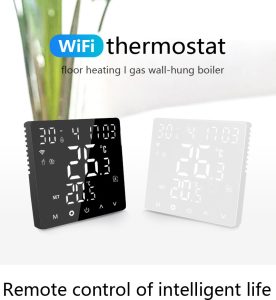 Tuya WiFi Smart Thermostat | 16A Electric Floor Heating & 3A Gas Boiler Temperature Controller Original price was: $29.90.$25.50Current price is: $25.50.
 Tuya Zigbee Solar Rainwater Leak Sensor – Smart Home Water Detection Alarm with AI Automation Original price was: $35.96.$26.99Current price is: $26.99.
 Tuya Smart WiFi Universal IR Remote Control | Works Alexa & Go… Original price was: $29.89.$23.56Current price is: $23.56.
📌 This article is part of our Complete Smart Hub — more guides and buying tips inside.