What a WiFi Smart Plug Does (and What It Cannot)
A WiFi Smart plug sits between your wall socket and whatever you plug into it, and gives that appliance three new abilities: on/off from your Phone, a schedule, and — on the better models — a live reading of how much electricity it is using.
It is the cheapest way to make something Smart, takes about thirty seconds to set up, and needs no tools. It is also the easiest way to waste money on the wrong appliance, so it is worth knowing where it works. F6 3-Axis Gimbal Stabilizer, Handheld Smartphone Gimbal for Smooth Video
Where it shines: lamps, fans, heaters, coffee machines, Christmas lights, aquarium equipment, phone chargers you want to stop at 100%, irons and hair tools you want to make sure are off, and anything on a timer. C08 Gimbal Stabilizer 69cm, Extendable Selfie Stick Tripod for iPhone & Android
Where it does not: ceiling lights (there is no socket), hardwired appliances, and — importantly — high-draw or inductive loads that exceed the plug’s rating. A smart plug is a switch, not a miracle. C07 Mini Gimbal Stabilizer 66cm, Foldable Extendable Selfie Stick Tripod for Smartphones
Current Rating: The Number That Matters Most
Before anything else, match the rating to the appliance: C06 Series Selfie Stick with Light & Tripod, Extendable Gimbal Stabilizer for Smartphones F10 3-Axis Gimbal Stabilizer, Handheld Smartphone Stabilizer for Smooth Video Recording
- 10A — lamps, small fans, chargers, most consumer electronics. Fine for around 2,300W at 230V.
- 16A — heaters, kettles, air conditioners, washing machines, water pumps. Around 3,600W at 230V. If you are in Europe or the UK and the appliance has a proper plug and draws real power, buy 16A.
- Inductive loads — anything with a motor (pumps, compressors, some fans) draws a surge several times its running current at startup. Leave headroom or the relay welds shut.
Then match the plug standard to your country: EU (Schuko / French type E), UK (BS 1363, fused, 3-pin), US (Type A/B), or universal. This sounds obvious and is still the most common ordering mistake in export.
Two models in our range cover the common cases: the Tuya WiFi smart socket EU 16A with energy monitoring for European markets, and the UK 2-gang wall socket with 20W USB PD where you want a fixed wall outlet rather than a plug-in adapter.
Energy Monitoring: Worth It?
A monitoring plug measures voltage, current and power factor and turns them into watts and kilowatt-hours. It will not match your utility meter to the cent, but it is accurate enough to answer the questions people actually have:
- How much does it cost to run the heater for an hour?
- Is the old fridge actually the problem, or is it the tumble dryer?
- Is this device still drawing power when it is “off”?
That third one is where the money is. Standby draw of 5–15W across a dozen devices runs year-round, and you will never find it without measuring. Our guide to smart plug energy monitoring walks through the setup and how to read the numbers.
If you only want scheduling and voice control, a non-monitoring plug is cheaper and does the job.
Scheduling and Automations That Actually Get Used
The novelty wears off in a week. What survives is the boring stuff:
- Sunset-based lighting rather than a fixed clock time — the schedule follows the seasons without you touching it.
- Heater on 30 minutes before waking, off at bedtime. Comfort without running it all night.
- Charging cutoff for e-bikes and power tools, to stop overnight trickle charging.
- Away mode — randomise lamp on/off times while you are travelling.
- Interlocks — if the leak sensor trips, cut power to the washing machine.
Most of these need a sensor or a second device to be genuinely useful, which is why plugs work best as part of a small System rather than alone. See six practical automation scenes.
Safety and Certification
Cheap uncertified plugs are the one smart home product where cutting corners is genuinely risky: a plug carries full mains current, sits in your wall, and is often left unattended for years. Check for:
- Flame-retardant enclosure (usually PC V-0 rated).
- Real certification for your market — CE for Europe, UKCA/BS for the UK, FCC and UL or ETL for the US, PSE for Japan, CCC for China.
- A relay rated above the load, with over-current and over-temperature protection.
- Proper pin construction — thin plated pins overheat. This is invisible in photos and obvious in the hand.
- Child shutter on wall sockets where local code requires it.
Setup Gotchas
- 2.4GHz only. Almost all smart plugs cannot see a 5GHz network. If your router uses one name for both bands, split them temporarily during pairing.
- WPA2 or WPA3. Open networks and enterprise portals generally will not work.
- Too many devices. Consumer routers start struggling well before their advertised limits. If you are past roughly 30 WiFi devices, move to Zigbee plugs behind a smart home gateway.
- Naming. Call it “Living room lamp”, not “Plug 04”. Voice control is unusable otherwise.
For Distributors and OEM Buyers
Smart plugs are a volume category: low unit value, high repeat rate, and very sensitive to packaging and certification paperwork. Our terms:
- Stock, neutral packaging: from 100 pcs, mixed models and plug standards allowed.
- OEM (logo, retail box, manual, app branding, preset firmware): from 5 pcs per model.
- New tooling or a new plug standard: 2,000–3,000 pcs; tooling 25–40 days, samples 7–15 days.
- Certifications supported: CE, FCC, RoHS, UKCA, CCC, PSE.
Send the target market, plug standard and quantity through the contact page and we will quote against an actual spec. More background in how to automate any appliance without rewiring and smart plug.
Browse the range
Frequently Asked Questions
Does a smart plug work without WiFi?
The button on the plug still switches it manually. App control, schedules and voice need the network — although schedules stored on the device usually keep running after a short outage.
How much power does the plug itself use?
Typically under 1W, often around 0.3–0.8W. On a 16A plug switching a 3kW heater that is negligible; on a phone charger left running all year, the plug’s own draw is a meaningful fraction of what you are measuring.
Can I use it for an air conditioner or water heater?
Only if the plug’s rating exceeds the appliance, with headroom for the startup surge. Use a 16A unit for these, and for anything with a compressor consider a dedicated controller instead.
Is energy monitoring accurate enough to bill from?
No. Treat it as a diagnostic tool accurate to roughly a few percent, not a revenue-grade meter. It is more than good enough to rank your appliances by cost.
Do I need a hub?
Not for WiFi plugs — they connect straight to the router. Zigbee plugs need a gateway, which is usually the better choice once you pass 20–30 devices.
What is the MOQ for our own brand?
5 pcs per model for OEM branding including retail packaging and manuals. Stock units in neutral packaging start at 100 pcs, and mixed models are accepted.
Related Articles
- Tuya WiFi Smart Socket EU 16A: The Ultimate Smart Plug for Energy Monitoring & Voice Control
- Smart Home Gateway Explained: Zigbee, Tuya and Bluetooth Compared
- WiFi Smart Switch Board: Neutral Wire Check, Gang Sizes and How to Choose
- C06H Mini Single Axis Gimbal Stabilizer Review – Best Portable Vlog Stabilizer for Smartphone
- C07 Mini Gimbal Stabilizer 66cm, Foldable Extendable Selfie Stick Tripod for Smartphones
You Might Also Like
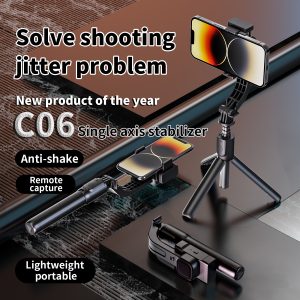 C06 Single Axis Gimbal Stabilizer, Phone Selfie Stick Tripod with Wireless Remote, Anti-Shake Handheld Video Stabilizer for Smartphone Vlog Live Streaming Price range: $13.96 through $17.96
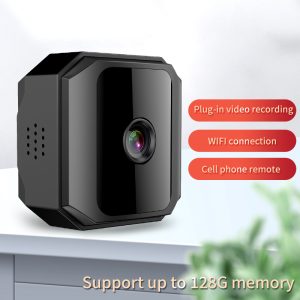 P10 Mini WiFi Security Camera Plug-in Indoor Surveillance Camera with Night Vision Motion Detection Original price was: $19.96.$11.99Current price is: $11.99.
 P9 Low Power Battery Camera Wireless WiFi Security Camera, Plug-Free Home Surveillance Camera with Motion Detection, Phone Remote Monitoring Original price was: $49.96.$33.99Current price is: $33.99.
 Tuya 4MP HD Smart WiFi Indoor Security Camera Two-Way Audio Human Detection Home Surveillance Camera Price range: $29.99 through $32.99
📌 This article is part of our Complete Wifi Hub — more guides and buying tips inside.