Posted on — Leave a comment

Tuya Smart Plug: Setup, Energy Monitoring and Limits

A Tuya Smart plug is a Wi-Fi socket adapter that turns any mains appliance into a connected one: it plugs into an existing socket, you pair it with the Tuya Smart or Smart Life app, and from then on you can Switch it on and off remotely, put it on a schedule, and — on models with metering — read the appliance’s live power draw and accumulated energy use.

Tuya is the platform, not a manufacturer. That is why a Tuya plug from one brand works in the same app as a Tuya switch, Camera or sensor from another, and why the same plug is sold under dozens of brand names. For a buyer this is good news: one app, one account, and no lock-in to a single hardware vendor.

What a smart plug is actually good for

  • Removing standby waste. TVs, set-top boxes, consoles and chargers draw power all night. A schedule that cuts them at 01:00 pays for the plug within months.
  • Appliances you should not leave running. Irons, hair straighteners, slow cookers, space heaters — a timer is a genuine safety feature here.
  • Lighting Without rewiring. A floor lamp on a plug gets app control, voice control and a dusk-to-dawn schedule with no electrician.
  • Energy measurement. Metering models show watts, voltage, current and kWh, which is how you find the appliance that is actually costing you money.
  • Presence simulation. Random on/off while you are away is a cheap, effective deterrent.

What it is not good for: high-power fixed appliances. Never put a water heater, an air conditioner, an oven or an EV charger on a 10 A or 16 A plug — check the rating and use a proper contactor or a dedicated Smart switch for those.

Types and ratings

Type Rating Metering Best for
Compact plug (EU / UK / US) 10 A or 13 A Optional Lamps, chargers, small appliances
High-power plug 16 A Usually yes Heaters, kettles, washing machines
Energy-monitoring plug 16 A Yes — W, V, A, kWh Finding which appliance costs the most
In-wall socket module 10–16 A Optional Replace the socket itself, flush finish
Outdoor plug IP44–IP65 Optional Garden lighting, pond pumps
Power strip Per-socket + total Optional Desks, TV stands, workshops

Energy monitoring: how to read it

A metering plug reports four things, and only one of them is what you pay for:

  • Power (W) — what the appliance is drawing right now. Useful for spotting a fault: a fridge that never drops below 150 W has a problem.
  • Voltage (V) and current (A) — for checking that a circuit is not overloaded.
  • Energy (kWh) — the accumulated total. This is the number on your bill. Multiply by your tariff to get the running cost.

Practical method: put a metering plug on a suspect appliance for seven days, read the kWh total, divide by 7 for a daily figure, then multiply by 365 and your tariff for the annual cost. Most households find one appliance that justifies replacing.

Setup, and the one fault that stops everyone

  1. Plug it in; the indicator should blink. If it does not, hold the button for 5 seconds.
  2. Open Tuya Smart or Smart Life, add device, and select the socket category.
  3. Confirm your phone is on the 2.4 GHz network. Tuya plugs do not join 5 GHz. If your router merges both bands under one name, split them temporarily or move out of range of the 5 GHz band during pairing.
  4. Enter the Wi-Fi password, wait for the device to register, then name it by room and appliance.
  5. Link the account to Alexa or Google Home once; every device then appears in both.

If pairing fails after the device is found, the usual causes are: a Wi-Fi password with unusual characters, MAC filtering or AP isolation on the router, and a router that is already near its device limit.

Safety rules that are not optional

  • Respect the rating. A 10 A plug at 230 V is about 2,300 W; at 120 V it is about 1,200 W. Continuous loads should stay below 80 % of the rating.
  • No daisy chaining. Never plug an extension lead or another smart plug into a smart plug.
  • Heat is a warning. A plug that is warm to the touch under load is either overloaded or failing. Replace it.
  • Outdoor means IP-rated. A standard indoor plug in the garden is a shock hazard.
  • Certification. Look for CE / UKCA and RoHS in Europe and the UK, FCC in the US, and a flame-retardant enclosure rating.

Tuya vs a private app

Factor Tuya / Smart Life Private app (OEM)
Time to market Days Months
Ecosystem Works with thousands of other devices Only your own catalog
Cloud cost Included in the platform fee You run and pay for it
Branding Limited (app is Tuya’s) Full control
Data control Tuya’s cloud Yours

For most brands Tuya is the correct starting point. Private apps make sense once you have a catalogue wide enough that customers would otherwise need two apps.

Frequently Asked Questions

Does a Tuya smart plug work without internet?

Remote control from outside your home needs internet. Locally, schedules stored on the device continue to run, and LAN control is available in some apps. Voice assistants always need the cloud.

Do I need a hub?

No. Tuya Wi-Fi plugs connect directly to your router. Zigbee versions exist and do need a Tuya Zigbee gateway, but they are the minority.

Are Tuya and Smart Life the same app?

They are different brands on the same platform and the same account system. Devices pair in either app, and you can move between them — choose one and stay with it to keep automations simple.

How accurate is the energy reading?

Consumer metering plugs are typically within a few percent for resistive loads such as heaters and kettles, and less precise on switch-mode supplies such as phone chargers. They are accurate enough for finding the expensive appliances, not for billing disputes.

Can I use one outdoors?

Only a model with an IP rating designed for it. Check the rating against exposure — IP44 for a covered balcony, IP65 for an open garden — and never rely on an indoor plug outdoors.

What should a wholesale buyer check?

Plug standard for the destination country (EU, UK, US, universal), current rating and certification, whether metering is included, enclosure flame rating, app platform (Tuya vs private), packaging and manual language, and minimum order quantities — typically 500 pieces per model.

Related products

Related guides

Related Articles

You Might Also Like

Posted on — Leave a comment

ABM780 Baby Monitor Setup: Night Vision, Cry Detection and What 300m Range Really Means

Quick answer: the ABM780 gives you a 5-inch 1280×720 screen, two-way talk, cry detection and a claimed 300m open-field range. Range is the First thing parents get wrong — 300m is measured with clear line of sight, and a typical flat loses 60–80% of that to walls. Put the camera 1.5–2m up in a corner, angle it down over the cot, set cry sensitivity to medium before you trust it, and switch night vision on manually once to confirm the infrared LEDs are not reflecting off a nearby surface.

Where to Put the Camera (This Decides Everything Else)

Most “my monitor is useless” complaints are placement problems, not hardware problems. Three rules cover almost every room: Smart Home Automation Scenes: 6 Practical Setups That Make Your Home Think

  • Height 1.5–2m. High enough to see over the cot rail and the whole floor, low enough that the picture is not mostly ceiling.
  • Corner, angled down. A corner gives you the widest coverage with one camera and keeps the cable running down a wall instead of across the room.
  • Never pointed at a window at night. Infrared LEDs bounce off glass and wash the picture out — you get a grey rectangle instead of a sleeping baby.

Check the frame on the parent unit before you fix the bracket. If you can see the cot, the door and a strip of floor, that is the shot. Anything tighter and you will be moving it again in a week. Smart Sensors Buying Guide: How to Make Your Home Feel Its Environment

The 300m Range Claim, Honestly

Open-field range is measured with nothing between the camera and the monitor. Real homes are not open fields. Use this as a working estimate: Smart Lighting Complete Guide: From Color Temperature to Automation Scenes

  • Same room, line of sight — full strength, no dropouts.
  • One interior wall or floor — comfortably reliable; this covers most flats.
  • Two solid walls, or one wall plus a floor and a metal-heavy kitchen — expect the picture to stutter or drop.
  • Out to a garden shed or a workshop — possible with line of sight through a window, unlikely through two exterior walls.

If you need the monitor in the garden or a detached garage, walk the route with the parent unit in hand before you buy a second camera. Ten minutes of testing beats guessing from a specification sheet.

Cry Detection Without the False Alarms

Cry detection listens for a sustained pattern rather than a single noise, which is why a door slam or a dog usually will not trigger it — but a white-noise machine, a fan or a humidifier sitting next to the camera can. Set it up like this:

  1. Start on medium sensitivity. High is tempting on night one and insufferable by night three.
  2. Move noise sources away from the camera. Half a metre of separation from a white-noise speaker removes most false triggers.
  3. Run two nights before you judge it. One quiet night proves nothing; two tells you whether the threshold is right.
  4. Keep the parent unit on a surface, not under a cushion. Alerts are easy to miss when the speaker is muffled.

Used this way, cry detection is the feature that lets a parent sleep in another room with the volume low — which is the actual point of the device.

Getting a Usable Night Picture

Infrared night vision is automatic on the ABM780, but automatic does not always mean good. Three checks:

  • Clear the reflection zone. Anything glossy within about a metre — a mirror, a framed photo, a white wardrobe handle — will flare. Turn the camera a few degrees and the flare goes.
  • Do not add a night light next to the lens. A nearby light source makes the auto-exposure darken the whole frame.
  • Expect black and white. Infrared is monochrome by nature; that is normal, not a fault.

Two-Way Talk: Use It Less Than You Think

The talk-back button is genuinely useful, but the temptation is to use it the moment a baby grumbles. Most parents get better sleep by watching for ten seconds first — a large share of night-time noise settles on its own, and speaking into the room often wakes a baby who was about to drift back off. Save your voice for the cry that is clearly escalating.

A Simple First-Week Routine

  1. Day one: place, angle and fix the camera; confirm the frame on the parent unit.
  2. Day one night: switch night vision on manually once, check for infrared flare, fix it.
  3. Days two and three: run cry detection on medium; note any false trigger and what caused it.
  4. Day four: walk the range route — to the kitchen, the living room, the garden — and note where the signal drops.
  5. End of week: adjust sensitivity and position one last time, then leave it alone.

Who the ABM780 Suits

It is the right choice if you want a dedicated screen rather than a phone app: no notifications competing with everything else on your handset, no app to open at 3am, and a picture that is simply there when you look at it. It suits flats and small houses, grandparents’ houses where Wi-Fi is unreliable, and anyone who does not want baby audio and video travelling through a cloud service. It is the wrong choice if you need to check in from outside the house — that requires a Wi-Fi model and an app.

Frequently Asked Questions

Does it work without Wi-Fi?

Yes. Camera and parent unit talk to each other directly, which is why setup takes minutes and why there is no app or account involved.

Will 300m reach my garden?

Only with reasonably clear line of sight. Through two exterior walls, assume no — test the route before you rely on it.

Can I add a second camera later?

Yes, and the parent unit can display more than one camera, which is the usual upgrade path for a second child or a playroom.

Is the night picture colour?

No. Infrared night vision is black and white on every monitor in this class; it is how the technology works, not a limitation of this unit.

Related Reading

Product page: ABM780 5-Inch HD Baby Monitor — 1280×720, two-way audio, cry detection, 300m range

Related Articles

You Might Also Like
Posted on — Leave a comment

Tuya Smart Home Ecosystem: Complete Setup Guide

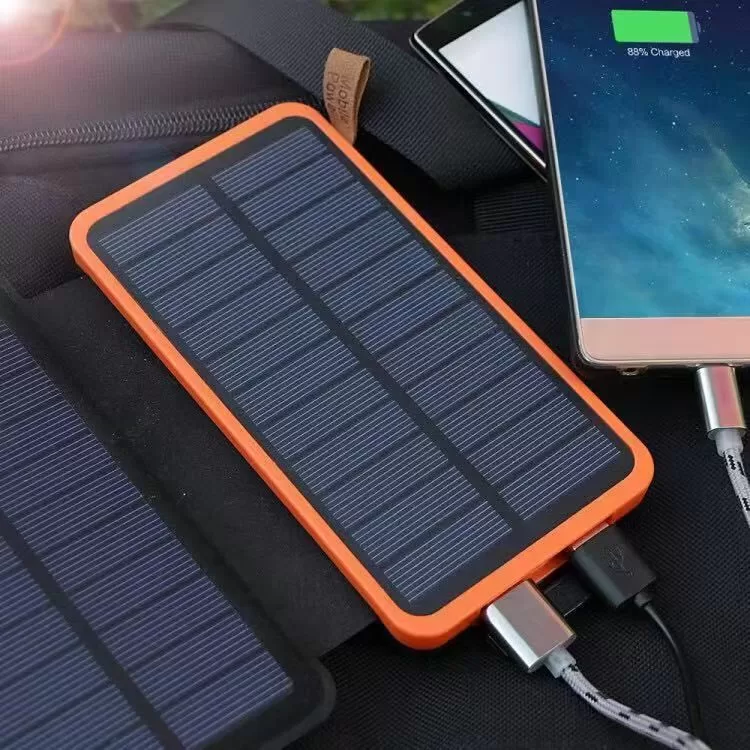
Foldable Solar Power Bank 20000mAh Waterproof Outdoor Charger ... - view 5

Tuya official sitesmart home products

What Is Tuya Smart?

To begin with, Tuya smart is the world’s most popular smart home platform, supporting over 5000 device types from hundreds of brands. From smart switches to video doorbells, pet feeders to security cameras, Tuya brings everything together in one easy-to-use APP.

Tuya Smart home ecosystem devices

Why Choose Tuya for Your Smart Home?

Moreover, Tuya offers several key benefits:

  • Massive Compatibility: 5000+ devices from hundreds of brands all work together seamlessly
  • Cross-Platform: Works on both iOS and Android, so everyone in the family can control their smart home
  • Voice Control: Compatible with Amazon Alexa and Google Home for hands-free operation
  • No Monthly Fees: Free cloud service for basic features — no hidden costs
  • Automation: Create custom scenes and automations to make your home truly intelligent

Getting Started: 5 Simple Steps

In addition, Additionally, here’s how to get started: Smart Curtain Motor Track: Automated Window Control System Video Doorbell Review 2026: What to Look For, Smart Features Compared, and Buyer’s Guide

For example, follow these steps: Smart Fingerprint Door Lock: Keyless Security with Tuya Smart Best Smart Home Starter Kit for 2026: Switches, Doorbells, Cameras, Sensors and Pet Feeders Compared

Step 1: Download the Tuya Smart APP (or Smart Life APP) from the App Store or Google Play. Smart WiFi Pet Feeder: Automated Pet Care with APP Control Smart Home Market Trends 2026: What Distributors Must Know About Modular Security, Voice Control and Energy-Saving Devices

Step 2: Next, Create a free account with your phone number or email. Smart Home Control Panel: The Hub of Your Smart Home Smart Home Wholesale FAQ: 15 Questions Every Buyer Asks Before Ordering in Bulk

Step 3: Then, Add your first device. Therefore, Plug in the device, put it in pairing mode, and follow the APP instructions.

Step 4: After that, Create rooms (Living Room, Bedroom, Kitchen, etc.) and assign devices to each room for organized control.

Step 5: Lastly, Set up automations. For example, when motion is detected, turn on lights and send a notification.

Essential Tuya Devices for Your Home

For example, Specifically, you’ll want these devices:

In addition, consider these essential devices:

  • Video door phone intercom system with remote unlock
  • Smart touch switches (1-gang to 8-gang)
  • Smart security cameras with motion detection
  • Door and window sensors
  • Smart LED bulbs and strip lights
  • Smart plugs for appliance control
  • Smoke and gas leak detectors

Creating Automations

Moreover, For instance, you can set up these automations:

Furthermore, Tuya automation engine is powerful yet simple. For example, Example automations:

  • Sunrise: Open curtains, turn off outdoor lights, start coffee maker
  • Sunset: Close curtains, turn on indoor lights, arm security cameras
  • Doorbell ring: Take snapshot, send notification, turn on porch light
  • Motion detected: Start recording, turn on all lights, send alert

Start Your Smart Home Journey Today

As a result, building a Tuya Smart home has never been easier.

However, Building a Tuya Smart home has never been easier. Visit odmhome.com for Tuya-compatible devices or contact us via WhatsApp: +86 176 6666 9273 for expert guidance.

Smart home automation control panel

Related Articles

You Might Also Like
Frequently Asked Questions

Is Tuya Ecosystem Setup worth buying?

Based on the breakdown in this article, Tuya Ecosystem Setup offers a solid mix of features and value. If your main goal matches the key benefits described above, it is a practical choice for everyday use.

How do I choose the right tuya ecosystem setup for my needs?

Start with your core use case, then compare battery life, compatibility, and build quality as covered above. Choosing the right tuya ecosystem setup comes down to matching specs with how you actually use it.

Does tuya ecosystem setup require a companion app?

Most devices of this type pair with a free companion app for setup and firmware updates. A few advanced features may sit behind a paid plan, so check the official specs page before buying.

Does tuya ecosystem setup work with both iPhone and Android?

Yes, in most cases this type of device ships with iOS and Android apps, and standard Bluetooth protocols keep cross-platform pairing simple.