Posted on — Leave a comment

ABM780 Baby Monitor

ABM780 5-Inch HD Smart Baby Monitor – 1280×720 Video Baby Camera with Two-Way Audio, Cry Detection and 300M Range

Short Description

ABM780 5-Inch HD Smart Baby Monitor with 1280×720 resolution, two-way audio, cry detection, lullabies, temperature monitoring, and night vision. 2.4GHz wireless up to 300M range. 8 languages support. No APP required. 5000mAh rechargeable battery. SD card not supported.


Product Description

Keep your baby safe and sound with the ABM780 5-Inch HD Smart Baby Monitor. Featuring a large 5-inch HD display, long-range 2.4GHz wireless transmission, and smart cry detection — no APP required, plug and play right out of the box.

Key Features
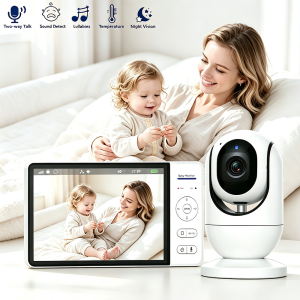
5-Inch HD Baby Monitor with 1280x720 Camera and Two-Way Audio - Mother and Baby on Couch
ABM780 5-Inch HD Smart Baby Monitor with 1280×720 HD camera, two-way audio, and cry detection – perfect for newborn care.

5 Core Functions for Complete Baby Care:

Feature Description
🎤 Two-Way Talk Built-in microphone and speaker for crystal-clear communication
😢 Sound Detect Smart cry detection with instant VOX mode alerts
🎵 Lullabies Soothing sounds and white noise to calm your baby
🌡️ Temperature Real-time room temperature display (°F/°C)
🌙 Night Vision Automatic infrared LEDs for clear video in darkness

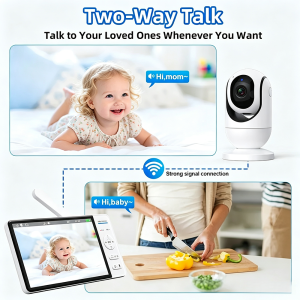
Two-Way Talk – Stay Connected Anytime

ABM780 Baby Monitor with Built-in Microphone and Speaker for Two-Way Communication.
Built-in microphone and speaker enable clear two-way communication.

Talk to your baby from anywhere in the house. The ABM780 features high-sensitivity microphone and speaker for crystal-clear two-way audio communication. Whether you are in the kitchen cooking or working in your home office, you can soothe your baby with your voice instantly.

Key Benefits:

  • Strong 2.4GHz signal connection
  • No delay, real-time communication
  • Comfort your baby remotely

Know When You Are Needed – Smart Cry Detection

ABM780 Baby Monitor Know When You Are Needed - Smart Cry Detection Alert
ABM780 baby monitor alerts parents the moment baby cries – know when you are needed

Sleep Mode (Audio Only) – Monitor your baby with audio-only mode for peaceful nights.

VOX Mode (Crying Alert) – Instant alerts when your baby cries. The smart sound detection system notifies you immediately, so you never miss when your baby needs you.


Soothing Sounds and Lullabies
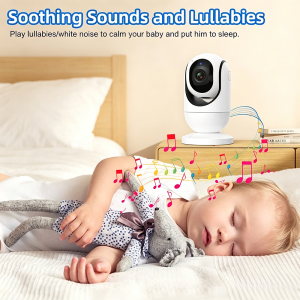
ABM780 Soothing Lullabies Baby Monitor - Music Plays from Camera Unit

Play lullabies and white noise to calm your baby and help them fall asleep peacefully. The built-in music plays directly from the camera unit, and you can control playback remotely from the parent unit.


Feeding Timer – Never Miss a Feed
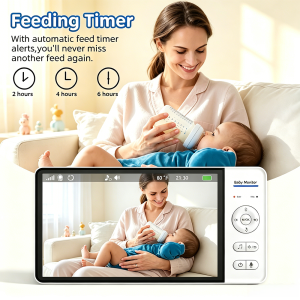
ABM780 Baby Feeding Timer Monitor with Customizable Alerts.
Customizable feeding alerts for your baby’s schedule.

With automatic feeding timer alerts, you will never miss another feed again. Set customizable reminders for:

  • 2 hours
  • 4 hours
  • 6 hours

Perfect for maintaining your baby’s feeding schedule.


Remote Control Pan Tilt Zoom
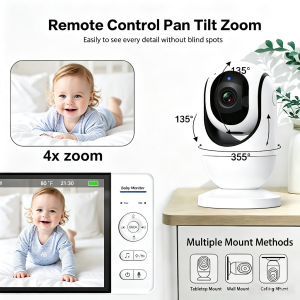
ABM780 Remote PTZ Camera Control for Complete Nursery Coverage.
Remote PTZ camera control covers the entire nursery.

Easily see every detail without blind spots:

  • 355° Pan – Full horizontal rotation
  • 135° Tilt – Complete vertical coverage
  • 4x Digital Zoom – See every detail clearly

Multiple Mount Methods:

  • Tabletop Mount
  • Wall Mount
  • Ceiling Mount

Temperature & Night Vision
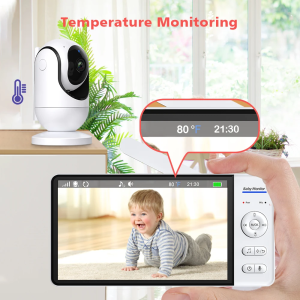
ABM780 Baby Monitor with Real-Time Room Temperature Display and Night Vision.
Real-time room temperature monitoring with infrared night vision keeps baby’s room comfortable.

Always Comfortable:

  • Real-time temperature display (shown: 23°C / 80°F)
  • Automatic infrared night vision
  • Clear video even in complete darkness

Specifications

Specification Details
Display Size 5 Inch HD LCD
Resolution 1280 × 720 HD (720P)
Battery 5000mAh Rechargeable Lithium
Wireless Transmission 2.4GHz FHSS
Outdoor Range Up to 300 Meters
Memory Card Not Supported
APP Required No — Direct Monitor Connection
Languages English, French, German, Italian, Portuguese, Japanese, Russian, Chinese
Night Vision Automatic Infrared
Temperature Display °F / °C
Zoom 4x Digital
Mount Options Tabletop, Wall, Ceiling

What’s in the Box

  • 1 × Parent Unit (5-Inch Monitor)
  • 1 × Baby Unit (Camera)
  • 2 × Power Adapters
  • 1 × User Manual

Perfect For

  • Newborn nursery monitoring
  • Toddler sleep supervision
  • Nanny/babysitter monitoring
  • Travel and vacation use
  • Multi-room home coverage
  • Elderly care
  • Pet watching

Give yourself peace of mind and give your baby the best care with this professional-grade baby monitor system.

Related Articles

You Might Also Like

Frequently Asked Questions

Is Abm780 Baby Monitor worth buying?

Based on the breakdown in this article, Abm780 Baby Monitor offers a solid mix of features and value. If your main goal matches the key benefits described above, it is a practical choice for everyday use.

How do I choose the right abm780 baby monitor for my needs?

Start with your core use case, then compare battery life, compatibility, and build quality as covered above. Choosing the right abm780 baby monitor comes down to matching specs with how you actually use it. Tuya Baby Monitor

Does abm780 baby monitor require a companion app?

Most devices of this type pair with a free companion app for setup and firmware updates. A few advanced features may sit behind a paid plan, so check the official specs page before buying. 6MP WiFi Security Camera

Posted on — Leave a comment

Best Kids Alarm Clock with Sleep Trainer 2026 | XingLiao Smart Home

Best Kids Alarm Clock with Sleep Trainer: A Complete Parent’s Guide for 2026

As parents, we all know the struggle — your toddler wakes up at 5 AM thinking it’s playtime, or refuses to sleep because they’re afraid of the dark. After testing dozens of sleep solutions, we found one device that actually solves both problems: the XingLiao Kids Sleep Trainer Alarm Clock with Wake-Up Light, Sleep Sound Machine & Night Light. Available now at XingLiao Smart Home (https://odmhome.com), this 5-in-1 sleep companion has transformed our family’s bedtime routine. Here’s why it might be the best investment you make for your child’s sleep health this year.

What Is a Kids Sleep Trainer Alarm Clock?

A sleep trainer alarm clock is more than just a clock — it’s a visual teaching tool that helps young children understand when it’s time to sleep and when it’s okay to wake up. Instead of reading numbers (which toddlers can’t do), these devices use simple images like sun and moon icons to communicate bedtime status.

Furthermore, the XingLiao Kids Alarm Clock takes this concept further by combining five essential functions into one compact, child-friendly device:

Kids Alarm Clock Touch-Controlled RGB Night Light with 12 Colors and 3 Lighting Modes
12-color RGB night light with touch control — wake up light, mixed color, and solid color modes for a magical bedtime atmosphere.

  1. Sleep Training Clock — Sun/moon visual cues
  2. Wake-Up Light — Gentle sunrise simulation
  3. RGB Night Light — 12 colors with touch control
  4. Sleep Sound Machine — 8 soothing sounds
  5. Voice-Activated Smart Light — Responds to your child’s needs
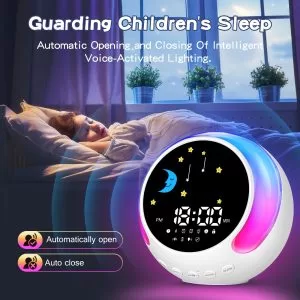
Kids Alarm Clock with Wake-Up Light, Sleep Sound Machine & Night Light - Guarding Children’s Sleep
Kids Sleep Trainer Alarm Clock with RGB Night Light

How the Sleep Training Feature Works

The dual alarm design is brilliantly simple:

Night Mode: When the moon and stars appear on the display, your child knows it’s still bedtime — even if they wake up at 3 AM. The soft yellow glow provides comfort without being too stimulating.

Morning Mode: When the cheerful sun icon appears, it’s officially “Time to Wake Up!” No more 5 AM wake-up calls asking if it’s morning yet.

We noticed a difference within three nights. Our 3-year-old stopped coming into our room at 6 AM and instead waited for the sun to appear. The visual cue was easier for her to understand than us explaining “it’s still nighttime” for the hundredth time.

The RGB Night Light Features

The touch-controlled dome offers 12 light colors and 3 preset lighting modes:

  • Wake Up Light — Soft warm glow that gradually brightens
  • Mixed Color — Gentle rainbow transitions that mesmerize without overstimulating
  • Solid Color — Pick your child’s favorite hue for consistent comfort

What impressed us most was the touch sensitivity. Even in complete darkness, a simple tap on the dome changes colors or brightness. No fumbling for small buttons while holding a sleepy toddler.

Additionally, the color chart printed on the device helps older kids choose their preferred shade, making bedtime feel like a game rather than a battle.

Voice-Activated Smart Lighting

This feature alone justified the purchase for us. The built-in sound detection automatically turns on the night light when your child cries or makes noise at night — then auto-shuts off once they calm down.

No more stumbling down the hallway at 2 AM to turn on a lamp. The light responds instantly, providing just enough glow to comfort your child back to sleep without fully waking them (or you).

8 Soothing Sleep Sounds

The built-in sound machine includes:

  • Ocean Waves
  • Forest Ambience
  • Running Water
  • Birdsong
  • Creek Water
  • Gentle Rain
  • Nighthawk Crickets
  • Sound of Springs

Unlike cheap white noise machines that loop obvious patterns, these sounds are professionally crafted and mask household noise effectively. We particularly like the “Sound of Springs” for its gentle, rhythmic quality that mimics a parent’s heartbeat. Bonus feature: You can record 1 custom voice message (up to 10 seconds). Hearing “Mommy loves you, go back to sleep” in your own voice works wonders for separation anxiety.

Why Choose XingLiao

After comparing with competitors like the Hatch Baby Rest and Mella Ready to Rise Clock, here’s where the XingLiao model stands out:

XingLiao vs Hatch Baby vs Mella:

  • Price: $29.99 vs $69.99 vs $49.99
  • RGB Colors: 12 vs 8 vs 5
  • Sleep Sounds: 8 vs 11 vs 3
  • Voice Recording: Yes vs No vs No
  • Voice Activation: Yes vs No vs No
  • Custom Ringtones: 8 + 1 custom vs 11 presets vs 3 presets
Kids Alarm Clock with Voice-Activated Night Light and Sleep Sound Machine - Parent and Child Bedtime
Voice-activated smart lighting automatically turns on when your child cries at night, and auto shuts off for peaceful sleep. 8 soothing sounds included.

At less than half the price of premium competitors, the XingLiao Kids Alarm Clock delivers comparable (or better) features with a child-safe, rounded design that’s perfect for little hands.

Parent Reviews

“We’ve tried three different sleep trainers. This is the first one our daughter actually pays attention to. The sun/moon icons are clearer than other clocks we’ve used.” — Sarah M., verified buyer

“The voice activation is genius. My son cries for 30 seconds, the light turns on, he sees the glow and goes back to sleep. We haven’t had to get out of bed once this week.” — David K., verified buyer

“For under $30, I expected cheap plastic. However, the build quality surprised me — solid, no sharp edges, and the touch dome is responsive.” — Jennifer L., verified buyer

Setup Tips for Maximum Success

Based on our experience and feedback from other parents, here are the best practices:

Week 1: Introduce the Concept

  • Show your child the sun and moon icons during the day
  • Practice “sun means wake up, moon means sleep” while they’re alert
  • Let them play with the touch light to build positive associations

Week 2: Implement Consistently

  • Set the alarm for your desired wake time (we started with 6:30 AM)
  • If they wake early, calmly walk them back to bed and point at the moon
  • Don’t negotiate — the clock decides, not parents

Week 3: Enjoy the Results

  • Most parents see improvement within 5-7 nights
  • Older toddlers (3+) adapt faster than younger ones
  • Be patient — consistency is more important than perfection
Kids Alarm Clock 12 Light Colors RGB Night Light Color Chart
12 vibrant light colors with 3 lighting modes — wake up light, mixed color transitions, and solid color for the perfect bedtime atmosphere.

Technical Specifications

  • Display: LED digital clock with sun/moon sleep training icons
  • Light: 12-color RGB ring light with touch dimming (3 modes)
  • Sounds: 8 pre-loaded + 1 custom voice recording (10 seconds)
  • Power: USB powered (cable included, adapter not included)
  • Design: Compact 10cm x 10cm x 12cm, child-safe rounded ABS plastic
  • Weight: Approx. 200g

Where to Buy

The XingLiao Kids Sleep Trainer Alarm Clock is available exclusively at our official store: Shop Now at XingLiao Smart Home: https://odmhome.com

We offer free shipping on orders over $100 to the US, and $120+ for Europe. Every order includes our 30-day satisfaction guarantee — if your child doesn’t sleep better, we’ll refund your purchase.

Final Thoughts

Sleep training is one of the hardest parts of early parenting. The right tools don’t just help your child — they give you back your evenings and mornings.

The XingLiao Kids Alarm Clock isn’t a magic solution, but it’s the most effective sleep training device we’ve tested at this price point. The combination of visual cues, soothing sounds, and smart voice activation addresses the real challenges parents face at bedtime.

Ready to transform your family’s sleep routine? Order your XingLiao Kids Sleep Trainer Alarm Clock today at https://odmhome.com and discover why thousands of parents are calling it their best parenting purchase of 2026.

Kids Alarm Clock Touch-Controlled RGB Romantic Lighting with Color Changing Modes
Touch-sensitive dome controls 12 RGB colors with romantic lighting effects — easy for kids and parents to adjust effortlessly in the dark.

Smart Living for Everyone — XingLiao
…(truncated)…

Related Articles

You Might Also Like
Frequently Asked Questions

Is Kids Alarm Clock Sleep worth buying?

Based on the breakdown in this article, Kids Alarm Clock Sleep offers a solid mix of features and value. If your main goal matches the key benefits described above, it is a practical choice for everyday use.

How do I choose the right kids alarm clock sleep for my needs?

Start with your core use case, then compare battery life, compatibility, and build quality as covered above. Choosing the right kids alarm clock sleep comes down to matching specs with how you actually use it.

Does kids alarm clock sleep require a companion app?

Most devices of this type pair with a free companion app for setup and firmware updates. A few advanced features may sit behind a paid plan, so check the official specs page before buying.

Posted on — Leave a comment

Best Smart Window Camera 2026

Best Smart Window Camera 2026: Easy Install Home Security Guide

However, Finding the right Security camera for your home doesn’t have to mean drilling holes or running cables. A Smart window camera offers a simple, damage-free way to monitor your property from the inside out. In 2026, these compact devices have become one of the fastest-growing categories in home security.

Therefore, This guide explains what a window camera is, why it beats traditional Outdoor cameras for many homeowners, and what features to look for when choosing one.

What Is a Smart Window Camera?

Moreover, A smart window camera is a compact security camera designed to mount on a window using adhesive or suction. It faces outward through the glass, capturing everything happening outside while staying protected Indoors. Because it sits inside your home, it avoids weather damage, tampering, and complicated wiring.

In addition, Most modern window cameras connect via WiFi and integrate with apps like Tuya Smart or Smart Life, giving you live video, motion alerts, two-way audio, and cloud storage from your phone.

Why Choose a Window Camera Over an Outdoor Camera?

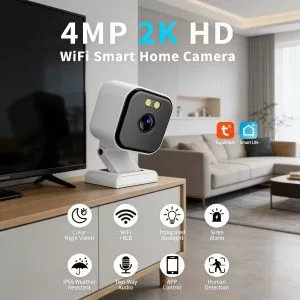
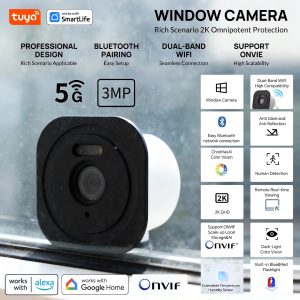
Tuya Smart Window Camera 3MP 2K QHD with Smart Life app - Xingliao Smart Home
3MP 2K QHD window camera with 2.4G/5G WiFi, motion detection, night mode, and two-way audio. Control via Tuya Smart / Smart Life app. Shop at odmhome.com.

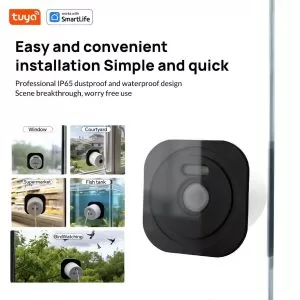
Smart window camera 5 minute peel and stick installation guide
Install the Xingliao smart window camera in 5 minutes with peel-and-stick mounting. No tools or drilling required.

Window Camera Traditional Outdoor Camera
No drilling or wiring Requires mounting brackets and cable routing
Protected from weather Exposed to rain, dust, and extreme temperatures
No risk of theft or tampering Can be damaged, blocked, or stolen
5-minute installation Often needs professional installation
Works for renters Usually permanent modification to property
Indoor Power source May need outdoor-rated Power solutions

For example, For apartments, rental homes, and anyone who wants security without construction, a smart window camera is the ideal solution.

Key Features to Look For

Resolution

Consequently, Look for at least 3MP (2K QHD) resolution. At 2304 × 1296 pixels, you get 23% more detail than standard 1080p, making it easier to identify faces, license plates, and package details.

WiFi Connectivity

Dual-band WiFi (2.4G/5G) ensures a stable connection even in homes with many connected devices. The 5GHz band reduces interference and improves streaming quality.

Night Vision

Advanced cameras offer both infrared night vision for discreet monitoring and white light mode for full-color nighttime footage. Features like F1.0 aperture and BSI sensors dramatically improve low-light performance.

Weather Resistance

Even though the camera sits indoors, look for IP65 waterproof rating if you plan to use it in humid environments like kitchens, bathrooms, or near aquariums.

Motion and Sound Detection

Smart alerts notify you instantly when the camera detects movement or unusual sounds. This turns your window camera into an active security system rather than just a passive recorder.

Two-Way Audio

Built-in microphone and speaker let you talk to delivery drivers, warn intruders, or check in on pets from anywhere.

Easy Installation

The best window cameras use peel-and-stick mounting and can be installed in under 5 minutes with no tools.

Best Uses for a Smart Window Camera

Home Security

Monitor your front door, backyard, or driveway from a window inside your home. Get instant alerts when someone approaches.

Apartment Living

Renters can’t drill into walls or install permanent fixtures. A window camera provides full security without violating lease agreements.

Storefront Monitoring

Small business owners can monitor shop entrances, displays, and parking areas from inside the store.

Pet and Wildlife Watching

Point a window camera at your backyard bird feeder or aquarium to capture animals in stunning 2K detail.

Baby and Elderly Monitoring

Use indoors to keep an eye on nurseries or elderly family members without intrusive camera placement.

Xingliao Tuya Smart Window Camera: Top Pick for 2026

At Xingliao Smart Home, our Tuya Smart Window Camera delivers professional-grade security with consumer-friendly simplicity.

Key features:

  • 3MP 2K QHD resolution with 23% more detail than 1080p
  • 2.4G/5G dual-band WiFi for stable, lag-free streaming
  • F1.0 aperture + BSI sensor for superior night vision
  • IP65 waterproof and dustproof design
  • 5-minute peel-and-stick installation
  • Two-way audio for real-time communication
  • Motion and sound detection with instant phone alerts
  • Night mode + white light for full-color or infrared recording
  • Tuya Smart / Smart Life app control from anywhere

Whether you’re securing a home, monitoring a shop, or watching wildlife, the Xingliao window camera adapts to your needs.

Shop the Xingliao Smart Window Camera at odmhome.com

How to Install a Smart Window Camera

    Tuya Smart Life app window camera live view playback motion detection controls
    Control your Xingliao window camera from anywhere with the Tuya Smart / Smart Life app. Live view, playback, alerts, and settings.

  1. Clean the window glass inside and out
  2. Peel the backing from the mounting sticker
  3. Attach the mounting base to the window
  4. Connect the camera and plug in the USB power cable
  5. Pair with the Tuya Smart app and start monitoring
Tuya window camera multi scene use home courtyard supermarket fish tank bird watching
Use the Xingliao window camera for home security, courtyard monitoring, shop surveillance, aquarium viewing, and bird watching.

Total setup time: under 5 minutes. No tools, no drilling, no damage.

Smart Window Camera vs Doorbell Camera

A doorbell camera shows you who is at the door. A window camera shows you everything happening across your property — driveways, gardens, side yards, and back entrances. For complete coverage, many homeowners use both.

Final Thoughts

A smart window camera is one of the easiest and most affordable ways to add security to any home. With 3MP resolution, dual-band WiFi, and 5-minute installation, there’s no reason to leave your property unprotected.

For a reliable, feature-rich option at a competitive price, the Xingliao Tuya Smart Window Camera is a standout choice in 2026.

Ready to secure your home?

👉 Shop the Xingliao Smart Window Camera at odmhome.com


Xingliao Smart Home — Smart Living for Everyone. Explore premium smart security cameras, sensors, and home automation devices at odmhome.com.

3MP 2K QHD window camera night vision infrared vs white light color reproduction
F1.0 aperture and BSI sensor deliver 23% more detail with vivid infrared and full-color white light night vision.

Related Articles

You Might Also Like
Frequently Asked Questions

Is Window Camera worth buying?

Based on the breakdown in this article, Window Camera offers a solid mix of features and value. If your main goal matches the key benefits described above, it is a practical choice for everyday use.

How do I choose the right window camera for my needs?

Start with your core use case, then compare battery life, compatibility, and build quality as covered above. Choosing the right window camera comes down to matching specs with how you actually use it.

Does window camera require a companion app?

Most devices of this type pair with a free companion app for setup and firmware updates. A few advanced features may sit behind a paid plan, so check the official specs page before buying.

Posted on — Leave a comment

Best Tuya Smart Control Screen 2026

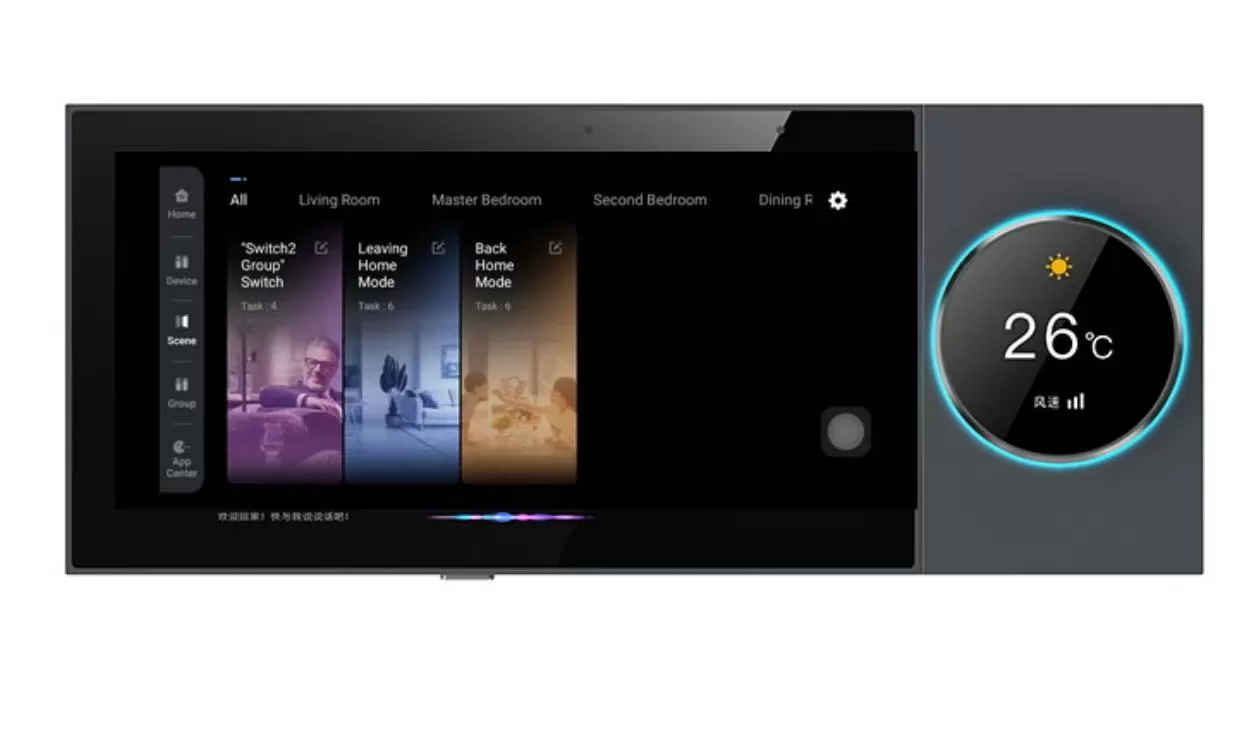
Smart home central control screen with knob, Tuya Zigbee gateway, IPS touch display, temperature and lighting control panel
F6 Multi Functional Intelligent Central Control Screen

Best Tuya Smart Control Screen 2026: Wall-Mounted Central Panel for Modern Homes

However, The Smart control screen has become the centerpiece of modern home automation. Instead of juggling multiple apps and switches, a single wall-mounted panel lets you control lights, curtains, temperature, music, security, and scenes from one elegant interface.

Therefore, If you are building or upgrading a smart home in 2026, a Tuya Smart control screen is one of the best investments you can make. In this guide, we’ll explain what to look for, compare size options, and introduce the Xingliao F6 / F8 Multi-Functional Intelligent Central Control Screen available in 6″, 7″, 8″, 10″, and 12″ sizes.

What Is a Smart Control Screen?

Moreover, A smart control screen, also called a smart home panel or central control screen, is a wall-mounted touchscreen that connects to your smart home ecosystem. It replaces traditional light switches and thermostats with a single interactive display. Smart Fingerprint Door Lock: Keyless Security with Tuya Smart Video Doorbell Review 2026: What to Look For, Smart Features Compared, and Buyer's Guide

With the right panel, you can: Best Smart Home Starter Kit for 2026: Switches, Doorbells, Cameras, Sensors and Pet Feeders Compared

  • Control lighting, air conditioning, and curtains
  • Adjust RGB lighting colors and brightness
  • Play music through built-in speakers
  • Monitor and answer video doorbells with two-way audio
  • Create one-touch scenes like “Leave Home” or “Movie Mode”
  • Manage everything through the Tuya Smart or Smart Life app

Why Choose a Tuya Smart Control Screen?

In addition, Tuya is one of the largest smart home ecosystems in the world. Choosing a Tuya-compatible control panel gives you access to thousands of devices that work together seamlessly. Smart Home Market Trends 2026: What Distributors Must Know About Modular Security, Voice Control and Energy-Saving Devices

Key advantages include: Smart Home Wholesale FAQ: 15 Questions Every Buyer Asks Before Ordering in Bulk

    F6 smart home control panel with rotary knob, side view, dimming and scene control in modern living room
    F6 Smart Control Panel Rotary Knob Scene Control

  • WiFi, Zigbee, and RS485 support in one device
  • Voice control with built-in 4-microphone arrays
  • Scene automation for lighting, climate, and security
  • Mobile app control from anywhere
  • Hotel and real estate compatibility for commercial projects

6″, 7″, 8″, 10″, 12″ — Which Size Is Right for You?

F6 smart home control panel with Tuya APP remote control on smartphone
F6 Smart Control Panel Tuya APP Remote Control

Size Best For Key Benefit
6 inch Small rooms, hallways, bedrooms Compact, affordable, fits standard 86 boxes
7 inch Apartments, home offices Balanced screen size and installation flexibility
8 inch Living rooms, master bedrooms Larger display for music, video doorbell, and scenes
10 inch Luxury homes, villas, showrooms Premium visual experience and full home overview
12 inch Commercial projects, hotels, real estate Maximum impact and multi-user control

For example, The right size depends on your room, budget, and how many devices you want to control from one panel.

Xingliao Multi-Functional Smart Control Screen: Features Breakdown

Consequently, At Xingliao Smart Home, we offer a professional-grade Tuya smart control screen designed for both residential and commercial installations.

All-in-One Smart Home Control

The Xingliao control panel integrates voice control, gateway, music playback, lighting control, curtain control, air conditioning, and video intercom into one device.

Triple Connectivity

Support for WiFi, Zigbee, and RS485 means the panel works with nearly every smart device and building management system.

Built-In Music and Voice

Synchronize with your mobile phone to stream music directly. The built-in 4-microphone array supports voice commands for hands-free control.

Stunning Display

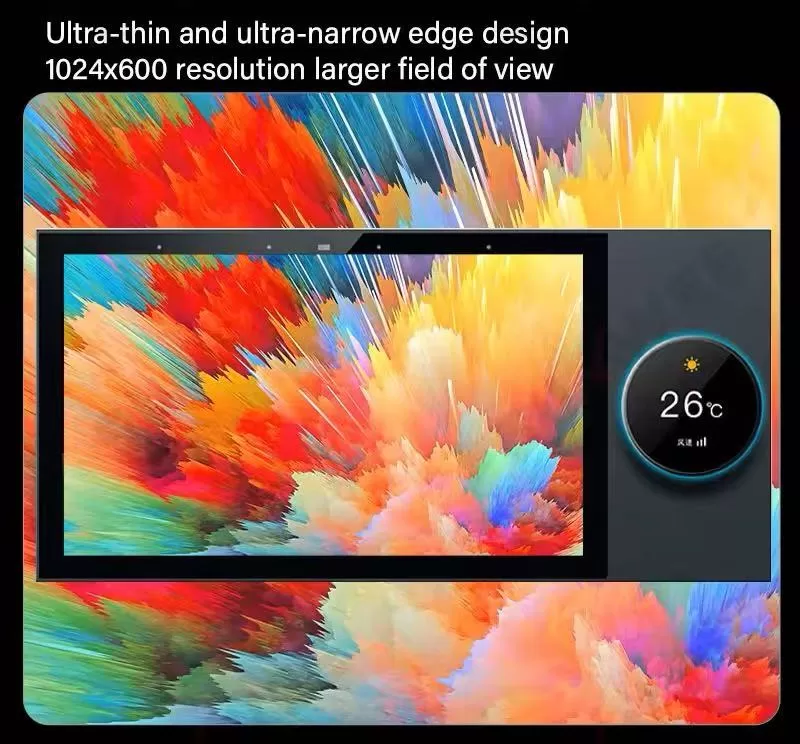
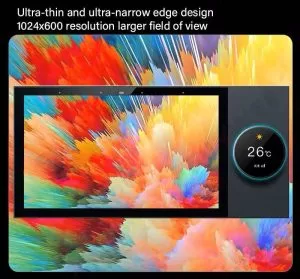
The ultra-thin, ultra-narrow bezel design delivers a premium look. Screen resolution up to 1280 × 800 IPS LCD ensures crisp visuals and responsive touch.

Easy Installation

The dual 86 bottom box design allows direct replacement of existing double 86 switches. No need to reroute wiring or rebuild walls.

Smart Scenes for Every Space

From hotels and shopping malls to real estate projects and private homes, the Xingliao smart control screen adapts to any environment.

Technical Specifications
    Xingliao Tuya smart control screen RGB light and color adjustment - 6 inch 8 inch 10 inch
    Adjust RGB lighting colors and brightness directly from the Xingliao smart control panel. Shop smart home screens at odmhome.com.

  • CPU: CORTEX-A7 quad core 1.5G
  • Display: 1280 × 800 high-definition IPS LCD
  • Network: Wireless 802.11 b/g/n, 10/100M Ethernet
  • Protocols: WiFi, Zigbee, RS485
  • Installation: Embedded, standard double 86 box
  • Audio: BASS audio output, AUX-IN, 2× (10-25W) speaker output
  • Light Control: 2-way × 2, up to 200W
  • Color: Grey
  • Overall Dimensions: 208 × 186 × 10 mm

Real-World Use Cases

Smart Living Rooms

Control RGB lighting, temperature, and music without leaving the sofa. Create a “Movie Mode” scene that dims lights, closes curtains, and starts your playlist.

Smart Bedrooms

Use the panel as a bedside control center. Adjust temperature, set wake-up scenes, and check who is at the door through the video intercom.

Hotels and Commercial Buildings

The Xingliao smart control screen integrates with hotel management systems, giving guests centralized control over room lighting, climate, and entertainment.

How to Install a Tuya Smart Control Screen

Installation is simple for electricians and DIY enthusiasts:

  1. Turn off power at the breaker.
  2. Remove the existing double 86 switch.
  3. Connect the panel according to the wiring diagram.
  4. Secure the panel into the standard 86 box.
  5. Power on and configure through the Tuya Smart app.

Because the panel uses a standard double 86 box, it fits most existing wall installations without modification.

Smart Control Screen vs Smart Switch: What’s the Difference?

A smart switch controls one or two circuits. A smart control screen controls your entire home. If you want centralized control, scene automation, music, video intercom, and app access, the control screen is the better choice.

Final Thoughts

A Tuya smart control screen is the fastest way to transform a regular home into a truly smart home. With sizes from 6 inch to 12 inch, the Xingliao multi-functional central control panel fits projects of every scale.

Ready to upgrade your smart home?

👉 Shop Xingliao Smart Control Screens at odmhome.com


Xingliao Smart Home — Smart Living for Everyone. Discover premium smart home solutions including smart control screens, sensors, security cameras, and more at odmhome.com.

Related Articles

You Might Also Like
Frequently Asked Questions

Is Tuya Control Screen worth buying?

Based on the breakdown in this article, Tuya Control Screen offers a solid mix of features and value. If your main goal matches the key benefits described above, it is a practical choice for everyday use.

How do I choose the right tuya control screen for my needs?

Start with your core use case, then compare battery life, compatibility, and build quality as covered above. Choosing the right tuya control screen comes down to matching specs with how you actually use it.

Does tuya control screen require a companion app?

Most devices of this type pair with a free companion app for setup and firmware updates. A few advanced features may sit behind a paid plan, so check the official specs page before buying.

Posted on — Leave a comment

Best Smart Rain Sensor 2026

Best Smart Rain Sensor 2026: A Complete Buyer’s Guide

However, As smart home ecosystems become more connected, homeowners are looking beyond cameras and doorbells for devices that protect their property from the elements. One of the most underrated additions to any connected home is a smart rain Sensor.

Therefore, Whether you want to protect an open skylight, automate garden irrigation, or simply receive an alert before a storm soaks your balcony, a WiFi or Zigbee rain sensor can save you money and stress. In this guide, we’ll explain what a smart rain sensor does, what features to look for, and why the Xingliao Tuya Smart Rain Sensor stands out as one of the best options available today.

What Is a Smart Rain Sensor?

Moreover, A smart rain sensor is a compact device that detects rainfall or standing water and sends real-time notifications to your smartphone. Most models connect through 2.4GHz WiFi or Zigbee 3.0 and integrate with apps like Tuya Smart or Smart Life, allowing you to create automated scenes with other smart devices.

For example, when rain is detected, your sensor can trigger:

  • Window or skylight motors to close automatically
  • Smart curtains to retract
  • Outdoor awnings to fold in
  • Garden irrigation systems to pause
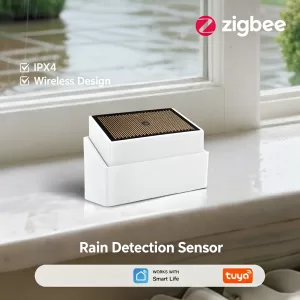
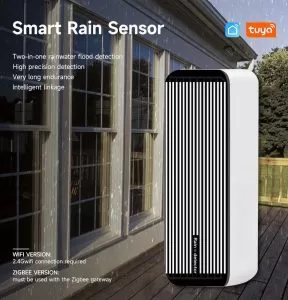
Tuya Smart Rain Sensor WiFi Zigbee - Xingliao Smart Home
Tuya Smart Rain Sensor – WiFi & Zigbee

In addition, This kind of home automation turns passive weather monitoring into active protection.

Why You Need a Smart Rain Sensor in 2026

For example, Weather patterns are becoming less predictable. Even a short rainstorm can damage indoor furniture, electronics, or flooring if a window is left open. A WiFi rain detector gives you instant alerts no Matter where you are, so you can react in seconds rather than hours. Tuya WiFi IR Remote Review: Universal Control Meets Climate Intelligence

Consequently, Here are the top reasons homeowners are adding smart rain sensors to their setups:

  1. Real-time alerts — Know the moment rain starts.
  2. Automatic scene linkage — Connect with curtains, windows, sprinklers, and more.
  3. Energy efficiency — Pause irrigation when nature does the watering.
  4. Flood detection — Many models also detect standing water and leaks.
  5. Affordable protection — A small investment compared to water damage repair costs.

What to Look for in a Smart Rain Sensor

When comparing models, focus on these key features:

Connectivity

WiFi rain sensors connect directly to your router and are easy to set up. Zigbee rain sensors require a hub or gateway but offer more stable mesh networking and longer battery life. If you already use a Tuya Zigbee hub, the Zigbee version is often the better long-term choice.

App Compatibility

Look for sensors that work with Tuya Smart or Smart Life. These apps support thousands of devices and offer powerful automation rules, also known as scenes.

Battery Life

Battery-powered sensors are easier to install outdoors. WiFi models typically last around one year, while Zigbee models can last up to three years on two AAA batteries.

Detection Sensitivity

A good sensor should detect light rain quickly without false alarms from humidity. Look for models that advertise high-precision detection.

Build Quality

Outdoor installation requires a device that can handle temperature changes. A reliable operating range of -10°C to 50°C is ideal.

Xingliao Tuya Smart Rain Sensor: Best Value Pick

At Xingliao Smart Home, we designed our Tuya Smart Rain Sensor to deliver professional-grade weather awareness at a price that fits everyday budgets.

The Xingliao rain sensor offers:

  • 2-in-1 detection for both rainfall and water flooding
  • WiFi and Zigbee options to match your smart home setup
  • Smart Life / Tuya Smart app integration
  • Automatic scene linkage with windows, curtains, irrigation, and more
  • Compact design measuring just 70 × 24 × 21 mm
  • Long battery life — up to 1 year on WiFi, up to 3 years on Zigbee
  • Operating range of -10°C to 50°C for indoor or outdoor use

You can choose the version that fits your network: the WiFi model for simple setup, or the Zigbee model for stronger mesh performance and longer battery life.

Shop the Xingliao Smart Rain Sensor now at odmhome.com.

How to Install and Use a Smart Rain Sensor

Installation is straightforward. Most models can be mounted on a window frame, balcony railing, or outdoor wall using the included bracket or adhesive backing.

After setup in the Tuya Smart app, create simple automations:

  • If rain detected → close smart window opener
  • If rain detected → pause irrigation timer
  • If rain detected → send push notification to phone

These automations run locally or through the cloud depending on your hub, giving you flexibility and reliability.

Smart Rain Sensor vs Traditional Rain Gauge

A traditional rain gauge only measures how much rain has fallen. A smart rain sensor tells you when rain starts, sends alerts, and triggers actions. For home automation, the smart sensor is the clear winner.

Final Thoughts: Is a Smart Rain Sensor Worth It?

If you own smart curtains, motorized windows, a sprinkler system, or an outdoor balcony, a smart rain sensor is one of the easiest ways to add real value to your smart home. It protects your property, reduces manual monitoring, and works quietly in the background.

For a reliable, affordable, and feature-rich option, the Xingliao Tuya Smart Rain Sensor is a top choice in 2026.

Ready to make your home weather-aware?

👉 Shop the Xingliao Smart Rain Sensor at odmhome.com


Xingliao Smart Home — Smart Living for Everyone. Explore premium smart home devices, from intelligent security to climate-aware automation, at odmhome.com.

Related Articles

You Might Also Like
Frequently Asked Questions

Is Rain Sensor worth buying?

Based on the breakdown in this article, Rain Sensor offers a solid mix of features and value. If your main goal matches the key benefits described above, it is a practical choice for everyday use.

How do I choose the right rain sensor for my needs?

Start with your core use case, then compare battery life, compatibility, and build quality as covered above. Choosing the right rain sensor comes down to matching specs with how you actually use it.

Does rain sensor require a companion app?

Most devices of this type pair with a free companion app for setup and firmware updates. A few advanced features may sit behind a paid plan, so check the official specs page before buying.

Posted on — Leave a comment

Tuya Dual Lens Camera Guide 2026

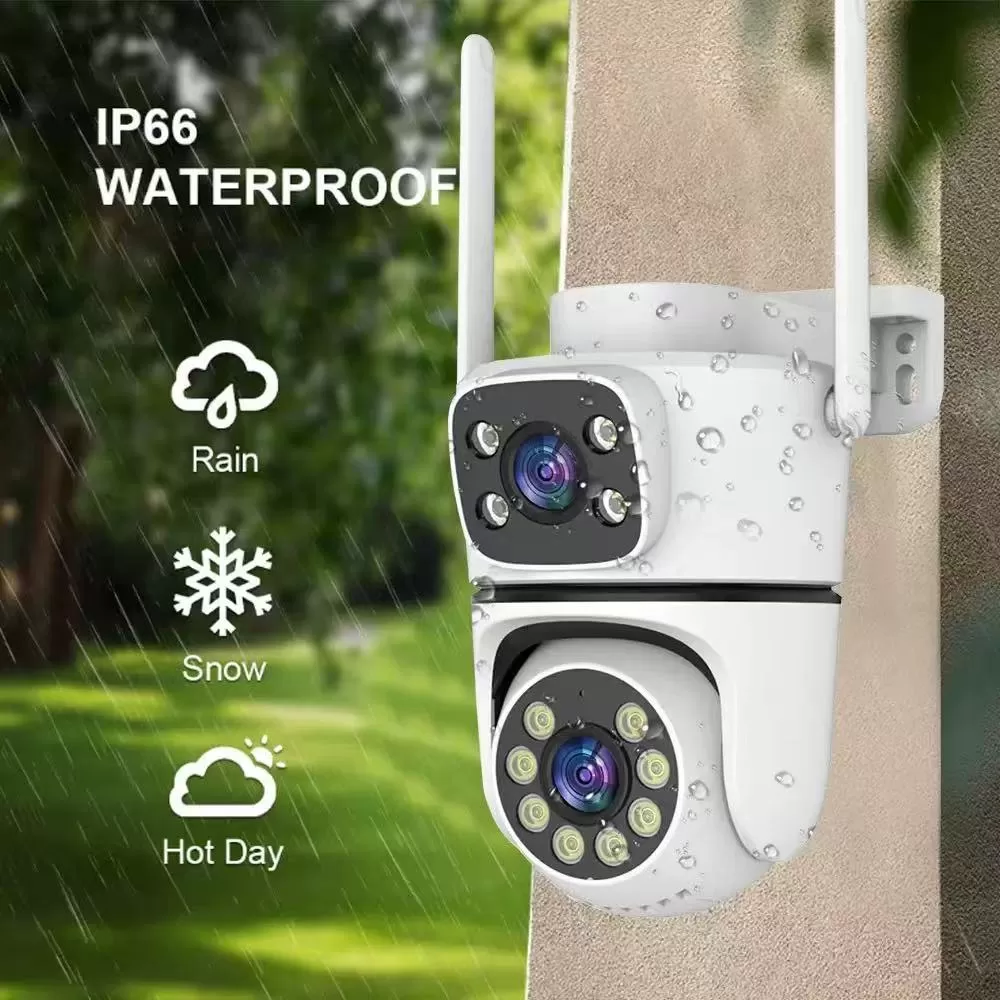
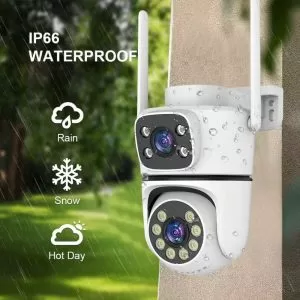
IP66 waterproof outdoor camera rain dust snow protection all weather surveillance

How to Choose an Outdoor Security Camera in 2026: Don’t Blind Yourself to the Truth

However, One blind spot. One missed threat. One decision that could cost you Everything.


Wait — Is Your Security Camera Actually Securing Anything?

Let’s confront an uncomfortable reality. Smart Curtain Motor Track: Automated Window Control System

Therefore, You’ve installed a security camera. You’ve got the APP on your phone. You sleep soundly believing your property is protected. But here’s the question that keeps security professionals awake at night:

How many blind spots does your camera have? Best Smart Home Starter Kit for 2026: Switches, Doorbells, Cameras, Sensors and Pet Feeders Compared

Moreover, In 2026the average outdoor camera leaves 40% of its coverage area in shadow — not literal shadow, but surveillance shadow. That corner where your garage meets the fence. The pathway behind your shed. The side entrance that delivery drivers use. All invisible. All unprotected. Smart Home Market Trends 2026: What Distributors Must Know About Modular Security, Voice Control and Energy-Saving Devices

In addition, A single-lens camera, no matter how high its resolution, is fundamentally limited by physics. One lens. One angle. One point of failure. Smart Home Control Panel: The Hub of Your Smart Home

For example, So before you buy another “4K security camera” that leaves half your property exposed, let’s talk about what actually matters in 2026.


The 2026 Outdoor Camera Checklist: What Really Matters

1. Dual Lens Technology: Two Eyes Are Better Than One

Consequently, The biggest innovation in 2026 security cameras isn’t 8K resolution or AI recognition — it’s dual lens systems

Here’s why single-lens cameras fail:

  • Fixed perspective — one angle, one field of view
  • Zoom vs. wide angle dilemma — zoom in and lose periphery; go wide and lose detail
  • Blind spots by design — physics doesn’t compromise

Dual lens cameras solve this permanently:

    tuya dual lens camera
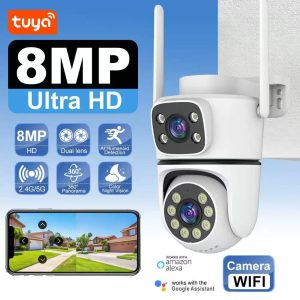
    Tuya 8MP Dual Lens Security Camera – Ultra HD Outdoor Surveillance
    tuya dual lens camera
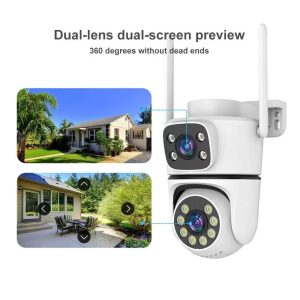
    Dual Lens Technology – Two Views One Camera
  • Lens 1Wide-angle overview — captures the full scene, detects motion across your entire property
  • Lens 2Zoom/detail lens — automatically tracks and focuses on threats, delivering facial recognition-level detail
  • One device, two perspectives — no more choosing between coverage and clarity

The 2026 standardIf your outdoor camera doesn’t have dual lenses, you’re buying yesterday’s technology.

2. True 360° Coverage: Pan, Tilt, and No Compromise

A camera that doesn’t move is a camera that misses things. Period.

Minimum requirements for 2026:

  • Horizontal rotation355° — nearly full circle coverage
  • Vertical rotation75° — from ground level to roofline
  • Auto-trackingCamera follows moving objects automatically
  • Preset patrol routesProgram specific paths for periodic scanning

Why this mattersA static camera catches what happens in its frame. A PTZ (Pan-Tilt-Zoom) camera catches what happens, period.
3. Night Vision: Color or Nothing

In 2026, “night vision” doesn’t mean grainy black-and-white footage anymore. It means full-color night vision

The evolution:

  • 2019-2022Infrared black-and-white — identifiable, but detail-poor
  • 2023-2024Starlight sensors — better low-light, still monochrome
  • 2025-2026Full-color night vision — daytime clarity, midnight conditions

What to look for:

  • Dual-light system — infrared for invisible illumination, white LED for color capture
  • Large aperture — F1.6 or wider (lower number = more light)
  • Advanced ISP — image signal processing that reduces noise without smearing detail

If your camera still switches to black-and-white at night, it’s time to upgrade.
4. Weather Resistance: IP66 Is the Floor, Not the Ceiling

Outdoor cameras live in a hostile environment. Rain, dust, snow, direct sunlight, temperature swings from -10°C to 60°C.

2026 weatherproofing standards:

  • IP66 minimum — dust-tight, protected against powerful water jets
  • IP67 preferred — can survive temporary immersion
  • Operating range-20°C to 60°C for northern climates, -10°C to 60°C standard
  • Lightning protection — surge protection for power and network lines
  • UV-resistant housing — won’t degrade or discolor in direct sun

Pro tipCheck the actual operating temperature range, not just the IP rating. A camera that dies at -5°C is useless in Chicago winters.
5. Connectivity: 5G WiFi + PoE = Reliability

Wireless cameras are convenient. Wired cameras are reliable. In 2026, you shouldn’t have to choose.

The ideal setup:

  • 5G WiFi 6/6E — for wireless installations with maximum bandwidth
  • PoE (Power over Ethernet) — single cable for power and data, no WiFi congestion
  • Dual-band fallback — 2.4GHz when 5G signal is weak
  • Local storage + Cloud — SD card for local backup, cloud for off-site security

AvoidCameras that only work on 2.4GHz WiFi — increasingly congested and prone to interference.

6. Smart Detection: Not All AI Is Created Equal

“AI-powered detection” is marketing speak in 2026. Here’s what actually works:

Essential detection types:

  • Human detection — distinguishes people from animals, vehicles, shadows
  • Vehicle detection — recognizes cars, trucks, motorcycles
  • Package detection — alerts when deliveries arrive
  • Perimeter intrusion — virtual fence lines that trigger alerts

Gimmicks to ignore:

  • “10,000+ object recognition” — you need 5 categories, not 10,000
  • “Emotion detection” — interesting tech, zero security value
  • “Age/gender estimation” — privacy nightmare, no practical benefit

7. Two-Way Audio: More Than Just Talking

Two-way audio isn’t just for telling delivery drivers where to leave packages. In 2026, it’s a security tool.
Use cases:

  • Deterrence — “You’re being recorded, leave now”
  • Verification — speak with visitors before opening the door
  • Emergency — guide family members during incidents
  • Remote management — instruct contractors, pet sitters, cleaners

Quality indicators:

  • Noise cancellation — wind, traffic, rain filtered out
  • Echo suppression — full-duplex conversation, not walkie-talkie style
  • Siren integration — 110dB+ alarm triggered remotely

8. Storage: Local, Cloud, or Both?

2026 storage options:

tuya dual lens camera
IP66 Weatherproof – Built for Outdoor Extreme Conditions

tuya dual lens camera
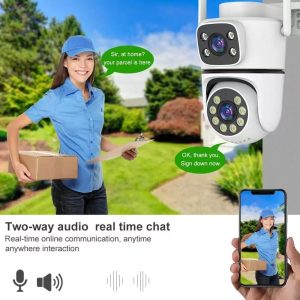
Two-Way Audio – Real-Time Voice Communication
tuya dual lens camera
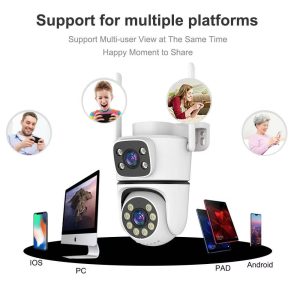
Multi-Platform Remote Access – Any Device, Anywhere

Type Pros Cons
SD Card (Local) No subscription, works offline Limited capacity, physical theft risk
Cloud Off-site backup, easy sharing Subscription cost, bandwidth usage
NVR/DVR Massive capacity, professional grade Higher upfront cost, complex setup
Hybrid Best of both worlds Slightly more complex

Our recommendationHybrid. SD card for immediate local recording, cloud for backup and remote access. If someone steals the camera, you still have the footage.


The Hidden Costs of Cheap Cameras

Before you buy that $29 “4K security camera” from an unknown brand, consider:

  1. Subscription traps — $5-15/month for basic features
  2. Data privacy — who’s watching your footage? Where is it stored?
  3. App quality — buggy apps that crash when you need them most
  4. Support — no customer service when something breaks
  5. Lifespan — cheap cameras die in 6-12 months outdoors

Real cost of a “cheap” camera over 3 years:

  • Camera: $29
  • Subscription: $15/month × 36 months = $540
  • Replacements (2x): $58
  • Total: $627

Quality camera, no subscription, 3-year warranty:

  • Camera: $199
  • No subscription
  • No replacements
  • Total: $199

Math isn’t hard. Quality pays for itself.


So, What’s the Answer? Two Lenses. One Device. Zero Blind Spots.

After testing dozens of outdoor cameras across every price point, the conclusion is unavoidable: dual lens technology isn’t the future — it’s the present.

Single-lens cameras are compromise devices. They force you to choose between wide coverage and detail zoom. Between overview and inspection. Between seeing the threat and identifying it.

Dual lens cameras refuse that compromise.

This is where the Tuya-powered dual lens security camera approach stands apart in 2026. Instead of one lens trying to do everything, it uses two specialized lenses working in harmony:

  • Wide-angle lens (8MP)355° panoramic coverage — sees everything happening across your property
  • Detail lens (8MP)10× digital zoom with auto-tracking — locks onto threats and delivers identification-grade clarity
  • Both recording simultaneously — never miss the big picture or the critical detail

The technical foundation:

  • 3264×2448 resolution — true 8MP clarity, not upscaled 4MP
  • CMOS sensor with backlit compensation — handles challenging light conditions
  • F4.0 aperture with full-color night vision — see faces, license plates, and colors at midnight
  • IP66 weatherproofing — survives rain, dust, snow, and temperature extremes
  • 5G WiFi + PoE dual connectivity — wireless flexibility or wired reliability, your choice
  • Two-way audio with noise cancellation — crystal clear communication in any weather

But the real differentiator? The ecosystem.

This isn’t just a camera — it’s a node in the Tuya Smart home network. Connect it to:

  • Smart door locks — see who’s at the door, unlock remotely
  • Motion sensors — trigger recording before motion reaches the camera
  • Smart lights — floodlights activate when camera detects intrusion
  • Alarm systems — 110dB siren triggers automatically or manually
  • Smart displays — view camera feed on kitchen or living room panels

Everything works through one app. One interface. One system.


Final Verdict: What Should You Buy in 2026?

If you have a small property (apartment, townhouse):
A single dual-lens camera at the main entrance covers 80% of your needs. Add a second for the rear if accessible.

If you have a medium property (suburban home, small business):
Two dual-lens cameras — front and rear — with overlapping coverage zones. The auto-tracking feature means one camera can monitor multiple entry points.

If you have a large property (estate, farm, warehouse):
Three to four dual-lens cameras at key positions, supplemented by fixed cameras for perimeter coverage. Use the PTZ cameras as “active” responders and fixed cameras as “passive” recorders.

If you care about privacy:
Demand local storage options, end-to-end encryption, and clear data policies. Tuya’s platform supports local SD recording with optional cloud backup — your choice, not forced.

If you want it to just work: Choose a camera with broad smart home compatibility. Tuya works with Alexa, Google HomeSmartThingsand thousands of third-party devices. No vendor lock-in.


The Bottom Line

Choosing an outdoor security camera in 2026 isn’t about megapixels or brand names. It’s about eliminating blind spots — both physical and technological.

Ask the hard questions:

  • Does this camera see everything I need it to see?
  • Can it identify a face at 20 meters, day or night?
  • Will it survive my local weather for 3+ years?
  • Can I access footage without paying a monthly ransom?
  • Does it work with the smart home devices I already own?

Get those answers right, and your camera becomes a guardiannot just a gadget.

Two lenses. One device. Zero blind spots. One decision that protects everything.


What’s your current security setup? Are you still relying on single-lens cameras, or have you upgraded to dual-lens technology? Share your experience in the comments — I’d love to hear what’s working (and what isn’t) in your area.


Ready to eliminate your blind spots? Explore the full range of Tuya-powered dual lens security cameras and find your perfect fit.

📞 Contact Xingliao () today:

  • WhatsApp/WeChat+86 17666669273
  • Websitexingliao.com
  • Emailinfo@xingliao.com
  • LocationShenzhen, China — Global shipping available

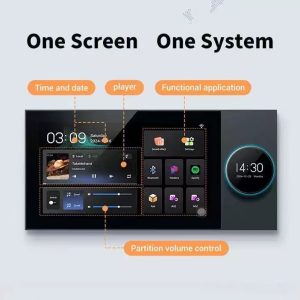
From 8MP dual-lens PTZ cameras to complete smart home security systems — all built on the Tuya ecosystem with One Screen One System integration.


About the author: Security technology consultant and smart home integrator with 12 years of experience designing surveillance systems for residential and commercial properties. Currently maintaining a 24-camera setup across three locations — all dual-lens, zero blind spots.

Related Articles

You Might Also Like
Frequently Asked Questions

Is Tuya Dual Lens Camera worth buying?

Based on the breakdown in this article, Tuya Dual Lens Camera offers a solid mix of features and value. If your main goal matches the key benefits described above, it is a practical choice for everyday use.

How do I choose the right tuya dual lens camera for my needs?

Start with your core use case, then compare battery life, compatibility, and build quality as covered above. Choosing the right tuya dual lens camera comes down to matching specs with how you actually use it.

Does tuya dual lens camera require a companion app?

Most devices of this type pair with a free companion app for setup and firmware updates. A few advanced features may sit behind a paid plan, so check the official specs page before buying.

Posted on — Leave a comment

Smart Home Panel Guide 2026

Xingliao smart home panel music player and scene control interface with room management
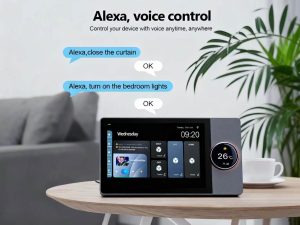
Xingliao smart home control panel with Alexa voice control - 10 inch touchscreen hub
Xingliao Smart Panel Alexa Voice Control

How to Choose a Smart Home Control Panel in 2026: A Buyer’s Guide

However, One screen. One system. One decision that changes everything.


Wait — Do You Actually Need a Smart Home Control Panel?

Let’s start with the uncomfortable question.

Therefore, You’ve got a smartphone. You’ve got a tablet. You’ve got voice assistants in every room. So why on earth would you spend money on a dedicated smart home control panel? Video Doorbell Review 2026: What to Look For, Smart Features Compared, and Buyer’s Guide

Moreover, Here’s the thing: in 2026, the average Smart home has 47 connected devicesForty-seven apps, forty-seven interfaces, forty-seven ways to forget which switch controls what. Your phone? It’s great for Instagram, terrible for quickly dimming the living room lights while your hands are covered in pizza dough. Best Smart Home Starter Kit for 2026: Switches, Doorbells, Cameras, Sensors and Pet Feeders Compared

In addition, A wall-mounted control panel isn’t a luxury anymore — it’s the command center your smart home desperately needs. But not all panels are created equal. Choose wrong, and you’ve just installed an expensive paperweight. Smart Home Market Trends 2026: What Distributors Must Know About Modular Security, Voice Control and Energy-Saving Devices

So let’s break down what actually matters in 2026. Smart Home Wholesale FAQ: 15 Questions Every Buyer Asks Before Ordering in Bulk


What to Look For: The 2026 Smart Panel Checklist

1. Screen Size & Resolution: Bigger Isn’t Always Better

In 2026, smart panels come in three main sizes:

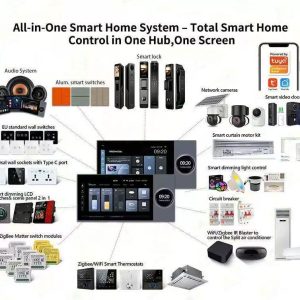
Xingliao One Screen One System smart home ecosystem - control panel, switches, cameras, sensors and IoT devices
Xingliao Complete Smart Home System

Size Best For Typical Resolution
6-inch Compact spaces, bedside, bathroom 720×1200 or 800×1280
7-inch Hallway, kitchen, secondary control 800×1280 or 1200×1920
8-inch Medium rooms, home office 800×1280 or 1200×1920
10-inch Main living areas, primary control hub 1280×800 or 1920×1200
12-inch Large living rooms, luxury installations 1920×1200 or higher

Therefore, The sweet spot for most homes in 2026? A 10-inch IPS display with at least 1280×800 resolution. But Xingliao () offers the full range — from a compact 6-inch for tight spaces to a commanding 12-inch for open-plan living areas. The 7-inch and 8-inch models hit the perfect balance for kitchens and hallways where you want control without dominance.

Moreover, Pro tip: Look for IPS panelsnot TN. Viewing angles matter when you’re approaching from the side, and IPS delivers consistent color and clarity from any angle.

2. Touch Response: The 2026 Standard

Capacitive multi-touch is baseline now. But here’s what separates good from great:

  • 2.5D curved glass — feels premium, easier to swipe
  • Anti-fingerprint coating — because nobody wants a smudged screen
  • Glove-friendly mode — surprisingly useful in garages and workshops
  • Wet hand operation — essential for bathroom-adjacent installations

If a panel doesn’t support at least 5-point multi-touch in 2026, keep shopping.

3. Protocol Support: The Compatibility Game

This is where most buyers mess up. You buy a gorgeous panel, mount it, and discover it only speaks Zigbee while your lights are all Z-WaveOops.

The 2026 connectivity checklist:

  • ✅ Wi-Fi 6/6E — baseline for everything
  • ✅ Zigbee 3.0 — still the king of low-power device mesh
  • ✅ Bluetooth 5.2+ — for direct device pairing and BLE sensors
  • ✅ Matter/Thread — the protocol of 2026; if your panel doesn’t support Matter, it’s already outdated
  • ⚠️ Z-Wave — nice to have, but declining in 2026
  • ⚠️ RF 433MHz — legacy support for older devices

The golden rule: The more protocols, the better. A panel that only supports one or two protocols will limit your device choices forever.

4. Operating System: Android vs. Proprietary

In 2026, most quality panels run on Android 11 or higher (some are on Android 13). Here’s why that matters:

Android-based panels:

  • Access to Google Play Store for compatible apps
  • Regular security updates
  • Easier integration with third-party services
  • Familiar interface for most users

Proprietary OS panels:

  • Often more stable for basic functions
  • Limited app ecosystem
  • Vendor lock-in risk
  • May become unsupported

Our recommendation? Go Android, but make sure the manufacturer commits to at least 3 years of security updatesA smart panel with unpatched vulnerabilities is a hacker’s dream.

5. Processor & Memory: Don’t Skimp Here

A laggy control panel is worse than no panel at all. Minimum specs for 2026:

panel
One Screen One System – Xingliao Smart Hub

Component Minimum Recommended
CPU Quad-core 1.5GHz Octa-core 2.0GHz+
RAM 2GB 4GB+
Storage 8GB 16GB+
GPU Mali-G31 Mali-G52 or better

Why does GPU matter? Because in 2026, panels animate everything — room transitions, device status changes, weather widgets. A weak GPU means stuttery animations and frustrated family members.

6. Physical Design: It’s Furniture, Not Just Tech

This is the part most tech reviews ignore. Your control panel will be on your wall, visible to everyone, every day.

2026 design trends:

  • Ultra-thin bezels — the 2020s thick-border look is dead
  • Flush wall mounting — no protruding boxes
  • Multiple color options — white, black, silver, gold accents
  • Customizable UI themes — match your interior design
  • Physical buttons — yes, really. A few tactile buttons for common actions (lights on/off, scene activation) are making a comeback

7. Power & Installation: PoE is King

Power over Ethernet (PoE) has become the standard for fixed control panels in 2026. Here’s why:

  • Single cable for power AND data
  • No Wi-Fi congestion for the panel itself
  • More reliable than Wireless
  • Easier installation (especially in retrofit scenarios)

Alternative: Some panels support 24V DC or standard USB-C PD (Power Delivery). Avoid panels that only work with proprietary power adapters — replacement adapters become impossible to find.

8. Voice Control: Built-in vs. Integration

In 2026, voice control is non-negotiable. But there’s a difference:

  • Built-in microphones/speakers — the panel itself responds to voice
  • Integration with external assistants — works with Alexa, Google AssistantSiri

Best case? Both. The panel should have its own wake word for local commands, plus full integration with your existing voice ecosystem.

9. Privacy: The Feature Everyone Forgets

A control panel with cameras and microphones is a potential surveillance device. 2026’s best panels include:

  • Physical camera shutter — slide to cover
  • Hardware microphone mute switch — not software, physical
  • Local processing — voice commands processed on-device, not in the cloud
  • End-to-end encryption for remote access

If a panel doesn’t have these, ask yourself: do you trust the manufacturer with a live feed of your living room?


The Hidden Costs Nobody Talks About

Before you buy, factor in:

  1. Installation — DIY vs. professional ($50-300)
  2. Wall bracket — often sold separately ($15-50)
  3. PoE injector/switch — if you don’t have one ($30-100)
  4. Cloud subscription — some advanced features require monthly fees ($5-15/month)
  5. Future-proofing — will this panel still be relevant in 2028?

So, What’s the Answer? One Screen, One System.

After testing dozens of panels and living with them in real homes, the pattern is clear: the best smart home experience comes from a single, unified control point.

Not a phone app. Not scattered voice assistants. Not a dozen different apps for a dozen different brands.

One screen that controls everything.

This is where Xingliao’s One Screen One System approach stands out in 2026. Instead of forcing you to choose between protocols, between ecosystems, between convenience and compatibility — it brings everything together.

Here’s what that actually means:

  • Multi-protocol by design — Zigbee, Wi-Fi, Bluetooth, Matter/Thread, all in one panel. No more “will this work with that?”
  • Android-based with real update commitment — not a forked, frozen version, but genuine Android with ongoing security patches
  • PoE + Wi-Fi backup — reliable wired connection with wireless fallback
  • Local-first processing — your commands stay in your home, not someone’s cloud
  • Flush-mount, ultra-thin design — looks like it belongs in a modern home, not a server room

The 10-inch flagship panel checks every box on our 2026 checklist: IPS display, octa-core processor, 4GB RAM, Matter support, physical privacy controls, and a UI that actually makes sense to non-technical family members.

But here’s the real differentiator: the ecosystem. Xingliao doesn’t just make panels — they make the sensors, the switches, the cameras, the locks that connect to them. Everything is designed to work together, out of the box, without third-party bridges or workarounds.


Final Verdict: What Should You Buy in 2026?

If you’re just starting your smart home journey:
Start with a 10-inch main panel in your living area, plus a 6-inch or 7-inch panel by the front door. This covers 80% of daily interactions.

If you already have a mix of devices:
Prioritize protocol support above all else. A panel that only speaks Zigbee when half your devices are Z-Wave or Matter is a recipe for frustration.

If you care about privacy:
Demand physical privacy controls and local processing. Anything less is a compromise you shouldn’t make in 2026.

If you want it to just work:
Look for a complete ecosystem — panel, devices, app, cloud (optional) — from a single manufacturer. The integration quality is almost always better than cobbling together devices from five different brands.


The Bottom Line

Choosing a smart home control panel in 2026 isn’t about finding the most features or the lowest price. It’s about finding the right balance of compatibility, performance, design, and trust.

Ask the hard questions:

    Xingliao Smart Home team at international trade show with business partners
    Xingliao Smart Home team meeting with international partners at global trade exhibition

  • Will this still work with my devices in 3 years?
  • Can my parents use it without calling me?
  • Does the manufacturer respect my privacy?
  • Does it look like it belongs in my home?

Get those answers right, and that “expensive paperweight” becomes the nerve center of a home that actually feels smart

One screen. One system. One decision that changes everything.


What’s your smart home setup like? Are you team “one panel to rule them all” or do you prefer scattered control points? Drop a comment below — I’d love to hear what’s working (and what’s not) in your home.


Xingliao Smart Home factory building in Shenzhen China
Xingliao Smart Home manufacturing facility in Shenzhen, China

Ready to upgrade your home? Explore the full range of Xingliao () smart home control panels and find your perfect fit at xingliao.com — from 6-inch compact controllers to 12-inch flagship hubs, all built on the One Screen One System philosophy.


About the author: Smart home enthusiast and former systems integrator. I’ve installed, broken, and fixed more smart home devices than I care to count. Currently running a 60+ device setup with — you guessed it — one main control panel.

Related Articles

You Might Also Like
Frequently Asked Questions

Is Panel worth buying?

Based on the breakdown in this article, Panel offers a solid mix of features and value. If your main goal matches the key benefits described above, it is a practical choice for everyday use.

How do I choose the right panel for my needs?

Start with your core use case, then compare battery life, compatibility, and build quality as covered above. Choosing the right panel comes down to matching specs with how you actually use it.

Does panel require a companion app?

Most devices of this type pair with a free companion app for setup and firmware updates. A few advanced features may sit behind a paid plan, so check the official specs page before buying.

Does panel work with both iPhone and Android?

Yes, in most cases this type of device ships with iOS and Android apps, and standard Bluetooth protocols keep cross-platform pairing simple.

Posted on — Leave a comment

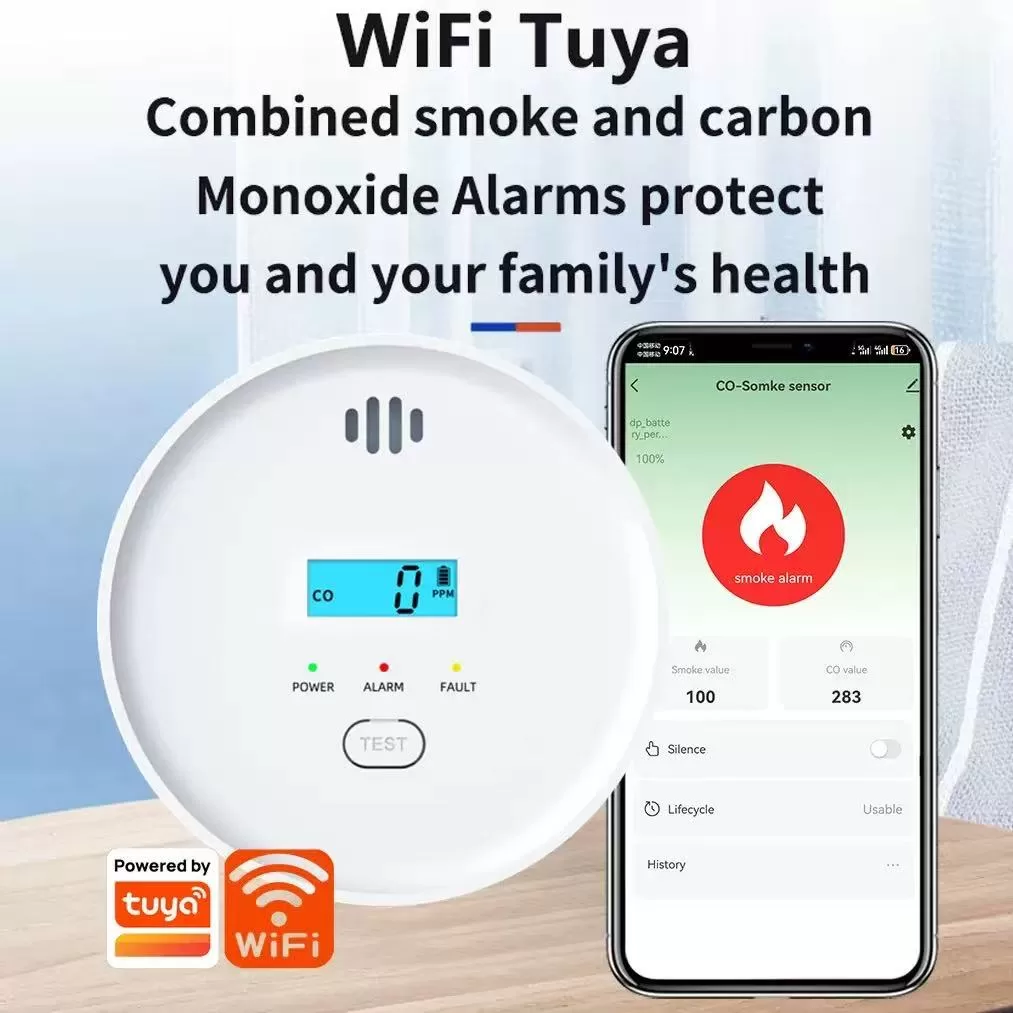
WiFi Smoke & CO Detector

WiFi Smart Smoke and Carbon Monoxide Detector with LCD display and Tuya app connectivity - Xingliao Smart Home security device

However, WiFi Smart Smoke and Carbon Monoxide Detector | Xingliao Smart Home

Protect What Matters Most — 24/7 Intelligent Safety for Your Family Smart Home Automation Guide 2026: 7 Practical Scenes That Save Time, Money and Energy No Wi‑Fi? This Wireless Video Doorbell Still Works For Your Front Door

Therefore, At Xingliao Smart Home, we believe smart living starts with safety. Our WiFi-enabled Smoke & CO Combo Alarm combines dual-sensor protection with Tuya Smart app connectivity, giving you real-time alerts and complete peace of mind — whether you’re home or away. Video Doorbell Review 2026: What to Look For, Smart Features Compared, and Buyer’s Guide

Moreover, Shop now at odmhome.com — your trusted source for premium smart home security devices. Best Smart Home Starter Kit for 2026: Switches, Doorbells, Cameras, Sensors and Pet Feeders Compared


Why Choose Xingliao’s WiFi Smoke & CO Detector? Smart Home Market Trends 2026: What Distributors Must Know About Modular Security, Voice Control and Energy-Saving Devices

WiFi Smart Smoke and Carbon Monoxide Detector with LCD display and Tuya app connectivity - Xingliao Smart Home security device
WiFi Smoke CO Detector – Xingliao Smart Home

In addition, Dual-Sensor Protection — Detects both smoke/fire AND carbon monoxide in one device
Tuya Smart App Control — Get instant phone alerts, check sensor status, and monitor battery life remotely
LCD Digital Display — Real-time CO PPM readings and system status at a glance
360° Omnidirectional Detection — Comprehensive coverage with no blind spots
85dB High-Pitch Alarm — Loud enough to wake the deepest sleeper
10-Year Sensor Lifespan — Long-term reliability you can count on
Extra-Long Battery Standby — Energy-efficient design with simple battery replacement
One-Click Test Button — Weekly testing made effortless
Simple Installation — Mounts in minutes, no electrician needed Smart Home Wholesale FAQ: 15 Questions Every Buyer Asks Before Ordering in Bulk


Smart Protection, Smarter Living

For example, When fire or hazardous gas is detected, the alarm instantly triggers audible and visual alerts while simultaneously sending notifications to your smartphone via the Tuya app. Whether you’re at work, on vacation, or asleep upstairs, you’ll know the moment danger strikes.

Consequently, Xingliao Smart Home — Smart Living for Everyone. Explore our full range of intelligent safety solutions at odmhome.com.


Technical Specifications

Connectivity: WiFi (Tuya Smart compatible)
Sensors: Smoke + Carbon Monoxide (CO)
Display: LCD liquid crystal screen
Alarm Volume: ≥85dB
Detection Range: 360° omnidirectional
Sensor Life: 10 years
Power: Energy-saving battery operated
Certifications: CE, RoHS compliant


What’s in the Box

wifi smoke detector product
Tuya App Smoke CO Alarm Control – Xingliao

1× WiFi Smoke & CO Combo Detector
1× Mounting Bracket
1× User Manual
Batteries included


Order Your Smart Safety Upgrade Today

Don’t compromise on your family’s safety. The Xingliao WiFi Smoke & CO Detector delivers professional-grade protection with consumer-friendly smart features — all at a price that makes sense.

Shop Now at odmhome.com


Xingliao Smart Home — Premium smart home devices designed for modern living. From smart security to intelligent comfort, we make your home smarter, safer, and more connected.

Related Articles

You Might Also Like
Frequently Asked Questions

Is Wifi Smoke Detector Product worth buying?

Based on the breakdown in this article, Wifi Smoke Detector Product offers a solid mix of features and value. If your main goal matches the key benefits described above, it is a practical choice for everyday use.

How do I choose the right wifi smoke detector product for my needs?

Start with your core use case, then compare battery life, compatibility, and build quality as covered above. Choosing the right wifi smoke detector product comes down to matching specs with how you actually use it.

Does wifi smoke detector product require a companion app?

Most devices of this type pair with a free companion app for setup and firmware updates. A few advanced features may sit behind a paid plan, so check the official specs page before buying.

Posted on — Leave a comment

Essential Smart Home Devices What You Actually Need

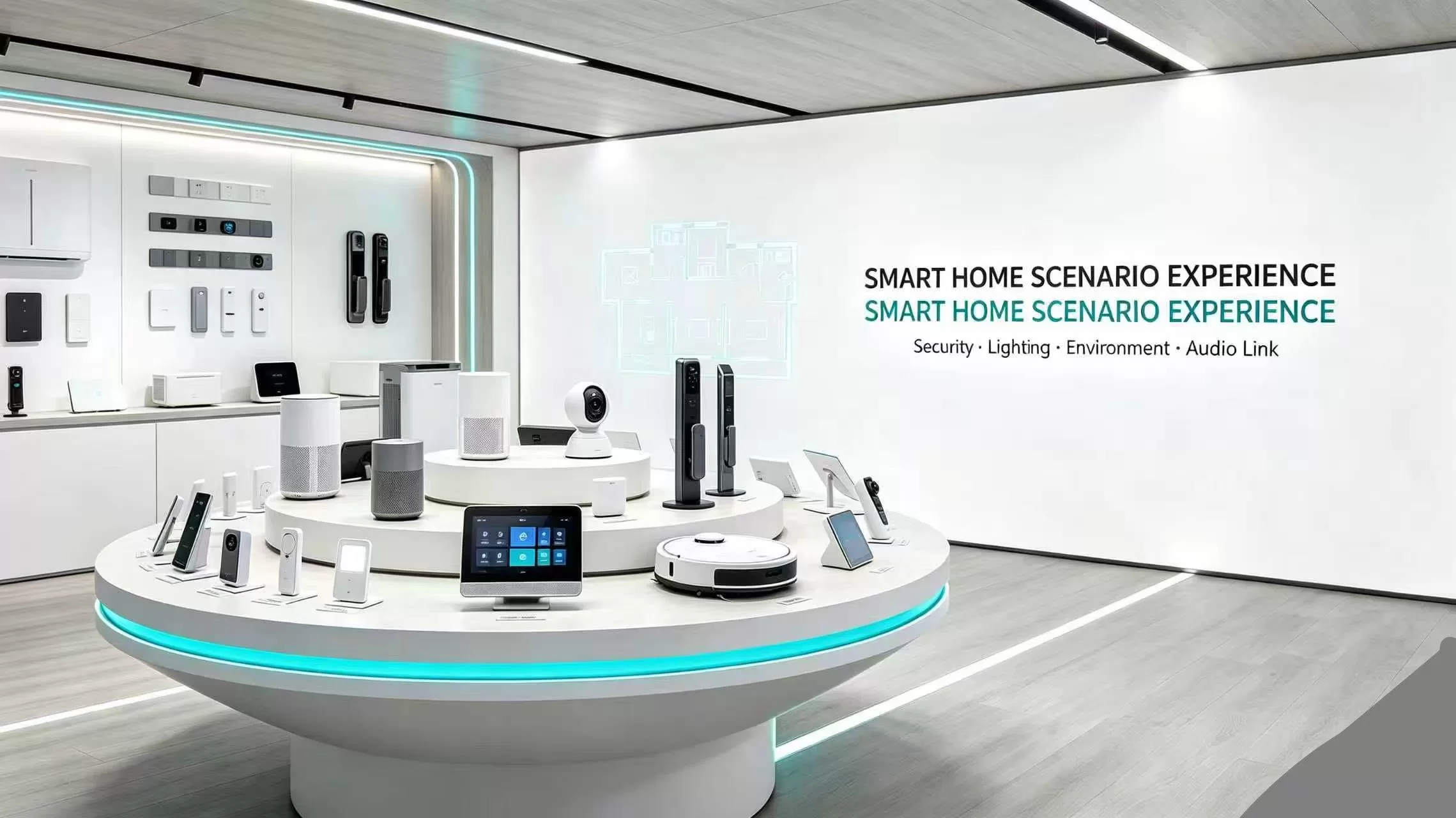
Xingliao Smart Home Showroom

Essential Smart Home Devices: What You Actually Need in 2026

Published: July 12, 2026
Updated: July 12, 2026
Reading Time: 15 minutes


Xingliao Smart Home product collection - smart control panel and devices

However, Xingliao Smart Home premium product collection featuring smart control panels, switches, and security devices


Smart Curtain Motor Track: Automated Window Control System

What Smart Home Devices Do I Actually Need?

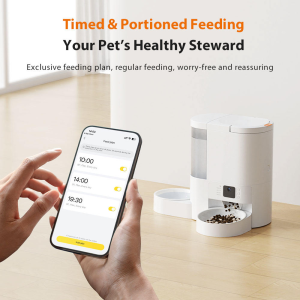
Smart WiFi Pet Feeder: Automated Pet Care with APP Control

However, Setting up a smart home can feel overwhelming. With hundreds of devices on the market, how do you know which ones are actually worth buying? Smart Home Wholesale FAQ: 15 Questions Every Buyer Asks Before Ordering in Bulk

The truth: You don’t need everything. You need the right devices for your specific needs.

This guide breaks down essential smart home devices by category, budget, and use case. Whether you’re a beginner or upgrading your setup, you’ll find exactly what you need.


Smart Home Starter Kit: The Basics (Under $300)

For beginners, start with these 5 devices:

1. Smart Speaker/Hub

Why you need it: The brain of your smart home Top picks:

  • Amazon Echo Dot (5th Gen) – $50
  • Google Nest Mini – $49
  • Apple HomePod Mini – $99

What it does:

  • Voice control for all devices
  • Music streaming
  • Weather, timers, alarms
  • Smart home automation hub

2. Smart Bulbs

Why you need it: Instant ambiance and energy savings Top picks:

  • Philips Hue White & Color – $45/bulb
  • LIFX Mini – $35/bulb
  • Wyze Bulb Color – $20/bulb

What it does:

  • Remote on/off control
  • Dimming and color changing
  • Scheduling and routines
  • Energy savings (up to 80%)

3. Smart Plugs

Why you need it: Make any device smart Top picks:

  • TP-Link Kasa Smart Plug – $15
  • Amazon Smart Plug – $25
  • Wyze Plug – $12

What it does:

  • Turn devices on/off remotely
  • Monitor energy usage
  • Set schedules
  • Voice control non-smart devices

4. Smart Doorbell

Smart video doorbell with two-way audio and HD camera for home security

Therefore, Smart video doorbell with HD camera and two-way audio communication

Why you need it: Security and convenience Top picks:

  • Ring Video Doorbell 4 – $200
  • Nest Doorbell (Battery) – $180
  • Xingliao UOBX WiFi Doorbell – $89

What it does:

  • See who’s at the door
  • Two-way talk
  • Motion detection
  • Package alerts

5. Smart Thermostat

Why you need it: Comfort and energy savings Top picks:

  • Nest Learning Thermostat – $250
  • Ecobee SmartThermostat – $230
  • Honeywell Home T9 – $200

What it does:

  • Auto-adjust temperature
  • Learn your schedule
  • Remote control
  • Energy reports (save 10-15% on bills)

Starter Kit Total: $285-$480


Room-by-Room Smart Home Setup

Living Room

Pstrongessential Devicesstrongp Ul Lismart Tv Or Streaming

Essential devices:

  • Smart TV or streaming stick ($30-$500)
  • Smart speaker ($50-$100)
  • Smart bulbs ($20-$45)
  • Smart blinds ($100-$300)
  • Universal remote ($50-$250)

Nice to have:

  • Smart air purifier ($100-$300)
  • Robot vacuum ($200-$800)

Kitchen

Essential devices:

  • Smart display ($90-$230)
  • Smart plugs for appliances ($15-$25)
  • Smart refrigerator ($1,500-$3,000)
  • Smart coffee maker ($100-$300)

Nice to have:

  • Smart oven ($800-$2,000)
  • Smart dishwasher ($700-$1,500)

Bedroom

Essential devices:

  • Smart bulbs ($20-$45)
  • Smart speaker ($50-$100)
  • Smart alarm clock ($50-$150)
  • Sleep tracker ($50-$300)

Nice to have:

  • Smart mattress ($1,000-$3,000)
  • Smart air purifier ($100-$300)

Bathroom

Essential devices:

  • Smart scale ($30-$150)
  • Smart mirror ($100-$400)
  • Smart toothbrush ($50-$200)

Nice to have:

  • Smart toilet ($500-$2,000)
  • Smart shower ($300-$1,000)

Home Security

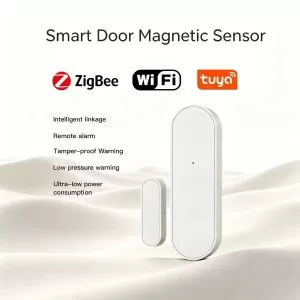
Tuya Zigbee smart door magnetic sensor for home security system

Moreover, Tuya Zigbee smart door magnetic sensor – wireless home security device

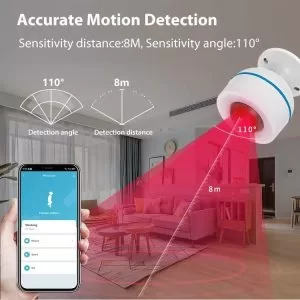
Matter PIR motion sensor with accurate human detection for smart home

Matter PIR motion sensor with accurate human detection and smartphone app control

Essential devices:

  • Smart doorbell ($89-$250)
  • Smart locks ($150-$300)
  • Security cameras ($50-$200)
  • PIR motion sensors with accurate human detection ($20-$50)
  • Door/window magnetic sensors ($15-$30)
  • Smart smoke detector ($50-$120)

Nice to have:

  • Smart garage door opener ($100-$300)
  • Glass break sensors ($30-$60)
  • Water leak detectors ($20-$50)

Smart Home Devices by Budget

Budget Setup ($500-$1,000)

  • Smart speaker: $50
  • Smart bulbs (4): $80
  • Smart plugs (4): $60
  • Smart doorbell: $89
  • Smart thermostat: $200
  • Security camera: $50
  • Smart lock: $150

Total: $679

Mid-Range Setup ($1,000-$2,500)

  • Everything in budget setup
  • Smart display: $150
  • Robot vacuum: $300
  • Smart blinds (2): $400
  • Additional cameras (2): $100
  • Smart garage door: $200
  • Smart sprinkler: $150

Total: $1,979

Premium Setup ($2,500-$5,000)

  • Everything in mid-range setup
  • Smart refrigerator: $2,000
  • Smart oven: $1,500
  • Smart washer/dryer: $1,500
  • Smart mattress: $1,500
  • Whole-home audio: $1,000
  • Smart irrigation: $500

Total: $9,979


Smart Home Protocols: Which One to Choose?

WiFi

Pstrongprosstrongp Ul Lino Hub Neededli Liwide Compatibilityli

Pros:

  • No hub needed
  • Wide compatibility
  • Easy setup

Cons:

  • Can slow down network
  • Higher power consumption
  • Security risks

Best for: Beginners, small setups

Zigbee

Pros:

  • Low power consumption
  • Mesh network (better range)
  • Reliable

Cons:

  • Needs hub
  • Less common

Best for: Medium setups, battery-powered devices

Z-Wave

Pros:

  • Dedicated frequency (less interference)
  • Mesh network
  • Reliable

Cons:

  • Needs hub
  • Fewer devices available

Best for: Large setups, security systems

Matter (New Standard)

Pros:

  • Universal compatibility
  • Works with all major platforms
  • Future-proof

Cons:

  • Still rolling out
  • Limited devices

Best for: New setups, future-proofing

Recommendation: Start with WiFi, add Zigbee/Z-Wave for larger setups, choose Matter for new devices.


Smart Home Automation Ideas

Morning Routine

  1. 6:30 AM: Lights gradually turn on
  2. 6:35 AM: Thermostat adjusts to 72°F
  3. 6:45 AM: Coffee maker starts
  4. 7:00 AM: News briefing plays on smart speaker
  5. 7:15 AM: Security system disarms

Leaving Home Routine

  1. Lock smart door
  2. Turn off all lights
  3. Adjust thermostat to eco mode
  4. Arm security system
  5. Close smart blinds

Evening Routine

  1. 6:00 PM: Lights turn on at 70%
  2. 6:30 PM: Thermostat adjusts to 70°F
  3. 7:00 PM: Entertainment mode (dim lights, TV on)
  4. 10:00 PM: Night mode (lights off, security armed)

Vacation Mode

  1. Random light schedule
  2. Security cameras record all motion
  3. Thermostat in eco mode
  4. Smart sprinklers maintain lawn
  5. Notifications for any door/window activity

Common Smart Home Mistakes to Avoid

1. Buying Incompatible Devices

Solution: Check protocol compatibility before buying. Choose Matter-certified devices when possible.

2. Ignoring Security

Pstrongsolutionstrongp Ul Lichange Default Passwordsli Lienable Two-factor

Solution:

  • Change default passwords
  • Enable two-factor authentication
  • Update firmware regularly
  • Use guest network for IoT devices

3. Overcomplicating Setup

Solution: Start with 3-5 devices. Add more gradually.

4. Not Planning for Power Outages

Solution:

  • Choose devices with battery backup
  • Have manual overrides
  • Consider UPS for critical devices

5. Forgetting About Guests

Solution:

  • Create guest WiFi network
  • Have manual controls available
  • Set up visitor modes

Smart Home Privacy & Security

Essential Security Measures

  1. Strong passwords on all devices
  2. Two-factor authentication enabled
  3. Regular firmware updates
  4. Guest network for IoT devices
  5. Disable unused features (microphone, camera)
  6. Review privacy settings monthly

Privacy Tips

  • Read privacy policies before buying
  • Choose local processing over cloud when possible
  • Regularly delete voice recordings
  • Use privacy-focused alternatives (Apple HomeKit)

FAQ: Smart Home Devices

Q: How much does a basic smart home cost?

$500-$1,000 for essential devices (speaker, bulbs, plugs, doorbell, thermostat).

Q: Do I need a hub?

For example, Not for WiFi devices. Yes for Zigbee/Z-Wave. Matter devices work without hub.

Q: Can I install smart home devices myself?

Consequently, Most devices are plug-and-play. Smart locks and thermostats may need basic DIY skills.

Q: Will smart devices work without internet?

Some basic functions work locally, but most features require internet.

Q: Are smart home devices secure?

Generally yes, if you follow security best practices (strong passwords, updates, guest network).

Q: Which smart home ecosystem is best?

Amazon Alexa (most compatible), Google Home (best AI), Apple HomeKit (most private).

Q: Can I mix different brands?

Yes, especially with Matter protocol. Otherwise, check compatibility.

Q: How long do smart devices last?

5-10 years for most devices. Bulbs last 15,000-25,000 hours.

Q: Do smart home devices save money?

Yes! Smart thermostats save 10-15% on heating/cooling. Smart bulbs use 80% less energy.

Q: What’s the first smart home device I should buy?

Start with a smart speaker/hub. It controls everything else and provides immediate value.


Emerging Technologies

  1. Matter Protocol – Universal compatibility
  2. AI Integration – Smarter automation
  3. Energy Management – Solar integration, load balancing
  4. Health Monitoring – Air quality, sleep tracking
  5. Elderly Care – Fall detection, medication reminders

Future Devices

  • Smart windows (self-tinting)
  • Robot chefs
  • AI personal assistants
  • Predictive maintenance systems
  • Whole-home health monitoring

Xingliao Smart Home team at international trade show with business partners

Xingliao Smart Home team meeting with international partners at global trade exhibition

Best Overall: Xingliao Smart Home

  • Wide product range
  • Affordable prices
  • OEM/ODM available
  • Matter-compatible
  • Global shipping
Xingliao Smart Home factory building in Shenzhen China

Xingliao Smart Home manufacturing facility in Shenzhen, China

Best for Beginners: Amazon

Ul Lieasy Setupli Liwide Compatibilityli Liaffordableli Ligood

  • Easy setup
  • Wide compatibility
  • Affordable
  • Good support

Best for Privacy: Apple

  • Local processing
  • Strong encryption
  • No data selling
  • Premium quality

Best for Customization: Samsung SmartThings

  • Advanced automation
  • Wide protocol support
  • Developer-friendly

Smart Pet Care Devices

Smart pet feeder with app control for scheduled automatic feeding

Smart pet feeder with smartphone app control for scheduled and remote feeding

Smart bird house with camera and sensors for bird watching and pet care

Colorful smart bird house with built-in camera and environmental sensors for bird watching

Essential pet care devices:

  • Automatic pet feeders with scheduled feeding and portion control ($50-$150)
  • Video bird feeders with HD camera and motion detection for bird watching ($80-$200)
  • Smart water fountains with circulating filtration ($30-$80)
  • Pet monitoring cameras with two-way audio ($40-$100)
  • GPS pet trackers for location monitoring ($30-$80)

Smart Pet Care Features:

  • Remote feeding control via smartphone app
  • HD video monitoring with night vision
  • Motion detection alerts for pet activity
  • Environmental sensors (temperature, humidity)
  • Automatic feeding schedules and portion control

Smart Control Devices

UK standard smart water heater switch 40A with Tuya Smart Life app control

UK standard smart water heater switch with 40A capacity and Tuya Smart Life app control

Essential control devices:

  • Smart light switches (WiFi/Zigbee/Matter) with dimming and scheduling ($15-$50)
  • Smart water heater switches with high power capacity ($25-$60)
  • Smart control panels (4″/6″/10″) with touch display ($80-$300)
  • Smart plugs and outlets with energy monitoring ($12-$30)
  • IR universal remotes for legacy devices ($20-$50)

Smart Control Features:

  • Voice control via Alexa, Google, Siri
  • Smartphone app control from anywhere
  • Scheduling and automation routines
  • Energy usage monitoring and reports
  • Matter protocol compatibility

Where to Buy Smart Home Devices

Online:

  • Amazon (widest selection)
  • Xingliao Shop (odmhome.com) – OEM/ODM, bulk orders
  • Best Buy (expert advice)
  • Home Depot (installation services)

Direct from Manufacturers:

  • Often better prices
  • Latest products
  • Direct support

Tips:

  • Compare prices across retailers
  • Check for bundle deals
  • Read recent reviews
  • Verify return policy

Conclusion: Start Your Smart Home Journey

Building a smart home doesn’t have to be complicated or expensive. Start with the essentials:

  1. Smart speaker/hub ($50)
  2. Smart bulbs ($20-$45)
  3. Smart plugs ($15-$25)
  4. Smart doorbell ($89-$250)
  5. Smart thermostat ($200)

Total starter investment: $374-$570

Add devices gradually based on your needs and budget. Remember:

  • Start small, expand gradually
  • Choose compatible devices
  • Prioritize security
  • Focus on devices that solve real problems

Ready to start? Shop our curated smart home collection at Xingliao Smart Home and get free shipping on orders over $100!


Last Updated: July 12, 2026

You Might Also Like
Frequently Asked Questions

Is Blog Devices worth buying?

Based on the breakdown in this article, Blog Devices offers a solid mix of features and value. If your main goal matches the key benefits described above, it is a practical choice for everyday use.

How do I choose the right blog devices for my needs?

Start with your core use case, then compare battery life, compatibility, and build quality as covered above. Choosing the right blog devices comes down to matching specs with how you actually use it.

Does blog devices require a companion app?

Most devices of this type pair with a free companion app for setup and firmware updates. A few advanced features may sit behind a paid plan, so check the official specs page before buying.

Related Articles
Posted on — Leave a comment

Smart Light Switch Buying Guide 2026: WiFi vs Zigbee vs Matter Protocol

US standard touchless wave sensor light switch with tempered glass panel and LED indicator

Smart home light switches comparison showing WiFi, Zigbee, and Matter protocol devices on dark background with golden accents

However, Compare WiFiZigbee and Matter Smart switches for your smart home setup

Why Upgrade to Smart Light Switches? In short, light switch buying wifiSmart Home FAQ: Must-Read Guide for Beginners

Therefore, Smart light switches are the foundation of any modern smart home. Unlike smart bulbs, they control your existing lights while adding automation, remote control, and energy monitoring capabilities.

Key Benefits

Moreover, Control lights from anywhere via smartphone Voice control with AlexaGoogle HomeSiri Schedule automation (sunrise/sunset, away mode) Energy usage monitoring No need to replace existing bulbs Works with physical wall switches Protocol Comparison: WiFi vs Zigbee vs Matter

WiFi Smart Switches Best for: Beginners, small apartments, budget-conscious users

Pros

In addition, No hub required – connects directly to router Easy setup with manufacturer apps Wide compatibility Lower cost

Cons

For example, Can congest home WiFi network Higher power consumption Dependent on internet connection Limited range from router Top Pick: Tuya WiFi Smart Switch – Reliable, affordable, works with Tuya Smart Life app

Consequently, Zigbee Smart Switches Best for: Larger homes, power users, existing Zigbee ecosystems

Pros

light switch buying wifi

light switch buying wifi

UK standard smart wall switch – 147x86mm glass panel with WiFi and app control

Mesh network extends range automatically Lower power consumption Faster response times Works offline (local control) Doesn’t congest WiFi

Cons

Requires Zigbee hub (SmartThingsHubitat, Home Assistant) Slightly higher initial cost More complex setup Top Pick: Aqara Smart Wall Switch – Compact design, excellent build quality, HomeKit compatible

Matter protocol (2026’s Game Changer) Best for: Future-proofing, multi-platform households

Pros

Universal compatibility (Works with all major platforms) Local control without internet Enhanced security Simplified setup process Growing ecosystem support

Cons

light switch buying wifi

EU standard 86x86mm smart water heater switch – WiFi enabled with timer and remote control

Still maturing ecosystem Requires Matter-compatible hub or border router Limited product selection (growing rapidly) Top Pick: Eve Energy Switch (Matter) – Thread-based, privacy-focused, no cloud required

Wiring Guide: Understanding Your Home

1-Way Switch (Single Pole) What it controls: One light from one location Wiring: Live wire in, switched live out, neutral required for smart switches Best for: Most rooms, simple setups

2-Way Switch (Two-Way) What it controls: One light from two locations (e.g. hallway top and bottom) Wiring: Two switches connected via traveler wires Smart solution: Install smart switch at main location, compatible companion switch at second location

Multi-Way Switch (3+ Locations) What it controls: One light from three or more locations Wiring: Multiple switches with complex traveler wiring Smart solution: One master smart switch, multiple wireless remote switches

Important: Neutral Wire Requirement

Most smart switches require a neutral wire. Check your electrical box

Have neutral wire (white): Most smart switches will work No neutral wire: Look for “no neutral” smart switches (limited options, often dimmer-only) Safety Note: Always turn off power at breaker before installation. Consult a licensed electrician if unsure.

Top 5 Smart Light Switches for 2026

Tuya WiFi Smart Touch Switch Price: $12-25 Protocol: WiFi Features: Touch panel, timer, scene control, voice control Best for: Budget-friendly smart home entry Rating: ⭐⭐⭐⭐⭐ (4.8/5)

Aqara Smart Wall Switch H1 Price: $35-50 Protocol: Zigbee 3.0 Features: No neutral option, HomeKit support, power monitoring Best for: Apple HomeKit users, no-neutral installations Rating: ⭐⭐⭐⭐⭐ (4.7/5)

Lutron Caséta Wireless Price: $50-60 Protocol: Proprietary (Lutron Clear Connect) Features: Premium build, excellent dimming, no neutral required Best for: Premium installations, no-neutral homes Rating: ⭐⭐⭐⭐⭐ (4.9/5)

Shelly 1L Price: $15-20 Protocol: WiFi Features: Small size fits in wall box, no neutral option, dry contact Best for: Retrofit installations, tight spaces Rating: ⭐⭐⭐⭐ (4.5/5)

Eve Light Switch (Matter) Price: $45-55 Protocol: Thread/Matter Features: Privacy-focused, no cloud, local control, Apple Home Best for: Privacy-conscious users, Matter early adopters Rating: ⭐⭐⭐⭐⭐ (4.6/5)

Installation Tips

Before You Buy

Check your wiring: Remove existing switch and check for neutral wire (usually white) Count the gangs: Single gang (1 switch), double gang (2 switches side by side) Measure the box: Ensure smart switch fits (some are deeper than standard switches) Check load rating: Ensure switch supports your light fixture’s wattage

Installation Steps

Turn off power at circuit breaker Remove old switch faceplate Disconnect wires (take photo first!) Connect smart switch wires (follow manufacturer diagram) Secure switch in box, attach faceplate Turn power back on Configure in app

Common Issues

Switch doesn’t fit: Look for slim models or use a deeper box Flickering lights: Check wattage compatibility, may need bypass capacitor No neutral wire: Use no-neutral compatible switches or install neutral wire 2-way setup not working: Ensure companion switch is compatible Smart Switch Features to Consider

Must-Have Features

Voice control: Alexa, Google AssistantSiri compatibility Scheduling: Set timers and routines Remote control: App control from anywhere Physical button: Maintain wall switch functionality

Nice-to-Have Features

Dimming: Adjust brightness (requires dimmable bulbs) Energy monitoring: Track power usage Scene control: Multiple switches work together LED indicator: Find switch in dark No neutral option: For older homes without neutral wires

Advanced Features

Matter support: Future-proof protocol Thread networking: Reliable, low-power mesh Local control: Works without internet Home Assistant integration: Open-source smart home platform Creating Smart Lighting Scenes

Morning Routine

7:00 AM: Gradually turn on bedroom lights (simulating sunrise) 7:30 AM: Turn on kitchen and hallway lights 8:00 AM: Turn off all lights when leaving for work

Evening Routine

6:00 PM: Turn on living room lights at 70% brightness 8:00 PM: Dim lights to 40% for movie time 10:00 PM: Turn off all lights except bedroom

Away Mode (Security)

Randomly turn lights on/off between 7 PM – 11 PM Simulate occupancy when traveling Frequently Asked Questions

Do smart switches work without internet?

WiFi switches need internet for remote control but work locally. Zigbee and Matter switches work completely offline.

Can I install a smart switch myself?

If you’re comfortable with basic electrical work and have a neutral wire, yes. Otherwise, hire an electrician.

Will smart switches work with LED bulbs?

Most do, but check compatibility. Some dimming switches need a minimum load (bypass capacitor may be needed).

Can I use smart switches in a 2-way setup?

Yes, but you need compatible companion switches or wireless remotes.

What’s the difference between smart switches and smart bulbs?

Smart switches control the power to any bulb. Smart bulbs replace existing bulbs and offer color control. Smart switches are better for permanent installations.

Conclusion

Smart light switches are the smartest entry point into home automation. They offer

Convenience: Control from anywhere Energy savings: Automated scheduling Security: Simulate occupancy Comfort: Perfect lighting for every moment

Our Recommendation

Budget choice: Tuya WiFi Switch ($12-25) Best overall: Aqara Smart Switch H1 ($35-50) Premium option: Lutron Caséta ($50-60) Future-proof: Eve Matter Switch ($45-55) Start with one room and expand gradually. Your smart home journey begins with a single switch!

Ready to upgrade? Browse our Smart Switch Collection and use code SMARTHOME10 for 10% off your first order!

Last Updated: July 2026 | Xingliao Smart Home – Premium Smart Home Solutions

Disclaimer: Always consult a licensed e …(truncated)…

{“@context”:”https://schema.org”,”@type”:”FAQPage”,”mainEntity”:[{“@type”:”Question”,”name”:”Do smart switches work without internet?”,”acceptedAnswer”:{“@type”:”Answer”,”text”:”WiFi switches need internet for remote control but work locally. Zigbee and Matter switches work completely offline.”}},{“@type”:”Question”,”name”:”Can I install a smart switch myself?”,”acceptedAnswer”:{“@type”:”Answer”,”text”:”If youu2019re comfortable with basic electrical work and have a neutral wire, yes. Otherwise, hire an electrician.”}},{“@type”:”Question”,”name”:”Will smart switches work with LED bulbs?”,”acceptedAnswer”:{“@type”:”Answer”,”text”:”Most do, but check compatibility. Some dimming switches need a minimum load (bypass capacitor may be needed).”}},{“@type”:”Question”,”name”:”Can I use smart switches in a 2-way setup?”,”acceptedAnswer”:{“@type”:”Answer”,”text”:”Yes, but you need compatible companion switches or wireless remotes.”}},{“@type”:”Question”,”name”:”Whatu2019s the difference between smart switches and smart bulbs?”,”acceptedAnswer”:{“@type”:”Answer”,”text”:”Smart switches control the power to any bulb. Smart bulbs replace existing bulbs and offer color control. Smart switches are better for permanent installations.”}}]}

Related Articles

You Might Also Like