A Smart door lock replaces the key with a credential — a fingerprint, a face, a PIN, a phone or a card — while keeping a physical key or a mechanical thumb-turn as the backup. Electrically it is a lock body, a reader, a motor that throws the bolt, and a battery pack; mechanically it must still meet the same strength standard as the lock you are replacing.
That second half is where most buying mistakes happen. A lock with an excellent fingerprint sensor and a weak latch is still a weak lock. Read the mechanical grade first, then the credential list, then the electronics.
The four credentials, and who each is for
| Credential | How it works | Strengths | Watch out for |
|---|---|---|---|
| Fingerprint | Capacitive or optical sensor reads the ridge pattern | Fast, nothing to carry, cheap to add | Dry, wet or worn fingerprints fail; enrol from several angles |
| 3D face recognition | Structured-light or ToF depth mapping | Truly hands-free — groceries in both hands; depth data resists photo spoofing | Height range matters for children and wheelchair users; needs some ambient light |
| Palm vein | Near-infrared reads the subcutaneous vein pattern | Highest anti-spoofing; contactless; works with gloves off | Fewest models; users must learn the gesture distance |
| PIN / password | Touch keypad | Works for guests and cleaners; easy to revoke | Wear marks reveal the code — use models with a scrambled/random prefix |
| App / Bluetooth / card | Phone, fob or NFC card | Remote unlocking, temporary codes, audit trail | Phone flat or Bluetooth off = lockout; always keep the backup |
Buying rule: any lock you install on a main entrance should have at least two independent ways in — one biometric and one non-biometric (PIN or mechanical key). Fingerprint sensors fail on cold, dry hands, and that is exactly when you are standing outside at 11 pm.
Grade the mechanics before the electronics
| Standard | Grade | Typical use |
|---|---|---|
| ANSI/BHMA A156.13 (US, deadbolts) | Grade 1 / 2 / 3 | Grade 1 commercial, Grade 2 residential (the sensible Home choice), Grade 3 light duty |
| EN 12209 / EN 15685 (Europe) | Classification codes for durability, fire, corrosion, security | Ask the supplier for the full 8-digit code, not just “CE” |
| BS 3621 (UK) | Insurance-approved for mortice locks | Many insurers require it; check your policy before replacing |
Cycle testing is the number that separates a real lock from a gadget: Grade 1 is tested to hundreds of thousands of operations, Grade 3 to a fraction of that. If a listing does not state a grade or a cycle count, assume it is untested.
Fit: the measurements that decide whether it will fit your door
- Door thickness — most residential locks fit 35–55 mm. Measure the door, not the frame.
- Backset — the distance from the door edge to the centre of the bore hole. 60 mm and 70 mm are the common sizes.
- Bore hole diameter — usually 54 mm for the main hole, 25 mm for the latch.
- Latch / mortise type — a tubular latch is a retrofit; a mortise lock body needs a pocket cut into the door. Check which one your door already has, because converting between them is carpentry.
- Handing — whether the lock is for a left- or right-handed door. Many modern locks are reversible, but confirm.
- Door material — solid wood, composite and metal doors behave differently with RF; a metal door can block the Wi-Fi or Bluetooth signal to the outside unit.
Power, and the failure mode that locks people out
- Battery life — typically 6–12 months on 4–8 AA cells for a fingerprint lock, shorter for locks with Video intercom or always-on Wi-Fi.
- Low-battery warning — the lock should warn you in the app and audibly, at least two weeks before it dies. If it does not, set a calendar reminder.
- Emergency power — a USB-C or Micro-USB contact on the outside lets you jump-start the lock from a power bank. This single feature resolves most “locked out” cases.
- Mechanical key override — keep one key outside the house (with a neighbour, not under the mat).
- Cold weather — alkalines lose capacity below freezing; lithium cells are worth it for exposed doors.
Connectivity: Bluetooth, Wi-Fi or Zigbee
| Link | Range | Remote unlock from anywhere? | Battery impact |
|---|---|---|---|
| Bluetooth | A few metres | No, unless paired with a gateway | Lowest |
| Wi-Fi (Tuya / Smart Life) | Router coverage | Yes | Highest — shortens battery life noticeably |
| Zigbee | Mesh via hub | Yes, through the hub | Low, and the mesh is reliable |
For a front door, Bluetooth plus a nearby Zigbee or Wi-Fi gateway is the balanced choice: the lock itself sips power, and the gateway handles remote access and automations (“unlock → turn on the hallway light”).
Security practices that matter more than features
- Never rely on the app alone. Keep the mechanical key accessible outside the property.
- Use temporary codes for guests and delete them afterwards — do not share your master code.
- Turn off auto-unlock if the lock supports proximity unlocking; it is the most commonly abused convenience feature.
- Check the audit log — a lock that records entries is genuinely useful for rentals and small offices.
- Update firmware, and change the default admin PIN before the first night.
- Do not install a Smart lock on a fire escape route without checking local rules; some jurisdictions restrict electronic locks on exit doors.
Frequently Asked Questions
What happens if the battery dies?
You can normally power the lock temporarily from a power bank through the emergency USB contact on the outside, then use your fingerprint or PIN and replace the cells. Every lock should also have a mechanical key override — if the one you are considering does not, do not buy it.
Can a smart lock be hacked?
The realistic risks are weak PINs, unpatched firmware and Bluetooth relay attacks, not Hollywood remote hacking. Mitigations are boring but effective: a long non-obvious admin code, firmware updates, no proximity auto-unlock, and a lock from a vendor that publishes its security updates.
Do I need Wi-Fi for a smart lock?
Not for everyday use — Bluetooth locks work fully offline for fingerprints and PINs. You need Wi-Fi or a hub only for remote unlocking, notifications and integration with the rest of the home.
Will it work on my existing door?
Usually yes if your door already has a standard tubular latch or mortise pocket. Check door thickness, backset (60/70 mm) and bore-hole diameter against the lock’s specification; glass doors and very thin metal doors generally need a different fitting.
Can I keep my existing keys?
Almost never — the cylinder changes with the lock. Some models can be keyed to match an existing cylinder; ask before ordering if you want one key for the whole house.
What should a wholesale or project buyer check?
Mechanical grade and cycle-test certificate for the destination market (ANSI in the US, EN in Europe, BS 3621 where insurers require it), credential mix per region, door-thickness and backset range, battery type and emergency power, app platform (Tuya or private), certifications (CE / FCC / RoHS, plus local requirements), and minimum order quantities — typically 500 pieces for standard models.
Related products
- 3D Face Recognition Smart Lock with Video Intercom — face + fingerprint + PIN + intercom in one unit, Tuya app, for main entrances.
- 3D Face + Palm Vein Smart Lock — contactless vein recognition, the strongest anti-spoofing option, for homes and small offices.
- Tuya 3D Face Recognition Video Intercom Lock — see and talk to visitors from your phone, then unlock.
- Tuya Bluetooth Smart Knob Lock — fingerprint and PIN knob lock, the least invasive retrofit for interior and apartment doors.
- Zigbee Smart Gateway — gives a Bluetooth or Zigbee lock remote access and lets it trigger lights and scenes.
Related guides
- Smart switches for home — automation inside the house.
- Intercom for home — door station and monitor systems.
- Zigbee gateway — how to plan the hub that connects the door to the rest of the home.
- Contact us for OEM, wholesale and mixed-container orders.
Related Articles
- 4‑in‑1 Tuya Bluetooth Smart Knob Lock Fingerprint Interior Door Lock
- Smart Fingerprint Door Lock: Keyless Security with Tuya Smart
- P8 Facial Recognition Door Lock: 3D Face + Palm Vein Smart Lock with Tuya Video Intercom
- 7-Inch Smart Video Doorbell with Indoor Monitor: Two-Way Talk, Night Vision & Remote Unlock
- Tuya Smart Plug: Setup, Energy Monitoring and Limits
You Might Also Like
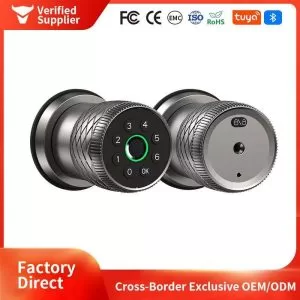 Tuya Bluetooth Smart Knob Lock|Fingerprint Password Keyless Entry Round Door Lock Original price was: $45.00.$37.00Current price is: $37.00.
 3D Face Recognition Smart Lock – Tuya App Fingerprint Password Video Intercom Anti-Theft Door Lock for Home Original price was: $165.98.$130.96Current price is: $130.96.
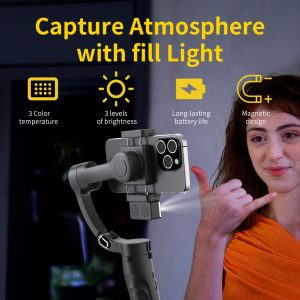 3-Axis Smartphone Gimbal Stabilizer, Handheld Phone Video Stabilizer with Magnetic Fill Light, 8.0 Anti-Shake, Gesture Control & Detachable Remote Controller Original price was: $89.99.$73.99Current price is: $73.99.
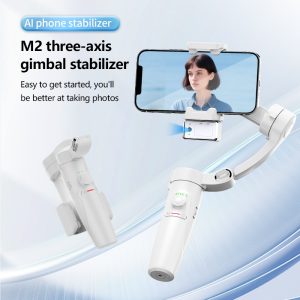 M2 AI 3-Axis Smartphone Gimbal Stabilizer, 280g Load Handheld Phone Stabilizer with Magnetic Tracking Fill Light & Mini Tripod Original price was: $74.96.$64.99Current price is: $64.99.
📌 This article is part of our Complete Smart Hub — more guides and buying tips inside.