Posted on — Leave a comment

WiFi Smoke & CO Detector

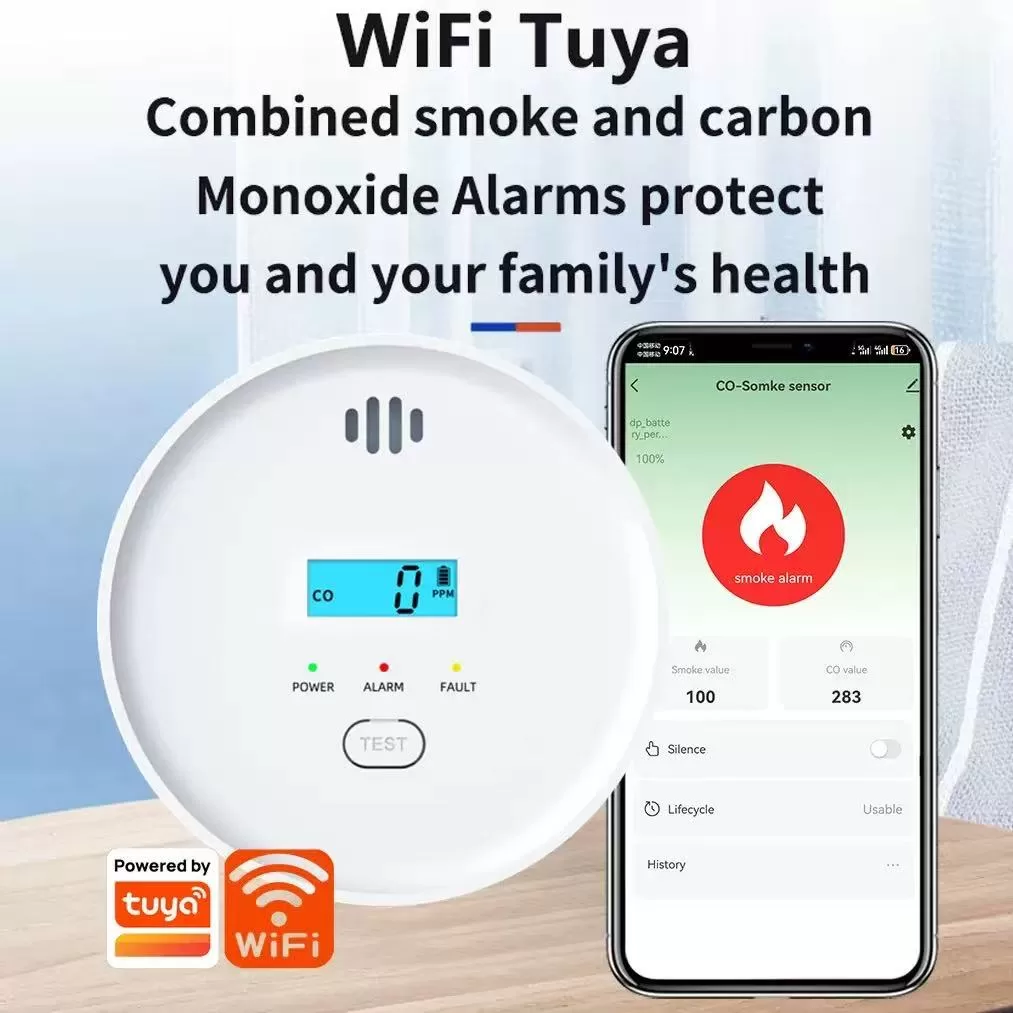
WiFi Smart Smoke and Carbon Monoxide Detector with LCD display and Tuya app connectivity - Xingliao Smart Home security device

However, WiFi Smart Smoke and Carbon Monoxide Detector | Xingliao Smart Home

Protect What Matters Most — 24/7 Intelligent Safety for Your Family Smart Home Automation Guide 2026: 7 Practical Scenes That Save Time, Money and Energy No Wi‑Fi? This Wireless Video Doorbell Still Works For Your Front Door

Therefore, At Xingliao Smart Home, we believe smart living starts with safety. Our WiFi-enabled Smoke & CO Combo Alarm combines dual-sensor protection with Tuya Smart app connectivity, giving you real-time alerts and complete peace of mind — whether you’re home or away. Video Doorbell Review 2026: What to Look For, Smart Features Compared, and Buyer’s Guide

Moreover, Shop now at odmhome.com — your trusted source for premium smart home security devices. Best Smart Home Starter Kit for 2026: Switches, Doorbells, Cameras, Sensors and Pet Feeders Compared


Why Choose Xingliao’s WiFi Smoke & CO Detector? Smart Home Market Trends 2026: What Distributors Must Know About Modular Security, Voice Control and Energy-Saving Devices
WiFi Smart Smoke and Carbon Monoxide Detector with LCD display and Tuya app connectivity - Xingliao Smart Home security device
WiFi Smoke CO Detector – Xingliao Smart Home

In addition, Dual-Sensor Protection — Detects both smoke/fire AND carbon monoxide in one device
Tuya Smart App Control — Get instant phone alerts, check sensor status, and monitor battery life remotely
LCD Digital Display — Real-time CO PPM readings and system status at a glance
360° Omnidirectional Detection — Comprehensive coverage with no blind spots
85dB High-Pitch Alarm — Loud enough to wake the deepest sleeper
10-Year Sensor Lifespan — Long-term reliability you can count on
Extra-Long Battery Standby — Energy-efficient design with simple battery replacement
One-Click Test Button — Weekly testing made effortless
Simple Installation — Mounts in minutes, no electrician needed Smart Home Wholesale FAQ: 15 Questions Every Buyer Asks Before Ordering in Bulk


Smart Protection, Smarter Living

For example, When fire or hazardous gas is detected, the alarm instantly triggers audible and visual alerts while simultaneously sending notifications to your smartphone via the Tuya app. Whether you’re at work, on vacation, or asleep upstairs, you’ll know the moment danger strikes.

Consequently, Xingliao Smart Home — Smart Living for Everyone. Explore our full range of intelligent safety solutions at odmhome.com.


Technical Specifications

Connectivity: WiFi (Tuya Smart compatible)
Sensors: Smoke + Carbon Monoxide (CO)
Display: LCD liquid crystal screen
Alarm Volume: ≥85dB
Detection Range: 360° omnidirectional
Sensor Life: 10 years
Power: Energy-saving battery operated
Certifications: CE, RoHS compliant


What’s in the Box
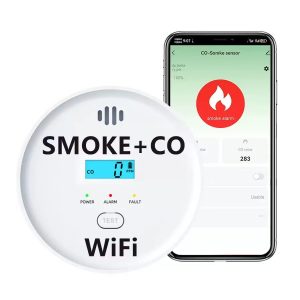
wifi smoke detector product
Tuya App Smoke CO Alarm Control – Xingliao

1× WiFi Smoke & CO Combo Detector
1× Mounting Bracket
1× User Manual
Batteries included


Order Your Smart Safety Upgrade Today

Don’t compromise on your family’s safety. The Xingliao WiFi Smoke & CO Detector delivers professional-grade protection with consumer-friendly smart features — all at a price that makes sense.

Shop Now at odmhome.com


Xingliao Smart Home — Premium smart home devices designed for modern living. From smart security to intelligent comfort, we make your home smarter, safer, and more connected.

Related Articles

You Might Also Like

Frequently Asked Questions

Is Wifi Smoke Detector Product worth buying?

Based on the breakdown in this article, Wifi Smoke Detector Product offers a solid mix of features and value. If your main goal matches the key benefits described above, it is a practical choice for everyday use.

How do I choose the right wifi smoke detector product for my needs?

Start with your core use case, then compare battery life, compatibility, and build quality as covered above. Choosing the right wifi smoke detector product comes down to matching specs with how you actually use it.

Does wifi smoke detector product require a companion app?

Most devices of this type pair with a free companion app for setup and firmware updates. A few advanced features may sit behind a paid plan, so check the official specs page before buying.

Posted on — Leave a comment

Essential Smart Home Devices What You Actually Need

Xingliao Smart Home Showroom

Essential Smart Home Devices: What You Actually Need in 2026

Published: July 12, 2026
Updated: July 12, 2026
Reading Time: 15 minutes


Xingliao Smart Home product collection - smart control panel and devices

However, Xingliao Smart Home premium product collection featuring smart control panels, switches, and security devices


Smart Curtain Motor Track: Automated Window Control System

What Smart Home Devices Do I Actually Need?

Smart WiFi Pet Feeder: Automated Pet Care with APP Control

However, Setting up a smart home can feel overwhelming. With hundreds of devices on the market, how do you know which ones are actually worth buying? Smart Home Wholesale FAQ: 15 Questions Every Buyer Asks Before Ordering in Bulk

The truth: You don’t need everything. You need the right devices for your specific needs.

This guide breaks down essential smart home devices by category, budget, and use case. Whether you’re a beginner or upgrading your setup, you’ll find exactly what you need.


Smart Home Starter Kit: The Basics (Under $300)

For beginners, start with these 5 devices:

1. Smart Speaker/Hub

Why you need it: The brain of your smart home Top picks:

  • Amazon Echo Dot (5th Gen) – $50
  • Google Nest Mini – $49
  • Apple HomePod Mini – $99

What it does:

  • Voice control for all devices
  • Music streaming
  • Weather, timers, alarms
  • Smart home automation hub

2. Smart Bulbs

Why you need it: Instant ambiance and energy savings Top picks:

  • Philips Hue White & Color – $45/bulb
  • LIFX Mini – $35/bulb
  • Wyze Bulb Color – $20/bulb

What it does:

  • Remote on/off control
  • Dimming and color changing
  • Scheduling and routines
  • Energy savings (up to 80%)

3. Smart Plugs

Why you need it: Make any device smart Top picks:

  • TP-Link Kasa Smart Plug – $15
  • Amazon Smart Plug – $25
  • Wyze Plug – $12

What it does:

  • Turn devices on/off remotely
  • Monitor energy usage
  • Set schedules
  • Voice control non-smart devices

4. Smart Doorbell

Smart video doorbell with two-way audio and HD camera for home security

Therefore, Smart video doorbell with HD camera and two-way audio communication

Why you need it: Security and convenience Top picks:

  • Ring Video Doorbell 4 – $200
  • Nest Doorbell (Battery) – $180
  • Xingliao UOBX WiFi Doorbell – $89

What it does:

  • See who’s at the door
  • Two-way talk
  • Motion detection
  • Package alerts

5. Smart Thermostat

Why you need it: Comfort and energy savings Top picks:

  • Nest Learning Thermostat – $250
  • Ecobee SmartThermostat – $230
  • Honeywell Home T9 – $200

What it does:

  • Auto-adjust temperature
  • Learn your schedule
  • Remote control
  • Energy reports (save 10-15% on bills)

Starter Kit Total: $285-$480


Room-by-Room Smart Home Setup

Living Room

Pstrongessential Devicesstrongp Ul Lismart Tv Or Streaming

Essential devices:

  • Smart TV or streaming stick ($30-$500)
  • Smart speaker ($50-$100)
  • Smart bulbs ($20-$45)
  • Smart blinds ($100-$300)
  • Universal remote ($50-$250)

Nice to have:

  • Smart air purifier ($100-$300)
  • Robot vacuum ($200-$800)

Kitchen

Essential devices:

  • Smart display ($90-$230)
  • Smart plugs for appliances ($15-$25)
  • Smart refrigerator ($1,500-$3,000)
  • Smart coffee maker ($100-$300)

Nice to have:

  • Smart oven ($800-$2,000)
  • Smart dishwasher ($700-$1,500)

Bedroom

Essential devices:

  • Smart bulbs ($20-$45)
  • Smart speaker ($50-$100)
  • Smart alarm clock ($50-$150)
  • Sleep tracker ($50-$300)

Nice to have:

  • Smart mattress ($1,000-$3,000)
  • Smart air purifier ($100-$300)

Bathroom

Essential devices:

  • Smart scale ($30-$150)
  • Smart mirror ($100-$400)
  • Smart toothbrush ($50-$200)

Nice to have:

  • Smart toilet ($500-$2,000)
  • Smart shower ($300-$1,000)

Home Security

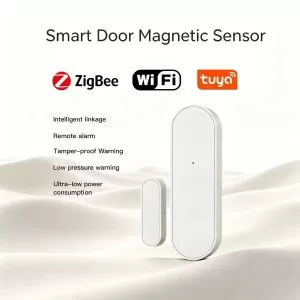
Tuya Zigbee smart door magnetic sensor for home security system

Moreover, Tuya Zigbee smart door magnetic sensor – wireless home security device

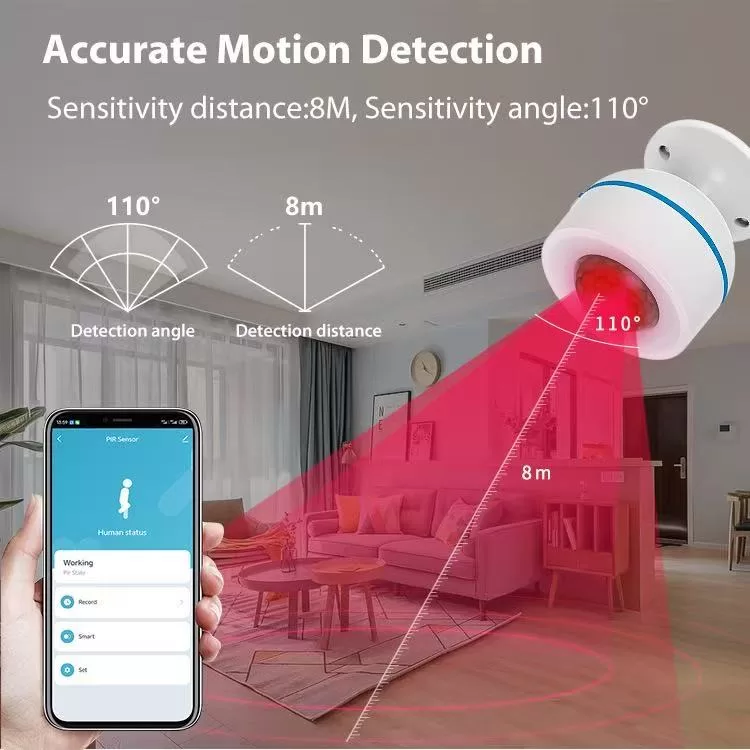
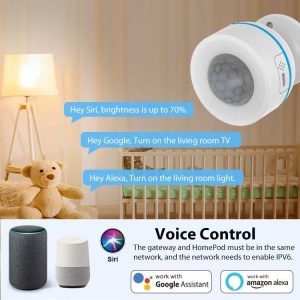
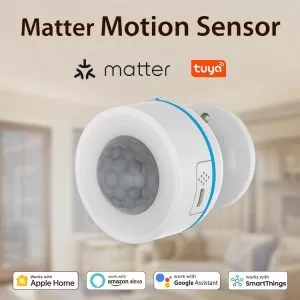
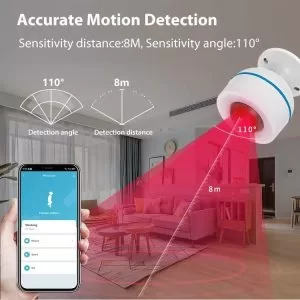
Matter PIR motion sensor with accurate human detection for smart home

Matter PIR motion sensor with accurate human detection and smartphone app control

Essential devices:

  • Smart doorbell ($89-$250)
  • Smart locks ($150-$300)
  • Security cameras ($50-$200)
  • PIR motion sensors with accurate human detection ($20-$50)
  • Door/window magnetic sensors ($15-$30)
  • Smart smoke detector ($50-$120)

Nice to have:

  • Smart garage door opener ($100-$300)
  • Glass break sensors ($30-$60)
  • Water leak detectors ($20-$50)

Smart Home Devices by Budget

Budget Setup ($500-$1,000)

  • Smart speaker: $50
  • Smart bulbs (4): $80
  • Smart plugs (4): $60
  • Smart doorbell: $89
  • Smart thermostat: $200
  • Security camera: $50
  • Smart lock: $150

Total: $679

Mid-Range Setup ($1,000-$2,500)

  • Everything in budget setup
  • Smart display: $150
  • Robot vacuum: $300
  • Smart blinds (2): $400
  • Additional cameras (2): $100
  • Smart garage door: $200
  • Smart sprinkler: $150

Total: $1,979

Premium Setup ($2,500-$5,000)

  • Everything in mid-range setup
  • Smart refrigerator: $2,000
  • Smart oven: $1,500
  • Smart washer/dryer: $1,500
  • Smart mattress: $1,500
  • Whole-home audio: $1,000
  • Smart irrigation: $500

Total: $9,979


Smart Home Protocols: Which One to Choose?

WiFi

Pstrongprosstrongp Ul Lino Hub Neededli Liwide Compatibilityli

Pros:

  • No hub needed
  • Wide compatibility
  • Easy setup

Cons:

  • Can slow down network
  • Higher power consumption
  • Security risks

Best for: Beginners, small setups

Zigbee

Pros:

  • Low power consumption
  • Mesh network (better range)
  • Reliable

Cons:

  • Needs hub
  • Less common

Best for: Medium setups, battery-powered devices

Z-Wave

Pros:

  • Dedicated frequency (less interference)
  • Mesh network
  • Reliable

Cons:

  • Needs hub
  • Fewer devices available

Best for: Large setups, security systems

Matter (New Standard)

Pros:

  • Universal compatibility
  • Works with all major platforms
  • Future-proof

Cons:

  • Still rolling out
  • Limited devices

Best for: New setups, future-proofing

Recommendation: Start with WiFi, add Zigbee/Z-Wave for larger setups, choose Matter for new devices.


Smart Home Automation Ideas

Morning Routine

  1. 6:30 AM: Lights gradually turn on
  2. 6:35 AM: Thermostat adjusts to 72°F
  3. 6:45 AM: Coffee maker starts
  4. 7:00 AM: News briefing plays on smart speaker
  5. 7:15 AM: Security system disarms

Leaving Home Routine

  1. Lock smart door
  2. Turn off all lights
  3. Adjust thermostat to eco mode
  4. Arm security system
  5. Close smart blinds

Evening Routine

  1. 6:00 PM: Lights turn on at 70%
  2. 6:30 PM: Thermostat adjusts to 70°F
  3. 7:00 PM: Entertainment mode (dim lights, TV on)
  4. 10:00 PM: Night mode (lights off, security armed)

Vacation Mode

  1. Random light schedule
  2. Security cameras record all motion
  3. Thermostat in eco mode
  4. Smart sprinklers maintain lawn
  5. Notifications for any door/window activity

Common Smart Home Mistakes to Avoid

1. Buying Incompatible Devices

Solution: Check protocol compatibility before buying. Choose Matter-certified devices when possible.

2. Ignoring Security

Pstrongsolutionstrongp Ul Lichange Default Passwordsli Lienable Two-factor

Solution:

  • Change default passwords
  • Enable two-factor authentication
  • Update firmware regularly
  • Use guest network for IoT devices

3. Overcomplicating Setup

Solution: Start with 3-5 devices. Add more gradually.

4. Not Planning for Power Outages

Solution:

  • Choose devices with battery backup
  • Have manual overrides
  • Consider UPS for critical devices

5. Forgetting About Guests

Solution:

  • Create guest WiFi network
  • Have manual controls available
  • Set up visitor modes

Smart Home Privacy & Security

Essential Security Measures

  1. Strong passwords on all devices
  2. Two-factor authentication enabled
  3. Regular firmware updates
  4. Guest network for IoT devices
  5. Disable unused features (microphone, camera)
  6. Review privacy settings monthly

Privacy Tips

  • Read privacy policies before buying
  • Choose local processing over cloud when possible
  • Regularly delete voice recordings
  • Use privacy-focused alternatives (Apple HomeKit)

FAQ: Smart Home Devices

Q: How much does a basic smart home cost?

$500-$1,000 for essential devices (speaker, bulbs, plugs, doorbell, thermostat).

Q: Do I need a hub?

For example, Not for WiFi devices. Yes for Zigbee/Z-Wave. Matter devices work without hub.

Q: Can I install smart home devices myself?

Consequently, Most devices are plug-and-play. Smart locks and thermostats may need basic DIY skills.

Q: Will smart devices work without internet?

Some basic functions work locally, but most features require internet.

Q: Are smart home devices secure?

Generally yes, if you follow security best practices (strong passwords, updates, guest network).

Q: Which smart home ecosystem is best?

Amazon Alexa (most compatible), Google Home (best AI), Apple HomeKit (most private).

Q: Can I mix different brands?

Yes, especially with Matter protocol. Otherwise, check compatibility.

Q: How long do smart devices last?

5-10 years for most devices. Bulbs last 15,000-25,000 hours.

Q: Do smart home devices save money?

Yes! Smart thermostats save 10-15% on heating/cooling. Smart bulbs use 80% less energy.

Q: What’s the first smart home device I should buy?

Start with a smart speaker/hub. It controls everything else and provides immediate value.


Emerging Technologies

  1. Matter Protocol – Universal compatibility
  2. AI Integration – Smarter automation
  3. Energy Management – Solar integration, load balancing
  4. Health Monitoring – Air quality, sleep tracking
  5. Elderly Care – Fall detection, medication reminders

Future Devices

  • Smart windows (self-tinting)
  • Robot chefs
  • AI personal assistants
  • Predictive maintenance systems
  • Whole-home health monitoring

Xingliao Smart Home team at international trade show with business partners

Xingliao Smart Home team meeting with international partners at global trade exhibition

Best Overall: Xingliao Smart Home

  • Wide product range
  • Affordable prices
  • OEM/ODM available
  • Matter-compatible
  • Global shipping
Xingliao Smart Home factory building in Shenzhen China

Xingliao Smart Home manufacturing facility in Shenzhen, China

Best for Beginners: Amazon

Ul Lieasy Setupli Liwide Compatibilityli Liaffordableli Ligood

  • Easy setup
  • Wide compatibility
  • Affordable
  • Good support

Best for Privacy: Apple

  • Local processing
  • Strong encryption
  • No data selling
  • Premium quality

Best for Customization: Samsung SmartThings

  • Advanced automation
  • Wide protocol support
  • Developer-friendly

Smart Pet Care Devices

Smart pet feeder with app control for scheduled automatic feeding

Smart pet feeder with smartphone app control for scheduled and remote feeding

Smart bird house with camera and sensors for bird watching and pet care

Colorful smart bird house with built-in camera and environmental sensors for bird watching

Essential pet care devices:

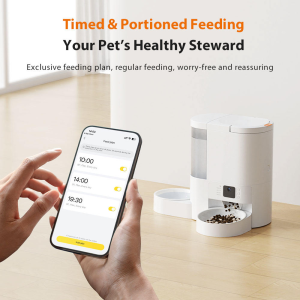
  • Automatic pet feeders with scheduled feeding and portion control ($50-$150)
  • Video bird feeders with HD camera and motion detection for bird watching ($80-$200)
  • Smart water fountains with circulating filtration ($30-$80)
  • Pet monitoring cameras with two-way audio ($40-$100)
  • GPS pet trackers for location monitoring ($30-$80)

Smart Pet Care Features:

  • Remote feeding control via smartphone app
  • HD video monitoring with night vision
  • Motion detection alerts for pet activity
  • Environmental sensors (temperature, humidity)
  • Automatic feeding schedules and portion control

Smart Control Devices

UK standard smart water heater switch 40A with Tuya Smart Life app control

UK standard smart water heater switch with 40A capacity and Tuya Smart Life app control

Essential control devices:

  • Smart light switches (WiFi/Zigbee/Matter) with dimming and scheduling ($15-$50)
  • Smart water heater switches with high power capacity ($25-$60)
  • Smart control panels (4″/6″/10″) with touch display ($80-$300)
  • Smart plugs and outlets with energy monitoring ($12-$30)
  • IR universal remotes for legacy devices ($20-$50)

Smart Control Features:

  • Voice control via Alexa, Google, Siri
  • Smartphone app control from anywhere
  • Scheduling and automation routines
  • Energy usage monitoring and reports
  • Matter protocol compatibility

Where to Buy Smart Home Devices

Online:

  • Amazon (widest selection)
  • Xingliao Shop (odmhome.com) – OEM/ODM, bulk orders
  • Best Buy (expert advice)
  • Home Depot (installation services)

Direct from Manufacturers:

  • Often better prices
  • Latest products
  • Direct support

Tips:

  • Compare prices across retailers
  • Check for bundle deals
  • Read recent reviews
  • Verify return policy

Conclusion: Start Your Smart Home Journey

Building a smart home doesn’t have to be complicated or expensive. Start with the essentials:

  1. Smart speaker/hub ($50)
  2. Smart bulbs ($20-$45)
  3. Smart plugs ($15-$25)
  4. Smart doorbell ($89-$250)
  5. Smart thermostat ($200)

Total starter investment: $374-$570

Add devices gradually based on your needs and budget. Remember:

  • Start small, expand gradually
  • Choose compatible devices
  • Prioritize security
  • Focus on devices that solve real problems

Ready to start? Shop our curated smart home collection at Xingliao Smart Home and get free shipping on orders over $100!


Last Updated: July 12, 2026

You Might Also Like
Frequently Asked Questions

Is Blog Devices worth buying?

Based on the breakdown in this article, Blog Devices offers a solid mix of features and value. If your main goal matches the key benefits described above, it is a practical choice for everyday use.

How do I choose the right blog devices for my needs?

Start with your core use case, then compare battery life, compatibility, and build quality as covered above. Choosing the right blog devices comes down to matching specs with how you actually use it.

Does blog devices require a companion app?

Most devices of this type pair with a free companion app for setup and firmware updates. A few advanced features may sit behind a paid plan, so check the official specs page before buying.

Related Articles
Posted on — Leave a comment

Smart Light Switch Buying Guide 2026: WiFi vs Zigbee vs Matter Protocol

US standard touchless wave sensor light switch with tempered glass panel and LED indicator

Smart home light switches comparison showing WiFi, Zigbee, and Matter protocol devices on dark background with golden accents

However, Compare WiFiZigbee and Matter Smart switches for your smart home setup

Why Upgrade to Smart Light Switches? In short, light switch buying wifiSmart Home FAQ: Must-Read Guide for Beginners

Therefore, Smart light switches are the foundation of any modern smart home. Unlike smart bulbs, they control your existing lights while adding automation, remote control, and energy monitoring capabilities.

Key Benefits

Moreover, Control lights from anywhere via smartphone Voice control with AlexaGoogle HomeSiri Schedule automation (sunrise/sunset, away mode) Energy usage monitoring No need to replace existing bulbs Works with physical wall switches Protocol Comparison: WiFi vs Zigbee vs Matter

WiFi Smart Switches Best for: Beginners, small apartments, budget-conscious users

Pros

In addition, No hub required – connects directly to router Easy setup with manufacturer apps Wide compatibility Lower cost

Cons

For example, Can congest home WiFi network Higher power consumption Dependent on internet connection Limited range from router Top Pick: Tuya WiFi Smart Switch – Reliable, affordable, works with Tuya Smart Life app

Consequently, Zigbee Smart Switches Best for: Larger homes, power users, existing Zigbee ecosystems

Pros

light switch buying wifi

light switch buying wifi

UK standard smart wall switch – 147x86mm glass panel with WiFi and app control

Mesh network extends range automatically Lower power consumption Faster response times Works offline (local control) Doesn’t congest WiFi

Cons

Requires Zigbee hub (SmartThingsHubitat, Home Assistant) Slightly higher initial cost More complex setup Top Pick: Aqara Smart Wall Switch – Compact design, excellent build quality, HomeKit compatible

Matter protocol (2026’s Game Changer) Best for: Future-proofing, multi-platform households

Pros

Universal compatibility (Works with all major platforms) Local control without internet Enhanced security Simplified setup process Growing ecosystem support

Cons

light switch buying wifi

EU standard 86x86mm smart water heater switch – WiFi enabled with timer and remote control

Still maturing ecosystem Requires Matter-compatible hub or border router Limited product selection (growing rapidly) Top Pick: Eve Energy Switch (Matter) – Thread-based, privacy-focused, no cloud required

Wiring Guide: Understanding Your Home

1-Way Switch (Single Pole) What it controls: One light from one location Wiring: Live wire in, switched live out, neutral required for smart switches Best for: Most rooms, simple setups

2-Way Switch (Two-Way) What it controls: One light from two locations (e.g. hallway top and bottom) Wiring: Two switches connected via traveler wires Smart solution: Install smart switch at main location, compatible companion switch at second location

Multi-Way Switch (3+ Locations) What it controls: One light from three or more locations Wiring: Multiple switches with complex traveler wiring Smart solution: One master smart switch, multiple wireless remote switches

Important: Neutral Wire Requirement

Most smart switches require a neutral wire. Check your electrical box

Have neutral wire (white): Most smart switches will work No neutral wire: Look for “no neutral” smart switches (limited options, often dimmer-only) Safety Note: Always turn off power at breaker before installation. Consult a licensed electrician if unsure.

Top 5 Smart Light Switches for 2026

Tuya WiFi Smart Touch Switch Price: $12-25 Protocol: WiFi Features: Touch panel, timer, scene control, voice control Best for: Budget-friendly smart home entry Rating: ⭐⭐⭐⭐⭐ (4.8/5)

Aqara Smart Wall Switch H1 Price: $35-50 Protocol: Zigbee 3.0 Features: No neutral option, HomeKit support, power monitoring Best for: Apple HomeKit users, no-neutral installations Rating: ⭐⭐⭐⭐⭐ (4.7/5)

Lutron Caséta Wireless Price: $50-60 Protocol: Proprietary (Lutron Clear Connect) Features: Premium build, excellent dimming, no neutral required Best for: Premium installations, no-neutral homes Rating: ⭐⭐⭐⭐⭐ (4.9/5)

Shelly 1L Price: $15-20 Protocol: WiFi Features: Small size fits in wall box, no neutral option, dry contact Best for: Retrofit installations, tight spaces Rating: ⭐⭐⭐⭐ (4.5/5)

Eve Light Switch (Matter) Price: $45-55 Protocol: Thread/Matter Features: Privacy-focused, no cloud, local control, Apple Home Best for: Privacy-conscious users, Matter early adopters Rating: ⭐⭐⭐⭐⭐ (4.6/5)

Installation Tips

Before You Buy

Check your wiring: Remove existing switch and check for neutral wire (usually white) Count the gangs: Single gang (1 switch), double gang (2 switches side by side) Measure the box: Ensure smart switch fits (some are deeper than standard switches) Check load rating: Ensure switch supports your light fixture’s wattage

Installation Steps

Turn off power at circuit breaker Remove old switch faceplate Disconnect wires (take photo first!) Connect smart switch wires (follow manufacturer diagram) Secure switch in box, attach faceplate Turn power back on Configure in app

Common Issues

Switch doesn’t fit: Look for slim models or use a deeper box Flickering lights: Check wattage compatibility, may need bypass capacitor No neutral wire: Use no-neutral compatible switches or install neutral wire 2-way setup not working: Ensure companion switch is compatible Smart Switch Features to Consider

Must-Have Features

Voice control: Alexa, Google AssistantSiri compatibility Scheduling: Set timers and routines Remote control: App control from anywhere Physical button: Maintain wall switch functionality

Nice-to-Have Features

Dimming: Adjust brightness (requires dimmable bulbs) Energy monitoring: Track power usage Scene control: Multiple switches work together LED indicator: Find switch in dark No neutral option: For older homes without neutral wires

Advanced Features

Matter support: Future-proof protocol Thread networking: Reliable, low-power mesh Local control: Works without internet Home Assistant integration: Open-source smart home platform Creating Smart Lighting Scenes

Morning Routine

7:00 AM: Gradually turn on bedroom lights (simulating sunrise) 7:30 AM: Turn on kitchen and hallway lights 8:00 AM: Turn off all lights when leaving for work

Evening Routine

6:00 PM: Turn on living room lights at 70% brightness 8:00 PM: Dim lights to 40% for movie time 10:00 PM: Turn off all lights except bedroom

Away Mode (Security)

Randomly turn lights on/off between 7 PM – 11 PM Simulate occupancy when traveling Frequently Asked Questions

Do smart switches work without internet?

WiFi switches need internet for remote control but work locally. Zigbee and Matter switches work completely offline.

Can I install a smart switch myself?

If you’re comfortable with basic electrical work and have a neutral wire, yes. Otherwise, hire an electrician.

Will smart switches work with LED bulbs?

Most do, but check compatibility. Some dimming switches need a minimum load (bypass capacitor may be needed).

Can I use smart switches in a 2-way setup?

Yes, but you need compatible companion switches or wireless remotes.

What’s the difference between smart switches and smart bulbs?

Smart switches control the power to any bulb. Smart bulbs replace existing bulbs and offer color control. Smart switches are better for permanent installations.

Conclusion

Smart light switches are the smartest entry point into home automation. They offer

Convenience: Control from anywhere Energy savings: Automated scheduling Security: Simulate occupancy Comfort: Perfect lighting for every moment

Our Recommendation

Budget choice: Tuya WiFi Switch ($12-25) Best overall: Aqara Smart Switch H1 ($35-50) Premium option: Lutron Caséta ($50-60) Future-proof: Eve Matter Switch ($45-55) Start with one room and expand gradually. Your smart home journey begins with a single switch!

Ready to upgrade? Browse our Smart Switch Collection and use code SMARTHOME10 for 10% off your first order!

Last Updated: July 2026 | Xingliao Smart Home – Premium Smart Home Solutions

Disclaimer: Always consult a licensed e …(truncated)…

{“@context”:”https://schema.org”,”@type”:”FAQPage”,”mainEntity”:[{“@type”:”Question”,”name”:”Do smart switches work without internet?”,”acceptedAnswer”:{“@type”:”Answer”,”text”:”WiFi switches need internet for remote control but work locally. Zigbee and Matter switches work completely offline.”}},{“@type”:”Question”,”name”:”Can I install a smart switch myself?”,”acceptedAnswer”:{“@type”:”Answer”,”text”:”If youu2019re comfortable with basic electrical work and have a neutral wire, yes. Otherwise, hire an electrician.”}},{“@type”:”Question”,”name”:”Will smart switches work with LED bulbs?”,”acceptedAnswer”:{“@type”:”Answer”,”text”:”Most do, but check compatibility. Some dimming switches need a minimum load (bypass capacitor may be needed).”}},{“@type”:”Question”,”name”:”Can I use smart switches in a 2-way setup?”,”acceptedAnswer”:{“@type”:”Answer”,”text”:”Yes, but you need compatible companion switches or wireless remotes.”}},{“@type”:”Question”,”name”:”Whatu2019s the difference between smart switches and smart bulbs?”,”acceptedAnswer”:{“@type”:”Answer”,”text”:”Smart switches control the power to any bulb. Smart bulbs replace existing bulbs and offer color control. Smart switches are better for permanent installations.”}}]}

Related Articles

You Might Also Like
Posted on — Leave a comment

Pet Water Dispenser: Regular vs Smart WiFi (2026 Guide)

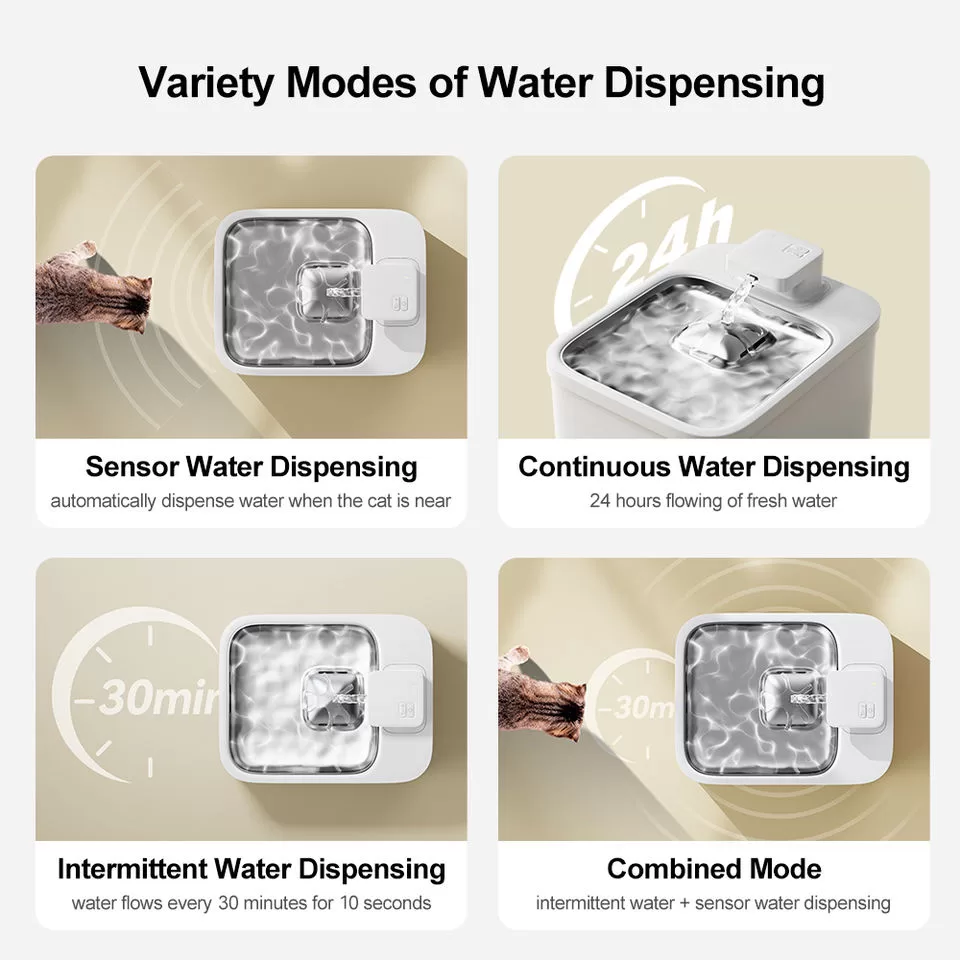
Pet water dispenser 4 dispensing modes: sensor, continuous flow, intermittent, and manual sensor output for 2.5L smart pet water fountain for cats and dogs

A regular pet water dispenser just holds water; a smart WiFi model adds a pump, a filter and app alerts, so you can tell whether your cat or dog drank today.

Understanding Your Pet Water Dispenser Options

ASPCA pet care guide

Smart WiFi pet water dispenser 2.5L with stainless steel tray for cats and dogs at odmhome.com
Smart WiFi Pet Water Dispenser 2.5L – Main Product Image
Smart WiFi pet water dispenser 2.5L with stainless steel tray for cats and dogs at odmhome.com
Smart WiFi Pet Water Dispenser 2.5L – Main Product Image
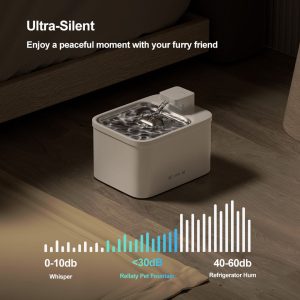
## Why Your Pet’s Water Bowl Isn’t Enough (And What to Do About It) Picture this: it’s 7 AM, you stumble into the kitchen, and your dog’s water bowl is bone-dry again.. This Or worse, it’s been sitting out for 12 hours — slimy, full of fur, and warmer than room temperature. Sound familiar? Most pet owners underestimate how much water their cats and dogs actually need.. This A 10-pound cat should drink roughly 8-10 ounces of water daily .. This A 30-pound dog? Up to 50 ounces.. This And most of them don’t drink nearly enough from a static bowl. That’s where a **pet water dispenser** changes everything. In this 2025 buyer’s guide, we’ll break down the two main types — **regular (gravity-fed) pet water dispensers** and **smart WiFi pet water fountains** — so you can pick the right one for your pet, your home, and your lifestyle.. This Browse our full [pet water dispenser collection at our smart home store](https://odmhome.com/shop/) to see all available models. — ## The Hidden Problem with Traditional Water Bowls Before we dive into products, let’s talk about why that cute little ceramic bowl on your floor is actually working against your pet. ### Bacteria Buildup Stagnant water is a breeding ground for bacteria.. This Studies show that within 24 hours, a standard water bowl can develop bacterial colonies exceeding what’s considered safe for drinking.. This Cats and dogs are particularly vulnerable to urinary tract infections and kidney issues from contaminated water.. This According to the [FDA pet food safety guidelines](https://www.fda.gov/animal-veterinary), water hygiene is one of the most overlooked aspects of pet care. ### Temperature Issues Room-temperature water quickly becomes warm and unappetizing.. This Most pets — especially cats — prefer cool, fresh water.. This A 2019 study found that cats are significantly more likely to drink from moving water sources than still ones. ### Contamination Every time your pet walks near the bowl, kicks up dust, or drops food particles in, the water gets contaminated.. This Hair, saliva, kibble bits — they all add up. ### Refill Frequency If you work a 9-to-5 job, your pet’s water bowl can sit untouched for 8+ hours.. This That’s a long time for water to go stale, especially in summer. The solution? A proper pet water dispenser that keeps water moving, filtered, and fresh around the clock.. This For more tips on creating a healthy environment for your pets, check out our guide to [best smart home devices for pet owners](/blog/best-smart-home-devices-for-pet-owners-2025/), and explore the [full pet water dispenser lineup](https://odmhome.com/shop/) for hands-free hydration. — ## Regular vs Smart WiFi Pet Water Dispenser: The Quick Comparison | Feature | Regular Pet Water Dispenser | Smart WiFi Pet Water Dispenser | |———|——————|———————| | **Power source** | None (gravity-fed) or plug-in | Plug-in (always on) | | **Water capacity** | 1.5–6L | 2–4L | | **Filtration** | Optional carbon filter | Multi-stage filter system | | **Pump type** | None | Ultra-quiet submersible pump | | **App control** | No | Yes (iOS + Android) | | **Water level alerts** | No | Real-time push notifications | | **Usage tracking** | No | Daily/weekly drinking stats | | **Auto shut-off** | No | Pump protection + Low water | | **Cleaning alerts** | No | Reminders every 7–14 days | | **Multi-pet homes** | Yes | Yes (with per-pet tracking*) | | **Price range** | $25–$60 | $55–$150 | | **Best for** | Budget-conscious owners, occasional use | Tech-savvy owners, daily convenience | ** Per-pet tracking requires compatible smart collar integration* —pet water dispenser ## What Is a Regular Pet Water Dispenser vs Smart WiFi? A **regular pet water dispenser** (also called a gravity water feeder or automatic water bowl) is the simplest, most affordable solution.. This You can browse our [gravity-fed pet water dispensers](https://odmhome.com/shop/) if you’re leaning toward this option. ### How It Works – A large bottle or reservoir sits upside-down on a bowl – As your pet drinks, gravity refills the bowl automatically – No electricity required – Capacity ranges from 1.5L to 6L (some go up to 8L for large dogs or multi-cat homes) ### Pros – **No power needed** — works during outages, great for outdoor use or barns – **Affordable** — most models under $40 – **Simple** — no setup, no app, no learning curve – **Large capacity** — some hold a week’s worth of water for a small cat – **Low maintenance** — just wash the bowl and bottle weekly ### Cons – **No filtration** — water sits still, bacteria can grow – **No alerts** — you won’t know if the water runs out – **Easy to tip over** — pets can knock it over, especially dogs – **Harder to clean** — narrow bottle openings make scrubbing difficult – **No data** — you have no idea how much your pet is actually drinking ### Best For – Cat owners with a single pet – Owners on a tight budget – Outdoor or secondary water source (e.g., garage, basement) – Travel/boarding situations — ## What Is a Smart WiFi Pet Water Dispenser? A **smart WiFi pet water dispenser** (sometimes called a smart pet fountain or app-controlled water dispenser) is the connected, high-tech version that has taken the pet product market by storm Since 2014.. This See all our [smart WiFi pet water fountains](https://odmhome.com/shop/) ready to ship worldwide. ### How It Works – Connects to your home WiFi (2.4GHz) via the **Tuya Smart** or **Smart Life** app – Circulates water continuously through a multi-stage filter – Sends real-time alerts to your phone – Tracks drinking patterns over time – Some models integrate with **Alexa** and **Google Home** for voice control ### Core Features Breakdown #### Continuous Circulation A submersible pump keeps water moving 24/7.. This This serves two purposes: – Prevents bacteria growth (oxygenated water stays fresh longer) – Encourages pets to drink (animals are instinctively attracted to moving water) #### Multi-Stage Filtration Most quality smart pet water dispensers use a 3-stage filter: 1. **Cotton layer** — catches hair, kibble, and large debris 2. **Activated carbon** — removes chlorine, odors, and bad tastes 3. **Ion exchange resin** — softens water and removes heavy metals Filters typically need replacing every 2–4 weeks (cost: $0.50–$1 per filter). [Replacement filter 6-packs are available here](https://odmhome.com/shop/). #### App Notifications The companion app (Tuya Smart / Smart Life) sends push notifications for: – **Low water level** — refills before your pet runs out – **Filter life** — reminds you when to change the filter – **Cleaning schedule** — typically every 7–14 days – **Abnormal drinking** — flags sudden increases or decreases in water consumption (early warning for kidney issues, diabetes, UTIs) #### Drinking Analytics Track your pet’s daily water intake with a smart pet water dispenser.. This This is genuinely useful — sudden changes in drinking behavior are often the **first sign of illness** in cats (especially kidney disease, hyperthyroidism, and diabetes).. This Owners have reported catching health issues weeks earlier thanks to these alerts. #### Ultra-Quiet Pump Modern smart pet water dispensers use pumps rated at **≤30 dB** — quieter than a whisper.. This Your pet won’t be startled, and it won’t disturb your sleep. ### Pros – **Fresh, filtered water 24/7** – **Remote monitoring** — check water levels from anywhere – **Health insights** — track drinking patterns over time – **Encourages drinking** — moving water attracts picky pets – **Smart home integration** — works with Alexa, Google Home, Apple HomeKit (varies by model) – **Auto-protect** — pump shuts off if water runs low (prevents burnout) ### Cons – **Higher upfront cost** — $55–$150 vs $25–$60 – **Needs WiFi + power** — won’t work during extended outages – **Filter replacements** — ongoing cost ($15–$25/year) – **Setup required** — need to connect to WiFi and pair with app – **Cleaning** — needs disassembly and pump cleaning every 2 weeks ### Best For – Multi-pet households – Tech-savvy pet parents – Owners who travel frequently – Cats with a history of urinary/kidney issues – Anyone who wants health-tracking data on their pet — ## 5 Real-World Scenarios: Which Pet Water Dispenser Wins? ### Scenario 1: Single Indoor Cat, Stay-at-Home Owner **Winner: Smart WiFi Pet Water Dispenser (2L model)** Cats are notorious for not drinking enough.. This The moving water + analytics will help you catch health issues early.. This The 2L tank lasts 3–4 days for a typical cat, perfect for weekend trips. ### Scenario 2: One Large Dog, Active Family **Winner: Regular Pet Water Dispenser (4–6L gravity model) + Smart Fountain Combo** Use the gravity dispenser as the main water source (dogs drink a LOT), and add a smart fountain as a secondary source to track drinking patterns.. This Dogs drink too much water for a 2L smart tank to handle alone. ### Scenario 3: Multi-Pet Home (2 cats + 1 dog) **Winner: Smart WiFi Pet Water Dispenser (3–4L model)** A 4L smart fountain with a high-capacity tank keeps everyone hydrated.. This The app lets you see total household water consumption, and the multi-stage filter handles the higher contamination from multiple animals. ### Scenario 4: Outdoor / Barn / Garage Use **Winner: Regular Gravity Pet Water Dispenser** No WiFi available, no power outlet nearby.. This A 6L gravity model is bulletproof.. This Add a splash of apple cider vinegar to the water to prevent algae growth. ### Scenario 5: Pet with Chronic Health Issues **Winner: Smart WiFi Pet Water Dispenser (mandatory)** The drinking analytics feature is a game-changer for pets with kidney disease, diabetes, or UTIs.. This Veterinarians increasingly recommend smart water dispensers as part of chronic disease management. — ## Technical Specifications: What to Look For ### Regular Gravity Pet Water Dispensers | Spec | Minimum | Recommended | |——|———|————-| | **Capacity** | 1.5L | 3–4L | | **Material** | BPA-free plastic | Food-grade stainless steel or ceramic | | **Bottle transparency** | Clear | Clear + measurement markings | | **Base stability** | Flat bottom | Non-slip rubber base | | **Dishwasher safe** | Top rack only | Fully dishwasher safe | ### Smart WiFi Pet Water Dispensers | Spec | Minimum | Recommended | |——|———|————-| | **Capacity** | 2L | 2.5–3.5L | | **Power input** | 5V/2A USB | 5V/2A USB-C | | **WiFi** | 2.4GHz | 2.4GHz + Bluetooth backup pairing | | **Pump noise** | ≤40 dB | ≤30 dB | | **Filter stages** | 2-stage | 3-stage (cotton + carbon + ion resin) | | **App compatibility** | Tuya or Smart Life | Both + native Alexa/Google skill | | **Certifications** | FCC, CE, RoHS | FCC, CE, RoHS, FDA food-grade | | **Warranty** | 6 months | 12+ months | — ## How to Set Up a Pet Water Dispenser in 5 Minutes **Total time: 5 minutes** 1. **Unbox and rinse** — Wash the tank, tray, and filter housing with mild soap.. This Rinse thoroughly. 2. **Install the filter** — Soak the new filter in clean water for 5 minutes to activate the carbon, then place it in the housing. 3. **Fill the tank** — Use filtered or tap water.. This Don’t fill above the max line. 4. **Power on** — Plug in the USB cable.. This The pump should start within 10 seconds. 5. **Download the app** — Install “Tuya Smart” or “Smart Life” from the App Store / Google Play. 6. **Add device** — Tap “+” in the app, select “Pet Water Dispenser” (or “Small Home Appliances → Water Dispenser”). 7. **Connect to WiFi** — Enter your 2.4GHz WiFi password. The app will pair the device in 30–60 seconds. 8. **Name your device** — “Whiskers’ Fountain” or “Living Room Water” — whatever helps you remember. 9. **Set notifications** — Turn on low water, filter change, and cleaning reminders. 10. **Show your pet** — Cats especially may need a few days to adjust.. This Place it next to their old bowl at first. — ## What’s in the Box (Standard Smart WiFi Pet Water Dispenser) – 1× Water tank (2.5–4L) – 1× Drinking tray with pump – 1× Multi-stage filter (pre-installed) – 1× USB power cable (5V/2A) – 1× Power adapter (US/EU/UK plug, depending on region) – 1× Quick start guide – 1× Cleaning brush (for the pump) *Note: Replacement filters sold separately.. This We recommend [buying a 6-pack at our store](https://odmhome.com/shop/) to save 30%.* — ## Customer Reviews: What Real Owners Are Saying > *”I bought this pet water dispenser for my two cats who were constantly getting UTIs.. This Within 2 weeks, I could see their water intake was 3x what it was with the old bowl.. This The app flagged one cat drinking significantly less — turned out she had early kidney issues.. This Vet said we caught it way earlier than we would have otherwise.”* > — **Sarah M., cat owner, verified buyer** > *”Setup took literally 4 minutes.. This The pump is so quiet my dog doesn’t even notice it.. This I love the low-water alerts — I used to constantly worry about leaving him alone on weekends.”* > — **James T., dog owner, verified buyer** > *”Was skeptical about the ‘smart’ features but the filter reminders alone are worth it.. This I’ve never been good at remembering to change filters, and the app pinged me right on time.. This This is the best pet water dispenser I’ve owned.”* > — **Priya K., verified buyer** — ## Frequently Asked Questions (FAQ) ### Q1: How often do I need to clean a pet water dispenser? **Regular:** Once a week is sufficient.. This Dump, wash with mild soap, rinse, refill. **Smart WiFi:** Every 7–14 days, depending on the app reminder.. This The pump area needs special attention — use the included brush to clean the impeller.. This Failure to clean the pump is the #1 cause of premature failure. ### Q2: Can I use a smart pet water dispenser without WiFi? Yes.. This The pet water dispenser will still work as a regular circulating fountain without WiFi — you just won’t Get app notifications or analytics.. This The pump and filter functions are independent of the WiFi connection. ### Q3: Is a pet water dispenser safe for kittens and puppies? Yes, with caveats: – Use a **low-flow setting** if available – Make sure the pump intake is covered (most models have a grate) – The water level should never be deep enough for a small animal to fall in and not get out – For very young animals under 8 weeks, supervised introduction is recommended ### Q4: How long do filters last in a smart pet water dispenser? **2–4 weeks** for typical household use.. This Factors that shorten filter life: – Hard water (mineral buildup) – Multiple pets – High water consumption – Outdoor humidity (affects carbon absorption) Pro tip: [Buy filters in bulk at our store](https://odmhome.com/shop/).. This A 6-pack typically costs 30% less per filter than single packs. ### Q5: Can I put ice or cold water in the dispenser? Yes! Many owners add ice cubes in summer to keep water cool.. This Just make sure: – The ice doesn’t block the pump intake – You don’t add so much that the pump runs dry – Clean any mineral deposits left by melting ice ### Q6: Will the pump wake me up at night? No.. This Quality smart pet water dispensers use **sub-30 dB pumps** — quieter than a library.. This You literally cannot hear them from more than 3 feet away.. This The only time they make noise is when the water level is critically low (warning beep). ### Q7: Is it worth the extra cost vs a regular pet water dispenser? For **single pets with no health issues**: Probably not.. This A $30 gravity dispenser does the job. For **multi-pet homes, pets with health issues, frequent travelers, or tech-loving owners**: Absolutely.. This The analytics, alerts, and filtration pay for themselves in convenience and peace of mind. ### Q8: Does this work with my existing smart home setup? Most Tuya-based smart pet water dispensers work with: – **Amazon Alexa** (enable Tuya Smart skill) – **Google Home** (link Tuya Smart in Google Home app) – **SmartThings** (via Tuya integration) – **Apple HomeKit** — only on premium models with Matter support – **Zigbee/Z-Wave** — WiFi-only models don’t support these protocols — ## Final Verdict: Which Pet Water Dispenser Should You Buy? | Your Situation | Recommended Model | |—————|——————-| | Single cat, basic needs, tight budget | Regular 2–3L gravity pet water dispenser | | Tech-savvy owner, wants data | Smart WiFi 2.5L pet water dispenser | | Multi-pet home (2+ pets) | Smart WiFi 3.5L pet water dispenser | | Pet with chronic health issues | Smart WiFi 3.5L model (mandatory) | | Outdoor / barn / garage | Regular 6L gravity pet water dispenser | | Travel frequently | Smart WiFi 2.5L model (remote alerts) | **The honest truth:** If you can afford the $50–$70 upgrade, the smart WiFi pet water dispenser is worth it for the **health-tracking data alone**.. This The ability to spot a sudden drop in water consumption — often the first sign of kidney disease, diabetes, or UTIs — has genuinely saved pets’ lives. — ## Shop Our Top-Rated Pet Water Dispensers Ready to upgrade your pet’s hydration? Both our **regular gravity pet water dispensers** and **smart WiFi pet water fountains** are on sale this week at [odmhome.com](https://odmhome.com/shop/). **Bundle deal:** Buy any smart WiFi dispenser + 6-pack filters and save an extra 10%. **Free shipping** on orders over $50. **Shop now:** – 👉 [Regular Gravity Pet Water Dispensers (From $25)](https://odmhome.com/shop/) – 👉 [Smart WiFi Pet Water Fountains (From $55)](https://odmhome.com/shop/) – 👉 [Replacement Filter 6-Pack (Save 30%)](https://odmhome.com/shop/) — ## About Xingliao Smart Home [🌐 odmhome.com](https://odmhome.com/) is your one-stop shop for smart home devices that make life easier — from pet care to home security, lighting, and beyond.. This Every product is hand-tested by our team, ships worldwide, and comes with a 12-month warranty.. This New customers save 15% on their first order with code **WELCOME15**. — ## Internal Linking Suggestions When you publish this post, link to it from these pages on your site: – **Product page: Smart WiFi Pet Water Dispenser** — anchor text: “read our complete buyer’s guide” – **Product page: Regular Pet Water Dispenser** — anchor text: “not sure which one? See our comparison” – **Homepage** — feature in “Pet Parent Essentials” section – **Related blog posts:** “How Much Water Should Your Cat Drink?”, “Signs of Kidney Disease in Cats”, “Best Smart Home Devices for Pet Owners 2025” – **Future cornerstone post:** “The Complete Guide to Smart Pet Products (2025)” — ## Image Alt-Text Suggestions (For All Product Images) | Image # | Alt Text | |———|———-| | 1 (front) | Smart WiFi pet water dispenser 2.5L with stainless steel tray for cats and dogs at odmhome.com | | 2 (4 modes) | Pet water dispenser 4 dispensing modes: sensor, continuous flow, intermittent, and manual sensor output for 2.5L smart pet water fountain for cats and dogs | | 3 (filter) | Multi-stage filter replacement for smart pet water fountain with activated carbon | | 4 (app) | Smart pet water dispenser app interface showing water level and drinking stats | | 5 (pump) | Ultra-quiet submersible pump for pet water fountain 30dB low noise operation | | 6 (multi-pet) | Pet water dispenser 3.5L for multi-cat and multi-dog households | | 7 (regular) | Gravity-fed pet water dispenser 4L BPA-free automatic dog water bowl | | 8 (lifestyle) | Cat drinking from smart pet water fountain in modern living room setting | | 9 (package) | Pet water dispenser box contents with USB cable filter and cleaning brush from xingliaoshop | — **Last updated:** July 2026 **Reviewed by:** QClaw Smart Home Editorial Team ….(truncated)…

Related Articles

You Might Also Like

Recommended Products

Posted on — Leave a comment

Matter PIR Motion Sensor: The 2027 Buyer’s Guide to Truly Smart Home Motion Detection

Matter PIR motion sensor with accurate human detection for smart home

Matter PIR motion sensor side view with size dimensions showing compact 72mm design for discreet wall or ceiling mounting in smart homes
Matter Motion Sensor – Compact Size Dimensions
## Why Your Old Motion Sensor Keeps Letting You Down You bought a “smart” motion sensor. It took 40 minutes to set up. It only works in one app. Your cat triggers it at 3 a.m and last week, when your Wi-Fi blipped, the whole thing went dark. Sound familiar? The problem was never motion detection itself. The problem is the **protocol** behind it. Most sensors are locked into one ecosystem, rely on the cloud, and fall apart the moment your network hiccups. Enter the **Matter PIR motion sensor** — a device built on the smart home industry’s first truly universal standard. In this guide, we’ll cover what a Matter PIR sensor is, how it works, who it’s for, and why it’s quickly becoming the default choice for new smart homes in 2025. — ## What Is a Matter PIR Motion Sensor? A **Matter PIR motion sensor** combines two things: 1. **PIR (Passive Infrared) technology** — the sensor detects the infrared heat signature emitted by the human body. When someone walks into range, the sensor “sees” the change in heat and triggers an action. 2. **Matter connectivity** — the device speaks Matter, the unified smart home protocol backed by Apple, Google, Amazon, and Samsung. Put them together and you get a **wireless human-body sensor that works natively with every major smart home platform** — no bridges, no proprietary hubs, no app lock-in. > **Quick definition:** A Matter PIR motion sensor is a battery-powered infrared detector that senses human movement and talks directly to your Apple Home, Alexa, Google Homeor SmartThings setup using the Matter standard.

—

Matter PIR motion sensor side view with size dimensions showing compact 72mm design for discreet wall or ceiling mounting in smart homes
Matter Motion Sensor – Compact Size Dimensions
Matter PIR motion sensor showing accurate detection in a smart home — pet-immune 25kg with adjustable sensitivity and 120° wide-angle security coverage
Matter Motion Sensor – Accurate Pet-Immune Detection
## What Is Matter (and Why Should You Care)? Matter launched in 2022 as a joint effort by the **Connectivity Standards Alliance (CSA)** — the same group behind Zigbee — with founding members including Apple, Amazon, Google, and Samsung. Before Matter, buying a smart device meant playing a guessing game: “Will this work with my hub?” Matter ended that. **A Matter-certified device works with:** | Ecosystem | Native Matter Support | |———–|———————-| | 🍎 Apple Home (HomeKit) | ✅ Yes | | 🗣️ Amazon Alexa | ✅ Yes | | 🔍 Google Home | ✅ Yes | | 🏠 Samsung SmartThings | ✅ Yes | | 🛠️ Home Assistant | ✅ Yes | One device. Every platform. That’s the entire pitch — and it works. —
Matter PIR motion sensor showing accurate detection in a smart home — pet-immune 25kg with adjustable sensitivity and 120° wide-angle security coverage
Matter Motion Sensor – Accurate Pet-Immune Detection

## How Does a PIR Motion Sensor Actually Work?

PIR stands for **Passive Infrared**. Here’s the simple version:

– Every warm object (including you) emits infrared radiation.
– A PIR sensor has a **Fresnel lens** that splits the room into detection zones.
– When a warm body moves between those zones, the sensor detects the change in infrared levels.
– It sends a signal: “Motion detected.”

Modern Matter PIR sensors add **smart filtering** on top of this. Advanced firmware can distinguish a 25 kg (55 lb) pet from a full-grown human, so your dog doesn’t set off the alarm every time it walks past the sofa.

—

Matter PIR motion sensor showing accurate detection in a smart home — pet-immune 25kg with adjustable sensitivity and 120° wide-angle security coverage
Matter Motion Sensor – Accurate Pet-Immune Detection
Matter PIR motion sensor side view with size dimensions showing compact 72mm design for discreet wall or ceiling mounting in smart homes
Matter Motion Sensor – Compact Size Dimensions

## Why Choose a Matter PIR Sensor Over Older Options?

### Matter vs. Zigbee / Z-Wave / Wi-Fi Sensors
Feature | Matter over Thread | Zigbee | Z-Wave | Wi-Fi |
———|——————-|——–|——–|——-|
Cross-platform | ✅ Native | ⚠️ Needs hub/bridge | ⚠️ Needs hub/bridge | ⚠️ App-dependent |
Local control (no cloud) | ✅ Yes | ✅ Yes | ✅ Yes | ❌ Usually cloud |
Battery life | 🔋 Excellent (years) | 🔋 Good | 🔋 Good | 🔋 Poor (drains fast) |
Mesh networking | ✅ Thread mesh | ✅ Yes | ✅ Yes | ❌ No |
Setup speed | ⚡ Under 60 sec | 🐢 Slower | 🐢 Slower | 🐢 Slower |
Future-proof | ✅ High | ⚠️ Medium | ⚠️ Medium | ⚠️ Medium |

**The takeaway:** Matter over Thread gives you the **local speed of Zigbee, the battery life of Z-Wave, and the universal compatibility none of them had.**

—

## 7 Ways a Matter PIR Sensor Makes Life Easier

🏠 **1. Hands-Free Hallway Lights**
Walk to the kitchen at midnight — lights fade on gently. No fumbling for switches.

🚪 **2. Front-Porch Welcome Lighting**
Greeting lights turn on the moment a guest approaches your door.

📦 **3. Package & Intruder Alerts**
Get a push notification the second someone steps onto your porch or into your garage.

🛡️ **4. Basement & Garage Security**
Monitor the low-traffic areas where break-ins most often start.

👶 **5. Toddler Wandering Alerts**
Get notified if your toddler (age 2+) leaves the bedroom at night.

🐕 **6. Pet Activity Tracking**
Know when your cat visits the food bowl — or sneaks onto the couch.

👴 **7. Aging-in-Place Safety**
Set up “no motion for X hours” alerts for elderly family members living alone.

—

## Key Features to Look For in a Matter PIR Sensor

When shopping, prioritize these specs:

– ✅ **Matter over Thread** (not a bridged/Zigbee device awkwardly labeled “Matter-compatible”)
– ✅ **Pet immunity** up to 25 kg / 55 lb
– ✅ **Battery life of 2+ years** (CR123A or coin-cell)
– ✅ **Detection range ≥ 5 m** with a **120° field of view**
– ✅ **Local automation** (works even when the internet is down)
– ✅ **Certifications**: Matter, FCC, CE, RoHS

—

## Technical Specifications (Reference Table)
Feature | Typical Specification |
———|———————-|
**Protocol** | Matter over Thread |
**Detection Type** | Passive Infrared (PIR) |
**Detection Range** | 5 m (16.4 ft) |
**Detection Angle** | 120° |
**Pet Immunity** | Up to 25 kg / 55 lb |
**Power** | 2× CR123A (or 2× AAA) |
**Battery Life** | Up to 3 years |
**Wireless Range** | 30 m indoor |
**Mounting** | 3M adhesive or screws |
**Certifications** | Matter, FCC, CE, RoHS |
**Warranty** | 2-year limited |

—

## How to Set Up a Matter PIR Sensor (It Really Is 60 Seconds)
Open your ecosystem app (Apple Home, Alexa, or Google Home).
Tap “Add Device” and scan the QR code on the sensor.
Stick it to the wall with the included 3M adhesive.
Done — start automating immediately.

**No hub required** if you already own a Thread border router (Apple TV 4K, HomePod mini, Nest Hub Max, or Echo 4th Gen). Most 2021+ smart homes already have one.

—

## Frequently Asked Questions

**Do I need a hub for a Matter PIR sensor?**
You need a Thread border router (Apple TV 4K, HomePod mini, Nest Hub Max, or Echo 4th Gen). Most users already own one.

**Does it work without internet?**
Yes. Local automations like “lights on with motion” run entirely on your home network.

**Is my data private?**
Yes. Matter devices run locally with end-to-end encryption. No cloud uploads, no tracking.

**Can I use it outdoors?**
Most Matter PIR sensors are rated for indoor use. For outdoor coverage, look for a weatherproof model.

**What if my pet is heavier than 25 kg?**
Disable pet-immunity mode in the app to detect any motion regardless of size.

—

## Final Verdict: Is a Matter PIR Sensor Worth It?

If you’re building or upgrading a smart home in 2025, a **Matter PIR motion sensor is one of the highest-ROI devices you can buy**. It’s cheap, it lasts years on a battery, it works with everything you own, and it keeps working when the internet doesn’t.

Skip the proprietary hubs. Skip the cloud dependency. Go Matter.

—

*Ready to upgrade? [Browse our Matter PIR Motion Sensors →](#)*

**Internal linking suggestions for SEO:**
– Link “Thread border router” → your blog post about Matter hubs
– Link “pet immunity” → a guide on pet-friendly smart home
(truncated).

Related Articles

You Might Also Like
Posted on — Leave a comment

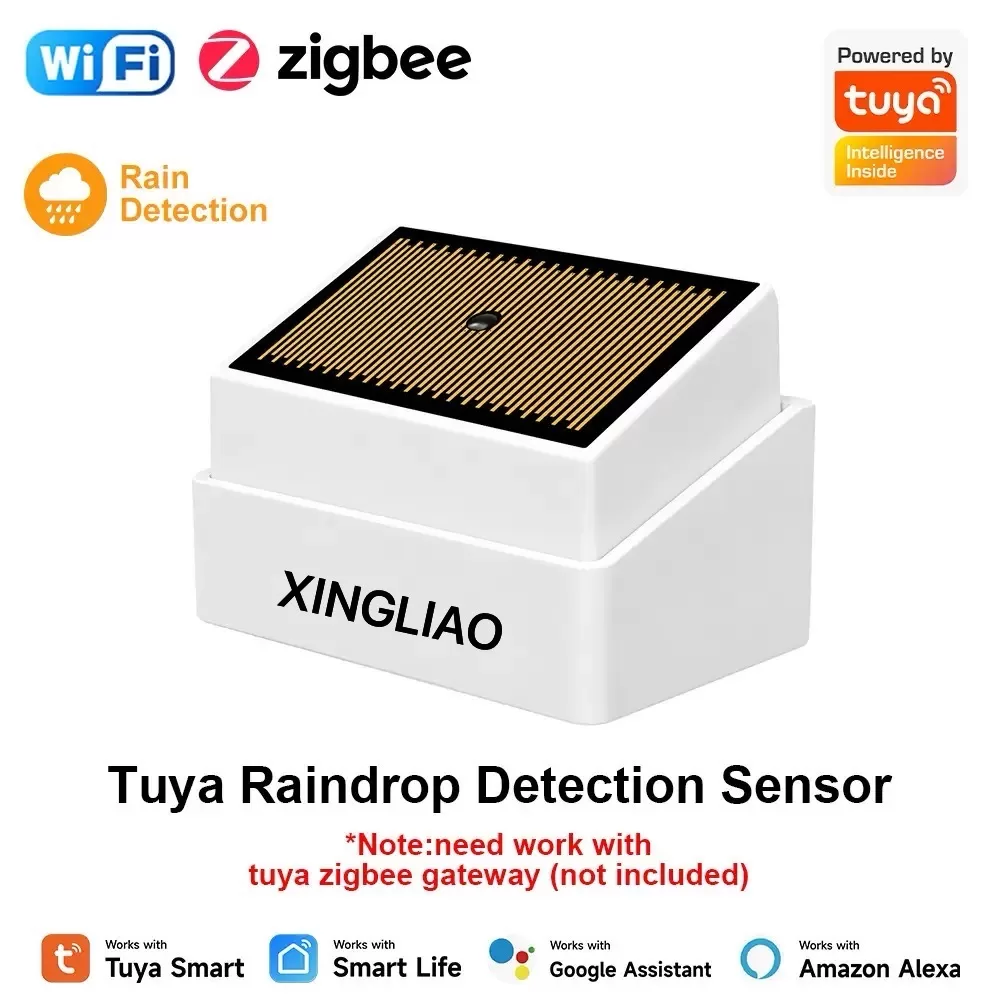
Tuya Rain Sensor Guide 2026

Smart rain sensor with WiFi connectivity for home automation

## What Is a Smart Rain Sensor and Why You Need One

Xingliao Smart Home factory building in Shenzhen China

Moreover, Xingliao Smart Home manufacturing facility in Shenzhen, China

Xingliao Smart Home team at international trade show with business partners

In addition, Xingliao Smart Home team meeting with international partners at global trade exhibition

**Q: Will light dew trigger the sensor?**

For example, Quality sensors have adjustable sensitivity to distinguish between dew and actual rain.

**Q: How do I connect to my sprinkler system?**

Consequently, Most smart sensors output a dry contact signal that can wire directly to irrigation controllers.

—

**Ready to upgrade your home?** Browse our collection of smart rain sensors and weather monitoring devices at XingLiao Shop.

Related Articles

You Might Also Like
Frequently Asked Questions

Is Tuya Rain Sensor Html worth buying?

Based on the breakdown in this article, Tuya Rain Sensor Html offers a solid mix of features and value. If your main goal matches the key benefits described above, it is a practical choice for everyday use.

How do I choose the right tuya rain sensor html for my needs?

Start with your core use case, then compare battery life, compatibility, and build quality as covered above. Choosing the right tuya rain sensor html comes down to matching specs with how you actually use it.

Does tuya rain sensor html require a companion app?

Most devices of this type pair with a free companion app for setup and firmware updates. A few advanced features may sit behind a paid plan, so check the official specs page before buying.
Posted on — Leave a comment

Smart Door Sensor: How to Choose the Best WiFi Door & Window Sensor

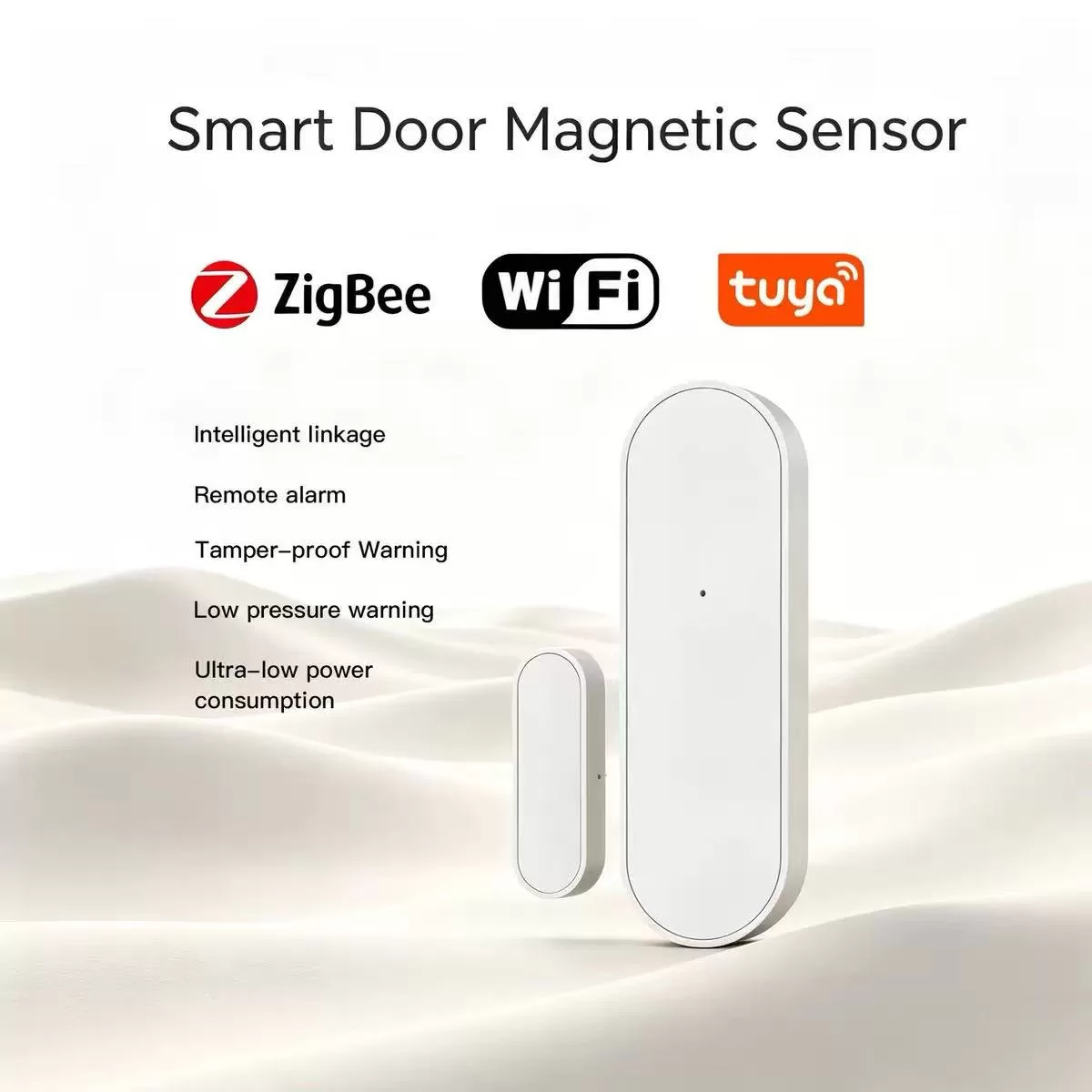
Tuya Zigbee smart door magnetic sensor for home security system
Tuya Smart door magnetic sensor featuring Zigbee and WiFi connectivity. Wireless door/window sensor for smart home security systems. Compatible with Tuya Smart Life app and major smart home platforms.

How to Choose a Smart Door Sensor in 2026: The Tiny Device That Secures Everything

However, A smart door sensor is an essential device for home security.>One opening. One alert. One line of defense you never knew you needed.

How to Choose a Smart Door Sensor

home security guide
smart door sensor products


Wait — Is Your Home Actually Protected When You’re Away?

Let’s start with a Simple test.

Therefore, You’re at work. Your kids are at school. Your front door is locked, windows closed, garage secured. You check your security camera app — everything looks fine. But here’s the question: Video Doorbell Review 2026: What to Look For, Smart Features Compared, and Buyer’s Guide

Moreover, How would you know if someone opened a window on the second floor? Best Smart Home Starter Kit for 2026: Switches, Doorbells, Cameras, Sensors and Pet Feeders Compared

In addition, Your camera covers the driveway. Your doorbell watches the porch. But what about the back window? The basement entry? The sliding door to the patio? Smart WiFi Pet Feeder: Automated Pet Care with APP Control Smart Home Market Trends 2026: What Distributors Must Know About Modular Security, Voice Control and Energy-Saving Devices

For example, In 2026, 60% of break-ins happen through unsecured entry points — not the front door, but the window you left cracked for air, the side door you forgot to check, the garage door that didn’t quite close. Smart Home Wholesale FAQ: 15 Questions Every Buyer Asks Before Ordering in Bulk Q81 Wireless Button Microphone – Mini Invisible Lapel Mic for Vlogging, Interview & Live Streaming

Consequently, A security camera sees what happens. A door sensor tells you something is happening — instantly

So before you buy another camera that watches your driveway, let’s talk about the unsung hero of home security: the smart door and window sensor.


The 2026 Smart Sensor Checklist: What Really Matters

1. Response Speed: Every Second Counts

When a door opens unexpectedly, you have a 3-second window to respond before an intruder is inside. Not 30 seconds. Not a minute. Three seconds.

2026 response time standards:

  • Excellent< 1 second from trigger to alert
  • Good1-2 seconds
  • Acceptable2-3 seconds
  • Unacceptable> 3 seconds

Why speed matters:

  • Faster alert = faster reaction
  • Instant sirens deter intruders immediately
  • Real-time notifications let you call authorities while the event is happening, not after

The technology behind speed:

  • WiFi 6 direct connection — no hub delay
  • Local processing — alert generated on-device, not in the cloud
  • Push notification priority — bypasses Do Not Disturb for security alerts

2. Connectivity: WiFi vs. Zigbee vs. Z-Wave

In 2026, sensors connect three ways. Each has trade-offs:

Protocol Pros Cons Best For
WiFi No hub needed, direct to router, long range Higher power use, network congestion Standalone installations, renters
Zigbee 3.0 Low power, mesh network, reliable Requires hub/gateway Integrated smart homes
Z-Wave Dedicated frequency, less interference Requires hub, declining ecosystem Legacy installations
Matter/Thread Universal standard, local-first Still rolling out in 2026 Future-proof builds

Our recommendation for 2026: WiFi 6 sensors for simplicity, Zigbee 3.0 for integrated systems. Matter-compatible if you’re building for 2027+.

3. Battery Life: Set It and Forget It

Nothing kills security faster than a dead sensor you forgot to check.

2026 battery life benchmarks:

  • Poor3-6 months (constant replacement hassle)
  • Average6-12 months (acceptable but annoying)
  • Good1-2 years (set and forget)
  • Excellent2+ years or USB-C rechargeable

What drains battery fast:

  • Frequent false alarms (vibration sensitivity too high)
  • Weak WiFi signal (sensor works harder to maintain connection)
  • Cold temperatures (lithium batteries lose capacity below 0°C)
  • Excessive polling (hub constantly asking for status)

Pro tip: Look for sensors with battery level alerts — notification when power drops below 20%, not sudden death.

4. Detection Accuracy: No More False Alarms

The #1 reason people disable security sensors? False alarms.

Common false alarm triggers:

  • Wind rattling windows
  • Heavy trucks passing by
  • Temperature expansion/contraction
  • Pets bumping doors
  • Vibrations from appliances

2026 accuracy features:

  • Adjustable sensitivity — dial in the perfect threshold
  • Vibration filtering — distinguishes between door opening and door shaking
  • Tamper detection — knows if someone tries to remove or block the sensor
  • Temperature compensation — maintains accuracy from -10°C to 60°C

The 5-second rule: A quality sensor should distinguish between “door opened” and “door vibrated” within 5 seconds of analysis.

5. Integration: Does It Play Well With Others?

A sensor that only beeps is a doorbell, not a security device.

2026 integration must-haves:

  • Smart home platformsAlexaGoogle HomeApple HomeKitSmartThings
  • Security systemsTrigger cameras, sirens, lights automatically
  • Automation enginesIf door opens, then turn on lights + start recording + send alert
  • IFTTT/ZapierConnect to non-smart devices and services

Real-world automation examples:

  • Front door opens at 11 PM → All lights turn on + Camera starts recording + Alert sent
  • Window opens while away → AC turns off + Push notification + Siren arms after 30 seconds
  • Garage door opens unexpectedly → Interior cameras activate + Phone call initiated

6. Installation: Magnetic vs. Mechanical

Magnetic sensors (most common):

  • Two pieces: sensor body + magnet
  • Install on door/window frame and moving part
  • Gap tolerance: 2-3cm typical
  • ProsEasy install, no moving parts, reliable
  • ConsVisible, can be bypassed if gap is too large

Mechanical sensors (advanced):

  • Single unit with internal accelerometer
  • Detects vibration, tilt, or position change
  • ProsHidden installation, harder to bypass
  • ConsMore expensive, complex calibration

2026 recommendationMagnetic for 90% of installations. Mechanical for high-security scenarios.

7. Form Factor: Invisible Security

The best security is security you don’t see.

2026 design trends:

  • Ultra-thin< 10mm thickness, blends with door frame
  • Neutral colorsWhite, black, silver — matches any decor
  • Flexible mountingAdhesive, screws, or magnetic attachment
  • Indoor/outdoor ratedIP54 minimum for exterior doors/windows

Size matters: A sensor the size of a pack of gum is better than one the size of a smartphone. Smaller = more placement options = better security coverage.

8. Notification Options: More Than Just a Beep

When something happens, how do you want to know?

2026 notification methods:

  • Push notification — phone buzz, instant awareness
  • SMS text — works even without internet
  • Phone call — automated call with voice alert
  • Email — detailed log with timestamps
  • Smart speaker — “Front door opened” announced throughout house
  • Strobe light — visual alert for hearing-impaired
  • Siren — 110dB deterrent, programmable delay

The best sensors offer tiered alerts:

  • Immediate: Push notification
  • 30 seconds: SMS if not acknowledged
  • 60 seconds: Phone call if still not acknowledged
  • 120 seconds: Siren activates, authorities notified

The Hidden Costs of Cheap Sensors

That $9 sensor on Amazon looks tempting. Here’s the real cost:

Cost Factor Cheap Sensor Quality Sensor
Purchase price $9 $25-40
Battery replacements (3 years) $15 (6 changes) $0 (2+ year life)
False alarm stress High Low
Failed detection risk Real Minimal
App subscription $3/month $0
3-year total $132 $25-40

The $9 sensor isn’t cheaper. It’s just more expensive in frustration.


So, What’s the Answer? One Sensor. One Network. Total Awareness.

After installing sensors in hundreds of homes, the pattern is clear: security isn’t about cameras watching — it’s about knowing instantly when something changes.

A camera records the break-in. A sensor prevents it.

This is where the Tuya WiFi smart door sensor approach stands out in 2026. It’s not just a magnetic switch with a WiFi chip — it’s a complete entry-point awareness system.

The technical foundation:

  • WiFi 6 direct connection — no hub, no bridge, no delay. Connects straight to your router
  • < 1 second alert speed — from door opening to phone notification
  • 2+ year battery life — set it and genuinely forget it
  • Adjustable sensitivity — dial in the perfect balance of detection vs. false alarms
  • Tuya Smart Life app — one app for sensors, cameras, lights, locks, everything
  • Voice assistant ready — “Alexa, is the back door closed?”

But the real power? The ecosystem.

This sensor doesn’t work alone — it works with:

  • Smart cameras — door opens, camera starts recording instantly
  • Smart lights — entry detected, pathway illuminates automatically
  • Smart plugs — trigger any device: siren, radio, TV
  • Smart displays — show door status on kitchen or bedroom screens
  • Other sensors — create zones: “If any ground-floor sensor triggers, activate all defenses”

Real-world scenario:

It’s 2 AM. You’re asleep. A window in the guest bedroom opens.

Without sensors: Nothing. Maybe the camera catches something. Maybe not. You’ll find out in the morning.

With Tuya sensors:

  • 0.5 seconds: Sensor detects opening
  • 1 second: Push notification hits your phone
  • 2 seconds: Bedroom smart display shows “Guest bedroom window OPEN”
  • 3 seconds: Hallway lights turn on at 10% brightness
  • 5 seconds: Camera in guest bedroom starts recording
  • 10 seconds: If not acknowledged, siren begins soft warning beep
  • 30 seconds: If still not acknowledged, full 110dB alarm activates

You wake up informed, not surprised.


Final Verdict: What Should You Buy in 2026?

If you live in an apartment:
Start with front door + main window. Two sensors cover 80% of entry points. Add balcony door if applicable.

If you have a house:
Minimum six sensors: front door, back door, garage door, and three ground-floor windows. Add basement entry if you have one.

If you have a business:
Every entry point + stock room + cash handling area. Integrate with existing alarm system. Consider mechanical sensors for high-value areas.

If you want maximum security:
Sensors on every door and window, plus glass-break detectors, motion sensors, and cameras. Create layered zones with escalating responses.

If you want simplicity:
WiFi sensors, no hub, Tuya Smart Life app. Install in 5 minutes per sensor. Works with everything.


The Bottom Line

Choosing a smart door sensor in 2026 isn’t about finding the cheapest device or the most features. It’s about reliable awareness — knowing, instantly and accurately, when something in your home changes.

Ask the hard questions:

  • Will this alert me before an intruder is inside?
  • Will it work when my internet is slow?
  • Will I remember to change the battery?
  • Will it integrate with the devices I already own?
  • Will my family actually use it?

Get those answers right, and that tiny sensor becomes the silent guardian of everything you care about.

One opening. One alert. One decision that keeps everything safe.


What’s your current home security setup? Do you rely on cameras alone, or have you added sensors? Share your experience in the comments — I’d love to hear what’s working (and what isn’t) in your home.


Ready to secure every entry point? Explore the full range of Tuya WiFi smart door and window sensors and find your perfect fit.

Contact Xingliao () today:

  • WhatsApp/WeChat+86 17666669273
  • Websitexingliao.com
  • Emailinfo@xingliao.com
  • LocationShenzhen, China — Global shipping available

From single door sensors to complete home security systems — all built on the Tuya ecosystem with One Screen One System integration.


About the author: Smart home security consultant with 12 years of experience designing entry-point protection systems for residential and commercial properties. Currently maintaining a 24-sensor network across two locations — zero false alarms in 18 months.

Related Articles

You Might Also Like
Frequently Asked Questions

Is Door Sensor Choose Wifi worth buying?

Based on the breakdown in this article, Door Sensor Choose Wifi offers a solid mix of features and value. If your main goal matches the key benefits described above, it is a practical choice for everyday use.

How do I choose the right door sensor choose wifi for my needs?

Start with your core use case, then compare battery life, compatibility, and build quality as covered above. Choosing the right door sensor choose wifi comes down to matching specs with how you actually use it.

Does door sensor choose wifi require a companion app?

Most devices of this type pair with a free companion app for setup and firmware updates. A few advanced features may sit behind a paid plan, so check the official specs page before buying.
Recommended Products
Posted on — Leave a comment

Best Video Doorbell 2026: WiFi vs No-WiFi vs Screen Bundle — Complete Buying Guide

Video doorbell with camera and two-way audio - UOBX Smart Doorbell

Related Articles

You Might Also Like
Frequently Asked Questions

Is Video Doorbell Wifi Wifi worth buying?

Based on the breakdown in this article, Video Doorbell Wifi Wifi offers a solid mix of features and value. If your main goal matches the key benefits described above, it is a practical choice for everyday use.

How do I choose the right video doorbell wifi wifi for my needs?

Start with your core use case, then compare battery life, compatibility, and build quality as covered above. Choosing the right video doorbell wifi wifi comes down to matching specs with how you actually use it.

Posted on — 4 Comments

WiFi vs Non-WiFi Video Doorbell: Which One Do You Really Need?

You Might Also Like

Related Articles
Frequently Asked Questions

Is Wifi Non Wifi Video worth buying?

Based on the breakdown in this article, Wifi Non Wifi Video offers a solid mix of features and value. If your main goal matches the key benefits described above, it is a practical choice for everyday use.

How do I choose the right wifi non wifi video for my needs?

Start with your core use case, then compare battery life, compatibility, and build quality as covered above. Choosing the right wifi non wifi Video comes down to matching specs with how you actually use it.

Posted on — 4 Comments

How to Install a Video Doorbell Without Drilling: Complete DIY Guide

How to Install a Video Doorbell Without Drilling

However, Installing a video doorbell doesn’t require drilling holes in your walls. This complete guide shows you how to install a video doorbell using no-drill mounting options perfect for renters. For professional installation tips, refer to Consumer Reports video doorbell guides.

install video doorbell without
Worried about drilling holes in your door frame? Good news — you can install most modern video doorbells without a single screw. Here’s how.
Why Install Without Drilling? Renters, apartment dwellers, and homeowners who don’t want permanent modifications all look for no-drill installation options. Drilling can: • Void your rental deposit • Damage brick, tile, or metal door frames • Require professional tools and skills • Leave unsightly holes if you move or upgrade Method 1: Use an Adhesive Mount (Easiest) What You Need • Video doorbell with adhesive mount option (e.g., UOBX Video Doorbell) • 3M VHB adhesive tape or industrial-strength double-sided tape • Rubbing alcohol and cloth for cleaning • Level (or use your phone’s level tool) Step-by-Stepinstall video doorbell without
1. Clean the surface — Use rubbing alcohol to remove dirt and grease. Let it dry completely (2-3 minutes).
2. Mark the position — Hold the doorbell at eye level (about 55-60 inches from the ground). Use a level to make sure it’s straight.
3. Preheat the adhesive (optional) — Use a hair dryer to warm the adhesive tape for 10-15 seconds. This increases bonding strength.
4. Apply the mount — Press the adhesive mount firmly against the surface. Hold for 30-60 seconds of firm pressure.
5. Wait 24 hours — For maximum strength, let the adhesive cure for 24 hours before attaching the doorbell unit.
6. Snap on the doorbell — Attach your doorbell to the mount.
⚠️ Pro Tip: Adhesive works best between 10-40°C (50-104°F). Avoid installing in direct sunlight or below-freezing temperatures.
Method 2: Door Frame Mount (No Wall Marks)
Door-hanging brackets hook over the top of your door and hold the doorbell on the front side. Great for:
• Apartment doors • Temporary installations • Homes with brick or concrete walls Method 3: Command Strips (Lightweight Only) For lightweight non-WiFi doorbells (under 500g), Command strips work well. Use outdoor-rated Command large strips, clean surface thoroughly, press for 30 seconds, wait 1 hour before attaching. Best Video Doorbells for No-Drill Installation 🥇 UOBX Wireless Video Doorbell • Weighs only 380g — lightweight enough for adhesive mounts • Built-in rechargeable battery — no wiring needed • Includes adhesive mounting plate • 7-inch built-in screen — no phone required • No WiFi needed either — truly wireless FAQ Will adhesive damage my door? High-quality adhesives like 3M VHB are removable. Heat with a hair dryer and slowly peel off. Residue can be cleaned with rubbing alcohol. How long will adhesive hold? With proper installation, up to 2-3 years outdoors. Check annually and replace if weakening.install video doorbell without 🔗 Ready for a drill-free doorbell? The UOBX Video Doorbell at odmhome.com — no tools, no holes, no mess.
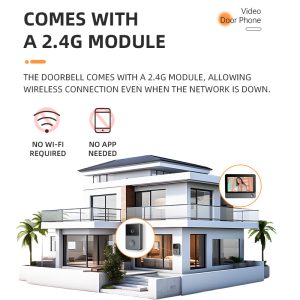

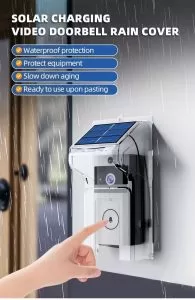
You Might Also Like

Related Articles
Frequently Asked Questions

Is Install Video Doorbell Without worth buying?

Based on the breakdown in this article, Install Video Doorbell Without offers a solid mix of features and value. If your main goal matches the key benefits described above, it is a practical choice for everyday use.

How do I choose the right install video doorbell without for my needs?

Start with your core use case, then compare battery life, compatibility, and build quality as covered above. Choosing the right install video doorbell without comes down to matching specs with how you actually use it.

Does install video doorbell without require a companion app?

Most devices of this type pair with a free companion app for setup and firmware updates. A few advanced features may sit behind a paid plan, so check the official specs page before buying.