Posted on — Leave a comment

Wiring the DS-121BWHK Series: What Your Wall Box Needs to Have

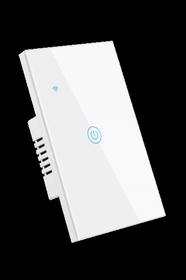
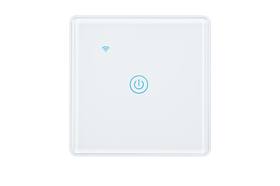
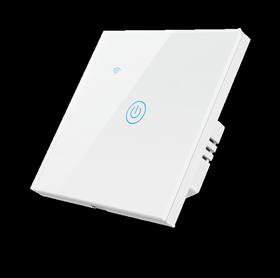
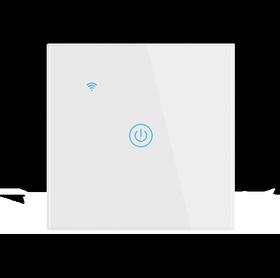
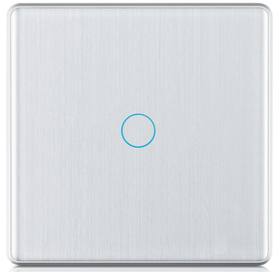
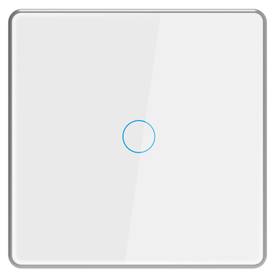
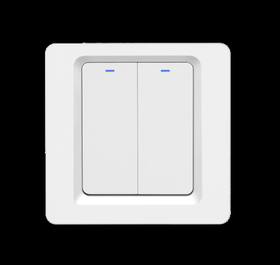
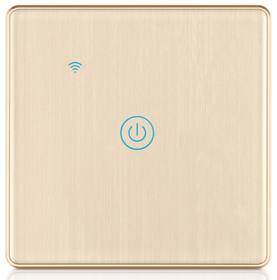
DS-121BWHK Series WiFi Touch Switch (1 Gang / 2 Gang / 3 Gang / 4 Gang)
Wiring the DS-121BWHK Series: What Your Wall Box Needs to Have

Two wires or three? It is the single question that decides which smart Switch you can fit, and it is worth answering before the plates arrive on site. The DS-121BWHK Series is zero-fire (neutral required): needs a neutral wire in the box — it will not work in a two-wire single-fire box.

What “single-fire” and “zero-fire” actually mean

A zero-fire (neutral) box has a neutral conductor alongside the live, so the Switch electronics can draw current without passing it through the lamp. A single-fire box only has live in and switched live out, so the Switch has to leak a tiny current through the lamp to stay powered — which is why LED lamps sometimes glow faintly when switched off.

Fitting the DS-121BWHK

  • With neutral — connect live to L, neutral to N, and the load to L1, L2, L3. No capacitor needed.
  • Test before closing up — power the board, check each gang switches, then clip the plate on. Chasing a Wiring fault after the glass is fitted is how plates get broken.

Which lamps behave best

Incandescent and halogen loads are trouble-free. With LED drivers, use a decent driver and keep the total load above the minimum the driver expects — the capacitor exists precisely for this. If a lamp still glows, move it to a gang with a higher load or add a second capacitor. Where the DS-1081WL Series Fits: Apartments, Hotels and Office Retrofits

Specifications

Connectivity

The DS-121BWHK talks over a direct Bluetooth link to your phone. No hub and no router needed — pair it straight from the phone for local control and schedules.

Quantity pricing

FAQ

My box has no neutral — can I still use this switch?
No. Choose a single-fire or universal model instead.
Is the capacitor included?
Not needed for this model — it is zero-fire only.
Can I wire it myself?
If you are comfortable replacing a Standard switch, yes. Otherwise use a licensed electrician — local rules vary.

Ready to specify it? Full specifications, gang options, colors and quantity pricing are on the DS-121BWHK series product page — OEM logo, manual and packaging are available from the first order.

Related Articles

You Might Also Like

Frequently Asked Questions

Is Wiring 121bwhk Series worth buying?

Based on the breakdown in this article, Wiring 121bwhk Series offers a solid mix of features and value. If your main goal matches the key benefits described above, it is a practical choice for everyday use.

How do I choose the right wiring 121bwhk series for my needs?

Start with your core use case, then compare battery life, compatibility, and build quality as covered above. Choosing the right wiring 121bwhk Series comes down to matching specs with how you actually use it.

Posted on — Leave a comment

Wiring the DS-1071WN Series: What Your Wall Box Needs to Have

DS-1071WN Series WiFi Touch Switch (1 Gang / 2 Gang / 3 Gang / 4 Gang)
Wiring the DS-1071WN Series: What Your Wall Box Needs to Have

Two wires or three? It is the single question that decides which smart Switch you can fit, and it is worth answering before the plates arrive on site. The DS-1071WN Series is zero-fire (neutral required): needs a neutral wire in the box — it will not work in a two-wire single-fire box.

What “single-fire” and “zero-fire” actually mean

A zero-fire (neutral) box has a neutral conductor alongside the live, so the Switch electronics can draw current without passing it through the lamp. A single-fire box only has live in and switched live out, so the Switch has to leak a tiny current through the lamp to stay powered — which is why LED lamps sometimes glow faintly when switched off.

Fitting the DS-1071WN

  • With neutral — connect live to L, neutral to N, and the load to L1, L2, L3. No capacitor needed.
  • Test before closing up — power the board, check each gang switches, then clip the plate on. Chasing a Wiring fault after the glass is fitted is how plates get broken.
Which lamps behave best

Incandescent and halogen loads are trouble-free. With LED drivers, use a decent driver and keep the total load above the minimum the driver expects — the capacitor exists precisely for this. If a lamp still glows, move it to a gang with a higher load or add a second capacitor.

Specifications
Connectivity

The DS-1071WN talks over a direct Bluetooth link to your phone. No hub and no router needed — pair it straight from the phone for local control and schedules. Where the DS-101YJL Series Fits: Apartments, Hotels and Office Retrofits Where the DS-123Y Series Fits: Apartments, Hotels and Office Retrofits

Quantity pricing
FAQ
My box has no neutral — can I still use this Switch?
No. Choose a single-fire or universal model instead.
Is the capacitor included?
Not needed for this model — it is zero-fire only.
Can I wire it myself?
If you are comfortable replacing a Standard switch, yes. Otherwise use a licensed electrician — local rules vary.

Ready to specify it? Full specifications, gang options, colors and quantity pricing are on the DS-1071WN series product page — OEM logo, manual and packaging are available from the first order.

Related Articles

You Might Also Like
Frequently Asked Questions

Is Wiring 1071wn Series worth buying?

Based on the breakdown in this article, Wiring 1071wn Series offers a solid mix of features and value. If your main goal matches the key benefits described above, it is a practical choice for everyday use.

How do I choose the right wiring 1071wn series for my needs?

Start with your core use case, then compare battery life, compatibility, and build quality as covered above. Choosing the right wiring 1071wn Series comes down to matching specs with how you actually use it.

Posted on — Leave a comment

Wiring the DS-104 Series: What Your Wall Box Needs to Have

DS-104 Series WiFi Touch Switch (1 Gang / 2 Gang / 3 Gang / 4 Gang)
Wiring the DS-104 Series: What Your Wall Box Needs to Have

Two wires or three? It is the single question that decides which Smart Switch you can fit, and it is worth answering before the plates arrive on site. The DS-104 Series is zero-fire (neutral required): needs a neutral wire in the box — it will not work in a two-wire single-fire box.

What “single-fire” and “zero-fire” actually mean

A zero-fire (neutral) box has a neutral conductor alongside the live, so the Switch electronics can draw current without passing it through the lamp. A single-fire box only has live in and switched live out, so the Switch has to leak a tiny current through the lamp to stay powered — which is why LED lamps sometimes glow faintly when switched off.

Fitting the DS-104

  • With neutral — connect live to L, neutral to N, and the load to L1, L2, L3. No capacitor needed.
  • Test before closing up — power the board, check each gang switches, then clip the plate on. Chasing a Wiring fault after the glass is fitted is how plates get broken.
Which lamps behave best

Incandescent and halogen loads are trouble-free. With LED drivers, use a decent driver and keep the total load above the minimum the driver expects — the capacitor exists precisely for this. If a lamp still glows, move it to a gang with a higher load or add a second capacitor.

Specifications
Connectivity

The DS-104 talks over a 2.4 GHz WiFi connection to your router. No hub needed — it joins the router directly through the Tuya / Smart Life app. Where the DS-123Y Series Fits: Apartments, Hotels and Office Retrofits

Quantity pricing
FAQ
My box has no neutral — can I still use this Switch?
No. Choose a single-fire or universal model instead.
Is the capacitor included?
Not needed for this model — it is zero-fire only.
Can I wire it myself?
If you are comfortable replacing a Standard Switch, yes. Otherwise use a licensed electrician — local rules vary.

Ready to specify it? Full specifications, gang options, colors and quantity pricing are on the DS-104 series product page — OEM logo, manual and packaging are available from the first order.

Related Articles

You Might Also Like
Frequently Asked Questions

Is Wiring 104 Series worth buying?

Based on the breakdown in this article, Wiring 104 Series offers a solid mix of features and value. If your main goal matches the key benefits described above, it is a practical choice for everyday use.

How do I choose the right wiring 104 series for my needs?

Start with your core use case, then compare battery life, compatibility, and build quality as covered above. Choosing the right wiring 104 Series comes down to matching specs with how you actually use it.

Does wiring 104 series require a companion app?

Most devices of this type pair with a free companion app for setup and firmware updates. A few advanced features may sit behind a paid plan, so check the official specs page before buying.

Posted on — Leave a comment

Wiring the DS-102HK Series: What Your Wall Box Needs to Have

DS-102HK Series WiFi Touch Switch (1 Gang / 2 Gang / 3 Gang)
Wiring the DS-102HK Series: What Your Wall Box Needs to Have

Two wires or three? It is the single question that decides which Smart switch you can fit, and it is worth answering before the plates arrive on site. The DS-102HK Series is zero-fire (neutral required): needs a neutral wire in the box — it will not work in a two-wire single-fire box.

What “single-fire” and “zero-fire” actually mean

A zero-fire (neutral) box has a neutral conductor alongside the live, so the switch electronics can draw current without passing it through the lamp. A single-fire box only has live in and switched live out, so the switch has to leak a tiny current through the lamp to stay powered — which is why LED lamps sometimes glow faintly when switched off.

Fitting the DS-102HK

  • With neutral — connect live to L, neutral to N, and the load to L1, L2, L3. No capacitor needed.
  • Test before closing up — power the board, check each gang switches, then clip the plate on. Chasing a Wiring fault after the glass is fitted is how plates get broken.
Which lamps behave best

Incandescent and halogen loads are trouble-free. With LED drivers, use a decent driver and keep the total load above the minimum the driver expects — the capacitor exists precisely for this. If a lamp still glows, move it to a gang with a higher load or add a second capacitor.

Specifications
Connectivity

The DS-102HK talks over a direct Bluetooth link to your phone. No hub and no router needed — pair it straight from the phone for local control and schedules.

Quantity pricing
FAQ
My box has no neutral — can I still use this switch?
No. Choose a single-fire or universal model instead.
Is the capacitor included?
Not needed for this model — it is zero-fire only.
Can I wire it myself?
If you are comfortable replacing a Standard switch, yes. Otherwise use a licensed electrician — local rules vary.

Ready to specify it? Full specifications, gang options, colors and quantity pricing are on the DS-102HK Series product page — OEM logo, manual and packaging are available from the first order.

Related Articles

You Might Also Like
DS-102HK Series WiFi Touch Switch (1 Gang / 2 Gang / 3 Gang)DS-102HK Series WiFi Touch Switch (1 Gang / 2 Gang / 3 Gang) Price range: $9.88 through $10.78
Frequently Asked Questions

Is Wiring 102hk Series worth buying?

Based on the breakdown in this article, Wiring 102hk Series offers a solid mix of features and value. If your main goal matches the key benefits described above, it is a practical choice for everyday use.

How do I choose the right wiring 102hk series for my needs?

Start with your core use case, then compare battery life, compatibility, and build quality as covered above. Choosing the right wiring 102hk series comes down to matching specs with how you actually use it.

Posted on — Leave a comment

Wiring the DS-101ASW Series: What Your Wall Box Needs to Have

DS-101ASW Series — New WiFi Touch Switch (1 Gang / 2 Gang / 3 Gang / 4 Gang)
Wiring the DS-101ASW Series: What Your Wall Box Needs to Have

Two wires or three? It is the single question that decides which Smart switch you can fit, and it is worth answering before the plates arrive on site. The DS-101ASW Series is zero-fire (neutral required): needs a neutral wire in the box — it will not work in a two-wire single-fire box.

What “single-fire” and “zero-fire” actually mean

A zero-fire (neutral) box has a neutral conductor alongside the live, so the switch electronics can draw current without passing it through the lamp. A single-fire box only has live in and switched live out, so the switch has to leak a tiny current through the lamp to stay powered — which is why LED lamps sometimes glow faintly when switched off.

Fitting the DS-101ASW

  • With neutral — connect live to L, neutral to N, and the load to L1, L2, L3. No capacitor needed.
  • Test before closing up — power the board, check each gang switches, then clip the plate on. Chasing a Wiring fault after the glass is fitted is how plates get broken.
Which lamps behave best

Incandescent and halogen loads are trouble-free. With LED drivers, use a decent driver and keep the total load above the minimum the driver expects — the capacitor exists precisely for this. If a lamp still glows, move it to a gang with a higher load or add a second capacitor.

Specifications
Connectivity

The DS-101ASW talks over a 2.4 GHz WiFi connection to your router. No hub needed — it joins the router directly through the Tuya / Smart Life app. Where the DS-101BWHK Series Fits: Apartments, Hotels and Office Retrofits

Quantity pricing
FAQ
My box has no neutral — can I still use this switch?
No. Choose a single-fire or universal model instead.
Is the capacitor included?
Not needed for this model — it is zero-fire only.
Can I wire it myself?
If you are comfortable replacing a Standard switch, yes. Otherwise use a licensed electrician — local rules vary.

Ready to specify it? Full specifications, gang options, colors and quantity pricing are on the DS-101ASW series product page — OEM logo, manual and packaging are available from the first order.

Posted on — Leave a comment

CCTV Camera vs IP Camera: What a Home Really Needs

CCTV camera is the umbrella term for any camera used for Video surveillance; an IP camera is one specific type — a camera that sends video over a network using the Internet Protocol. Almost every camera sold for Home use today is an IP camera, so in practice “CCTV for home” means “a set of IP cameras plus somewhere to store the video”.

The real decision is not CCTV versus IP. It is four narrower choices: how the camera gets power, how it connects, where the video is stored, and how much resolution you actually need. This guide answers those in the order a buyer hits them.

CCTV vs IP camera: the terms, cleared up

Term What it means now Still relevant?
CCTV (closed-circuit TV) Historically analogue cameras wired to a recorder. Now used loosely to mean “surveillance camera”. As a buying category, yes. As a technology, mostly legacy.
IP camera Any camera that streams digital video over Wi-Fi or Ethernet. Yes — this is what you will actually buy.
Analogue HD (TVI / CVI / AHD) Coaxial cable to a DVR. Only for existing cable runs in older buildings.
Wi-Fi camera IP camera that connects over wireless instead of a cable. Yes — the default for homes.
PTZ Pan-tilt-zoom; the head moves. Yes, for large single areas; a fixed camera is better for doorways.

Choice 1 — Power: mains, battery or solar

Power Pros Cons Best for
Mains (plug-in or wired) Never needs charging, can record continuously Needs a socket or a cable run Entrances, driveways, shops
Battery Install anywhere in minutes, no drilling Charges every 1–6 months; recordings are event-based to save power Rentals, outbuildings, temporary cover
Solar + battery Same freedom as battery, no ladder trips Needs a few hours of real sun per day Gates, gardens, farms
PoE (power over Ethernet) One cable does power and data, most reliable Needs cable and a PoE Switch or NVR New builds, serious installs

If you want continuous recording rather than clips triggered by motion, Choose mains or PoE. Battery cameras sleep between events by design — that is how they last months on a charge.

Choice 2 — Connection: Wi-Fi, wired or 4G

  • Wi-Fi (2.4 GHz) — the default. Note that 2.4 GHz, not 5 GHz, is what cameras use; it has the range to reach a garden or a gate.
  • Ethernet / PoE — immune to Wi-Fi congestion; preferred where the camera matters most.
  • 4G LTE — for sites with no broadband: construction sites, barns, remote gates. Needs a data SIM.

Coverage check before you buy: stand at the mounting point with your phone, run a speed test on 2.4 GHz, and make sure you have at least two bars. A camera at the edge of Wi-Fi will drop offline in bad weather, which is exactly when you need it. Smart Switch for Water Heater and AC

Choice 3 — Storage: card, cloud or NVR

Option Cost Survives camera theft? Retention
microSD card in the camera One-off No Days to weeks, overwritten in a loop
Cloud subscription Monthly Yes 7–30 days depending on plan
NVR / local recorder Higher up front Yes Weeks to months, drive-size dependent

For evidence that survives a break-in, storage must be off-camera: cloud or a recorder kept inside. A card-only camera takes its own footage with it when it is stolen. M2 Foldable 3-Axis Gimbal Stabilizer, Portable Handheld Gimbal for Smartphones

Choice 4 — Resolution and optics

  • 1080p (2 MP) — fine for a doorway or a small room; identifiable faces only within a few metres.
  • 2K / 4 MP — the sensible default. Enough detail to read a face at a gate and a number plate in daylight.
  • 4K (8 MP) — worth it only with good lighting and enough storage/bandwidth; night performance still depends on the sensor, not the pixel count.
  • Lens — wide-angle (110°+) for rooms, narrower for long driveways.
  • Night mode — infrared gives black-and-white detail; “full-colour night vision” uses a larger sensor or a small white LED and produces usable colour after dark.

Placement that actually works

  1. Front door — 2.0–2.2 m high, slightly off-axis to the door so you get the face, not the top of a head. A doorbell camera covers this better than a bullet camera.
  2. Driveway — aim down the approach, not at the road; number plates need a narrow field of view.
  3. Back garden / side passage — the most common entry route after the front door.
  4. Inside — cover the entry hall, not bedrooms. Avoid pointing at a neighbour’s window and check local rules before recording shared areas.
  5. Avoid backlighting — a camera facing a bright window or a low sun will produce silhouettes. Move it or enable WDR.

Privacy and compliance basics

  • Do not aim cameras at neighbouring property or into shared hallways without agreement.
  • In the EU/UK, recording beyond your own boundary can put you under data-protection obligations; keep footage secure and delete what you no longer need.
  • Change default passwords, keep firmware updated, and enable two-factor authentication on the app account.
  • Put a visible notice at the entrance — in many jurisdictions it is expected, and it is a deterrent in itself.
Frequently Asked Questions

Is a CCTV camera the same as an IP camera?

Not exactly. CCTV describes the purpose (surveillance) and originally meant analogue systems; IP describes how the video travels (over a network). Modern home systems are IP cameras, and people still call the whole setup CCTV. M1 Foldable 3-Axis Gimbal Stabilizer, Portable Handheld Gimbal for Smartphones

Do I need a recorder?

No. A Wi-Fi camera with a microSD card and a cloud plan is a complete system for one to four cameras. A recorder becomes worthwhile past four cameras, or when you need weeks of continuous footage.

Will a wireless camera work without internet?

It will keep recording to its card. Remote viewing, notifications and cloud upload need internet. Some systems record to a local NVR over the home network with no internet at all.

What resolution is enough to identify a face?

4 MP (2K) with a lens matched to the distance is the practical answer. Distance matters more than megapixels: a 4 K camera pointed 15 metres down a garden will not identify a face, while a 4 MP camera 2 metres from a doorway will.

How many cameras does a typical home need?

Two to four: front door (doorbell camera), driveway or gate, back garden, and optionally an entry hall. Coverage of approach routes matters more than the number of devices.

What should a wholesale or project buyer check?

Resolution and sensor, power option per site, storage architecture, app platform (Tuya or private), onvif/RTSP support if integrating with a third-party NVR, certifications for the destination market (CE, UKCA, FCC, RoHS), and minimum order quantities.

Related products

Related guides

Related Articles

You Might Also Like