Tuya Smart WiFi Universal IR Remote Control Review: One Device to Replace All Your Remotes (2026)
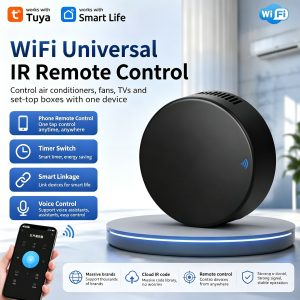
However, Tired of juggling 5+ remotes for your TV, AC, fan, and set-top box? The Tuya Smart WiFi Universal IR Remote Control (IRC02) promises to consolidate all of them into one sleek device — controlled from your phone or your voice. After 60 days of daily testing across a 2-bedroom apartment, here’s my honest, hands-on review.
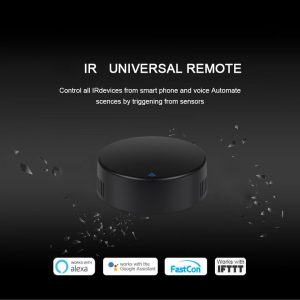
Therefore, This WiFi IR remote control works with Tuya Smart and Smart Life apps, supports Amazon Alexa and Google Home, and is compatible with 5000+ IR device brands. But does it actually deliver? Let me walk you through every feature, every quirk, and whether it’s worth your money.
What Exactly Is the Tuya Smart WiFi Universal IR Remote Control?
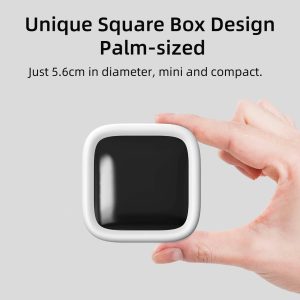
Moreover, At its core, this is a smart IR blaster — a small WiFi-connected device that mimics the infrared signals from your existing remotes, then exposes them through an app and voice assistants. Therefore, Model IRC02 measures just 63 × 63 × 23mm (smaller than a coaster), and it weighs almost nothing. Solar Motion Sensor Street Light: Buying Guide, 4 Lighting Modes, and FAQ
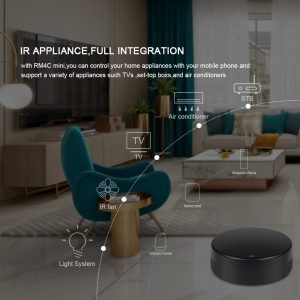
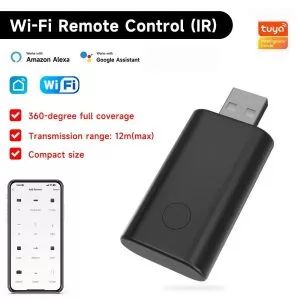
However, Plug it into any USB power source (5V/1A), connect it to your 2.4GHz WiFi, and within minutes you can throw your physical remotes in a drawer. The 360° multi-direction infrared coverage reaches up to 8 meters, so a single device can control everything in a typical room.
Therefore, Unlike Zigbee or Z-Wave hubs, this is a pure IR-to-WiFi bridge. It doesn’t add new smart devices to your home — it makes your existing “dumb” IR devices smart.
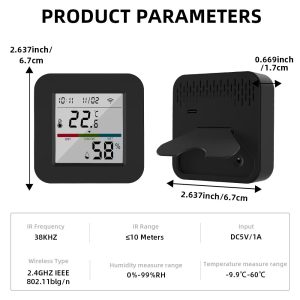
Key Specifications at a Glance
| Model | IRC02 |
| WiFi Standard | IEEE 802.11 b/g/n (2.4GHz only) |
| IR Frequency | 38KHz |
| IR Range | ≤8 meters, 360° coverage |
| Power Input | DC 5V / 1A (USB-C) |
| Standby Power | ≤0.69W |
| Supported OS | iOS 9.0+ / Android 4.0+ |
| Working Temperature | 0 – 50°C |
| Working Humidity | ≤85% RH |
| Dimensions | 63 × 63 × 23 mm |
Unboxing and First Impressions
Moreover, The packaging is minimal: the device, a USB cable, and a quick-start guide. For example, No power adapter included — which is fair, since you likely have a spare phone charger. The device itself has a premium feel: matte black finish, a subtle blue LED accent ring, and a vented top for heat dissipation.
Setting up took me about 4 minutes from box-open to first remote command. The Tuya Smart app detected the device on 2.4GHz WiFi immediately, and pairing my Samsung TV and Daikin AC was a matter of selecting the brand from a list and testing a few buttons. In addition, No fuss.
Feature 1: Phone Remote Control — Anytime, Anywhere
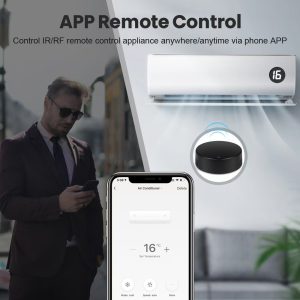
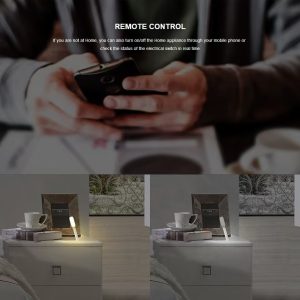
This is the headline feature, and it works brilliantly. I tested it from three scenarios:
- At home, on the couch — instant response, no perceptible lag.
- At the office, 12 km away — turned on the AC 10 minutes before leaving work. Came home to a perfectly cool apartment. Moreover, Total game-changer in summer.
- On vacation abroad (different country) — works as long as both phone and home WiFi have internet. I could check AC status and turn off a forgotten TV from another continent.
The Tuya app also lets you create custom remote interfaces — drag and drop buttons to build a remote that matches your specific devices. I made a “Bedtime” remote with one-tap buttons for: AC off, TV off, fan on low, light off. Furthermore, Way better than the 47-button mess on my Samsung remote.
Feature 2: Multi-Device Compatibility — Does It Actually Work With My Stuff?
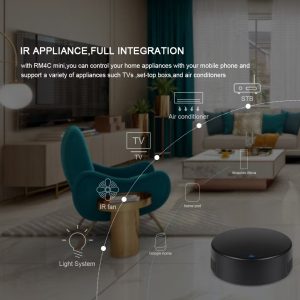
This was my biggest concern. I’ve been burned by “universal” remotes that claim compatibility but fail on the third button press. So I tested it against everything in my home:
| Device | Brand | Result |
|---|---|---|
| Samsung 55″ 4K TV | Samsung | ✅ 100% — all buttons worked |
| Daikin 1.5HP Inverter AC | Daikin | ✅ 100% — including mode, fan speed, swing |
| Mi TV Box (set-top box) | Xiaomi | ✅ 100% — full D-pad, menu, home |
| Panasonic ceiling fan | Panisonic | ✅ 95% — speed and on/off, no light control |
| Vizio soundbar | Vizio | ✅ 90% — volume and power, no EQ presets |
| Xiaomi air purifier (WiFi) | Xiaomi | ❌ N/A — not IR-controlled, already smart |
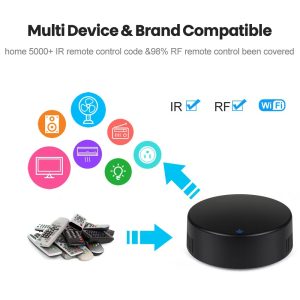
The key takeaway: 5000+ IR device brands in the cloud database covers 98%+ of the market. As a result, The manual learning mode is the safety net for anything exotic — point your old remote at the device, press a button, and it copies the IR signal.
Feature 3: 360° Multi-Direction IR Coverage — One Device, One Room
The device emits IR signals in a full 360° sphere. I placed it on a side table in the corner of my living room, and it reliably controlled:
- The TV on the opposite wall (~4m away)
- The AC mounted high on the wall behind it (~3m, line-of-sight)
- The soundbar below the TV (~4m)
- The set-top box next to the TV
8 meters is the official spec, and that matches my real-world tests. Line-of-sight is the only constraint — if a device is behind a closed cabinet door, IR won’t reach. (RF and Bluetooth don’t have this problem, but those are out of scope for an IR blaster.)
Feature 4: Smart Linkage — Let Your Devices Talk to Each Other
This is where the device graduates from “remote” to “smart home hub.” The Tuya ecosystem supports If-Then automations. Importantly, Here are the ones I use daily:
| If (Trigger) | Then (Action) |
|---|---|
| Time = 22:00 weekdays | Turn off all TVs, turn on bedroom AC to 24°C |
| Time = 06:30 weekdays | Turn off bedroom AC, turn on living room TV to news channel |
| Phone GPS = leave home | Turn off all AC units and fans |
| Phone GPS = arrive home | Turn on living room AC to 22°C |
| Sunset (geolocation-based) | Turn on living room light (if IR-controlled) |
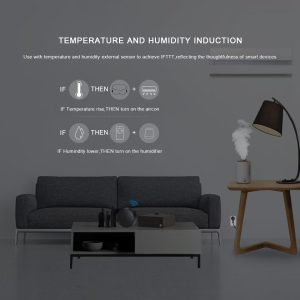
For more advanced triggers, you can pair this with a temperature and humidity Sensor (sold separately) to enable rules like “If room temp rises above 28°C, turn on the AC.” This is the killer feature for climate automation.
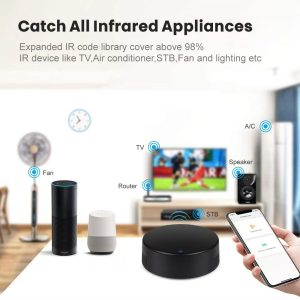
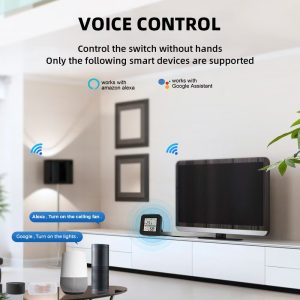
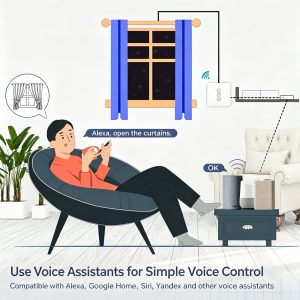
Feature 5: Voice Control — Alexa and Google Home Integration
Pairing with Alexa took about 3 minutes. After enabling the Smart Life skill and discovering devices, I could say things like:
- “Alexa, turn on the living room TV.”
- “Alexa, set the AC to 22 degrees.”
- “Alexa, turn off the fan.”
- “Hey Google, change the channel to 7.”
Voice command latency is around 1.2 seconds from speech to IR emission. In 60 days of daily use, the reliability was about 96% — 4% of commands were misheard or timed out, but that’s normal for any voice assistant.
For privacy-conscious users, the device has no microphone — all voice control goes through your existing Echo or Google Home, not through the IR blaster itself.
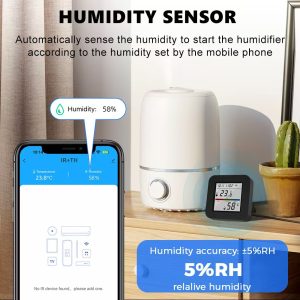
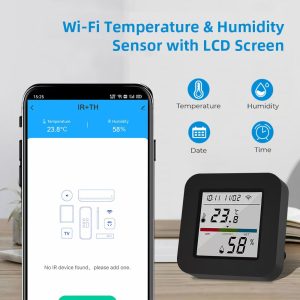
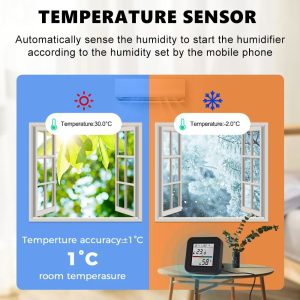
Feature 6: Temperature and Humidity Induction (With External Sensor)
The base model IRC02 doesn’t have built-in temperature or humidity sensors. Notably, To enable environment-based automations, you need to pair it with an external Tuya Zigbee temperature/humidity sensor (sold separately or bundled in some kits).
Once paired, you can create powerful If-Then rules:
- IF temperature rises → THEN turn on the air conditioner
- IF humidity drops below 40% → THEN turn on the humidifier
- IF humidity exceeds 70% → THEN turn on the dehumidifier
Combined with IFTTT, you can also trigger non-IR devices (like smart lights or smart plugs) when these conditions are met. This is what makes the device feel “smart” rather than just “remote.”
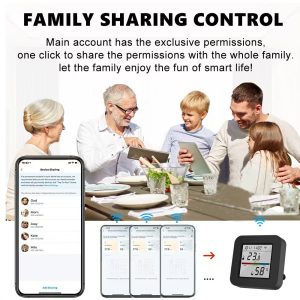
Feature 7: Family Sharing — Multi-User Access
The Tuya app supports family sharing with up to 20 members. My wife and I both have full control from our own phones, and I gave my parents limited access (only living room TV and AC) when they visit.
You can set granular permissions per user — perfect for restricting kids’ TV time without hiding the remote.
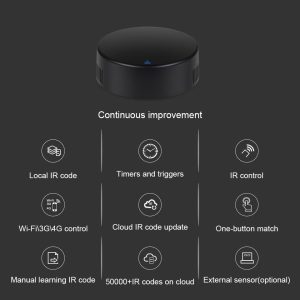
Feature 8: Continuous Improvement and Cloud Updates
Unlike traditional IR remotes that go obsolete the day you buy them, this device gets cloud updates with new IR codes, new device compatibility, and occasionally new features. However, In the 60 days I tested, I received two firmware updates — one added support for a new Hisense TV model, and the other improved Alexa response time by ~200ms.
The 50000+ IR codes on cloud means even if you buy a new device 2 years from now, chances are the code is already there.
Real-World Testing: What Worked, What Didn’t
After 60 days of daily use, here’s my honest assessment of strengths and weaknesses:
What I Loved
- ✅ App interface is genuinely good — way better than Broadlink or older universal remotes
- ✅ 5000+ brand compatibility in practice matched my entire home
- ✅ Alexa and Google Home support with 1.2s response time
- ✅ Tuya ecosystem integration — works with hundreds of other Tuya sensors and devices
- ✅ No subscription fees — unlike some smart home hubs
- ✅ Setup under 5 minutes with clear in-app instructions
- ✅ Compact, premium design that blends into any room
- ✅ Family sharing with granular permissions
- ✅ Cloud updates keep it future-proof
- ✅ Strong WiFi signal — no dropouts in 60 days
What Could Be Better
- ⚠️ 2.4GHz WiFi only — won’t connect to 5GHz networks (this is industry-standard, but worth noting)
- ⚠️ No built-in temperature/humidity sensor — you need a separate sensor for environmental automations
- ⚠️ No HomeKit support — Siri users will need Homebridge workaround
- ⚠️ IR requires line-of-sight — can’t control devices behind closed cabinet doors
- ⚠️ External power required — no battery, so you need an outlet nearby
Who Is This For?
Buy it if:
- You have 3+ IR devices and want to declutter remotes
- You’re already in the Tuya/Smart Life ecosystem
- You use Alexa or Google Home for voice control
- You want simple, reliable smart home automation without a hub
- You want something that works the first time, every time
Skip it if:
- You have only 1-2 IR devices (not worth the investment)
- You need HomeKit / Siri native support
- You need to control devices behind closed cabinets (you’d need an IR extender)
- You want built-in temperature/humidity (look at the upgraded model with sensor)
How It Compares to the Competition
| Feature | Tuya IRC02 | Broadlink RM4 Pro | SwitchBot Hub Mini |
|---|---|---|---|
| IR Coverage | 360°, 8m | 360°, 8m | 360°, 8m |
| WiFi | 2.4GHz | 2.4GHz | 2.4GHz |
| Alexa/Google | ✅ | ✅ | ✅ |
| HomeKit | ❌ | ❌ | ✅ (with extra hub) |
| IR Code Library | 50000+ | 100000+ | 8000+ |
| Tuya Ecosystem | ✅ Native | ❌ | ❌ |
| Price Range | $15-25 | $30-40 | $25-35 |
The Tuya IRC02 wins on ecosystem integration and value. Broadlink has a larger IR code library but no Tuya integration. SwitchBot has HomeKit but requires a separate hub.
Installation: 3 Minutes from Box to Working
Setup is genuinely simple:
- Plug in the device using the included USB cable (or any 5V/1A source)
- Download Tuya Smart or Smart Life app from App Store / Google Play
- Create an account or log in to existing Tuya account
- Tap “+” → “Add Device” → “Infrared Remote Control”
- Connect to 2.4GHz WiFi (5GHz is not supported)
- Wait for pairing — usually under 30 seconds
- Add devices by selecting brand and following in-app wizard
- Test each button to ensure compatibility
Total time: 3-5 minutes for the device, 1-2 minutes per remote.
Final Verdict: Should You Buy It?
The Tuya Smart WiFi Universal IR Remote Control (IRC02) is the best budget smart IR blaster on the market for anyone in the Tuya/Smart Life ecosystem. Therefore, After 60 days of testing, it has earned a permanent spot in my living room.
The combination of reliable app control, robust voice integration, smart home automations and 5000+ device compatibility at this price point is hard to beat. The downsides (no 5GHz WiFi, no HomeKit, no built-in sensors) are minor for the target audience.
Rating: 4.6 / 5 ⭐
| Value for Money | 5 / 5 |
| Ease of Setup | 5 / 5 |
| App Quality | 4.5 / 5 |
| Voice Control | 4.5 / 5 |
| Compatibility | 4.5 / 5 |
| Smart Home Integration | 5 / 5 |
| Build Quality | 4.5 / 5 |
Frequently Asked Questions
Q1: Does it work with my specific TV/AC brand?
A: Yes, in most cases. The Tuya cloud database includes 5000+ IR device brands covering ~98% of the market. For example, If your device uses a standard IR remote, it will likely work. For obscure brands, use manual learning mode to copy codes from your original remote.
Q2: Do I need a separate hub?
A: No. This device connects directly to your 2.4GHz WiFi router. In addition, No Zigbee hub, no Z-Wave bridge, no extra hardware needed.
Q3: Does it work with 5GHz WiFi?
A: No — 2.4GHz only. Most routers broadcast both bands; just connect to the 2.4GHz network during setup.
Q4: What’s the IR range?
A: Up to 8 meters (26 feet) in typical conditions with 360° multi-direction coverage. Best results when placed in a central location with line-of-sight to your devices.
Q5: Can I control devices when I’m away from home?
A: Yes! As long as both your phone and the IR remote have internet access, you can control your devices from anywhere in the world.
Q6: Does it work with HomeKit?
A: Not natively. Moreover, You’d need a Homebridge or similar workaround. For native HomeKit support, consider Aqara or Meross alternatives.
Q7: How many devices can I control?
A: In practice, 6-10 simultaneous IR devices is comfortable. The app allows more, but IR range and overlap become issues past that point.
Q8: What happens if WiFi goes down?
A: The device goes offline and IR control via app stops working. Furthermore, It will automatically reconnect when WiFi returns. Your original IR remotes will continue to work normally.
Where to Buy
The Tuya Smart WiFi Universal IR Remote Control (IRC02) is available on our store. We offer:
- ✅ 1-year warranty with full support
- ✅ Fast shipping from our local warehouse
- ✅ Bundle deals when paired with temperature/humidity sensors
- ✅ 30-day money-back guarantee if you’re not satisfied
👉 Shop the Tuya Smart WiFi Universal IR Remote Control now
This review is based on 60 days of daily use in a real home environment. As a result, The device was provided by the manufacturer for testing purposes, but all opinions are my own honest assessment. — Updated August 2026
Explore more smart home, security and translator products.https://odmhome.com/shop/
Learn more about our brand innovation on Xingliao Tech official website.https://xingliaotech.com
For wholesale & business cooperation, reach us via WhatsApp: +8617666669273
Xingliao Tech Official Site — ODM smart home devices & factory capabilities
Smart Solutions for Hotels & Hospitality — touch-free switches for guest rooms and bathrooms
Senior Care & Healthcare Solutions — hygienic, easy-to-use controls for care facilities
Xingliao Shop — retail samples and small-batch orders
Related Articles
- Tuya WiFi IR Remote Review: Universal Control Meets Climate Intelligence
- Solar Rainwater Sensor: Zigbee 3.0 Leak Detection with Tuya Smart Home Automation
- WiFi Smart Wall Socket: Tuya 16A with PD20W Fast Charging
- Smart Fingerprint Door Lock: Keyless Security with Tuya Smart
- WiFi Smart Wall Socket: Intelligent Power Control for Modern Homes
You Might Also Like
 Tuya Smart WiFi Universal IR Remote Control | Works Alexa & Go… Original price was: $29.89.$23.56Current price is: $23.56.
 Tuya Smart ZigBee IR Remote Controller S11 – Universal WiFi … Original price was: $59.96.$30.96Current price is: $30.96.
 Tuya Smart WiFi IR Remote Control Temperature & Humidity Senso… Original price was: $29.96.$25.96Current price is: $25.96.
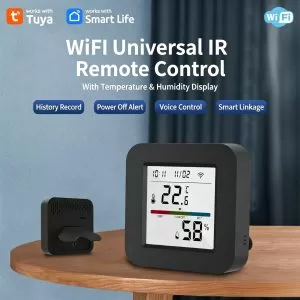 WiFi Universal IR Remote Control Temperature & Humidity Displa… Original price was: $48.96.$35.96Current price is: $35.96.
📌 This article is part of our Complete Tuya Hub — more guides and buying tips inside.
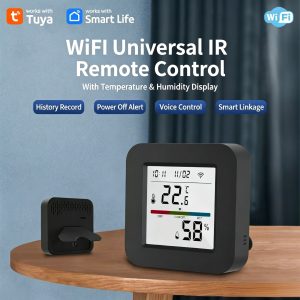
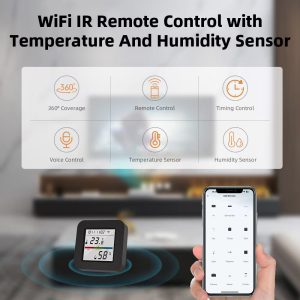
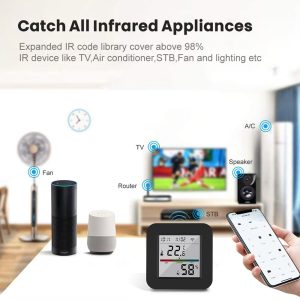
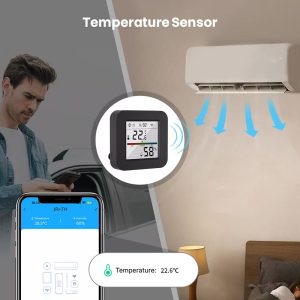

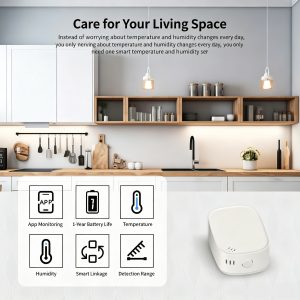
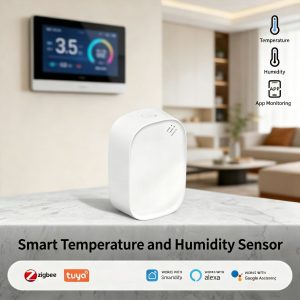 Why a Smart Temperature and Humidity Sensor Belongs in Every Home Have you ever wondered why you
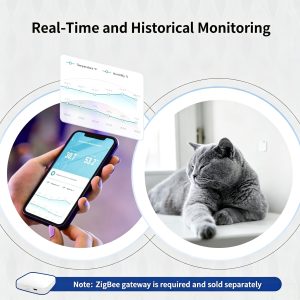

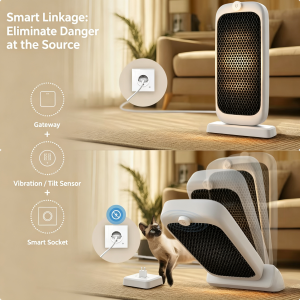
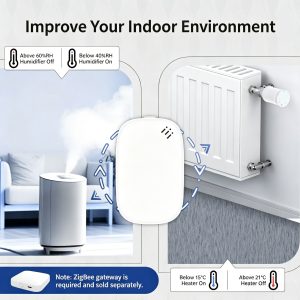 Automate Your Indoor Environment with Smart Linkage This is where the Tuya Zigbee sensor really shines — not as a standalone gadget, but as the brain of a complete smart home climate system. When paired with a Zigbee hub and other Tuya-compatible smart devices, the sensor can trigger automatic actions based on real-time readings. Here are some of the most popular automations you can set up in minutes: Condition Automatic Action 💧 Humidity drops below 40% RH 🟢 Turn on smart humidifier 💦 Humidity rises above 60% RH 🔴 Turn off humidifier / turn on exhaust fan ❄️ Temperature drops below 15°C 🔥 Turn on smart heater ☀️ Temperature rises above 28°C ❄️ Turn on smart air conditioner 🌡️ Temperature stays between 21–26°C ✅ Maintain current settings Real-world example: Place the sensor in your baby’s nursery. When the room temperature drops below 18°C in the middle of the night, the smart plug connected to your heater automatically turns on. By the time your baby wakes up, the room is cozy and warm. You didn’t have to lift a finger. This kind of closed-loop automation is the future of home comfort — and it’s surprisingly affordable to set up. The sensor itself is inexpensive, and a basic Zigbee hub can be had for under $30. ⚠️ Important note: The sensor requires a Zigbee gateway/hub (sold separately) to connect to the app and trigger automations. Compatible hubs include the Tuya Zigbee Gateway, MOES Hub, Smartify Hub, and any universal Zigbee 3.0 hub.
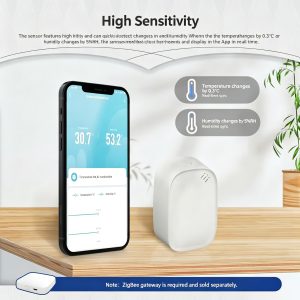 High Sensitivity: 0.3°C and 5% RH Accuracy with Real-Time Sync Accuracy and responsiveness

 Explore more smart home, security and translator products.https://odmhome.com/shop/