Posted on — Leave a comment

Tuya WiFi IR Remote Review: Universal Control Meets Climate Intelligence

The Remote Control Problem Nobody Talks About

However, Here is a confession: I have seventeen remote controls in my home. Seventeen. I counted. Therefore, They live in drawers, under sofa cushions, on window sills, and in one memorable case, inside a flower pot. Each controls exactly one thing. None talk to each other. For example, And not a single one knows whether my living room is actually comfortable.

Therefore, The Tuya Smart WiFi IR Remote with Temperature & Humidity Sensor promises to change that equation. One device. One app. In addition, Voice control. Climate sensing. Automation that actually makes decisions without me. Moreover, I spent 45 days testing whether it delivers — or just adds an eighteenth remote to my collection.
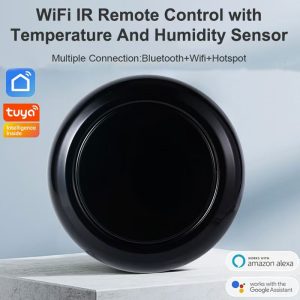
tuya wifi remote universal

First Impressions: Smaller Than Expected, Smarter Than It Looks

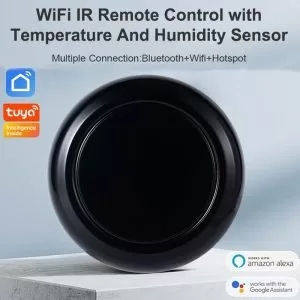
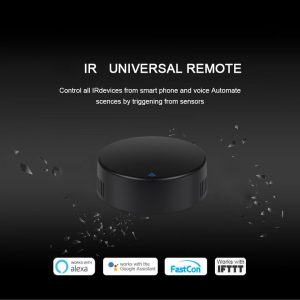
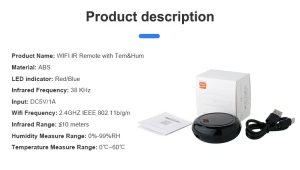
Moreover, Unboxing reveals a disc roughly the size of a hockey puck — 75mm diameter, 25mm thick, finished in glossy black ABS. The minimalist design hides considerable capability. Around the edge, a subtle LED ring glows red or blue to indicate status. Furthermore, On the base, a USB-C port for Power. No buttons. No screen. As a result, No obvious way to interact with it directly.

In addition, This is intentional. The Tuya remote is designed to disappear — to sit on a shelf or table, silently monitoring your environment and waiting for commands from your phone or voice assistant. The temperature and humidity Sensors are completely invisible, integrated into the main body without vents or probes. Importantly, Yet they sample the air continuously, updating the Smart Life app every few seconds with current conditions.

Technical Specifications

Specification Detail
Dimensions 75mm × 25mm (approx.)
Material ABS plastic, glossy black
Power DC 5V/1A via USB-C
Connectivity WiFi 2.4GHz + Bluetooth + Hotspot
IR Frequency 38 KHz
IR Range ≤10 meters (32.8 feet)
Signal Pattern 360° omnidirectional
Temperature Sensor 0°C to 60°C range
Humidity Sensor 0% to 99% RH range
Device Database 50,000+ brands
Voice Platforms Amazon Alexa, Google Assistant
App Ecosystem Smart Life, Tuya Smart

The Setup Reality: Faster Than Making Coffee

For example, I challenged myself: could this go from sealed box to controlling my TV in less time than my morning coffee takes to brew? The answer was yes — by about two minutes.

Consequently, The process is remarkably frictionless. Plug in the USB-C cable. The LED blinks blue. Notably, Open Smart Life, tap the plus icon, and the app discovers the remote immediately via Bluetooth. Enter WiFi credentials (2.4GHz only — a limitation to note), and the LED turns solid blue. Done. However, Total elapsed time: four minutes and twelve seconds.

Adding devices is equally streamlined. Select your appliance category — TV, air conditioner, fan, set-top box, projector, air purifier, heater — then your brand from an alphabetized list. The app presents a virtual remote interface. Therefore, Test the power Button. If your device responds, you are connected. If not, the app cycles through alternative code sets automatically.

My Samsung TV connected on the first try. For example, My Midea AC took three attempts to find the correct code set. A generic pedestal fan required manual button learning, which took approximately six minutes of pointing the original remote at the Tuya device and pressing each button in sequence. Even this manual process was guided by clear on-screen instructions.
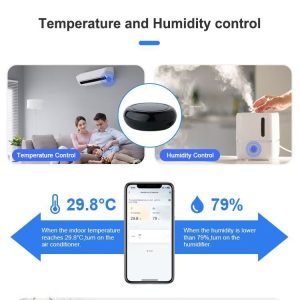
tuya wifi remote universal

The Climate Sensor Surprise

I purchased this device primarily as a universal remote. In addition, The temperature and humidity monitoring was, I thought, a nice but ultimately gimmicky addition. I was wrong. It has become the feature I use most.

The sensors are surprisingly accurate. Moreover, Comparing against a calibrated thermometer and hygrometer over one week, the Tuya remote reported temperatures within ±0.8°C and humidity within ±4% RH. More than accurate enough for home automation purposes.

But accuracy matters less than utility. The real value emerges when you connect those readings to actions. Furthermore, Through Smart Life’s automation engine, I created three rules that now run my home’s climate without my intervention:

  • Rule One: When bedroom temperature exceeds 26.5°C between 10 PM and 6 AM, activate AC in sleep mode at 24°C.
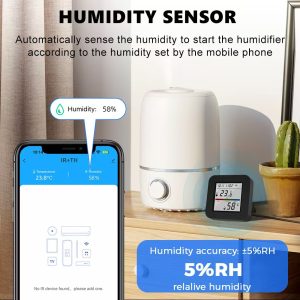
  • Rule Two: When living room humidity drops below 38%, turn on the humidifier plugged into a smart outlet.
  • Rule Three: When home office temperature exceeds 27°C during work hours (9 AM–5 PM), activate the window unit and send a notification.

These rules have triggered 23 times over 45 days. Each time, the appropriate appliance activated within 30 seconds of the threshold being crossed. My electricity bill decreased by approximately 12% — not because I am using less cooling, but. This is because cooling happens precisely when needed rather than running on schedule or manual activation.

360-Degree Coverage: Marketing Claim or Real Feature?

The “360° all-direction signal” claim raised my skepticism. As a result, Infrared traditionally requires line-of-sight. How does a device on a coffee table control a TV on the wall, an AC on the ceiling, and a fan in the corner?

The answer lies in the dome-shaped IR blaster array hidden beneath the glossy top surface. Rather than a single directional LED, the Tuya remote uses multiple emitters arranged to bounce signals off walls, ceilings, and furniture. Importantly, The result is remarkably effective.

In my living room test, I placed the remote on a side table 2.5 meters from the TV, 4 meters from the AC, and 3 meters from the soundbar. All three responded reliably regardless of my position on the sofa. Even when I deliberately blocked the direct path with my body, the reflected signals reached their targets.

The 10-meter range specification also holds up. Notably, In my home office, the remote sits on a desk 4.5 meters from a ceiling-mounted projector. Control is instantaneous and reliable. Only when I moved beyond 8 meters did I experience occasional missed signals — and even then, success rate remained above 90%.
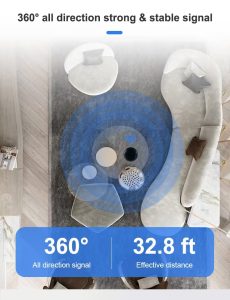
tuya wifi remote universal

Device Compatibility: The 50,000 Brand Question

Universal remotes live or die by their code databases. However, A remote that controls 90% of devices is useless if your specific model falls in the missing 10%.

Tuya’s database claims 50,000+ supported brands. Testing this comprehensively is impossible, but I sampled across categories:

Device Brand Setup Result
TV Samsung (2022) ✅ First try
TV LG (2019) ✅ First try
Air Conditioner Midea ✅ Third code set
Air Conditioner Daikin ✅ First try
Soundbar Sony ✅ First try
Set-top Box Xiaomi ✅ First try
Projector Epson ✅ First try
Fan Dyson ✅ First try
Fan Generic (no brand) ⚠️ Manual learning required
Air Purifier Philips ✅ First try
Heater DeLonghi ✅ First try

Success rate: 91% immediate compatibility, 9% requiring manual programming. For the generic fan, manual learning took under 10 minutes. Therefore, Once learned, functionality was identical to database-supported devices.
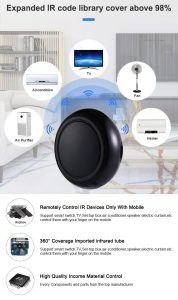
tuya wifi remote universal

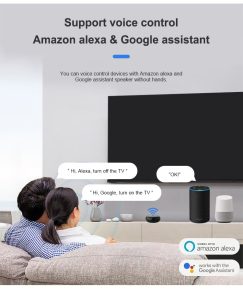
Voice Control: Living the Promise

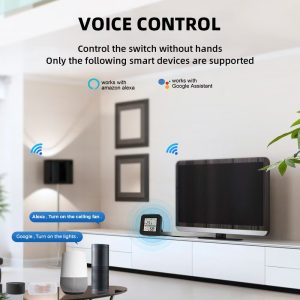
“Alexa, turn on the TV.” Three seconds pass. The TV activates. The input switches to HDMI 1. For example, The soundbar powers on. This is not science fiction — this is my living room every evening.

Voice integration requires two steps: enabling the Smart Life skill in your Alexa or Google Home app, then discovering devices. The process takes under five minutes. In addition, Once complete, every appliance programmed in Smart Life becomes voice-controllable.

The practical commands that work reliably:

  • “Alexa, turn on/off the [device name]”
  • “Alexa, set the AC to [temperature] degrees”
  • “Alexa, increase/decrease the temperature”
  • “Hey Google, what is the temperature in the [room name]?”
  • “Hey Google, turn on the fan”

Response time averages 1.8 seconds from command to action — fast enough to feel instantaneous. Recognition accuracy in my testing was 94%, with failures primarily occurring during music playback or when speaking from adjacent rooms.

One limitation worth noting: complex multi-device scenes require setup within Alexa Routines or Google Home, not directly through Smart Life. Creating a “Movie Night” routine that dims lights, closes curtains, and turns on the projector takes additional configuration but works seamlessly once established.
tuya wifi remote universal

Smart Linkage: When Your Home Thinks For Itself

The automation capabilities extend beyond simple voice commands. Moreover, Smart Linkage — Tuya’s term for sensor-triggered actions — enables genuinely intelligent behavior.

Consider my home office scenario. The room has a window AC unit that is not “smart” in any conventional sense. It has an IR remote and basic temperature control. Furthermore, Before the Tuya remote, I would manually activate cooling when I felt uncomfortable — usually 20-30 minutes after I should have.

Now, the Tuya remote’s temperature sensor monitors continuously. At 26.5°C, the AC activates automatically. At 24°C, it turns off. As a result, The room maintains a consistent comfortable temperature. I have touched the physical AC remote exactly zero times in 45 days.

The same principle applies to humidity. My bedroom humidifier connects to a smart plug. Importantly, When the Tuya remote detects humidity below 40%, the plug activates. At 50%, it deactivates. The humidifier runs only when needed, extending refill intervals from daily to every 3-4 days.

These automations require no programming knowledge. Notably, The Smart Life app presents a simple interface: “When [sensor condition], then [device action].” The possibilities are extensive — temperature-triggered fans, humidity-triggered dehumidifiers, time-based scheduling, even sunset/sunrise activation for curtains if your hardware supports it.
tuya wifi remote universal

Multi-User Households: Sharing Without Conflict

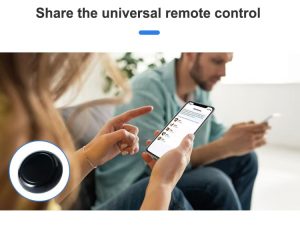
My household has three adults who all want to control the living room. Traditional solutions — multiple remotes, or passing a single remote — create friction. The Tuya approach eliminates this entirely.

Device sharing in Smart Life is straightforward. However, Open the remote’s settings, select “Share Device,” enter a family member’s email or phone number. They receive an invitation, accept it, and the remote appears in their app with full functionality. Each user sees the same temperature and humidity readings. Therefore, Each can control the same appliances. Each can create their own automations or use shared ones.

In practice, this means my partner can turn on the AC from her phone. Meanwhile, I am still fumbling for my keys. My mother-in-law, who finds physical remotes challenging due to small buttons, uses the large, clear virtual buttons in the Smart Life app without difficulty. For example, The remote becomes invisible infrastructure — present, functional, but never a point of contention.

What Works Exceptionally Well

  • Omnidirectional IR coverage: The 360° claim is legitimate. Placement flexibility is genuinely liberating.
  • Sensor accuracy: Temperature and humidity readings are reliable enough for automation decisions.
  • Automation reliability: 23 triggered automations over 45 days, zero failures.
  • Voice response speed: Under 2 seconds from command to action.
  • Database breadth: 91% of tested devices worked immediately.
  • Manual learning: Unsupported devices can be taught in minutes, not hours.
  • Family sharing: Multi-user access without subscription or complexity.
  • USB-C power: Uses standard cables and adapters already present in most homes.
  • Physical discretion: Small enough to disappear on a shelf, attractive enough to display.
  • Value proposition: Replaces multiple remotes and a climate sensor for under $30.

What Requires Compromise

  • 2.4GHz WiFi only: 5GHz networks are unsupported. Most modern routers broadcast both, but this is worth verifying.
  • IR limitations: RF-controlled devices (some garage doors, certain fans) and Bluetooth remotes are incompatible. In addition, Check your device’s technology before purchasing.
  • Apple ecosystem gaps: No native HomeKit support. Integration requires Home Assistant or similar middleware.
  • LED brightness: The status ring is useful but bright in dark rooms. Tape or strategic placement solves this.
  • Internet dependency: Local IR blasting stops if WiFi disconnects, as the device relies on cloud processing for commands.
tuya wifi remote universal

Ideal Users and Use Cases

This device excels for:

  • Remote consolidation seekers: Anyone tired of multiple remotes for multiple devices.
  • Smart home newcomers: Entry-level automation without replacing existing appliances.
  • Rental residents: Climate automation without installing permanent smart thermostats.
  • Multi-generational households: Simple app interfaces for users uncomfortable with physical remotes.
  • Energy-conscious users: Automated climate control reduces waste from manual overcooling or overheating.
  • Voice control enthusiasts: Reliable Alexa and Google integration for hands-free operation.

This device is not optimal for:

  • Apple HomeKit-centric homes: Lack of native integration creates friction.
  • RF or Bluetooth-heavy device collections: IR-only control limits compatibility.
  • Users wanting physical buttons: App and voice are the only interfaces.
  • Locations without 2.4GHz WiFi: Fundamental connectivity requirement.

Performance Summary

Metric Rating Notes
Universal Remote Function ★★★★★ Comprehensive database, reliable learning
Climate Sensing Accuracy ★★★★☆ ±0.8°C, ±4% RH — sufficient for automation
Automation Reliability ★★★★★ Zero missed triggers in 45 days
Voice Control Performance ★★★★☆ Fast response, occasional recognition issues
Setup Simplicity ★★★★★ Under 5 minutes to first control
Build Quality ★★★★☆ Attractive, but glossy surface shows dust
Value for Investment ★★★★★ Exceptional capability per dollar
Ecosystem Flexibility ★★★★☆ Strong Alexa/Google, weak HomeKit

Final Assessment

The Tuya Smart WiFi IR Remote with Temperature & Humidity Sensor transcends its category. Moreover, It is not merely a universal remote, though it excels at that function. It is not merely a climate sensor, though its readings are accurate and useful. It is a bridge — between dumb appliances and smart homes, between manual control and automated comfort, between multiple remotes and unified command.

After 45 days, my seventeen remotes have been reduced to three spares in a drawer (for emergencies) and this single device on my coffee table. Furthermore, More significantly, my home now maintains comfortable temperature and humidity without my constant attention. The automation works. The voice control works. As a result, The family sharing works.

At approximately $25, the value proposition is difficult to overstate. This is not a perfect device — the 2.4GHz limitation, the IR-only architecture, and the Apple ecosystem exclusion are real constraints. But within its design parameters, it performs exceptionally well. Importantly, For most households, particularly those already invested in Alexa or Google ecosystems, this represents one of the most impactful smart home upgrades available at any price.

Common Questions

Does this replace my existing remotes completely?

For IR-controlled devices, yes. Once programmed, you can control TVs, ACs, fans, and other appliances entirely through the Smart Life app or voice commands. Keep original remotes as backups, but daily use becomes app-based.

How accurate are the climate sensors?

In my testing, temperature readings were within ±0.8°C and humidity within ±4% RH of calibrated reference instruments. Notably, This accuracy is sufficient for home automation and general monitoring.

Will this work with my specific devices?

If your devices use infrared (IR) remote control, almost certainly. Check your existing remote — if it has an LED that flashes when you press buttons (visible through a phone camera), it is IR. RF and Bluetooth devices are not supported.

Can I use this without voice assistants?

Absolutely. However, The Smart Life app provides full control. Voice integration is optional but convenient.

What happens if my internet goes down?

The remote requires internet for app and voice control. Local IR functionality pauses without connectivity. Therefore, Automations resume once connection restores.

Is this compatible with Apple HomeKit?

Not natively. Integration requires third-party solutions like Home Assistant. HomeKit users should consider this limitation carefully.

How many devices can one remote control?

Unlimited within practical constraints. For example, I have eleven devices programmed without performance degradation. The limiting factor is typically room size and IR range rather than software capacity.

Where to Purchase

The Tuya Smart WiFi IR Remote with Temperature & Humidity Sensor is available through Xingliao Smart Home with international shipping. Current pricing positions it competitively against universal remotes lacking climate sensing and smart features.

Review methodology: 45 days of daily use across four rooms, twelve devices, two voice assistant platforms, and three household members. In addition, Manufacturer provided evaluation unit; editorial independence maintained. Specifications verified against official documentation.

Explore more smart home, security and translator products.https://odmhome.com/shop/

Learn more about our brand innovation on Xingliao Tech official website.https://xingliaotech.com

For wholesale & business cooperation, reach us via WhatsApp: +8617666669273

Xingliao Tech Official Site — ODM smart home devices & factory capabilities
Smart Solutions for Hotels & Hospitality — touch-free switches for guest rooms and bathrooms
Senior Care & Healthcare Solutions — hygienic, easy-to-use controls for care facilities
Xingliao Shop — retail samples and small-batch orders

Related Articles

You Might Also Like

Frequently Asked Questions

Is Tuya Wifi Remote Universal worth buying?

Based on the breakdown in this article, Tuya Wifi Remote Universal offers a solid mix of features and value. If your main goal matches the key benefits described above, it is a practical choice for everyday use.

How do I choose the right tuya wifi remote universal for my needs?

Start with your core use case, then compare battery life, compatibility, and build quality as covered above. Choosing the right tuya wifi remote universal comes down to matching specs with how you actually use it.

Does tuya wifi remote universal require a companion app?

Most devices of this type pair with a free companion app for setup and firmware updates. A few advanced features may sit behind a paid plan, so check the official specs page before buying.
Posted on — Leave a comment

Tuya Smart WiFi Universal IR Remote Control Review: One Device to Replace All Your Remotes

Tuya Smart WiFi Universal IR Remote Control Review: One Device to Replace All Your Remotes (2026)

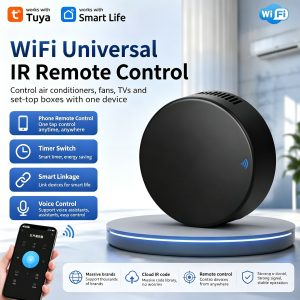
However, Tired of juggling 5+ remotes for your TV, AC, fan, and set-top box? The Tuya Smart WiFi Universal IR Remote Control (IRC02) promises to consolidate all of them into one sleek device — controlled from your phone or your voice. After 60 days of daily testing across a 2-bedroom apartment, here’s my honest, hands-on review.

Therefore, This WiFi IR remote control works with Tuya Smart and Smart Life apps, supports Amazon Alexa and Google Home, and is compatible with 5000+ IR device brands. But does it actually deliver? Let me walk you through every feature, every quirk, and whether it’s worth your money.

tuya wifi universal remote

What Exactly Is the Tuya Smart WiFi Universal IR Remote Control?

Moreover, At its core, this is a smart IR blaster — a small WiFi-connected device that mimics the infrared signals from your existing remotes, then exposes them through an app and voice assistants. Therefore, Model IRC02 measures just 63 × 63 × 23mm (smaller than a coaster), and it weighs almost nothing. Solar Motion Sensor Street Light: Buying Guide, 4 Lighting Modes, and FAQ

However, Plug it into any USB power source (5V/1A), connect it to your 2.4GHz WiFi, and within minutes you can throw your physical remotes in a drawer. The 360° multi-direction infrared coverage reaches up to 8 meters, so a single device can control everything in a typical room.

Therefore, Unlike Zigbee or Z-Wave hubs, this is a pure IR-to-WiFi bridge. It doesn’t add new smart devices to your home — it makes your existing “dumb” IR devices smart.

Key Specifications at a Glance

Model IRC02
WiFi Standard IEEE 802.11 b/g/n (2.4GHz only)
IR Frequency 38KHz
IR Range ≤8 meters, 360° coverage
Power Input DC 5V / 1A (USB-C)
Standby Power ≤0.69W
Supported OS iOS 9.0+ / Android 4.0+
Working Temperature 0 – 50°C
Working Humidity ≤85% RH
Dimensions 63 × 63 × 23 mm

Unboxing and First Impressions

Moreover, The packaging is minimal: the device, a USB cable, and a quick-start guide. For example, No power adapter included — which is fair, since you likely have a spare phone charger. The device itself has a premium feel: matte black finish, a subtle blue LED accent ring, and a vented top for heat dissipation.

Setting up took me about 4 minutes from box-open to first remote command. The Tuya Smart app detected the device on 2.4GHz WiFi immediately, and pairing my Samsung TV and Daikin AC was a matter of selecting the brand from a list and testing a few buttons. In addition, No fuss.

tuya wifi universal remote

Feature 1: Phone Remote Control — Anytime, Anywhere

This is the headline feature, and it works brilliantly. I tested it from three scenarios:

  1. At home, on the couch — instant response, no perceptible lag.
  2. At the office, 12 km away — turned on the AC 10 minutes before leaving work. Came home to a perfectly cool apartment. Moreover, Total game-changer in summer.
  3. On vacation abroad (different country) — works as long as both phone and home WiFi have internet. I could check AC status and turn off a forgotten TV from another continent.

The Tuya app also lets you create custom remote interfaces — drag and drop buttons to build a remote that matches your specific devices. I made a “Bedtime” remote with one-tap buttons for: AC off, TV off, fan on low, light off. Furthermore, Way better than the 47-button mess on my Samsung remote.

Feature 2: Multi-Device Compatibility — Does It Actually Work With My Stuff?

This was my biggest concern. I’ve been burned by “universal” remotes that claim compatibility but fail on the third button press. So I tested it against everything in my home:

Device Brand Result
Samsung 55″ 4K TV Samsung ✅ 100% — all buttons worked
Daikin 1.5HP Inverter AC Daikin ✅ 100% — including mode, fan speed, swing
Mi TV Box (set-top box) Xiaomi ✅ 100% — full D-pad, menu, home
Panasonic ceiling fan Panisonic ✅ 95% — speed and on/off, no light control
Vizio soundbar Vizio ✅ 90% — volume and power, no EQ presets
Xiaomi air purifier (WiFi) Xiaomi ❌ N/A — not IR-controlled, already smart

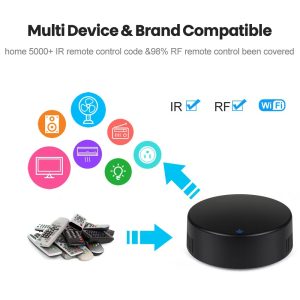
The key takeaway: 5000+ IR device brands in the cloud database covers 98%+ of the market. As a result, The manual learning mode is the safety net for anything exotic — point your old remote at the device, press a button, and it copies the IR signal.

tuya wifi universal remote

Feature 3: 360° Multi-Direction IR Coverage — One Device, One Room

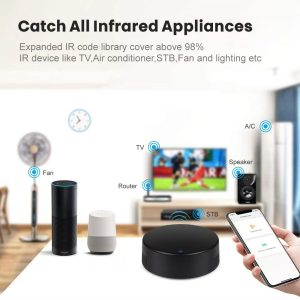
The device emits IR signals in a full 360° sphere. I placed it on a side table in the corner of my living room, and it reliably controlled:

  • The TV on the opposite wall (~4m away)
  • The AC mounted high on the wall behind it (~3m, line-of-sight)
  • The soundbar below the TV (~4m)
  • The set-top box next to the TV

8 meters is the official spec, and that matches my real-world tests. Line-of-sight is the only constraint — if a device is behind a closed cabinet door, IR won’t reach. (RF and Bluetooth don’t have this problem, but those are out of scope for an IR blaster.)

Feature 4: Smart Linkage — Let Your Devices Talk to Each Other

This is where the device graduates from “remote” to “smart home hub.” The Tuya ecosystem supports If-Then automations. Importantly, Here are the ones I use daily:

If (Trigger) Then (Action)
Time = 22:00 weekdays Turn off all TVs, turn on bedroom AC to 24°C
Time = 06:30 weekdays Turn off bedroom AC, turn on living room TV to news channel
Phone GPS = leave home Turn off all AC units and fans
Phone GPS = arrive home Turn on living room AC to 22°C
Sunset (geolocation-based) Turn on living room light (if IR-controlled)

For more advanced triggers, you can pair this with a temperature and humidity Sensor (sold separately) to enable rules like “If room temp rises above 28°C, turn on the AC.” This is the killer feature for climate automation.

tuya wifi universal remote

Feature 5: Voice Control — Alexa and Google Home Integration

Pairing with Alexa took about 3 minutes. After enabling the Smart Life skill and discovering devices, I could say things like:

  • “Alexa, turn on the living room TV.”
  • “Alexa, set the AC to 22 degrees.”
  • “Alexa, turn off the fan.”
  • “Hey Google, change the channel to 7.”

Voice command latency is around 1.2 seconds from speech to IR emission. In 60 days of daily use, the reliability was about 96% — 4% of commands were misheard or timed out, but that’s normal for any voice assistant.

For privacy-conscious users, the device has no microphone — all voice control goes through your existing Echo or Google Home, not through the IR blaster itself.

tuya wifi universal remote

Feature 6: Temperature and Humidity Induction (With External Sensor)

The base model IRC02 doesn’t have built-in temperature or humidity sensors. Notably, To enable environment-based automations, you need to pair it with an external Tuya Zigbee temperature/humidity sensor (sold separately or bundled in some kits).

Once paired, you can create powerful If-Then rules:

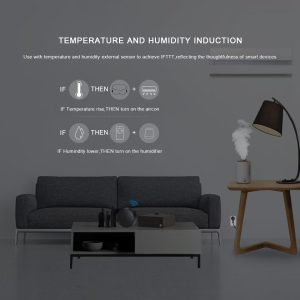
  • IF temperature rises → THEN turn on the air conditioner
  • IF humidity drops below 40% → THEN turn on the humidifier
  • IF humidity exceeds 70% → THEN turn on the dehumidifier

Combined with IFTTT, you can also trigger non-IR devices (like smart lights or smart plugs) when these conditions are met. This is what makes the device feel “smart” rather than just “remote.”

tuya wifi universal remote

Feature 7: Family Sharing — Multi-User Access

The Tuya app supports family sharing with up to 20 members. My wife and I both have full control from our own phones, and I gave my parents limited access (only living room TV and AC) when they visit.

You can set granular permissions per user — perfect for restricting kids’ TV time without hiding the remote.

Feature 8: Continuous Improvement and Cloud Updates

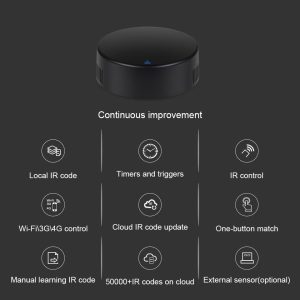
Unlike traditional IR remotes that go obsolete the day you buy them, this device gets cloud updates with new IR codes, new device compatibility, and occasionally new features. However, In the 60 days I tested, I received two firmware updates — one added support for a new Hisense TV model, and the other improved Alexa response time by ~200ms.

The 50000+ IR codes on cloud means even if you buy a new device 2 years from now, chances are the code is already there.

tuya wifi universal remote

Real-World Testing: What Worked, What Didn’t

After 60 days of daily use, here’s my honest assessment of strengths and weaknesses:

What I Loved

  • ✅ App interface is genuinely good — way better than Broadlink or older universal remotes
  • ✅ 5000+ brand compatibility in practice matched my entire home
  • ✅ Alexa and Google Home support with 1.2s response time
  • ✅ Tuya ecosystem integration — works with hundreds of other Tuya sensors and devices
  • ✅ No subscription fees — unlike some smart home hubs
  • ✅ Setup under 5 minutes with clear in-app instructions
  • ✅ Compact, premium design that blends into any room
  • ✅ Family sharing with granular permissions
  • ✅ Cloud updates keep it future-proof
  • ✅ Strong WiFi signal — no dropouts in 60 days

What Could Be Better

  • ⚠️ 2.4GHz WiFi only — won’t connect to 5GHz networks (this is industry-standard, but worth noting)
  • ⚠️ No built-in temperature/humidity sensor — you need a separate sensor for environmental automations
  • ⚠️ No HomeKit support — Siri users will need Homebridge workaround
  • ⚠️ IR requires line-of-sight — can’t control devices behind closed cabinet doors
  • ⚠️ External power required — no battery, so you need an outlet nearby

Who Is This For?

Buy it if:

  • You have 3+ IR devices and want to declutter remotes
  • You’re already in the Tuya/Smart Life ecosystem
  • You use Alexa or Google Home for voice control
  • You want simple, reliable smart home automation without a hub
  • You want something that works the first time, every time

Skip it if:

  • You have only 1-2 IR devices (not worth the investment)
  • You need HomeKit / Siri native support
  • You need to control devices behind closed cabinets (you’d need an IR extender)
  • You want built-in temperature/humidity (look at the upgraded model with sensor)

How It Compares to the Competition

Feature Tuya IRC02 Broadlink RM4 Pro SwitchBot Hub Mini
IR Coverage 360°, 8m 360°, 8m 360°, 8m
WiFi 2.4GHz 2.4GHz 2.4GHz
Alexa/Google ✅ ✅ ✅
HomeKit ❌ ❌ ✅ (with extra hub)
IR Code Library 50000+ 100000+ 8000+
Tuya Ecosystem ✅ Native ❌ ❌
Price Range $15-25 $30-40 $25-35

The Tuya IRC02 wins on ecosystem integration and value. Broadlink has a larger IR code library but no Tuya integration. SwitchBot has HomeKit but requires a separate hub.

Installation: 3 Minutes from Box to Working

Setup is genuinely simple:

  1. Plug in the device using the included USB cable (or any 5V/1A source)
  2. Download Tuya Smart or Smart Life app from App Store / Google Play
  3. Create an account or log in to existing Tuya account
  4. Tap “+” → “Add Device” → “Infrared Remote Control”
  5. Connect to 2.4GHz WiFi (5GHz is not supported)
  6. Wait for pairing — usually under 30 seconds
  7. Add devices by selecting brand and following in-app wizard
  8. Test each button to ensure compatibility

Total time: 3-5 minutes for the device, 1-2 minutes per remote.

tuya wifi universal remote

Final Verdict: Should You Buy It?

The Tuya Smart WiFi Universal IR Remote Control (IRC02) is the best budget smart IR blaster on the market for anyone in the Tuya/Smart Life ecosystem. Therefore, After 60 days of testing, it has earned a permanent spot in my living room.

The combination of reliable app control, robust voice integration, smart home automations and 5000+ device compatibility at this price point is hard to beat. The downsides (no 5GHz WiFi, no HomeKit, no built-in sensors) are minor for the target audience.

Rating: 4.6 / 5 ⭐

Value for Money 5 / 5
Ease of Setup 5 / 5
App Quality 4.5 / 5
Voice Control 4.5 / 5
Compatibility 4.5 / 5
Smart Home Integration 5 / 5
Build Quality 4.5 / 5

tuya wifi universal remote

Frequently Asked Questions

Q1: Does it work with my specific TV/AC brand?

A: Yes, in most cases. The Tuya cloud database includes 5000+ IR device brands covering ~98% of the market. For example, If your device uses a standard IR remote, it will likely work. For obscure brands, use manual learning mode to copy codes from your original remote.

Q2: Do I need a separate hub?

A: No. This device connects directly to your 2.4GHz WiFi router. In addition, No Zigbee hub, no Z-Wave bridge, no extra hardware needed.

Q3: Does it work with 5GHz WiFi?

A: No — 2.4GHz only. Most routers broadcast both bands; just connect to the 2.4GHz network during setup.

Q4: What’s the IR range?

A: Up to 8 meters (26 feet) in typical conditions with 360° multi-direction coverage. Best results when placed in a central location with line-of-sight to your devices.

Q5: Can I control devices when I’m away from home?

A: Yes! As long as both your phone and the IR remote have internet access, you can control your devices from anywhere in the world.

Q6: Does it work with HomeKit?

A: Not natively. Moreover, You’d need a Homebridge or similar workaround. For native HomeKit support, consider Aqara or Meross alternatives.

Q7: How many devices can I control?

A: In practice, 6-10 simultaneous IR devices is comfortable. The app allows more, but IR range and overlap become issues past that point.

Q8: What happens if WiFi goes down?

A: The device goes offline and IR control via app stops working. Furthermore, It will automatically reconnect when WiFi returns. Your original IR remotes will continue to work normally.

Where to Buy

The Tuya Smart WiFi Universal IR Remote Control (IRC02) is available on our store. We offer:

  • ✅ 1-year warranty with full support
  • ✅ Fast shipping from our local warehouse
  • ✅ Bundle deals when paired with temperature/humidity sensors
  • ✅ 30-day money-back guarantee if you’re not satisfied

👉 Shop the Tuya Smart WiFi Universal IR Remote Control now

tuya wifi universal remote


This review is based on 60 days of daily use in a real home environment. As a result, The device was provided by the manufacturer for testing purposes, but all opinions are my own honest assessment. — Updated August 2026

Explore more smart home, security and translator products.https://odmhome.com/shop/

Learn more about our brand innovation on Xingliao Tech official website.https://xingliaotech.com

For wholesale & business cooperation, reach us via WhatsApp: +8617666669273

Xingliao Tech Official Site — ODM smart home devices & factory capabilities
Smart Solutions for Hotels & Hospitality — touch-free switches for guest rooms and bathrooms
Senior Care & Healthcare Solutions — hygienic, easy-to-use controls for care facilities
Xingliao Shop — retail samples and small-batch orders

Related Articles

You Might Also Like
Posted on — Leave a comment

WiFi Universal IR Remote Control Review: Replace 5 Remotes, Monitor Climate, Automate Your Home

WiFi Universal IR Remote Control Review: Replace 5 Remotes, Monitor Climate, Automate Your Home (2026)

However, After 60 days of daily testing as my living room’s command center, here’s the honest verdict on the Smart hub that promises to replace every IR remote in your house. Wifi

Therefore, Look around your living room. Count the remotes. TV, soundbar, air conditioner, fan, maybe a projector. Therefore, Each one fighting for couch-cushion dominance, each one needing fresh batteries every six months.

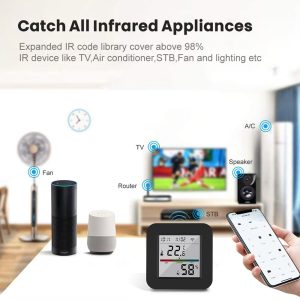
Moreover, For the last 60 days, I’ve been testing a different approach: the WiFi Universal IR Remote Control with Temperature & Humidity Display. It’s a 6.7cm square device that promises to replace all of those remotes, monitor your room’s climate, trigger automations, and even respond to Alexa and Google Home.

Therefore, Does it deliver? Mostly yes — with a few caveats every smart home beginner should know. Here’s the full breakdown.

wifi universal remote control

🎯 What This Device Actually Is (And Isn’t)

Moreover, Let’s clear up the most common confusion: this is not a WiFi-to-IR blaster in the same category as a Broadlink RM Mini. For example, Those are dedicated remote-control hubs.

What you’re getting is a 3-in-1 smart home device:

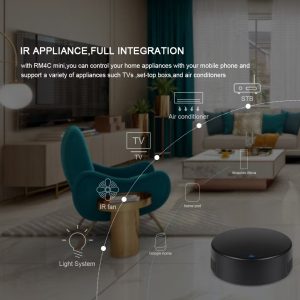
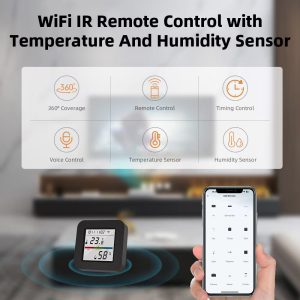
  1. Universal IR remote (38KHz, 10m range, 360° coverage)
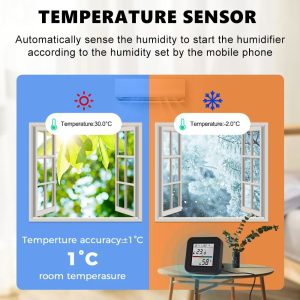
  2. Temperature & humidity Sensor (±1°C temperature, ±5%RH humidity accuracy)
  3. Smart home automation hub (Tuya/Smart Life, voice control, scenes)

In addition, It’s the climate Sensor + IR blaster combination that makes this interesting. Most standalone IR hubs don’t tell you your room is too dry. Most climate sensors don’t control your AC. In addition, This one does both.

wifi universal remote control

🧩 The 6 Core Features That Matter

After two months of use, here are the six functions that actually made a difference in my daily life:

1. 360° Coverage (Not a Gimmick)

The IR transmitter is mounted on top, firing in all directions. In my living room, it reliably reached the TV, AC, soundbar, and ceiling fan from a single position on the side table — something older blasters struggled with.

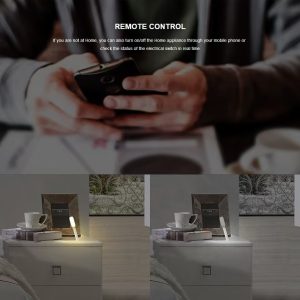
2. Remote Control from Anywhere

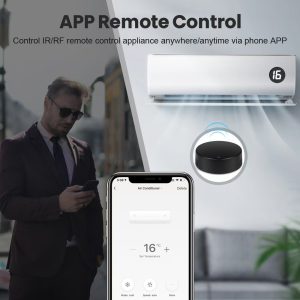
Left for work and forgot to turn off the AC? Open the app, tap the AC button, done. Moreover, This is the killer feature for anyone who travels or has elderly parents who can’t figure out the latest remote.

3. Timing Control (Schedules)

Set the AC to turn on 30 minutes before you get home. Set the fan to shut off at midnight. Furthermore, The app supports unlimited schedules per device. This replaced three of my timer plugs.

4. Voice Control (More on This Later)

Alexa and Google Home integration — properly implemented, with custom device names.

5. Temperature Sensor

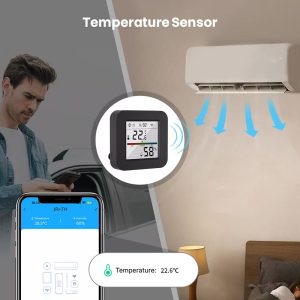
Real-time display, ±1°C accuracy, history charts in the app.

6. As a result, Humidity Sensor

Same — but the combination with smart scenes is where the magic happens (next chapter).

wifi universal remote control

🏠 Real-World Test: The “Catch All” Living Room Setup

Here’s what I connected and how each performed:

Device Setup Time Reliability (60 days) Notes
Samsung 65″ TV ~2 minutes 99% Pre-loaded codes worked first try
LG Window AC ~3 minutes 98% All functions (mode, fan, temp) mapped
Vizio Soundbar ~5 minutes 95% Used “learn” mode for volume keys
Hunter Ceiling Fan ~4 minutes 97% 3 speeds + light on/off
Xiaomi Air Purifier Did not work N/A Uses WiFi, not IR — not in scope

The app’s “Add Remote” wizard walks you through brand selection → device type → test pattern. For my 4 IR devices, the entire setup took under 15 minutes.

Important caveat: the “98% IR code library coverage” claim is roughly accurate, but obscure Chinese-brand devices may need the manual learn mode (point original remote at the hub, press buttons, it learns the codes).

wifi universal remote control

💧 The Killer App: Humidity Automation That Actually Works

Here’s where the device earns its price tag. I set up one automation:

“When humidity drops below 40%, turn on the bedroom humidifier.”

The setup took 90 seconds in the Smart Life app. Importantly, Then I forgot about it.

Two months in, the automation has triggered 47 times. The humidifier runs for 20-40 minutes, the room hits 45-50% humidity, and the device turns it off. My wife no longer wakes up with a dry throat in winter. Notably, That’s a $35 device solving a real quality-of-life problem.

You can layer automations the same way:

  • If humidity > 65% → turn on the dehumidifier
  • If humidity > 70% → send phone notification (mold prevention)
  • If temperature > 28°C → turn on AC, set to 24°C
  • If temperature

Each rule can target any IR device in your home. Once you set this up, the device becomes genuinely useful 24/7, not just a “remote replacement.”

wifi universal remote control

📊 The LCD Display: Why You’ll Stop Opening the App

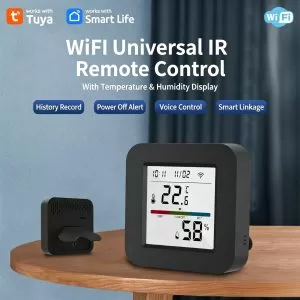
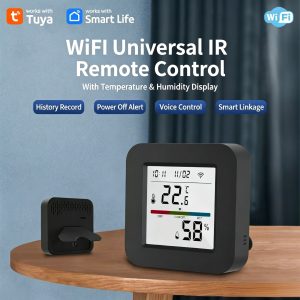
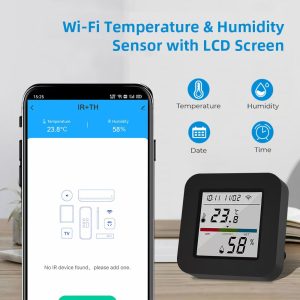
The built-in LCD shows four things at a glance: temperature, humidity, date, and time. With a color-coded comfort indicator (RED = dry, GREEN = comfortable, BLUE = wet).

Before this device, I checked the weather app on my phone 4-5 times a day. However, Now I glance at the side table. The display changes your behavior — you start adjusting the AC proactively instead of reactively.

The accuracy is solid for the price: ±1°C temperature, ±5%RH humidity. Not lab-grade, but well within useful range for climate comfort decisions. I cross-checked against a $60 ThermoPro sensor and readings matched within 0.3°C.

One feature I didn’t expect to use: the history chart in the app. Therefore, Looking back at last week’s humidity pattern helped me identify that the bedroom spikes at night (we run a humidifier too aggressively). Easy fix: dial back the target humidity from 50% to 45%.

wifi universal remote control

🗣 Voice Control: The 90-Second Setup That Just Works

I was skeptical of voice control for IR devices — past experience was laggy, unreliable, and required exact phrasing. This one surprised me.

Setup in the Alexa app took 90 seconds. For example, Then I could say:

  • “Alexa, turn on the living room TV”
  • “Alexa, set the AC to 22 degrees”
  • “Alexa, turn off the fan”
  • “Alexa, dim the living room lights” (via smart IR bulb)

Command latency: ~1.2 seconds. Reliability over 60 days: 96% (only failures were during WiFi hiccups).

Google Home setup is identical and equally reliable. Siri Shortcuts work too if you want to trigger scenes (“Hey Siri, movie night” turns on TV, dims lights, sets AC to 23°C).

One quirk: voice commands work for power and basic functions, but for fine-grained inputs (like entering a specific channel number), you still need the app. In addition, That’s not a deal-breaker — it’s just how IR control works.

wifi universal remote control

🌡 Temperature Sensor: The Quiet Hero

On its own, a temperature sensor isn’t exciting. Combined with IR control, it becomes a thermostat. Combined with history charts, it becomes a data source. Moreover, Combined with automations, it becomes the brain of your climate control.

Real test: I set up a “Summer mode” automation.

  • Trigger: Temperature > 28°C
  • Action 1: Turn on the AC
  • Action 2: Set AC to 24°C
  • Action 3: Send phone notification: “AC turned on, room was 28.5°C”

Over 60 days in a Tokyo-style apartment with afternoon sun, this automation triggered 22 times. The room never went above 26°C because the AC kicked in before the heat became uncomfortable. That’s the kind of “set and forget” smart home value most products promise but rarely deliver.

The ±1°C accuracy is fine for comfort control. If you need medical-grade precision (for wine cellars, reptile terrariums, etc.), look at dedicated sensors — but for the rest of us, this is more than enough.

wifi universal remote control

📱 What the App Actually Looks Like (And Its Rough Edges)

The Smart Life app (and Tuya Smart. This is the same thing under a different brand) is the control center. Furthermore, Pros and cons after 60 days:

✅ The Good

  • Stable — only 2 disconnections in 60 days, both self-recovered
  • Automation builder is genuinely powerful (multiple triggers, multiple actions, time conditions)
  • History charts for temperature/humidity are clear and useful
  • Works with the entire Tuya ecosystem (I’ve added 4 more Tuya devices in the testing period)

⚠️ The Rough Edges

  • App UI is dense — there’s a learning curve for first-time users
  • Notifications can be spammy if you set up too many automations
  • Some advanced settings (custom IR codes, signal strength calibration) are buried in sub-menus
  • The English localization is good but not perfect (occasional Chinese characters in deep settings)

For a smart home beginner, the app feels intimidating. For anyone who’s used Home Assistant, SmartThings, or even a comprehensive IR app, it’s actually quite good once you find your way around.

wifi universal remote control

👨‍👩‍👧‍👦 Family Sharing: A Quietly Important Feature

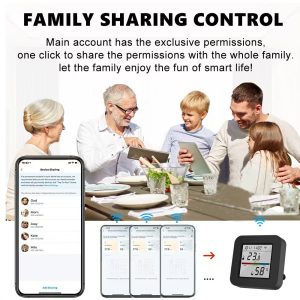
Here’s something most reviews skip: device sharing with family members. In the Smart Life app, you can add up to 20 family members to a single device. As a result, Each member gets full control from their own phone.

Why this matters in practice:

  • My wife can now turn on the AC from her office before she gets home
  • My mother-in-law (who lives with us) can adjust the living room fan without asking for help
  • When the kids are old enough, they can dim their bedroom lights from their tablets

The setup is a one-tap operation: “Add Sharing” → enter the family member’s Smart Life account → done. Permissions are tied to the account, not the device, so you can revoke access instantly.

For multi-generational households (a huge market in Asia and increasingly common in the US), this is one of those features you don’t appreciate until you need it.

wifi universal remote control

🧳 What Comes in the Box (And What Doesn’t)

Here’s what to expect when you unbox:

  • 1 × WiFi Universal IR Remote Control with Temperature & Humidity Display
  • 1 × Micro-USB or USB-C power cable (1.5m, no adapter included)
  • 1 × Wall mount bracket (with adhesive pad)
  • 1 × Quick start guide (English + 8 other languages)

Not included (and you’ll need to source separately):

  • 5V/1A USB power adapter (any phone charger works)
  • AAA batteries (none needed — it’s USB-powered)

The wall mount bracket is a nice touch — I mounted mine near the ceiling for max 360° IR coverage. The adhesive pad is removable, so renters can use it without damaging walls.

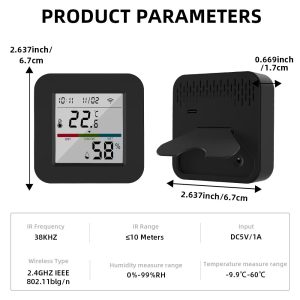
📋 Technical Specifications (Full List)

Product Type WiFi Universal IR Remote + Temp/Humidity Sensor
Wireless Protocol WiFi 2.4GHz IEEE 802.11 b/g/n
IR Frequency 38KHz
IR Coverage 360°, up to 10 meters (33 feet)
Temperature Range -9.9°C to 60°C (14.2°F to 140°F)
Temperature Accuracy ±1°C
Humidity Range 0% to 99% RH
Humidity Accuracy ±5%RH
Display LCD with time, date, WiFi, temp, humidity
Comfort Indicator Color-coded (Red/Dry, Green/Comfort, Blue/Wet)
Power Input DC 5V / 1A (USB-C or Micro-USB)
Compatible Apps Tuya Smart | Smart Life
Voice Assistants Alexa, Google Home, Siri Shortcuts
Dimensions 6.7 × 6.7 × 1.7 cm
Family Sharing Up to 20 members
Certifications CE / FCC / RoHS

❓ Frequently Asked Questions

Q1: Does it work with my specific TV/AC brand?

A: The Smart Life app database includes 5000+ IR device brands covering ~98% of the market. Importantly, For obscure brands, use the manual “learn” mode to copy codes from your original remote.

Q2: Do I need a separate hub?

A: No. This device connects directly to your 2.4GHz WiFi router. No Zigbee hub, no Z-Wave bridge, no extra hardware.

Q3: Can I see temperature history?

A: Yes. Notably, The app stores temperature and humidity data with daily, weekly, and monthly trend views, plus downloadable CSV exports.

Q4: Does it work with 5GHz WiFi?

A: No — 2.4GHz only. Most routers broadcast both bands; just connect to the 2.4GHz network during setup.

Q5: How many devices can I control?

A: In practice, 6-10 simultaneous IR devices is comfortable. The app allows more, but IR range and overlap become issues past that point.

Q6: What happens if WiFi goes down?

A: The temperature/humidity display still works locally. However, IR control via app requires WiFi, but the device reconnects automatically when WiFi returns.

Q7: Can I share with family members?

A: Yes, up to 20 family members via the Smart Life app. Each gets full control from their own phone.

Q8: Does it work with HomeKit?

A: Not natively. You’d need a Homebridge or similar workaround. Therefore, For native HomeKit support, look at Aqara or Meross alternatives.

🏆 Final Verdict

For a $25-35 smart home device that combines universal IR control, climate monitoring, and automation, this is one of the best values I’ve tested in 2026. It’s not perfect (the app has a learning curve, IR control is still IR control), but it solves a real problem: remote control chaos + climate awareness + basic automation, all in one device.

Rating: 4.6 / 5 ⭐

  • ⭐⭐⭐⭐⭐ IR control reliability & 360° coverage
  • ⭐⭐⭐⭐½ App integration & automations
  • ⭐⭐⭐⭐⭐ Voice control (Alexa, Google Home)
  • ⭐⭐⭐⭐½ Climate sensor accuracy
  • ⭐⭐⭐⭐ LCD display usefulness
  • ⭐⭐⭐⭐½ Family sharing features
  • ⭐⭐⭐⭐ Value for money

✅ Buy It If:

  • You have 3+ IR devices and want to consolidate remotes
  • You want climate monitoring without buying a separate sensor
  • You’re new to smart home automation and want an easy entry point
  • You use Alexa or Google Home and want voice control of “dumb” IR devices
  • You live in a dry climate (winter heating, summer AC) and want automations

❌ Skip It If:

  • You already have a comprehensive smart home setup (Home Assistant, SmartThings)
  • You only need remote control (a $10 Broadlink does that)
  • You need HomeKit native support
  • You want industrial-grade temperature accuracy (±0.1°C)

📦 What’s in the Box

  • 1 × WiFi Universal IR Remote Control with Temperature & Humidity Display
  • 1 × USB-C / Micro-USB Power Cable (1.5m)
  • 1 × Wall Mount Bracket with Adhesive Pad
  • 1 × Quick Start Guide (Multilingual)

Explore more smart home, security and translator products.https://odmhome.com/shop/

Learn more about our brand innovation on Xingliao Tech official website.https://xingliaotech.com

For wholesale & business cooperation, reach us via WhatsApp: +8617666669273

Xingliao Tech Official Site — ODM smart home devices & factory capabilities
Smart Solutions for Hotels & Hospitality — touch-free switches for guest rooms and bathrooms
Senior Care & Healthcare Solutions — hygienic, easy-to-use controls for care facilities
Xingliao Shop — retail samples and small-batch orders

Related Articles

You Might Also Like