Posted on — Leave a comment

DS-102DWN WiFi Button Switch EU UK CN Zero-Fire

The DS-102DWN is a WiFi Smart wall Switch from the XingLiao switch line: WiFi Button Switch EU UK CN Zero-Fire. It is built for buyers who need a documented model number, a defined panel standard and a repeatable OEM file rather than a generic catalog photo. This page collects the factory specification, the Control functions and the product images in one place so you can shortlist the model before requesting a sample.

What the DS-102DWN does

  • Network: WiFi, with the Tuya / Smart Life app flow used across XingLiao switch programs.
  • Panel format: Button Switch EU UK CN Zero-Fire.
  • Voice control: works with Amazon Alexa and Google Home through the app integration, subject to region and firmware.
  • Control modes: app remote control, timer and countdown, status feedback, power-off memory, sharing control and manual operation.
  • Multi-control association is available for two-way and three-way installations where the wiring supports it.

Specification snapshot

Input voltage: 100-240VAC 50/60Hz Network mode: WiFi Rated power: 8000W Regular color: white/black/gold/grey Product size: 86*86*35mm (Europe) Package size: 106*100*51mm Product gross weight: 180g

Certification listed for this family: CE, ROHS. Ask for the current certificate file before artwork approval.

Indicative quotation tiers from the factory sheet: 51-199 pcs – USD 8; 200-999 pcs – USD 7.5; 1000-3000 pcs – USD 6.7. Prices exclude tax and freight; confirm the live tier with the sales team.

Product photos: DS-102DWN
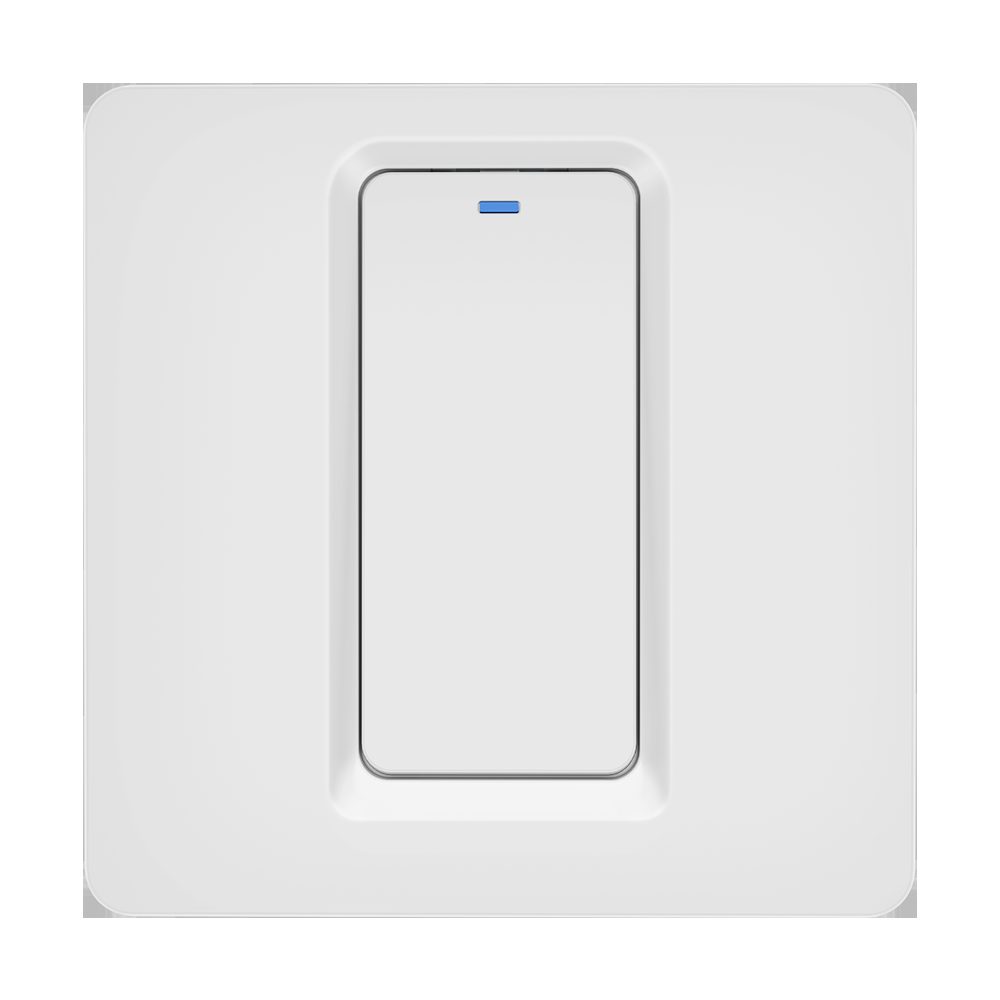
DS-102DWN WiFi Button Switch EU UK CN Zero-Fire - product photo 1 from XingLiao factory
DS-102DWN: WiFi Button Switch EU UK CN Zero-Fire. Photo 1 of the factory image set.
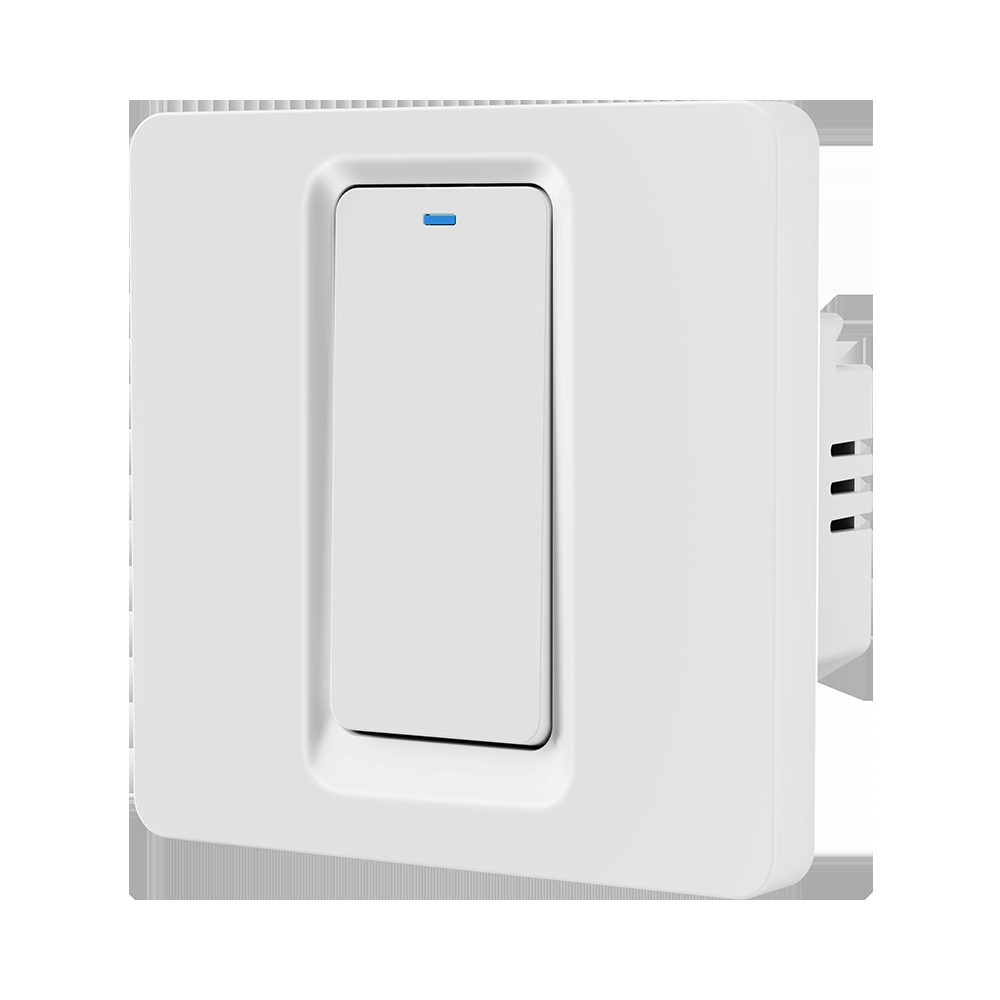
DS-102DWN WiFi Button Switch EU UK CN Zero-Fire - product photo 2 from XingLiao factory
DS-102DWN: WiFi Button Switch EU UK CN Zero-Fire. Photo 2 of the factory image set.
DS-102DWN WiFi Button Switch EU UK CN Zero-Fire - product photo 3 from XingLiao factory
DS-102DWN: WiFi Button Switch EU UK CN Zero-Fire. Photo 3 of the factory image set.

OEM / ODM notes

For DS-102DWN, the usual customization points are faceplate color, frame finish, logo print or laser mark, packaging and app branding. State your market, panel standard, wiring type (single-wire or neutral) and annual quantity in the first inquiry so the factory can propose the correct base model. CE, FCC, RoHS, UKCA, CCC and PSE support is documented where applicable; do not assume a listing without asking for the file number.

Questions buyers ask about DS-102DWN

Is DS-102DWN a WiFi or ZigBee model?

The model designation in the title identifies the platform. DS-102DWN is the corresponding line in the factory quotation sheet; confirm the exact protocol and firmware before ordering.

Can the DS-102DWN be used with Google Home or Alexa?

Yes through the Tuya app integration, provided the app region and firmware support the integration. Ask for a short app screen recording with your sample.

What must be checked before ordering?

Door or wall box dimensions, panel standard, load type, wiring (neutral present or not), and the certification file for your market. Sendphotos of the installation site with your inquiry.

Related XingLiao pages

Need a quotation for DS-102DWN? Send the model, market and quantity to the XingLiao team. WhatsApp +86 176 6666 9273.

Related Articles

You Might Also Like

Frequently Asked Questions

Is 102dwn Wifi Button worth buying?

Based on the breakdown in this article, 102dwn Wifi Button offers a solid mix of features and value. If your main goal matches the key benefits described above, it is a practical choice for everyday use.

How do I choose the right 102dwn wifi button for my needs?

Start with your core use case, then compare battery life, compatibility, and build quality as covered above. Choosing the right 102dwn wifi button comes down to matching specs with how you actually use it.

Does 102dwn wifi button require a companion app?

Most devices of this type pair with a free companion app for setup and firmware updates. A few advanced features may sit behind a paid plan, so check the official specs page before buying.
Posted on — Leave a comment

Tuya Zigbee Smart Knob Button Review: 5 Custom Actions for Whole-Home Automation

However, Looking for a simple, battery-powered way to control your Smart Lights, curtains, and scenes with a single tap? The new Tuya Zigbee Smart Knob Button packs five customizable actions into a coin-sized remote. Here’s what it can really do.

tuya zigbee knob button

Therefore, Smart home control shouldn’t require pulling out your phone every time you want to dim the lights or close the curtains. The Tuya Zigbee Smart Knob Button is a wireless, battery-powered scene controller that brings tactile, one-touch control back to your fingertips — and it works with virtually every Tuya-compatible device in your home. Window Vacuum Cleaner: Say Goodbye To Streaky Glass At Home & In Your Car

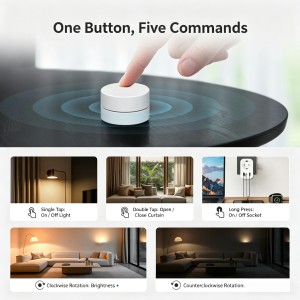
One Button, Five Commands

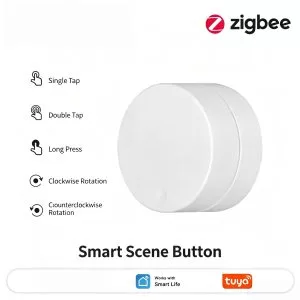
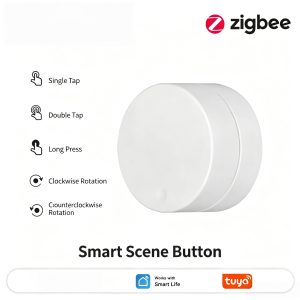
Moreover, The standout feature is the 5-action control system. Instead of a single press, the knob supports:

  • 👆 Single Tap — trigger a preset scene or device
  • 👆👆 Double Tap — switch to a different scene or device group
  • ✋ Long Press — turn everything on/off or run a master scene
  • 🔄 Clockwise Rotation — step-up brightness, volume, or color temperature
  • 🔁 Counterclockwise Rotation — step-down brightness, volume, or color temperature

In addition, All five actions are fully programmable inside the Smart Life, MOES, or Tuya app, so the same physical button can behave completely differently in different rooms.

tuya zigbee knob button

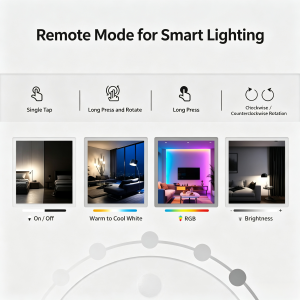
Remote Mode for Smart Lighting

For example, When paired with a Zigbee smart bulb, the knob doubles as a wireless lighting remote. You can map the actions to:

  • 💡 On / Off — single tap toggles power
  • 🌡️ Warm to Cool White — long press and rotate to fine-tune color temperature
  • 🌈 RGB Color — long press to cycle through colors
  • 🔆 Brightness — clockwise / counterclockwise rotation to dim or brighten smoothly

tuya zigbee knob button

Four Ready-Made Scenes You Can Set Up in Minutes

Consequently, The real magic of the smart knob is how it triggers Multi-device scenes with a single gesture. Out of the box, it’s commonly used for these four popular scenes:

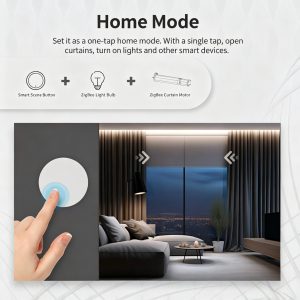
🏠 Home Mode

Set it as a one-tap Home Mode. With a single tap, open curtains, turn on lights and other smart devices. Perfect for the moment you walk in the front door after a long day.

tuya zigbee knob button

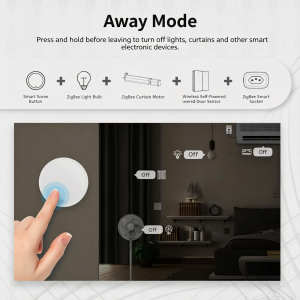
🚪 Away Mode

Press and hold before leaving to turn off lights, curtains and other smart electronic devices. No more running back to check if you left the iron on.

tuya zigbee knob button

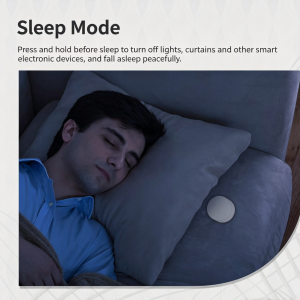
😴 Sleep Mode

Press and hold before sleep to turn off lights, curtains and other smart electronic devices, and fall asleep peacefully. Keep the button on your nightstand for easy, fumbling-free access.

tuya zigbee knob button

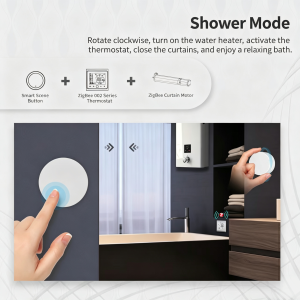
🛁 Shower Mode

Rotate clockwise to turn on the water heater, activate the thermostat, close the curtains, and enjoy a relaxing bath. Your bathroom is pre-heated the moment you decide to shower.

tuya zigbee knob button

Compact and Round Design

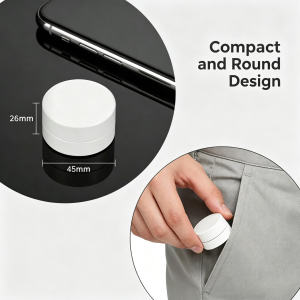
Measuring just Φ45 × 26 mm, the knob is smaller than a coaster and roughly the size of a bottle cap. It slips into a pocket, sits unobtrusively on a nightstand, or sticks to any wall with the included 3M adhesive pad.

tuya zigbee knob button

365-Day Long Battery Life

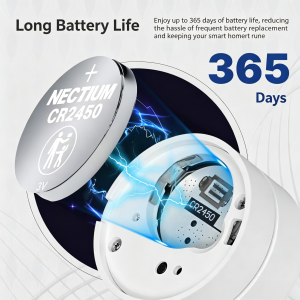
Powered by a single CR2450 coin cell battery (3V), the device delivers up to 365 days of standby life thanks to Zigbee’s ultra-low-power design. When the battery finally runs out, simply twist off the back cover and drop in a replacement — no charging cables, no downtime.

tuya zigbee knob button

Technical Specifications

SKU ZT-RD02
Model SYT-ZB01
Protocol Zigbee 3.0
Battery CR2450 / 3V
Battery Life Up to 365 days
Standby Current < 8 μA
Operating Temperature -10°C ~ 55°C
Operating Humidity 0 ~ 99% RH
Dimensions Φ45 × 26 mm
Frequency Range 2.405 – 2.480 GHz
Max RF Output Power < +10 dBm
Compatible Apps Smart Life, MOES, Tuya Smart

Setup & Compatibility

To use the smart knob, you’ll need:

  1. A Zigbee 3.0 gateway (any Tuya / Smart Life compatible hub)
  2. The Smart Life, MOES, or Tuya Smart app on your phone
  3. Tuya-compatible smart devices to control (lights, curtains, sockets, thermostats, etc.)

Pairing takes about 30 seconds: open the app, select “Add Device,” and follow the in-app instructions to put the gateway into pairing mode.

Who Is This For?

The Tuya Zigbee Smart Knob Button is a great fit if you:

  • Want a physical, app-free way to control smart devices
  • Have elderly family members or kids who can’t easily use a phone app
  • Already use Tuya-compatible bulbs, curtains, or sockets
  • Need a portable remote you can move between rooms
  • Want a budget-friendly scene controller without expensive touch panels

Final Verdict

For the price of a fancy coffee, the Tuya Zigbee Smart Knob Button delivers surprisingly versatile control over your entire smart home. Five programmable actions, four ready-made scenes, 365-day battery life, and a footprint smaller than a coaster — it’s one of the most cost-effective ways to add tactile automation to any room.

👉 Shop the Tuya Zigbee Smart Knob Button here and start building your whole-home automation system today.

Explore more smart home, security and translator products.https://odmhome.com/shop/

Learn more about our brand innovation on Xingliao Tech official website.https://xingliaotech.com

For wholesale & business cooperation, reach us via WhatsApp: +8617666669273.

Xingliao Tech Official Site — ODM smart home devices & factory capabilities
Smart Solutions for Hotels & Hospitality — touch-free switches for guest rooms and bathrooms
Senior Care & Healthcare Solutions — hygienic, easy-to-use controls for care facilities
Xingliao Shop — retail samples and small-batch orders

Related Articles

You Might Also Like
Frequently Asked Questions

Is Tuya Zigbee Knob Button worth buying?

Based on the breakdown in this article, Tuya Zigbee Knob Button offers a solid mix of features and value. If your main goal matches the key benefits described above, it is a practical choice for everyday use.

How do I choose the right tuya zigbee knob button for my needs?

Start with your core use case, then compare battery life, compatibility, and build quality as covered above. Choosing the right tuya zigbee knob button comes down to matching specs with how you actually use it. Solar Ultrasonic Pest Repeller: The Complete Guide to Chemical-Free Mole and Snake Control

Does tuya zigbee knob button require a companion app?

Most devices of this type pair with a free companion app for setup and firmware updates. A few advanced features may sit behind a paid plan, so check the official specs page before buying. Car Cup Holder Expander: The Complete Guide to 360° Rotating Dual-Slot Drink Holders