Tuya official sitesmart home products
What Is Tuya Smart?
To begin with, Tuya smart is the world’s most popular smart home platform, supporting over 5000 device types from hundreds of brands. From smart switches to video doorbells, pet feeders to security cameras, Tuya brings everything together in one easy-to-use APP.
Why Choose Tuya for Your Smart Home?
Moreover, Tuya offers several key benefits:
- Massive Compatibility: 5000+ devices from hundreds of brands all work together seamlessly
- Cross-Platform: Works on both iOS and Android, so everyone in the family can control their smart home
- Voice Control: Compatible with Amazon Alexa and Google Home for hands-free operation
- No Monthly Fees: Free cloud service for basic features — no hidden costs
- Automation: Create custom scenes and automations to make your home truly intelligent
Getting Started: 5 Simple Steps
In addition, Additionally, here’s how to get started: Smart Curtain Motor Track: Automated Window Control System Video Doorbell Review 2026: What to Look For, Smart Features Compared, and Buyer’s Guide
For example, follow these steps: Smart Fingerprint Door Lock: Keyless Security with Tuya Smart Best Smart Home Starter Kit for 2026: Switches, Doorbells, Cameras, Sensors and Pet Feeders Compared
Step 1: Download the Tuya Smart APP (or Smart Life APP) from the App Store or Google Play. Smart WiFi Pet Feeder: Automated Pet Care with APP Control Smart Home Market Trends 2026: What Distributors Must Know About Modular Security, Voice Control and Energy-Saving Devices
Step 2: Next, Create a free account with your phone number or email. Smart Home Control Panel: The Hub of Your Smart Home Smart Home Wholesale FAQ: 15 Questions Every Buyer Asks Before Ordering in Bulk
Step 3: Then, Add your first device. Therefore, Plug in the device, put it in pairing mode, and follow the APP instructions.
Step 4: After that, Create rooms (Living Room, Bedroom, Kitchen, etc.) and assign devices to each room for organized control.
Step 5: Lastly, Set up automations. For example, when motion is detected, turn on lights and send a notification.
Essential Tuya Devices for Your Home
For example, Specifically, you’ll want these devices:
In addition, consider these essential devices:
- Video door phone intercom system with remote unlock
- Smart touch switches (1-gang to 8-gang)
- Smart security cameras with motion detection
- Door and window sensors
- Smart LED bulbs and strip lights
- Smart plugs for appliance control
- Smoke and gas leak detectors
Creating Automations
Moreover, For instance, you can set up these automations:
Furthermore, Tuya automation engine is powerful yet simple. For example, Example automations:
- Sunrise: Open curtains, turn off outdoor lights, start coffee maker
- Sunset: Close curtains, turn on indoor lights, arm security cameras
- Doorbell ring: Take snapshot, send notification, turn on porch light
- Motion detected: Start recording, turn on all lights, send alert
Start Your Smart Home Journey Today
As a result, building a Tuya Smart home has never been easier.
However, Building a Tuya Smart home has never been easier. Visit odmhome.com for Tuya-compatible devices or contact us via WhatsApp: +86 176 6666 9273 for expert guidance.
Related Articles
- V15S Tuya Smart Watch: Alexa Voice Control, SpO2 Health Monitoring, and Smart Home Integration
- Tuya 2MP 4MP Indoor PTZ Smart Camera: 360° Panoramic Home Monitoring with Intelligent Tracking
- Solar Rainwater Sensor: Zigbee 3.0 Leak Detection with Tuya Smart Home Automation
- WiFi Smart Wall Socket: Tuya 16A with PD20W Fast Charging
- Tuya Pet Feeder Wholesale Guide: Smart Pet Care Solutions for B2B Buyers
You Might Also Like
 Tuya 2MP 4MP Indoor PTZ Smart Camera – 360° Panoramic WiFi Pan-Tilt Home Monitor with Two-Way Audio Price range: $21.69 through $25.96
 Tuya Zigbee Solar Rainwater Leak Sensor – Smart Home Water Detection Alarm with AI Automation Original price was: $35.96.$26.99Current price is: $26.99.
 3D Face Recognition Smart Lock – Tuya App Fingerprint Password Video Intercom Anti-Theft Door Lock for Home Original price was: $165.98.$130.96Current price is: $130.96.
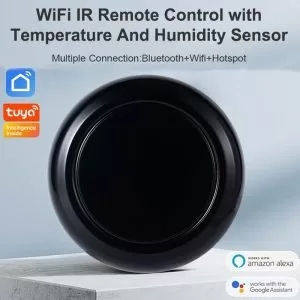 Tuya Smart WiFi IR Remote Control Temperature & Humidity Senso… Original price was: $29.96.$25.96Current price is: $25.96.
📌 This article is part of our Complete Tuya Hub — more guides and buying tips inside.
Frequently Asked Questions
Is Tuya Ecosystem Setup worth buying?
Based on the breakdown in this article, Tuya Ecosystem Setup offers a solid mix of features and value. If your main goal matches the key benefits described above, it is a practical choice for everyday use.
How do I choose the right tuya ecosystem setup for my needs?
Start with your core use case, then compare battery life, compatibility, and build quality as covered above. Choosing the right tuya ecosystem setup comes down to matching specs with how you actually use it.
Does tuya ecosystem setup require a companion app?
Most devices of this type pair with a free companion app for setup and firmware updates. A few advanced features may sit behind a paid plan, so check the official specs page before buying.
Does tuya ecosystem setup work with both iPhone and Android?
Yes, in most cases this type of device ships with iOS and Android apps, and standard Bluetooth protocols keep cross-platform pairing simple.