Posted on — Leave a comment

Wiring the DS-121BWHK Series: What Your Wall Box Needs to Have

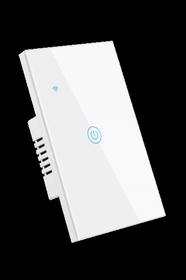
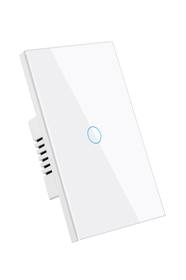
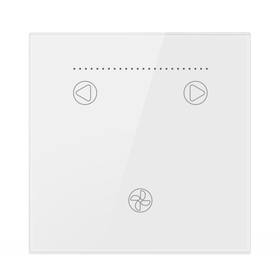
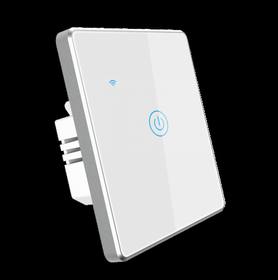
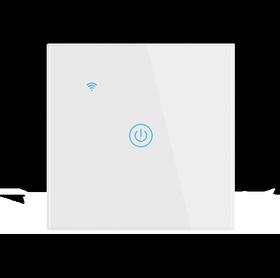
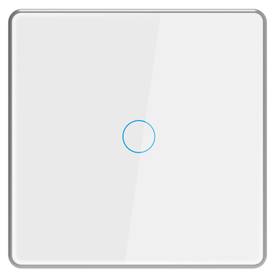
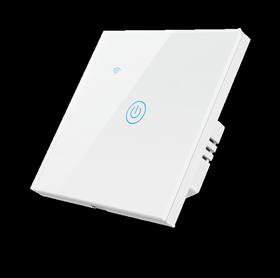
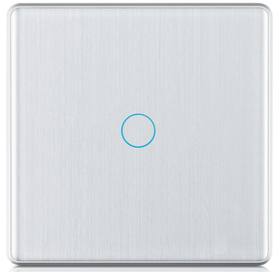
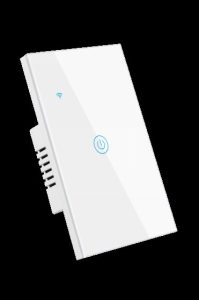
DS-121BWHK Series WiFi Touch Switch (1 Gang / 2 Gang / 3 Gang / 4 Gang)
Wiring the DS-121BWHK Series: What Your Wall Box Needs to Have

Two wires or three? It is the single question that decides which smart Switch you can fit, and it is worth answering before the plates arrive on site. The DS-121BWHK Series is zero-fire (neutral required): needs a neutral wire in the box — it will not work in a two-wire single-fire box.

What “single-fire” and “zero-fire” actually mean

A zero-fire (neutral) box has a neutral conductor alongside the live, so the Switch electronics can draw current without passing it through the lamp. A single-fire box only has live in and switched live out, so the Switch has to leak a tiny current through the lamp to stay powered — which is why LED lamps sometimes glow faintly when switched off.

Fitting the DS-121BWHK

  • With neutral — connect live to L, neutral to N, and the load to L1, L2, L3. No capacitor needed.
  • Test before closing up — power the board, check each gang switches, then clip the plate on. Chasing a Wiring fault after the glass is fitted is how plates get broken.

Which lamps behave best

Incandescent and halogen loads are trouble-free. With LED drivers, use a decent driver and keep the total load above the minimum the driver expects — the capacitor exists precisely for this. If a lamp still glows, move it to a gang with a higher load or add a second capacitor. Where the DS-1081WL Series Fits: Apartments, Hotels and Office Retrofits

Specifications

Connectivity

The DS-121BWHK talks over a direct Bluetooth link to your phone. No hub and no router needed — pair it straight from the phone for local control and schedules.

Quantity pricing

FAQ

My box has no neutral — can I still use this switch?
No. Choose a single-fire or universal model instead.
Is the capacitor included?
Not needed for this model — it is zero-fire only.
Can I wire it myself?
If you are comfortable replacing a Standard switch, yes. Otherwise use a licensed electrician — local rules vary.

Ready to specify it? Full specifications, gang options, colors and quantity pricing are on the DS-121BWHK series product page — OEM logo, manual and packaging are available from the first order.

Related Articles

You Might Also Like

Frequently Asked Questions

Is Wiring 121bwhk Series worth buying?

Based on the breakdown in this article, Wiring 121bwhk Series offers a solid mix of features and value. If your main goal matches the key benefits described above, it is a practical choice for everyday use.

How do I choose the right wiring 121bwhk series for my needs?

Start with your core use case, then compare battery life, compatibility, and build quality as covered above. Choosing the right wiring 121bwhk Series comes down to matching specs with how you actually use it.

Posted on — Leave a comment

How to Choose a Zigbee Touch Switch for a 118 Wall Box — DS-1211ZC Series

DS-1211ZC Series WiFi Touch Switch (1 Gang / 2 Gang / 3 Gang)
How to Choose a Zigbee Touch Switch for a 118 Wall Box — DS-1211ZC Series

Replacing a wall Switch looks simple until you open the box. The plate size, whether a neutral is present, and which radio the switch uses decide whether the job takes ten minutes or a visit from an electrician. The DS-1211ZC Series is built around single-fire and zero-fire Wiring and Zigbee 3.0, and it ships in 1 Gang / 2 Gang / 3 Gang — so the same look can run through a whole flat or hotel floor.

This guide walks through the four things to settle before you order, with the numbers that matter for US Standard / Australian Standard / Italian Standard / Canadian standard / Brazilian standard / Vietnamese standard / Thai standard installations.

1. Match the wall box first

The DS-1211ZC plate is made for the 118 × 72 mm US-style wall box, which is the standard box in US standard / Australian standard / Italian standard / Canadian standard / Brazilian standard / Vietnamese standard / Thai standard installations. Measure the box, not the old plate: a cover frame can hide a smaller opening, and a plate that is a few millimetres out will not sit flush against the wall. Where the DS-1081WL Series Fits: Apartments, Hotels and Office Retrofits

2. Check whether you have a neutral

This unit works in both single-fire (no neutral) and zero-fire (with neutral) boxes. If your box has no neutral, the switch still works — fit the supplied Capacitor across the first lamp port of L1 to stop LED lamps glowing or flickering when off. With a neutral present, skip the capacitor. Where the DS-123Y Series Fits: Apartments, Hotels and Office Retrofits

3. Pick the radio for the project

A Zigbee gateway is required (our wired / wireless gateway covers it) — in return you get mesh coverage and much lower standby power. On a site with dozens of switches, Zigbee also keeps the router free of dozens of extra clients.

4. Count the gangs per plate

DS-1211ZC covers 1 Gang / 2 Gang / 3 Gang. Fewer plates means fewer boxes to chase into the wall and one clean frame instead of three, which is usually the reason people move to multi-gang touch plates in the first place.

Specifications
Quantity pricing

Indicative unit prices ($11.75–$13.24 depending on gang and finish):

FAQ
Is a neutral wire required?
No, but if there is no neutral you fit the supplied capacitor on L1.
Does it work with Alexa and Google Home?
Yes — through the Tuya / Smart Life skill for Alexa and Google Home.
Can I order mixed gangs and colors in one shipment?
Yes. Gang sizes and finishes can be mixed within one order; tell us the split at checkout.

Ready to specify it? Full specifications, gang options, colors and quantity pricing are on the DS-1211ZC series product page — OEM logo, manual and packaging are available from the first order.

Related Articles

You Might Also Like
Frequently Asked Questions

Is Choose Zigbee Touch worth buying?

Based on the breakdown in this article, Choose Zigbee Touch offers a solid mix of features and value. If your main goal matches the key benefits described above, it is a practical choice for everyday use.

How do I choose the right choose zigbee touch for my needs?

Start with your core use case, then compare battery life, compatibility, and build quality as covered above. Choosing the right choose zigbee touch comes down to matching specs with how you actually use it.

Posted on — Leave a comment

DS-111AW vs a Standard Wall Switch: What Actually Changes in a European standard Retrofit

DS-111AW Series — New WiFi Touch Switch (1 Gang / 2 Gang / 3 Gang / 4 Gang)
DS-111AW vs a Standard Wall Switch: What Actually Changes in a European standard Retrofit

Swapping a mechanical Switch for a glass Touch plate changes more than the look: the box has to accept it, the Wiring has to feed it, and the Switch now needs somewhere to report to. Using the DS-111AW Series as the example, here is what actually changes in a European Standard retrofit.

The plate and the box

The DS-111AW uses the 86 × 86 mm square wall box (EU / UK / China). In most European Standard installations the existing box already matches, so the retrofit is a like-for-like swap. What changes is depth: the electronics sit behind the glass, so a very shallow box may need a spacer or a deeper back box.

The wiring

This model needs a neutral wire in the box — it will not work in a two-wire single-fire box. Confirm it before you order in quantity — it is the one thing that cannot be fixed on site.

The radio

Zigbee 3.0, a zigbee gateway is required (our wired / wireless gateway covers it) — in return you get mesh coverage and much lower standby power. For a whole-house project, a mesh also means switches in the far rooms stay reachable without adding WiFi repeaters. Where the DS-123Y Series Fits: Apartments, Hotels and Office Retrofits

What you gain

  • Group control — one tap or one app scene can drive every gang on the plate.
  • Schedules and countdown — useful for exterior lights, towel rails and anything on a timer.
  • Status at a glance — the app shows whether a light was left on, which a mechanical switch cannot tell you.
  • Voice — Alexa and Google Home once the switch is in the app.
Specifications
Quantity pricing
FAQ
Can I keep my existing faceplate?
No — the Touch plate is part of the switch, but the standard box size means no chasing or plastering.
What happens if the WiFi drops?
The touch panel keeps working locally, and schedules stored on the device still run.
Are the plates standard across the range?
Yes — gang sizes and finishes match across the Series, so mixed plates line up on the same wall.

Ready to specify it? Full specifications, gang options, colors and quantity pricing are on the DS-111AW series product page — OEM logo, manual and packaging are available from the first order.

Related Articles

You Might Also Like
Frequently Asked Questions

Is 111aw Standard Wall worth buying?

Based on the breakdown in this article, 111aw Standard Wall offers a solid mix of features and value. If your main goal matches the key benefits described above, it is a practical choice for everyday use. Wiring the DS-123 Series: Single-Fire, Zero-Fire and the Capacitor Question

How do I choose the right 111aw standard wall for my needs?

Start with your core use case, then compare battery life, compatibility, and build quality as covered above. Choosing the right 111aw standard wall comes down to matching specs with how you actually use it.

Does 111aw standard wall require a companion app?

Most devices of this type pair with a free companion app for setup and firmware updates. A few advanced features may sit behind a paid plan, so check the official specs page before buying.

Posted on — Leave a comment

How to Choose a Bluetooth Touch Switch for a 86 Wall Box — DS-1081WN Series

DS-1081WN Series WiFi Touch Switch (1 Gang / 2 Gang / 3 Gang / 4 Gang)
How to Choose a Bluetooth Touch Switch for a 86 Wall Box — DS-1081WN Series

Replacing a wall Switch looks simple until you open the box. The plate size, whether a neutral is present, and which radio the switch uses decide whether the job takes ten minutes or a visit from an electrician. The DS-1081WN Series is built around zero-fire (neutral required) Wiring and Bluetooth, and it ships in 1 Gang / 2 Gang / 3 Gang / 4 Gang — so the same look can run through a whole flat or hotel floor.

This guide walks through the four things to settle before you order, with the numbers that matter for European Standard / British Standard / China national standard installations.

1. Match the wall box first

The DS-1081WN plate is made for the 86 × 86 mm square wall box (EU / UK / China), which is the standard box in European standard / British standard / China national standard installations. Measure the box, not the old plate: a cover frame can hide a smaller opening, and a plate that is a few millimetres out will not sit flush against the wall.

2. Check whether you have a neutral

This unit needs a neutral wire in the box — it will not work in a two-wire single-fire box. Open the box and look for a neutral bundle before ordering; if it is not there, you need a single-fire model instead. Where the DS-123Y Series Fits: Apartments, Hotels and Office Retrofits

3. Pick the radio for the project

No hub and no router needed — pair it straight from the phone for local control and schedules. Bluetooth suits rooms Where you do not want the switch on the network at all, and it keeps working when the router is down.

4. Count the gangs per plate

DS-1081WN covers 1 Gang / 2 Gang / 3 Gang / 4 Gang. Fewer plates means fewer boxes to chase into the wall and one clean frame instead of three, which is usually the reason people move to multi-gang touch plates in the first place. Wiring the DS-123 Series: Single-Fire, Zero-Fire and the Capacitor Question

Specifications
Quantity pricing

Indicative unit prices ($6.50–$8.50 depending on gang and finish):

FAQ
Is a neutral wire required?
Yes. This model is zero-fire only.
Does it work with Alexa and Google Home?
Voice control depends on the app ecosystem you pair with; local control and schedules work straight from the phone.
Can I order mixed gangs and colors in one shipment?
Yes. Gang sizes and finishes can be mixed within one order; tell us the split at checkout.

Ready to specify it? Full specifications, gang options, colors and quantity pricing are on the DS-1081WN series product page — OEM logo, manual and packaging are available from the first order.

Related Articles

You Might Also Like
Frequently Asked Questions

Is Choose Bluetooth Touch worth buying?

Based on the breakdown in this article, Choose Bluetooth Touch offers a solid mix of features and value. If your main goal matches the key benefits described above, it is a practical choice for everyday use.

How do I choose the right choose bluetooth touch for my needs?

Start with your core use case, then compare battery life, compatibility, and build quality as covered above. Choosing the right choose bluetooth touch comes down to matching specs with how you actually use it.

Does choose bluetooth touch require a companion app?

Most devices of this type pair with a free companion app for setup and firmware updates. A few advanced features may sit behind a paid plan, so check the official specs page before buying.

Posted on — Leave a comment

DS-1071ZC vs a Standard Wall Switch: What Actually Changes in a European standard Retrofit

DS-1071ZC Series WiFi Touch Switch (1 Gang / 2 Gang / 3 Gang)
DS-1071ZC vs a Standard Wall Switch: What Actually Changes in a European standard Retrofit

Swapping a mechanical Switch for a glass Touch plate changes more than the look: the box has to accept it, the Wiring has to feed it, and the switch now needs somewhere to report to. Using the DS-1071ZC Series as the example, here is what actually changes in a European Standard retrofit.

The plate and the box

The DS-1071ZC uses the 86 × 86 mm square wall box (EU / UK / China). In most European Standard installations the existing box already matches, so the retrofit is a like-for-like swap. What changes is depth: the electronics sit behind the glass, so a very shallow box may need a spacer or a deeper back box. Where the DS-1042ZC Series Fits: Apartments, Hotels and Office Retrofits

The wiring

This model works in both single-fire (no neutral) and zero-fire (with neutral) boxes. That is the practical advantage of a universal relay: the same SKU covers the neutral boxes in a new build and the two-wire boxes in a refurbishment, so one order can serve both.

The radio

Zigbee 3.0, a zigbee gateway is required (our wired / wireless gateway covers it) — in return you get mesh coverage and much lower standby power. For a whole-house project, a mesh also means switches in the far rooms stay reachable without adding WiFi repeaters. Where the DS-123Y Series Fits: Apartments, Hotels and Office Retrofits

What you gain
  • Group control — one tap or one app scene can drive every gang on the plate.
  • Schedules and countdown — useful for exterior lights, towel rails and anything on a timer.
  • Status at a glance — the app shows whether a light was left on, which a mechanical switch cannot tell you.
  • Voice — Alexa and Google Home once the switch is in the app.
Specifications
Quantity pricing
FAQ
Can I keep my existing faceplate?
No — the Touch plate is part of the switch, but the standard box size means no chasing or plastering.
What happens if the WiFi drops?
The touch panel keeps working locally, and schedules stored on the device still run.
Are the plates standard across the range?
Yes — gang sizes and finishes match across the Series, so mixed plates line up on the same wall.

Ready to specify it? Full specifications, gang options, colors and quantity pricing are on the DS-1071ZC series product page — OEM logo, manual and packaging are available from the first order.

Related Articles

You Might Also Like
Frequently Asked Questions

Is 1071zc Standard Wall worth buying?

Based on the breakdown in this article, 1071zc Standard Wall offers a solid mix of features and value. If your main goal matches the key benefits described above, it is a practical choice for everyday use. Wiring the DS-123 Series: Single-Fire, Zero-Fire and the Capacitor Question

How do I choose the right 1071zc standard wall for my needs?

Start with your core use case, then compare battery life, compatibility, and build quality as covered above. Choosing the right 1071zc standard wall comes down to matching specs with how you actually use it.

Does 1071zc standard wall require a companion app?

Most devices of this type pair with a free companion app for setup and firmware updates. A few advanced features may sit behind a paid plan, so check the official specs page before buying.

Posted on — Leave a comment

Wiring the DS-1071WN Series: What Your Wall Box Needs to Have

DS-1071WN Series WiFi Touch Switch (1 Gang / 2 Gang / 3 Gang / 4 Gang)
Wiring the DS-1071WN Series: What Your Wall Box Needs to Have

Two wires or three? It is the single question that decides which smart Switch you can fit, and it is worth answering before the plates arrive on site. The DS-1071WN Series is zero-fire (neutral required): needs a neutral wire in the box — it will not work in a two-wire single-fire box.

What “single-fire” and “zero-fire” actually mean

A zero-fire (neutral) box has a neutral conductor alongside the live, so the Switch electronics can draw current without passing it through the lamp. A single-fire box only has live in and switched live out, so the Switch has to leak a tiny current through the lamp to stay powered — which is why LED lamps sometimes glow faintly when switched off.

Fitting the DS-1071WN

  • With neutral — connect live to L, neutral to N, and the load to L1, L2, L3. No capacitor needed.
  • Test before closing up — power the board, check each gang switches, then clip the plate on. Chasing a Wiring fault after the glass is fitted is how plates get broken.
Which lamps behave best

Incandescent and halogen loads are trouble-free. With LED drivers, use a decent driver and keep the total load above the minimum the driver expects — the capacitor exists precisely for this. If a lamp still glows, move it to a gang with a higher load or add a second capacitor.

Specifications
Connectivity

The DS-1071WN talks over a direct Bluetooth link to your phone. No hub and no router needed — pair it straight from the phone for local control and schedules. Where the DS-101YJL Series Fits: Apartments, Hotels and Office Retrofits Where the DS-123Y Series Fits: Apartments, Hotels and Office Retrofits

Quantity pricing
FAQ
My box has no neutral — can I still use this Switch?
No. Choose a single-fire or universal model instead.
Is the capacitor included?
Not needed for this model — it is zero-fire only.
Can I wire it myself?
If you are comfortable replacing a Standard switch, yes. Otherwise use a licensed electrician — local rules vary.

Ready to specify it? Full specifications, gang options, colors and quantity pricing are on the DS-1071WN series product page — OEM logo, manual and packaging are available from the first order.

Related Articles

You Might Also Like
Frequently Asked Questions

Is Wiring 1071wn Series worth buying?

Based on the breakdown in this article, Wiring 1071wn Series offers a solid mix of features and value. If your main goal matches the key benefits described above, it is a practical choice for everyday use.

How do I choose the right wiring 1071wn series for my needs?

Start with your core use case, then compare battery life, compatibility, and build quality as covered above. Choosing the right wiring 1071wn Series comes down to matching specs with how you actually use it.

Posted on — Leave a comment

How to Choose a WiFi Touch Switch for a 86 Wall Box — DS-104JL Series

DS-104JL Series WiFi Touch Switch (1 Gang / 2 Gang / 3 Gang / 4 Gang)
How to Choose a WiFi Touch Switch for a 86 Wall Box — DS-104JL Series

Replacing a Wall switch looks simple until you open the box. The plate size, whether a neutral is present, and which radio the switch uses decide whether the job takes ten minutes or a visit from an electrician. The DS-104JL Series is built around single-fire and zero-fire Wiring and WiFi 2.4 GHz, and it ships in 1 Gang / 2 Gang / 3 Gang / 4 Gang — so the same look can run through a whole flat or hotel floor.

This guide walks through the four things to settle before you order, with the numbers that matter for European Standard / British Standard / China national standard installations. Where the DS-1042ZC Series Fits: Apartments, Hotels and Office Retrofits

1. Match the wall box first

The DS-104JL plate is made for the 86 × 86 mm square wall box (EU / UK / China), which is the standard box in European standard / British standard / China national standard installations. Measure the box, not the old plate: a cover frame can hide a smaller opening, and a plate that is a few millimetres out will not sit flush against the wall.

2. Check whether you have a neutral

This unit works in both single-fire (no neutral) and zero-fire (with neutral) boxes. If your box has no neutral, the switch still works — fit the supplied capacitor across the first lamp port of L1 to stop LED lamps glowing or flickering when off. With a neutral present, skip the capacitor.

3. Pick the radio for the project

No hub needed — it joins the router directly through the Tuya / Smart Life app. WiFi is the simplest to commission — one app, one router, nothing else to buy.

4. Count the gangs per plate

DS-104JL covers 1 Gang / 2 Gang / 3 Gang / 4 Gang. Fewer plates means fewer boxes to chase into the wall and one clean frame instead of three, which is usually the reason people move to multi-gang Touch plates in the first place.

Specifications
Quantity pricing

Indicative unit prices ($7.72–$9.51 depending on gang and finish):

FAQ
Is a neutral wire required?
No, but if there is no neutral you fit the supplied capacitor on L1.
Does it work with Alexa and Google Home?
Yes — through the Tuya / Smart Life skill for Alexa and Google Home.
Can I order mixed gangs and colors in one shipment?
Yes. Gang sizes and finishes can be mixed within one order; tell us the split at checkout.

Ready to specify it? Full specifications, gang options, colors and quantity pricing are on the DS-104JL series product page — OEM logo, manual and packaging are available from the first order.

Related Articles

You Might Also Like
Frequently Asked Questions

Is Choose Wifi Touch worth buying?

Based on the breakdown in this article, Choose Wifi Touch offers a solid mix of features and value. If your main goal matches the key benefits described above, it is a practical choice for everyday use.

How do I choose the right choose wifi touch for my needs?

Start with your core use case, then compare battery life, compatibility, and build quality as covered above. Choosing the right choose wifi touch comes down to matching specs with how you actually use it.

Does choose wifi touch require a companion app?

Most devices of this type pair with a free companion app for setup and firmware updates. A few advanced features may sit behind a paid plan, so check the official specs page before buying.

Posted on — Leave a comment

DS-1041ZC vs a Standard Wall Switch: What Actually Changes in a European standard Retrofit

DS-1041ZC Series WiFi Touch Switch (1 Gang / 2 Gang / 3 Gang)
DS-1041ZC vs a Standard Wall Switch: What Actually Changes in a European standard Retrofit

Swapping a mechanical Switch for a glass Touch plate changes more than the look: the box has to accept it, the Wiring has to feed it, and the switch now needs somewhere to report to. Using the DS-1041ZC Series as the example, here is what actually changes in a European Standard retrofit.

The plate and the box

The DS-1041ZC uses the 86 × 86 mm square wall box (EU / UK / China). In most European standard installations the existing box already matches, so the retrofit is a like-for-like swap. What changes is depth: the electronics sit behind the glass, so a very shallow box may need a spacer or a deeper back box.

The wiring

This model works in both single-fire (no neutral) and zero-fire (with neutral) boxes. That is the practical advantage of a universal relay: the same SKU covers the neutral boxes in a new build and the two-wire boxes in a refurbishment, so one order can serve both. Where the DS-1042ZC Series Fits: Apartments, Hotels and Office Retrofits

The radio

Zigbee 3.0, a zigbee gateway is required (our wired / wireless gateway covers it) — in return you get mesh coverage and much lower standby power. For a whole-house project, a mesh also means switches in the far rooms stay reachable without adding WiFi repeaters.

What you gain
  • Group control — one tap or one app scene can drive every gang on the plate.
  • Schedules and countdown — useful for exterior lights, towel rails and anything on a timer.
  • Status at a glance — the app shows whether a Light was left on, which a mechanical switch cannot tell you.
  • Voice — Alexa and Google Home once the switch is in the app.
Specifications
Quantity pricing
FAQ
Can I keep my existing faceplate?
No — the Touch plate is part of the switch, but the standard box size means no chasing or plastering.
What happens if the WiFi drops?
The touch panel keeps working locally, and schedules stored on the device still run.
Are the plates standard across the range?
Yes — gang sizes and finishes match across the Series, so mixed plates line up on the same wall.

Ready to specify it? Full specifications, gang options, colors and quantity pricing are on the DS-1041ZC series product page — OEM logo, manual and packaging are available from the first order.

Related Articles

You Might Also Like
Frequently Asked Questions

Is 1041zc Standard Wall worth buying?

Based on the breakdown in this article, 1041zc Standard Wall offers a solid mix of features and value. If your main goal matches the key benefits described above, it is a practical choice for everyday use.

How do I choose the right 1041zc standard wall for my needs?

Start with your core use case, then compare battery life, compatibility, and build quality as covered above. Choosing the right 1041zc standard wall comes down to matching specs with how you actually use it.

Does 1041zc standard wall require a companion app?

Most devices of this type pair with a free companion app for setup and firmware updates. A few advanced features may sit behind a paid plan, so check the official specs page before buying.

Posted on — Leave a comment

Wiring the DS-104 Series: What Your Wall Box Needs to Have

DS-104 Series WiFi Touch Switch (1 Gang / 2 Gang / 3 Gang / 4 Gang)
Wiring the DS-104 Series: What Your Wall Box Needs to Have

Two wires or three? It is the single question that decides which Smart Switch you can fit, and it is worth answering before the plates arrive on site. The DS-104 Series is zero-fire (neutral required): needs a neutral wire in the box — it will not work in a two-wire single-fire box.

What “single-fire” and “zero-fire” actually mean

A zero-fire (neutral) box has a neutral conductor alongside the live, so the Switch electronics can draw current without passing it through the lamp. A single-fire box only has live in and switched live out, so the Switch has to leak a tiny current through the lamp to stay powered — which is why LED lamps sometimes glow faintly when switched off.

Fitting the DS-104

  • With neutral — connect live to L, neutral to N, and the load to L1, L2, L3. No capacitor needed.
  • Test before closing up — power the board, check each gang switches, then clip the plate on. Chasing a Wiring fault after the glass is fitted is how plates get broken.
Which lamps behave best

Incandescent and halogen loads are trouble-free. With LED drivers, use a decent driver and keep the total load above the minimum the driver expects — the capacitor exists precisely for this. If a lamp still glows, move it to a gang with a higher load or add a second capacitor.

Specifications
Connectivity

The DS-104 talks over a 2.4 GHz WiFi connection to your router. No hub needed — it joins the router directly through the Tuya / Smart Life app. Where the DS-123Y Series Fits: Apartments, Hotels and Office Retrofits

Quantity pricing
FAQ
My box has no neutral — can I still use this Switch?
No. Choose a single-fire or universal model instead.
Is the capacitor included?
Not needed for this model — it is zero-fire only.
Can I wire it myself?
If you are comfortable replacing a Standard Switch, yes. Otherwise use a licensed electrician — local rules vary.

Ready to specify it? Full specifications, gang options, colors and quantity pricing are on the DS-104 series product page — OEM logo, manual and packaging are available from the first order.

Related Articles

You Might Also Like
Frequently Asked Questions

Is Wiring 104 Series worth buying?

Based on the breakdown in this article, Wiring 104 Series offers a solid mix of features and value. If your main goal matches the key benefits described above, it is a practical choice for everyday use.

How do I choose the right wiring 104 series for my needs?

Start with your core use case, then compare battery life, compatibility, and build quality as covered above. Choosing the right wiring 104 Series comes down to matching specs with how you actually use it.

Does wiring 104 series require a companion app?

Most devices of this type pair with a free companion app for setup and firmware updates. A few advanced features may sit behind a paid plan, so check the official specs page before buying.

Posted on — Leave a comment

DS-1539WN Smart WiFi Wall Socket: In-Situ Replacement in 86mm Box with Child Safety Shutter

A wall socket is the one electrical accessory that every room needs, and it is also the hardest to Upgrade: pulling new cable through finished walls is expensive, disruptive and often impossible in occupied buildings. The DS-1539WN smart WiFi wall socket is built around the opposite idea – it replaces the existing socket in situ, in the international 86 mm wall box, without touching the wiring inside the wall.

This article explains how the DS-1539WN is installed, what the child safety shutter does, how app and voice control work, and what distributors and project buyers should check before ordering.

What “In-Situ Replacement” Actually Means

In-situ replacement means the socket body is swapped for the smart module while the original supply wiring stays in the wall. The installer works only at the wall box:

  • The old socket is removed from the 86 mm back box.
  • Existing L, N and earth conductors are reconnected to the marked terminals.
  • The smart module is fixed with the supplied screws and the glass panel is clipped on.

No chasing, no new conduit, no repainting – which is why the platform is used in hotel room refurbishments and rental turnovers where a room cannot be taken out of service for long.
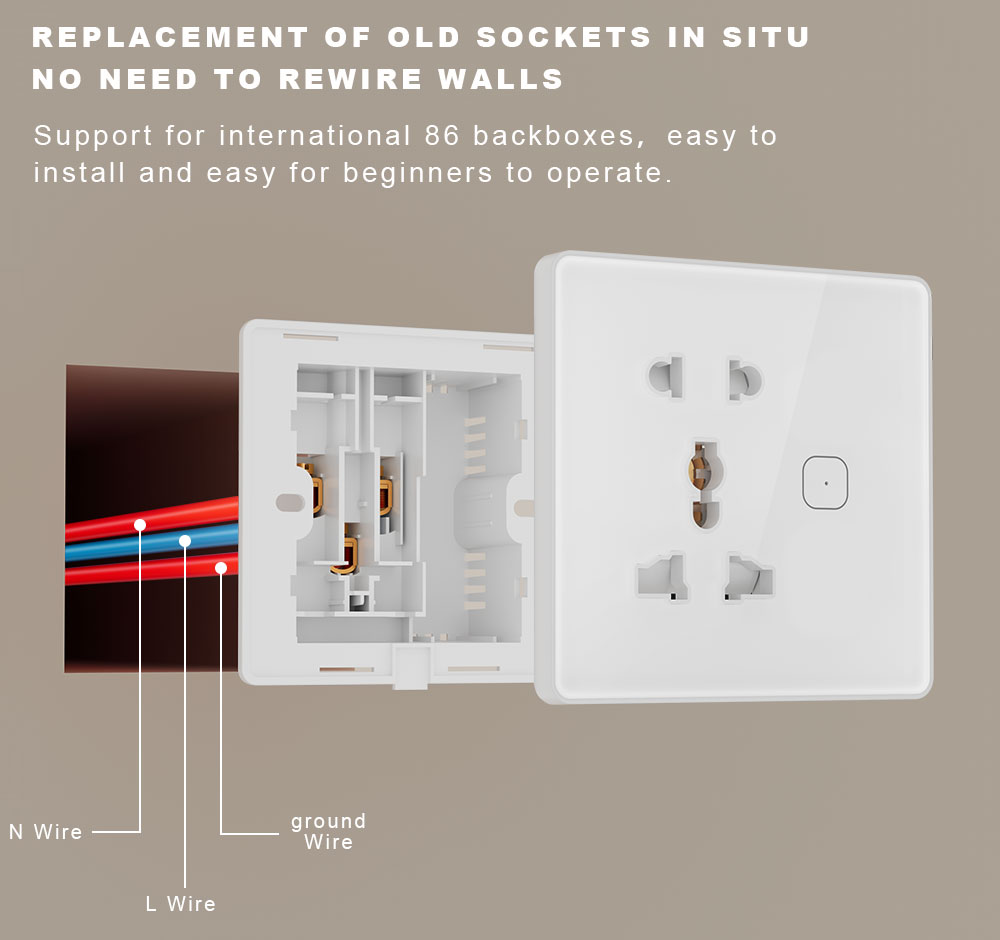
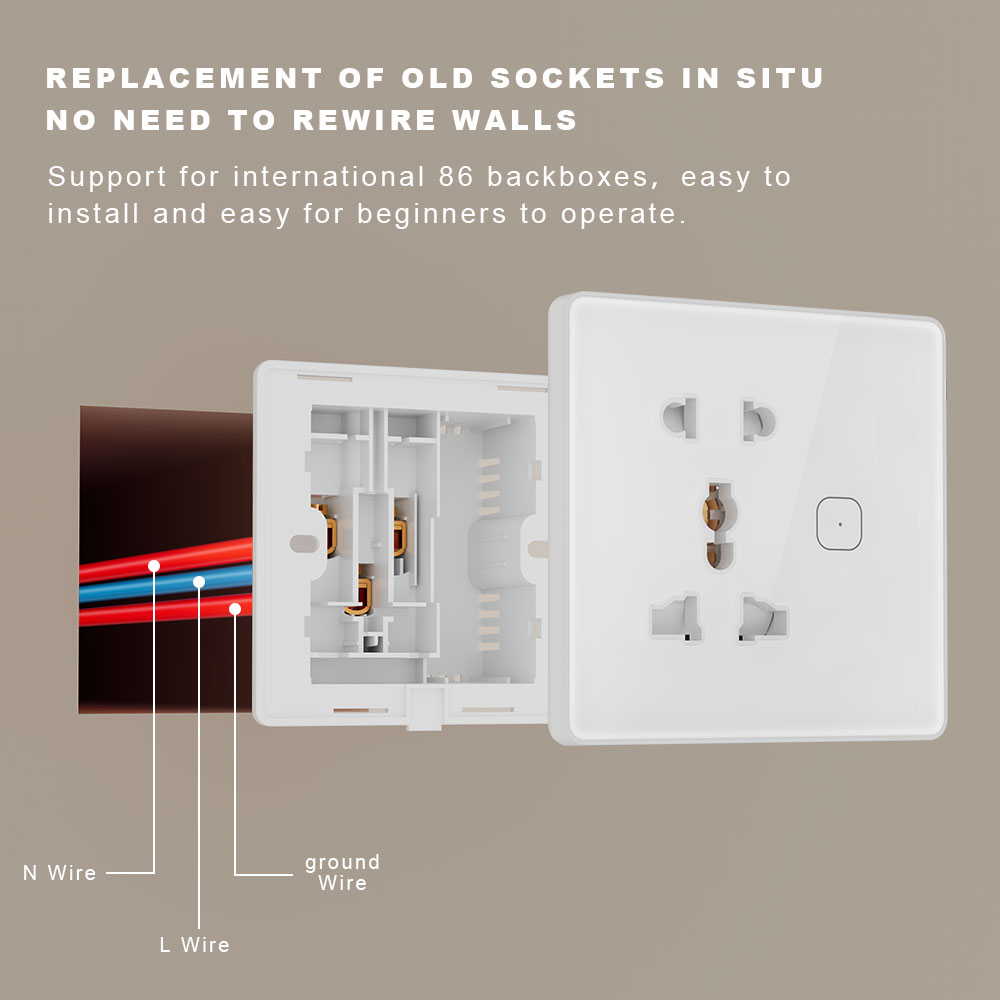
DS-1539WN in-situ replacement without rewiring wallsDS-1539WN wiring diagram for 86 mm back box

Key Features of the DS-1539WN

1. Touch Panel and Manual Override

A touch button on the glass panel switches the socket directly. If the Wi-Fi network is unavailable, the socket still works as a normal switched wall outlet – an important requirement for hotel maintenance teams.
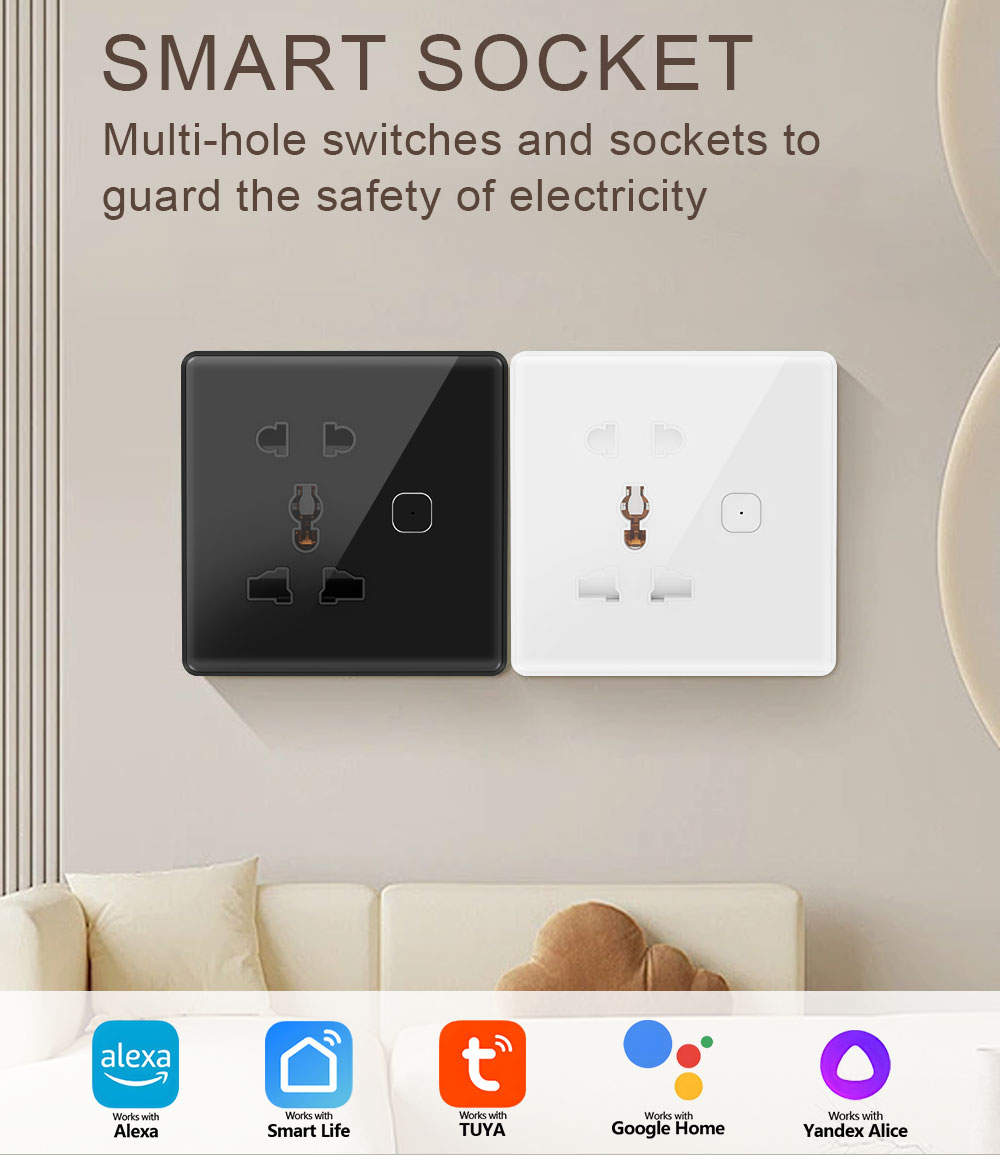
DS-1539WN smart socket installed in a living room

2. App Control with Real Device Naming

Each socket appears in the app as an individually named device (“Wall Socket”, “Living Room”, “Guest Room 402”), so a whole floor can be managed without guessing which outlet is which.
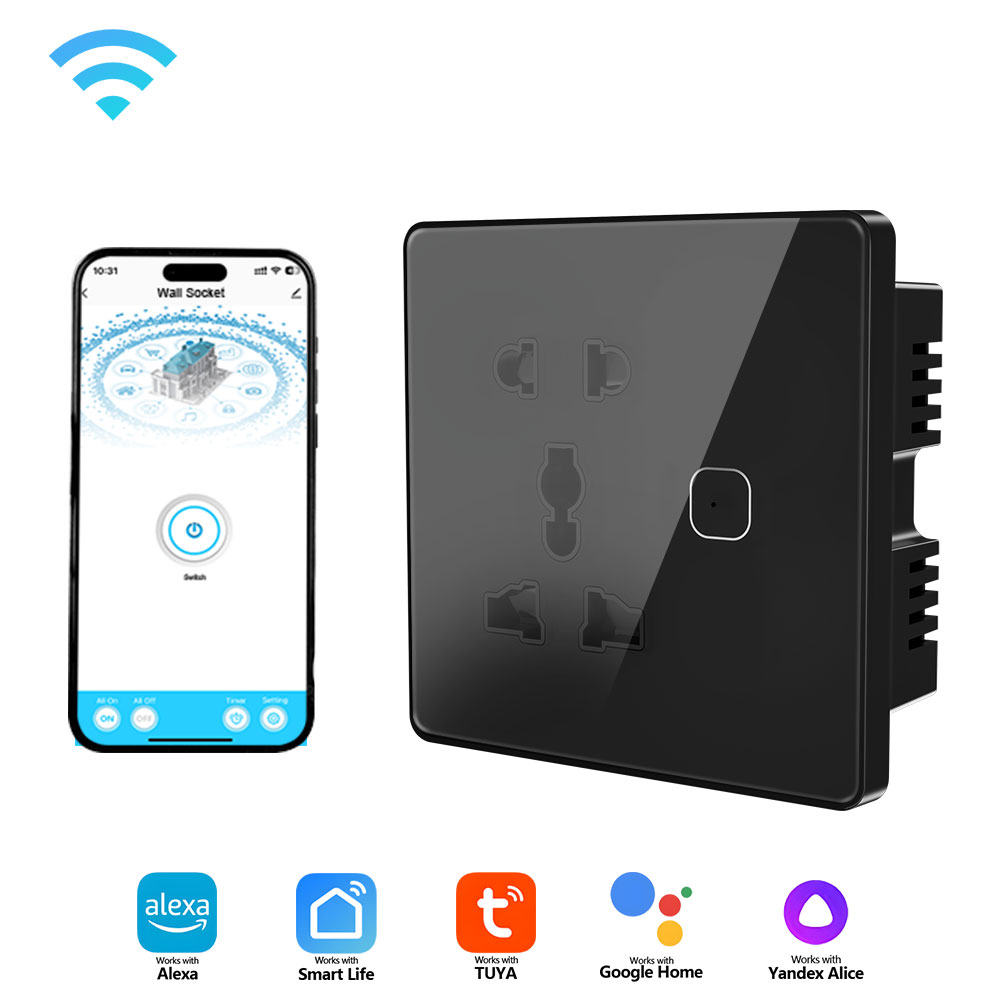
DS-1539WN app control interface on a black WiFi wall socket

3. Voice Control

The socket integrates with Alexa, Google Assistant, Tuya, Smart Life and Yandex Alice ecosystems, so voice control continues to work alongside the app rather than replacing it.

4. Child Safety Shutter

A mechanical safety gate blocks the live contacts until a plug is inserted with the correct pin pressure. This stops thin objects – keys, pins, screwdrivers – from reaching the terminals, a standard requirement for family homes, kindergartens and hotels with children.
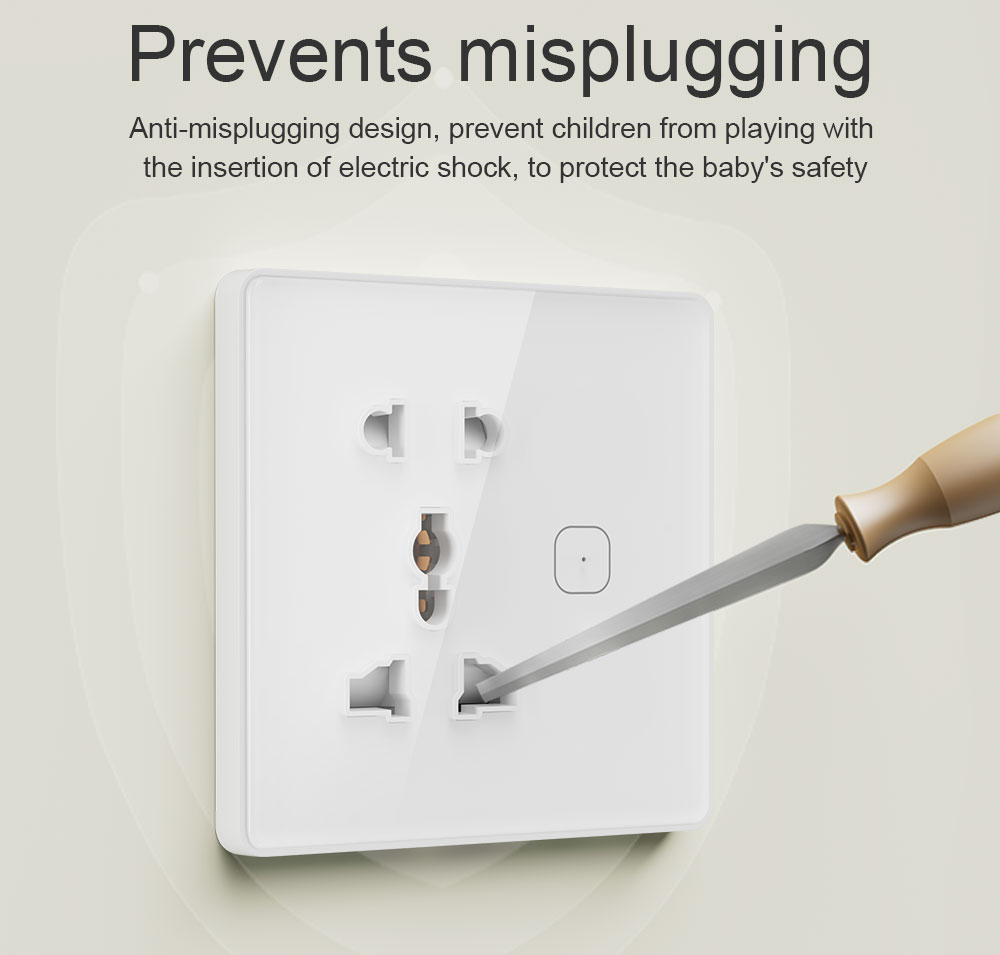
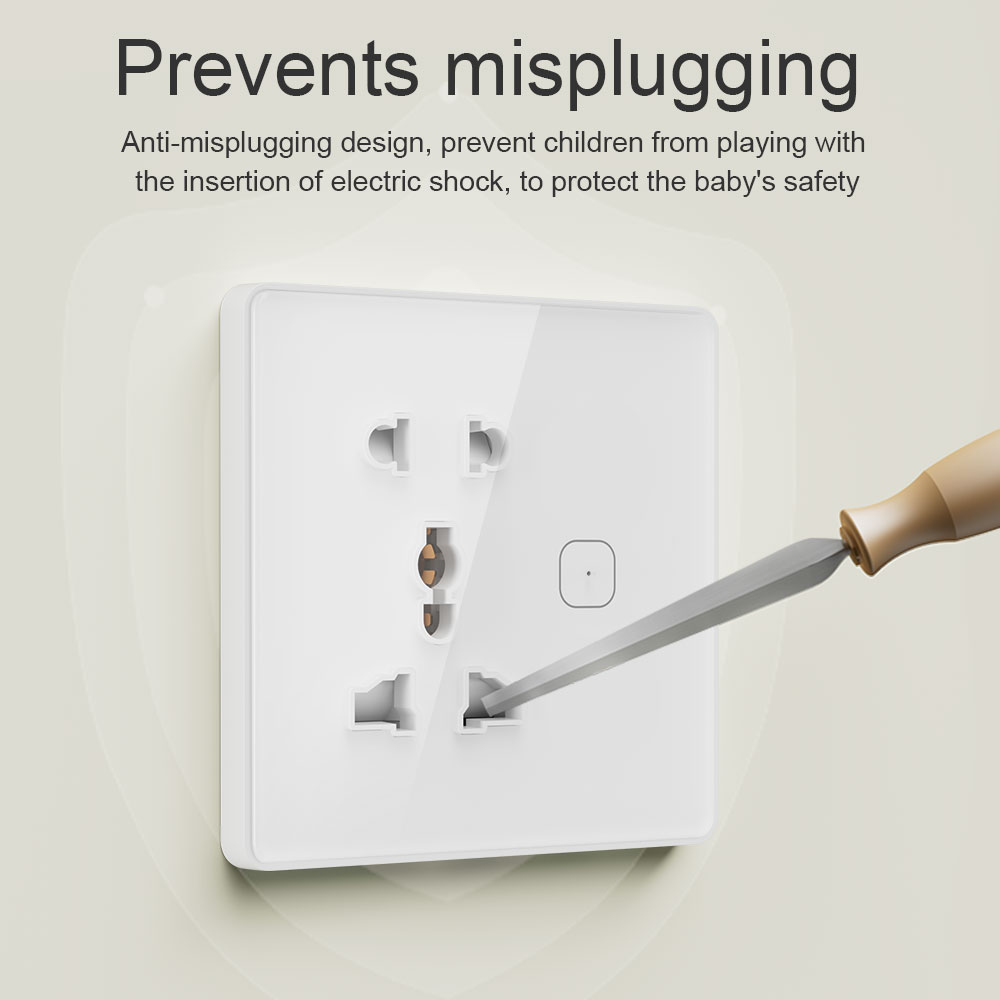
DS-1539WN child proof safety gateDS-1539WN child safety shutter test with foreign object

5. Timer, Schedule and Remote Switching

Devices on the socket – lamps, fans, chargers, dehumidifiers, seasonal displays – can be scheduled or switched remotely. This is the difference between standing charges accumulating unattended and a socket that is off when the building is empty.

6. Heat Dissipation and Rear Terminals

The rear housing carries clearly marked terminals and a vented lower section to keep the module cooler under continuous load. Construction uses a glass front panel over a flame-retardant housing, with visible metal contacts and positive side clips that hold the panel rigid to the wall.
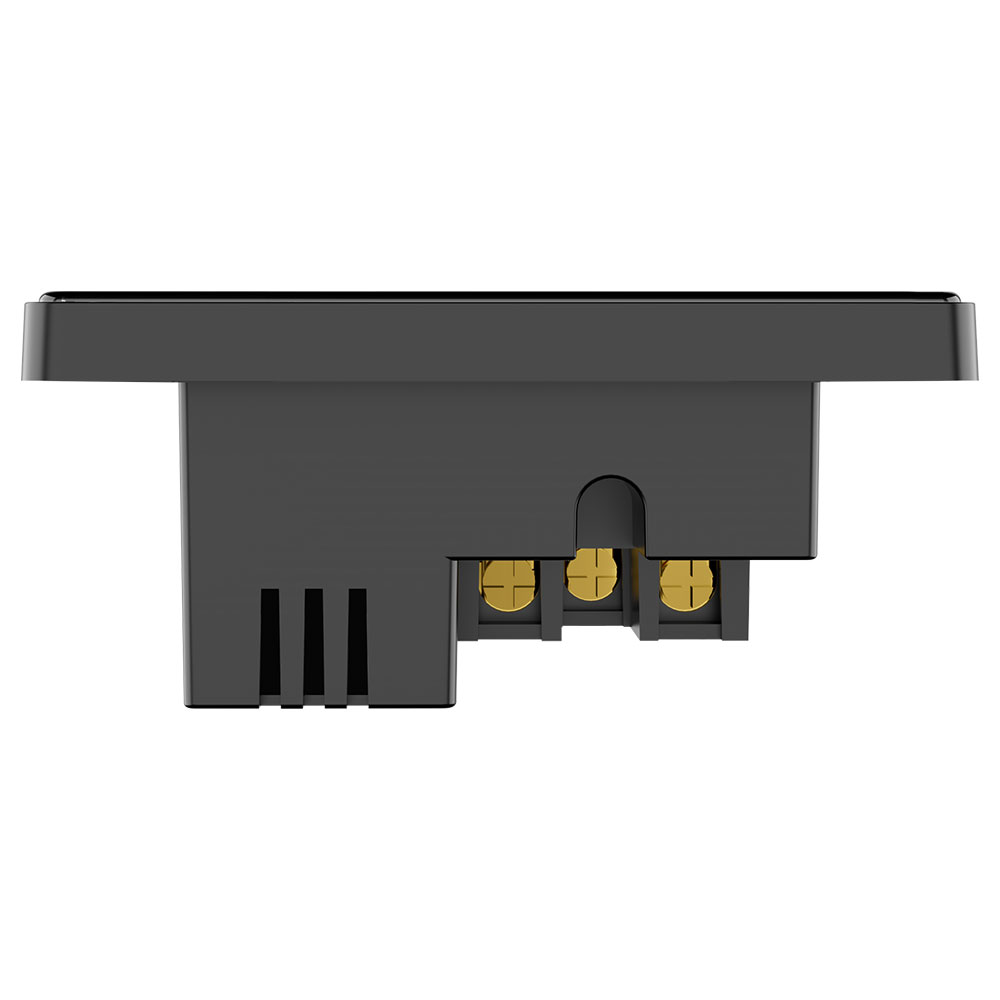
DS-1539WN wall socket back terminals and heat vents

Installation in Four Steps

The supplied manual documents a four-step procedure that any qualified electrician can follow:

  1. Insert a screwdriver into the slot and pry off the front panel.
  2. Confirm the supply is isolated, then connect the wires according to the wiring diagram (terminals marked L and N).
  3. Place the module in the wall box and fix it with the supplied screws.
  4. Clip the panel back on and restore power.
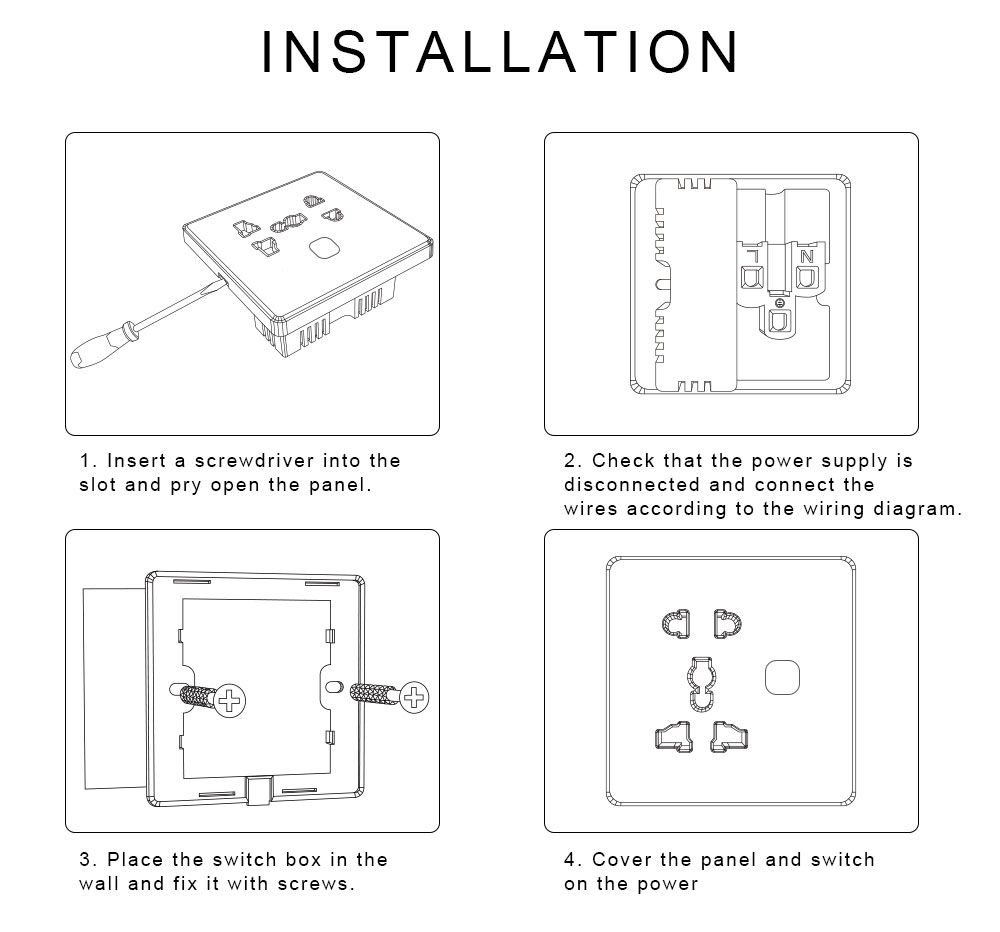
DS-1539WN installation steps for 86 mm back box

Specifications and Pack Contents

Model DS-1539WN
Product type Smart Wi-Fi + BLE wall socket
Wall box standard International 86 mm back box (in-situ replacement)
Front panel Tempered glass, black (touch control)
Terminals L and N, marked on the rear housing
Wireless Wi-Fi + BLE
App Tuya / Smart Life ecosystem
Voice assistants Amazon Alexa, Google Assistant, Yandex Alice
Control Touch panel, app, voice, schedule
Pack contents Smart socket x 1, packaging box x 1, instruction manual x 1, screws x 2
Rated voltage / current Per destination market variant (UK BS / EU) – datasheet on request

Because socket ratings differ between the UK BS and EU markets, always confirm the rated voltage, current and plug standard for your destination before placing a production order.

Where the DS-1539WN Fits Best

  • Hotel and serviced apartment refurbishment – upgrade sockets room by room without closing floors.
  • Rental and student housing – scheduled switching of heating, lighting and appliances.
  • Offices and common areas – see smart lighting and socket solutions for offices.
  • Residential retrofits – child safety and app control added to an existing installation.

Standards, Markets and OEM Support

Sockets are supplied to BS standard requirements for the UK market and to EU standard requirements for European markets, with branded packaging, localised manuals and product labelling available for OEM programmes. As a factory-direct smart switch and socket manufacturer, we quote MOQ, packaging and lead time directly against your project schedule.

FAQ

Will it fit my existing socket box?
If your wall box follows the international 86 mm standard, yes – the module is designed to replace the existing socket without new cabling.

Do I need a neutral wire?
Yes. The socket uses L and N supply terminals plus earth, exactly as a conventional switched socket does.

Can the socket be used without the app?
Yes. The touch panel and any schedule already stored on the device keep working without a network connection.

Is the child safety shutter mechanical?
Yes. It is a physical gate in front of the contacts and does not depend on firmware or the app.

Can I order different plug standards?
Yes. Tell us the destination market and the plug standard required, and we will confirm the matching variant, datasheet and certification documents.

Related Reading

Related Articles

You Might Also Like
Frequently Asked Questions

Is 1539wn Smart Wifi worth buying?

Based on the breakdown in this article, 1539wn Smart Wifi offers a solid mix of features and value. If your main goal matches the key benefits described above, it is a practical choice for everyday use.

How do I choose the right 1539wn smart wifi for my needs?

Start with your core use case, then compare battery life, compatibility, and build quality as covered above. Choosing the right 1539wn smart wifi comes down to matching specs with how you actually use it.

Does 1539wn smart wifi require a companion app?

Most devices of this type pair with a free companion app for setup and firmware updates. A few advanced features may sit behind a paid plan, so check the official specs page before buying.