Posted on — Leave a comment

How to Choose a Bluetooth Touch Switch for a 86 Wall Box — DS-102Y Series

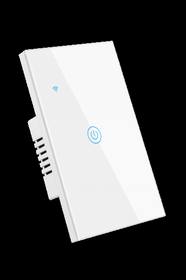
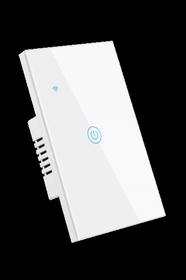
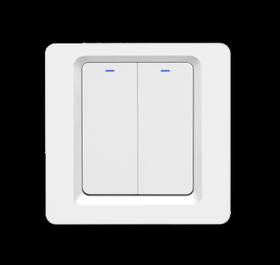
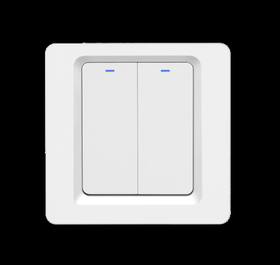
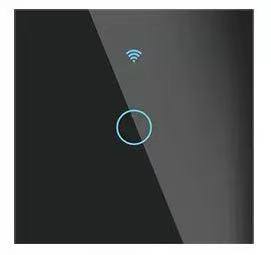
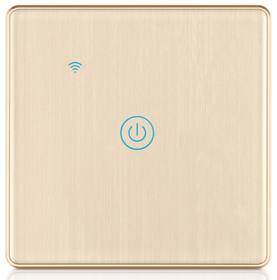
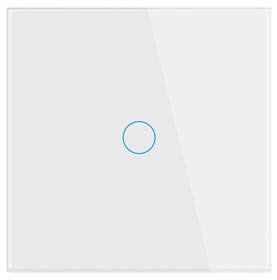
DS-102Y Series WiFi Touch Switch (1 Gang / 2 Gang / 3 Gang)
How to Choose a Bluetooth Touch Switch for a 86 Wall Box — DS-102Y Series

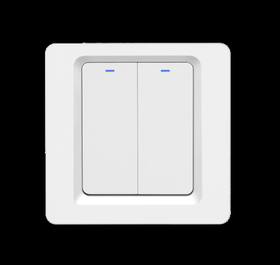
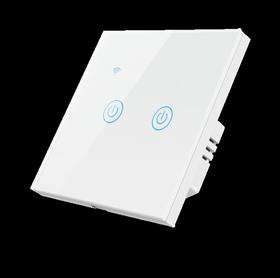
Replacing a Wall Switch looks simple until you open the box. The plate size, whether a neutral is present, and which radio the switch uses decide whether the job takes ten minutes or a visit from an electrician. The DS-102Y Series is built around zero-fire (neutral required) Wiring and Bluetooth, and it ships in 1 Gang / 2 Gang / 3 Gang — so the same look can run through a whole flat or hotel floor.

This guide walks through the four things to settle before you order, with the numbers that matter for European Standard / British Standard / China national standard installations.

1. Match the wall box first

The DS-102Y plate is made for the 86 × 86 mm square wall box (EU / UK / China), which is the standard box in European standard / British standard / China national standard installations. Measure the box, not the old plate: a cover frame can hide a smaller opening, and a plate that is a few millimetres out will not sit flush against the wall. Where the DS-102JLHK Series Fits: Apartments, Hotels and Office Retrofits

2. Check whether you have a neutral

This unit needs a neutral wire in the box — it will not work in a two-wire single-fire box. Open the box and look for a neutral bundle before ordering; if it is not there, you need a single-fire model instead.

3. Pick the radio for the project

No hub and no router needed — pair it straight from the phone for local control and schedules. Bluetooth suits rooms Where you do not want the switch on the network at all, and it keeps working when the router is down.

4. Count the gangs per plate

DS-102Y covers 1 Gang / 2 Gang / 3 Gang. Fewer plates means fewer boxes to chase into the wall and one clean frame instead of three, which is usually the reason people move to multi-gang Touch plates in the first place.

Specifications

Quantity pricing

Indicative unit prices ($10.63–$11.52 depending on gang and finish):

FAQ

Is a neutral wire required?
Yes. This model is zero-fire only.
Does it work with Alexa and Google Home?
Voice control depends on the app ecosystem you pair with; local control and schedules work straight from the phone.
Can I order mixed gangs and colors in one shipment?
Yes. Gang sizes and finishes can be mixed within one order; tell us the split at checkout.

Ready to specify it? Full specifications, gang options, colors and quantity pricing are on the DS-102Y series product page — OEM logo, manual and packaging are available from the first order.

Related Articles

You Might Also Like

ds161Smart Water Heater Switch — EU 86 × 86 mm & US 118 × 72 mm, WiFi / Zigbee / HomeKit / Pure Touch Price range: $8.50 through $16.45C16 Fourth generation Cloud Eye Follow Selfie Stick, 360 AI face tracking gimbal stabilizer with four leg metal keel tripod and bluetooth remoteC16 Fourth Generation Cloud Eye Follow Selfie Stick, 360° AI Face Tracking Gimbal Stabilizer, 4-Leg Metal Keel Tripod with Bluetooth Remote for Vlog Live Streaming Travel Shooting Original price was: $39.96.Current price is: $28.99.DS-121Y Series WiFi Touch Switch (1 Gang / 2 Gang / 3 Gang / 4 Gang)DS-121Y Series WiFi Touch Switch (1 Gang / 2 Gang / 3 Gang / 4 Gang) Price range: $10.78 through $12.12DS-121BWHK Series WiFi Touch Switch (1 Gang / 2 Gang / 3 Gang / 4 Gang)DS-121BWHK Series WiFi Touch Switch (1 Gang / 2 Gang / 3 Gang / 4 Gang) Price range: $10.33 through $11.67

Frequently Asked Questions

Is Choose Bluetooth Touch worth buying?

Based on the breakdown in this article, Choose Bluetooth Touch offers a solid mix of features and value. If your main goal matches the key benefits described above, it is a practical choice for everyday use.

How do I choose the right choose bluetooth touch for my needs?

Start with your core use case, then compare battery life, compatibility, and build quality as covered above. Choosing the right choose bluetooth touch comes down to matching specs with how you actually use it.

Does choose bluetooth touch require a companion app?

Most devices of this type pair with a free companion app for setup and firmware updates. A few advanced features may sit behind a paid plan, so check the official specs page before buying.

Posted on — Leave a comment

DS-102JL vs a Standard Wall Switch: What Actually Changes in a European standard Retrofit

DS-102JL Series WiFi Touch Switch (1 Gang / 2 Gang / 3 Gang)
DS-102JL vs a Standard Wall Switch: What Actually Changes in a European standard Retrofit

Swapping a mechanical switch for a glass Touch plate changes more than the look: the box has to accept it, the Wiring has to feed it, and the switch now needs somewhere to report to. Using the DS-102JL Series as the example, here is what actually changes in a European Standard retrofit.

The plate and the box

The DS-102JL uses the 86 × 86 mm square wall box (EU / UK / China). In most European standard installations the existing box already matches, so the retrofit is a like-for-like swap. What changes is depth: the electronics sit behind the glass, so a very shallow box may need a spacer or a deeper back box.

The wiring

This model works in both single-fire (no neutral) and zero-fire (with neutral) boxes. That is the practical advantage of a universal relay: the same SKU covers the neutral boxes in a new build and the two-wire boxes in a refurbishment, so one order can serve both.

The radio

WiFi 2.4 GHz, no hub needed — it joins the router directly through the tuya / smart life app. For a single room or a small flat, this is the quickest route with nothing extra to buy.

What you gain

  • Group control — one tap or one app scene can drive every gang on the plate.
  • Schedules and countdown — useful for exterior lights, towel rails and anything on a timer.
  • Status at a glance — the app shows whether a light was left on, which a mechanical switch cannot tell you.
  • Voice — Alexa and Google Home once the switch is in the app.
Specifications
Quantity pricing
FAQ
Can I keep my existing faceplate?
No — the touch plate is part of the switch, but the standard box size means no chasing or plastering.
What happens if the WiFi drops?
The touch panel keeps working locally, and schedules stored on the device still run.
Are the plates standard across the range?
Yes — gang sizes and finishes match across the Series, so mixed plates line up on the same wall.

Ready to specify it? Full specifications, gang options, colors and quantity pricing are on the DS-102JL series product page — OEM logo, manual and packaging are available from the first order.

Related Articles

You Might Also Like
DS-102JLHK Series WiFi Touch Switch (1 Gang / 2 Gang / 3 Gang)DS-102JLHK Series WiFi Touch Switch (1 Gang / 2 Gang / 3 Gang) Price range: $10.33 through $11.52DS-102JL Series WiFi Touch Switch (1 Gang / 2 Gang / 3 Gang)DS-102JL Series WiFi Touch Switch (1 Gang / 2 Gang / 3 Gang) Price range: $8.00 through $9.00
Frequently Asked Questions

Is 102jl Standard Wall worth buying?

Based on the breakdown in this article, 102jl Standard Wall offers a solid mix of features and value. If your main goal matches the key benefits described above, it is a practical choice for everyday use.

How do I choose the right 102jl standard wall for my needs?

Start with your core use case, then compare battery life, compatibility, and build quality as covered above. Choosing the right 102jl standard wall comes down to matching specs with how you actually use it.

Does 102jl standard wall require a companion app?

Most devices of this type pair with a free companion app for setup and firmware updates. A few advanced features may sit behind a paid plan, so check the official specs page before buying.

Posted on — Leave a comment

Wiring the DS-102HK Series: What Your Wall Box Needs to Have

DS-102HK Series WiFi Touch Switch (1 Gang / 2 Gang / 3 Gang)
Wiring the DS-102HK Series: What Your Wall Box Needs to Have

Two wires or three? It is the single question that decides which Smart switch you can fit, and it is worth answering before the plates arrive on site. The DS-102HK Series is zero-fire (neutral required): needs a neutral wire in the box — it will not work in a two-wire single-fire box.

What “single-fire” and “zero-fire” actually mean

A zero-fire (neutral) box has a neutral conductor alongside the live, so the switch electronics can draw current without passing it through the lamp. A single-fire box only has live in and switched live out, so the switch has to leak a tiny current through the lamp to stay powered — which is why LED lamps sometimes glow faintly when switched off.

Fitting the DS-102HK

  • With neutral — connect live to L, neutral to N, and the load to L1, L2, L3. No capacitor needed.
  • Test before closing up — power the board, check each gang switches, then clip the plate on. Chasing a Wiring fault after the glass is fitted is how plates get broken.

Which lamps behave best

Incandescent and halogen loads are trouble-free. With LED drivers, use a decent driver and keep the total load above the minimum the driver expects — the capacitor exists precisely for this. If a lamp still glows, move it to a gang with a higher load or add a second capacitor.

Specifications

Connectivity

The DS-102HK talks over a direct Bluetooth link to your phone. No hub and no router needed — pair it straight from the phone for local control and schedules.

Quantity pricing
FAQ
My box has no neutral — can I still use this switch?
No. Choose a single-fire or universal model instead.
Is the capacitor included?
Not needed for this model — it is zero-fire only.
Can I wire it myself?
If you are comfortable replacing a Standard switch, yes. Otherwise use a licensed electrician — local rules vary.

Ready to specify it? Full specifications, gang options, colors and quantity pricing are on the DS-102HK Series product page — OEM logo, manual and packaging are available from the first order.

Related Articles

You Might Also Like
DS-102HK Series WiFi Touch Switch (1 Gang / 2 Gang / 3 Gang)DS-102HK Series WiFi Touch Switch (1 Gang / 2 Gang / 3 Gang) Price range: $9.88 through $10.78
Frequently Asked Questions

Is Wiring 102hk Series worth buying?

Based on the breakdown in this article, Wiring 102hk Series offers a solid mix of features and value. If your main goal matches the key benefits described above, it is a practical choice for everyday use.

How do I choose the right wiring 102hk series for my needs?

Start with your core use case, then compare battery life, compatibility, and build quality as covered above. Choosing the right wiring 102hk series comes down to matching specs with how you actually use it.

Posted on — Leave a comment

DS-101Y vs a Standard Wall Switch: What Actually Changes in a European standard Retrofit

DS-101Y Series WiFi Touch Switch (2 Gang / 3 Gang / 4 Gang)
DS-101Y vs a Standard Wall Switch: What Actually Changes in a European standard Retrofit

Swapping a mechanical switch for a glass touch plate changes more than the look: the box has to accept it, the Wiring has to feed it, and the switch now needs somewhere to report to. Using the DS-101Y Series as the example, here is what actually changes in a European Standard retrofit.

The plate and the box

The DS-101Y uses the 86 × 86 mm square Wall box (EU / UK / China). In most European standard installations the existing box already matches, so the retrofit is a like-for-like swap. What changes is depth: the electronics sit behind the glass, so a very shallow box may need a spacer or a deeper back box.

The wiring

This model needs a neutral wire in the box — it will not work in a two-wire single-fire box. Confirm it before you order in quantity — it is the one thing that cannot be fixed on site.

The radio

Bluetooth, no hub and no router needed — pair it straight from the phone for local control and schedules. For a single room or a small flat, this is the quickest route with nothing extra to buy.

What you gain
  • Group control — one tap or one app scene can drive every gang on the plate.
  • Schedules and countdown — useful for exterior lights, towel rails and anything on a timer.
  • Status at a glance — the app shows whether a light was left on, which a mechanical switch cannot tell you.
  • Voice — Alexa and Google Home once the switch is in the app (Bluetooth models depend on the app ecosystem you pair with).
Specifications
Quantity pricing
FAQ
Can I keep my existing faceplate?
No — the touch plate is part of the switch, but the standard box size means no chasing or plastering.
What happens if the WiFi drops?
The touch panel keeps working locally, and schedules stored on the device still run.
Are the plates standard across the range?
Yes — gang sizes and finishes match across the Series, so mixed plates line up on the same wall.

Ready to specify it? Full specifications, gang options, colors and quantity pricing are on the DS-101Y series product page — OEM logo, manual and packaging are available from the first order.

Related Articles

You Might Also Like
DS-101YJL Series WiFi Touch Switch (1 Gang / 2 Gang / 3 Gang / 4 Gang)DS-101YJL Series WiFi Touch Switch (1 Gang / 2 Gang / 3 Gang / 4 Gang) Price range: $11.07 through $12.87DS-101Y Series WiFi Touch Switch (2 Gang / 3 Gang / 4 Gang)DS-101Y Series WiFi Touch Switch (2 Gang / 3 Gang / 4 Gang) Price range: $10.48 through $11.37
Frequently Asked Questions

Is 101y Standard Wall worth buying?

Based on the breakdown in this article, 101y Standard Wall offers a solid mix of features and value. If your main goal matches the key benefits described above, it is a practical choice for everyday use.

How do I choose the right 101y standard wall for my needs?

Start with your core use case, then compare battery life, compatibility, and build quality as covered above. Choosing the right 101y standard wall comes down to matching specs with how you actually use it.

Does 101y standard wall require a companion app?

Most devices of this type pair with a free companion app for setup and firmware updates. A few advanced features may sit behind a paid plan, so check the official specs page before buying.

Posted on — Leave a comment

How to Choose a Bluetooth Touch Switch for a 86 Wall Box — DS-102 Series

DS-102 Series WiFi Touch Switch (1 Gang / 2 Gang / 3 Gang)
How to Choose a Bluetooth Touch Switch for a 86 Wall Box — DS-102 Series

Replacing a Wall Switch looks simple until you open the box. The plate size, whether a neutral is present, and which radio the switch uses decide whether the job takes ten minutes or a visit from an electrician. The DS-102 Series is built around zero-fire (neutral required) Wiring and Bluetooth, and it ships in 1 Gang / 2 Gang / 3 Gang — so the same look can run through a whole flat or hotel floor.

This guide walks through the four things to settle before you order, with the numbers that matter for European Standard / British Standard / China national standard installations. Where the DS-101BWHK Series Fits: Apartments, Hotels and Office Retrofits

1. Match the wall box first

The DS-102 plate is made for the 86 × 86 mm square wall box (EU / UK / China), which is the standard box in European standard / British standard / China national standard installations. Measure the box, not the old plate: a cover frame can hide a smaller opening, and a plate that is a few millimetres out will not sit flush against the wall.

2. Check whether you have a neutral

This unit needs a neutral wire in the box — it will not work in a two-wire single-fire box. Open the box and look for a neutral bundle before ordering; if it is not there, you need a single-fire model instead.

3. Pick the radio for the project

No hub and no router needed — pair it straight from the phone for local control and schedules. Bluetooth suits rooms Where you do not want the switch on the network at all, and it keeps working when the router is down.

4. Count the gangs per plate

DS-102 covers 1 Gang / 2 Gang / 3 Gang. Fewer plates means fewer boxes to chase into the wall and one clean frame instead of three, which is usually the reason people move to multi-gang touch plates in the first place.

Specifications
Quantity pricing

Indicative unit prices ($7.50–$8.50 depending on gang and finish):

FAQ
Is a neutral wire required?
Yes. This model is zero-fire only.
Does it work with Alexa and Google Home?
Voice control depends on the app ecosystem you pair with; local control and schedules work straight from the phone.
Can I order mixed gangs and colors in one shipment?
Yes. Gang sizes and finishes can be mixed within one order; tell us the split at checkout.

Ready to specify it? Full specifications, gang options, colors and quantity pricing are on the DS-102 series product page — OEM logo, manual and packaging are available from the first order.

Related Articles

You Might Also Like
ds161Smart Water Heater Switch — EU 86 × 86 mm & US 118 × 72 mm, WiFi / Zigbee / HomeKit / Pure Touch Price range: $8.50 through $16.45C16 Fourth generation Cloud Eye Follow Selfie Stick, 360 AI face tracking gimbal stabilizer with four leg metal keel tripod and bluetooth remoteC16 Fourth Generation Cloud Eye Follow Selfie Stick, 360° AI Face Tracking Gimbal Stabilizer, 4-Leg Metal Keel Tripod with Bluetooth Remote for Vlog Live Streaming Travel Shooting Original price was: $39.96.Current price is: $28.99.DS-121Y Series WiFi Touch Switch (1 Gang / 2 Gang / 3 Gang / 4 Gang)DS-121Y Series WiFi Touch Switch (1 Gang / 2 Gang / 3 Gang / 4 Gang) Price range: $10.78 through $12.12DS-121BWHK Series WiFi Touch Switch (1 Gang / 2 Gang / 3 Gang / 4 Gang)DS-121BWHK Series WiFi Touch Switch (1 Gang / 2 Gang / 3 Gang / 4 Gang) Price range: $10.33 through $11.67
Frequently Asked Questions

Is Choose Bluetooth Touch worth buying?

Based on the breakdown in this article, Choose Bluetooth Touch offers a solid mix of features and value. If your main goal matches the key benefits described above, it is a practical choice for everyday use.

How do I choose the right choose bluetooth touch for my needs?

Start with your core use case, then compare battery life, compatibility, and build quality as covered above. Choosing the right choose bluetooth touch comes down to matching specs with how you actually use it.

Does choose bluetooth touch require a companion app?

Most devices of this type pair with a free companion app for setup and firmware updates. A few advanced features may sit behind a paid plan, so check the official specs page before buying.

Posted on — Leave a comment

DS-101BW vs a Standard Wall Switch: What Actually Changes in a European standard Retrofit

DS-101BW Series WiFi Touch Switch (1 Gang / 2 Gang / 3 Gang / 4 Gang)
DS-101BW vs a Standard Wall Switch: What Actually Changes in a European standard Retrofit

Swapping a mechanical switch for a glass Touch plate changes more than the look: the box has to accept it, the Wiring has to feed it, and the switch now needs somewhere to report to. Using the DS-101BW Series as the example, here is what actually changes in a European Standard retrofit.

The plate and the box

The DS-101BW uses the 86 × 86 mm square wall box (EU / UK / China). In most European standard installations the existing box already matches, so the retrofit is a like-for-like swap. What changes is depth: the electronics sit behind the glass, so a very shallow box may need a spacer or a deeper back box.

The wiring

This model needs a neutral wire in the box — it will not work in a two-wire single-fire box. Confirm it before you order in quantity — it is the one thing that cannot be fixed on site.

The radio

Bluetooth, no hub and no router needed — pair it straight from the phone for local control and schedules. For a single room or a small flat, this is the quickest route with nothing extra to buy.

What you gain
  • Group control — one tap or one app scene can drive every Gang on the plate.
  • Schedules and countdown — useful for exterior lights, towel rails and anything on a timer.
  • Status at a glance — the app shows whether a light was left on, which a mechanical switch cannot tell you.
  • Voice — Alexa and Google Home once the switch is in the app (Bluetooth models depend on the app ecosystem you pair with).
Specifications
Quantity pricing
FAQ
Can I keep my existing faceplate?
No — the touch plate is part of the switch, but the standard box size means no chasing or plastering.
What happens if the WiFi drops?
The touch panel keeps working locally, and schedules stored on the device still run.
Are the plates standard across the range?
Yes — gang sizes and finishes match across the Series, so mixed plates line up on the same wall.

Ready to specify it? Full specifications, gang options, colors and quantity pricing are on the DS-101BW series product page — OEM logo, manual and packaging are available from the first order.

Posted on — Leave a comment

Wiring the DS-101ASW Series: What Your Wall Box Needs to Have

DS-101ASW Series — New WiFi Touch Switch (1 Gang / 2 Gang / 3 Gang / 4 Gang)
Wiring the DS-101ASW Series: What Your Wall Box Needs to Have

Two wires or three? It is the single question that decides which Smart switch you can fit, and it is worth answering before the plates arrive on site. The DS-101ASW Series is zero-fire (neutral required): needs a neutral wire in the box — it will not work in a two-wire single-fire box.

What “single-fire” and “zero-fire” actually mean

A zero-fire (neutral) box has a neutral conductor alongside the live, so the switch electronics can draw current without passing it through the lamp. A single-fire box only has live in and switched live out, so the switch has to leak a tiny current through the lamp to stay powered — which is why LED lamps sometimes glow faintly when switched off.

Fitting the DS-101ASW

  • With neutral — connect live to L, neutral to N, and the load to L1, L2, L3. No capacitor needed.
  • Test before closing up — power the board, check each gang switches, then clip the plate on. Chasing a Wiring fault after the glass is fitted is how plates get broken.
Which lamps behave best

Incandescent and halogen loads are trouble-free. With LED drivers, use a decent driver and keep the total load above the minimum the driver expects — the capacitor exists precisely for this. If a lamp still glows, move it to a gang with a higher load or add a second capacitor.

Specifications
Connectivity

The DS-101ASW talks over a 2.4 GHz WiFi connection to your router. No hub needed — it joins the router directly through the Tuya / Smart Life app. Where the DS-101BWHK Series Fits: Apartments, Hotels and Office Retrofits

Quantity pricing
FAQ
My box has no neutral — can I still use this switch?
No. Choose a single-fire or universal model instead.
Is the capacitor included?
Not needed for this model — it is zero-fire only.
Can I wire it myself?
If you are comfortable replacing a Standard switch, yes. Otherwise use a licensed electrician — local rules vary.

Ready to specify it? Full specifications, gang options, colors and quantity pricing are on the DS-101ASW series product page — OEM logo, manual and packaging are available from the first order.

Posted on — Leave a comment

How to Choose a Zigbee Touch Switch for a 86 Wall Box — DS-1011ZC Series

DS-1011ZC Series WiFi Touch Switch (1 Gang / 2 Gang / 3 Gang)
How to Choose a Zigbee Touch Switch for a 86 Wall Box — DS-1011ZC Series

Replacing a Wall Switch looks simple until you open the box. The plate size, whether a neutral is present, and which radio the switch uses decide whether the job takes ten minutes or a visit from an electrician. The DS-1011ZC Series is built around single-fire and zero-fire Wiring and Zigbee 3.0, and it ships in 1 Gang / 2 Gang / 3 Gang — so the same look can run through a whole flat or hotel floor.

This guide walks through the four things to settle before you order, with the numbers that matter for European Standard / British standard / China national standard installations.

1. Match the wall box first

The DS-1011ZC plate is made for the 86 × 86 mm square wall box (EU / UK / China), which is the standard box in European standard / British standard / China national standard installations. Measure the box, not the old plate: a cover frame can hide a smaller opening, and a plate that is a few millimetres out will not sit flush against the wall.

2. Check whether you have a neutral

This unit works in both single-fire (no neutral) and zero-fire (with neutral) boxes. If your box has no neutral, the switch still works — fit the supplied capacitor across the first lamp port of L1 to stop LED lamps glowing or flickering when off. With a neutral present, skip the capacitor.

3. Pick the radio for the project

A Zigbee gateway is required (our wired / wireless gateway covers it) — in return you get mesh coverage and much lower standby power. On a site with dozens of switches, Zigbee also keeps the router free of dozens of extra clients. Smart Home Beginner's Guide 2026: 8 Practical Devices Worth Starting With

4. Count the gangs per plate

DS-1011ZC covers 1 Gang / 2 Gang / 3 Gang. Fewer plates means fewer boxes to chase into the wall and one clean frame instead of three, which is usually the reason people move to multi-gang Touch plates in the first place.

Specifications
Quantity pricing

Indicative unit prices ($11.00–$12.49 depending on gang and finish):

FAQ
Is a neutral wire required?
No, but if there is no neutral you fit the supplied capacitor on L1.
Does it work with Alexa and Google Home?
Yes — through the Tuya / Smart Life skill for Alexa and Google Home.
Can I order mixed gangs and colors in one shipment?
Yes. Gang sizes and finishes can be mixed within one order; tell us the split at checkout.

Ready to specify it? Full specifications, gang options, colors and quantity pricing are on the DS-1011ZC series product page — OEM logo, manual and packaging are available from the first order.

Posted on — Leave a comment

WiFi Smart Wall Socket: Tuya 16A with PD20W Fast Charging

wifi wall socket intelligent - WiFi Smart Wall Socket: Intelligent Power Control for Modern Homes

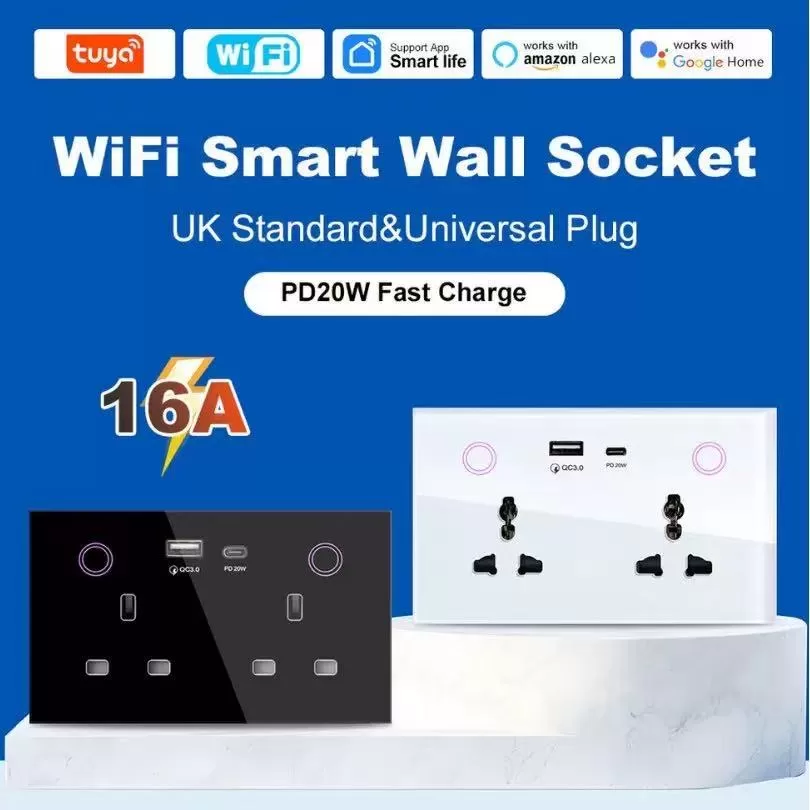
The WiFi Smart Wall Socket transforms any standard wall outlet into a Smart, controllable power source. Featuring Tuya Smart Life integration, 16A high-current rating and PD20W fast charging via USB-C, this dual-gang smart socket delivers both convenience and safety for modern smart Homes. ## Key Features ### Tuya Smart Life App Control Connect the smart wall socket to the Tuya Smart Life app via WiFi (2.4GHz). Therefore, No hub required — simply connect directly to your home WiFi network. Therefore, Control each outlet independently from anywhere in the world using your smartphone. Schedule timers, set countdowns, and create automated scenes to streamline your daily routine. ### 16A High-Current Rating Supporting up to 16A current, this smart wall socket handles high-power appliances including electric kettles, space heaters. For example, And air conditioners. The robust internal components ensure safe operation under heavy loads, with overcurrent protection built in for peace of mind. ### PD20W Fast Charging The integrated USB-C port delivers Power Delivery (PD) 20W output, perfect for fast-charging iPhones, iPads, and other USB-C devices. In addition, For example, A dedicated USB-A port supports Qualcomm Quick Charge 3.0, providing versatile charging options without needing separate wall adapters. ### Voice Control Compatible Works seamlessly with Amazon Alexa and Google Home. Use simple voice commands to turn outlets on or off — no need to reach for your phone or manually press buttons. “Alexa, turn off the living room socket” becomes part of your smart home routine. ### Dual Independent Outlet Control Two AC outlets can be controlled independently through the app or voice commands. Moreover, Charge your phone via USB while keeping one outlet off and the other on — complete flexibility at your fingertips. ### Touch Control with LED Indicator The capacitive touch controls feature elegant LED ring indicators that glow with a soft pink/purple light. In addition, A quick tap toggles power, and the LED provides instant visual confirmation of each outlet’s status. ### Universal Plug Compatibility The universal socket design accepts UK 3-pin, EU 2-pin and US/AU plug types, making it suitable for international use and compatible with a wide range of devices without adapters. ## Design and Build The smart wall socket features a sleek tempered glass panel available in black. Furthermore, And white variants. The flat, minimalist design blends seamlessly with modern home decor. Manual override switches are included below each AC outlet, ensuring physical control is always available even without WiFi connectivity. ## Installation Designed as a direct replacement for standard UK wall sockets, installation requires a neutral wire connection. As a result, Moreover, The dual-gang form factor (approximately 146mm x 86mm) fits standard UK back boxes. Professional installation by a qualified electrician is recommended. ## Smart Home Integration Beyond the Tuya Smart Life app, this smart wall socket integrates into broader smart home setups. Create automation scenes that trigger based on time, location, or other device states. Importantly, Furthermore, For example, automatically turn off all sockets when you leave home, or schedule the coffee machine outlet to activate 10 minutes before your morning alarm. ## Use Cases – **Living Room**: Control lamps, fans, and charge devices from a single smart socket – **Kitchen**: Schedule appliances, monitor energy-hungry devices – **Bedroom**: Set bedtime schedules to automatically power down entertainment systems – **Office**: Manage workstation power, charge devices with built-in USB ports – **Workshop**: Remote-control power tools for added safety ## Conclusion The WiFi Smart Wall Socket with Tuya Smart Life, 16A rating and PD20W fast charging represents the evolution of traditional power outlets into intelligent, connected devices. With voice control, app management, independent outlet switching, and integrated USB fast charging, it eliminates the need for multiple smart plugs. Notably, And USB adapters. Whether upgrading a single room or outfitting an entire home, this smart wall socket provides a clean, integrated solution for modern smart living.

Related Articles
Frequently Asked Questions

Is Wifi Wall Socket Tuya worth buying?

Based on the breakdown in this article, Wifi Wall Socket Tuya offers a solid mix of features and value. If your main goal matches the key benefits described above, it is a practical choice for everyday use.

How do I choose the right wifi wall socket tuya for my needs?

Start with your core use case, then compare battery life, compatibility, and build quality as covered above. Choosing the right wifi wall socket tuya comes down to matching specs with how you actually use it.

Does wifi wall socket tuya require a companion app?

Most devices of this type pair with a free companion app for setup and firmware updates. A few advanced features may sit behind a paid plan, so check the official specs page before buying.

Does wifi wall socket tuya work with both iPhone and Android?

Yes, in most cases this type of device ships with iOS and Android apps, and standard Bluetooth protocols keep cross-platform pairing simple.

Posted on — Leave a comment

WiFi Smart Wall Socket: Intelligent Power Control for Modern Homes

wifi wall socket intelligent - WiFi Smart Wall Socket: Intelligent Power Control for Modern Homes

Transform Your Home with Smart Power Outlets

However, The WiFi Smart Wall Socket is a revolutionary home improvement device that replaces traditional power outlets with intelligent, app-controlled smart sockets. Compatible with major voice assistants and smart home platforms, this wall socket brings automation and convenience to any room in your home. Therefore, With built-in USB fast charging ports and a 16-amp high-current design, it combines power, connectivity, and smart features in a single sleek wall-mounted unit. Wifi

Smart Home Integration

Tuya Smart and Smart Life Compatible

Therefore, Powered by the Tuya smart home ecosystem, this wall socket integrates seamlessly with the Smart Life app for iOS. For example, And Android. Therefore, Control individual outlets remotely, create automated schedules, and monitor power usage from anywhere in the world. In addition, The Tuya platform supports thousands of smart devices, enabling you to create complex automation scenarios that link your smart socket with lights, sensors, cameras, and other connected devices. Smart Fingerprint Door Lock: Keyless Security with Tuya Smart V15S Tuya Smart Watch: Alexa Voice Control, SpO2 Health Monitoring, and Smart Home Integration Best_Tuya_Smart_Control_Screen_2026 Smart Home Security System Guide: Your First Line of Defense

Voice Control Support

However, The smart wall socket works with both Amazon Alexa and Google Assistant, allowing hands-free voice control. Moreover, Simply say commands like “Alexa, turn off the living room outlet” or “Hey Google, turn on the phone charger” to control your devices without reaching for a switch or opening an app. For example, This is especially convenient when your hands are full or when accessibility is a priority. U9 Solar Video Doorbell — Wireless Security | Xingliao ABM780 Baby Monitor The 7 Must-Have Features in a Smart Doorbell (And Why the Tuya 4.3-Inch Model Stands Out) 30A WiFi Smart Boiler Switch: Simple, Safe Remote Water Heater Control

Advanced Features

1. 16A High Current Rating

Therefore, Supporting up to 16 amps of current, this smart socket can safely power high-wattage appliances such as space heaters, air conditioners, microwave ovens, and electric kettles. Furthermore, The robust internal construction ensures safe operation even under heavy load, with overcurrent protection to prevent electrical hazards. Solar Motion Sensor Street Light: Buying Guide, 4 Lighting Modes, and FAQ Smart Light Switch Wholesale: Complete B2B Buying Guide for Retailers and Distributors WiFi Smart Wall Switch Buying Guide for Wholesale Distributors Touch‑Free Hand‑Wave Wall Switch: Hygienic Smart Lighting for Hotels, Healthcare & Modern Homes 4MP 2K HD WiFi Smart Home Camera: Color Night Vision, Spotlight, and Siren Alarm Guide Tuya 3D Face Recognition Smart Lock: Buying Guide, Setup Tips, and FAQ

2. PD 20W and QC 3.0 Fast Charging

Moreover, The built-in USB ports deliver rapid charging for mobile devices. In addition, The USB-C port supports Power Delivery (PD) at 20W, perfect for fast-charging modern smartphones. As a result, And tablets. The USB-A port supports Quick Charge 3.0 technology, providing compatible devices with accelerated charging speeds. Eliminate the need for bulky wall adapters and charge multiple devices directly from the wall socket. Wireless Doorbell Camera Bulk Buying Guide: Profitable B2B Sourcing Strategies Smart PIR Motion Sensor: The Wireless, Battery-Powered Home Security Upgrade Surveillance Camera Wholesale Guide: Complete B2B Solutions for Security Distributors

3. Importantly, Moreover, Touch Control with LED Indicator

In addition, Each outlet features a responsive touch-sensitive button with an LED backlight ring. The soft glow provides a visual indicator of the outlet status, making it easy to find and operate in the dark. Notably, The touch interface offers precise control with no mechanical parts to wear out, ensuring long-term reliability.

4. Furthermore, Premium Build Quality

The panel is crafted from tempered glass with a smooth, scratch-resistant surface that is easy to clean and maintains its appearance over time. However, Available in both black mirror finish and white matte finish, the socket complements any interior design style. The housing is made from flame-retardant PC material for maximum safety.

5. As a result, UK Standard and Universal Plug Options

The socket is available in two configurations: the UK Standard version with British BS 1363 three-pin outlets. Therefore, And the Universal version with multi-standard sockets compatible with plugs from various countries. This makes it suitable for different markets and international applications.

Smart Automation Scenarios

  • Scheduled Power: Set appliances to turn on or off at specific times. Start your coffee maker automatically in the morning or turn off the TV at bedtime.
  • Voice Control: Use Alexa or Google Home routines to control multiple devices with a single voice command.
  • Scene Linkage: Create scenes that trigger multiple actions. For example, Importantly, For example, when you leave home, turn off all non-essential outlets to save energy.
  • Remote Monitoring: Check if devices are left on. Meanwhile, you are away and turn them off remotely for safety and energy savings.
  • Charging Management: Schedule USB charging to off-peak electricity hours to save on energy costs.

Technical Specifications

Smart Platform Tuya Smart / Smart Life
Voice Assistants Amazon Alexa, Google Assistant
Current Rating 16A
USB-C Output PD 20W Fast Charge
USB-A Output QC 3.0 Fast Charge
Connectivity WiFi 2.4GHz
Panel Material Tempered Glass
Plug Standard UK Standard / Universal
Control Method Touch button + APP + Voice

Installation. In addition, And Compatibility

Designed for standard 86mm wall boxes, the smart socket installs easily in place of existing wall outlets. The wiring follows standard electrical conventions, making it suitable for both new installations and retrofitting existing homes. Moreover, The socket is available in both UK and universal plug configurations to suit different regional requirements.

Conclusion

The WiFi Smart Wall Socket is more than just a power outlet. Notably, It is a smart home upgrade that adds intelligence, convenience, and safety to your electrical system. Furthermore, With fast USB charging, voice control compatibility, and robust 16A power handling, it meets the demands of modern households. Meanwhile, looking great on any wall. Whether you are building a new smart home or upgrading an existing one, this socket is an essential component of your connected lifestyle.

Related Articles
Frequently Asked Questions

Is Wifi Wall Socket Intelligent worth buying?

Based on the breakdown in this article, Wifi Wall Socket Intelligent offers a solid mix of features and value. If your main goal matches the key benefits described above, it is a practical choice for everyday use.

How do I choose the right wifi wall socket intelligent for my needs?

Start with your core use case, then compare battery life, compatibility, and build quality as covered above. Choosing the right wifi wall socket intelligent comes down to matching specs with how you actually use it.

Does wifi wall socket intelligent require a companion app?

Most devices of this type pair with a free companion app for setup and firmware updates. A few advanced features may sit behind a paid plan, so check the official specs page before buying.

Does wifi wall socket intelligent work with both iPhone and Android?

Yes, in most cases this type of device ships with iOS and Android apps, and standard Bluetooth protocols keep cross-platform pairing simple.