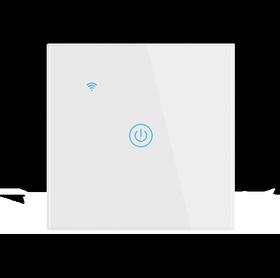
Replacing a Wall switch looks simple until you open the box. The plate size, whether a neutral is present, and which radio the switch uses decide whether the job takes ten minutes or a visit from an electrician. The DS-104JL Series is built around single-fire and zero-fire Wiring and WiFi 2.4 GHz, and it ships in 1 Gang / 2 Gang / 3 Gang / 4 Gang — so the same look can run through a whole flat or hotel floor.
This guide walks through the four things to settle before you order, with the numbers that matter for European Standard / British Standard / China national standard installations. Where the DS-1042ZC Series Fits: Apartments, Hotels and Office Retrofits
1. Match the wall box first
The DS-104JL plate is made for the 86 × 86 mm square wall box (EU / UK / China), which is the standard box in European standard / British standard / China national standard installations. Measure the box, not the old plate: a cover frame can hide a smaller opening, and a plate that is a few millimetres out will not sit flush against the wall.
2. Check whether you have a neutral
This unit works in both single-fire (no neutral) and zero-fire (with neutral) boxes. If your box has no neutral, the switch still works — fit the supplied capacitor across the first lamp port of L1 to stop LED lamps glowing or flickering when off. With a neutral present, skip the capacitor.
3. Pick the radio for the project
No hub needed — it joins the router directly through the Tuya / Smart Life app. WiFi is the simplest to commission — one app, one router, nothing else to buy.
4. Count the gangs per plate
DS-104JL covers 1 Gang / 2 Gang / 3 Gang / 4 Gang. Fewer plates means fewer boxes to chase into the wall and one clean frame instead of three, which is usually the reason people move to multi-gang Touch plates in the first place.
Specifications
Quantity pricing
Indicative unit prices ($7.72–$9.51 depending on gang and finish):
FAQ
- Is a neutral wire required?
- No, but if there is no neutral you fit the supplied capacitor on L1.
- Does it work with Alexa and Google Home?
- Yes — through the Tuya / Smart Life skill for Alexa and Google Home.
- Can I order mixed gangs and colors in one shipment?
- Yes. Gang sizes and finishes can be mixed within one order; tell us the split at checkout.
Ready to specify it? Full specifications, gang options, colors and quantity pricing are on the DS-104JL series product page — OEM logo, manual and packaging are available from the first order.
Related Articles
- How to Choose a Bluetooth Touch Switch for a 86 Wall Box — DS-101BY Series
- How to Choose a Bluetooth Touch Switch for a 86 Wall Box — DS-102Y Series
- How to Choose a Bluetooth Touch Switch for a 86 Wall Box — DS-102 Series
- How to Choose a Zigbee Touch Switch for a 86 Wall Box — DS-1011ZC Series
- WiFi Smart Plug: Current Ratings, Energy Monitoring and What to Check Before Buying
You Might Also Like
 Smart Water Heater Switch — EU 86 × 86 mm & US 118 × 72 mm, WiFi / ZigBee / HomeKit / Pure Touch Price range: $8.50 through $16.45
 Mini Smart Breaker Module — WiFi / ZigBee / HomeKit Price range: $6.00 through $9.00
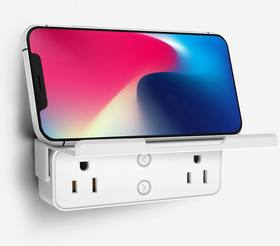 US Standard WiFi Smart Socket — 1-in 2-out, with or without Shelf Clamp Price range: $11.36 through $12.66
 147 × 86 mm Touch Switch Series — 4 / 6 / 8 Gang, WiFi & ZigBee Price range: $12.50 through $16.50
Frequently Asked Questions
Is Choose Wifi Touch worth buying?
Based on the breakdown in this article, Choose Wifi Touch offers a solid mix of features and value. If your main goal matches the key benefits described above, it is a practical choice for everyday use.
How do I choose the right choose wifi touch for my needs?
Start with your core use case, then compare battery life, compatibility, and build quality as covered above. Choosing the right choose wifi touch comes down to matching specs with how you actually use it.
Does choose wifi touch require a companion app?
Most devices of this type pair with a free companion app for setup and firmware updates. A few advanced features may sit behind a paid plan, so check the official specs page before buying.
📌 This article is part of our Complete Wifi Hub — more guides and buying tips inside.