Posted on — Leave a comment

Wiring the DS-1110AW Series: Single-Fire, Zero-Fire and the Capacitor Question

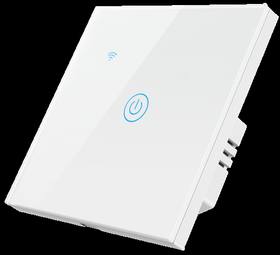
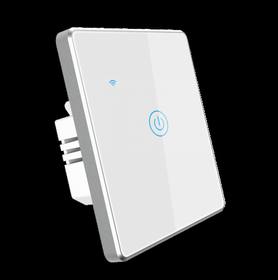
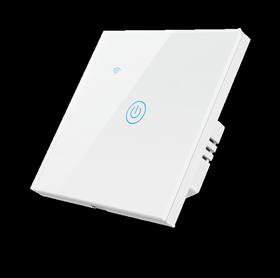
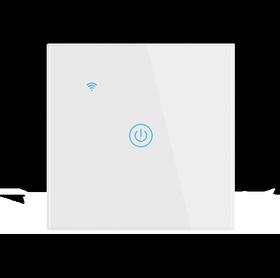
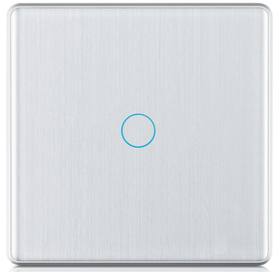
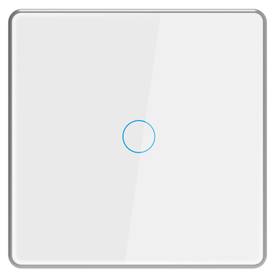
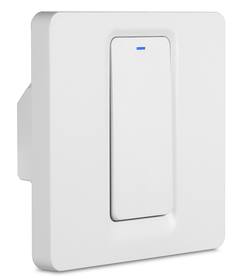
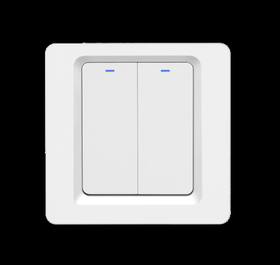
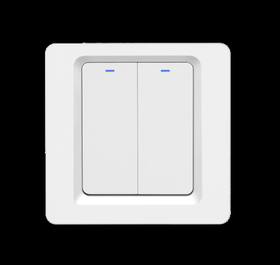
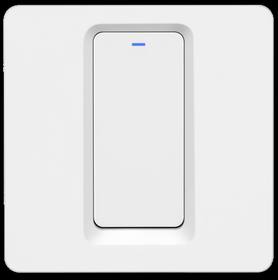
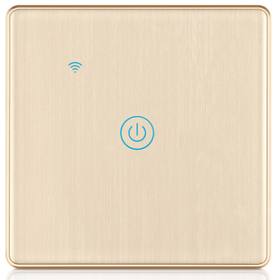
DS-1110AW Series — New WiFi Touch Switch (1 Gang / 2 Gang / 3 Gang / 4 Gang)
Wiring the DS-1110AW Series: Single-Fire, Zero-Fire and the Capacitor Question

Two wires or three? It is the single question that decides which Smart Switch you can fit, and it is worth answering before the plates arrive on site. The DS-1110AW Series is single-fire and zero-fire: works in both single-fire (no neutral) and zero-fire (with neutral) boxes.

What “single-fire” and “zero-fire” actually mean

A zero-fire (neutral) box has a neutral conductor alongside the live, so the Switch electronics can draw current without passing it through the lamp. A single-fire box only has live in and switched live out, so the Switch has to leak a tiny current through the lamp to stay powered — which is why LED lamps sometimes glow faintly when switched off.

Fitting the DS-1110AW

  • With neutral — connect live to L, neutral to N, and the load to L1, L2, L3. No capacitor needed.
  • Without neutral — connect live to L and the load to L1, then fit the supplied capacitor across the first lamp port of L1. It absorbs the leakage current and stops the flicker.
  • Test before closing up — power the board, check each gang switches, then clip the plate on. Chasing a Wiring fault after the glass is fitted is how plates get broken.

Which lamps behave best

Incandescent and halogen loads are trouble-free. With LED drivers, use a decent driver and keep the total load above the minimum the driver expects — the capacitor exists precisely for this. If a lamp still glows, move it to a gang with a higher load or add a second capacitor.

Specifications

Connectivity

The DS-1110AW talks over Zigbee 3.0 through a gateway. A Zigbee gateway is required (our wired / wireless gateway covers it) — in return you get mesh coverage and much lower standby power.

Quantity pricing

FAQ

My box has no neutral — can I still use this Switch?
Yes. Fit the supplied capacitor on the first lamp port of L1.
Is the capacitor included?
Yes, it ships with the switch.
Can I wire it myself?
If you are comfortable replacing a Standard switch, yes. Otherwise use a licensed electrician — local rules vary.

Ready to specify it? Full specifications, gang options, colors and quantity pricing are on the DS-1110AW series product page — OEM logo, manual and packaging are available from the first order.

Related Articles

You Might Also Like

Frequently Asked Questions

Is Wiring 1110aw Series worth buying?

Based on the breakdown in this article, Wiring 1110aw Series offers a solid mix of features and value. If your main goal matches the key benefits described above, it is a practical choice for everyday use.

How do I choose the right wiring 1110aw series for my needs?

Start with your core use case, then compare battery life, compatibility, and build quality as covered above. Choosing the right wiring 1110aw Series comes down to matching specs with how you actually use it.

Posted on — Leave a comment

DS-111 Series Smart Switch: 1 Gang / 2 Gang / 3 Gang / 4 Gang, Wiring and What to Check Before You Order

DS-111 Series WiFi Touch Switch (1 Gang / 2 Gang / 3 Gang / 4 Gang)
DS-111 Series Smart Switch: 1 Gang / 2 Gang / 3 Gang / 4 Gang, Wiring and What to Check Before You Order

Smart switches are specified on four numbers: the box they drop into, the Wiring they accept, the radio they speak and the load they Switch. Get those right and everything else — the app, the schedules, the voice control — is the same across the range. Here is the full sheet for the DS-111 Series, 1 Gang / 2 Gang / 3 Gang / 4 Gang.

What is in the series

The DS-111 family is a Zigbee 3.0 Touch switch for the 86 × 86 mm square Wall box (EU / UK / China). It works in both single-fire (no neutral) and zero-fire (with neutral) boxes, so the same SKU covers new builds with a neutral and older flats without one. Finishes and gang counts can be mixed inside one order, which matters when a Single project needs one-gang plates in the bedrooms and three-gang plates in the living room.

Specifications

Wiring notes

  • Zero-fire box — live to L, neutral to N, load to L1 (L2, L3 for the remaining gangs).
  • Single-fire box — fit the supplied capacitor across the first lamp port of L1.
  • Load — stay inside the per-gang rating in the table above; LED drivers with a high inrush current are the usual reason a switch trips on day one.

Connectivity and control

A Zigbee gateway is required (our wired / wireless gateway covers it) — in return you get mesh coverage and much lower standby power. Once paired you get on/off, schedules, countdown timers, group control across gangs and sharing with other household members. Scene buttons can trigger other Zigbee devices in the same mesh.

Quantity pricing
FAQ
What is the minimum order?
Single units are available for sampling; the price breaks in the table above start at the first tier.
Can the switch be used without the app?
Yes — the Touch panel always works locally. The app adds remote control, schedules and voice.
Do you do OEM?
Yes — logo, packaging, manual and boot screen can be customised from the first order.

Ready to specify it? Full specifications, gang options, colors and quantity pricing are on the DS-111 series product page — OEM logo, manual and packaging are available from the first order.

Related Articles

You Might Also Like
Frequently Asked Questions

Is 111 Series Smart worth buying?

Based on the breakdown in this article, 111 Series Smart offers a solid mix of features and value. If your main goal matches the key benefits described above, it is a practical choice for everyday use.

How do I choose the right 111 series smart for my needs?

Start with your core use case, then compare battery life, compatibility, and build quality as covered above. Choosing the right 111 Series smart comes down to matching specs with how you actually use it.

Does 111 series smart require a companion app?

Most devices of this type pair with a free companion app for setup and firmware updates. A few advanced features may sit behind a paid plan, so check the official specs page before buying.

Posted on — Leave a comment

Where the DS-1081WL Series Fits: Apartments, Hotels and Office Retrofits

DS-1081WL Series WiFi Touch Switch (1 Gang / 2 Gang / 3 Gang / 4 Gang)
Where the DS-1081WL Series Fits: Apartments, Hotels and Office Retrofits

Not every smart Switch belongs in every building. Multi-gang Touch plates earn their keep Where several circuits meet at one point, Where guests need a single obvious control, or Where the Wall cannot be chased for extra boxes. The DS-1081WL Series covers 1 Gang / 2 Gang / 3 Gang / 4 Gang on the 86 × 86 mm square Wall box (EU / UK / China), over WiFi 2.4 GHz.

Apartments and flats

In a flat the usual problem is a living room with three or four circuits on one plate position and no appetite for opening the wall. A 1 Gang / 2 Gang / 3 Gang / 4 Gang plate replaces the stack of single switches with one frame, and the app can group the gangs so “evening” is one tap. Because the unit works in both single-fire (no neutral) and zero-fire (with neutral) boxes, it also works in blocks where the boxes were never wired with a neutral (fit the supplied capacitor on L1).

Hotels and serviced apartments

Guest rooms benefit from fewer controls and a plate that is easy to wipe clean. The DS-1081WL glass face has no gaps for dust, the gangs can be labelled for bedside, desk and bathroom, and WiFi lets housekeeping check a room from the front desk.

Offices and small commercial refits

Meeting rooms need scene control rather than individual switches, and retrofits are usually done outside working hours — a like-for-like plate swap keeps the programme short. Schedule the lights to drop after hours and the switch pays for itself in the first year.

Specifications
Quantity pricing

Unit price depends on quantity ($7.50–$9.00 across the variants):

FAQ
How many gangs can go on one plate?
The Series covers 1 Gang / 2 Gang / 3 Gang / 4 Gang.
Can different gangs control different circuits?
Yes — each gang is an independent channel.
Is there a minimum order for OEM branding?
OEM logo, manual and packaging can be done from the first order; ask for the exact MOQ for custom tooling.

Ready to specify it? Full specifications, gang options, colors and quantity pricing are on the DS-1081WL series product page — OEM logo, manual and packaging are available from the first order.

Related Articles

You Might Also Like
Frequently Asked Questions

Is Where 1081wl Series worth buying?

Based on the breakdown in this article, Where 1081wl Series offers a solid mix of features and value. If your main goal matches the key benefits described above, it is a practical choice for everyday use.

How do I choose the right where 1081wl series for my needs?

Start with your core use case, then compare battery life, compatibility, and build quality as covered above. Choosing the right where 1081wl Series comes down to matching specs with how you actually use it.

Does where 1081wl series require a companion app?

Most devices of this type pair with a free companion app for setup and firmware updates. A few advanced features may sit behind a paid plan, so check the official specs page before buying.

Posted on — Leave a comment

Wiring the DS-1071WN Series: What Your Wall Box Needs to Have

DS-1071WN Series WiFi Touch Switch (1 Gang / 2 Gang / 3 Gang / 4 Gang)
Wiring the DS-1071WN Series: What Your Wall Box Needs to Have

Two wires or three? It is the single question that decides which smart Switch you can fit, and it is worth answering before the plates arrive on site. The DS-1071WN Series is zero-fire (neutral required): needs a neutral wire in the box — it will not work in a two-wire single-fire box.

What “single-fire” and “zero-fire” actually mean

A zero-fire (neutral) box has a neutral conductor alongside the live, so the Switch electronics can draw current without passing it through the lamp. A single-fire box only has live in and switched live out, so the Switch has to leak a tiny current through the lamp to stay powered — which is why LED lamps sometimes glow faintly when switched off.

Fitting the DS-1071WN

  • With neutral — connect live to L, neutral to N, and the load to L1, L2, L3. No capacitor needed.
  • Test before closing up — power the board, check each gang switches, then clip the plate on. Chasing a Wiring fault after the glass is fitted is how plates get broken.
Which lamps behave best

Incandescent and halogen loads are trouble-free. With LED drivers, use a decent driver and keep the total load above the minimum the driver expects — the capacitor exists precisely for this. If a lamp still glows, move it to a gang with a higher load or add a second capacitor.

Specifications
Connectivity

The DS-1071WN talks over a direct Bluetooth link to your phone. No hub and no router needed — pair it straight from the phone for local control and schedules. Where the DS-101YJL Series Fits: Apartments, Hotels and Office Retrofits Where the DS-123Y Series Fits: Apartments, Hotels and Office Retrofits

Quantity pricing
FAQ
My box has no neutral — can I still use this Switch?
No. Choose a single-fire or universal model instead.
Is the capacitor included?
Not needed for this model — it is zero-fire only.
Can I wire it myself?
If you are comfortable replacing a Standard switch, yes. Otherwise use a licensed electrician — local rules vary.

Ready to specify it? Full specifications, gang options, colors and quantity pricing are on the DS-1071WN series product page — OEM logo, manual and packaging are available from the first order.

Related Articles

You Might Also Like
Frequently Asked Questions

Is Wiring 1071wn Series worth buying?

Based on the breakdown in this article, Wiring 1071wn Series offers a solid mix of features and value. If your main goal matches the key benefits described above, it is a practical choice for everyday use.

How do I choose the right wiring 1071wn series for my needs?

Start with your core use case, then compare battery life, compatibility, and build quality as covered above. Choosing the right wiring 1071wn Series comes down to matching specs with how you actually use it.

Posted on — Leave a comment

DS-1071WL Series Smart Switch: 1 Gang / 2 Gang / 3 Gang / 4 Gang, Wiring and What to Check Before You Order

DS-1071WL Series WiFi Touch Switch (1 Gang / 2 Gang / 3 Gang / 4 Gang)
DS-1071WL Series Smart Switch: 1 Gang / 2 Gang / 3 Gang / 4 Gang, Wiring and What to Check Before You Order

Smart switches are specified on four numbers: the box they drop into, the Wiring they accept, the radio they speak and the load they Switch. Get those right and everything else — the app, the schedules, the voice control — is the same across the range. Here is the full sheet for the DS-1071WL Series, 1 Gang / 2 Gang / 3 Gang / 4 Gang.

What is in the series

The DS-1071WL family is a WiFi 2.4 GHz Touch Switch for the 86 × 86 mm square Wall box (EU / UK / China). It works in both single-fire (no neutral) and zero-fire (with neutral) boxes, so the same SKU covers new builds with a neutral and older flats without one. Finishes and gang counts can be mixed inside one order, which matters when a Single project needs one-gang plates in the bedrooms and three-gang plates in the living room.

Specifications
Wiring notes
  • Zero-fire box — live to L, neutral to N, load to L1 (L2, L3 for the remaining gangs).
  • Single-fire box — fit the supplied capacitor across the first lamp port of L1.
  • Load — stay inside the per-gang rating in the table above; LED drivers with a high inrush current are the usual reason a switch trips on day one.
Connectivity and control

No hub needed — it joins the router directly through the Tuya / Smart Life app. Once paired you get on/off, schedules, countdown timers, group control across gangs and sharing with other household members. Scenes in the app can chain several switches together.

Quantity pricing
FAQ
What is the minimum order?
Single units are available for sampling; the price breaks in the table above start at the first tier.
Can the switch be used without the app?
Yes — the Touch panel always works locally. The app adds remote control, schedules and voice.
Do you do OEM?
Yes — logo, packaging, manual and boot screen can be customised from the first order.

Ready to specify it? Full specifications, gang options, colors and quantity pricing are on the DS-1071WL series product page — OEM logo, manual and packaging are available from the first order. Where the DS-123Y Series Fits: Apartments, Hotels and Office Retrofits

Related Articles

You Might Also Like
Frequently Asked Questions

Is 1071wl Series Smart worth buying?

Based on the breakdown in this article, 1071wl Series Smart offers a solid mix of features and value. If your main goal matches the key benefits described above, it is a practical choice for everyday use.

How do I choose the right 1071wl series smart for my needs?

Start with your core use case, then compare battery life, compatibility, and build quality as covered above. Choosing the right 1071wl Series smart comes down to matching specs with how you actually use it.

Does 1071wl series smart require a companion app?

Most devices of this type pair with a free companion app for setup and firmware updates. A few advanced features may sit behind a paid plan, so check the official specs page before buying.

Posted on — Leave a comment

Wiring the DS-104 Series: What Your Wall Box Needs to Have

DS-104 Series WiFi Touch Switch (1 Gang / 2 Gang / 3 Gang / 4 Gang)
Wiring the DS-104 Series: What Your Wall Box Needs to Have

Two wires or three? It is the single question that decides which Smart Switch you can fit, and it is worth answering before the plates arrive on site. The DS-104 Series is zero-fire (neutral required): needs a neutral wire in the box — it will not work in a two-wire single-fire box.

What “single-fire” and “zero-fire” actually mean

A zero-fire (neutral) box has a neutral conductor alongside the live, so the Switch electronics can draw current without passing it through the lamp. A single-fire box only has live in and switched live out, so the Switch has to leak a tiny current through the lamp to stay powered — which is why LED lamps sometimes glow faintly when switched off.

Fitting the DS-104

  • With neutral — connect live to L, neutral to N, and the load to L1, L2, L3. No capacitor needed.
  • Test before closing up — power the board, check each gang switches, then clip the plate on. Chasing a Wiring fault after the glass is fitted is how plates get broken.
Which lamps behave best

Incandescent and halogen loads are trouble-free. With LED drivers, use a decent driver and keep the total load above the minimum the driver expects — the capacitor exists precisely for this. If a lamp still glows, move it to a gang with a higher load or add a second capacitor.

Specifications
Connectivity

The DS-104 talks over a 2.4 GHz WiFi connection to your router. No hub needed — it joins the router directly through the Tuya / Smart Life app. Where the DS-123Y Series Fits: Apartments, Hotels and Office Retrofits

Quantity pricing
FAQ
My box has no neutral — can I still use this Switch?
No. Choose a single-fire or universal model instead.
Is the capacitor included?
Not needed for this model — it is zero-fire only.
Can I wire it myself?
If you are comfortable replacing a Standard Switch, yes. Otherwise use a licensed electrician — local rules vary.

Ready to specify it? Full specifications, gang options, colors and quantity pricing are on the DS-104 series product page — OEM logo, manual and packaging are available from the first order.

Related Articles

You Might Also Like
Frequently Asked Questions

Is Wiring 104 Series worth buying?

Based on the breakdown in this article, Wiring 104 Series offers a solid mix of features and value. If your main goal matches the key benefits described above, it is a practical choice for everyday use.

How do I choose the right wiring 104 series for my needs?

Start with your core use case, then compare battery life, compatibility, and build quality as covered above. Choosing the right wiring 104 Series comes down to matching specs with how you actually use it.

Does wiring 104 series require a companion app?

Most devices of this type pair with a free companion app for setup and firmware updates. A few advanced features may sit behind a paid plan, so check the official specs page before buying.

Posted on — Leave a comment

DS-102YJL Series Smart Switch: 1 Gang / 2 Gang / 3 Gang, Wiring and What to Check Before You Order

DS-102YJL Series WiFi Touch Switch (1 Gang / 2 Gang / 3 Gang)
DS-102YJL Series Smart Switch: 1 Gang / 2 Gang / 3 Gang, Wiring and What to Check Before You Order

Smart switches are specified on four numbers: the box they drop into, the Wiring they accept, the radio they speak and the load they Switch. Get those right and everything else — the app, the schedules, the voice control — is the same across the range. Here is the full sheet for the DS-102YJL Series, 1 Gang / 2 Gang / 3 Gang.

What is in the series

The DS-102YJL family is a WiFi 2.4 GHz Touch Switch for the 86 × 86 mm square Wall box (EU / UK / China). It works in both single-fire (no neutral) and zero-fire (with neutral) boxes, so the same SKU covers new builds with a neutral and older flats without one. Finishes and gang counts can be mixed inside one order, which matters when a single project needs one-gang plates in the bedrooms and three-gang plates in the living room.

Specifications
Wiring notes
  • Zero-fire box — live to L, neutral to N, load to L1 (L2, L3 for the remaining gangs).
  • Single-fire box — fit the supplied capacitor across the first lamp port of L1.
  • Load — stay inside the per-gang rating in the table above; LED drivers with a high inrush current are the usual reason a Switch trips on day one.
Connectivity and control

No hub needed — it joins the router directly through the Tuya / Smart Life app. Once paired you get on/off, schedules, countdown timers, group control across gangs and sharing with other household members. Scenes in the app can chain several switches together.

Quantity pricing
FAQ
What is the minimum order?
Single units are available for sampling; the price breaks in the table above start at the first tier.
Can the switch be used without the app?
Yes — the Touch panel always works locally. The app adds remote control, schedules and voice.
Do you do OEM?
Yes — logo, packaging, manual and boot screen can be customised from the first order.

Ready to specify it? Full specifications, gang options, colors and quantity pricing are on the DS-102YJL series product page — OEM logo, manual and packaging are available from the first order.

Related Articles

You Might Also Like
Frequently Asked Questions

Is 102yjl Series Smart worth buying?

Based on the breakdown in this article, 102yjl Series Smart offers a solid mix of features and value. If your main goal matches the key benefits described above, it is a practical choice for everyday use.

How do I choose the right 102yjl series smart for my needs?

Start with your core use case, then compare battery life, compatibility, and build quality as covered above. Choosing the right 102yjl Series Smart comes down to matching specs with how you actually use it.

Does 102yjl series smart require a companion app?

Most devices of this type pair with a free companion app for setup and firmware updates. A few advanced features may sit behind a paid plan, so check the official specs page before buying.

Posted on — Leave a comment

Where the DS-102JLHK Series Fits: Apartments, Hotels and Office Retrofits

DS-102JLHK Series WiFi Touch Switch (1 Gang / 2 Gang / 3 Gang)
Where the DS-102JLHK Series Fits: Apartments, Hotels and Office Retrofits

Not every smart switch belongs in every building. Multi-gang Touch plates earn their keep Where several circuits meet at one point, where guests need a single obvious control, or where the Wall cannot be chased for extra boxes. The DS-102JLHK Series covers 1 Gang / 2 Gang / 3 Gang on the 86 × 86 mm square wall box (EU / UK / China), over WiFi 2.4 GHz.

Apartments and flats

In a flat the usual problem is a living room with three or four circuits on one plate position and no appetite for opening the wall. A 1 Gang / 2 Gang / 3 Gang plate replaces the stack of single switches with one frame, and the app can group the gangs so “evening” is one tap. Because the unit works in both single-fire (no neutral) and zero-fire (with neutral) boxes, it also works in blocks where the boxes were never wired with a neutral (fit the supplied capacitor on L1).

Hotels and serviced apartments

Guest rooms benefit from fewer controls and a plate that is easy to wipe clean. The DS-102JLHK glass face has no gaps for dust, the gangs can be labelled for bedside, desk and bathroom, and WiFi lets housekeeping check a room from the front desk.

Offices and small commercial refits

Meeting rooms need scene control rather than individual switches, and retrofits are usually done outside working hours — a like-for-like plate swap keeps the programme short. Schedule the lights to drop after hours and the switch pays for itself in the first year.

Specifications
Quantity pricing

Unit price depends on quantity ($10.33–$11.52 across the variants):

FAQ
How many gangs can go on one plate?
The Series covers 1 Gang / 2 Gang / 3 Gang.
Can different gangs control different circuits?
Yes — each gang is an independent channel.
Is there a minimum order for OEM branding?
OEM logo, manual and packaging can be done from the first order; ask for the exact MOQ for custom tooling.

Ready to specify it? Full specifications, gang options, colors and quantity pricing are on the DS-102JLHK series product page — OEM logo, manual and packaging are available from the first order.

Related Articles

You Might Also Like
DS-102JLHK Series WiFi Touch Switch (1 Gang / 2 Gang / 3 Gang)DS-102JLHK Series WiFi Touch Switch (1 Gang / 2 Gang / 3 Gang) Price range: $10.33 through $11.52
Frequently Asked Questions

Is Where 102jlhk Series worth buying?

Based on the breakdown in this article, Where 102jlhk Series offers a solid mix of features and value. If your main goal matches the key benefits described above, it is a practical choice for everyday use.

How do I choose the right where 102jlhk series for my needs?

Start with your core use case, then compare battery life, compatibility, and build quality as covered above. Choosing the right where 102jlhk series comes down to matching specs with how you actually use it.

Does where 102jlhk series require a companion app?

Most devices of this type pair with a free companion app for setup and firmware updates. A few advanced features may sit behind a paid plan, so check the official specs page before buying.

Posted on — Leave a comment

Wiring the DS-102HK Series: What Your Wall Box Needs to Have

DS-102HK Series WiFi Touch Switch (1 Gang / 2 Gang / 3 Gang)
Wiring the DS-102HK Series: What Your Wall Box Needs to Have

Two wires or three? It is the single question that decides which Smart switch you can fit, and it is worth answering before the plates arrive on site. The DS-102HK Series is zero-fire (neutral required): needs a neutral wire in the box — it will not work in a two-wire single-fire box.

What “single-fire” and “zero-fire” actually mean

A zero-fire (neutral) box has a neutral conductor alongside the live, so the switch electronics can draw current without passing it through the lamp. A single-fire box only has live in and switched live out, so the switch has to leak a tiny current through the lamp to stay powered — which is why LED lamps sometimes glow faintly when switched off.

Fitting the DS-102HK

  • With neutral — connect live to L, neutral to N, and the load to L1, L2, L3. No capacitor needed.
  • Test before closing up — power the board, check each gang switches, then clip the plate on. Chasing a Wiring fault after the glass is fitted is how plates get broken.
Which lamps behave best

Incandescent and halogen loads are trouble-free. With LED drivers, use a decent driver and keep the total load above the minimum the driver expects — the capacitor exists precisely for this. If a lamp still glows, move it to a gang with a higher load or add a second capacitor.

Specifications
Connectivity

The DS-102HK talks over a direct Bluetooth link to your phone. No hub and no router needed — pair it straight from the phone for local control and schedules.

Quantity pricing
FAQ
My box has no neutral — can I still use this switch?
No. Choose a single-fire or universal model instead.
Is the capacitor included?
Not needed for this model — it is zero-fire only.
Can I wire it myself?
If you are comfortable replacing a Standard switch, yes. Otherwise use a licensed electrician — local rules vary.

Ready to specify it? Full specifications, gang options, colors and quantity pricing are on the DS-102HK Series product page — OEM logo, manual and packaging are available from the first order.

Related Articles

You Might Also Like
DS-102HK Series WiFi Touch Switch (1 Gang / 2 Gang / 3 Gang)DS-102HK Series WiFi Touch Switch (1 Gang / 2 Gang / 3 Gang) Price range: $9.88 through $10.78
Frequently Asked Questions

Is Wiring 102hk Series worth buying?

Based on the breakdown in this article, Wiring 102hk Series offers a solid mix of features and value. If your main goal matches the key benefits described above, it is a practical choice for everyday use.

How do I choose the right wiring 102hk series for my needs?

Start with your core use case, then compare battery life, compatibility, and build quality as covered above. Choosing the right wiring 102hk series comes down to matching specs with how you actually use it.

Posted on — Leave a comment

DS-1021ZC Series Smart Switch: 1 Gang / 2 Gang / 3 Gang, Wiring and What to Check Before You Order

DS-1021ZC Series WiFi Touch Switch (1 Gang / 2 Gang / 3 Gang)
DS-1021ZC Series Smart Switch: 1 Gang / 2 Gang / 3 Gang, Wiring and What to Check Before You Order

Smart switches are specified on four numbers: the box they drop into, the Wiring they accept, the radio they speak and the load they switch. Get those right and everything else — the app, the schedules, the voice control — is the same across the range. Here is the full sheet for the DS-1021ZC Series, 1 Gang / 2 Gang / 3 Gang.

What is in the series

The DS-1021ZC family is a Zigbee 3.0 Touch switch for the 86 × 86 mm square Wall box (EU / UK / China). It works in both single-fire (no neutral) and zero-fire (with neutral) boxes, so the same SKU covers new builds with a neutral and older flats without one. Finishes and gang counts can be mixed inside one order, which matters when a single project needs one-gang plates in the bedrooms and three-gang plates in the living room.

Specifications
Wiring notes
  • Zero-fire box — live to L, neutral to N, load to L1 (L2, L3 for the remaining gangs).
  • Single-fire box — fit the supplied capacitor across the first lamp port of L1.
  • Load — stay inside the per-gang rating in the table above; LED drivers with a high inrush current are the usual reason a switch trips on day one.
Connectivity and control

A Zigbee gateway is required (our wired / wireless gateway covers it) — in return you get mesh coverage and much lower standby power. Once paired you get on/off, schedules, countdown timers, group control across gangs and sharing with other household members. Scene buttons can trigger other Zigbee devices in the same mesh.

Quantity pricing
FAQ
What is the minimum order?
Single units are available for sampling; the price breaks in the table above start at the first tier.
Can the switch be used without the app?
Yes — the Touch panel always works locally. The app adds remote control, schedules and voice.
Do you do OEM?
Yes — logo, packaging, manual and boot screen can be customised from the first order.

Ready to specify it? Full specifications, gang options, colors and quantity pricing are on the DS-1021ZC Series product page — OEM logo, manual and packaging are available from the first order.

Related Articles

You Might Also Like
DS-1021ZC Series WiFi Touch Switch (1 Gang / 2 Gang / 3 Gang)DS-1021ZC Series WiFi Touch Switch (1 Gang / 2 Gang / 3 Gang) Price range: $11.00 through $12.49
Frequently Asked Questions

Is 1021zc Series Smart worth buying?

Based on the breakdown in this article, 1021zc Series Smart offers a solid mix of features and value. If your main goal matches the key benefits described above, it is a practical choice for everyday use.

How do I choose the right 1021zc series smart for my needs?

Start with your core use case, then compare battery life, compatibility, and build quality as covered above. Choosing the right 1021zc series smart comes down to matching specs with how you actually use it.

Does 1021zc series smart require a companion app?

Most devices of this type pair with a free companion app for setup and firmware updates. A few advanced features may sit behind a paid plan, so check the official specs page before buying.