Posted on — Leave a comment

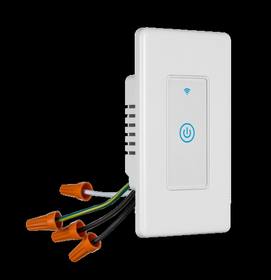
DS-102DWN WiFi Button Switch EU UK CN Zero-Fire

The DS-102DWN is a WiFi Smart wall Switch from the XingLiao switch line: WiFi Button Switch EU UK CN Zero-Fire. It is built for buyers who need a documented model number, a defined panel standard and a repeatable OEM file rather than a generic catalog photo. This page collects the factory specification, the Control functions and the product images in one place so you can shortlist the model before requesting a sample.

What the DS-102DWN does

  • Network: WiFi, with the Tuya / Smart Life app flow used across XingLiao switch programs.
  • Panel format: Button Switch EU UK CN Zero-Fire.
  • Voice control: works with Amazon Alexa and Google Home through the app integration, subject to region and firmware.
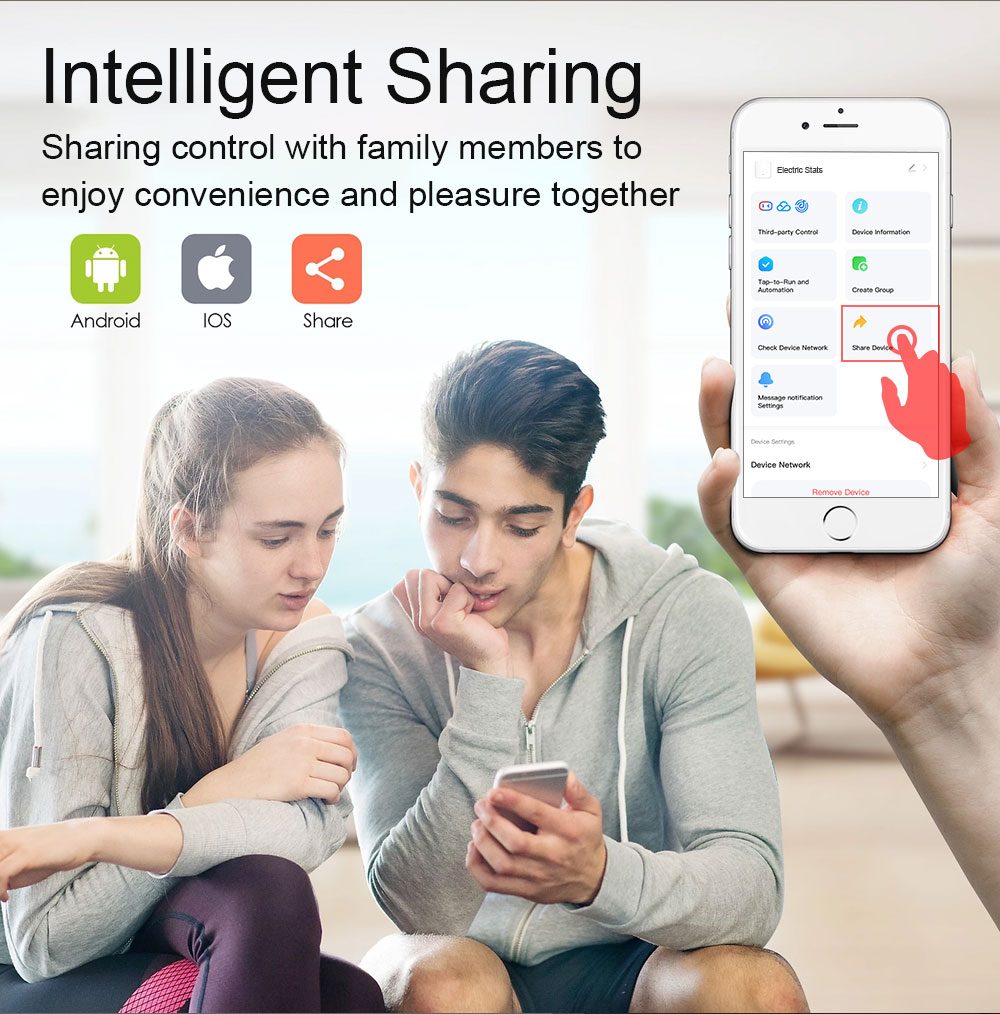
  • Control modes: app remote control, timer and countdown, status feedback, power-off memory, sharing control and manual operation.
  • Multi-control association is available for two-way and three-way installations where the wiring supports it.

Specification snapshot

Input voltage: 100-240VAC 50/60Hz Network mode: WiFi Rated power: 8000W Regular color: white/black/gold/grey Product size: 86*86*35mm (Europe) Package size: 106*100*51mm Product gross weight: 180g

Certification listed for this family: CE, ROHS. Ask for the current certificate file before artwork approval.

Indicative quotation tiers from the factory sheet: 51-199 pcs – USD 8; 200-999 pcs – USD 7.5; 1000-3000 pcs – USD 6.7. Prices exclude tax and freight; confirm the live tier with the sales team.

Product photos: DS-102DWN
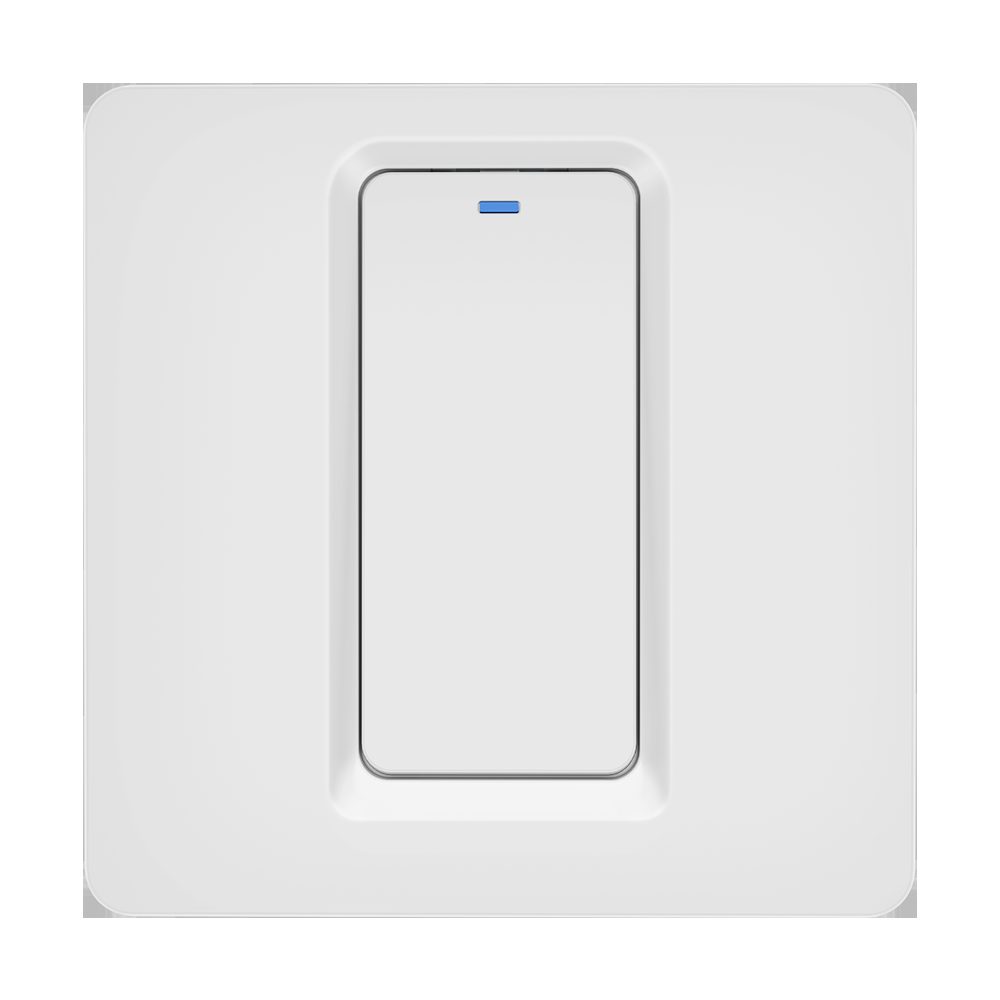
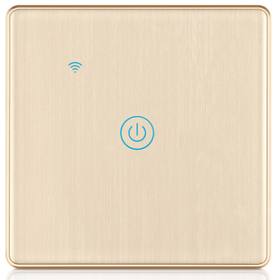
DS-102DWN WiFi Button Switch EU UK CN Zero-Fire - product photo 1 from XingLiao factory
DS-102DWN: WiFi Button Switch EU UK CN Zero-Fire. Photo 1 of the factory image set.
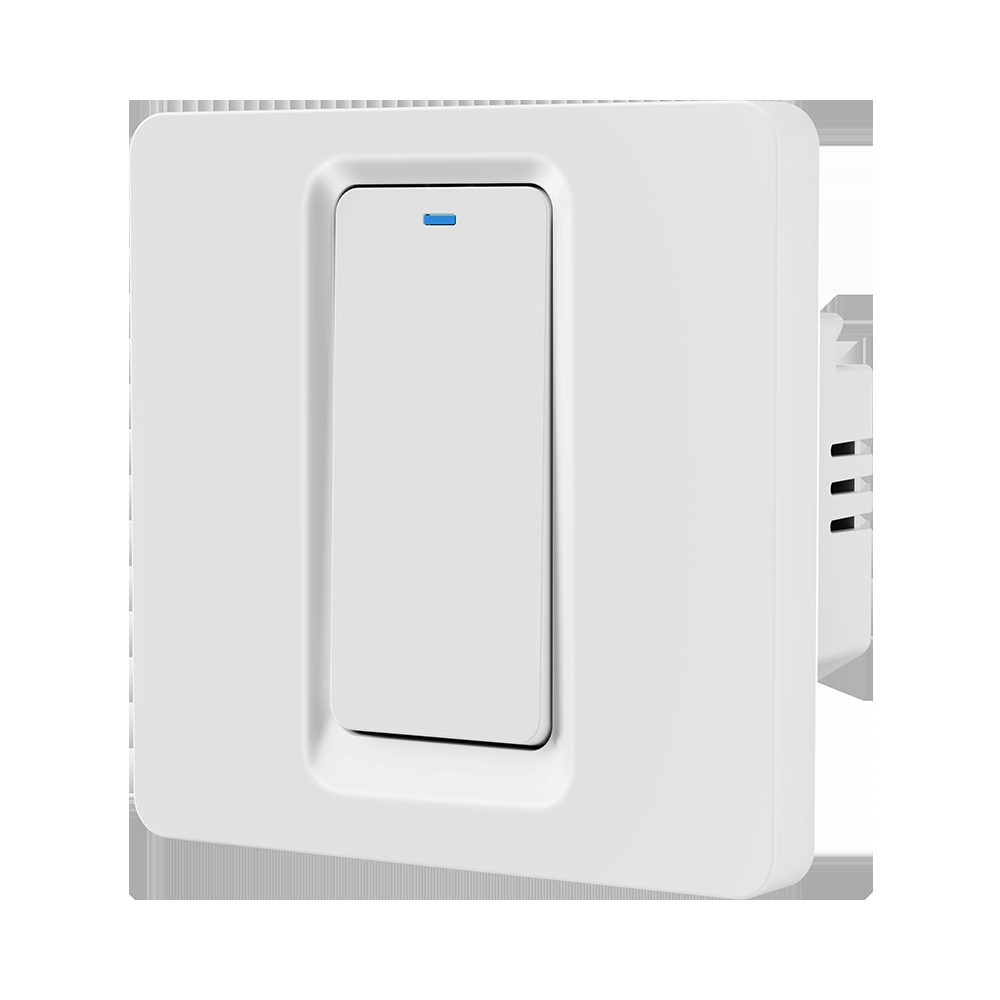
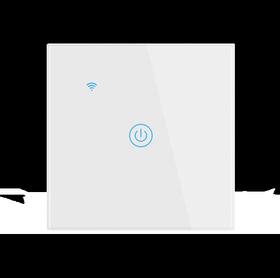
DS-102DWN WiFi Button Switch EU UK CN Zero-Fire - product photo 2 from XingLiao factory
DS-102DWN: WiFi Button Switch EU UK CN Zero-Fire. Photo 2 of the factory image set.
DS-102DWN WiFi Button Switch EU UK CN Zero-Fire - product photo 3 from XingLiao factory
DS-102DWN: WiFi Button Switch EU UK CN Zero-Fire. Photo 3 of the factory image set.

OEM / ODM notes

For DS-102DWN, the usual customization points are faceplate color, frame finish, logo print or laser mark, packaging and app branding. State your market, panel standard, wiring type (single-wire or neutral) and annual quantity in the first inquiry so the factory can propose the correct base model. CE, FCC, RoHS, UKCA, CCC and PSE support is documented where applicable; do not assume a listing without asking for the file number.

Questions buyers ask about DS-102DWN

Is DS-102DWN a WiFi or ZigBee model?

The model designation in the title identifies the platform. DS-102DWN is the corresponding line in the factory quotation sheet; confirm the exact protocol and firmware before ordering.

Can the DS-102DWN be used with Google Home or Alexa?

Yes through the Tuya app integration, provided the app region and firmware support the integration. Ask for a short app screen recording with your sample.

What must be checked before ordering?

Door or wall box dimensions, panel standard, load type, wiring (neutral present or not), and the certification file for your market. Sendphotos of the installation site with your inquiry.

Related XingLiao pages

Need a quotation for DS-102DWN? Send the model, market and quantity to the XingLiao team. WhatsApp +86 176 6666 9273.

Related Articles

You Might Also Like

Frequently Asked Questions

Is 102dwn Wifi Button worth buying?

Based on the breakdown in this article, 102dwn Wifi Button offers a solid mix of features and value. If your main goal matches the key benefits described above, it is a practical choice for everyday use.

How do I choose the right 102dwn wifi button for my needs?

Start with your core use case, then compare battery life, compatibility, and build quality as covered above. Choosing the right 102dwn wifi button comes down to matching specs with how you actually use it.

Does 102dwn wifi button require a companion app?

Most devices of this type pair with a free companion app for setup and firmware updates. A few advanced features may sit behind a paid plan, so check the official specs page before buying.
Posted on — Leave a comment

Wiring the DS-126 Series: Single-Fire, Zero-Fire and the Capacitor Question

DS-126 Series WiFi Touch Switch (1 Gang / 2 Gang)
Wiring the DS-126 Series: Single-Fire, Zero-Fire and the Capacitor Question

Two wires or three? It is the single question that decides which Smart Switch you can fit, and it is worth answering before the plates arrive on site. The DS-126 Series is single-fire and zero-fire: works in both single-fire (no neutral) and zero-fire (with neutral) boxes.

What “single-fire” and “zero-fire” actually mean

A zero-fire (neutral) box has a neutral conductor alongside the live, so the Switch electronics can draw current without passing it through the lamp. A single-fire box only has live in and switched live out, so the Switch has to leak a tiny current through the lamp to stay powered — which is why LED lamps sometimes glow faintly when switched off.

Fitting the DS-126

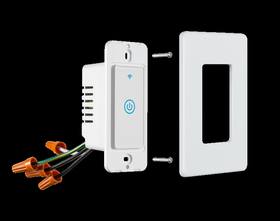
  • With neutral — connect live to L, neutral to N, and the load to L1, L2, L3. No capacitor needed.
  • Without neutral — connect live to L and the load to L1, then fit the supplied capacitor across the first lamp port of L1. It absorbs the leakage current and stops the flicker.
  • Test before closing up — power the board, check each gang Switches, then clip the Plate on. Chasing a wiring fault after the glass is fitted is how plates get broken.

Which lamps behave best

Incandescent and halogen loads are trouble-free. With LED drivers, use a decent driver and keep the total load above the minimum the driver expects — the capacitor exists precisely for this. If a lamp still glows, move it to a gang with a higher load or add a second capacitor. Where the DS-121JLHK Series Fits: Apartments, Hotels and Office Retrofits

Specifications

Connectivity

The DS-126 talks over Zigbee 3.0 through a gateway. A Zigbee gateway is required (our wired / wireless gateway covers it) — in return you get mesh coverage and much lower standby power.

Quantity pricing

FAQ

My box has no neutral — can I still use this switch?
Yes. Fit the supplied capacitor on the first lamp port of L1.
Is the capacitor included?
Yes, it ships with the switch.
Can I wire it myself?
If you are comfortable replacing a Standard switch, yes. Otherwise use a licensed electrician — local rules vary.

Ready to specify it? Full specifications, gang options, colors and quantity pricing are on the DS-126 series product page — OEM logo, manual and packaging are available from the first order. Where the DS-112 Series Fits: Apartments, Hotels and Office Retrofits Fan Speed, Curtains, Dimming and Scenes on One 86 × 86 mm Family

Related Articles

You Might Also Like
Frequently Asked Questions

Is Wiring 126 Series worth buying?

Based on the breakdown in this article, Wiring 126 Series offers a solid mix of features and value. If your main goal matches the key benefits described above, it is a practical choice for everyday use.

How do I choose the right wiring 126 series for my needs?

Start with your core use case, then compare battery life, compatibility, and build quality as covered above. Choosing the right wiring 126 series comes down to matching specs with how you actually use it.

Posted on — Leave a comment

Wiring the DS-123 Series: Single-Fire, Zero-Fire and the Capacitor Question

DS-123 Series WiFi Touch Switch (1 Gang / 2 Gang / 3 Gang)
Wiring the DS-123 Series: Single-Fire, Zero-Fire and the Capacitor Question

Two wires or three? It is the single question that decides which smart Switch you can fit, and it is worth answering before the plates arrive on site. The DS-123 Series is single-fire and zero-fire: works in both single-fire (no neutral) and zero-fire (with neutral) boxes.

What “single-fire” and “zero-fire” actually mean

A zero-fire (neutral) box has a neutral conductor alongside the live, so the Switch electronics can draw current without passing it through the lamp. A single-fire box only has live in and switched live out, so the Switch has to leak a tiny current through the lamp to stay powered — which is why LED lamps sometimes glow faintly when switched off.

Fitting the DS-123

  • With neutral — connect live to L, neutral to N, and the load to L1, L2, L3. No capacitor needed.
  • Without neutral — connect live to L and the load to L1, then fit the supplied capacitor across the first lamp port of L1. It absorbs the leakage current and stops the flicker.
  • Test before closing up — power the board, check each gang switches, then clip the plate on. Chasing a wiring fault after the glass is fitted is how plates get broken.
Which lamps behave best

Incandescent and halogen loads are trouble-free. With LED drivers, use a decent driver and keep the total load above the minimum the driver expects — the capacitor exists precisely for this. If a lamp still glows, move it to a gang with a higher load or add a second capacitor. Where the DS-112 Series Fits: Apartments, Hotels and Office Retrofits

Specifications
Connectivity

The DS-123 talks over a 2.4 GHz WiFi connection to your router. No hub needed — it joins the router directly through the Tuya / Smart Life app.

Quantity pricing
FAQ
My box has no neutral — can I still use this Switch?
Yes. Fit the supplied capacitor on the first lamp port of L1.
Is the capacitor included?
Yes, it ships with the switch.
Can I wire it myself?
If you are comfortable replacing a Standard switch, yes. Otherwise use a licensed electrician — local rules vary.

Ready to specify it? Full specifications, gang options, colors and quantity pricing are on the DS-123 series product page — OEM logo, manual and packaging are available from the first order. Where the DS-1081WL Series Fits: Apartments, Hotels and Office Retrofits

Related Articles

You Might Also Like
Frequently Asked Questions

Is Wiring 123 Series worth buying?

Based on the breakdown in this article, Wiring 123 Series offers a solid mix of features and value. If your main goal matches the key benefits described above, it is a practical choice for everyday use.

How do I choose the right wiring 123 series for my needs?

Start with your core use case, then compare battery life, compatibility, and build quality as covered above. Choosing the right wiring 123 Series comes down to matching specs with how you actually use it.

Does wiring 123 series require a companion app?

Most devices of this type pair with a free companion app for setup and firmware updates. A few advanced features may sit behind a paid plan, so check the official specs page before buying.
Posted on — Leave a comment

Wiring the DS-1110AW Series: Single-Fire, Zero-Fire and the Capacitor Question

DS-1110AW Series — New WiFi Touch Switch (1 Gang / 2 Gang / 3 Gang / 4 Gang)
Wiring the DS-1110AW Series: Single-Fire, Zero-Fire and the Capacitor Question

Two wires or three? It is the single question that decides which Smart Switch you can fit, and it is worth answering before the plates arrive on site. The DS-1110AW Series is single-fire and zero-fire: works in both single-fire (no neutral) and zero-fire (with neutral) boxes.

What “single-fire” and “zero-fire” actually mean

A zero-fire (neutral) box has a neutral conductor alongside the live, so the Switch electronics can draw current without passing it through the lamp. A single-fire box only has live in and switched live out, so the Switch has to leak a tiny current through the lamp to stay powered — which is why LED lamps sometimes glow faintly when switched off.

Fitting the DS-1110AW

  • With neutral — connect live to L, neutral to N, and the load to L1, L2, L3. No capacitor needed.
  • Without neutral — connect live to L and the load to L1, then fit the supplied capacitor across the first lamp port of L1. It absorbs the leakage current and stops the flicker.
  • Test before closing up — power the board, check each gang switches, then clip the plate on. Chasing a Wiring fault after the glass is fitted is how plates get broken.
Which lamps behave best

Incandescent and halogen loads are trouble-free. With LED drivers, use a decent driver and keep the total load above the minimum the driver expects — the capacitor exists precisely for this. If a lamp still glows, move it to a gang with a higher load or add a second capacitor.

Specifications
Connectivity

The DS-1110AW talks over Zigbee 3.0 through a gateway. A Zigbee gateway is required (our wired / wireless gateway covers it) — in return you get mesh coverage and much lower standby power.

Quantity pricing
FAQ
My box has no neutral — can I still use this Switch?
Yes. Fit the supplied capacitor on the first lamp port of L1.
Is the capacitor included?
Yes, it ships with the switch.
Can I wire it myself?
If you are comfortable replacing a Standard switch, yes. Otherwise use a licensed electrician — local rules vary.

Ready to specify it? Full specifications, gang options, colors and quantity pricing are on the DS-1110AW series product page — OEM logo, manual and packaging are available from the first order.

Related Articles

You Might Also Like
Frequently Asked Questions

Is Wiring 1110aw Series worth buying?

Based on the breakdown in this article, Wiring 1110aw Series offers a solid mix of features and value. If your main goal matches the key benefits described above, it is a practical choice for everyday use.

How do I choose the right wiring 1110aw series for my needs?

Start with your core use case, then compare battery life, compatibility, and build quality as covered above. Choosing the right wiring 1110aw Series comes down to matching specs with how you actually use it.

Posted on — Leave a comment

Wiring the DS-101JLHK Series: Single-Fire, Zero-Fire and the Capacitor Question

DS-101JLHK Series WiFi Touch Switch (1 Gang / 2 Gang / 3 Gang / 4 Gang)
Wiring the DS-101JLHK Series: Single-Fire, Zero-Fire and the Capacitor Question

Two wires or three? It is the single question that decides which Smart Switch you can fit, and it is worth answering before the plates arrive on site. The DS-101JLHK Series is single-fire and zero-fire: works in both single-fire (no neutral) and zero-fire (with neutral) boxes.

What “single-fire” and “zero-fire” actually mean

A zero-fire (neutral) box has a neutral conductor alongside the live, so the switch electronics can draw current without passing it through the lamp. A single-fire box only has live in and switched live out, so the switch has to leak a tiny current through the lamp to stay powered — which is why LED lamps sometimes glow faintly when switched off.

Fitting the DS-101JLHK

  • With neutral — connect live to L, neutral to N, and the load to L1, L2, L3. No capacitor needed.
  • Without neutral — connect live to L and the load to L1, then fit the supplied capacitor across the first lamp port of L1. It absorbs the leakage current and stops the flicker.
  • Test before closing up — power the board, check each gang switches, then clip the plate on. Chasing a Wiring fault after the glass is fitted is how plates get broken.
Which lamps behave best

Incandescent and halogen loads are trouble-free. With LED drivers, use a decent driver and keep the total load above the minimum the driver expects — the capacitor exists precisely for this. If a lamp still glows, move it to a gang with a higher load or add a second capacitor. Where the DS-101BWHK Series Fits: Apartments, Hotels and Office Retrofits

Specifications
Connectivity

The DS-101JLHK talks over a 2.4 GHz WiFi connection to your router. No hub needed — it joins the router directly through the Tuya / Smart Life app.

Quantity pricing
FAQ
My box has no neutral — can I still use this switch?
Yes. Fit the supplied capacitor on the first lamp port of L1.
Is the capacitor included?
Yes, it ships with the switch.
Can I wire it myself?
If you are comfortable replacing a Standard switch, yes. Otherwise use a licensed electrician — local rules vary.

Ready to specify it? Full specifications, gang options, colors and quantity pricing are on the DS-101JLHK Series product page — OEM logo, manual and packaging are available from the first order.

Related Articles

You Might Also Like
DS-101JLHK Series WiFi Touch Switch (1 Gang / 2 Gang / 3 Gang / 4 Gang)DS-101JLHK Series WiFi Touch Switch (1 Gang / 2 Gang / 3 Gang / 4 Gang) Price range: $10.33 through $12.12
Frequently Asked Questions

Is Wiring 101jlhk Series worth buying?

Based on the breakdown in this article, Wiring 101jlhk Series offers a solid mix of features and value. If your main goal matches the key benefits described above, it is a practical choice for everyday use.

How do I choose the right wiring 101jlhk series for my needs?

Start with your core use case, then compare battery life, compatibility, and build quality as covered above. Choosing the right wiring 101jlhk series comes down to matching specs with how you actually use it.

Does wiring 101jlhk series require a companion app?

Most devices of this type pair with a free companion app for setup and firmware updates. A few advanced features may sit behind a paid plan, so check the official specs page before buying.