Posted on — Leave a comment

7-Inch Smart Video Doorbell with Indoor Monitor: Two-Way Talk, Night Vision & Remote Unlock

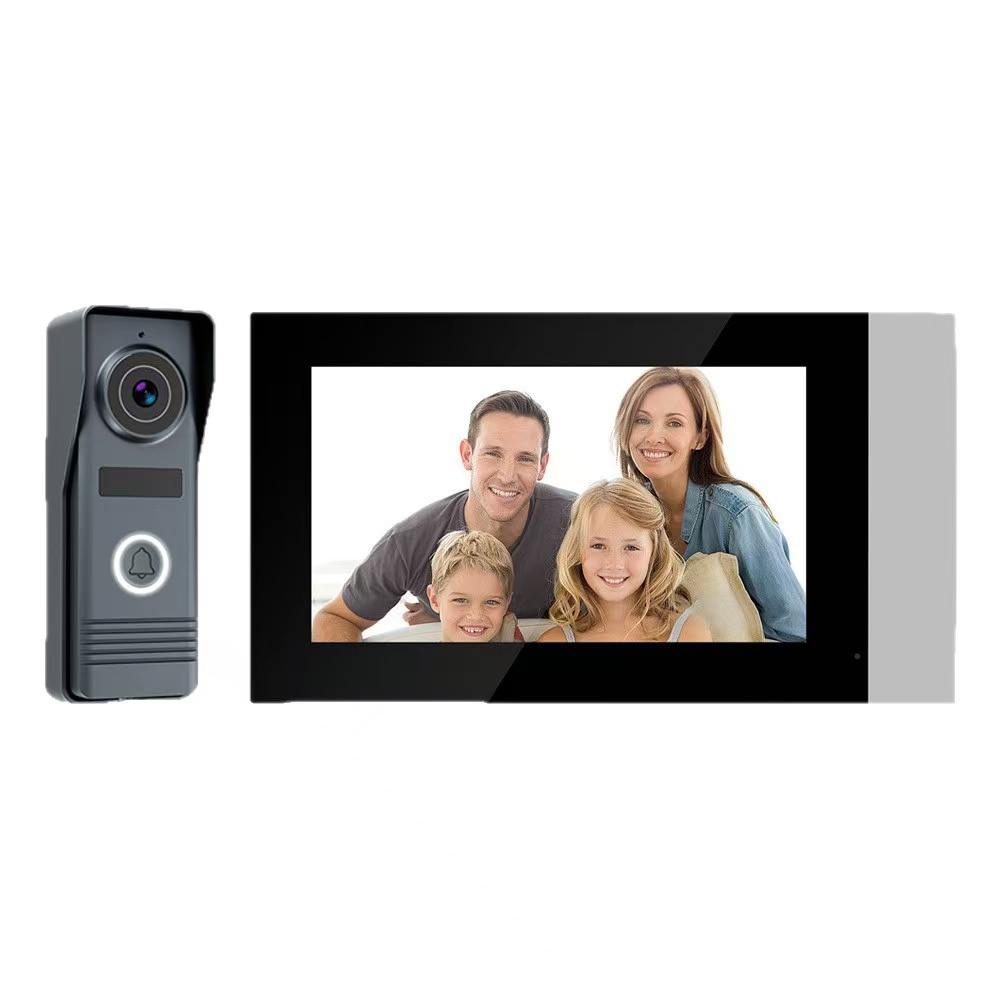
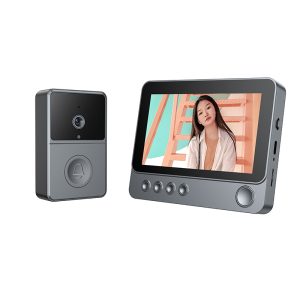
7-inch smart video doorbell with indoor monitor mounted by the front door

However, A Front Door used to be secured with a peephole and a chain. Today a 7-inch Smart Video doorbell puts a live colour picture on an indoor monitor, lets you talk to whoever is standing outside, and releases the lock without anyone walking to the door. For homeowners it is peace of mind; for distributors and project buyers it is one of the fastest-turning categories in the smart home channel. In short, Inch video doorbell

7-inch smart video doorbell with indoor monitor mounted by the front door
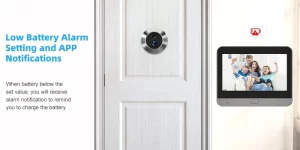
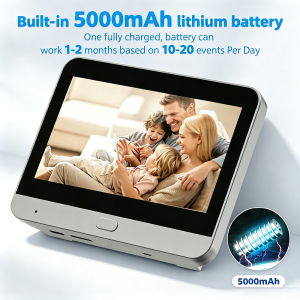
A dedicated 7-inch monitor keeps the whole doorway visible — no phone, no app, no waiting.

Why a 7-Inch Indoor Monitor Still Matters

Therefore, Nearly every doorbell on the market pushes its video to a smartphone. Therefore, That model works, but it adds friction at the exact moment someone is waiting at your door: find the phone, unlock it, open the app, wait for the stream to connect. A wall-mounted or desktop 7-inch monitor removes every one of those steps. The screen lights up the instant the button is pressed, which is why this format sells so well to families with children or elderly parents who will never open an app. Video Doorbell Review 2026: What to Look For, Smart Features Compared, and Buyer’s Guide

Core Functions Buyers Ask For

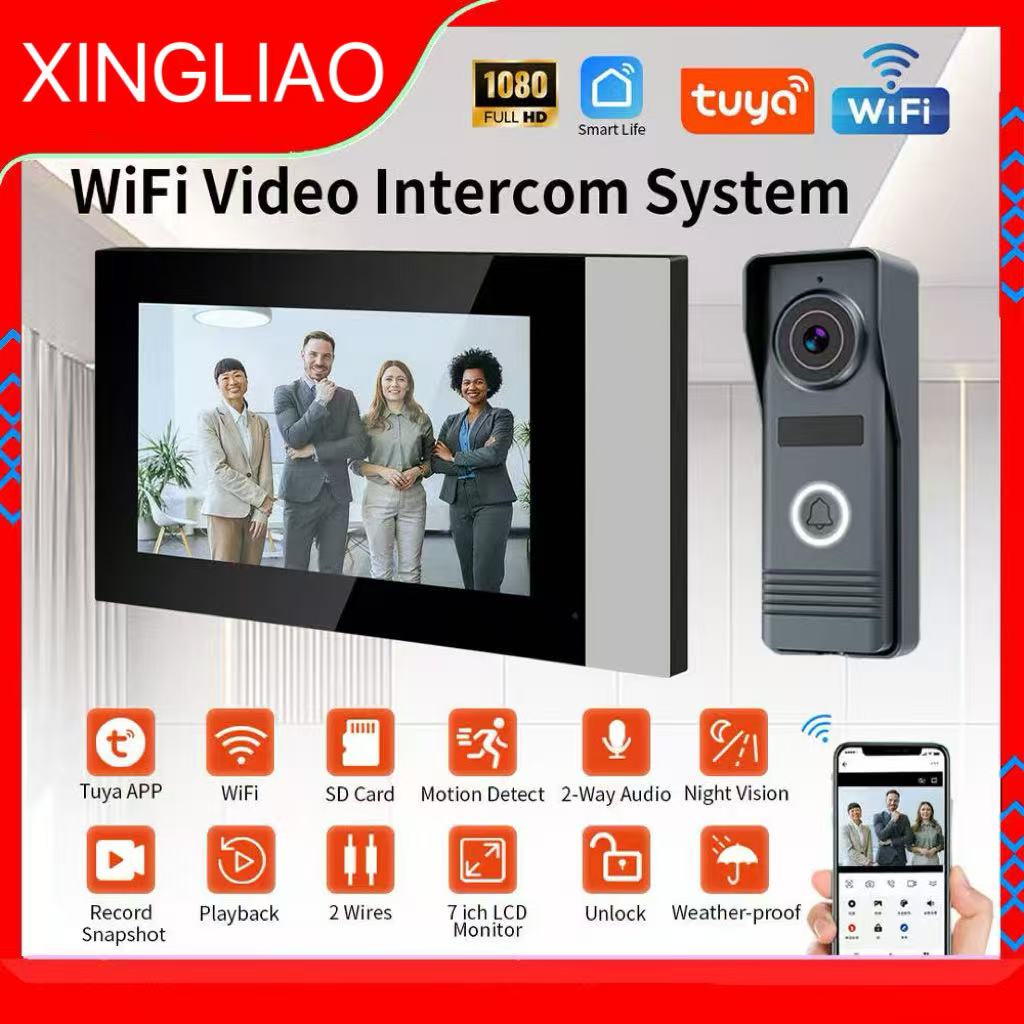
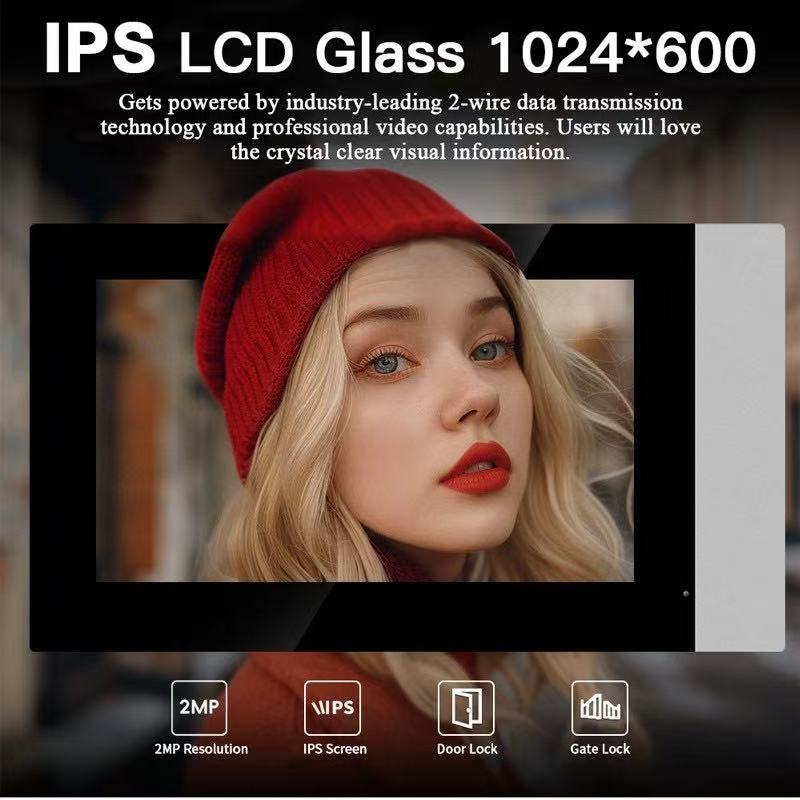
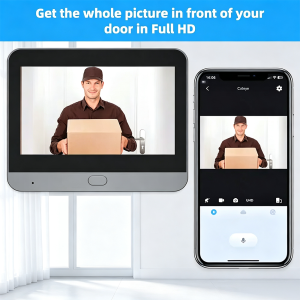
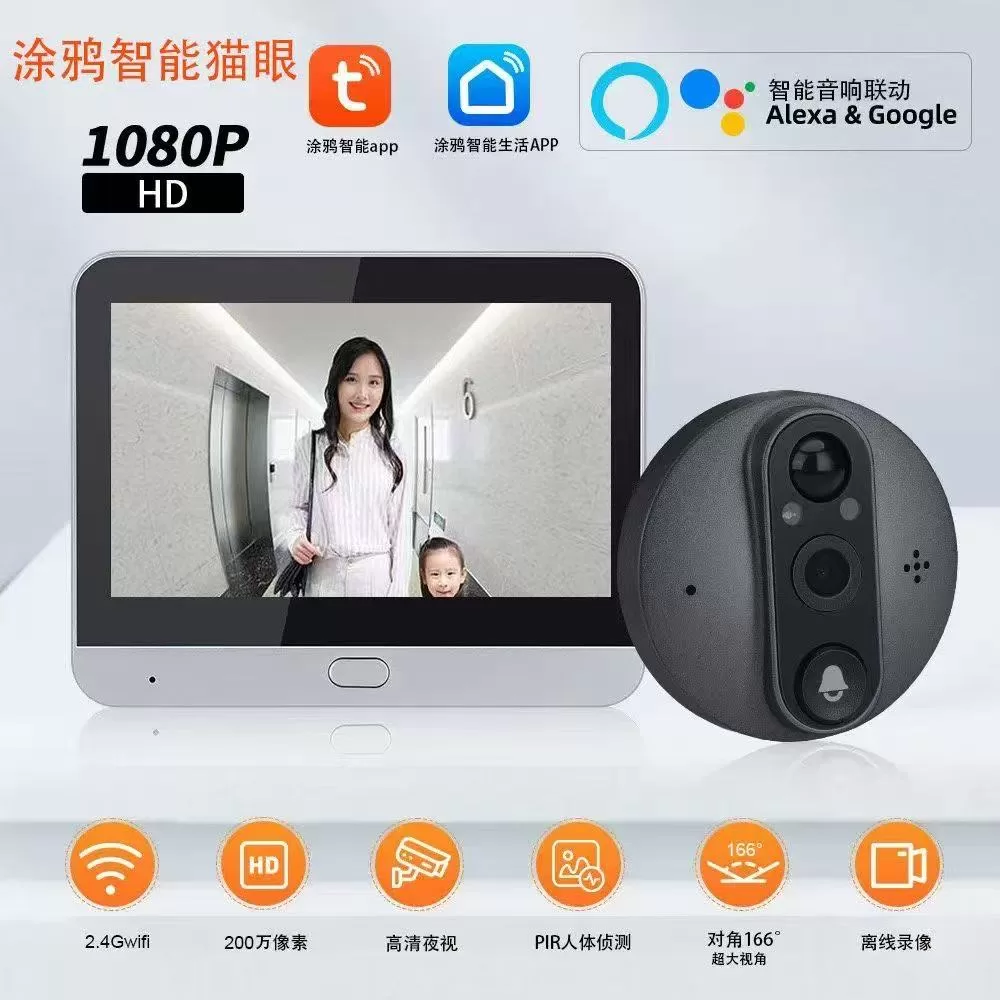
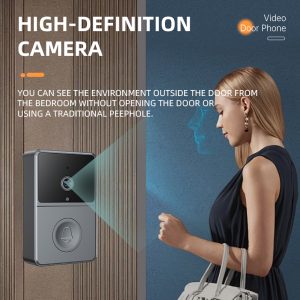
  • 7-inch HD indoor screen — the visitor appears immediately when the doorbell rings, with a view wide enough to cover the doorway, the step and any parcels left behind.
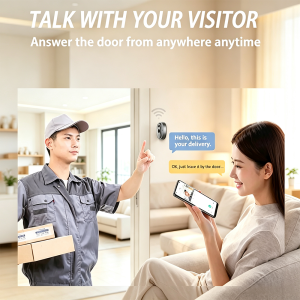
  • Hands-free two-way intercom — speak to couriers, guests or service staff and tell them where to leave a package, without opening the door.
  • Remote unlock — trigger the electric lock or gate release straight from the indoor unit.
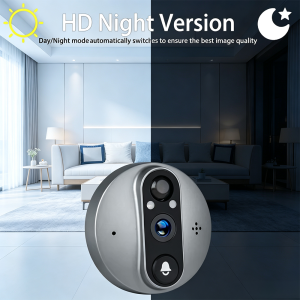
  • Infrared night vision — the camera switches to night mode automatically, so the picture stays usable long after dark.
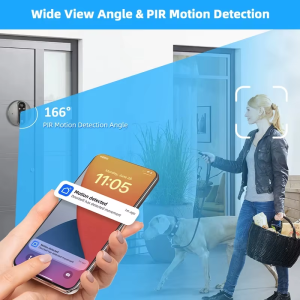
  • PIR motion detection with snapshots — the system records movement at the door even when nobody presses the button, so you still see the person who walked away.
  • Multi-camera expansion — add a second camera at the garage or back door and switch between feeds on the same screen.
7-inch video doorbell indoor screen showing wide-angle HD camera view
Wide-angle optics plus infrared night vision cover the doorway around the clock.

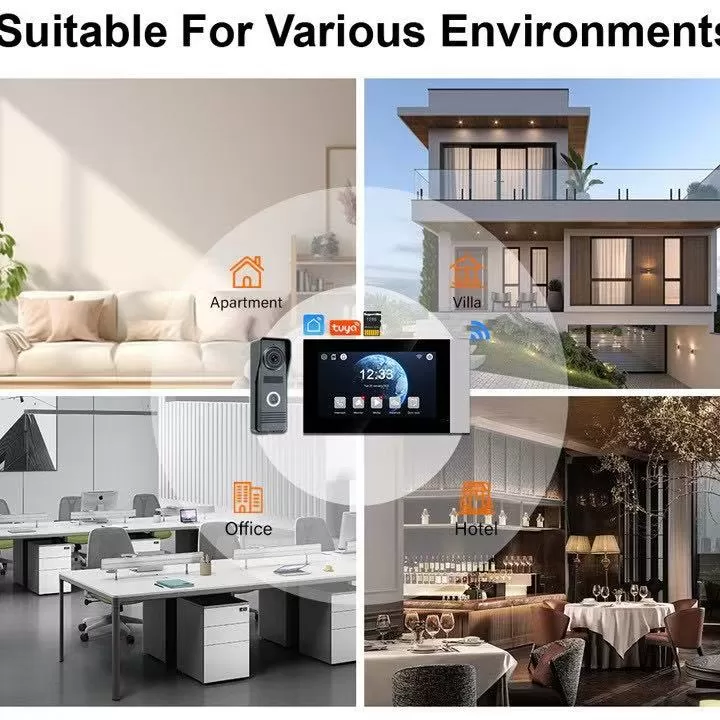
Where This Model Fits Best

Villas and single-family houses

Moreover, A detached home usually has one main entrance and a long walk from the living room to the door. For example, The indoor monitor turns that walk into a glance, and remote unlock removes it entirely.

Apartments and multi-tenant buildings

In addition, Residents want to screen visitors before opening up. Because the monitor is a self-contained indoor unit, there is no need to rewire the whole building or rely on every resident installing the same app.

Gated communities and small commercial sites

For example, Property managers use the same hardware at side gates, delivery entrances and reception areas, then keep a single monitor at the front desk.

Smart video doorbell outdoor camera unit with night vision
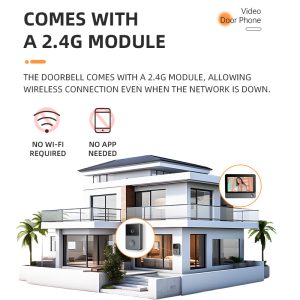
From villas to apartment blocks, one hardware platform covers very different entry points.

What Installers Should Check Before Quoting

  1. Wiring path — confirm whether the site can run low-voltage cable from the door station to the indoor monitor, or whether a wireless kit is the better fit.
  2. Lock type — electric strikes, magnetic locks and gate operators all need a dry-contact output; check the voltage before ordering.
  3. Wi-Fi coverage at the door — the outdoor unit needs a stable signal. A quick survey with a phone at the door frame avoids most callback visits.
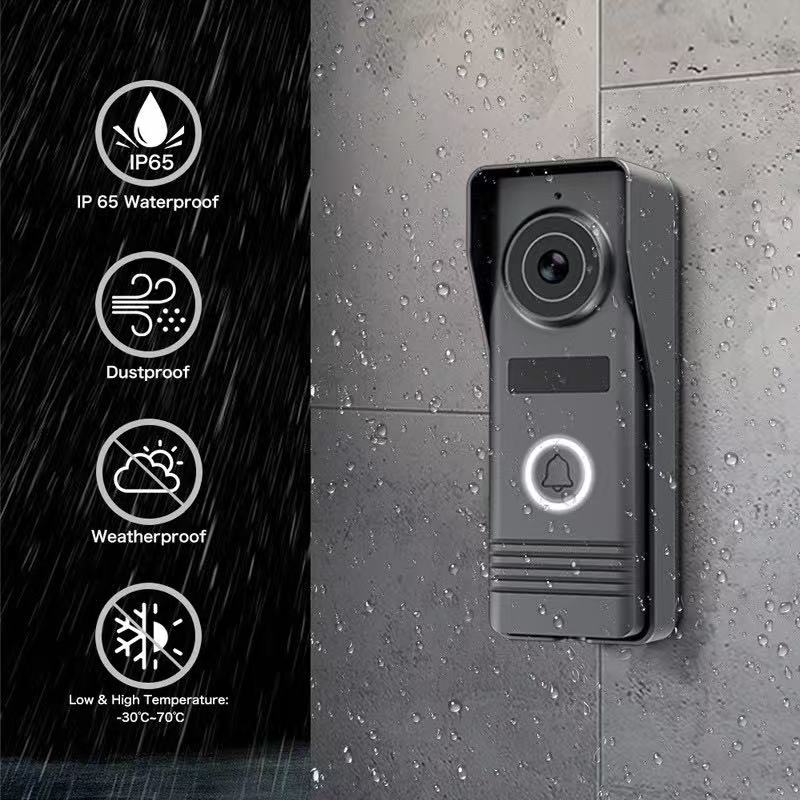
  4. Mounting height and weather exposure — shade and a rain cover extend the life of any outdoor camera.
  5. Power and backup — decide whether the monitor stays on mains power only or needs battery backup for outages.
Video doorbell installation wiring and electric lock connection
Plan the cable run and the lock interFace first — it saves a second site visit later.

Why Source It From Xingliao

Consequently, Xingliao Smart Home builds and ships smart doorbells, control panels, cameras and sensors from its own production facility. This means OEM and ODM buyers get stable hardware revisions, consistent firmware and packaging that can carry your own brand. Take a look at our factory to see how each unit is assembled and tested before it leaves the line.

Smart video doorbell kit accessories and packaging
Every unit is assembled, aged and inspected before it is packed.

Add It to Your Range

If you are building a smart door entry line — or replacing an older intercom on a project — the 7-inch video doorbell is the model to start the conversation with. Browse the full smart home range or contact our team for wholesale pricing, MOQ and OEM options.

Related Articles

You Might Also Like

Frequently Asked Questions

Is Inch Video Doorbell Indoor worth buying?

Based on the breakdown in this article, Inch Video Doorbell Indoor offers a solid mix of features and value. If your main goal matches the key benefits described above, it is a practical choice for everyday use.

How do I choose the right inch video doorbell indoor for my needs?

Start with your core use case, then compare battery life, compatibility, and build quality as covered above. Choosing the right inch video doorbell indoor comes down to matching specs with how you actually use it.

Does inch video doorbell indoor require a companion app?

Most devices of this type pair with a free companion app for setup and firmware updates. A few advanced features may sit behind a paid plan, so check the official specs page before buying.

Posted on — Leave a comment

How to Choose the Right Video Doorbell for Your Market: A Distributor’s Guide

However, Video Doorbells have moved from a nice-to-have gadget to a core product in the Smart Home security lineup. For distributors, importers and private-label brands, choosing the right model is no longer only about price — it determines return rates, customer satisfaction and how fast your brand gains trust in a new market. In short, Choose right video doorbell

1. Start with the installation reality of your target market

Therefore, Before comparing specs, look at how people actually live in the region you sell to. Therefore, In European apartment buildings, tenants often cannot drill into door frames. This makes battery-powered or peephole-style doorbells far more Practical. In North American and Australian suburbs, detached houses with existing low-voltage wiring make wired replacements attractive.

Moreover, If your market is mixed, stock both. A battery model with a 5000 mAh cell and a wired model that replaces an existing chime gives your sales team an answer for every customer.

2. For example, The specifications that actually matter

3. Do not treat certification as paperwork

In addition, CE, FCC and RoHS are not optional checkboxes. Customs clearance, Amazon and marketplace listings, and insurance claims all depend on them. Moreover, Ask your supplier for test reports that carry your own company name where possible, and confirm the radio module certification covers the countries you ship to.

4. Plan your private label from day one

For example, OEM and ODM work is much cheaper when it is planned before production rather than added later. Typical customisation includes: Smart WiFi Pet Feeder: Automated Pet Care with APP Control Smart Home Market Trends 2026: What Distributors Must Know About Modular Security, Voice Control and Energy-Saving Devices

  • Logo on the device housing and the welcome screen of the app
  • Retail packaging, manuals and multi-language quick-start guides
  • Firmware tweaks: default language, ringtone set, cloud region server
  • Accessory bundles: chime, angle bracket, spare battery

However, Working directly with the manufacturer keeps minimum order quantities flexible and lets you test a market with a small trial order before committing to a full container. Smart Home Wholesale FAQ: 15 Questions Every Buyer Asks Before Ordering in Bulk

5. Furthermore, Evaluate the supplier, not just the sample

A good sample is easy. A stable supply chain is not. Before scaling up, confirm: in-house R&D capability, patent coverage on the industrial design, spare-parts availability, firmware update policy, and how warranty claims are handled. As a result, Factory-direct sourcing removes the middleman markup and, more importantly, gives you a direct line to the engineers who can fix a bug before it becomes a recall.

Ready to build your doorbell line?

Xingliao manufactures a full range of smart home devices including WiFi and peephole video doorbells with PIR detection, IR night vision and Tuya compatibility — all CE / FCC / RoHS certified and available for OEM / ODM customisation with flexible MOQs. contact our team to request specifications, samples and a factory-direct quotation.

Related Articles

You Might Also Like
Frequently Asked Questions

Is Choose Right Video Doorbell worth buying?

Based on the breakdown in this article, Choose Right Video Doorbell offers a solid mix of features and value. If your main goal matches the key benefits described above, it is a practical choice for everyday use.

How do I choose the right choose right video doorbell for my needs?

Start with your core use case, then compare battery life, compatibility, and build quality as covered above. Choosing the right choose right video doorbell comes down to matching specs with how you actually use it.

Does choose right video doorbell require a companion app?

Most devices of this type pair with a free companion app for setup and firmware updates. A few advanced features may sit behind a paid plan, so check the official specs page before buying.

Posted on — Leave a comment

The Complete Guide to Smart Peephole Doorbell Cameras

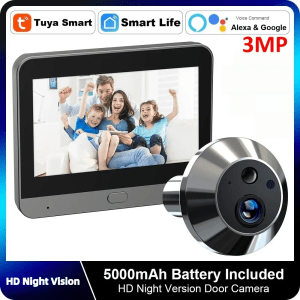
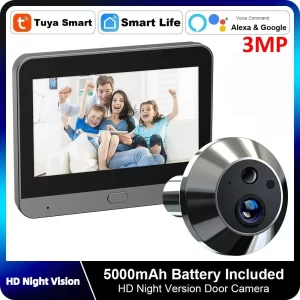
However, A Smart Doorbell camera is no longer a luxury. It is essential front door security for every home and apartment. With the Tuya Smart WiFi Digital Peephole Doorbell Camera, you get 3MP Video140 degree wide angle coverage, night vision, and motion alerts in one easy-to-install device. Therefore, This guide walks you through everything you need to know about smart peephole doorbell cameras, from how to choose one to why this model stands out for buyers in the US and Europe.
peephole doorbell cameras

What Is a Smart Peephole Doorbell Camera?

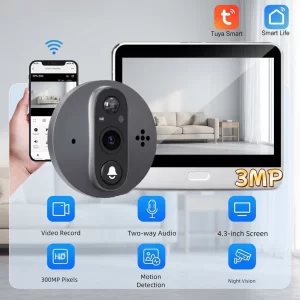
Therefore, A smart peephole doorbell camera is a two-in-one device that replaces your traditional door peephole with a high-definition digital camera and doorbell. Instead of squinting through a tiny hole, you view a live video feed on your phone from anywhere in the world. The Tuya Smart model adds WiFi connectivity, PIR motion detection, two-way audio and smart home integration to the package. For example, It installs through your existing peephole hole. This means no drilling, no wiring, and no professional installation. This makes it the ideal security solution for apartments, condos, rental properties, and any front door with a standard peephole.

Why Choose the Tuya Smart Peephole Doorbell?

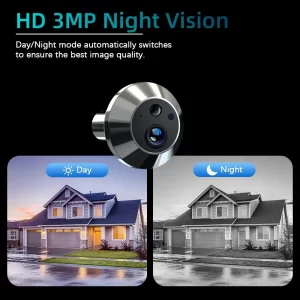
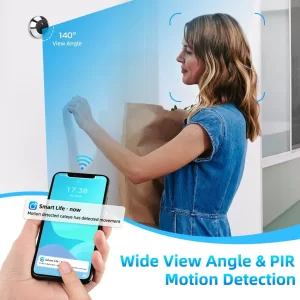
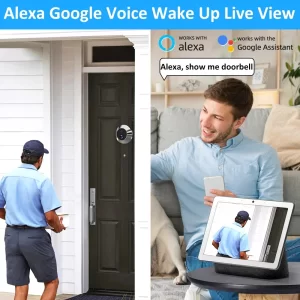
However, The Tuya Smart WiFi Peephole Doorbell Camera stands out for several reasons. First, the 3MP resolution delivers sharper, more detailed video than standard 720p doorbell cameras. In addition, You can clearly identify Faces, read package labels, and see fine details. Second, the 140 degree wide angle lens covers your entire doorway and porch area, eliminating blind spots. Third, the PIR motion sensor detects human body heat rather than just pixel changes. This means fewer false alarms from passing shadows or tree branches. Moreover, Fourth, it works with Amazon Alexa and Google Assistant, so you can view the live feed on your smart display using voice commands.
peephole doorbell cameras

peephole doorbell cameras

Buying Tips: What to Look For in a Peephole Doorbell Camera

Therefore, When shopping for a smart peephole doorbell camera, keep these key factors in mind.

Moreover, First, check the video resolution. Look for at least 1080p, but 3MP or higher is ideal for capturing fine details like faces and license plates. The Tuya model offers 3MP, which provides approximately 50 percent more pixels than 1080p.

In addition, Second, consider the field of view. Furthermore, A narrow lens will miss visitors standing to the side. Look for at least 130 degrees, with 140 degrees being ideal for full doorway coverage. The wider the angle, the fewer blind spots you will have.

Third, evaluate the motion detection. As a result, PIR sensors are more accurate than pixel-based motion detection. This is because they specifically detect human body heat. This means fewer false alerts from cars, animals, or changing light conditions.

Fourth, check the night vision range. Infrared LEDs should provide clear visibility to at least 15 to 20 feet in complete darkness. Importantly, Without good night vision, your camera is useless for half the day.

Fifth, consider smart home compatibility. If you already use Alexa or Google Assistant, make sure the doorbell supports voice commands and smart display viewing. The Tuya Smart app also lets you view the feed, adjust settings, and receive alerts from anywhere.

Finally, think about installation. Notably, If you live in an apartment or rental property, a peephole-mount camera that requires no wiring is the best choice. The Tuya model installs through your existing peephole hole in minutes.

Wired vs. Peephole vs. However, Battery Doorbell Cameras

There are three main types of doorbell cameras on the market, and each has its strengths. Wired doorbell cameras like Ring Pro offer continuous power but require existing doorbell wiring and a transformer, which many apartments do not have. Battery doorbell cameras like Ring Stick Up Cam are wireless but need recharging every few months. Therefore, Peephole doorbell cameras like the Tuya Smart model install through your existing peephole hole, require no wiring, and use a rechargeable battery. They are the only option that works for apartment doors with a peephole and no doorbell wiring. If you rent your home or live in an apartment, the peephole type is your best and often only option.

Our Featured Pick: Tuya Smart WiFi Peephole Doorbell Camera
peephole doorbell cameras

peephole doorbell cameras

If you are looking for the perfect peephole doorbell camera, our featured pick checks every box.

The camera features a 3MP sensor with 140 degree wide angle lens, delivering crisp, detailed video day and night. For example, The infrared night vision automatically activates in darkness, providing clear visibility to 15 to 20 feet. The PIR motion sensor detects human presence and sends instant push notifications to your phone. Two-way audio lets you speak with visitors through the built-in microphone and speaker, even when you are not home. In addition, The Tuya Smart app gives you full control from iOS or Android, and the camera works with Amazon Alexa and Google Assistant for voice control.

Installation takes minutes. Simply remove your old peephole, insert the camera unit through the hole, and secure it with the indoor display unit. No wiring, no drilling, no electrician. Moreover, The rechargeable battery lasts weeks on a single charge depending on usage. You can view it at our shop.
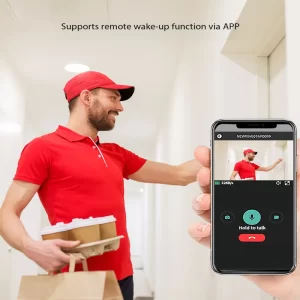
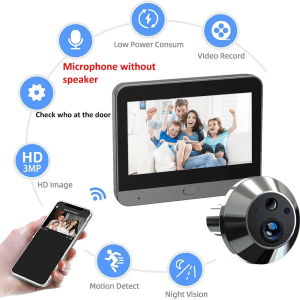
peephole doorbell cameras

peephole doorbell cameras

How to Set Up and Use

Setting up the Tuya Smart peephole doorbell is straightforward. First, remove your existing peephole from the door. Furthermore, Second, insert the camera unit through the peephole hole from outside. Third, attach the indoor display unit on the inside of the door to secure the camera in place. Fourth, charge the battery using the included USB cable. As a result, Fifth, download the Tuya Smart app on your iOS or Android phone. Sixth, follow the in-app instructions to connect the camera to your WiFi network. Once connected, you can view the live feed, receive motion alerts, enable cloud or MicroSD storage up to 128GB, and link the device to Alexa or Google Assistant.

Best Use Cases

This peephole doorbell camera is perfect for apartment doors, condo entrances, rental properties, hotel room doors, office doors, and any front door with a standard peephole. Importantly, It is particularly useful for renters who cannot modify their doors or run wiring. The no-wiring installation means you can take it with you when you move. It also works well as a secondary camera for back doors or side entrances where running power cables would be difficult.

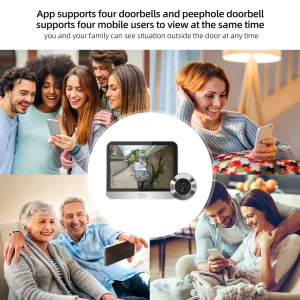
peephole doorbell cameras

peephole doorbell cameras

FAQ

Do I need existing doorbell wiring to install this camera?

No. Notably, The Tuya Smart peephole doorbell camera installs through your existing peephole hole and uses a rechargeable battery. No wiring, drilling, or professional installation is required.

Can I view the live feed when I am away from home?

Yes. As long as the camera is connected to WiFi and your phone has internet, you can view the live 3MP video feed from anywhere in the world using the Tuya Smart app.

Does it work at night?

Yes. However, The infrared night vision automatically activates in low light conditions, providing clear black-and-white visibility to approximately 15 to 20 feet in complete darkness.

Will it send alerts for every passing car or shadow?

No. The PIR motion sensor detects human body heat, which significantly reduces false alarms compared to basic pixel-based motion detection. You can also adjust the motion sensitivity in the app.

Does it work with Alexa and Google Assistant?

Yes. Therefore, The camera is compatible with both Amazon Alexa and Google Assistant. You can view the live feed on compatible smart displays using voice commands.

How long does the battery last on a single charge?

Battery life depends on usage, motion events, and live view frequency. Typically, the rechargeable battery lasts 2 to 4 weeks on a single charge under normal use.

Final Thoughts

A smart peephole doorbell camera is one of the most practical and affordable security upgrades you can make to your home. For example, The Tuya Smart WiFi model offers 3MP video, 140 degree wide angle, IR night vision, PIR motion alerts, two-way audio, and smart home integration in one easy-to-install, no-wiring device. Whether you rent or own, live in an apartment or a house, this camera gives you peace of mind and total visibility of your front door from anywhere. Explore our full collection of smart home security products at Maison Elara & Co.

Related Articles

You Might Also Like
Frequently Asked Questions

Is Peephole Doorbell Cameras worth buying?

Based on the breakdown in this article, Peephole Doorbell Cameras offers a solid mix of features and value. If your main goal matches the key benefits described above, it is a practical choice for everyday use.

How do I choose the right peephole doorbell cameras for my needs?

Start with your core use case, then compare battery life, compatibility, and build quality as covered above. Choosing the right peephole doorbell cameras comes down to matching specs with how you actually use it.

Does peephole doorbell cameras require a companion app?

Most devices of this type pair with a free companion app for setup and firmware updates. A few advanced features may sit behind a paid plan, so check the official specs page before buying.

Does peephole doorbell cameras work with both iPhone and Android?

Yes, in most cases this type of device ships with iOS and Android apps, and standard Bluetooth protocols keep cross-platform pairing simple.

Posted on — Leave a comment

The 7 Must-Have Features in a Smart Doorbell (And Why the Tuya 4.3-Inch Model Stands Out)

Related Articles

You Might Also Like
Frequently Asked Questions

Is Features Doorbell Why Tuya worth buying?

Based on the breakdown in this article, Features Doorbell Why Tuya offers a solid mix of features and value. If your main goal matches the key benefits described above, it is a practical choice for everyday use.

How do I choose the right features doorbell why tuya for my needs?

Start with your core use case, then compare battery life, compatibility, and build quality as covered above. Choosing the right features doorbell why tuya comes down to matching specs with how you actually use it.

Does features doorbell why tuya require a companion app?

Most devices of this type pair with a free companion app for setup and firmware updates. A few advanced features may sit behind a paid plan, so check the official specs page before buying.

Does features doorbell why tuya work with both iPhone and Android?

Yes, in most cases this type of device ships with iOS and Android apps, and standard Bluetooth protocols keep cross-platform pairing simple.

Posted on — Leave a comment

U9 Solar Video Doorbell — Wireless Security | Xingliao

However, U9 Solar Smart Video Doorbell — Wire-Free Front Door SecurityPowered by the Sun In short, Solar video doorbell


Therefore, Tired of charging your Video doorbell every few weeks? Meet the U9 Solar Smart Video Doorbell — a wire-free, solar-powered Security solution that keeps your front door protected 24/7 without ever touching a power cable. Biometric Smart Locks Go Mainstream: The Next Big Home Tech Trend Overseas

🔋 Solar-Powered, Hassle-Free

Moreover, The built-in solar panel continuously charges the dual 18650 batteries (3600mAh total), so you never worry about dead batteries again. Rain or shine, it keeps running. Smart Home Energy Saving Trends: How Overseas Consumers Cut Bills with Automation Smart Home Automation Scenes: 6 Practical Setups That Make Your Home Think

📹 See Who’s There, Anytime, Anywhere

  • 720P HD video with 1-megapixel clarity
  • Solar Charging Smart Doorbell with 1080P Camera and Night Vision
    Solar Charging Smart Doorbell
  • 90° wide viewing angle — no blind spots
  • U9 Solar Video Doorbell retail box highlighting key features and package contents layout
    Front and side view of the U9 Solar Video Doorbell packaging box displaying product images and specifications
  • Real-time two-way talk with echo cancellation
  • U9 Smart Doorbell — PIR Motion Detection & Instant Mobile Alert

  • PIR motion detection — instant alerts when someone approaches
  • U9 Solar Video Doorbell Installation Guide Instructions
    Easy installation guide for U9 Solar Video Doorbell
  • Night vision with 850nm infrared, effective up to 2 meters
  • U9 Solar Video Doorbell camera unit and Dingtone P1 indoor chime receiver
    XINGLIAO Solar Doorbell Outdoor Camera with Indoor Chime

🔔 Smart Indoor Chime Included

In addition, The Dingtone P1 wireless chime plugs into any USB port and rings instantly when someone presses the doorbell. No Wiringno installation headaches. Why Smart Home Security Is Trending Overseas in 2026: Tech That Sells Smart Sensors Buying Guide: How to Make Your Home Feel Its Environment Smart Switch for Water Heater and AC

🌧️ All-Weather Protection

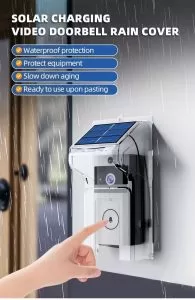
For example, Optional transparent or brown rainproof cover made from high-toughness PC flame-retardant material. Waterproof, impact-resistant, and UV-protected — your doorbell stays safe in any storm. 3D Face Recognition Smart Lock: The Complete Guide to Tuya-Enabled Home Security Tuya 4MP 2K HD Indoor Smart Camera: Color Night Vision for Family and Pet Monitoring Smart Lighting Complete Guide: From Color Temperature to Automation Scenes

📱 Full App Control

Consequently, Answer the door from your phone, check live video, review visitor records, and share device access with family — all through one intuitive app. Supports iOS 11.4+ and Android 5+. Tuya 2MP/4MP Indoor PTZ Smart Camera: 360 Panoramic Home Monitoring Made Simple Home Security Systems Explained: 5 Essential Devices to Protect Your Family

⚡ Quick Specs

  • Resolution: VGA 720×1280, 1MP
  • U9 Smart Doorbell — PIR Motion Detection & Instant Mobile Alert

  • Viewing Angle: 90°
  • Transparent Rainproof Cover for U9 Doorbell

  • Night Vision: Auto-switch IR, 2m range
  • Power: Solar + dual 18650 batteries (3600mAh)
  • Connectivity: 2.4G Wi-Fi
  • Doorbell Size: 136×72×35mm
  • solar video doorbell wireless

  • Chime Size: 55×42×25mm
  • solar video doorbell wireless

  • Working Temp: -20°C to 45°C

🛒 Available Now at Xingliao Shop

5 Bundle Options:

Bundle Price
U9 Doorbell Only $29.99
Transparent Rain Cover $34.99
Brown Rain Cover $34.99
U9 + Transparent Cover Combo $59.99
U9 + Brown Cover Combo $59.99

🔗 Shop now: https://odmhome.com/product/smart-video-doorbell-u9-solar/


#SolarDoorbell #SmartHome #VideoDoorbell #WirelessSecurity #Xingliao #HomeSecurity #SolarPowered #SmartLiving


Related Articles

You Might Also Like
Frequently Asked Questions

Is Solar Video Doorbell Wireless worth buying?

Based on the breakdown in this article, Solar Video Doorbell Wireless offers a solid mix of features and value. If your main goal matches the key benefits described above, it is a practical choice for everyday use.

How do I choose the right solar video doorbell wireless for my needs?

Start with your core use case, then compare battery life, compatibility, and build quality as covered above. Choosing the right solar video doorbell wireless comes down to matching specs with how you actually use it.

Does solar video doorbell wireless require a companion app?

Most devices of this type pair with a free companion app for setup and firmware updates. A few advanced features may sit behind a paid plan, so check the official specs page before buying.

Does solar video doorbell wireless work with both iPhone and Android?

Yes, in most cases this type of device ships with iOS and Android apps, and standard Bluetooth protocols keep cross-platform pairing simple.

Posted on — Leave a comment

Best Video Doorbell 2026: WiFi vs No-WiFi vs Screen Bundle — Complete Buying Guide

Video doorbell with camera and two-way audio - UOBX Smart Doorbell

Related Articles

You Might Also Like
Frequently Asked Questions

Is Video Doorbell Wifi Wifi worth buying?

Based on the breakdown in this article, Video Doorbell Wifi Wifi offers a solid mix of features and value. If your main goal matches the key benefits described above, it is a practical choice for everyday use.

How do I choose the right video doorbell wifi wifi for my needs?

Start with your core use case, then compare battery life, compatibility, and build quality as covered above. Choosing the right video doorbell wifi wifi comes down to matching specs with how you actually use it.

Posted on — 4 Comments

How to Install a Video Doorbell Without Drilling: Complete DIY Guide

How to Install a Video Doorbell Without Drilling

However, Installing a video doorbell doesn’t require drilling holes in your walls. This complete guide shows you how to install a video doorbell using no-drill mounting options perfect for renters. For professional installation tips, refer to Consumer Reports video doorbell guides.

install video doorbell without
Worried about drilling holes in your door frame? Good news — you can install most modern video doorbells without a single screw. Here’s how.
Why Install Without Drilling? Renters, apartment dwellers, and homeowners who don’t want permanent modifications all look for no-drill installation options. Drilling can: • Void your rental deposit • Damage brick, tile, or metal door frames • Require professional tools and skills • Leave unsightly holes if you move or upgrade Method 1: Use an Adhesive Mount (Easiest) What You Need • Video doorbell with adhesive mount option (e.g., UOBX Video Doorbell) • 3M VHB adhesive tape or industrial-strength double-sided tape • Rubbing alcohol and cloth for cleaning • Level (or use your phone’s level tool) Step-by-Stepinstall video doorbell without
1. Clean the surface — Use rubbing alcohol to remove dirt and grease. Let it dry completely (2-3 minutes).
2. Mark the position — Hold the doorbell at eye level (about 55-60 inches from the ground). Use a level to make sure it’s straight.
3. Preheat the adhesive (optional) — Use a hair dryer to warm the adhesive tape for 10-15 seconds. This increases bonding strength.
4. Apply the mount — Press the adhesive mount firmly against the surface. Hold for 30-60 seconds of firm pressure.
5. Wait 24 hours — For maximum strength, let the adhesive cure for 24 hours before attaching the doorbell unit.
6. Snap on the doorbell — Attach your doorbell to the mount.
⚠️ Pro Tip: Adhesive works best between 10-40°C (50-104°F). Avoid installing in direct sunlight or below-freezing temperatures.
Method 2: Door Frame Mount (No Wall Marks)
Door-hanging brackets hook over the top of your door and hold the doorbell on the front side. Great for:
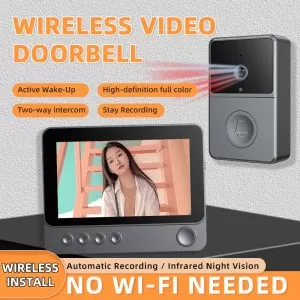
• Apartment doors • Temporary installations • Homes with brick or concrete walls Method 3: Command Strips (Lightweight Only) For lightweight non-WiFi doorbells (under 500g), Command strips work well. Use outdoor-rated Command large strips, clean surface thoroughly, press for 30 seconds, wait 1 hour before attaching. Best Video Doorbells for No-Drill Installation 🥇 UOBX Wireless Video Doorbell • Weighs only 380g — lightweight enough for adhesive mounts • Built-in rechargeable battery — no wiring needed • Includes adhesive mounting plate • 7-inch built-in screen — no phone required • No WiFi needed either — truly wireless FAQ Will adhesive damage my door? High-quality adhesives like 3M VHB are removable. Heat with a hair dryer and slowly peel off. Residue can be cleaned with rubbing alcohol. How long will adhesive hold? With proper installation, up to 2-3 years outdoors. Check annually and replace if weakening.install video doorbell without 🔗 Ready for a drill-free doorbell? The UOBX Video Doorbell at odmhome.com — no tools, no holes, no mess.
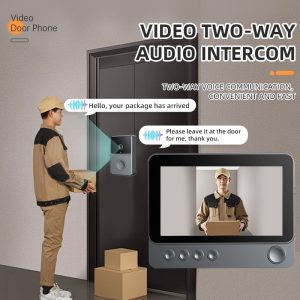
You Might Also Like

Related Articles
Frequently Asked Questions

Is Install Video Doorbell Without worth buying?

Based on the breakdown in this article, Install Video Doorbell Without offers a solid mix of features and value. If your main goal matches the key benefits described above, it is a practical choice for everyday use.

How do I choose the right install video doorbell without for my needs?

Start with your core use case, then compare battery life, compatibility, and build quality as covered above. Choosing the right install video doorbell without comes down to matching specs with how you actually use it.

Does install video doorbell without require a companion app?

Most devices of this type pair with a free companion app for setup and firmware updates. A few advanced features may sit behind a paid plan, so check the official specs page before buying.

Posted on — 3 Comments

Best Video Doorbell Without WiFi: What You Need to Know in 2026

Best Video Doorbell Without WiFi: 2026 Guide

Therefore, A video doorbell without WiFi offers reliable Home security without needing internet connectivity. However, In this 2026 guide, we review the best video doorbell without WiFi options for renters. Therefore, And homeowners alike. For example, For authoritative testing data, see Consumer Reports video doorbell reviews.

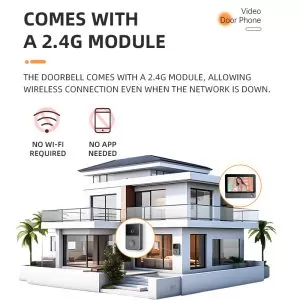
video doorbell without wifi Many homeowners want security without depending on home WiFi. In addition, Here’s everything you need to know about non-WiFi video doorbells and why they’re becoming a popular choice. What Is a Non-WiFi Video Doorbell? A non-WiFi video doorbell operates independently of your home internet network. Moreover, Instead of relying on cloud services through WiFi, these doorbells use local storage (SD card or NVR). Furthermore, And can function as a standalone security device. As a result, They are ideal for rural areas with poor internet, vacation homes, or anyone who values privacy. In contrast, And reliability. Can a Video Doorbell Work Without Internet Connection? Yes, absolutely. While most mainstream brands (Ring, Nest, Arlo) require WiFi to function, there are specialized models like the UOBX Video Doorbell from Xingliao Tech that are designed to work completely offline. However, These devices: Record video to a local SD card (up to 128GB) Use a built-in screen to show visitors without any app Support wired power or battery operation Never send your footage to the cloud 💡 Key Insight: Non-WiFi doorbells are NOT “smart” doorbells that need your phone. Therefore, They are all-in-one devices with an integrated screen — like a mini security station at your door. Best Video Doorbell Without WiFi — Top Picks 🥇 UOBX Video Doorbell (Best Overall) This is currently one of the best options on the market for non-WiFi use. For example, Key features include: video doorbell without wifi7-inch HD display — see and talk to visitors directly on the screen No WiFi, no app needed — works out of the box 1080P camera with night vision SD card recording — 24/7 local storage Wire-free installation — battery powered, no drilling required Two-way audio — talk to delivery drivers or visitors 🥈 Wired Video Doorbell with Monitor If you prefer a wired solution, many traditional video doorbells connect directly to a indoor monitor via coaxial or ethernet cable. In addition, These are common in apartment buildings and gated communities. Moreover, They offer stable performance but require professional installation. 🥉 Battery-Powered Standalone Doorbell Some modern non-WiFi doorbells use rechargeable batteries. Furthermore, And communicate with a base station via RF. As a result, They offer flexibility but may have shorter range and fewer features.https://odmhome.com Non-WiFi vs WiFi Video Doorbell: Quick Comparison Non-WiFi Video Doorbell ✅ Works without internet ✅ Local storage only — privacy guaranteed ✅ No monthly subscription ✅ Simple setup, no app required ✅ No risk of WiFi hacking ❌ No remote access from phone ❌ Can’t check footage away from home WiFi Video Doorbell ✅ Remote viewing via smartphone app ✅ Cloud storage. In contrast, And sharing ✅ Smart home integration (Alexa, Google) ❌ Requires strong, stable WiFi ❌ Monthly cloud fees often required ❌ Privacy concerns (cloud storage) ❌ Vulnerable to WiFi outages When Should You Choose a Non-WiFi Video Doorbell? A non-WiFi doorbell is the best choice if: You live in an area with unreliable internet You have a vacation home or cabin You are concerned about home security privacy You want to avoid monthly subscription fees You prefer simple, no-app operation You need a doorbell for elderly family members who don’t use smartphones Frequently Asked Questions Do non-WiFi video doorbells record 24/7? Many models, including the UOBX, support continuous recording to SD card. However, Some use motion-triggered recording to save storage space. Can I view footage from a non-WiFi doorbell remotely? Generally no. Therefore, That’s the trade-off. For example, However, some models offer an optional WiFi module for remote access. While maintaining local storage as primary mode. Is it hard to install a non-WiFi video doorbell? Not at all. In addition, Most non-WiFi models are designed for DIY installation. Moreover, The UOBX for example is completely wireless — just mount it with adhesive or screws. Furthermore, And it’s ready to use.video doorbell without wifihttp://Looking for a reliable non-WiFi video doorbell? Check out the UOBX Video Doorbell at odmhome.com — no WiFi, no subscription, no hassle. 🔗 Looking for a reliable non-WiFi video doorbell? ChecWiFik out the UOBX Video Doorbell at odmhome.com — no WiFi, no subscription, no hassle.http://Looking for a reliable non-WiFi video doorbell? Check out the UOBX Video Doorbell at odmhome.com — no WiFi, no subscription, no hassle.
You Might Also Like

Related Articles