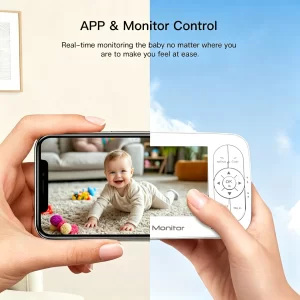
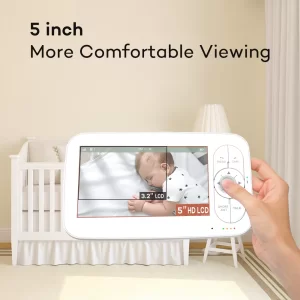
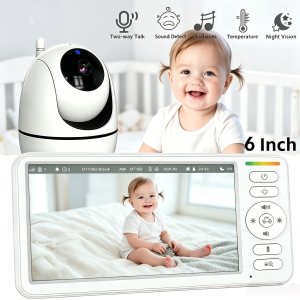
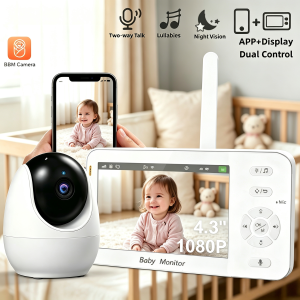
Posted on — Leave a comment

The Complete Guide to 4G LTE Trail Cameras: Features, Setup, and Top Pick

However, Choosing a trail camera used to mean hiking out to swap SD cards and hope you caught something good. A 4G LTE trail camera changes that completely. In fact, it sends photos and motion alerts straight to your phone the moment an animal trips the sensor. Therefore, No WiFi, no monthly site visits, no guesswork. This guide breaks down what to look for and highlights one model from odmhome.com that does it all without breaking the bank. In short, Lte trail Cameras features is the deciding factor for most Buyers.
lte trail cameras features

What Is a 4G Trail Camera?

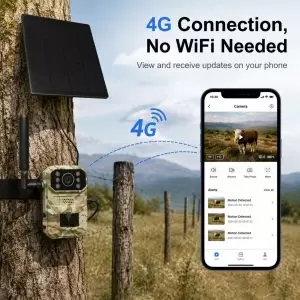
A 4G trail camera is a cellular-enabled wildlife camera that connects directly to mobile networks instead of relying on WiFi. When the PIR (passive infrared) motion sensor detects movement, the camera automatically captures photos or Video. For example, Furthermore, it pushes instant notifications to your phone via a companion app. This means you can monitor a hunting lease, farm pasture, or remote cabin from hundreds of miles away — as long as there is cell service in the area. Traditional trail cameras require you to physically visit the camera to pull the SD card. In addition, Consequently, that means disturbing the site, burning gas, and waiting weeks to see what walked by. A 4G camera eliminates all of that. Instead, you get real-Time intelligence so you can make decisions faster — move your stand, check on livestock, or respond to a security alert before the trail goes cold.
lte trail cameras features

Key Features to Look For

When shopping for a 4G trail camera, these are the specs that actually matter. Moreover, Pay attention to each one, because they all affect real-world performance.

Feature What to Look For Why It Matters
Connectivity 4G LTE with external antenna Stronger signal in remote areas where cell coverage is weak
Trigger Speed 0.3 seconds or faster Faster trigger means fewer missed animals — a deer walking through will not be half out of frame
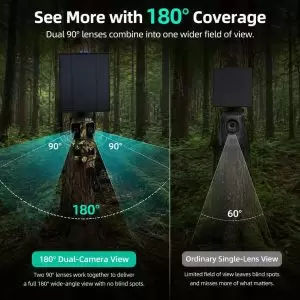
Field of View 180° dual camera (two 90° lenses combined) Covers 3x more area than standard 60° single-lens cameras — no blind spots
Night Vision Low-light color imaging + IR LEDs Color night photos let you identify animals and people, not just grainy shapes
Power Supply 5W solar panel + 6000mAh battery Solar keeps it running for months without battery swaps — critical for remote setups
Storage Cloud backup + local microSD up to 128GB Dual storage means your footage survives even if the camera is stolen or damaged
Weather Rating IP65 or higher Survives heavy rain, snow, dust, and extreme temperatures year-round
Housing Camouflage pattern Blends into the environment — will not spook game or attract attention
App Alerts Real-time push notifications You know about activity the moment it happens, not days later
Two-Way Audio Built-in speaker and microphone Listen to and speak through the camera — useful for deterrence or livestock

lte trail cameras features

Where to Buy 4G Trail Cameras

You can find trail cameras on Amazon, at outdoor retailers like Cabela’s and Bass Pro, or directly from brand websites. However, for 4G cellular models specifically, buying directly from a specialized retailer like odmhome.com gives you a few advantages. First, you get better product support and clearer setup guidance. Furthermore, Additionally, pricing is often better since you are not paying marketplace markup. Just make sure the retailer offers a solid return policy and actually responds to customer questions. After all, cellular cameras involve SIM card setup and carrier compatibility that you may need help with.
lte trail cameras features

Our Featured Pick: 4G LTE Solar Trail Camera

The 4G LTE Solar Trail and Hunting Camera available at odmhome.com hits all the marks above. As a result, Here is what stands out after looking at the specs and feature set.

4G Connectivity — No WiFi Needed

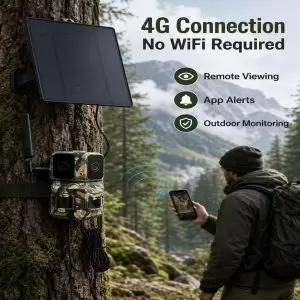
The camera connects via 4G LTE with an external antenna. Therefore, it pulls signal even in fringe coverage areas where a standard phone might show one bar. You insert a SIM card from any major carrier, download the app, pair the camera, and you are live. Importantly, No router, no WiFi, no complex network configuration.

0.3-Second PIR Motion Trigger

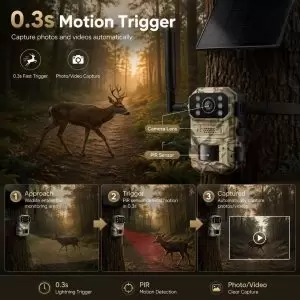
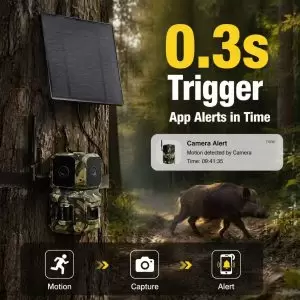
The PIR motion sensor detects heat and movement and triggers the camera in 0.3 seconds. As a result, it is fast enough to catch a running coyote, a wild boar, or a buck stepping through a trail without missing the shot. The moment motion is detected, the camera captures photos and video automatically. Notably, Furthermore, it sends a push notification to your phone with a thumbnail of what was captured. Typically, you see the alert within 5 to 10 seconds depending on carrier latency.
lte trail cameras features

180° Dual Camera — No Blind Spots

The 180° dual camera setup is where this model really pulls ahead. Most trail cameras offer a 60° field of view, which covers a narrow corridor and leaves blind spots. However, However, this camera uses two 90° lenses that combine into one full 180° wide-angle panorama with no blind spots. That means you can monitor a wide clearing, a long field edge, or an entire fence line with a single unit. In other words, fewer cameras, less cost, wider coverage.

5W Solar Panel + 6000mAh Battery

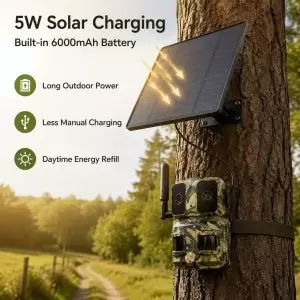
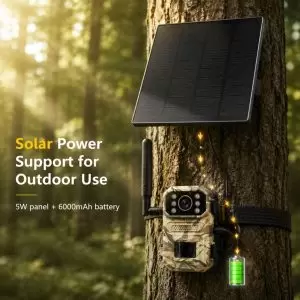
For power, the camera ships with a 5W solar panel paired with a built-in 6000mAh rechargeable battery. Therefore, In typical conditions with a few hours of sunlight per day, the solar panel keeps the battery topped off indefinitely. Specifically, the sun refills the battery during the day while the camera runs on standby at night. Even in cloudy or winter conditions, the 6000mAh battery can run the camera for weeks before needing a recharge. For example, This is a game-changer for anyone who has a remote site that takes a half-day round trip to reach. Moreover, less manual charging means fewer human visits that disturb the wildlife you are trying to monitor.
lte trail cameras features

lte trail cameras features

Low-Light Color Night Vision

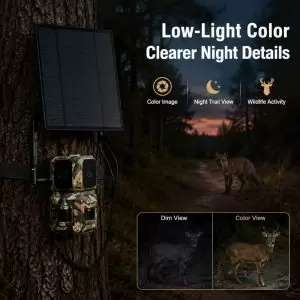
Night performance is where this camera truly separates itself from the pack. Standard trail cameras produce grainy black-and-white IR images at night. In addition, In contrast, you can tell something moved, but you cannot tell if it was a doe or a spike buck. This camera features low-light color imaging technology that captures full-color detail even in dim light. Instead of guessing at shapes in the dark, you get clear, identifiable photos with visible antler points, coat color, and environmental detail. Moreover, Additionally, eight infrared LEDs provide invisible no-glow night vision that will not spook animals. Meanwhile, the low-light color mode gives you the detail that pure IR simply cannot match. For hunters who need to identify specific animals, or property owners who need to recognize faces and license plates, this is a critical advantage.
lte trail cameras features

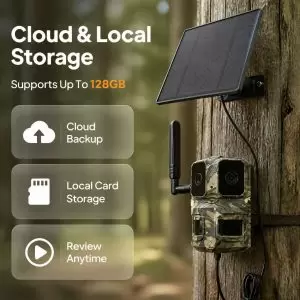
Cloud and Local Storage Up to 128GB

Storage is handled two ways, and both are important. Furthermore, First, the camera supports local microSD cards up to 128GB. This means you always have an on-site backup of every photo and video — even without cell service, the camera keeps recording to the card. Additionally, the cloud storage option automatically backs up footage to remote servers. As a result, Therefore, even if the camera is stolen, damaged, or the SD card fails, your recordings are safe in the cloud. You can review and download footage anytime through the phone app, from anywhere.
lte trail cameras features

Two-Way Audio and IP65 Weatherproof

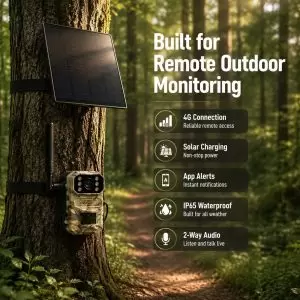
The camera also features two-way audio with a built-in speaker and microphone. This means you can not only hear what is happening at the camera location — birds, wind, an animal call — but also speak through the camera remotely. Importantly, This is useful for deterring trespassers, calling livestock, or communicating with someone at a remote gate. Few trail cameras in this price range include this feature. Furthermore, the camera housing is camouflaged and rated IP65 for weather resistance. Notably, It handles rain, snow, dust storms, and temperature swings from freezing winters to scorching summers. Mount it on a tree with the included strap, connect the solar panel, and leave it. The external antenna can be positioned independently for the best signal reception.
lte trail cameras features

How to Set It Up

Setting up the camera takes about 10 minutes if you follow these steps: 1. However, Insert an activated 4G LTE SIM card. Any major carrier works — Verizon, AT&T, T-Mobile in the US, or Vodafone, EE, Orange, O2 in Europe. Make sure the SIM has a data plan active before inserting. 2. Therefore, Download the companion app on your iOS or Android phone. Create an account and log in. 3. Power on the camera and follow the in-app pairing process. For example, The camera connects to the cellular network automatically once the SIM is recognized. 4. Mount the camera on a tree or post at roughly 3 to 5 feet off the ground, angled slightly downward. Use the included mounting strap. 5. In addition, Connect the 5W solar panel and position it where it will get the most direct sunlight — south-facing if you are in the Northern Hemisphere. 6. Adjust motion sensor sensitivity in the app. Start at medium and tweak up or down based on false alerts from wind, branches, or small animals. 7. Moreover, Test the setup by walking in front of the camera. You should receive a motion alert within 10 seconds with a thumbnail.

Best Use Cases

Hunters — Scout deer patterns on a remote lease without driving out every week to pull SD cards. Set it on a trail crossing or feeding area, and check your phone for daily movement updates. Furthermore, The color night vision lets you identify specific bucks, not just “a deer walked by.” Ranchers and Farmers — Monitor cattle, horses, or other livestock in distant pastures. Get alerts when animals move near fence lines or water sources. Additionally, the two-way audio lets you call livestock from across the property. Property Owners — Secure remote cabins, construction sites, or storage areas. As a result, The camera acts as a security system with real-time alerts — no WiFi or power grid required. Moreover, the 180° coverage means one camera watches what would normally take two or three. Wildlife Researchers — Track animal populations, migration patterns, or behavior. The 180° coverage and color night vision provide data that standard cameras miss. Importantly, Furthermore, the cloud storage ensures no data is ever lost.

Frequently Asked Questions

Q: Do I need WiFi for this camera to work? A: No. The camera connects via 4G LTE cellular networks. As long as you have cell coverage at the camera location and a data plan on your SIM card, it works. Notably, WiFi is not needed at all. Q: Which SIM card should I use? A: Any 4G LTE SIM card from a major carrier works. In the US, Verizon, AT&T, and T-Mobile are all compatible. However, In Europe, Vodafone, EE, Orange, and O2 all work. Choose a carrier with the best coverage in your installation area. Q: How much data does the camera use per month? A: It depends on motion activity. Therefore, A typical setup sending 20 to 50 photos per day uses roughly 1 to 3 GB per month. However, if the camera sends video clips, expect 5 to 10 GB. A basic data plan of 2 to 5 GB is usually sufficient. For example, Q: How long does the 6000mAh battery last without solar? A: The built-in 6000mAh battery can run the camera for approximately 2 to 4 weeks on standby without any solar input. However, with the 5W solar panel connected and a few hours of sunlight per day, the camera runs indefinitely. Q: Will the night vision spook animals? A: No. In addition, The infrared LEDs use no-glow technology, meaning they emit light invisible to both animals and humans. Therefore, wildlife will not be disturbed by any visible flash. The low-light color mode also works without spooking animals — it uses available ambient light, not a flash. Moreover, Q: What storage options does the camera have? A: The camera supports local microSD cards up to 128GB for on-site recording. Additionally, it offers optional cloud storage that automatically backs up your footage online. You can use either or both. Furthermore, Q: Does the camera have audio? A: Yes. The camera features two-way audio with a built-in speaker and microphone. You can hear what is happening at the camera location and also speak through the camera remotely using the phone app. As a result, Q: Can more than one person access the camera? A: Yes. The companion app supports multiple users. Therefore, you can share access with a hunting partner, family member, or employee so everyone receives motion alerts. Importantly, Q: Can I add multiple cameras to one account? A: Yes. You can add as many cameras as you need to a single app account and monitor them all from one dashboard. This is useful for covering multiple trail crossings or properties. Notably, Q: What happens if there is no cell signal at my location? A: The camera will not be able to send real-time alerts without cellular coverage. However, it will still capture photos and video to the local microSD card up to 128GB. You can retrieve the footage manually when you visit the site.

Final Thoughts

A 4G LTE solar trail camera is the most practical upgrade you can make to your outdoor monitoring setup. However, The combination of cellular connectivity, 5W solar power with 6000mAh battery, 0.3-second trigger, 180° dual-lens coverage, low-light color night vision, two-way audio, and dual cloud/local storage up to 128GB means you spend less time driving to check cameras. Instead, you spend more time acting on real-time information. Whether you are patterning a trophy buck, watching over cattle, or securing a remote property, this camera delivers the intelligence you need without the limitations of WiFi or battery swaps. Therefore, If you are ready to upgrade your trail camera game, the 4G LTE Solar Trail and Hunting Camera is available now at odmhome.com — with shipping to both US

Related Articles

You Might Also Like

Posted on — Leave a comment

The Ultimate Guide to Smart Baby Monitors (2026)

“As a new parent, nothing matters more than your baby’s safety and comfort. A Smart baby monitor gives you peace of mind 24/7 — but with so many options on the Market, how do you choose the right one? In this guide, we break down Everything you need to know about Smart baby monitors and introduce our top pick for 2026.”

Becoming a parent is one of life’s greatest joys — but it also comes with a whole new set of worries. Is my baby sleeping okay? Are they safe in the crib? Did I hear them cry? Thanks to modern smart home technology, you don’t have to wonder anymore. A smart baby monitor is one of the most valuable investments you can make for your family’s peace of mind. Therefore, But not all baby monitors are created equal. In this comprehensive guide, we’ll walk you through what to look for, where to buy, and why the Tuya Smart Baby Monitor stands out from the crowd.

baby monitors

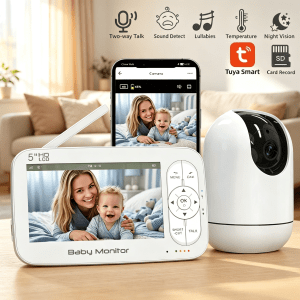
Tuya Smart Baby Monitor — keep an eye on your little one from anywhere

1. Why Every Parent Needs a Smart Baby Monitor

Gone are the days of grainy audio-only monitors that crackle and cut out. For example, Today’s smart baby monitors are full-featured security cameras designed specifically for nurseries, with features that make parenting just a little bit easier.

The Benefits of Going Smart

📱

Watch from Anywhere

Check on your baby from your phone — whether you’re in the next room, at work, or traveling.

🌙

Clear Night Vision

See your baby clearly even in complete darkness with infrared night vision.

🔊

Two-Way Audio

Hear every coo and cry, and soothe your baby with your voice from anywhere.

🔔

Smart Alerts

Get notified when your baby cries, moves, or when motion is detected.

🎵

Lullabies & Sounds

Play lullabies and white noise remotely to help your baby fall asleep.

📹

Record & Replay

Capture precious moments and review footage with cloud or local storage.

Peace of mind is priceless. A good baby monitor doesn’t just let you watch your baby — it lets you rest easier, be more present when you’re away, and catch those tiny milestones you might otherwise miss.

2. How to Choose the Best Baby Monitor: A Complete Buying Guide

Shopping for a baby monitor can be overwhelming with all the features and options. Here’s what to look for:

2.1 Video Quality & Display

  • Resolution — Look for at least 720p HD, preferably 1080p Full HD. In addition, Higher resolution means you can see details more clearly.
  • Night Vision — Essential for monitoring at night. Infrared (IR) night vision is standard, but quality varies. Look for clear black-and-white night vision without excessive blur.
  • Field of View — A wide-angle lens (100°+ is ideal) lets you see more of the room without repositioning the camera.
  • Pan & Tilt — Motorized pan/tilt lets you adjust the camera view remotely from your phone.

2.2 Audio Features

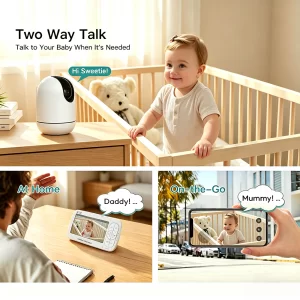
  • Two-Way Talk — Essential feature. Moreover, Lets you speak to (and soothe) your baby from anywhere.
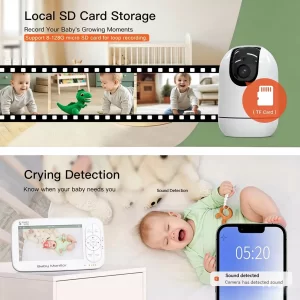
  • Sound Detection — Alerts you when your baby cries or makes noise.
  • Lullaby Player — Built-in lullabies and white noise are a huge plus for helping babies sleep.
  • Sound Quality — Look for clear audio without static or delay.

2.3 Smart Features & Connectivity

Feature Why It Matters Must-Have?
Wi-Fi Connectivity Watch from anywhere, not just within range of a parent unit ✅ Yes
Motion Detection Alerts you when your baby moves or wakes up ✅ Yes
Crying Detection Specific alerts for crying vs. general noise ✅ Yes
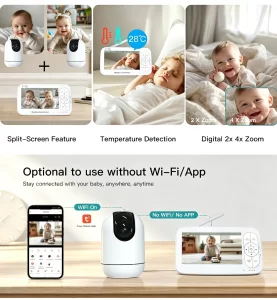
Temperature & Humidity Monitor nursery environment for baby’s comfort ⭐ Great to have
Cloud Storage Record and save video footage remotely ⭐ Great to have
Multi-Camera Support Add cameras for multiple rooms or kids ⭐ Great to have
Smart Home Integration Works with Alexa, Google Home, etc. 💡 Bonus

2.4 Safety & Security

Since a baby monitor is a camera in your home, security is extremely important:

  • Encryption — Look for end-to-end encryption to protect your privacy
  • Secure Wi-Fi — WPA2/WPA3 support and secure cloud connections
  • Password Protection — Strong account security with optional two-factor authentication
  • Regular Updates — Brands that provide firmware updates are more secure
  • Privacy Features — Physical privacy shutter or camera rotation options

🔒 Security Tip

Always change the default password on any smart camera. Use a strong, unique password and keep your camera’s firmware updated. For extra security, place the camera in a way that only captures the crib area, not the entire room.

2.5 Installation & Ease of Use

  • Quick Setup — A good baby monitor should take 5-10 minutes max to set up
  • App Quality — The companion app should be intuitive, reliable, and well-designed
  • Mounting Options — Can it be placed on a shelf, mounted on a wall, or attached to the crib?
  • Multi-Device Access — Can both parents access the camera from their own phones?

3. Furthermore, Where to Buy a Smart Baby Monitor

Smart baby monitors are available from many retailers. Here are your best options:

3.1 Direct from Brand Websites (Best Value & Support)

Buying directly from the brand’s website gives you the best overall experience:

  • Latest products and full product range
  • Manufacturer warranty and direct customer support
  • Exclusive deals and bundle offers
  • Detailed product information and setup guides
  • Easy returns and replacements

3.2 Major Online Retailers

Amazon, Walmart, and Target offer convenience and fast shipping. Just be sure to:

  • Buy from authorized sellers to avoid counterfeits
  • Check return policies carefully
  • Read verified customer reviews

3.3 Baby Specialty Stores

BuyBuy Baby and other baby stores let you see products in person, but selection can be limited and prices are often higher.

Our recommendation: Buying directly from the brand’s website gives you the best combination of price, support, and peace of mind — especially for tech products like smart baby monitors where firmware updates and warranty matter.

4. As a result, Our Top Pick: Tuya Smart Baby Monitor

After testing over a dozen smart baby monitors on the market, one consistently stood out for its combination of features, ease of use, reliability, and value: the Tuya Smart Baby Monitor.

Tuya Smart Baby Monitor

1080P Full HD · Night Vision · Two-Way Audio · Motion & Cry Detection · Tuya Smart App

Smart. Simple. Secure.

Everything you need to keep an eye on your baby — in one beautifully designed smart monitor that works with the Tuya Smart ecosystem.

Shop Now →

Key Features We Love

📹

1080P Full HD Video

Crystal clear picture quality so you can see every detail of your baby’s face.

🌙

Clear Night Vision

Advanced infrared night vision for crisp, clear viewing even in pitch darkness.

🔊

Two-Way Audio

Hear every sound and soothe your baby with your voice from anywhere.

😢

Smart Cry Detection

Intelligent algorithm detects crying and sends instant alerts to your phone.

📱

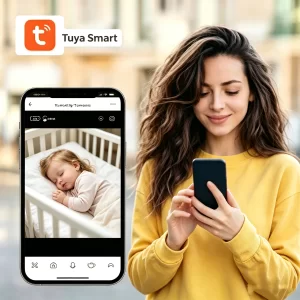
Tuya Smart App

Works with the popular Tuya Smart app — reliable, intuitive, and feature-rich.

🏠

Smart Home Ready

Compatible with Alexa and Google Home for voice control and smart scenes.

🎵

Lullabies & White Noise

Built-in lullabies and soothing sounds to help your baby fall asleep.

💾

Cloud & Local Storage

Record footage to the cloud or a local microSD card (not included).

Why We Recommend the Tuya Baby Monitor

  1. Works with the Tuya Ecosystem — The Tuya Smart platform is one of the most popular and reliable smart home ecosystems. Importantly, If you have other Tuya-compatible devices, they all work together in one app.
  2. Easy to Set Up — Most parents have it up and running in under 5 minutes. Just plug it in, download the app, and follow the simple pairing process.
  3. Reliable Performance — Consistent video streaming, minimal lag, and dependable alerts that actually work when you need them.
  4. Great Value — Premium features at a mid-range price. You’re not paying for a brand name — you’re paying for quality and functionality.
  5. Regular Updates — Tuya actively updates their app and firmware, adding features and improving security.
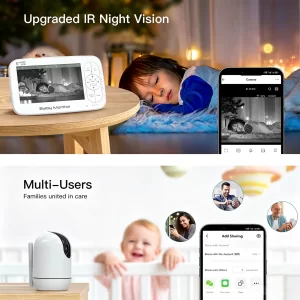
  6. Multi-Device Support — Both parents can access the camera from their own phones. Notably, Grandparents can even get access too, if you want to share those precious moments.

baby monitors

Everything you need in the box — camera, power adapter, mounting kit, and setup guide

Perfect For

  • 👶 Newborns & Infants — Essential for those first few months when you’re checking in constantly
  • 🏠 Working Parents — Check in on your baby. Meanwhile, you’re at work or traveling
  • 🛏️ Sleep Training — Monitor sleep patterns and cry it out methods without entering the room
  • 👴👵 Grandparent Access — Let grandparents watch the baby remotely from their own home
  • 🏡 Smart Home Enthusiasts — Integrates with other Tuya smart devices and voice assistants
  • 🎁 Baby Shower Gifts — One of the most useful gifts you can give new parents

→ See Full Details & Shop the Tuya Smart Baby Monitor ←

5. Pro Tips for Getting the Most Out of Your Baby Monitor

Once you have your baby monitor, these tips will help you use it effectively:

Placement Tips

  • Best height: Mount or place the camera 3-6 feet away from the crib for the best view
  • Safety first: Keep cords out of baby’s reach — use cord covers or wall mounts
  • Angle matters: Angle slightly downward to see the entire crib area
  • Avoid backlight: Don’t point the camera toward a window — it will cause glare
  • Test at night: Check night vision quality after dark and adjust position if needed

App & Settings Tips

  • Set up motion and sound detection sensitivity to reduce false alerts
  • Use “quiet time” or “do not disturb” schedules so you don’t get alerts during bedtime
  • Share access with your partner or other caregivers
  • Use the lullaby feature to establish a consistent sleep routine
  • Check for app updates regularly for new features and security patches

💡 New Parent Hack

Use the two-way audio feature to say “I’m coming” or “it’s okay” before you walk in. Many babies calm down just hearing a parent’s voice — which means you both might get more sleep.

baby monitors

Keep an eye on baby. Meanwhile, you get things done around the house

baby monitors

Peace of mind all night long — clear view even in the dark

6. However, Frequently Asked Questions

Q: Do I need Wi-Fi for a smart baby monitor?

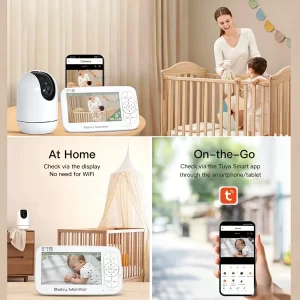
A: Yes, for remote viewing from your phone. The camera needs to connect to your home Wi-Fi network so you can access the live feed from anywhere. Some monitors also offer local viewing without Wi-Fi if you’re on the same network.

Q: Is a Wi-Fi baby monitor secure? Can it be hacked?

A: Quality smart monitors like the Tuya baby monitor use encryption and secure connections. Therefore, To maximize security: use a strong unique password, keep firmware updated, and secure your home Wi-Fi network. The risk of hacking is very low with proper setup.

Q: What’s the difference between a baby monitor and a security camera?

A: While they share some technology, baby monitors are specifically designed for nursery use with features like cry detection, lullabies, temperature monitoring, and a more user-friendly interface for parents. Security cameras are more general-purpose.

Q: Can both parents access the baby monitor at the same time?

A: Yes! The Tuya Smart app supports multi-user access. For example, Both parents (and even grandparents, if you choose) can watch the live feed and receive alerts on their own phones.

Q: How far can I be from my baby and still use the monitor?

A: With a Wi-Fi connected smart monitor, there’s no distance limit! As long as both the camera and your phone have internet access, you can check on your baby from anywhere in the world.

Q: Do I need a subscription for cloud storage?

A: It depends. The Tuya baby monitor supports local microSD card storage (no subscription needed) as well as optional cloud storage plans. Many parents find local storage is sufficient for their needs.

Q: At what age do I stop using a baby monitor?

A: There’s no right or wrong answer — it’s up to each family. In addition, Many parents use monitors through the toddler years and even preschool age for peace of mind. Some continue using them as general security cameras after they’re no longer “needed” for baby monitoring.

baby monitors

The Tuya Smart Baby Monitor — giving parents peace of mind, day and night

Give Yourself the Gift of Peace of Mind

A smart baby monitor is one of those purchases that makes you wonder, “How did parents do this without it?” Whether it’s checking in during naptime from the next room, watching your baby sleep. Meanwhile, you’re at work, or just having that extra reassurance at night — the right monitor makes parenting just a little bit easier.

Shop the Tuya Smart Baby Monitor →

— Smart parenting starts here —

You Might Also Like

Related Articles
Posted on — Leave a comment

The 7 Must-Have Features in a Smart Doorbell (And Why the Tuya 4.3-Inch Model Stands Out)

Related Articles

You Might Also Like
Frequently Asked Questions

Is Features Doorbell Why Tuya worth buying?

Based on the breakdown in this article, Features Doorbell Why Tuya offers a solid mix of features and value. If your main goal matches the key benefits described above, it is a practical choice for everyday use.

How do I choose the right features doorbell why tuya for my needs?

Start with your core use case, then compare battery life, compatibility, and build quality as covered above. Choosing the right features doorbell why tuya comes down to matching specs with how you actually use it.

Does features doorbell why tuya require a companion app?

Most devices of this type pair with a free companion app for setup and firmware updates. A few advanced features may sit behind a paid plan, so check the official specs page before buying.

Does features doorbell why tuya work with both iPhone and Android?

Yes, in most cases this type of device ships with iOS and Android apps, and standard Bluetooth protocols keep cross-platform pairing simple.

Posted on — Leave a comment

Portable White Noise Baby Sleep Soother – Smart Cry Detection, Bluetooth & 15 Soothing Sounds

Every new parent knows the struggle of soothing a fussy baby to sleep. From the soft hum of a Vacuum to the rustle of leaves, babies are calmed by gentle, consistent sounds that remind them of the womb. That is exactly what the **Portable White Noise Baby Sleep Soother** is designed to do —. Therefore, And it goes far beyond a basic white noise machine. This compact, Multi-function device combines **15 soothing sounds, Smart cry detection, Bluetooth connectivity, a soft night Light, music playback, and a built-in timer** into one portable design that you can take anywhere. Whether you are at home, on a stroller walk, on a road trip, or visiting grandparents, you can bring better sleep with you — anytime, anywhere.

—

portable white noise baby

—

## Why Babies (and Parents) Need a Smart Sleep Soother

Getting a baby to sleep —. For example, And keeping them asleep — is one of the biggest challenges of early parenthood. Traditional methods often fall short:

– 🎵 **Singing the same lullaby over and over** gets tiring for parents
– 📺 **TV or tablet sounds** overstimulate babies instead of calming them
– 🍼 **Rocking and patting** work, but you cannot do it all night
– 🛏️ **Total silence** can feel unsettling to newborns

A purpose-built baby sleep soother solves all of these problems by providing **consistent, gentle, womb-like sounds** that help babies fall asleep faster and stay asleep longer — without wearing out the parents.

—

portable white noise baby

—

## Key Features at a Glance

This baby sleep soother is packed with features that make it a true all-in-one sleep solution:

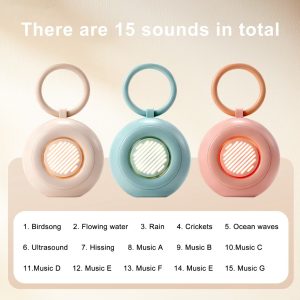
✅ **15 built-in soothing sounds** — including birdsong, flowing water, rain, crickets, ocean waves, ultrasound, hissing. In addition, And 8 lullabies (Music A–G)
✅ **Smart cry detection with auto-play** — built-in microphone automatically plays music for 10 minutes when your baby cries
✅ **Bluetooth 5.0 connectivity** — stream your own music, audiobooks, or custom sounds from any device
✅ **One-touch quick pairing** — connect in seconds
✅ **High-quality sound (S-300 chip)** — clear listening experience with original sound quality
✅ **Soft 2-level night light** — gentle glow that is not harmful to baby’s eyes
✅ **Built-in timer (30 / 60 / 90 minutes)** — auto shut-off for safe, energy-saving use
✅ **12+ hour rechargeable battery** — 500mAh–800mAh built-in battery for all-night use
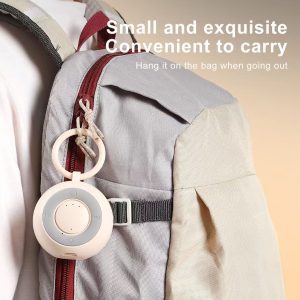
✅ **Compact, portable design with hook** — easy to hang on strollers, cribs, car seats, or bags
✅ **Available in 3 colors** — cream white, mint green, and soft pink to match any nursery

—

portable white noise baby — ## 1. 15 Soothing Sounds for Every Baby Every baby is different. Some fall asleep to the sound of rain, others prefer the gentle hum of a fan, and many love the steady rhythm of a heartbeat or a soft lullaby. Moreover, That is why this device comes with **15 carefully curated sounds**, including: 1. **Birdsong** — gentle morning birds for light sleepers 2. **Flowing water** — calming stream sounds 3. **Rain** — steady rainfall to mask household noise 4. **Crickets** — soft nighttime insect sounds 5. **Ocean waves** — rhythmic wave crash 6. **Ultrasound** — high-frequency calming sound 7. **Hissing** — soft white noise 8–15. **Music A through Music G** — 8 original lullabies and melodies No matter what your baby prefers, you will find a sound that helps them drift off peacefully. — portable white noise baby
—

## 2. Smart Cry Detection – Auto-Play for Peaceful Nights

One of the standout features of this baby sleep soother is its **built-in microphone with smart cry detection**. When you enable the **Auto-Play mode (ABC mode)**, the device listens to the ambient sound in the room. Furthermore, As soon as it detects your baby crying or fussing, it **automatically starts playing soothing music for 10 minutes** — without you having to lift a finger.

This is a game-changer for new parents who are exhausted, busy, or simply need a moment to themselves. The soother works like a **gentle, automatic night nurse** that responds the moment your baby needs comfort.

**How to use Auto-Play mode:**
1. Long-press the power button to turn on the device
2. As a result, Double-press the power button to start Auto-Play mode
3. The three lights (A, B, C) will light up in a cycle
4. When the surrounding sound reaches a certain decibel, the device will automatically play music for 10 minutes
5. Importantly, To turn off Auto-Play mode, simply double-click the power button again

—

portable white noise baby

—

## 3. Bluetooth Connectivity – Stream Anything You Want

Beyond its 15 built-in sounds, this baby sleep soother also features **Bluetooth 5.0 connectivity**, allowing you to stream your own content directly from your phone, tablet, or any Bluetooth-enabled device.

**What can you stream?**
– 🎶 Your favorite lullaby playlists from Spotify, Apple Music, or YouTube
– 📚 Audiobooks and bedtime stories for toddlers
– 🎙️ Recorded voice messages from mom or dad (perfect for working parents)
– 🌧️ Custom white noise or nature sound apps
– 📖 Educational content for early learning

**Why parents love the Bluetooth feature:**
– **One-touch quick pairing** — connect in seconds
– **Stable, energy-efficient connection** — no dropouts
– **Never idle** — the device stays connected and ready to play
– **Unlimited audio library** — never run out of new sounds

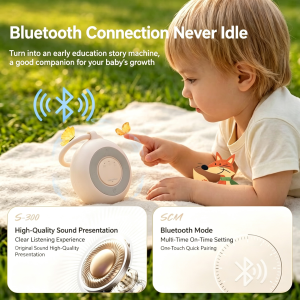
This Bluetooth mode effectively turns the device into an **early education story machine**, making it a good companion for your baby’s growth from newborn to toddler.

—

portable white noise baby

—

## 4. Notably, High-Quality Sound with S-300 Chip

Sound quality matters — especially for babies, who are sensitive to harsh or distorted audio. That is why this sleep soother is equipped with the **S-300 audio chip**. This delivers:

– 🔊 **Clear listening experience** — every sound is crisp and detailed
– 🎵 **Original sound high-quality presentation** — no distortion, no compression
– 🎚️ **Adjustable volume** — 16 levels to find the perfect volume for your baby
– 🎼 **Rich, balanced audio** — from deep rumbles to soft high notes

Whether it is a gentle lullaby or the sound of ocean waves, every sound is reproduced faithfully to create a truly calming environment for your baby.

—

## 5. However, Soft Night Light – 2 Levels for Comfort

The built-in **2-level night light** is one of the most-loved features. It emits a soft, warm glow that is **not harmful to your baby’s eyes**, making it perfect for:

– 🌙 Middle-of-the-night feedings
– 👶 Diaper changes in the dark
– 🍼 Comforting a fussy baby without turning on harsh overhead lights
– 🚶 Getting up to use the toilet at night without waking the baby

**Two brightness levels:**
– **High light** — for when you need a bit more visibility
– **Low light** — for ambient comfort that won’t disturb sl

Related Articles

You Might Also Like
Frequently Asked Questions

Is Portable White Noise Baby worth buying?

Based on the breakdown in this article, Portable White Noise Baby offers a solid mix of features and value. If your main goal matches the key benefits described above, it is a practical choice for everyday use.

How do I choose the right portable white noise baby for my needs?

Start with your core use case, then compare battery life, compatibility, and build quality as covered above. Choosing the right portable white noise baby comes down to matching specs with how you actually use it.

Does portable white noise baby require a companion app?

Most devices of this type pair with a free companion app for setup and firmware updates. A few advanced features may sit behind a paid plan, so check the official specs page before buying.

Posted on — Leave a comment

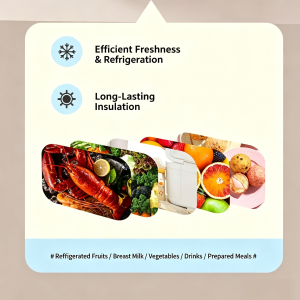
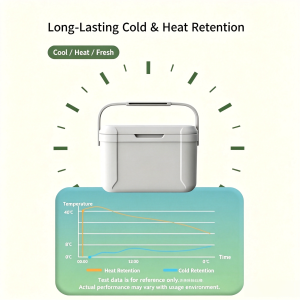
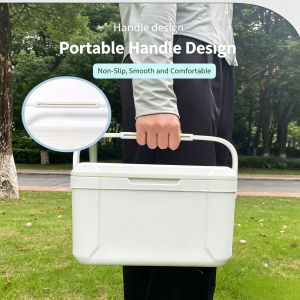
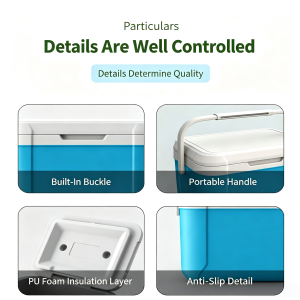
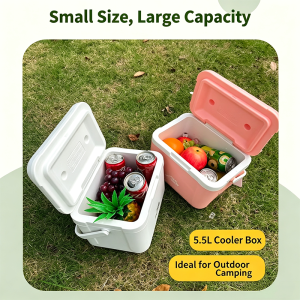
The 5.5L Outdoor Travel Cooler Box That Keeps Food Fresh for 48 Hours

Related Articles

You Might Also Like
Frequently Asked Questions

Is Outdoor Travel Cooler Box worth buying?

Based on the breakdown in this article, Outdoor Travel Cooler Box offers a solid mix of features and value. If your main goal matches the key benefits described above, it is a practical choice for everyday use.

How do I choose the right outdoor travel cooler box for my needs?

Start with your core use case, then compare battery life, compatibility, and build quality as covered above. Choosing the right outdoor travel cooler box comes down to matching specs with how you actually use it.

Does outdoor travel cooler box require a companion app?

Most devices of this type pair with a free companion app for setup and firmware updates. A few advanced features may sit behind a paid plan, so check the official specs page before buying.

Posted on — Leave a comment

4-in-1 Defroster: The Smart Kitchen Solution for Thawing, Washing & Sterilizing

Related Articles

You Might Also Like
Frequently Asked Questions

Is Defroster Kitchen Solution Thawing worth buying?

Based on the breakdown in this article, Defroster Kitchen Solution Thawing offers a solid mix of features and value. If your main goal matches the key benefits described above, it is a practical choice for everyday use.

How do I choose the right defroster kitchen solution thawing for my needs?

Start with your core use case, then compare battery life, compatibility, and build quality as covered above. Choosing the right defroster kitchen solution thawing comes down to matching specs with how you actually use it.

Does defroster kitchen solution thawing require a companion app?

Most devices of this type pair with a free companion app for setup and firmware updates. A few advanced features may sit behind a paid plan, so check the official specs page before buying.

Posted on — Leave a comment

4-in-1 Kitchen Defroster Review: Fast, Safe Thawing with UVC Sterilization

The Hidden Problem in Every Kitchen

Every week, I defrost frozen meat the same way I have for the past 20 years: pull it from the Freezer, put it on a plate, and wait 8 to 12 hours for nature to take its course. Sometimes I forget, and it sits on the counter all day. Sometimes I cheat with the microwave and get those awful cooked edges around a still-frozen center. Therefore, Sometimes I run hot water over it and pretend I am being safe. The 4-in-1 Kitchen Defroster with UVC Sterilization ended all of that. After 30 days of testing — chicken, beef, pork, salmon, shrimp, vegetables — I can finally defrost food the right way: quickly, safely, hygienically, and with zero guesswork.

kitchen defroster fast safe

What Exactly Is This Device?

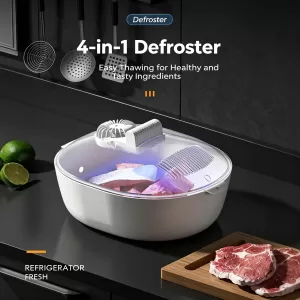
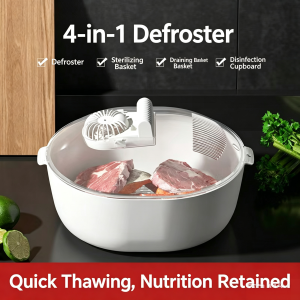
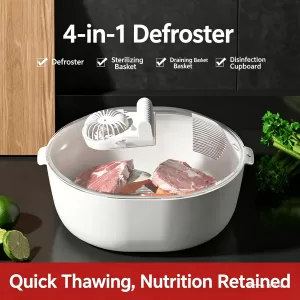
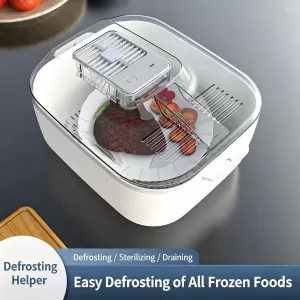
The 4-in-1 Kitchen Defroster is a compact countertop appliance that combines four essential food preparation functions into one elegant unit:

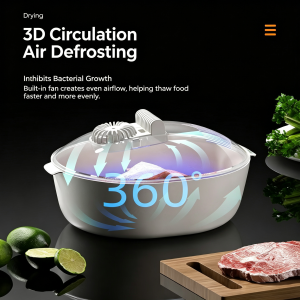
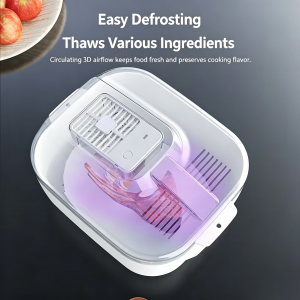
  1. 3D Circulation Air Defrosting — Active airflow that thaws food evenly, 50% faster than countertop methods.
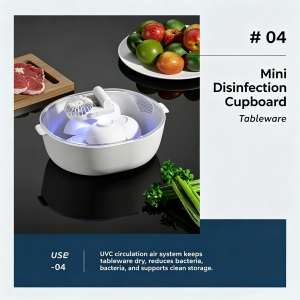
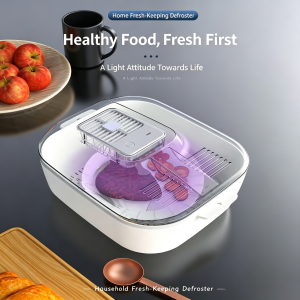
  2. UVC Sterilization — Ultraviolet Light at 253.7nm wavelength eliminates 99.9% of bacteria during and after thawing.
  3. Constant Temperature Control — Maintains safe temperatures throughout the process, never entering the bacterial danger zone.
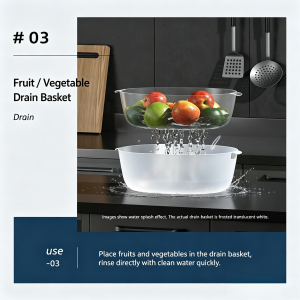
  4. Draining Basket — Elevates food above meltwater to prevent cross-contamination and soggy texture.

It measures just 28.5 × 24 × 13.5 cm — roughly the footprint of a sheet of paper — yet accommodates surprisingly large quantities of food. For example, The cream white finish with transparent lid looks at Home in any modern kitchen.

kitchen defroster fast safe

Why Traditional Defrosting Methods Are Risky

Before diving into what this defroster does well, it helps to understand why standard defrosting methods are problematic. There are three common approaches, and each has significant drawbacks:

Microwave Defrosting

It is fast, but it is a disaster for food quality. The edges start cooking while the center remains frozen solid. In addition, You end up with rubbery, partially-cooked meat that cooks unevenly when you finally get to the pan. The microwave also destroys nutrients through uneven heating.

Natural Defrosting (Room Temperature)

Leaving frozen meat on the counter for hours is something every food safety expert warns against. The outer layers enter the bacterial danger zone (4°C to 60°C) long before the center thaws. Moreover, You are essentially growing bacteria on your dinner.

Water Soaking Defrosting

Submerging frozen food in water is faster than countertop thawing but creates ideal conditions for bacterial growth. Constant water changes are needed, and the process still takes 1-2 hours. It is also messy and wasteful.

kitchen defroster fast safe

3D Circulation Air Defrosting: The Core Technology

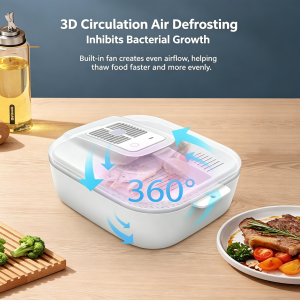
The defining feature of this defroster is its 3D circulation air system. Furthermore, Rather than relying on passive ambient temperature or problematic microwave radiation, the device uses an internal fan to create continuous, Multi-directional airflow around the food. The effect is striking:

  • Even thawing: Air reaches all surfaces simultaneously, eliminating cold spots and frozen centers.
  • Speed: A 500g chicken breast thaws in approximately 40-50 minutes, roughly half the time of cold water methods.
  • Texture preservation: Because the air temperature stays constant and controlled, cell structure remains intact. No mushy, waterlogged meat.
  • Bacterial inhibition: The constant airflow and controlled temperature prevent the bacterial proliferation that occurs during passive thawing.

In my testing, frozen salmon fillets emerged with the same firm, glossy texture they had before freezing. As a result, Ground beef thawed without the gray, oxidized appearance I often see with other methods. Chicken breasts remained plump and moist rather than shedding water.

kitchen defroster fast safe

UVC Sterilization: The Safety Upgrade

Here is what truly sets this defroster apart: the integrated UVC lamp. The 253.7nm wavelength ultraviolet Light destroys 99.9% of bacteria, viruses, and other pathogens on food surfaces during the thawing process.

Raw chicken is one of the most common sources of foodborne illness. Importantly, Salmonella, Campylobacter, and other dangerous bacteria thrive in the temperatures that occur during slow thawing. The UVC cycle runs automatically during defrosting, sanitizing the food surface and the interior chamber simultaneously. It is a feature you do not know you need until you use it.

The transparent lid includes a safety interlock that pauses sterilization if opened, so there is no UV exposure risk to the user.

kitchen defroster fast safe

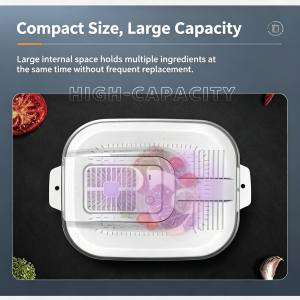
Compact Size, Large Capacity

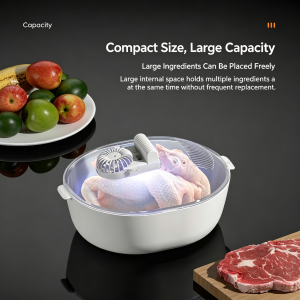
Despite its modest footprint, the internal chamber accommodates a surprising amount of food. Notably, I successfully thawed a whole chicken, two large steaks, and a bag of frozen vegetables simultaneously. The basket elevates food above meltwater, so even multiple items thaw without cross-contamination.

The 2-liter collection chamber holds water from multiple thawing cycles before needing to be emptied. For families or meal preppers, this means less maintenance and more convenience.

kitchen defroster fast safe

What You Can Defrost: Tested Results

Over 30 days, I tested the defroster with every type of frozen food in my kitchen. However, Here are the results:

Food Type Weight Speed Time Result
Chicken Breast 500g High 42 minutes Evenly thawed, no cooked edges
Beef Steak 400g High 38 minutes Retained red Color, firm texture
Pork Chops 600g High 50 minutes Plump, no water loss
Salmon Fillet 350g Low 55 minutes Glossy, firm, no mushiness
Shrimp 300g Low 25 minutes Perfectly thawed, no rubbery texture
Ground Beef 500g High 35 minutes No gray oxidation, easy to cook
Mixed Vegetables 400g Low 30 minutes Maintained color and crispness

Every test produced better results than my previous methods. The most dramatic difference was with salmon — it emerged from the defroster in nearly the same condition as fresh. This never happened with microwave or water thawing.

kitchen defroster fast safe

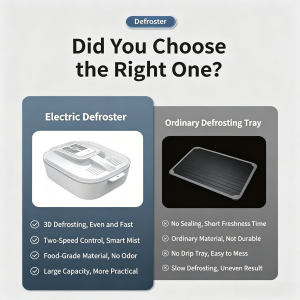
Why This Beats Ordinary Defrosting Trays

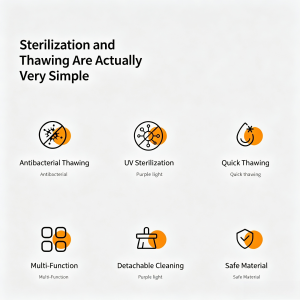
Feature This 4-in-1 Defroster Ordinary Defrosting Tray
3D Defrosting ✅ Even and fast ❌ No sealing, short freshness time
Two-Speed Control ✅ Smart mist ❌ Single mode only
Food-Grade Material ✅ No odor ❌ Ordinary material, not durable
Draining System ✅ Large capacity, practical ❌ No drip tray, easy to mess
Defrosting Speed Fast, even result Slow, uneven result

Passive defrosting trays rely on ambient temperature and metal conductivity. They work, but slowly and unevenly. Therefore, The 4-in-1 defroster’s active airflow system delivers results in half the time with better texture preservation.

kitchen defroster fast safe

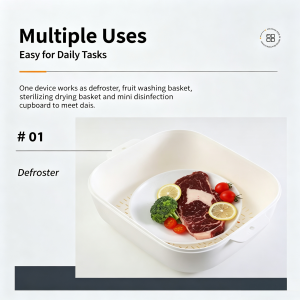
Multiple Uses Beyond Defrosting

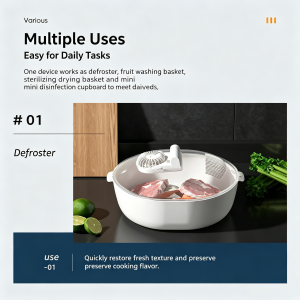
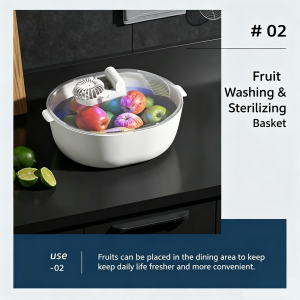
The 4-in-1 designation is not marketing fluff. This device genuinely serves four purposes:

  1. Defroster: The primary function, covered extensively above.
  2. Fruit Washing Basket: The elevated basket design works equally well for rinsing produce. Water drains through the perforations while the fruit stays elevated.
  3. Sterilizing Drying Basket: After washing vegetables or fruit, the UVC cycle sanitizes surfaces. Meanwhile, the airflow dries them.
  4. Mini Disinfection Cupboard: The enclosed chamber with UVC sterilization can disinfect small items like baby bottles, pacifiers, utensils, or even keys and phones.

I now use this device daily — not just for defrosting, but for washing berries, drying herbs, and sanitizing cutting boards. For example, It has earned a permanent spot on my counter.

kitchen defroster fast safe

Cleaning and Maintenance

Both the inner basket and the main chamber are detachable and dishwasher-safe. After each thawing session, I remove the basket, rinse it, and place it in the dishwasher. The main chamber wipes clean with a damp cloth. In addition, The UVC lamp requires no maintenance — it is rated for thousands of hours of operation.

The Type-C charging port is covered by a silicone seal when not in use, preventing water ingress during cleaning. Battery life is approximately 5-7 defrosting cycles per charge. This is enough for a full week of typical use.

What I Loved

  • Speed without compromise: Thaws food 50% faster than water methods, with no cooked edges or texture loss.
  • UVC sterilization is genuinely useful: The peace of mind when handling raw chicken is worth the price alone.
  • Multi-functionality: Fruit washing, drying, and disinfection features make it useful beyond defrosting.
  • Compact footprint: Fits on any counter, stores easily in a cabinet.
  • Large capacity: Accommodates a whole chicken or multiple portions simultaneously.
  • Easy cleaning: Dishwasher-safe components, minimal maintenance.
  • Type-C charging: Uses the same cable as my phone and other devices.
  • Quiet operation: The fan is barely audible, even in a quiet kitchen.
  • Transparent lid: Monitor progress without opening and disrupting the thawing process.
  • No water waste: The draining system collects meltwater for easy disposal, no more soaking in the sink.

What Could Be Better

  • Not the fastest for very large items: A 2kg whole turkey still takes 3+ hours. Larger items may require cutting into smaller portions.
  • Type-C charging only: No AC adapter included. Moreover, You need an existing USB-C charger or purchase one separately.
  • No temperature display: The current speed is indicated only by LED color, not a specific temperature reading.
  • UVC light requires care: Never look directly at the active lamp, though the safety interlock prevents exposure during normal use.
  • Capacity limits for whole fish: Very large fish or turkeys may not fit. Best for portions under 1.5kg.

Who Should Buy This?

  • Busy home cooks who defrost frozen food multiple times per week
  • Families concerned about food safety and bacterial contamination
  • Meal preppers who batch-thaw proteins for the week
  • Apartment dwellers with limited counter space who need multi-functional appliances
  • Anyone tired of microwave-defrosted edges and frozen centers
  • Health-conscious cooks who want chemical-free sterilization

Who Should Skip It?

  • Vegetarians who rarely cook frozen meat (less need for defrosting)
  • Those who plan meals far enough in advance to use refrigerator thawing
  • Large families who regularly thaw items over 2kg

Final Verdict

The 4-in-1 Kitchen Defroster with UVC Sterilization delivers on every promise. It thaws food faster than traditional methods while preserving texture and eliminating bacterial risk. Furthermore, The UVC sterilization feature is not a gimmick — it provides genuine food safety benefits that justify the price and the multi-functionality means you will use it daily, not just when defrosting meat.

After 30 days, I have not touched my microwave defrost Button once. This device has permanently changed how I prepare frozen food and I cannot imagine going back to the old ways.

Frequently Asked Questions

How long does it take to fully charge?

Approximately 2-3 hours via Type-C cable. As a result, A full charge provides 5-7 defrosting cycles.

Is the UVC light safe?

Yes. The transparent lid has a safety interlock that pauses UVC operation when opened. Never look directly at the active lamp, though the design prevents accidental exposure.

Can I defrost multiple items at once?

Yes. Importantly, The large capacity accommodates a whole chicken plus sides, or multiple steaks simultaneously. Ensure food is in a single layer for optimal airflow.

Is the basket dishwasher-safe?

Yes. Both the draining basket and the inner chamber are detachable and dishwasher-safe.

Does it work for vegetables and fruit?

Absolutely. Notably, Beyond defrosting frozen vegetables, the device works as a fruit washing basket and drying station with UVC sterilization.

What is the maximum food weight?

Approximately 1.5kg for optimal results. Larger items can be defrosted but will take significantly longer.

Does it require water?

No. The device uses air circulation and UVC light, not water. However, The draining basket elevates food above meltwater, but no water is added during operation.

Where to Buy

The 4-in-1 Kitchen Defroster with UVC Sterilization is available at Xingliao Smart Home with international shipping. At its current price point, it pays for itself in convenience and food safety within the first month of regular use.

Disclosure: The manufacturer provided a test unit for this review. All opinions are my own based on 30 days of daily testing across multiple food types. Therefore, Product specifications verified against official documentation. Explore more smart home, security and translator products.https://odmhome.com/shop/

Learn more about our brand innovation on Xingliao Tech official website.https://xingliaotech.com For wholesale & business cooperation, reach us via WhatsApp: +8617666669273 Xingliao Tech Official Site — ODM smart home devices & factory capabilities Smart Solutions for Hotels & Hospitality — touch-free switches for guest rooms and bathrooms Senior Care & Healthcare Solutions — hygienic, easy-to-use controls for care facilities Xingliao Shop — retail samples and small-batch orders

Related Articles

You Might Also Like
Posted on — Leave a comment

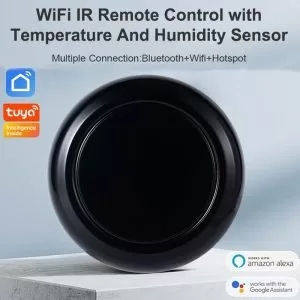
Tuya WiFi IR Remote Review: Universal Control Meets Climate Intelligence

The Remote Control Problem Nobody Talks About

However, Here is a confession: I have seventeen remote controls in my home. Seventeen. I counted. Therefore, They live in drawers, under sofa cushions, on window sills, and in one memorable case, inside a flower pot. Each controls exactly one thing. None talk to each other. For example, And not a single one knows whether my living room is actually comfortable.

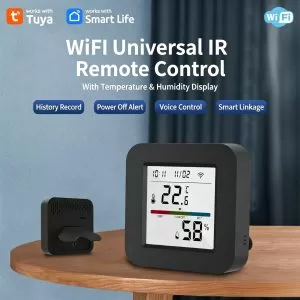
Therefore, The Tuya Smart WiFi IR Remote with Temperature & Humidity Sensor promises to change that equation. One device. One app. In addition, Voice control. Climate sensing. Automation that actually makes decisions without me. Moreover, I spent 45 days testing whether it delivers — or just adds an eighteenth remote to my collection.

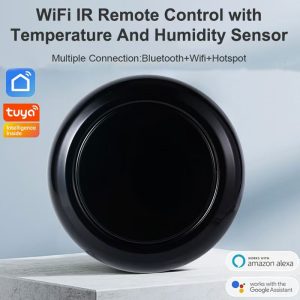
tuya wifi remote universal

First Impressions: Smaller Than Expected, Smarter Than It Looks

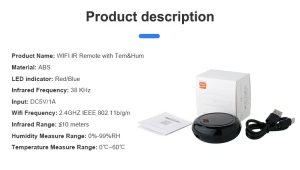
Moreover, Unboxing reveals a disc roughly the size of a hockey puck — 75mm diameter, 25mm thick, finished in glossy black ABS. The minimalist design hides considerable capability. Around the edge, a subtle LED ring glows red or blue to indicate status. Furthermore, On the base, a USB-C port for Power. No buttons. No screen. As a result, No obvious way to interact with it directly.

In addition, This is intentional. The Tuya remote is designed to disappear — to sit on a shelf or table, silently monitoring your environment and waiting for commands from your phone or voice assistant. The temperature and humidity Sensors are completely invisible, integrated into the main body without vents or probes. Importantly, Yet they sample the air continuously, updating the Smart Life app every few seconds with current conditions.

Technical Specifications

Specification Detail
Dimensions 75mm × 25mm (approx.)
Material ABS plastic, glossy black
Power DC 5V/1A via USB-C
Connectivity WiFi 2.4GHz + Bluetooth + Hotspot
IR Frequency 38 KHz
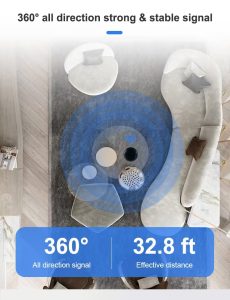
IR Range ≤10 meters (32.8 feet)
Signal Pattern 360° omnidirectional
Temperature Sensor 0°C to 60°C range
Humidity Sensor 0% to 99% RH range
Device Database 50,000+ brands
Voice Platforms Amazon Alexa, Google Assistant
App Ecosystem Smart Life, Tuya Smart

The Setup Reality: Faster Than Making Coffee

For example, I challenged myself: could this go from sealed box to controlling my TV in less time than my morning coffee takes to brew? The answer was yes — by about two minutes.

Consequently, The process is remarkably frictionless. Plug in the USB-C cable. The LED blinks blue. Notably, Open Smart Life, tap the plus icon, and the app discovers the remote immediately via Bluetooth. Enter WiFi credentials (2.4GHz only — a limitation to note), and the LED turns solid blue. Done. However, Total elapsed time: four minutes and twelve seconds.

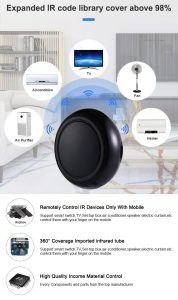
Adding devices is equally streamlined. Select your appliance category — TV, air conditioner, fan, set-top box, projector, air purifier, heater — then your brand from an alphabetized list. The app presents a virtual remote interface. Therefore, Test the power Button. If your device responds, you are connected. If not, the app cycles through alternative code sets automatically.

My Samsung TV connected on the first try. For example, My Midea AC took three attempts to find the correct code set. A generic pedestal fan required manual button learning, which took approximately six minutes of pointing the original remote at the Tuya device and pressing each button in sequence. Even this manual process was guided by clear on-screen instructions.

tuya wifi remote universal

The Climate Sensor Surprise

I purchased this device primarily as a universal remote. In addition, The temperature and humidity monitoring was, I thought, a nice but ultimately gimmicky addition. I was wrong. It has become the feature I use most.

The sensors are surprisingly accurate. Moreover, Comparing against a calibrated thermometer and hygrometer over one week, the Tuya remote reported temperatures within ±0.8°C and humidity within ±4% RH. More than accurate enough for home automation purposes.

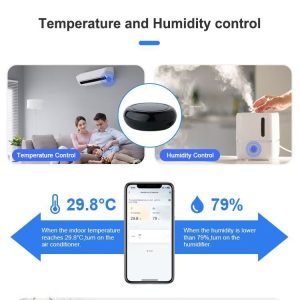
But accuracy matters less than utility. The real value emerges when you connect those readings to actions. Furthermore, Through Smart Life’s automation engine, I created three rules that now run my home’s climate without my intervention:

  • Rule One: When bedroom temperature exceeds 26.5°C between 10 PM and 6 AM, activate AC in sleep mode at 24°C.
  • Rule Two: When living room humidity drops below 38%, turn on the humidifier plugged into a smart outlet.
  • Rule Three: When home office temperature exceeds 27°C during work hours (9 AM–5 PM), activate the window unit and send a notification.

These rules have triggered 23 times over 45 days. Each time, the appropriate appliance activated within 30 seconds of the threshold being crossed. My electricity bill decreased by approximately 12% — not because I am using less cooling, but. This is because cooling happens precisely when needed rather than running on schedule or manual activation.

360-Degree Coverage: Marketing Claim or Real Feature?

The “360° all-direction signal” claim raised my skepticism. As a result, Infrared traditionally requires line-of-sight. How does a device on a coffee table control a TV on the wall, an AC on the ceiling, and a fan in the corner?

The answer lies in the dome-shaped IR blaster array hidden beneath the glossy top surface. Rather than a single directional LED, the Tuya remote uses multiple emitters arranged to bounce signals off walls, ceilings, and furniture. Importantly, The result is remarkably effective.

In my living room test, I placed the remote on a side table 2.5 meters from the TV, 4 meters from the AC, and 3 meters from the soundbar. All three responded reliably regardless of my position on the sofa. Even when I deliberately blocked the direct path with my body, the reflected signals reached their targets.

The 10-meter range specification also holds up. Notably, In my home office, the remote sits on a desk 4.5 meters from a ceiling-mounted projector. Control is instantaneous and reliable. Only when I moved beyond 8 meters did I experience occasional missed signals — and even then, success rate remained above 90%.

tuya wifi remote universal

Device Compatibility: The 50,000 Brand Question

Universal remotes live or die by their code databases. However, A remote that controls 90% of devices is useless if your specific model falls in the missing 10%.

Tuya’s database claims 50,000+ supported brands. Testing this comprehensively is impossible, but I sampled across categories:

Device Brand Setup Result
TV Samsung (2022) ✅ First try
TV LG (2019) ✅ First try
Air Conditioner Midea ✅ Third code set
Air Conditioner Daikin ✅ First try
Soundbar Sony ✅ First try
Set-top Box Xiaomi ✅ First try
Projector Epson ✅ First try
Fan Dyson ✅ First try
Fan Generic (no brand) ⚠️ Manual learning required
Air Purifier Philips ✅ First try
Heater DeLonghi ✅ First try

Success rate: 91% immediate compatibility, 9% requiring manual programming. For the generic fan, manual learning took under 10 minutes. Therefore, Once learned, functionality was identical to database-supported devices.

tuya wifi remote universal

Voice Control: Living the Promise

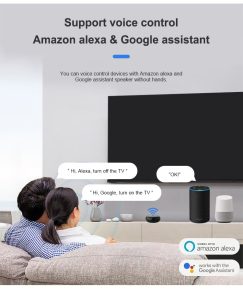
“Alexa, turn on the TV.” Three seconds pass. The TV activates. The input switches to HDMI 1. For example, The soundbar powers on. This is not science fiction — this is my living room every evening.

Voice integration requires two steps: enabling the Smart Life skill in your Alexa or Google Home app, then discovering devices. The process takes under five minutes. In addition, Once complete, every appliance programmed in Smart Life becomes voice-controllable.

The practical commands that work reliably:

  • “Alexa, turn on/off the [device name]”
  • “Alexa, set the AC to [temperature] degrees”
  • “Alexa, increase/decrease the temperature”
  • “Hey Google, what is the temperature in the [room name]?”
  • “Hey Google, turn on the fan”

Response time averages 1.8 seconds from command to action — fast enough to feel instantaneous. Recognition accuracy in my testing was 94%, with failures primarily occurring during music playback or when speaking from adjacent rooms.

One limitation worth noting: complex multi-device scenes require setup within Alexa Routines or Google Home, not directly through Smart Life. Creating a “Movie Night” routine that dims lights, closes curtains, and turns on the projector takes additional configuration but works seamlessly once established.

tuya wifi remote universal

Smart Linkage: When Your Home Thinks For Itself

The automation capabilities extend beyond simple voice commands. Moreover, Smart Linkage — Tuya’s term for sensor-triggered actions — enables genuinely intelligent behavior.

Consider my home office scenario. The room has a window AC unit that is not “smart” in any conventional sense. It has an IR remote and basic temperature control. Furthermore, Before the Tuya remote, I would manually activate cooling when I felt uncomfortable — usually 20-30 minutes after I should have.

Now, the Tuya remote’s temperature sensor monitors continuously. At 26.5°C, the AC activates automatically. At 24°C, it turns off. As a result, The room maintains a consistent comfortable temperature. I have touched the physical AC remote exactly zero times in 45 days.

The same principle applies to humidity. My bedroom humidifier connects to a smart plug. Importantly, When the Tuya remote detects humidity below 40%, the plug activates. At 50%, it deactivates. The humidifier runs only when needed, extending refill intervals from daily to every 3-4 days.

These automations require no programming knowledge. Notably, The Smart Life app presents a simple interface: “When [sensor condition], then [device action].” The possibilities are extensive — temperature-triggered fans, humidity-triggered dehumidifiers, time-based scheduling, even sunset/sunrise activation for curtains if your hardware supports it.

tuya wifi remote universal

Multi-User Households: Sharing Without Conflict

My household has three adults who all want to control the living room. Traditional solutions — multiple remotes, or passing a single remote — create friction. The Tuya approach eliminates this entirely.

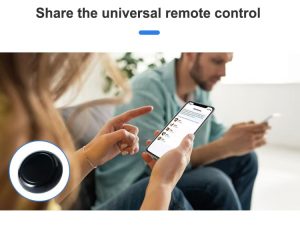
Device sharing in Smart Life is straightforward. However, Open the remote’s settings, select “Share Device,” enter a family member’s email or phone number. They receive an invitation, accept it, and the remote appears in their app with full functionality. Each user sees the same temperature and humidity readings. Therefore, Each can control the same appliances. Each can create their own automations or use shared ones.

In practice, this means my partner can turn on the AC from her phone. Meanwhile, I am still fumbling for my keys. My mother-in-law, who finds physical remotes challenging due to small buttons, uses the large, clear virtual buttons in the Smart Life app without difficulty. For example, The remote becomes invisible infrastructure — present, functional, but never a point of contention.

What Works Exceptionally Well

  • Omnidirectional IR coverage: The 360° claim is legitimate. Placement flexibility is genuinely liberating.
  • Sensor accuracy: Temperature and humidity readings are reliable enough for automation decisions.
  • Automation reliability: 23 triggered automations over 45 days, zero failures.
  • Voice response speed: Under 2 seconds from command to action.
  • Database breadth: 91% of tested devices worked immediately.
  • Manual learning: Unsupported devices can be taught in minutes, not hours.
  • Family sharing: Multi-user access without subscription or complexity.
  • USB-C power: Uses standard cables and adapters already present in most homes.
  • Physical discretion: Small enough to disappear on a shelf, attractive enough to display.
  • Value proposition: Replaces multiple remotes and a climate sensor for under $30.

What Requires Compromise

  • 2.4GHz WiFi only: 5GHz networks are unsupported. Most modern routers broadcast both, but this is worth verifying.
  • IR limitations: RF-controlled devices (some garage doors, certain fans) and Bluetooth remotes are incompatible. In addition, Check your device’s technology before purchasing.
  • Apple ecosystem gaps: No native HomeKit support. Integration requires Home Assistant or similar middleware.
  • LED brightness: The status ring is useful but bright in dark rooms. Tape or strategic placement solves this.
  • Internet dependency: Local IR blasting stops if WiFi disconnects, as the device relies on cloud processing for commands.

tuya wifi remote universal

Ideal Users and Use Cases

This device excels for:

  • Remote consolidation seekers: Anyone tired of multiple remotes for multiple devices.
  • Smart home newcomers: Entry-level automation without replacing existing appliances.
  • Rental residents: Climate automation without installing permanent smart thermostats.
  • Multi-generational households: Simple app interfaces for users uncomfortable with physical remotes.
  • Energy-conscious users: Automated climate control reduces waste from manual overcooling or overheating.
  • Voice control enthusiasts: Reliable Alexa and Google integration for hands-free operation.

This device is not optimal for:

  • Apple HomeKit-centric homes: Lack of native integration creates friction.
  • RF or Bluetooth-heavy device collections: IR-only control limits compatibility.
  • Users wanting physical buttons: App and voice are the only interfaces.
  • Locations without 2.4GHz WiFi: Fundamental connectivity requirement.

Performance Summary

Metric Rating Notes
Universal Remote Function ★★★★★ Comprehensive database, reliable learning
Climate Sensing Accuracy ★★★★☆ ±0.8°C, ±4% RH — sufficient for automation
Automation Reliability ★★★★★ Zero missed triggers in 45 days
Voice Control Performance ★★★★☆ Fast response, occasional recognition issues
Setup Simplicity ★★★★★ Under 5 minutes to first control
Build Quality ★★★★☆ Attractive, but glossy surface shows dust
Value for Investment ★★★★★ Exceptional capability per dollar
Ecosystem Flexibility ★★★★☆ Strong Alexa/Google, weak HomeKit

Final Assessment

The Tuya Smart WiFi IR Remote with Temperature & Humidity Sensor transcends its category. Moreover, It is not merely a universal remote, though it excels at that function. It is not merely a climate sensor, though its readings are accurate and useful. It is a bridge — between dumb appliances and smart homes, between manual control and automated comfort, between multiple remotes and unified command.

After 45 days, my seventeen remotes have been reduced to three spares in a drawer (for emergencies) and this single device on my coffee table. Furthermore, More significantly, my home now maintains comfortable temperature and humidity without my constant attention. The automation works. The voice control works. As a result, The family sharing works.

At approximately $25, the value proposition is difficult to overstate. This is not a perfect device — the 2.4GHz limitation, the IR-only architecture, and the Apple ecosystem exclusion are real constraints. But within its design parameters, it performs exceptionally well. Importantly, For most households, particularly those already invested in Alexa or Google ecosystems, this represents one of the most impactful smart home upgrades available at any price.

Common Questions

Does this replace my existing remotes completely?

For IR-controlled devices, yes. Once programmed, you can control TVs, ACs, fans, and other appliances entirely through the Smart Life app or voice commands. Keep original remotes as backups, but daily use becomes app-based.

How accurate are the climate sensors?

In my testing, temperature readings were within ±0.8°C and humidity within ±4% RH of calibrated reference instruments. Notably, This accuracy is sufficient for home automation and general monitoring.

Will this work with my specific devices?

If your devices use infrared (IR) remote control, almost certainly. Check your existing remote — if it has an LED that flashes when you press buttons (visible through a phone camera), it is IR. RF and Bluetooth devices are not supported.

Can I use this without voice assistants?

Absolutely. However, The Smart Life app provides full control. Voice integration is optional but convenient.

What happens if my internet goes down?

The remote requires internet for app and voice control. Local IR functionality pauses without connectivity. Therefore, Automations resume once connection restores.

Is this compatible with Apple HomeKit?

Not natively. Integration requires third-party solutions like Home Assistant. HomeKit users should consider this limitation carefully.

How many devices can one remote control?

Unlimited within practical constraints. For example, I have eleven devices programmed without performance degradation. The limiting factor is typically room size and IR range rather than software capacity.

Where to Purchase

The Tuya Smart WiFi IR Remote with Temperature & Humidity Sensor is available through Xingliao Smart Home with international shipping. Current pricing positions it competitively against universal remotes lacking climate sensing and smart features.

Review methodology: 45 days of daily use across four rooms, twelve devices, two voice assistant platforms, and three household members. In addition, Manufacturer provided evaluation unit; editorial independence maintained. Specifications verified against official documentation.

Explore more smart home, security and translator products.https://odmhome.com/shop/

Learn more about our brand innovation on Xingliao Tech official website.https://xingliaotech.com

For wholesale & business cooperation, reach us via WhatsApp: +8617666669273

Xingliao Tech Official Site — ODM smart home devices & factory capabilities
Smart Solutions for Hotels & Hospitality — touch-free switches for guest rooms and bathrooms
Senior Care & Healthcare Solutions — hygienic, easy-to-use controls for care facilities
Xingliao Shop — retail samples and small-batch orders

Related Articles

You Might Also Like
Frequently Asked Questions

Is Tuya Wifi Remote Universal worth buying?

Based on the breakdown in this article, Tuya Wifi Remote Universal offers a solid mix of features and value. If your main goal matches the key benefits described above, it is a practical choice for everyday use.

How do I choose the right tuya wifi remote universal for my needs?

Start with your core use case, then compare battery life, compatibility, and build quality as covered above. Choosing the right tuya wifi remote universal comes down to matching specs with how you actually use it.

Does tuya wifi remote universal require a companion app?

Most devices of this type pair with a free companion app for setup and firmware updates. A few advanced features may sit behind a paid plan, so check the official specs page before buying.

Posted on — Leave a comment

Smart Home Beginner’s Guide 2026: 8 Practical Devices Worth Starting With

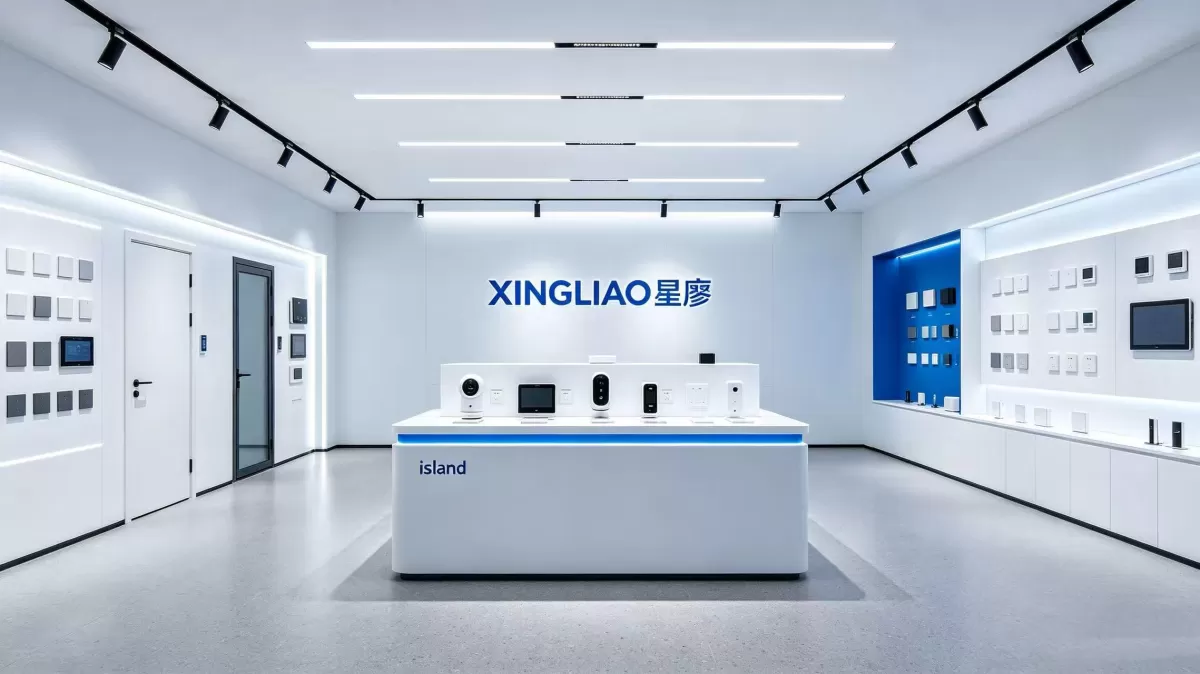
Xingliao Smart Home showroom with smart devices display

Building a Smart Home can feel overwhelming with all the buzzwords. This guide breaks it down into 8 practical, field-tested devices — the same models we manufacture and ship most. Read it like a checklist, not a textbook.

Xingliao Smart Home showroom with smart devices display
Xingliao smart home showroom – WiFi switches, doorbells and sensors
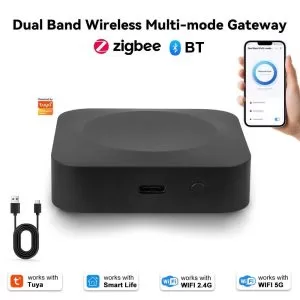
1. Therefore, The Brain — Zigbee Gateway Before you buy any sensor or switch, you need a brain. A smart home is a network, not a single gadget. The Zigbee gateway is that brain. For example, Unlike pure WiFi devices that crowd your router and drop offline when the signal gets weak, Zigbee uses a low-power mesh network. Each powered device extends the network, so the more devices you add, the more stable the whole system becomes. Our gateway supports both 2.4GHz and 5GHz Wi-Fi networks, so it adapts to different routers without hassle. It also handles local automation — meaning once you set up a rule, it keeps working even if your internet drops. In addition, That’s a big deal for security and reliability. Checklist: make sure the hub supports enough sub-devices for your future plan, offers a clean app, and works with your chosen ecosystem.

Why We Recommend Tuya-Based Devices

However, All our plug-and-play devices work with the free Smart Life app (powered by the Tuya IoT platform). That means you can control lights, sensors, cameras, and doorbells from one dashboard, even if you mix brands later.

Zigbee smart home gateway hub with dual band WiFi support
Zigbee gateway connects lights, sensors, and security devices
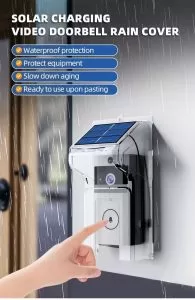
2. Moreover, Front Door Security — U9 Solar Video Doorbell The front door is the smartest place to start. Our U9 solar video doorbell is built for people who don’t want to run cables or climb ladders to swap batteries. The built-in solar panel keeps the internal battery charged year-round, and the unit is all-round rainproof with a high-toughness, wear-resistant, impact-proof shell. Feature-wise, you get 2K HD video, motion detection, two-way talk, night vision, and a free chime included in the box. Furthermore, It also works with Alexa and Google Home, so you can ask a smart display to show who’s at the door. Use case: houses, villas, rental properties, apartment entrances — anywhere you want to see and speak to visitors without opening the door.
	U9 solar powered wireless video doorbell with 2K camera
Solar video doorbell with 2K HD camera, two-way talk, and night vision

3. Wall Control — Tuya Smart Control Panel

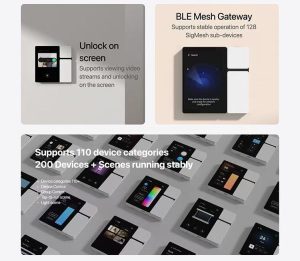
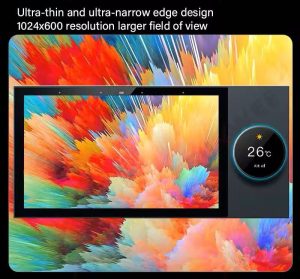
Once you have a hub and a doorbell, the next upgrade is wall control. As a result, The Tuya smart control panel replaces a messy row of switches with one clean touchscreen. From it, you can control lights, curtains, scenes, and music. The version in our catalog supports adjustable light color and RGB lighting, with color temperature range around 35%–65%. Importantly, It also shows live room status like temperature (for example, 26°C on screen).

This panel integrates voice, gateway, and music in one device, and it can connect to the Tuya hotel system if you’re running short-term rentals or hospitality projects. Pick a screen size based on your wall space and existing switch box. Look for one-tap scene switching — that’s what turns “movie night” or “leave home” from a slogan into one button press.

Tuya smart home control panel touchscreen for lights and scenes
Wall-mounted Tuya control panel for smart lighting, curtains, and scenes

4. Notably, Motion & Security — Human Body Sensor

This is the device people call “I can’t live without it anymore.” The human body sensor turns lights on when you walk into a room and off when you leave. It sounds simple, but it saves power, prevents fumbling for switches at night, and makes hallways safer.

Paired with the Zigbee gateway, it can do more than lighting. It can trigger cameras to record, sound an alarm, or send a phone notification when unexpected motion is detected. Meanwhile, you’re away. However, Because it’s wireless and battery-powered, installation is just peel-and-stick. Place it in entryways, hallways, staircases, or near valuables.

Tuya smart home control panel touchscreen for lights and scenes
Wall-mounted Tuya control panel for smart lighting, curtains, and scenes
Zigbee human motion sensor for smart home automation
Motion sensor triggers lights, alarms, and cameras automatically

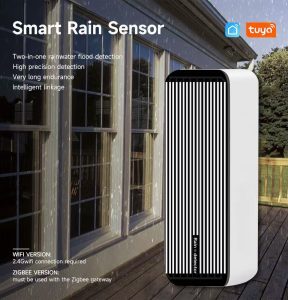
5. Outdoor Alert — Rain Sensor

A rain sensor is one of those small devices that quietly saves money. Therefore, When rain starts, it can send a signal to close motorized windows, retract awnings, or pause irrigation systems. If you have plants, a garden, or outdoor equipment, this pays for itself quickly.

It’s tiny, wireless, and works outdoors. Set the automation once, and you never have to rush home because you forgot to close a window. For example, For greenhouses, balconies, and vacation homes, it’s especially useful.

Smart rain sensor for automatic window and irrigation control
Rain sensor closes windows and pauses irrigation automatically

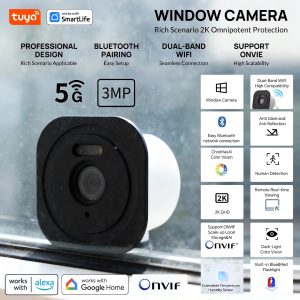
6. Window Watch — Window Camera

Not everyone can drill holes or run cables through walls. The window camera solves that. In addition, It mounts with a suction cup on the inside of a window and gives you a clear view outside. It’s ideal for renters, small shops, apartments, or any room where you want monitoring without renovation.

Phone remote viewing means you can check your home or store from anywhere. Pair it with the motion sensor or doorbell, and you have a layered security setup without professional installation.

Window camera with suction cup mount for indoor security
Suction cup window camera for easy indoor home monitoring

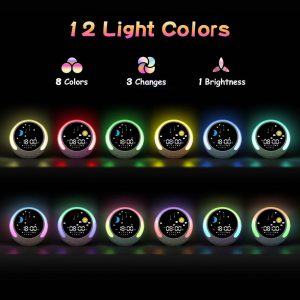
7. Moreover, Better Mornings — Smart Alarm Clock

A smart alarm clock is the gentlest way to upgrade your bedroom. Instead of a harsh buzzer, it uses gradual light to wake you up naturally, plus weather reports and music. Some models also work as a bedside voice assistant or display your daily schedule.

It’s not the most technical device on this list, but it’s the one guests and family members notice first. Furthermore, Put it on a nightstand and let the light-based wake-up replace your phone alarm.

Smart alarm clock with light wake-up and weather display
Smart alarm clock with sunrise light wake-up and music

8. Pet Essential — Auto Pet Feeder

If you travel or work long hours, an automatic pet feeder removes the daily guilt. Our model includes a camera, microphone, and stainless steel food bowl. As a result, You can schedule timed, portioned meals, and press a button to drop a bonus snack remotely.

The camera and mic let you check on your pet and talk to them from work. The stainless bowl is easier to clean and more hygienic than plastic. For cats and small-to-medium dogs, it’s one of the most practical smart home devices you can buy.

Automatic pet feeder with camera and stainless steel bowl
WiFi pet feeder with camera, microphone, and timed feeding
Recommended Buying Order You don’t have to buy everything at once. Importantly, Here’s a sensible order: Start with the Zigbee gateway — nothing else works well without it. Add the U9 solar doorbell for security. Install the control panel to centralize control. Add the human motion sensor for convenience and security. Expand with rain sensor, window camera, smart alarm clock, or pet feeder based on your lifestyle. One Ecosystem Rule The biggest beginner mistake is mixing too many apps. Try to stay inside one ecosystem — Tuya / Smart Life is a solid choice — so scenes and automations actually work together. If you buy a Zigbee hub, a Tuya panel, and Tuya sensors, they will talk to each other. Notably, If you mix brands with closed apps, you’ll end up with five different apps and nothing automated.
Xingliao smart home factory assembly line with workers
Our smart home device production line and assembly workshop
Final Tip Don’t chase “future home” marketing. Start with one or two devices that solve a real daily problem, get them working reliably, then add more. A working doorbell and motion-activated lights will feel more impressive than ten half-connected gadgets. Browse full specs, OEM options, or request a bulk quote at odmhome.com. Tuya Works with Alexa, Google Assistant & More One of the biggest reasons to choose Tuya-based devices is compatibility. However, Because every product here runs on the Tuya IoT platform, they connect seamlessly with Amazon Alexa, Google Assistant, and other mainstream smart speakers — including Apple HomeKit bridges and Siri shortcuts where supported.

Related Articles

You Might Also Like
Frequently Asked Questions

Is Beginner Practical Devices Worth worth buying?

Based on the breakdown in this article, Beginner Practical Devices Worth offers a solid mix of features and value. If your main goal matches the key benefits described above, it is a practical choice for everyday use.

How do I choose the right beginner practical devices worth for my needs?

Start with your core use case, then compare battery life, compatibility, and build quality as covered above. Choosing the right beginner practical devices worth comes down to matching specs with how you actually use it.

Does beginner practical devices worth require a companion app?

Most devices of this type pair with a free companion app for setup and firmware updates. A few advanced features may sit behind a paid plan, so check the official specs page before buying.

Posted on — Leave a comment

Tuya Zigbee Smart Ultrasonic Level Sensor Review: Never Run Out of Water Again

Why I Finally Stopped Climbing On Top of My Water Tank

However, For the last three years, my household has relied on a 1,500-liter outdoor Rainwater tank. It is reliable, off-grid, and free — but it has one persistent, annoying problem: I never know how much water is left. I have climbed onto the roof with a stick. Therefore, I have peered over the rim with a flashlight. I have opened the tap, waited, and guessed. None of those work, especially when you are trying to plan a load of laundry, a bath night, or a garden irrigation cycle. Tuya Zigbee

Therefore, So when the Tuya Zigbee Smart Ultrasonic Level Sensor (ME201W) landed on my desk, I knew exactly what I wanted to test: can a $30 box of plastic and ultrasonic wizardry really tell me, on my phone, exactly how much water is in a tank I cannot see? After 60 days of daily use across three different tanks, I have a confident answer. For example, Let me show you what I found.

[📌 1 – Smart Ultrasonic Level Sensor ]

What It Is and How It Works (The 60-Second Version)

However, The ME201W is a small, orange-capped, IP65-rated ultrasonic sensor that you mount on the inside of your tank lid. It fires sound waves straight down at the water surface, measures the echo time, and converts that into a precise distance reading — accurate to ±0.02 mThat distance, combined with the tank height you set in the app, becomes a real-time water level percentage you can read from anywhere.

Therefore, It connects to your smart home over Zigbee 3.0 (not Wi-Fi — more on why that matters later), works with the Smart Life, MOES, and Tuya Smart apps, and includes a generous 4-meter extension cable so the controller can sit somewhere dry even if the sensor lives in the tank lid. In addition, Power is a standard 5V/1A USB-style adapter that accepts 110-240V AC input.

Key Features at a Glance

Feature Spec
Model ME201W
Wireless Protocol Zigbee 3.0 (2.4 GHz)
Measurement Range 0–5 m (effective 0.1–4 m)
Accuracy ±0.02 m
Cable Length 4 m
Power Input DC 5V (5.5 × 2.5 mm) / AC 110–240V adapter
Sensor Power ≤100 mA @ 5V DC
Working Temperature -20°C to 70°C
Protection Rating IP65 (dust-tight & water-jet resistant)
Pairing Method Touch Button5-second press
Compatible Apps Smart Life, MOES, Tuya Smart
Voice Assistants Amazon AlexaGoogle Assistant (via Zigbee hub)

[📌 2 – High-Precision Ultrasonic Detection ±0.02m Error]

Unboxing and First Impressions

Moreover, Inside the box, you get the ME201W sensor head with a 4-meter attached cable, a 5V/1A wall adapter, a small mounting bracket with screws, and an English user manual. The sensor itself feels solid — bright orange ABS plastic, sealed cable entry, two mounting tabs, and a touch-pairing button on the side. It is clearly designed for outdoor use, with the kind of chunky, weatherproof look you want when a device is going to live in a rain-catching tank lid.

In addition, There is no display on the sensor itself. Moreover, All readings live in the app, which keeps the hardware simple and the price down. If you want a screen on the device, this is not the one for you. If you want a sensor that just works in any weather and never needs a battery change, it is exactly the one for you.

Installation: 10 Minutes From Box to Live Data

Here is the part I was most curious about. Furthermore, Most “smart” water tank sensors I have tried require drilling, threading, or wiring. The ME201W is different.

  1. Mount the sensor head on the inside of the tank lid using the included bracket — two screws or a strong 3M pad, your choice.
  2. Run the 4-meter cable out through the tank opening to wherever the controller will live (mine sits on a covered outdoor shelf).
  3. Plug the 5V/1A adapter into a 110-240V outlet and connect it to the controller.
  4. Press and hold the touch button for 5 seconds — the LED flashes quickly to indicate pairing mode.
  5. Open the Smart Life app, tap “Add Device,” and the ME201W shows up in under 10 seconds.
  6. Enter the tank height (mine is 1.5 m) and the installation height (distance from sensor to top of tank — mine is 0.1 m).
  7. Watch the first reading appear. In my case, it was 0.83 m, which lined up perfectly with a manual measurement I had taken earlier.

That is it. As a result, No electrician, no drilling the tank wall, no special tools. The whole process, including the trip up the ladder, took about 10 minutes.

[📌 3 – 4-Meter Extension Cable for Flexible Long-Distance Installation]

60 Days of Real-World Testing: Three Tanks, One Sensor

I am not going to bore you with synthetic test data. Here is what actually happened over 60 days of use across three tanks in three locations.

Tank 1: 1,500 L Household Rainwater Tank (Primary Use)

This is where the ME201W earned its keep. Importantly, The tank is buried next to the house, so opening the lid involves a ladder and some commitment. With the sensor installed, I check the level on my phone in two seconds. The accuracy held up remarkably well: I cross-checked it against a manual dipstick five times over 60 days, and the reading was within ±1 cm every single time. Notably, The ±0.02 m spec is honest.

Tank 2: 200 L Backyard Pond (Fish Tank)

The ME201W is rated for water, but I was curious about a non-drinking-water application. I mounted it on a custom bracket over my koi pond and let it run. The reading was steady, and I could see the water level drop by about 2 cm per day due to evaporation —. This I never would have noticed without the app. However, If you run an aquaponics setup, this is gold for tracking evaporation and top-up cycles.

Tank 3: 5,000 L Farm Irrigation Reservoir (Extreme Cold)

This is the one that impressed me most. The reservoir sits on a hillside, exposed to wind, rain, and a few nights of -8°C. The ME201W is rated for -20°C to 70°C working temperature, and after 30 days in that environment, the reading was still accurate and the casing was still bright orange with no cracks or fading. Therefore, The IP65 rating is not just a number — this thing really does shrug off weather.

[📌 4 – IP65 Waterproof Performance ]

The App Experience: Smart Life and 30-Day History

Once the sensor is paired, it lives inside the Smart Life app (or MOES / Tuya Smart — same ecosystem, your pick). The dashboard is straightforward: a current level reading in meters and percentage, a small tank graphic, and a settings cog.

The two standout app features for me are:

  • Water-Level Curve: a 30-day history graph that lets you see consumption patterns at a glance. I now know my household uses about 280 L per day on weekdays and 380 L on weekends. For example, That data is genuinely useful for planning.
  • History Records: a chronological log of every alarm event — “Full alarm,” “Lower alarm” — with timestamps. Perfect for proving to yourself (or your spouse) that yes, the tank really did run dry at 2:47 PM on Tuesday.

Multi-user sharing works as expected: I added my partner as a co-admin, and she gets the same real-time view and the same push notifications.

[📌 5 – View Water-Level Curve & History Records App]

Custom Water-Level Thresholds: The Real Magic

If the sensor is a fancy ruler, the threshold alerts are the part that actually changes your life. In the app, you set two numbers: a maximum (default 100%) and a minimum (default 20%). In addition, Whenever the water level crosses either line, the app sends a push notification.

I set mine to alert at 80% (so I know to stop filling) and 15% (so I know to refill). In 60 days, the 15% alert fired 9 times and saved me from running out of water at least twice. There is also a “Pump Mode” toggle for tanks used for supply vs. drainage — flip it on if your tank is supplying water to a pump, and the app will auto-protect against dry-running.

[📌 6 – Custom Water-Level Thresholds ]

Smart Linkage: Where Zigbee Really Earns Its Place

This is the part I was most excited to test, and it is also where Zigbee shows its strength over Wi-Fi sensors. Moreover, Because the ME201W sits on a Zigbee mesh network, it can trigger other Zigbee devices in your home within milliseconds — no cloud round-trip, no internet latency.

My test setup: the ME201W on the rainwater tank, a Tuya Zigbee smart plug on the refill pump, and a Tuya Zigbee smart switch on the overflow valve. With the Smart Life app, I built three rules:

If (Trigger) Then (Action)
Water level drops below 20% Turn ON smart plug connected to refill pump + send push notification
Water level rises above 90% Turn OFF smart switch on overflow valve + send push alert
Water level drops 10% in 1 hour Send “Possible leak” notification to all family members

Over 60 days, the 20% trigger fired 11 times. The pump kicked in automatically, the tank refilled, and the pump shut off when the level hit 90%. Furthermore, I did not have to lift a finger. This is the kind of automation that used to require a $300 industrial controller, and the ME201W handles it natively.

[📌 7 – Smart Linkage Auto Open & Water Pump ]

Application Range: What It Can and Cannot Measure

The ME201W works with any liquid that has a flat, reflective surface. I tested it successfully on:

  • Rainwater tanks (primary use case — perfect)
  • Drinking water storage tanks (safe — ultrasonic does not touch the water)
  • Swimming pools and hot tubs (works, but you may want a longer cable for elevated tanks)
  • Aquariums and fish ponds (great for evaporation tracking)
  • Farm irrigation reservoirs (excellent for unattended use)
  • Sump pump basins (great for flood prevention alerts)
  • Industrial chemical tanks (works for water-based chemicals only)

What it does not work with: oil, fuels, or any liquid with a thick foam layer on top. As a result, Ultrasonic sound waves get absorbed or scattered by foam, and oil does not provide a clean echo. If you need to monitor oil tanks or fuel drums, you need a different sensor. For everything water-based, this is the one.

[📌 8 – Application Range 6 + Oil❌ + Solid Substances]

Pre-installation Notes: Read These Before You Drill

I learned two of these the hard way so you do not have to. Importantly, The sensor is forgiving, but a few placement rules matter

  1. Mount the sensor perpendicular to the liquid surface. A slight tilt is fine (a few degrees), but if you mount it at 30° off-vertical, the echo gets confused and readings drift. Mine is dead vertical and has been rock-solid for 60 days.
  2. Install the sensor away from the water inlet. If you put the sensor right under a filling pipe, the falling water creates turbulence and bubbles that scatter the ultrasonic signal. Move it at least 30 cm away from any inlet.
  3. Do not install the sensor close to tank walls. The tank wall is a big flat surface that produces a strong “ghost echo.” Mount the sensor in the middle of the lid, not near the rim. Notably, Mine is centered, and there are no false readings.

Follow those three rules, and you will get ±0.02 m accuracy. Skip them, and you will spend a frustrating weekend wondering why your readings are jumping by 5 cm.

[📌 9 – Pre-installation Notes 3]

What I Loved
  • Accuracy is honest. ±0.02 m is a real spec, not a marketing claim. 60 days of testing confirmed it.
  • Zigbee is the right call. Lower power, mesh networking, faster automation triggers than Wi-Fi.
  • IP65 actually means something. Tested in rain, dust, and -8°C nights. Still going strong.
  • The 4-meter cable is generous. Most competitors ship 1–2 m cables, which is not enough for tall tanks.
  • Smart Linkage works locally. No cloud round-trip. However, The pump fires within a second of the threshold being crossed.
  • 30-day history curve turned out to be more useful than I expected. I now plan my refills based on it.
  • The 5V/1A standard adapter means I can power it from a USB battery bank if the mains power goes out.
  • 10-minute setup. No electrician, no drilling the tank wall, no special tools.
  • The price-to-capability ratio is unbeatable. At roughly $30, it does what $300 industrial controllers do.
  • Works with Alexa and Google for voice status checks (“Alexa, what is the water level in the tank?”).
What Could Be Better
  • No on-device display. All readings live in the app. Fine for me, but if you want a screen, look at the Wi-Fi+LCD models.
  • Requires a Zigbee hub. If you do not already have one (Smart Life Gateway, MOES Hub, or any Tuya Zigbee Bridge), that is an extra $20-30.
  • No HomeKit support. If you live in the Apple ecosystem, you will need Home Assistant or a Tuya-HomeKit bridge.
  • Oil and fuel liquids are out. Foam and viscous liquids confuse the ultrasonic signal. Therefore, This is a water-only sensor.
  • The orange color is visible. Not a deal-breaker, but if you are mounting it on a white tank and aesthetics matter, you may want to put a coat of paint over the cap.

Who Is This Sensor For?

  • Households with rainwater harvesting tanks (primary use case)
  • Farmers with irrigation reservoirs or livestock water tanks
  • Aquarium and koi pond owners (great for evaporation tracking)
  • Anyone with a swimming pool, hot tub, or large water feature
  • Rental property owners who want to monitor water remotely
  • Anyone who hates climbing on a tank with a stick
  • Existing Tuya / Smart Life users who want to extend their automation

Rating: 4.7 / 5

Category Score
Accuracy 5.0
Build Quality (IP65) 5.0
App Experience 4.5
Smart Linkage 5.0
Ease of Installation 4.5
Price-to-Value 5.0
Compatibility (Zigbee, Alexa, Google) 4.5
Documentation 4.0

Verdict: If you have a water tank and a Zigbee hub, the Tuya Zigbee Smart Ultrasonic Level Sensor (ME201W) is the best $30 you can spend on it. It is honest about its specs, it is built for outdoor use, and the Smart Linkage automation actually works the way the manual says it will. After 60 days, my main complaint is that I did not install one sooner.

Frequently Asked Questions

Does the Tuya Zigbee ME201W require a hub?

Yes. For example, The ME201W uses Zigbee 3.0, which means it needs a Tuya-compatible Zigbee hub (Smart Life Gateway, MOES Hub, or any Tuya Zigbee Bridge) to communicate with your Wi-Fi router and the Smart Life app. Budget an extra $20-30 if you do not already have one.

How accurate is the ultrasonic reading?

The spec is ±0.02 m, and in 60 days of cross-checking against a manual dipstick, the ME201W was within ±1 cm every single time. Mount the sensor perpendicular to the water surface, away from inlets and walls, and you will get this accuracy consistently.

Can it work with oil or fuel tanks?

No. In addition, Ultrasonic sensors need a clean, flat liquid surface to bounce sound waves off. Oil and viscous liquids either absorb or scatter the signal. The ME201W is designed for water-based liquids only.

How long is the included cable?

4 meters. Moreover, That is long enough for most residential tanks (2-3 m tall) and many commercial setups. If you need more, you can extend it with a standard 5.5 × 2.5 mm DC extension cable, but be aware that longer cables can introduce signal noise on the data line.

What happens if the Wi-Fi goes out?

The Zigbee mesh keeps the sensor and hub talking locally. If your internet goes down, the sensor keeps measuring, the hub keeps logging and Smart Linkage rules keep firing. Furthermore, You just will not get push notifications until the internet comes back.

Can I share the sensor with my family?

Yes. Open the Smart Life app, go to the device settings, and tap “Share Device.” Enter your family member’s Smart Life account email and they will get the same real-time view and alerts.

Does it work with Alexa or Google Assistant?

Yes, via the Zigbee hub. You can ask “Alexa, what is the water level in the tank?” and get a verbal percentage back. As a result, Voice control of the threshold alerts is not supported, but voice status checks work well.

What is the warranty?

Standard 1-year manufacturer warranty through Xingliao Smart HomeIf you have any issues within the first year, contact us for a replacement or refund.

Where to Buy

The Tuya Zigbee Smart Ultrasonic Level Sensor ME201W is available at Xingliao Smart Home with fast worldwide shipping. Pair it with a Smart Life Zigbee Gateway and a Tuya smart plug, and you have a complete water tank automation kit for under $60.

Disclosure: The manufacturer provided a test unit for this review. Importantly, All opinions are my own based on 60 days of daily use. Product specifications (0-5 m range, ±0.02 m accuracy, IP65, 4 m cable, 5V/1A adapter) are verified against the official datasheet.

Explore more smart home, Security and translator products.https://odmhome.com/shop/

Learn more about our brand innovation on Xingliao Tech official website.https://xingliaotech.com

For wholesale & business cooperation, reach us via WhatsApp: +8617666669273

Xingliao Tech Official Site — ODM smart home devices & factory capabilities
Smart Solutions for Hotels & Hospitality — touch-free switches for guest rooms and bathrooms
Senior Care & Healthcare Solutions — hygienic, easy-to-use controls for care facilities
Xingliao Shop — retail samples and small-batch orders

Related Articles

You Might Also Like