Posted on — Leave a comment

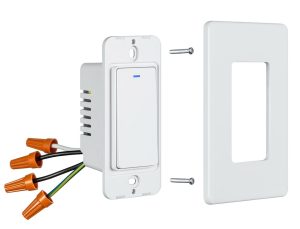
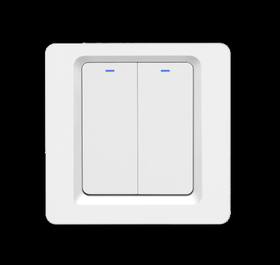
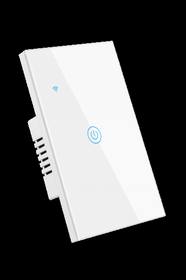
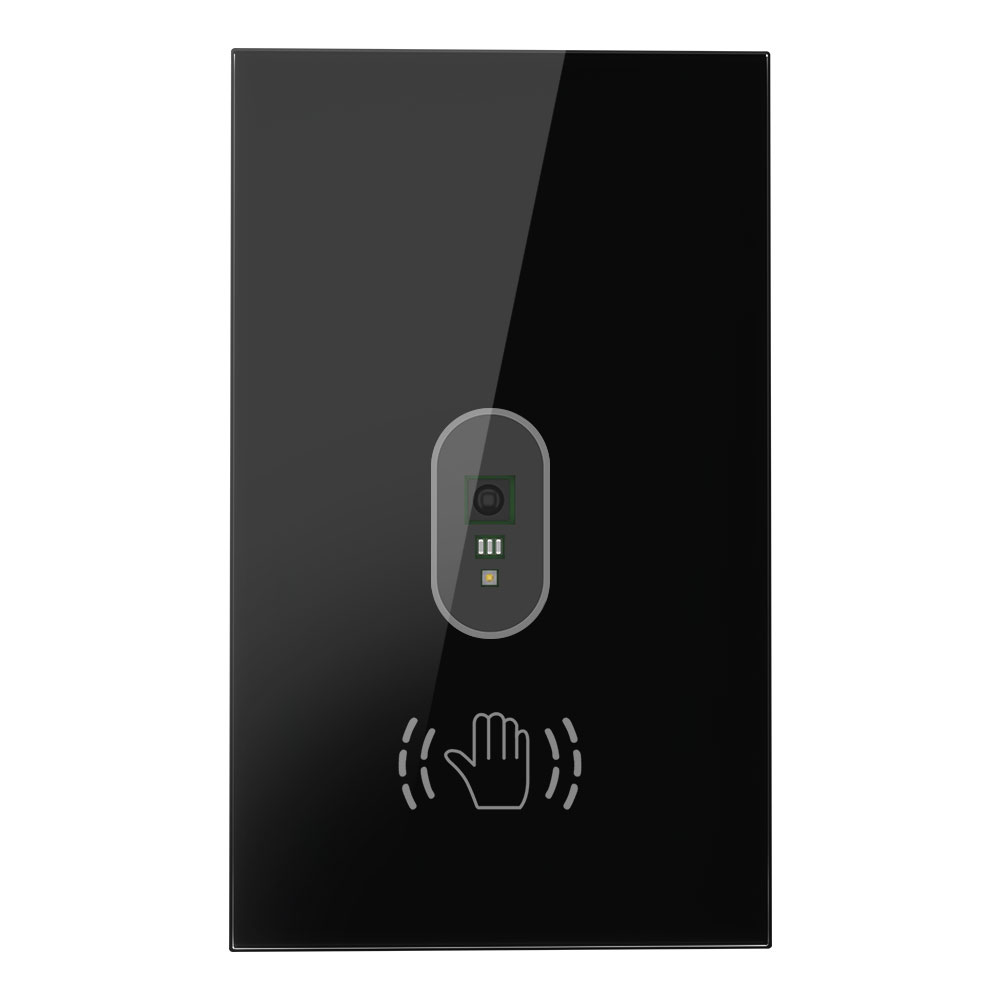
How to Choose a WiFi Touch Switch for a 86 Wall Box — DS-104JL Series

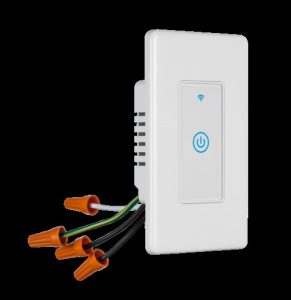
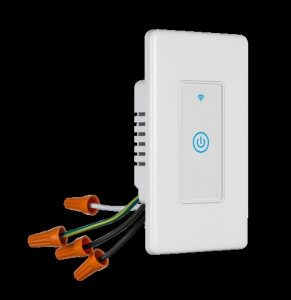
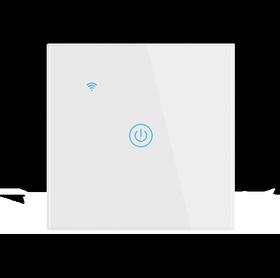
DS-104JL Series WiFi Touch Switch (1 Gang / 2 Gang / 3 Gang / 4 Gang)
How to Choose a WiFi Touch Switch for a 86 Wall Box — DS-104JL Series

Replacing a Wall switch looks simple until you open the box. The plate size, whether a neutral is present, and which radio the switch uses decide whether the job takes ten minutes or a visit from an electrician. The DS-104JL Series is built around single-fire and zero-fire Wiring and WiFi 2.4 GHz, and it ships in 1 Gang / 2 Gang / 3 Gang / 4 Gang — so the same look can run through a whole flat or hotel floor.

This guide walks through the four things to settle before you order, with the numbers that matter for European Standard / British Standard / China national standard installations. Where the DS-1042ZC Series Fits: Apartments, Hotels and Office Retrofits

1. Match the wall box first

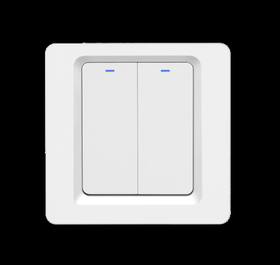
The DS-104JL plate is made for the 86 × 86 mm square wall box (EU / UK / China), which is the standard box in European standard / British standard / China national standard installations. Measure the box, not the old plate: a cover frame can hide a smaller opening, and a plate that is a few millimetres out will not sit flush against the wall.

2. Check whether you have a neutral

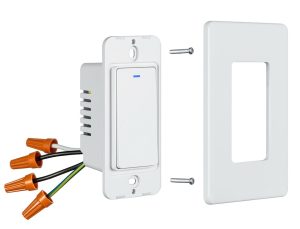
This unit works in both single-fire (no neutral) and zero-fire (with neutral) boxes. If your box has no neutral, the switch still works — fit the supplied capacitor across the first lamp port of L1 to stop LED lamps glowing or flickering when off. With a neutral present, skip the capacitor.

3. Pick the radio for the project

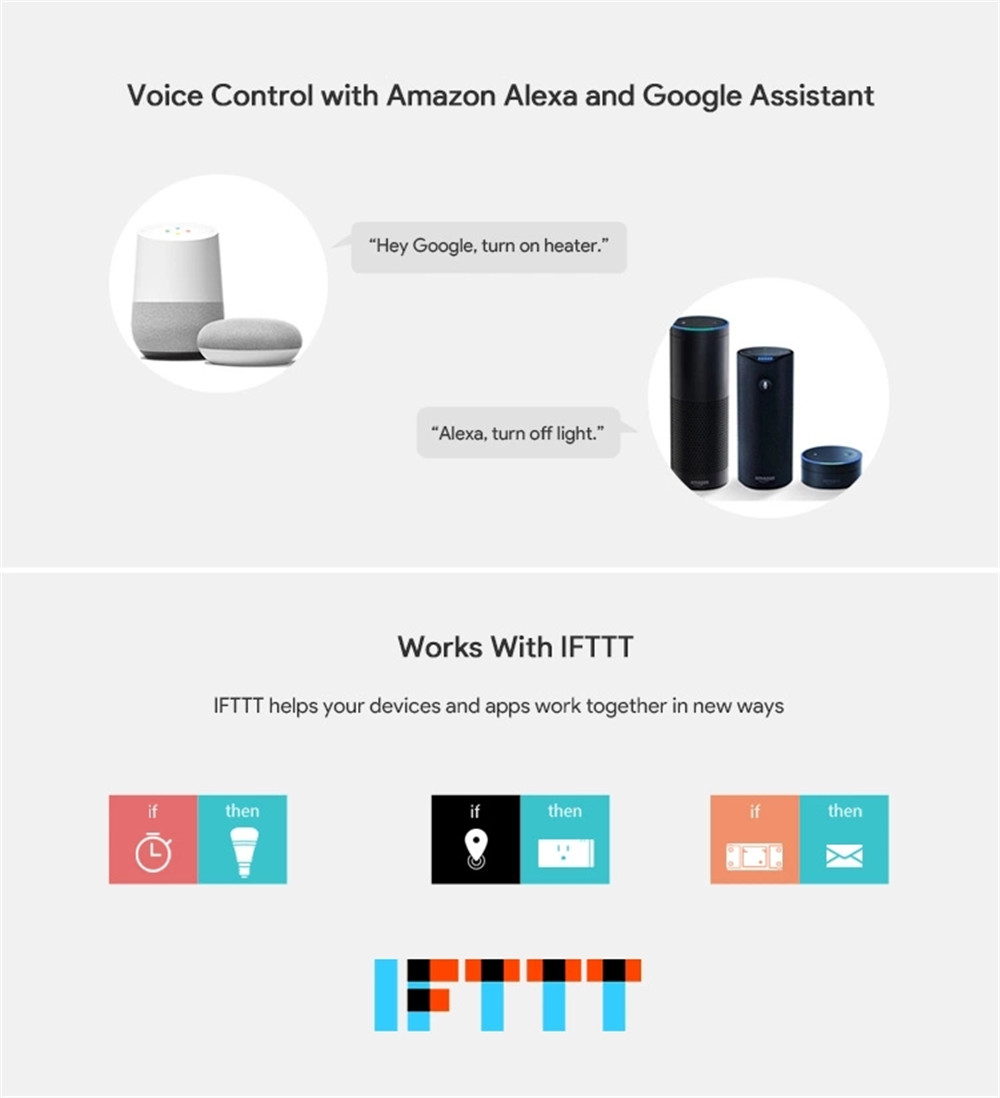
No hub needed — it joins the router directly through the Tuya / Smart Life app. WiFi is the simplest to commission — one app, one router, nothing else to buy.

4. Count the gangs per plate

DS-104JL covers 1 Gang / 2 Gang / 3 Gang / 4 Gang. Fewer plates means fewer boxes to chase into the wall and one clean frame instead of three, which is usually the reason people move to multi-gang Touch plates in the first place.

Specifications

Quantity pricing

Indicative unit prices ($7.72–$9.51 depending on gang and finish):

FAQ

Is a neutral wire required?
No, but if there is no neutral you fit the supplied capacitor on L1.
Does it work with Alexa and Google Home?
Yes — through the Tuya / Smart Life skill for Alexa and Google Home.
Can I order mixed gangs and colors in one shipment?
Yes. Gang sizes and finishes can be mixed within one order; tell us the split at checkout.

Ready to specify it? Full specifications, gang options, colors and quantity pricing are on the DS-104JL series product page — OEM logo, manual and packaging are available from the first order.

Related Articles

You Might Also Like

Frequently Asked Questions

Is Choose Wifi Touch worth buying?

Based on the breakdown in this article, Choose Wifi Touch offers a solid mix of features and value. If your main goal matches the key benefits described above, it is a practical choice for everyday use.

How do I choose the right choose wifi touch for my needs?

Start with your core use case, then compare battery life, compatibility, and build quality as covered above. Choosing the right choose wifi touch comes down to matching specs with how you actually use it.

Does choose wifi touch require a companion app?

Most devices of this type pair with a free companion app for setup and firmware updates. A few advanced features may sit behind a paid plan, so check the official specs page before buying.

Posted on — Leave a comment

DS-123 3-Way Smart Touch Switch: WiFi 3-Way & Single-Pole Control with Alexa, Google Home and IFTTT

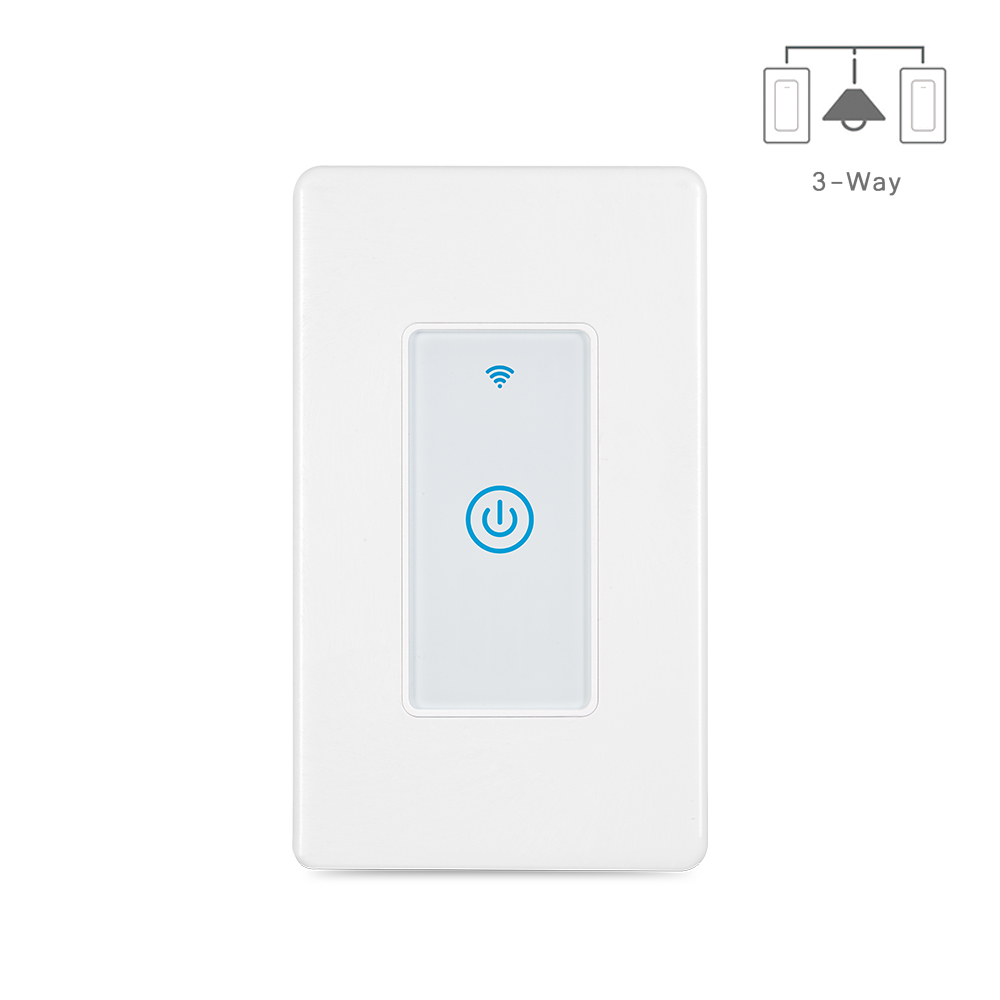
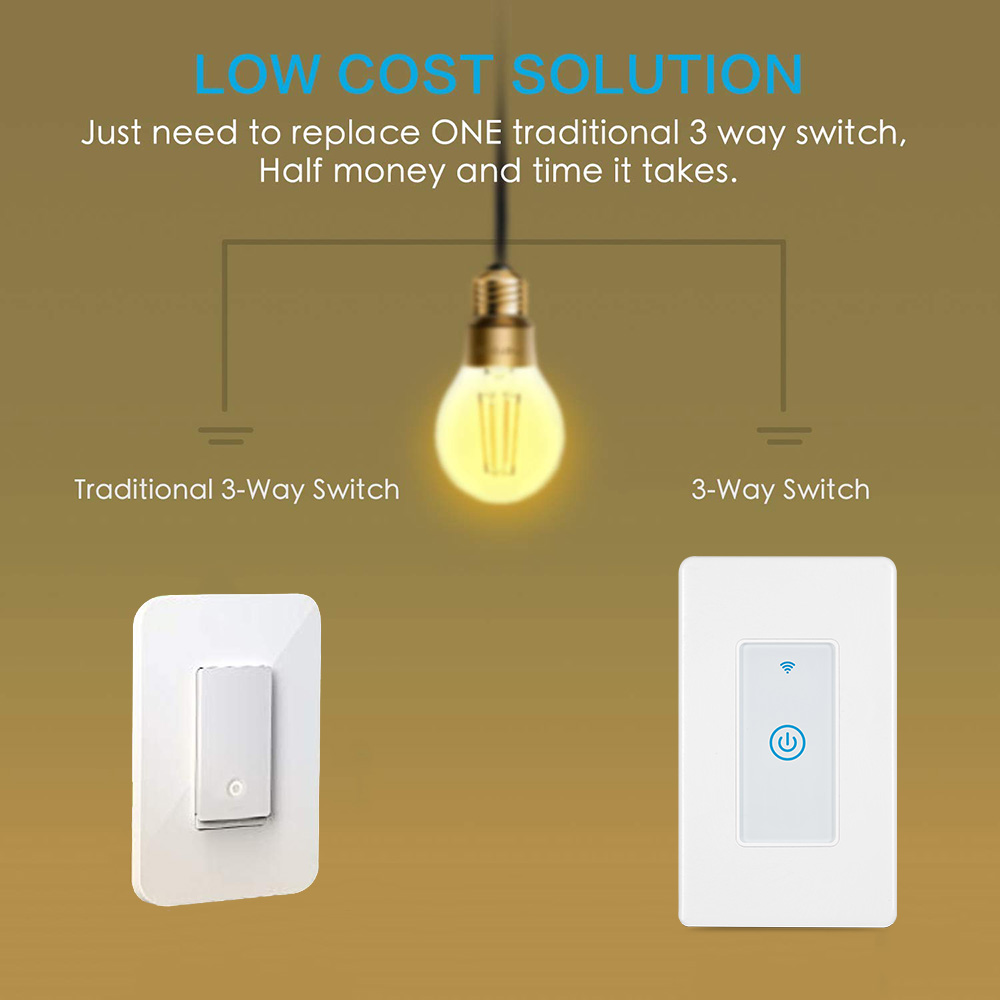
The DS-123 3-Way Smart Touch Switch brings touch-panel control to circuits that already use two switches for one light. It is a WiFi wall switch rated for 120V that works in single-pole and 3-way Wiring, so it fits the raised ranch, the long hallway and the stairwell – the places Where a normal Smart switch is awkward to install.

DS-123 3-way smart touch switch front panel

Touch Panel Plus WiFi Control

The glass touch panel gives the switch a clean, flat face that wipes down easily – useful in rental units, hospitality rooms and anywhere fingerprints and cleaning products are a daily reality. Under the panel the DS-123 is a WiFi device: once it is on the network it answers to the app, to a schedule and to a voice assistant.

  • Touch panel that keeps working when the network is down.
  • Single-pole and 3-way wiring from one model.
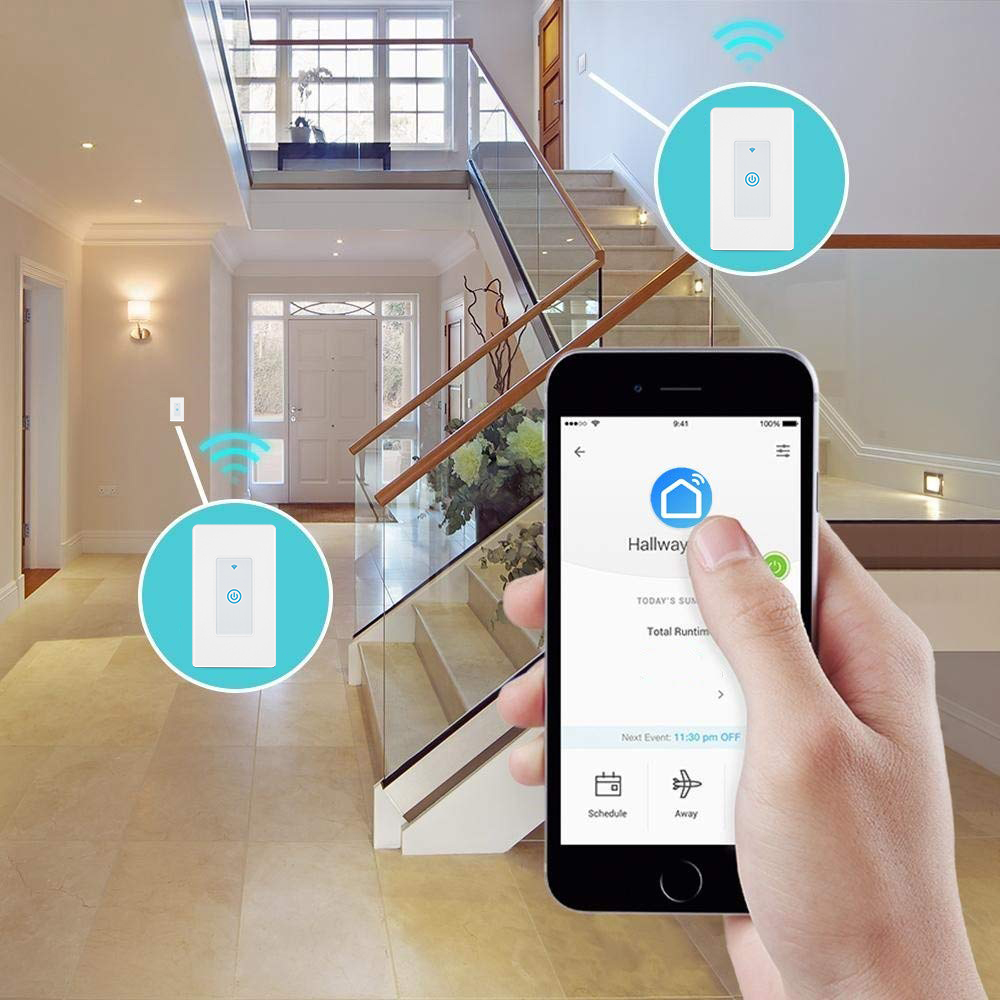
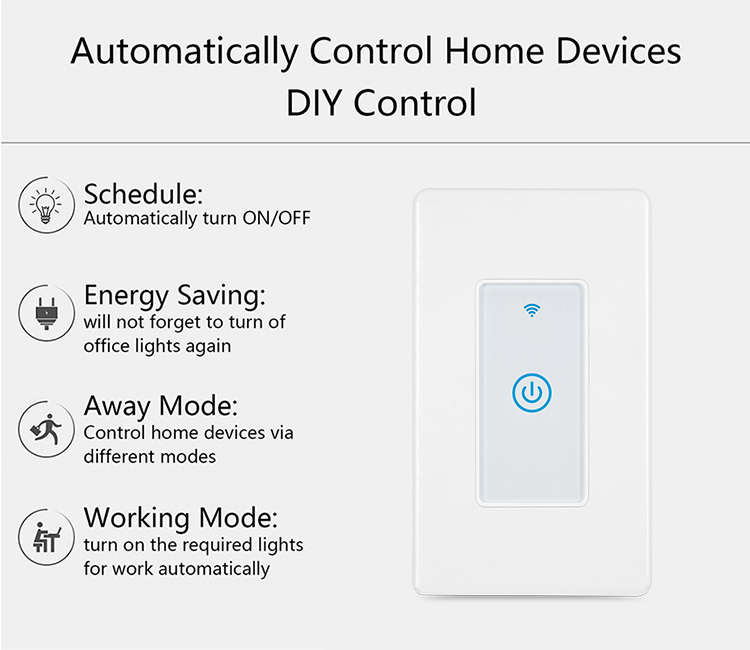
  • Mobile app control, schedules, countdown timers and away mode.
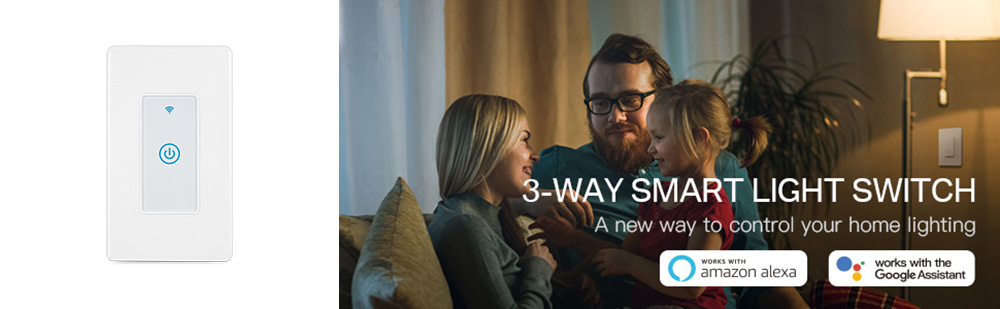
  • Amazon Alexa, Google Assistant and IFTTT support.
  • Neutral wire required, Standard single-gang wall box.

DS-123 smart touch switch app control

DS-123 Technical Specifications

Item Specification
Model DS-123 (3-Way Touch Series)
Input voltage 120V AC, 50/60Hz
Maximum load 150W
Neutral wire Required
Circuit type Single pole / 3-way
Control panel Touch panel (glass face)
Wireless WiFi 2.4GHz
Voice ecosystems Alexa, Google Assistant, IFTTT
Wall box Standard US single-gang box

DS-123 3-way smart touch switch specifications

Why 3-Way Support Matters for Distributors

Single-pole smart switches are easy to find. A smart switch that also covers the 3-way position is not, and that is the circuit electricians keep running into. Stocking the DS-123 means the same box answers both calls, which keeps an installer moving on the same visit instead of ordering a second part.

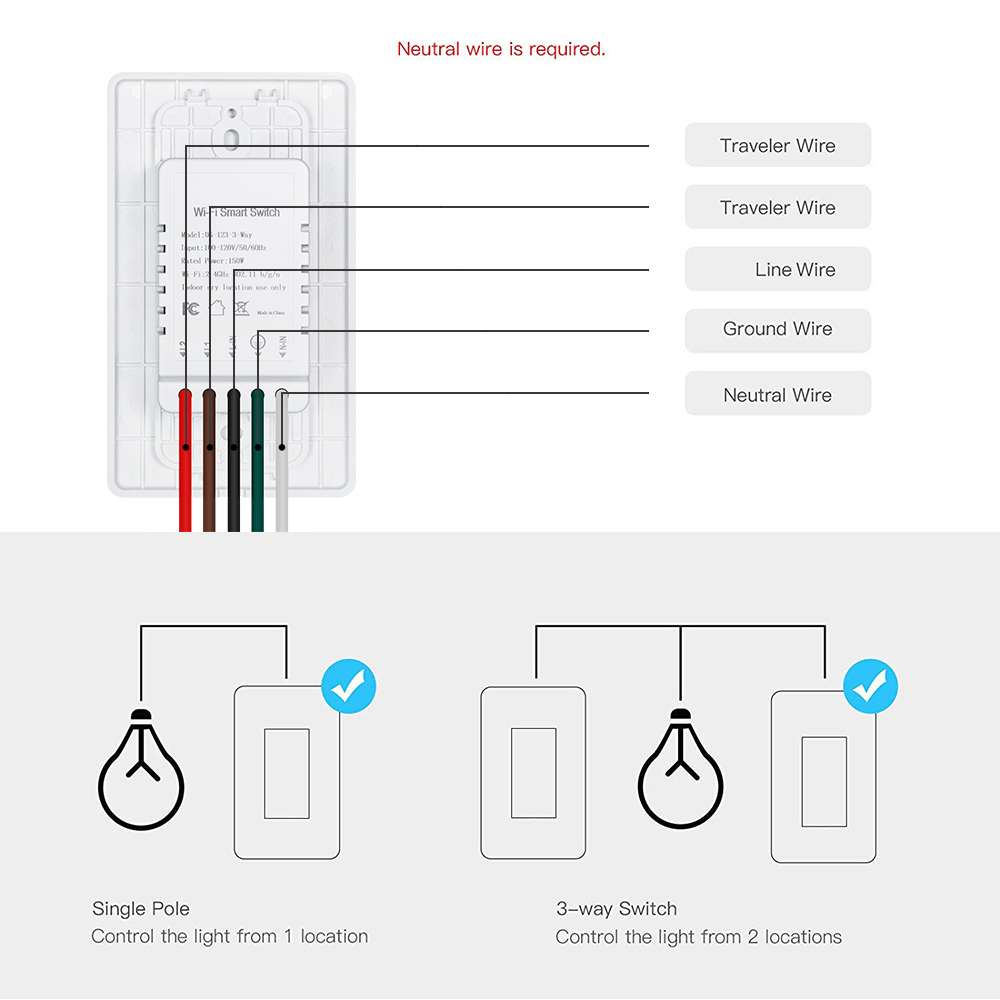
Single-pole circuits

Line, load, neutral and ground go into the box and the DS-123 replaces the old switch directly.

3-way circuits

Where two switches control one light, the DS-123 occupies the 3-way position and the existing second switch keeps working as it always did.

DS-123 smart touch switch wiring line load neutral

Everyday Use: Schedules, Voice and Remote Access

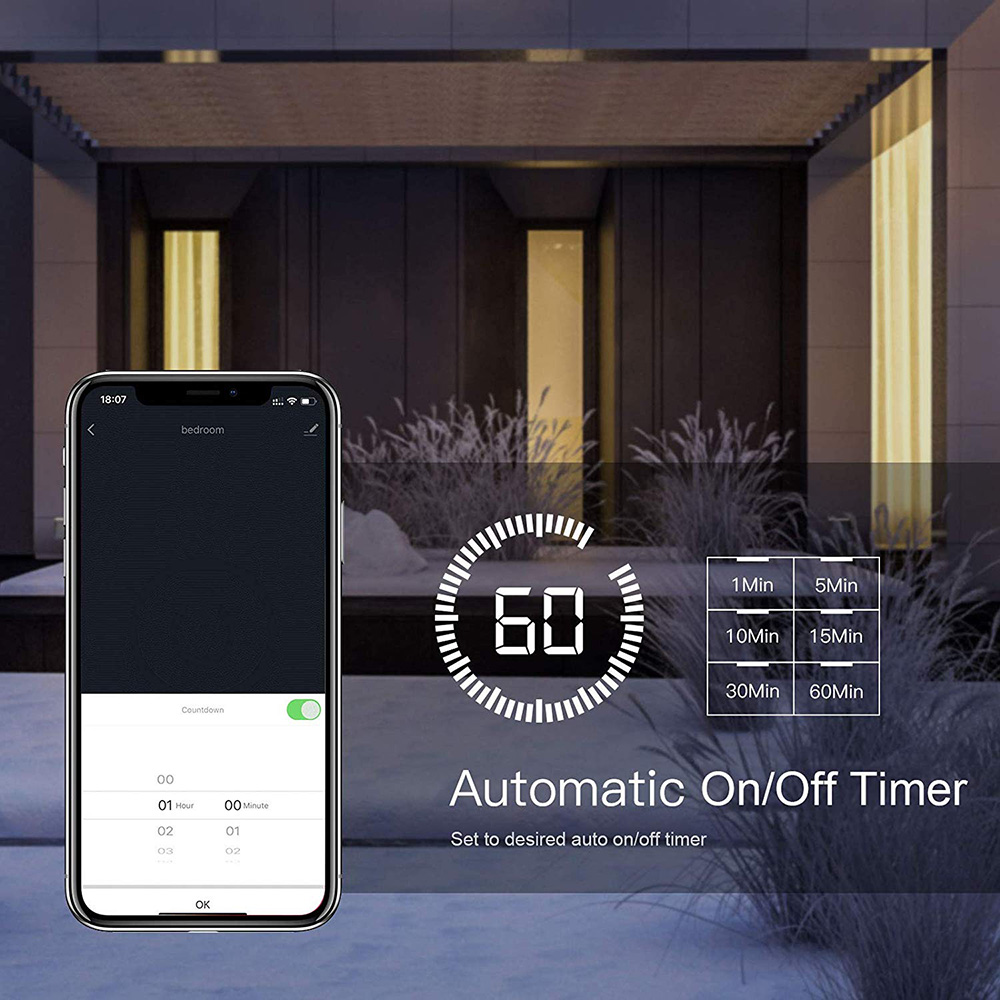
Schedules and countdown timers

Put the exterior lights on a sunset-to-sunrise schedule, or set a countdown so a fan or bathroom light switches itself off.

Voice control

The DS-123 works with Amazon Alexa and Google Assistant, and IFTTT covers the extra automations. Saying a light on is faster than crossing a dark room.

Control from anywhere

The app reaches the switch from any network, so a landlord can check that a unit is lit and an owner can run an away pattern while travelling.

DS-123 works with Alexa Google Assistant and IFTTT

Compliance and Documentation

Each order ships with the technical datasheet and the conformity documentation for the configuration you buy. Tell our sales team the market you sell into – United States, Canada or another region – and we will confirm the applicable standard and the paperwork that has to accompany the goods before production starts. Buyers who need to review the documents before listing are welcome to request samples and files first.

DS-123 smart touch switch installation detail

OEM, ODM and Wholesale

As a factory-direct OEM/ODM supplier of smart switches and sockets we build to your programme rather than to a fixed catalogue:

  • Custom logo and printed touch panel face.
  • Retail box, insert and instruction manual in your own artwork.
  • Finish and colour variants for a private label range.
  • Pre-production samples for your own testing and certification.

Volume buyers can review our smart light switch wholesale buying guide before sending a target price and quantity.

DS-123 OEM wholesale smart touch switch packaging

Where the DS-123 Fits

The DS-123 suits modern homes, apartments and rental properties and hotel refurbishments. Projects that need a switch without a neutral wire can use the DS-121KWL wave and WiFi touch switch, and buyers who want the matching non-touch 3-way model should read our DS-122 3-way smart light switch write-up. A useful addition to the same order is the DS-1420WN UK 13A smart WiFi socket with USB-A and USB-C.

DS-123 3-way smart touch switch range overview

FAQ

Does the DS-123 need a neutral wire?

Yes. A neutral wire is required in the wall box. If there is no neutral, use the DS-121KWL series.

Can it replace a 3-way switch?

Yes. The DS-123 supports both single-pole and 3-way circuits.

Will it work with Alexa and Google Home?

Yes. It works with Amazon Alexa, Google Assistant and IFTTT through the mobile app.

What is the maximum load?

150W. Add up the wattage of the fixtures on the circuit before installing.

Does the touch panel still work without WiFi?

Yes. The touch panel keeps switching the light locally; WiFi only adds app, schedule and voice control.

Can the panel be printed with our logo?

Yes. Panel printing, packaging and manuals can be customised for OEM and ODM orders.

Request a Quote

Send your quantity, market and branding requirements and we will reply with pricing and lead time. See the rest of the smart switch series for other models.

Related Articles

You Might Also Like
Frequently Asked Questions

Is 123 Way Smart worth buying?

Based on the breakdown in this article, 123 Way Smart offers a solid mix of features and value. If your main goal matches the key benefits described above, it is a practical choice for everyday use.

How do I choose the right 123 way smart for my needs?

Start with your core use case, then compare battery life, compatibility, and build quality as covered above. Choosing the right 123 way smart comes down to matching specs with how you actually use it.

Does 123 way smart require a companion app?

Most devices of this type pair with a free companion app for setup and firmware updates. A few advanced features may sit behind a paid plan, so check the official specs page before buying.

Posted on — Leave a comment

How to Choose a Bluetooth Touch Switch for a 86 Wall Box — DS-102Y Series

DS-102Y Series WiFi Touch Switch (1 Gang / 2 Gang / 3 Gang)
How to Choose a Bluetooth Touch Switch for a 86 Wall Box — DS-102Y Series

Replacing a Wall Switch looks simple until you open the box. The plate size, whether a neutral is present, and which radio the switch uses decide whether the job takes ten minutes or a visit from an electrician. The DS-102Y Series is built around zero-fire (neutral required) Wiring and Bluetooth, and it ships in 1 Gang / 2 Gang / 3 Gang — so the same look can run through a whole flat or hotel floor.

This guide walks through the four things to settle before you order, with the numbers that matter for European Standard / British Standard / China national standard installations.

1. Match the wall box first

The DS-102Y plate is made for the 86 × 86 mm square wall box (EU / UK / China), which is the standard box in European standard / British standard / China national standard installations. Measure the box, not the old plate: a cover frame can hide a smaller opening, and a plate that is a few millimetres out will not sit flush against the wall. Where the DS-102JLHK Series Fits: Apartments, Hotels and Office Retrofits

2. Check whether you have a neutral

This unit needs a neutral wire in the box — it will not work in a two-wire single-fire box. Open the box and look for a neutral bundle before ordering; if it is not there, you need a single-fire model instead.

3. Pick the radio for the project

No hub and no router needed — pair it straight from the phone for local control and schedules. Bluetooth suits rooms Where you do not want the switch on the network at all, and it keeps working when the router is down.

4. Count the gangs per plate

DS-102Y covers 1 Gang / 2 Gang / 3 Gang. Fewer plates means fewer boxes to chase into the wall and one clean frame instead of three, which is usually the reason people move to multi-gang Touch plates in the first place.

Specifications
Quantity pricing

Indicative unit prices ($10.63–$11.52 depending on gang and finish):

FAQ
Is a neutral wire required?
Yes. This model is zero-fire only.
Does it work with Alexa and Google Home?
Voice control depends on the app ecosystem you pair with; local control and schedules work straight from the phone.
Can I order mixed gangs and colors in one shipment?
Yes. Gang sizes and finishes can be mixed within one order; tell us the split at checkout.

Ready to specify it? Full specifications, gang options, colors and quantity pricing are on the DS-102Y series product page — OEM logo, manual and packaging are available from the first order.

Related Articles

You Might Also Like
ds161Smart Water Heater Switch — EU 86 × 86 mm & US 118 × 72 mm, WiFi / Zigbee / HomeKit / Pure Touch Price range: $8.50 through $16.45C16 Fourth generation Cloud Eye Follow Selfie Stick, 360 AI face tracking gimbal stabilizer with four leg metal keel tripod and bluetooth remoteC16 Fourth Generation Cloud Eye Follow Selfie Stick, 360° AI Face Tracking Gimbal Stabilizer, 4-Leg Metal Keel Tripod with Bluetooth Remote for Vlog Live Streaming Travel Shooting Original price was: $39.96.Current price is: $28.99.DS-121Y Series WiFi Touch Switch (1 Gang / 2 Gang / 3 Gang / 4 Gang)DS-121Y Series WiFi Touch Switch (1 Gang / 2 Gang / 3 Gang / 4 Gang) Price range: $10.78 through $12.12DS-121BWHK Series WiFi Touch Switch (1 Gang / 2 Gang / 3 Gang / 4 Gang)DS-121BWHK Series WiFi Touch Switch (1 Gang / 2 Gang / 3 Gang / 4 Gang) Price range: $10.33 through $11.67
Frequently Asked Questions

Is Choose Bluetooth Touch worth buying?

Based on the breakdown in this article, Choose Bluetooth Touch offers a solid mix of features and value. If your main goal matches the key benefits described above, it is a practical choice for everyday use.

How do I choose the right choose bluetooth touch for my needs?

Start with your core use case, then compare battery life, compatibility, and build quality as covered above. Choosing the right choose bluetooth touch comes down to matching specs with how you actually use it.

Does choose bluetooth touch require a companion app?

Most devices of this type pair with a free companion app for setup and firmware updates. A few advanced features may sit behind a paid plan, so check the official specs page before buying.

Posted on — Leave a comment

DS-121KWL Wave & WiFi Smart Touch Switch (No Neutral Required) – Advanced Hands-Free Control for Modern Homes

The DS-121KWL Wave & WiFi Smart Touch Switch is a premium single-gang switch designed for modern residential and commercial projects. Combining wave (gesture) sensing with WiFi + Bluetooth control, it delivers true hands-free lighting management without the need for a neutral wire — making retrofitting quick and cost-effective.

DS-121KWL Wave WiFi Smart Touch Switch main

Key Selling Points for Buyers

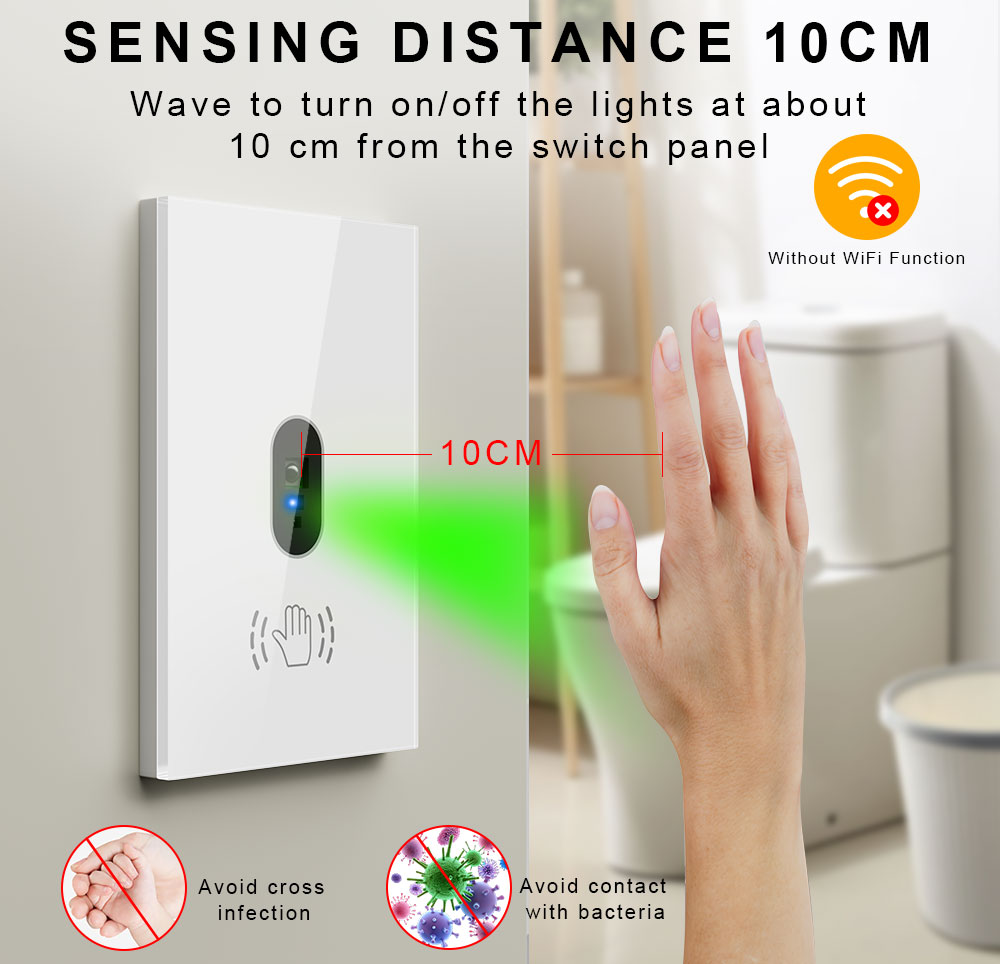
  • Wave Hands-Free Control: Simply wave your hand within 10 cm of the panel to turn lights on or off — ideal for kitchens, hallways, bedrooms and elderly-friendly spaces.
  • WiFi + BLE Dual Connectivity: Works with Tuya / Smart Life, Amazon Alexa, Google Home and Yandex for voice and app control from anywhere.
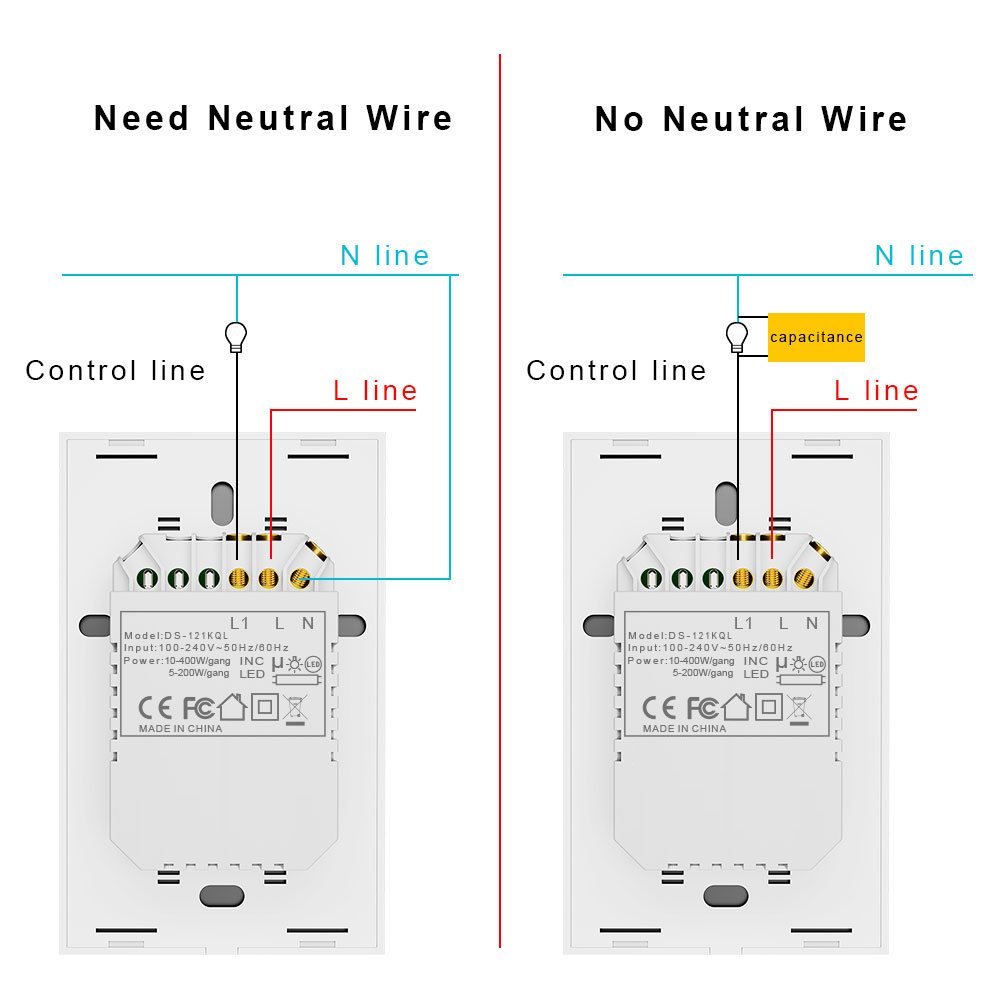
  • No Neutral Wire Required: Compatible with both single-live and neutral-live Wiring; when no neutral is available, simply connect a capacitor (per diagram) for a fast retrofit.
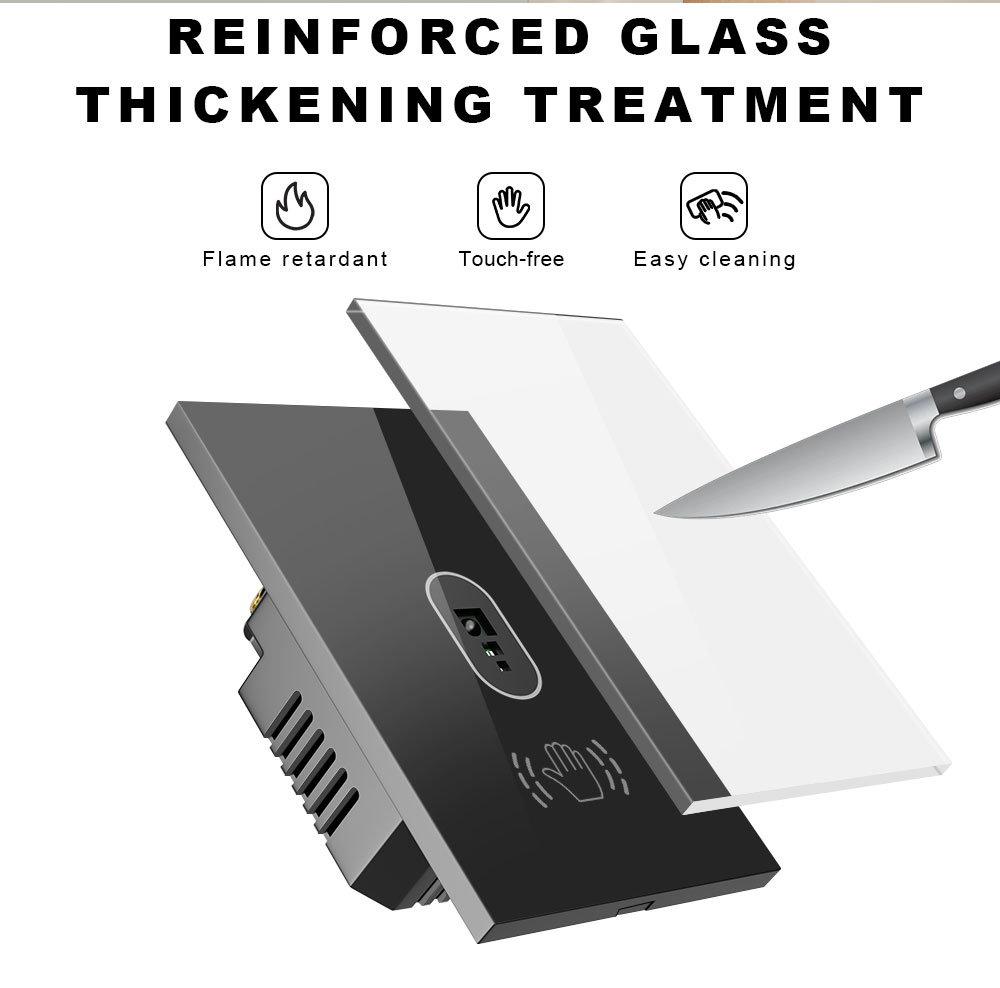
  • Glass Panel & Flame-Retardant Build: Toughened glass surface with a flame-retardant housing delivers a sleek look and reliable safety.
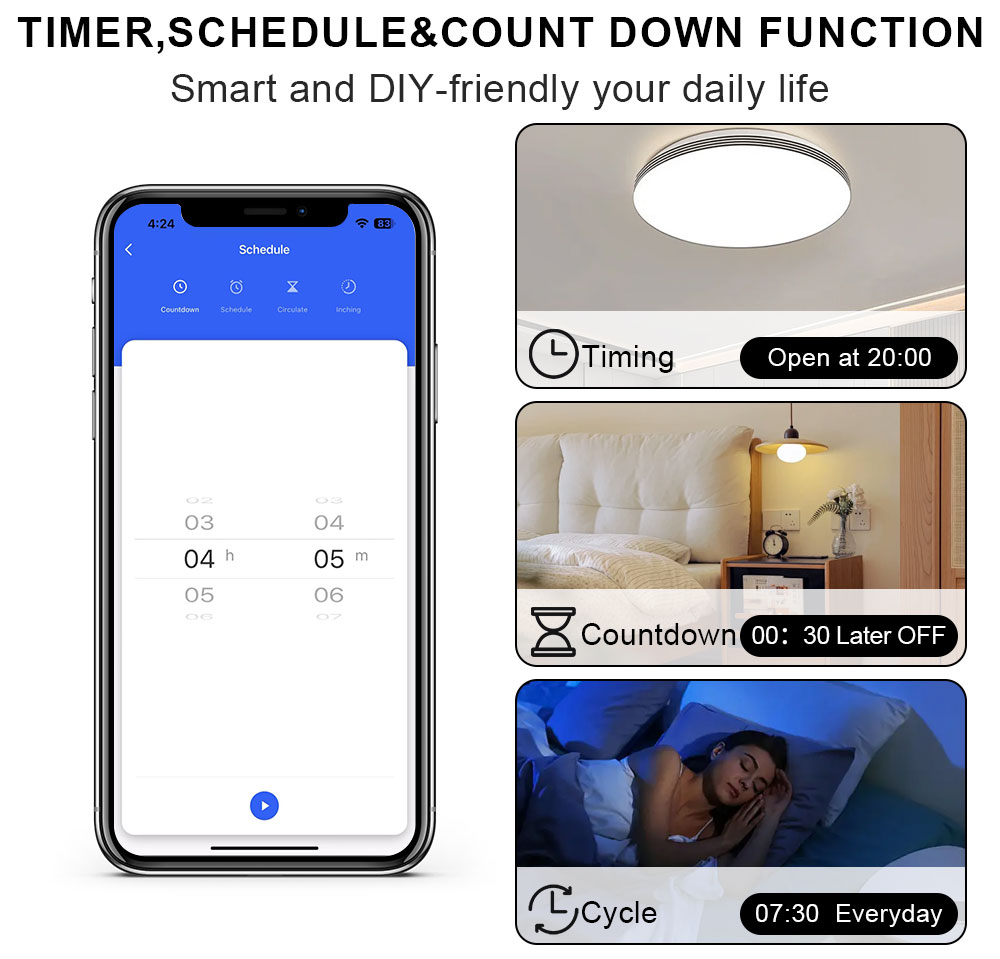
  • Smart Scheduling: Built-in timer, schedule and countdown functions let end users automate daily lighting routines.

DS-121KWL features overview

Technical Specifications

  • Model: DS-121KQL
  • Input: 100-240V ~ 50/60Hz
  • Load: 10-400W (LED) / 5-200W (Incandescent), single channel
  • Certifications: CE / FC
  • Gesture sensing range: approx. 10 cm
  • Colors: Black / White

DS-121KWL size dimensions

Wiring & Installation

The switch supports both single-live and neutral-live installations. When no neutral line is present, connect the supplied capacitor as shown in the Wiring diagram below. Standard wall box installation applies — no hub required.

DS-121KWL wiring diagram

Sensing & Daily Automation

The wave sensor responds reliably at close range, and combined with the app timer you can set scenes, countdowns and schedules for energy-saving routines. The toughened glass panel is easy to clean and resists fingerprints. Where the DS-1042ZC Series Fits: Apartments, Hotels and Office Retrofits

DS-121KWL gesture sensing

DS-121KWL timer and schedule

Elegant Glass Design

Available in black and white, the glass panel complements modern interior styles and is built with flame-retardant materials for added safety. Where the DS-101YJL Series Fits: Apartments, Hotels and Office Retrofits

DS-121KWL glass panel design

DS-121KWL white variant

Ordering & OEM Support

As a factory-direct supplier, we offer competitive wholesale pricing, OEM/ODM customization, fast lead times and full after-sales support. Contact our sales team for a quote, samples and bulk order terms.

Related Articles

You Might Also Like
Frequently Asked Questions

Is 121kwl Wave Wifi worth buying?

Based on the breakdown in this article, 121kwl Wave Wifi offers a solid mix of features and value. If your main goal matches the key benefits described above, it is a practical choice for everyday use.

How do I choose the right 121kwl wave wifi for my needs?

Start with your core use case, then compare battery life, compatibility, and build quality as covered above. Choosing the right 121kwl wave wifi comes down to matching specs with how you actually use it.

Does 121kwl wave wifi require a companion app?

Most devices of this type pair with a free companion app for setup and firmware updates. A few advanced features may sit behind a paid plan, so check the official specs page before buying.

Posted on — Leave a comment

How to Choose a Bluetooth Touch Switch for a 86 Wall Box — DS-102 Series

DS-102 Series WiFi Touch Switch (1 Gang / 2 Gang / 3 Gang)
How to Choose a Bluetooth Touch Switch for a 86 Wall Box — DS-102 Series

Replacing a Wall Switch looks simple until you open the box. The plate size, whether a neutral is present, and which radio the switch uses decide whether the job takes ten minutes or a visit from an electrician. The DS-102 Series is built around zero-fire (neutral required) Wiring and Bluetooth, and it ships in 1 Gang / 2 Gang / 3 Gang — so the same look can run through a whole flat or hotel floor.

This guide walks through the four things to settle before you order, with the numbers that matter for European Standard / British Standard / China national standard installations. Where the DS-101BWHK Series Fits: Apartments, Hotels and Office Retrofits

1. Match the wall box first

The DS-102 plate is made for the 86 × 86 mm square wall box (EU / UK / China), which is the standard box in European standard / British standard / China national standard installations. Measure the box, not the old plate: a cover frame can hide a smaller opening, and a plate that is a few millimetres out will not sit flush against the wall.

2. Check whether you have a neutral

This unit needs a neutral wire in the box — it will not work in a two-wire single-fire box. Open the box and look for a neutral bundle before ordering; if it is not there, you need a single-fire model instead.

3. Pick the radio for the project

No hub and no router needed — pair it straight from the phone for local control and schedules. Bluetooth suits rooms Where you do not want the switch on the network at all, and it keeps working when the router is down.

4. Count the gangs per plate

DS-102 covers 1 Gang / 2 Gang / 3 Gang. Fewer plates means fewer boxes to chase into the wall and one clean frame instead of three, which is usually the reason people move to multi-gang touch plates in the first place.

Specifications
Quantity pricing

Indicative unit prices ($7.50–$8.50 depending on gang and finish):

FAQ
Is a neutral wire required?
Yes. This model is zero-fire only.
Does it work with Alexa and Google Home?
Voice control depends on the app ecosystem you pair with; local control and schedules work straight from the phone.
Can I order mixed gangs and colors in one shipment?
Yes. Gang sizes and finishes can be mixed within one order; tell us the split at checkout.

Ready to specify it? Full specifications, gang options, colors and quantity pricing are on the DS-102 series product page — OEM logo, manual and packaging are available from the first order.

Related Articles

You Might Also Like
ds161Smart Water Heater Switch — EU 86 × 86 mm & US 118 × 72 mm, WiFi / Zigbee / HomeKit / Pure Touch Price range: $8.50 through $16.45C16 Fourth generation Cloud Eye Follow Selfie Stick, 360 AI face tracking gimbal stabilizer with four leg metal keel tripod and bluetooth remoteC16 Fourth Generation Cloud Eye Follow Selfie Stick, 360° AI Face Tracking Gimbal Stabilizer, 4-Leg Metal Keel Tripod with Bluetooth Remote for Vlog Live Streaming Travel Shooting Original price was: $39.96.Current price is: $28.99.DS-121Y Series WiFi Touch Switch (1 Gang / 2 Gang / 3 Gang / 4 Gang)DS-121Y Series WiFi Touch Switch (1 Gang / 2 Gang / 3 Gang / 4 Gang) Price range: $10.78 through $12.12DS-121BWHK Series WiFi Touch Switch (1 Gang / 2 Gang / 3 Gang / 4 Gang)DS-121BWHK Series WiFi Touch Switch (1 Gang / 2 Gang / 3 Gang / 4 Gang) Price range: $10.33 through $11.67
Frequently Asked Questions

Is Choose Bluetooth Touch worth buying?

Based on the breakdown in this article, Choose Bluetooth Touch offers a solid mix of features and value. If your main goal matches the key benefits described above, it is a practical choice for everyday use.

How do I choose the right choose bluetooth touch for my needs?

Start with your core use case, then compare battery life, compatibility, and build quality as covered above. Choosing the right choose bluetooth touch comes down to matching specs with how you actually use it.

Does choose bluetooth touch require a companion app?

Most devices of this type pair with a free companion app for setup and firmware updates. A few advanced features may sit behind a paid plan, so check the official specs page before buying.

Posted on — Leave a comment

How to Install a WiFi Touch Smart Switch: Step-by-Step Guide

A WiFi touch Smart switch replaces the plain wall switch you already have, and from that moment the light or fan behind it can be turned on from your phone, from a schedule, or by voice. Because everything stays in the wall — no plug, no hub, no batteries — it is one of the cleanest upgrades you can make to a room. This guide walks through the whole job: safety, wiring with and Without a neutral wire, pairing with the Tuya or Smart Life app, and the settings that make a Smart switch board genuinely useful.

The good news: if you can replace a normal wall switch, you can install a Smart one. The wiring is the same family of connections, plus one extra wire on most models. M3 Pro Foldable 3-Axis Gimbal Stabilizer, Professional Handheld Gimbal for Smartphones

What you are installing

A touch switch board is a glass or acrylic panel with capacitive touch zones, mounted in the same wall box as your old switch. Behind the panel sits a relay and a WiFi module. The module talks to your router, the relay switches the live wire, and the touch zone replaces the rocker. Most models in the XingLiao DS series follow this pattern, with one, two, three or four gangs on a single 86 mm or 120 mm plate.

  • Live in: the wire that was on your old switch’s common terminal.
  • Load out: one per gang, the wires that run to each light.
  • Neutral: needed by most smart switches to power the WiFi module. Some models work without it.

Before you start

  • A voltage tester (non-contact one is fine) — never trust the breaker label alone.
  • A small flat and Phillips screwdriver, and painter’s tape to label wires.
  • Your phone with the Tuya Smart or Smart Life app installed, and your 2.4 GHz WiFi password ready.
  • Ten minutes per gang. First one takes longer; the second switch in the same room takes half the time.

Safety first: isolate the circuit

Turn off the breaker for the circuit you are working on, then test the switch terminals with the voltage tester before touching anything. Check twice: once at the breaker, once at the switch. If the tester still indicates voltage, you have the wrong breaker — find the right one. In older homes with shared or mislabeled breakers, this step is the one that keeps the job boring, which is what you want.

Step 1: remove the old switch

Unscrew the plate and pull it gently away from the wall box. Photograph the existing wiring with your phone before disconnecting anything — the photo is worth more than memory when you are holding three wires and a new switch. Disconnect the old switch and set it aside.

Step 2: identify your wiring

Look into the box and count the wires. If you see a bundle of blue or black wires joined with a connector in the back of the box, you very likely have a neutral available — unscrew the connector and confirm the wires are not switched lives. If there are only two wires at the switch (live in, load out), you have a switch loop without neutral, and you need a no-neutral model or one with a bypass capacitor.

Label each wire with painter’s tape as you identify it: L for live, N for neutral, and L1/L2/L3 for each gang’s load.

Step 3: connect the smart switch

With the breaker still off, connect in this order:

  1. Neutral to the N terminal — this powers the module. No-neutral models: skip, and fit the bypass capacitor between live and the first load if the manual calls for it.
  2. Live to the L terminal.
  3. Each load to its gang terminal L1, L2, L3, L4.
  4. Tuck the wires back into the box, keeping the WiFi module clear of metal box sides where possible, and screw the frame in place. The glass panel usually clips or slides on last.

For a touch switch board with multiple gangs, double-check that each load wire went to the gang you think it did — the numbering on the back of the panel is your reference, and the photo from Step 1 tells you which old wire was which.

Step 4: restore power and test the touch

Turn the breaker back on. The panel should light up or show a standby indicator. Touch each zone once: every gang should click its relay and switch its light. If one gang controls the wrong light, that is just a load wire in the wrong terminal — power down and swap it.

Step 5: pair with the Tuya or Smart Life app

Open the app, tap add device, and choose Wall Switch. Put the switch into pairing mode — usually by holding one touch zone for about five seconds until the indicator flashes. The app will ask for your WiFi credentials; use the 2.4 GHz network, because most Tuya-based modules do not see 5 GHz. Pairing takes under a minute, and each gang appears as its own controllable switch in the app.

Models that support the same ecosystem can then be grouped: a hallway panel, a bedroom panel and a smart plug can all sit in one “Downstairs” group and switch together.

Step 6: set up the useful parts

  • Schedules: bathroom fan on for 20 minutes every morning; porch light on at sunset, off at midnight. Sunset tracking is built into Tuya’s scheduling.
  • Countdown timers: one tap starts a 30-minute run — ideal for fans, heated towel rails and garage lights.
  • Scenes: one tap in the app, or one voice command, sets several switches at once. “Movie time” can dim the living room and kill the kitchen lights.
  • Voice assistants: link the Tuya skill in Google Home or Alexa, then “Hey Google, turn off the hallway” just works.
  • Random vacation mode: toggles lights at varied evening times so the house looks lived-in.

Troubleshooting

  • No power after install: the live is in the wrong terminal, or the breaker is still off. Recheck with the tester.
  • Panel works but won’t pair: 90% of the time this is the 5 GHz network. Join the 2.4 GHz SSID, move the router closer, and retry pairing mode.
  • Switch clicks but light stays off: load wire is loose or in the wrong gang terminal.
  • WiFi drops occasionally: metal wall boxes and long runs weaken the signal; a WiFi extender in the same room usually fixes it.
  • LED lamps flicker or glow when off: very low loads can leak through some relays. A bypass capacitor across the load, or specifying no-neutral models rated for LED loads, resolves it.

XingLiao WiFi touch switches

Frequently Asked Questions

Do I need a neutral wire for a WiFi touch switch?

Most models do, because the WiFi module needs a small continuous supply. If your switch box has only two wires, choose a no-neutral model or add the bypass capacitor the manufacturer supplies. Check before buying — it is the single most common compatibility issue.

Can I install a smart switch myself?

If you can safely replace a standard wall switch — breaker off, wires tested, terminals tightened — the job is within DIY scope. If your wiring is old, aluminium, or you are unsure which breaker is which, use a qualified electrician.

Will the switch still work if WiFi is down?

Yes. The touch panel and relay are local: you can always press the zone to turn the light on or off. Only the app, schedules and voice control pause until the router recovers.

Does a touch switch board need a hub?

WiFi models like the DS series do not. They connect straight to your 2.4 GHz router. Zigbee versions exist and do need a gateway, which suits larger installs with many devices.

Can one panel control lights in different rooms?

A multi-gang board switches the circuits wired to its own box, so gangs usually control lights in the same room. To control other rooms together, use app scenes or voice groups instead of rewiring.

What load can one gang switch?

Typically 10 A per gang, enough for any normal lighting circuit and small fans. For heaters, towel rails or motors, check the rating on the specific model and stay inside it.

Related guides

Browse smart switches and control panels · Tell us your wiring setup and we will recommend the right model

Related Articles

You Might Also Like
Posted on — Leave a comment

How to Choose a Zigbee Touch Switch for a 86 Wall Box — DS-1011ZC Series

DS-1011ZC Series WiFi Touch Switch (1 Gang / 2 Gang / 3 Gang)
How to Choose a Zigbee Touch Switch for a 86 Wall Box — DS-1011ZC Series

Replacing a Wall Switch looks simple until you open the box. The plate size, whether a neutral is present, and which radio the switch uses decide whether the job takes ten minutes or a visit from an electrician. The DS-1011ZC Series is built around single-fire and zero-fire Wiring and Zigbee 3.0, and it ships in 1 Gang / 2 Gang / 3 Gang — so the same look can run through a whole flat or hotel floor.

This guide walks through the four things to settle before you order, with the numbers that matter for European Standard / British standard / China national standard installations.

1. Match the wall box first

The DS-1011ZC plate is made for the 86 × 86 mm square wall box (EU / UK / China), which is the standard box in European standard / British standard / China national standard installations. Measure the box, not the old plate: a cover frame can hide a smaller opening, and a plate that is a few millimetres out will not sit flush against the wall.

2. Check whether you have a neutral

This unit works in both single-fire (no neutral) and zero-fire (with neutral) boxes. If your box has no neutral, the switch still works — fit the supplied capacitor across the first lamp port of L1 to stop LED lamps glowing or flickering when off. With a neutral present, skip the capacitor.

3. Pick the radio for the project

A Zigbee gateway is required (our wired / wireless gateway covers it) — in return you get mesh coverage and much lower standby power. On a site with dozens of switches, Zigbee also keeps the router free of dozens of extra clients. Smart Home Beginner's Guide 2026: 8 Practical Devices Worth Starting With

4. Count the gangs per plate

DS-1011ZC covers 1 Gang / 2 Gang / 3 Gang. Fewer plates means fewer boxes to chase into the wall and one clean frame instead of three, which is usually the reason people move to multi-gang Touch plates in the first place.

Specifications
Quantity pricing

Indicative unit prices ($11.00–$12.49 depending on gang and finish):

FAQ
Is a neutral wire required?
No, but if there is no neutral you fit the supplied capacitor on L1.
Does it work with Alexa and Google Home?
Yes — through the Tuya / Smart Life skill for Alexa and Google Home.
Can I order mixed gangs and colors in one shipment?
Yes. Gang sizes and finishes can be mixed within one order; tell us the split at checkout.

Ready to specify it? Full specifications, gang options, colors and quantity pricing are on the DS-1011ZC series product page — OEM logo, manual and packaging are available from the first order.

Posted on — Leave a comment

Touch‑Free Hand‑Wave Wall Switch: Hygienic Smart Lighting for Hotels, Healthcare & Modern Homes

TUYA Smart Wave Sensor Light Switch, Touch‑Free Infrared Wall Switch - view 5
TUYA Smart Wave Sensor Light Switch, Touch‑Free Infrared Wall Switch - view 1
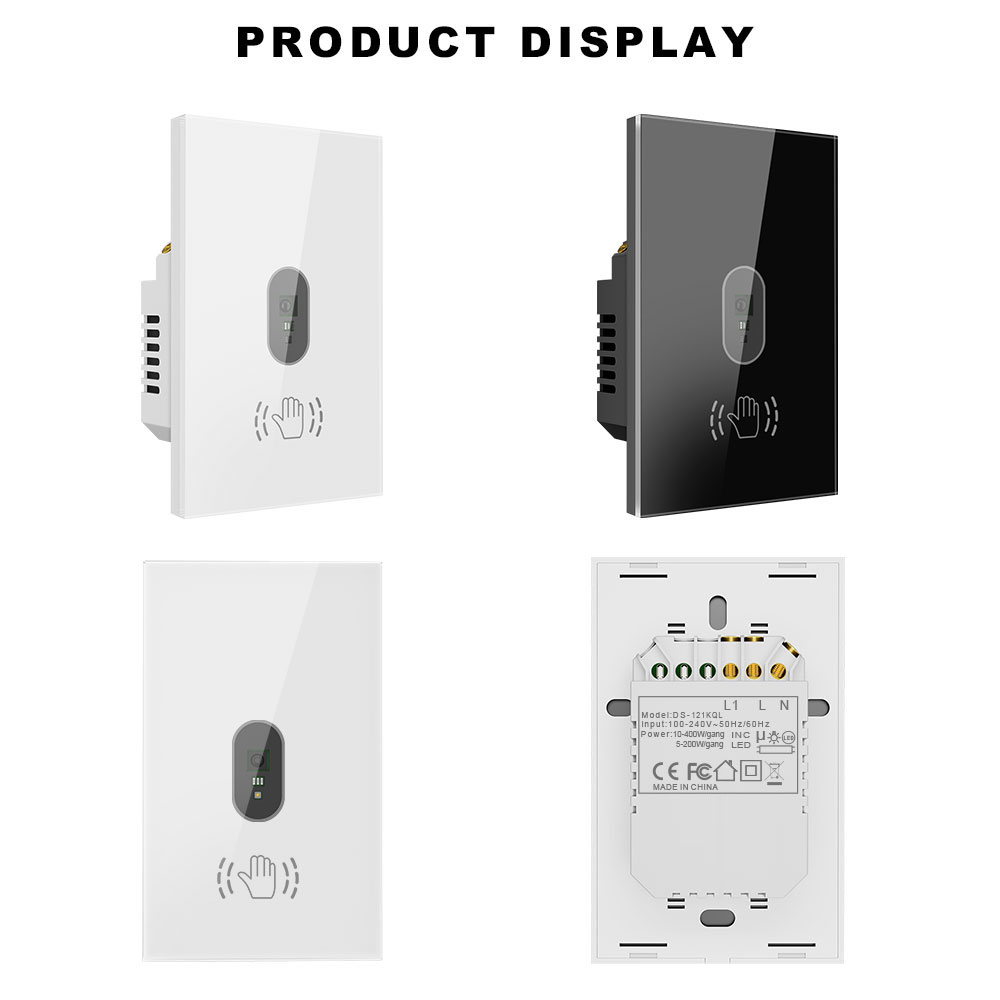
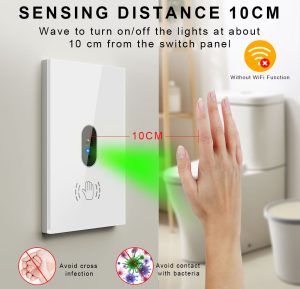
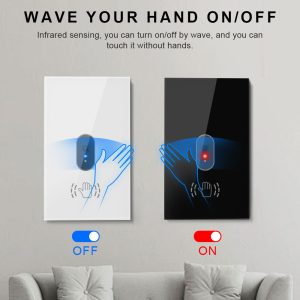
Demonstration of hand‑wave induction for Tuya infrared wall switch, no touch needed to turn lights on and off.

Touch‑Free Hand‑Wave Wall Switch: Hygienic Infrared Sensing Solution for Homes, Hotels and Healthcare Facilities

When we talk about home and commercial lighting upgrades, most people focus on brightness, energy saving or Smart APP control. Yet one easily overlooked detail is the light switch itself. Traditional touch or push‑button wall switches are touched dozens or hundreds of times every day. Fingerprints, grease and bacteria accumulate on the surface, especially in high‑traffic public spaces, hotel bathrooms and nursing care rooms. Regular cleaning takes extra labour, and cross‑contamination risk cannot be fully avoided.

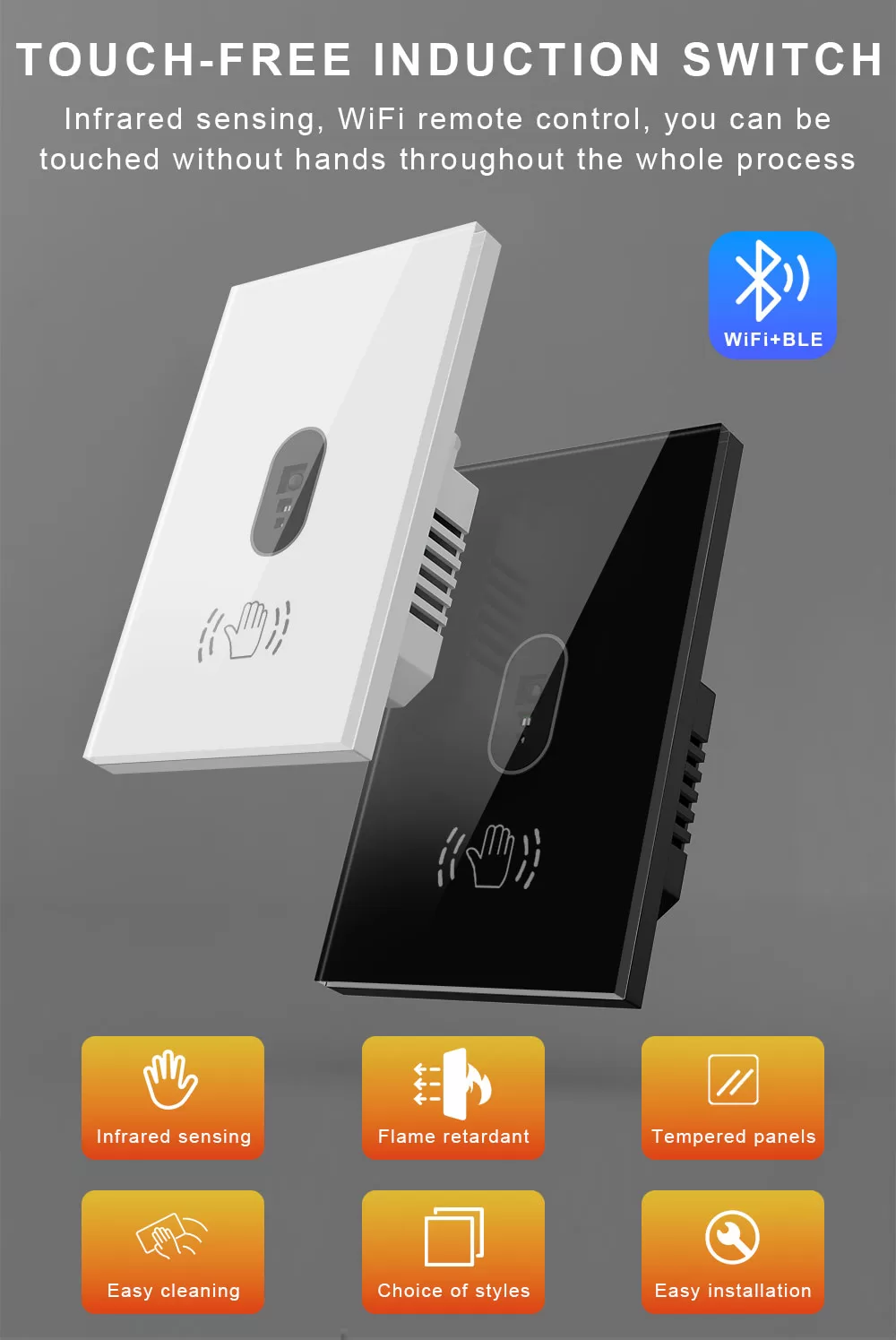
Our infrared touch‑free hand‑wave wall switch is designed exactly for this pain point. Instead of pressing or touching the panel, you only need to wave your hand about 10 centimetres in front of the switch to complete light on and off operation. Zero physical contact greatly reduces germ transfer, bringing cleaner and safer lighting control for residential and commercial environments.

Two Versions To Fit Different Project Requirements

We provide two complete functional variants, both support single‑wire and neutral‑wire universal wiring, so they can adapt to old‑building renovation as well as new construction projects. No need to change the original wall circuit structure in most scenarios.

Tuya WiFi + Bluetooth Smart Version

This is the full‑feature smart model built on Tuya ecosystem. Equipped with WiFi and Bluetooth dual‑mode connection, it works perfectly with Tuya Smart and Smart Life APP.

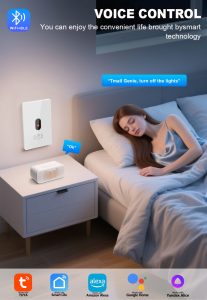
Home users can realise remote light control anywhere, set timed on/off, countdown lighting and cyclic scene modes. For example, you can automatically turn on corridor lights at dusk or turn off bathroom lights after a fixed delay. It also supports voice control via Amazon Alexa, Google Home and Yandex Alice. Hands‑free voice command plus hand‑wave sensing creates a fully contact‑free smart lighting experience.

This version is widely chosen for Tuya WiFi + Bluetooth smart version, smart home renovation, high‑end boutique hotels and intelligent apartment projects.

Standard Non‑WiFi Basic Version

If you do not need remote APP or voice functions but focus purely on hygienic non‑contact control, the non‑WiFi version is your cost‑effective choice. It keeps the core infrared hand‑wave sensing function, with stable and sensitive response. Without smart module, the cost is lower, which is very suitable for large‑quantity hotel retrofits, nursing institutions, public restrooms and budget renovation projects. All wiring advantages are reserved: single‑wire / neutral‑wire compatible, wide‑voltage 100‑240V input.

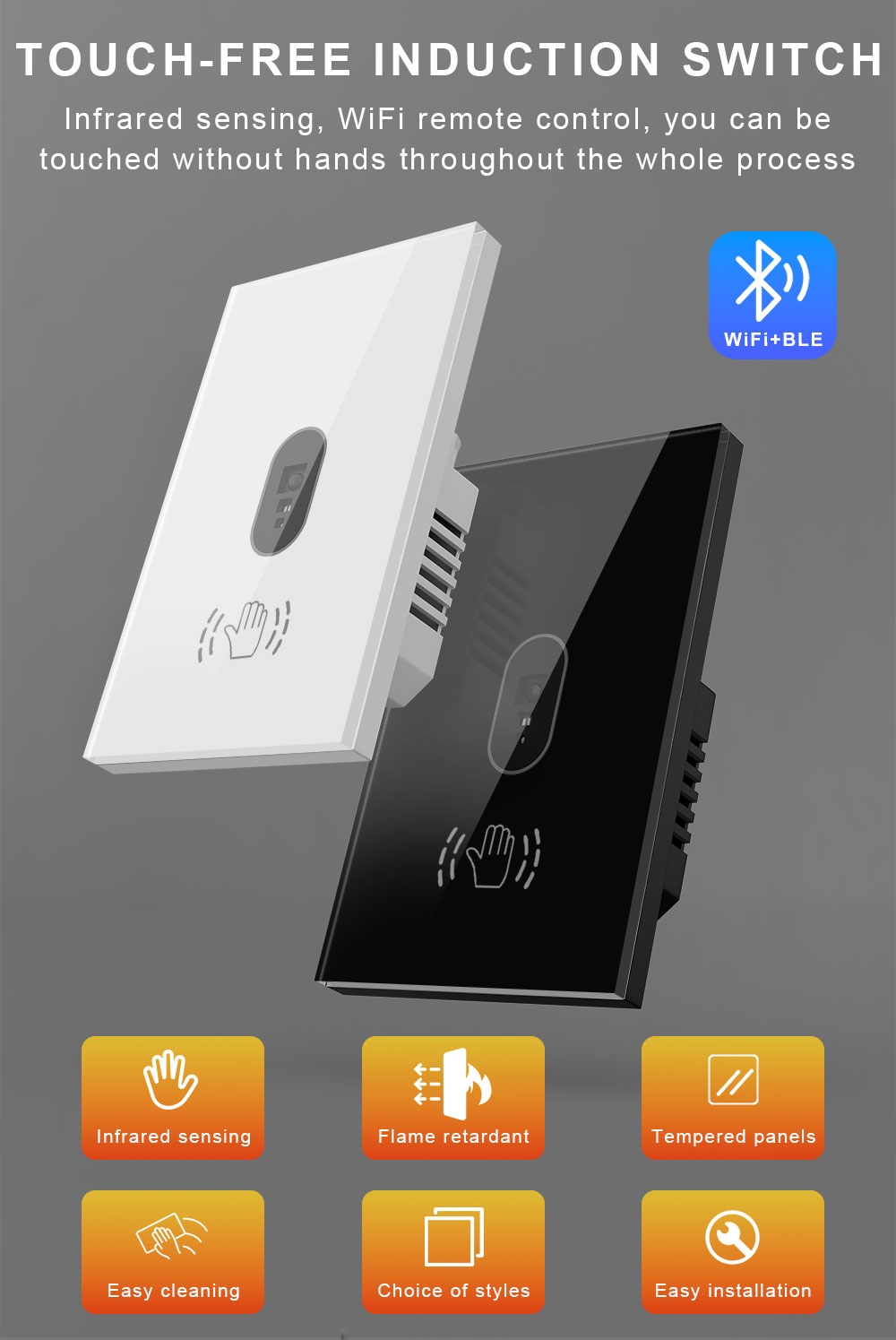
Tuya smart wave switch function graphic, WiFi Bluetooth APP control non‑contact wall light switch feature
Feature introduction graphic for Tuya infrared sensor wall switch, support Tuya App remote control, WiFi and Bluetooth connectivity.

Hardware & Installation Advantages

Many non‑contact switches on the market are only compatible with neutral‑wire circuits, bringing huge trouble for old‑house reconstruction. Our hand‑wave switch solves this difficulty. Both versions support single‑fire and zero‑fire universal installation.

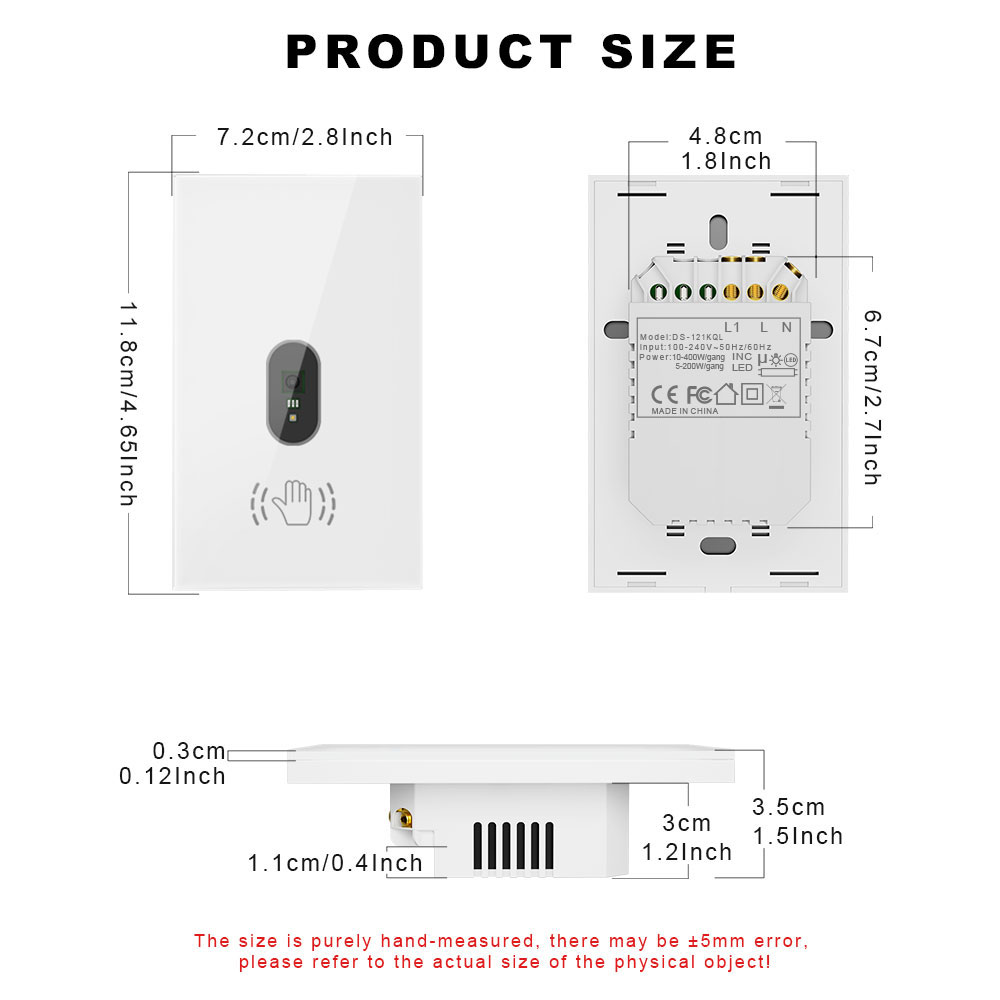
  • Input Voltage: 100‑240V, 50/60Hz, maximum load 400W, compatible with most LED lamps and household lighting sources.
  • Front panel adopts high‑hardness tempered glass, scratch‑resistant, anti‑fingerprint, easy to wipe and disinfect.
  • Back shell uses flame‑retardant PC material, with overload and overheat protection for daily safety.
  • Standard EU wall‑mount size, fits conventional EU junction boxes, convenient for electricians to install.
  • Two classic colour options: matte black and milky white glass panel, match modern minimalist, Nordic and hotel interior decoration styles.

touch free hand waveTypical Application Scenarios

🏨 Hotel & Hospitality Industry
Guest room bathrooms, public toilets, corridor lighting. Contact‑free operation reduces cleaning workload for housekeeping staff and improves guest experience.

🏥 Senior Care & Medical Institutions
Nursing rooms, rehabilitation wards. Elderly people with limited mobility can control lights without touching panels; meanwhile it lowers bacterial cross‑transmission risk.

🏠 Residential Renovation
Kitchens, bathrooms, children’s rooms. Hands stained with water, oil or detergent do not need to dirty the switch panel.

🏢 Commercial Public Spaces
Office restrooms, shared apartments, serviced accommodation.

About Sourcing & Order Options

As an ODM smart home hardware manufacturer, Xingliao Tech supports multiple cooperation modes.

  • Retail samples: you can order small quantity samples for project testing.
  • Bulk wholesale: competitive price for hotel and engineering bulk orders.
  • ODM customisation: support panel surface, logo printing and function customisation according to project demands.

Whether you are an end‑user upgrading your house, an interior designer, hotel purchaser or hardware distributor, you can select the WiFi smart version or basic non‑WiFi hand‑wave switch according to your actual needs.

👉 View our touch‑free hand‑wave wall switch product page

If you have project‑related questions about wiring, bulk quotation or custom requirements, feel free to contact our sales team.

However, Xingliao Tech Official Site — ODM smart home devices & factory production capacity
ODM Home Custom Solutions — custom smart hardware & project OEM‑ODM service
Smart Solutions for Hotels & Hospitality — touch‑free switches for guest rooms and bathrooms
Senior Care & Healthcare Solutions — hygienic, user‑friendly controls for care facilities
Xingliao Shop — retail samples and small‑batch orders

Related Articles

You Might Also Like
Related guides
Frequently Asked Questions

Is Touch Free Hand Wave worth buying?

Based on the breakdown in this article, Touch Free Hand Wave offers a solid mix of features and value. If your main goal matches the key benefits described above, it is a practical choice for everyday use.

How do I choose the right touch free hand wave for my needs?

Start with your core use case, then compare battery life, compatibility, and build quality as covered above. Choosing the right touch free hand wave comes down to matching specs with how you actually use it. Smart Home Beginner’s Guide 2026: 8 Practical Devices Worth Starting With

Does touch free hand wave require a companion app?

Most devices of this type pair with a free companion app for setup and firmware updates. A few advanced features may sit behind a paid plan, so check the official specs page before buying.