Posted on — Leave a comment

Push-Button Smart Switches: When a Click Beats a Touch Panel

US Standard WiFi Push Button Switch — Single, Double, Triple & Quadruple Covers
Push-Button Smart Switches: When a Click Beats a Touch Panel

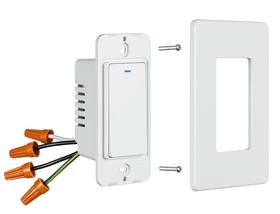
Glass Touch panels look good in a showroom, but a lot of buyers want the Switch to feel like a Switch. On the 118 × 72 mm US Plate, the push-button range covers One to four gangs with a real mechanical travel and the same app behind it.

Why push button

Buttons can be found in the dark, they work with wet or gloved hands, and guests understand them without an explanation. In rentals and Hotels that matters more than the look of the plate. The travel also gives tactile confirmation that the command went through.

One to four gangs

The range runs 1, 2, 3 and 4 gang on one plate size, so a hallway can have two and a bedroom four while every plate on the wall matches. Each gang is an independent channel in the app.

The versions

  • WiFi — 2.4 GHz, Tuya / Smart Life, no hub.
  • HomeKit — pairs directly with Apple Home.
  • Newer variants — updated boards with the same footprint.
  • Korean-standard version — for Korean wall boxes on the same family.

Installation

Standard US box, live to L, neutral Where the model requires it, loads to L1–L4. The mechanical button does not change the wiring — it is the same board with a different front.

FAQ

Is it a drop-in replacement for a standard US switch?
Yes for the box and the wiring; check the neutral requirement for the exact model.
Does the button still work without the network?
Yes — local control always works.
Can I mix 1 and 4 gang plates in one order?
Yes — the finishes match across the range.

Ready to specify it? Full specifications, gang options, colors and quantity pricing are on the US Standard WiFi Push Button Switch — Single, Double, Triple & Quadruple Covers product page — OEM logo, manual and packaging are available from the first order.

Related Articles

You Might Also Like

Frequently Asked Questions

Is Push Button Smart worth buying?

Based on the breakdown in this article, Push Button Smart offers a solid mix of features and value. If your main goal matches the key benefits described above, it is a practical choice for everyday use.

How do I choose the right push button smart for my needs?

Start with your core use case, then compare battery life, compatibility, and build quality as covered above. Choosing the right push button smart comes down to matching specs with how you actually use it.

Does push button smart require a companion app?

Most devices of this type pair with a free companion app for setup and firmware updates. A few advanced features may sit behind a paid plan, so check the official specs page before buying.

Posted on — Leave a comment

Fan Speed, Curtains, Dimming and Scenes on One 86 × 86 mm Family

86 × 86 mm Function Switches — Fan Speed / Curtain / Dimmer / ZigBee Scene Panel
Fan Speed, Curtains, Dimming and Scenes on One 86 × 86 mm Family

Most “Smart Switch” ranges are just on/off with an app attached. The useful part of a range is what it does besides switching a light: regulating a fan speed, driving a Curtain motor, dimming a lamp, or firing a scene from a wall button. On the 86 × 86 mm European plate these are four different products, and they are easy to confuse.

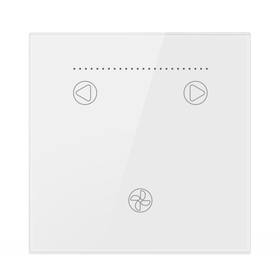
Fan speed control

A fan Switch is not a dimmer. Fan regulators step a motor through discrete speeds rather than varying voltage continuously, and the load is inductive. Using a dimmer on a fan is the classic mistake — it hums, and eventually it cooks the motor.

Curtain control

Curtain plates reverse a motor and stop at the limit, rated for the motor rather than for lamps. If the app shows percentage position, you can also close curtains on a schedule instead of by hand. Where the DS-129JL Series Fits: Apartments, Hotels and Office Retrofits

Dimming

Dimmers here are thyristor type, so the lamp has to be dimmable. Leading-edge dimmers are forgiving with incandescent and halogen; LED behaviour depends on the driver, so buy one lamp first and test it before fitting twenty.

Zigbee scene panels

A scene panel does not Switch a load at all — it sends a command to the gateway, which then runs whatever you have programmed. One button can turn off every light in the flat, drop the heating and close the curtains. Where the DS-123Y Series Fits: Apartments, Hotels and Office Retrofits

WiFi or Zigbee

WiFi versions commission fastest and need no hub. Zigbee versions need a gateway but are the better choice once a project has more than a handful of devices, because they stay reachable in far rooms and draw far less standby power.

FAQ
Can I use a dimmer for a ceiling fan?
No — use the fan speed model. Dimmers and fan regulators are not interchangeable.
Do scene panels need a load connected?
No — they are Zigbee command devices, but they do need a gateway.
Can I mix these with normal Switches on the same wall?
Yes — all of them use the same 86 × 86 mm plate and the same finishes.

Ready to specify it? Full specifications, gang options, colors and quantity pricing are on the 86 × 86 mm Function Switches — Fan Speed / Curtain / Dimmer / ZigBee Scene Panel product page — OEM logo, manual and packaging are available from the first order.

Related Articles

You Might Also Like
Frequently Asked Questions

Is Fan Speed Curtains worth buying?

Based on the breakdown in this article, Fan Speed Curtains offers a solid mix of features and value. If your main goal matches the key benefits described above, it is a practical choice for everyday use.

How do I choose the right fan speed curtains for my needs?

Start with your core use case, then compare battery life, compatibility, and build quality as covered above. Choosing the right fan speed curtains comes down to matching specs with how you actually use it.

Does fan speed curtains require a companion app?

Most devices of this type pair with a free companion app for setup and firmware updates. A few advanced features may sit behind a paid plan, so check the official specs page before buying.

Posted on — Leave a comment

Curtain and Dimmer Switches on a US Plate: What 118 × 72 mm Can Do

118 × 72 mm US Standard Function Switches — Curtain / Dimmer / ZigBee Push Button
Curtain and Dimmer Switches on a US Plate: What 118 × 72 mm Can Do

The 118 × 72 mm US plate is not just a different rectangle — it is the format used across US, Australian, Italian, Canadian, Brazilian, Vietnamese and Thai installations. On that plate the interesting part is not the light Switch, it is the function Switches: Curtains, dimming and Zigbee scene buttons.

Curtain control

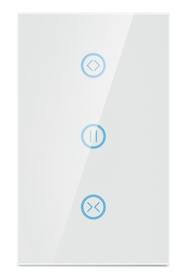
A curtain Switch reverses a motor instead of switching a lamp, so the rating (1800 W here) and the interlock between open and reverse matter more than the app. One plate runs electric curtains and roller shutters, with the usual open / close / stop plus percentage position in the app. Where the DS-129JL Series Fits: Apartments, Hotels and Office Retrofits

Dimming

The dimmer in this group is rated 600 W and expects a thyristor dimmable lamp. That is the one compatibility check that trips people up: a non-dimmable LED on a dimmer either flickers or destroys the driver. Get the lamp right and the rest is simple — level from the plate, from the app, or by voice. How to Choose a Bluetooth Touch Switch for a 86 Wall Box — DS-101BY Series

Zigbee push button

A push-button Zigbee Switch is a scene controller: one Button can trigger a whole set of devices through the gateway rather than switching a load directly. It is the cheapest way to add “goodnight” or “movie” to a room without rewiring. Where the DS-123Y Series Fits: Apartments, Hotels and Office Retrofits

Colours and finishes

The curtain and dimmer plates come in White, Black, Gold and Grey, so a mixed installation keeps one look across the Wall. The ZigBee button is White only.

FAQ
Can the dimmer run any LED lamp?
No — the lamp must be thyristor dimmable, 600 W maximum.
Can the curtain Switch run roller shutters?
Yes — rated 1800 W for electric curtains and roller shutters.
Do the Zigbee models need a gateway?
Yes, the Zigbee models in this group all require a gateway.

Ready to specify it? Full specifications, gang options, colors and quantity pricing are on the 118 × 72 mm US Standard Function Switches — Curtain / Dimmer / ZigBee Push Button product page — OEM logo, manual and packaging are available from the first order.

Related Articles

You Might Also Like
Frequently Asked Questions

Is Curtain Dimmer Switches worth buying?

Based on the breakdown in this article, Curtain Dimmer Switches offers a solid mix of features and value. If your main goal matches the key benefits described above, it is a practical choice for everyday use.

How do I choose the right curtain dimmer switches for my needs?

Start with your core use case, then compare battery life, compatibility, and build quality as covered above. Choosing the right curtain dimmer switches comes down to matching specs with how you actually use it.

Does curtain dimmer switches require a companion app?

Most devices of this type pair with a free companion app for setup and firmware updates. A few advanced features may sit behind a paid plan, so check the official specs page before buying.

Posted on — Leave a comment

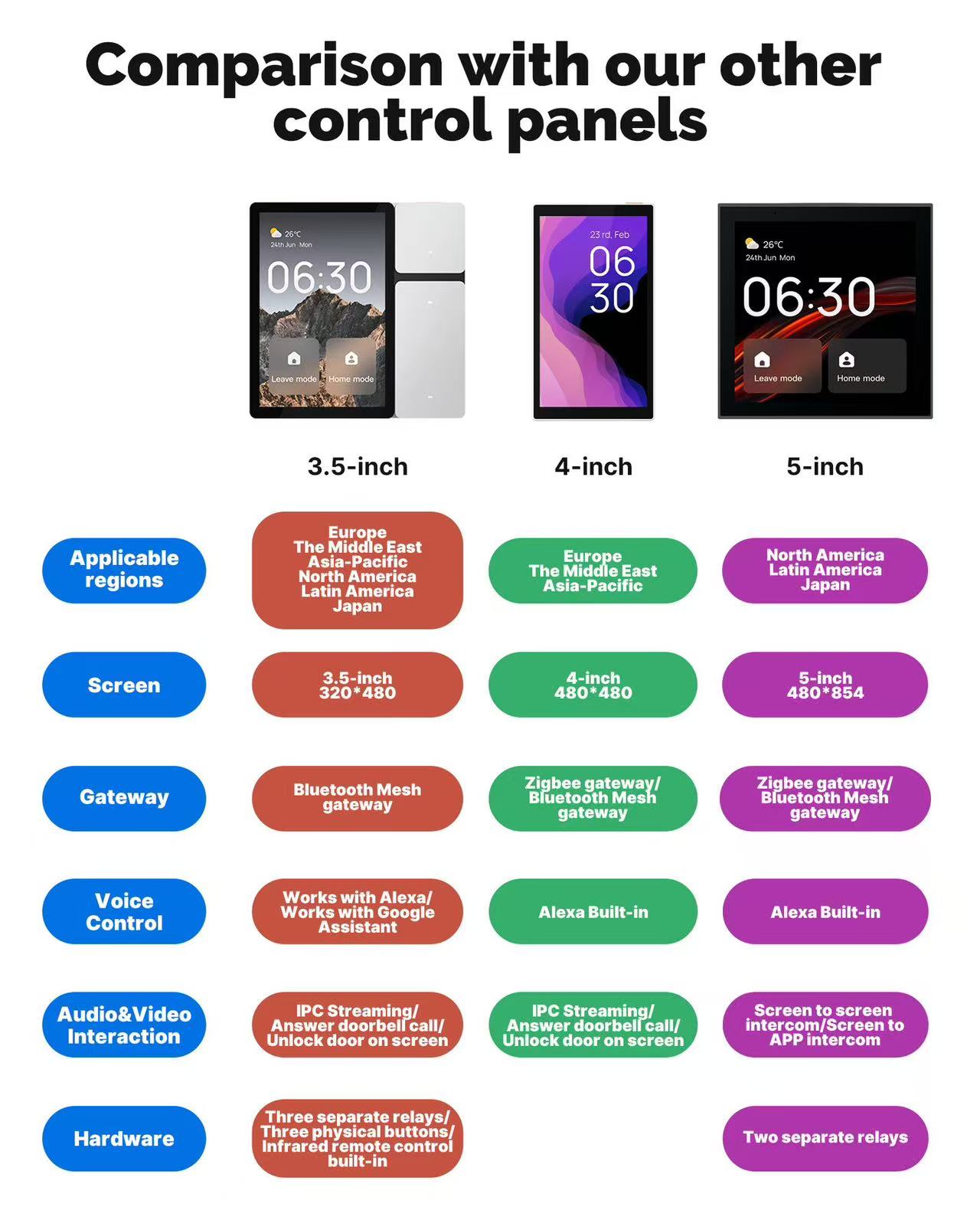
4-Inch Tuya Smart Control Panel: What It Replaces

A 4-inch Tuya smart control panel is a wall-mounted touch screen that replaces a bank of switches with one scene controller — lights, curtains, cameras and scenes all reachable from a single plate-sized display. It is the most asked-about upgrade in our range, and the one with the most installation caveats.

What it actually replaces

  • A stack of switches — one 4-inch panel can carry several switch circuits plus scene buttons.
  • A wall tablet — it sits in the wall box, is always powered and does not need charging.
  • A phone for guests — visitors can turn on a light without installing an app.
  • A separate gateway — most panels include a ZigBee hub, so Tuya ZigBee devices pair directly.
4-inch Tuya smart control panel mounted on a wall
Smart control panel touch screen interface showing lighting controls

Typical specifications

Item Specification
Display 4-inch capacitive touch screen
Wall box 86 × 86 mm standard, 60 mm fixing centres
Wireless Wi-Fi 2.4 GHz + built-in ZigBee 3.0 hub
Switch circuits Configurable, typically 1–3 gangs
Ecosystem Tuya / Smart Life, with voice-assistant linking
Power Live and neutral required, 100–240 V AC 50/60 Hz

The wiring question decides everything

A control panel needs a neutral wire at the switch box. Many older properties, especially in Europe and the UK, only have live and switched-live at the plate. Before quoting a job, open the box and confirm:

  1. Is there a neutral in the box? If not, a full panel cannot be fitted there without new cabling.
  2. Is the back box deep enough? A 4-inch panel is deeper than a standard switch and will not fit a shallow box.
  3. Is it a 60 mm fixing centre 86 box? Most panels are built for that standard.
  4. Is the load compatible? LED drivers and fluorescent fittings can behave badly with electronic switches.

If any answer is no, specify a plain Tuya ZigBee switch for that location and put the panel where the wiring works.

Control panel installed flush with wall plate
Smart control panel wiring terminals at the wall box
Frequently Asked Questions

Does it need a neutral wire?

Yes. A panel with a screen and a radio cannot leak current through the load the way a simple no-neutral switch does. No neutral at the box means no panel at that location.

Can it replace all my existing switches?

It can replace whatever circuits you are willing to run to one box. Most installations put one panel in the main living area and leave the rest as normal switches.

Does it work when the internet is down?

Local control of paired ZigBee devices keeps working. App access from outside the home, voice assistant control and push notifications need an internet connection.

Will my existing Tuya devices pair with it?

Tuya ZigBee devices pair through the built-in hub. Wi-Fi Tuya devices stay on the router and are controlled through the same app account.

Does it need a deep back box?

Usually yes, deeper than a standard switch plate. Measure the box depth before ordering — this is the most common reason an installation gets aborted on site.

Can it show my doorbell camera?

Many panels can display a paired video doorbell feed. Confirm the panel and doorbell are on the same Tuya account and check the firmware version supports it.

Is it safe to run heating through one?

Treat underfloor heating, water heaters and anything above the rated load as a separate circuit with its own control. Do not use a lighting panel as a boiler switch.

Can we brand it for our market?

Yes. Logo, boot screen, packaging, manuals and app device naming are all part of our OEM programme, with a 500 piece per colour minimum on standard models.

Posted on — Leave a comment

Smart Door Lock Buying Guide: Fingerprint vs Keypad

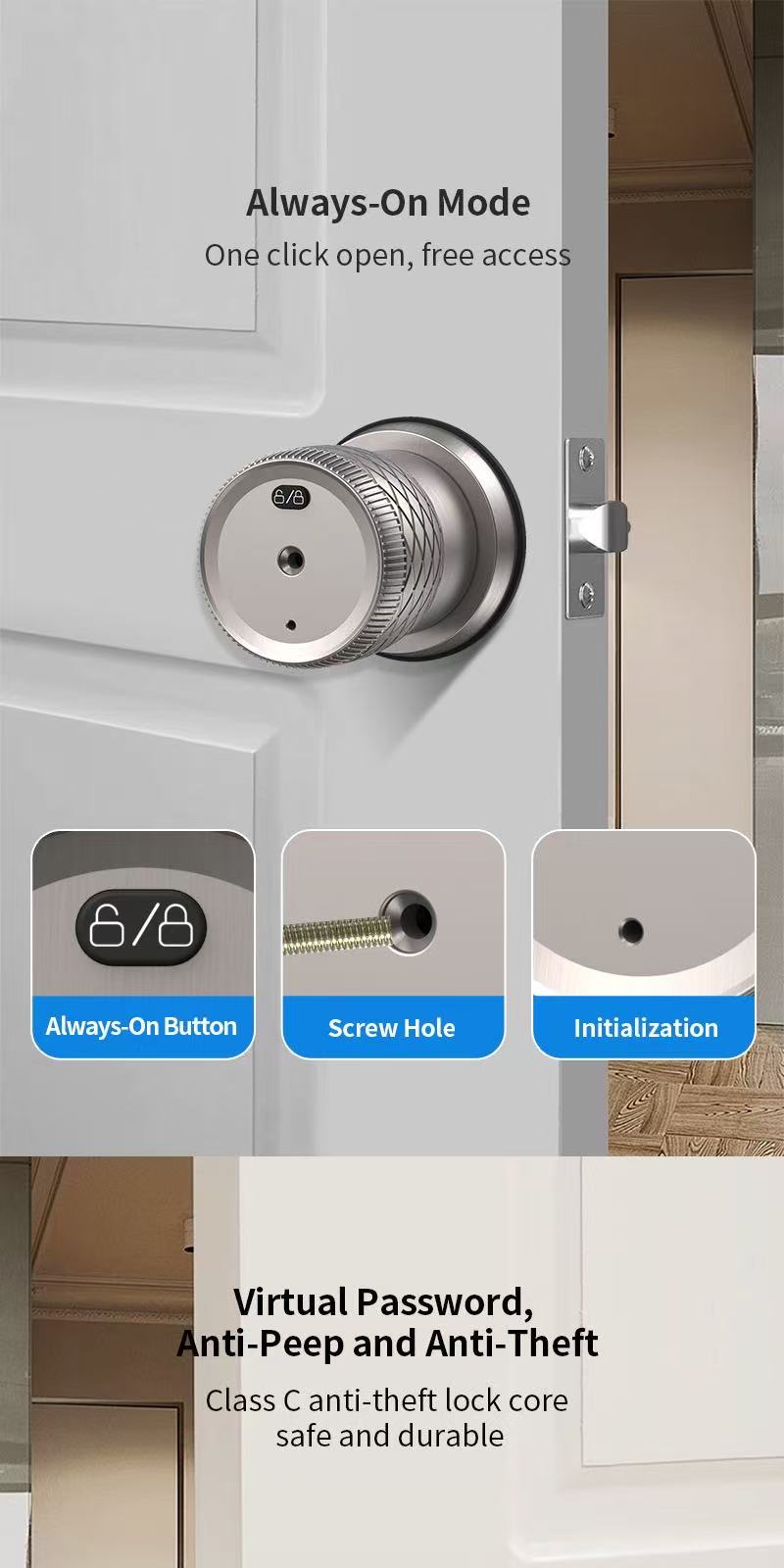
A smart door lock replaces the key with something you have — a fingerprint, a code, a card or a phone. The decision is not really about which one is most convenient on a good day; it is about which one still opens the door on a bad day, and what happens when the battery dies.

The four entry methods compared

Method Strength Where it fails
Fingerprint Fastest, nothing to carry Dry winter skin, worn prints, wet hands, cold outdoors
Keypad code Works for guests, no phone needed Codes get shared, visible wear on frequent digits
Phone app Remote unlock, logs, temporary access Needs internet, phone battery, and a working app account
Mechanical key Always works Defeats the point if it is the only route
Smart door lock with fingerprint reader on a wooden door
Smart lock app showing unlock log and temporary codes

Why fingerprint readers fail more than people expect

Capacitive sensors read the ridge pattern by measuring tiny differences in capacitance across the finger surface. Anything that changes the skin’s surface condition changes the reading:

  • Dry air in winter — the most common cause of sudden failures after a season change.
  • Worn or smooth prints — manual work, age, or frequent hand washing.
  • Water film or sweat — a wet finger fills the valleys between ridges.
  • Cold — outdoor units in freezing weather read poorly and the battery sags at the same time.

The practical fix is to enrol the same finger two or three times, at slightly different angles and pressures, and to enrol a thumb on each hand. Always keep a second route in.

Smart lock keypad with illuminated digits

Common questions

What happens when the battery runs out?

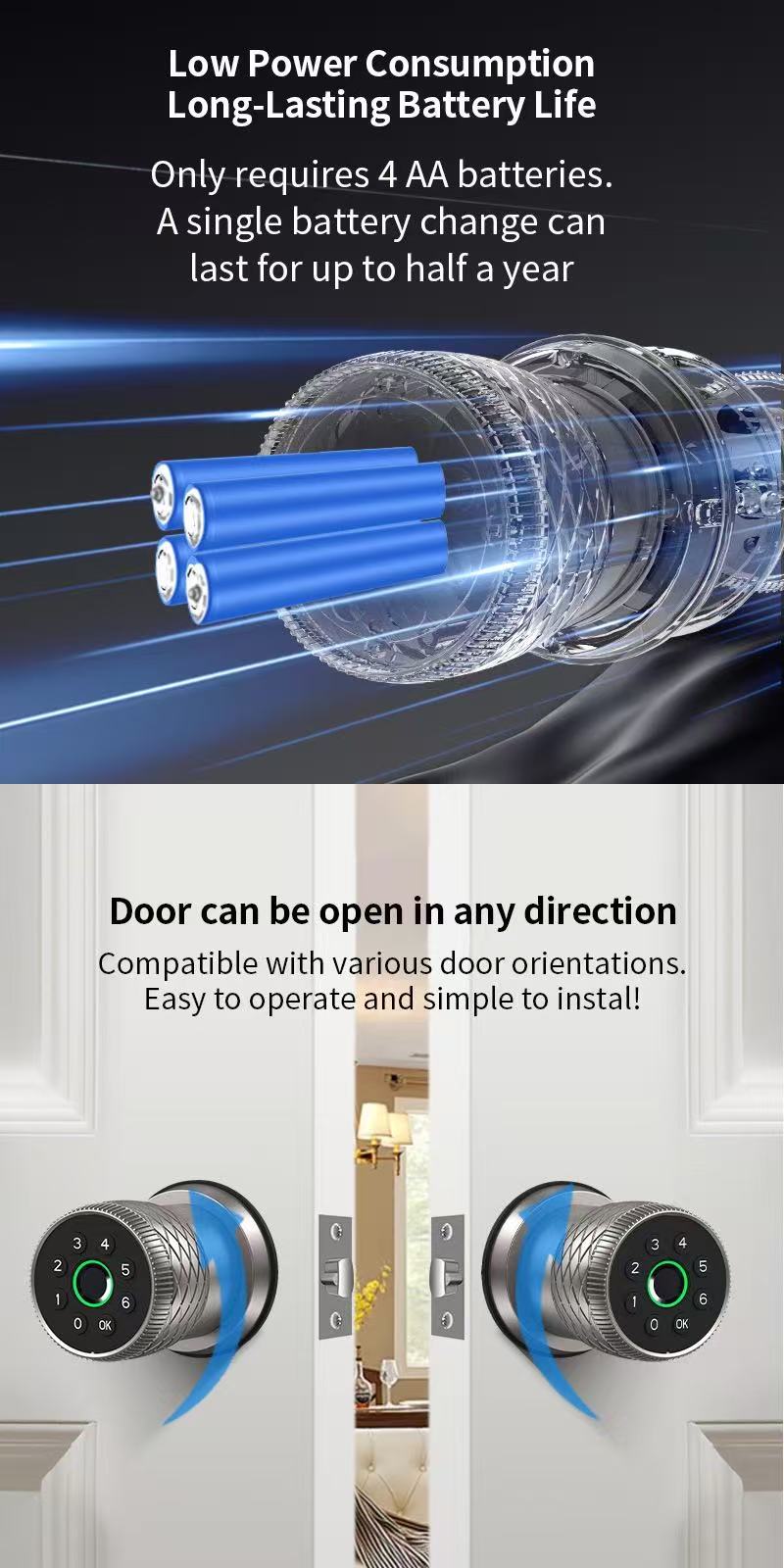
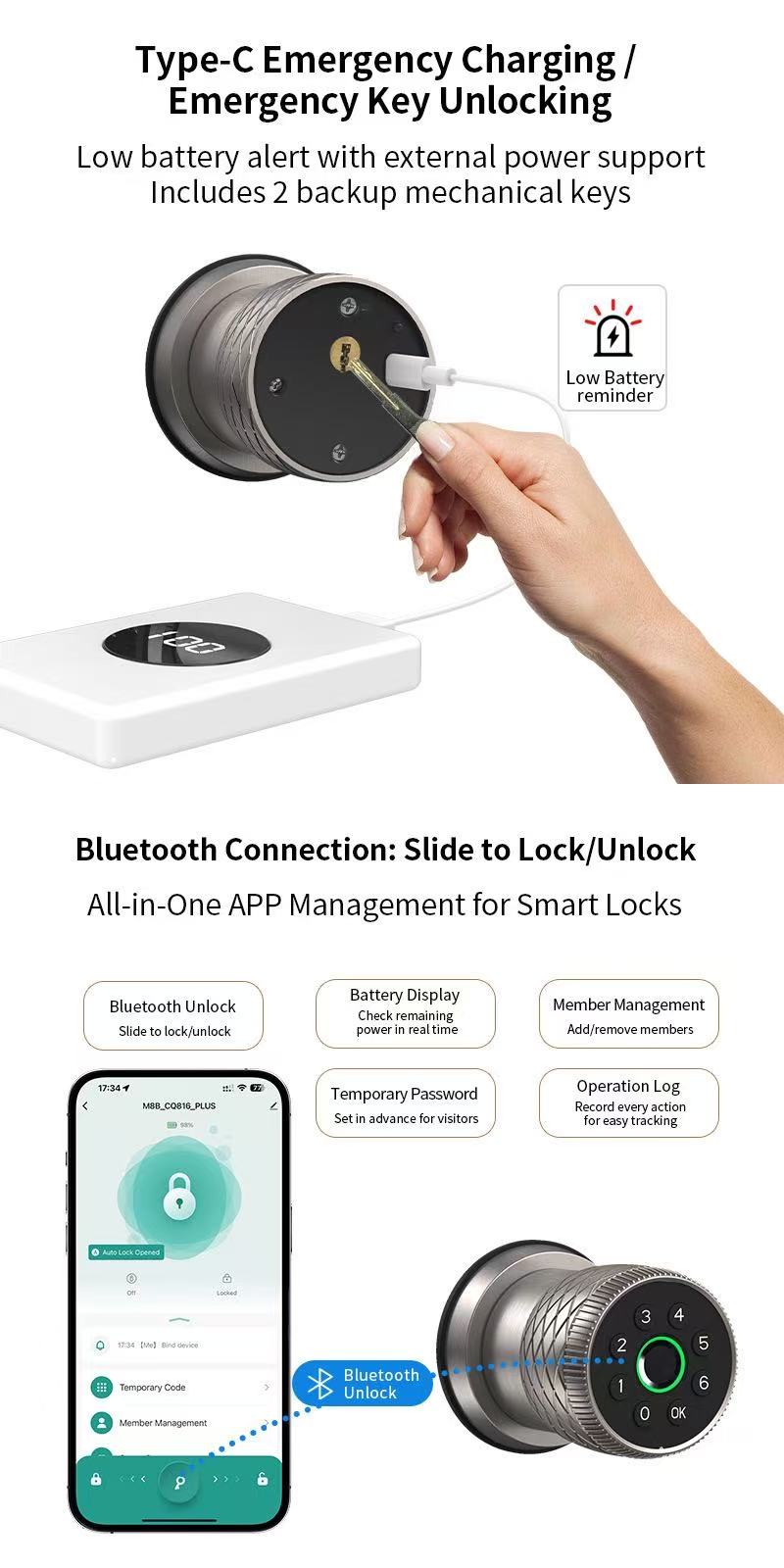
Look for a model with an emergency contacts or USB-C port on the outside, so a phone charger can power it long enough to open the door. Also set a low-battery push notification in the app.

Can I still use my existing cylinder?

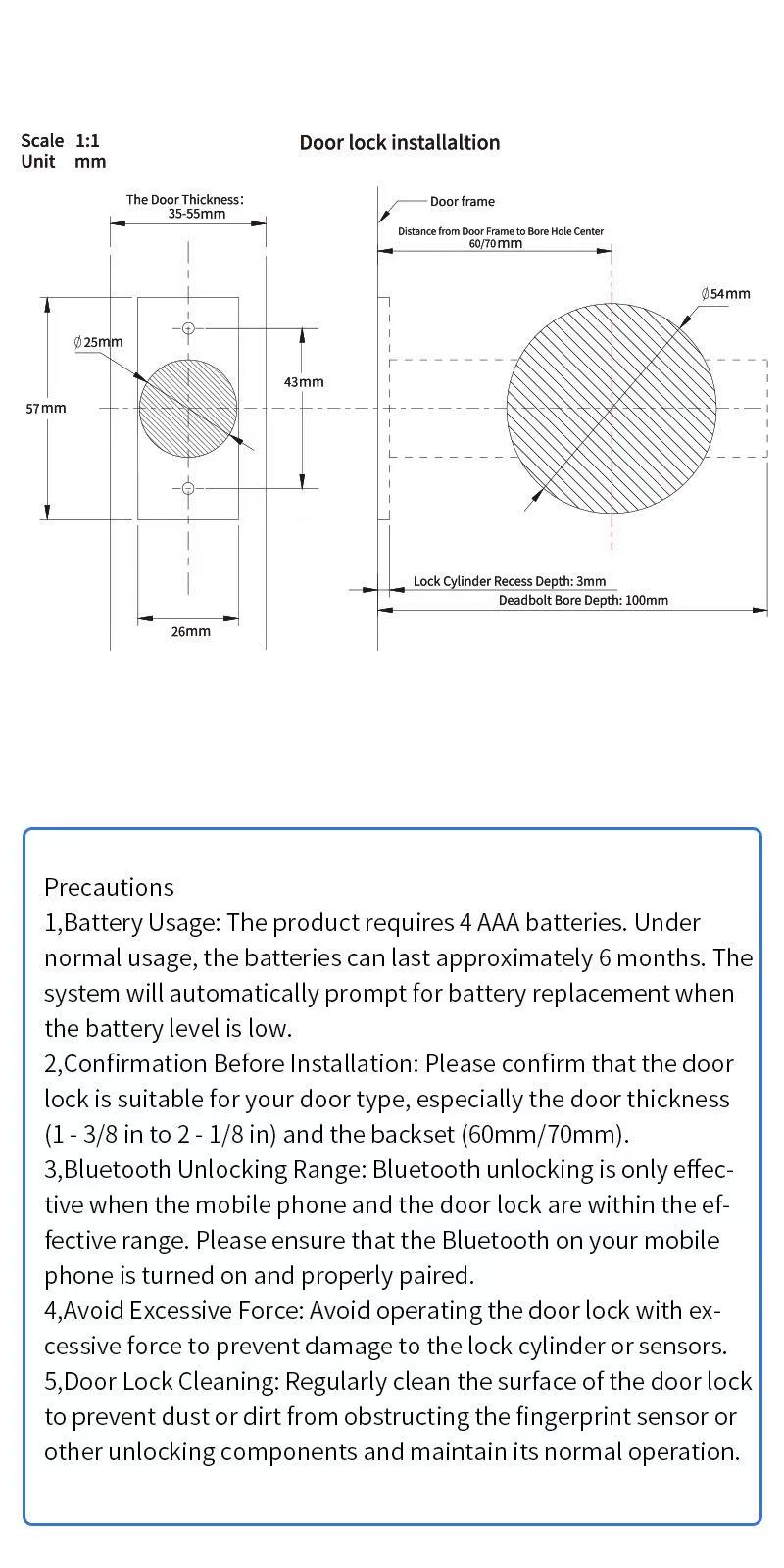
Many retrofit smart locks fit over the existing European profile cylinder or the US deadbolt, keeping the old key as a backup. Confirm cylinder type and door thickness before ordering.

Does it work without Wi-Fi?

Fingerprint, code and card entry work locally with no internet. Remote unlock, notifications and access logs need an internet connection, or a hub for the ZigBee versions.

How secure is the app connection?

Choose a model where remote access goes through the vendor’s cloud with encrypted transport, and enable two-factor authentication on the account. Keep firmware updated.

Can I give a cleaner a temporary code?

Yes on most models — timed or one-off codes are generated in the app. This is the single most useful feature for rentals and short-let properties.

Smart lock interior assembly showing battery compartment

Where to go next

Browse the full smart door lock range, or see the video doorbell collection to cover the entrance as well.

Posted on — Leave a comment

Window Security Camera: What to Check Before You Buy

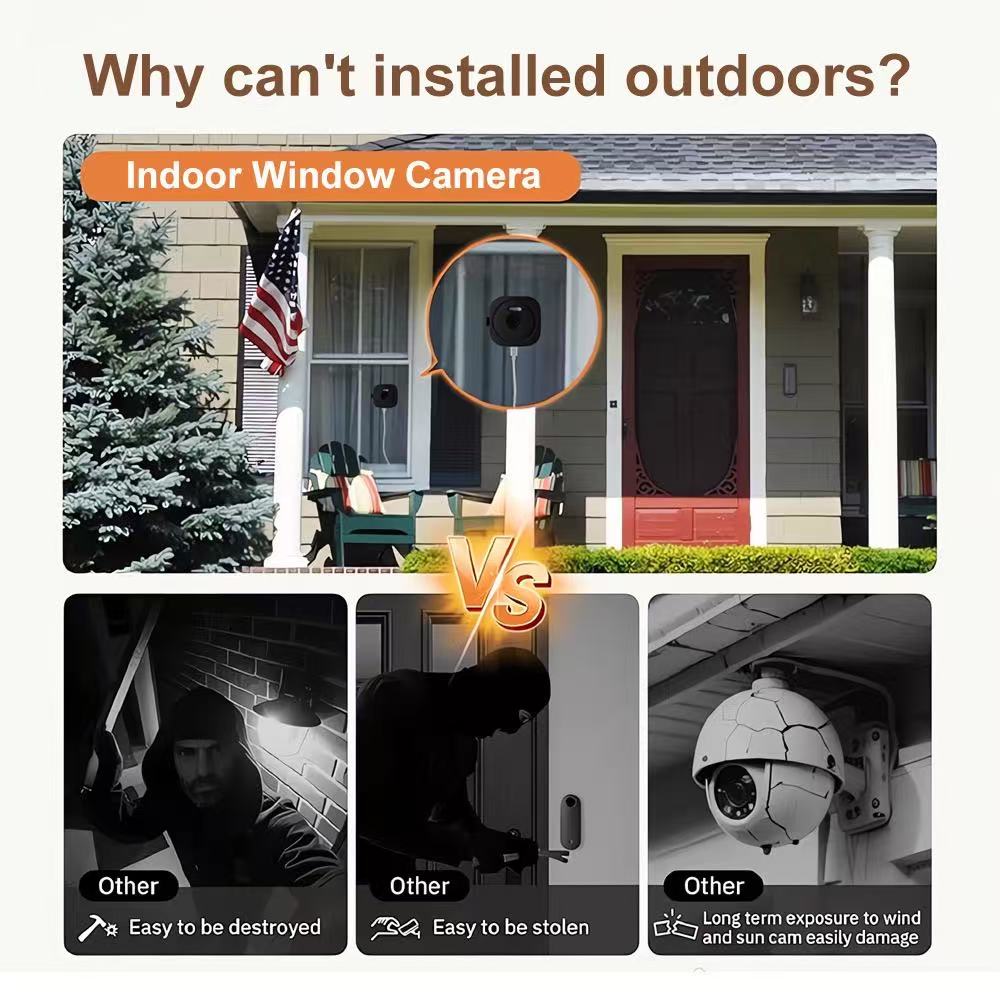
A window security camera mounts on the inside of a window and looks out through the glass, which makes it the only realistic camera option for renters, apartments and anyone who cannot drill into an exterior wall. The catch is that glass changes how the camera behaves at night, and most product pages never mention it.

The one problem to understand first

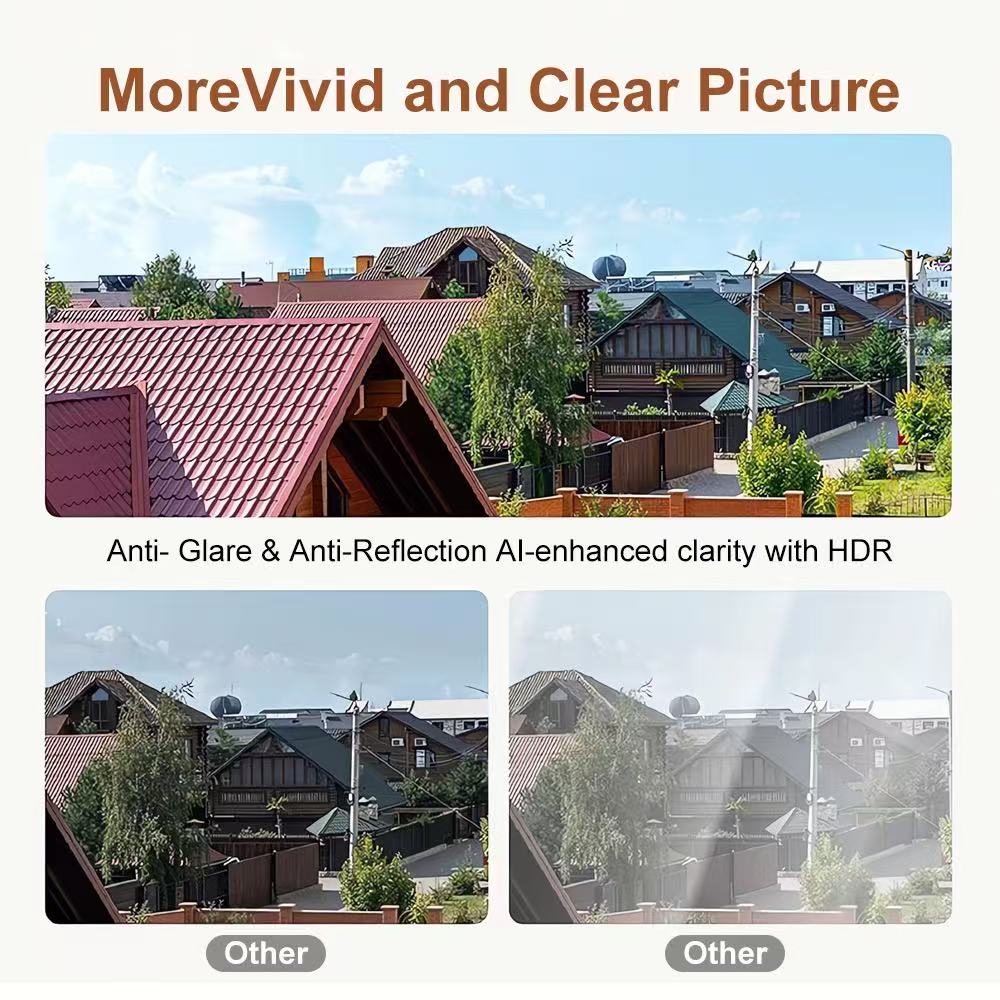
Infrared night vision works by flooding the scene with IR light from LEDs arranged around the lens and reading what bounces back. Put a pane of glass a few centimetres in front of that lens and the IR bounces straight off the glass and back into the sensor. The result is a washed-out white frame, or a bright reflection sitting right where you wanted to see.

Three ways around it:

  • Turn infrared off and rely on ambient light. Works if there is a streetlight or porch light; otherwise the frame is black.
  • Press the lens flat against the glass and shade the gap. Cutting the air gap kills most of the reflection. A rubber shroud or a card surround does this.
  • Mount outside the window. Permanently solves it, but needs weatherproofing and a power run, which is what most people were trying to avoid.
Window mount security camera looking out through glass
Window camera suction mounted on a glass pane

What to check before buying

Check Why it matters
IR can be disabled in the app Without this, night footage through glass is unusable
Lens sits flush to the pane Any air gap reintroduces reflection and glare
Wi-Fi signal at the window Window frames and metal reveal are common dead spots
Downward tilt adjustment A camera aimed too high fills the frame with sky
Local recording option Keeps working when the subscription lapses

Where a window camera is the right answer

  • Rented flats — nothing is fixed to the outside of the building, nothing to remove at the end of the tenancy.
  • Watching a driveway or street parking — a high window looking down gets the angle a ground-level camera cannot.
  • Front door with no doorbell wiring — a window camera covers the approach without touching the electrics.
  • Temporary setups — holiday lets or short-term monitoring where a permanent install is not justified.
Window security camera mounted on apartment window

Setup tips that save the first week

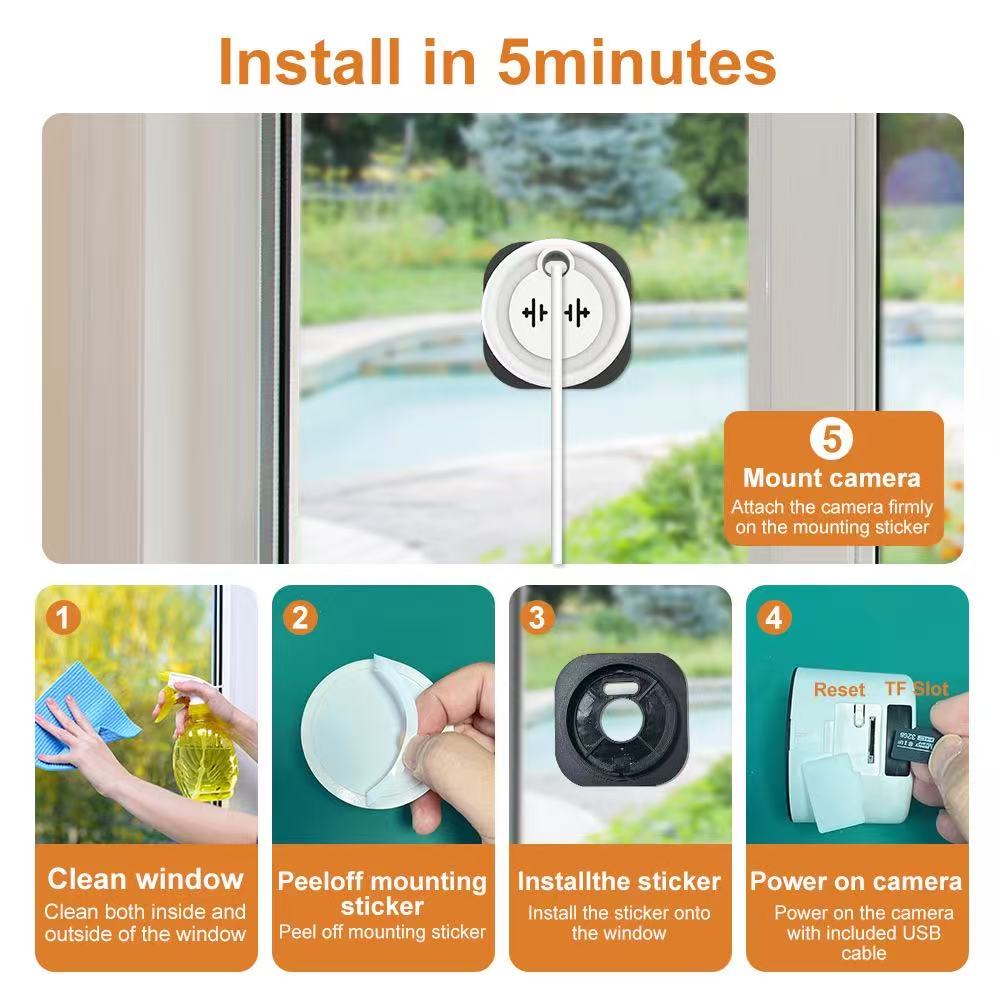
  1. Clean the glass on both sides before mounting. Fingerprints and condensation show up as permanent smudges in infrared.
  2. Check the view at night on day one. Do not discover the reflection problem after an incident.
  3. Reduce motion sensitivity near the road. Passing cars and pedestrians will otherwise fill the card.
  4. Point it slightly down. Two or three degrees of downward tilt puts the subject in the middle of the frame instead of the top edge.
Window camera view of outdoor area at night
Frequently Asked Questions

Will infrared night vision work through a window?

Not well. The IR LEDs illuminate the glass rather than the scene, so you get glare or a white frame. Disable IR and use ambient light, or seal the lens against the pane.

Does mounting outside the window work better?

Yes. Outside the glass the camera behaves normally, including infrared. The trade-off is weatherproofing and getting power to it.

Will it still record if the internet drops?

If it records to a memory card, yes. Cloud-only features and remote viewing need an internet connection.

Can it see through double glazing?

Yes for recording, but each additional pane adds reflection and a slight loss of sharpness, and the infrared problem gets worse rather than better.

Is condensation on the glass a problem?

It is the most common complaint in cold climates. Condensation on the inside pane will block the view until it clears, so mount where air can circulate.

Does it need to be plugged in at the window?

Most window cameras are mains powered with a long cable. Battery units exist but need recharging, which is awkward at height.

Can I point it at a neighbour’s property?

Rules vary by country and sometimes by state. Keep the frame on your own entrance, driveway and vehicle, and avoid aiming into windows.

What resolution is enough?

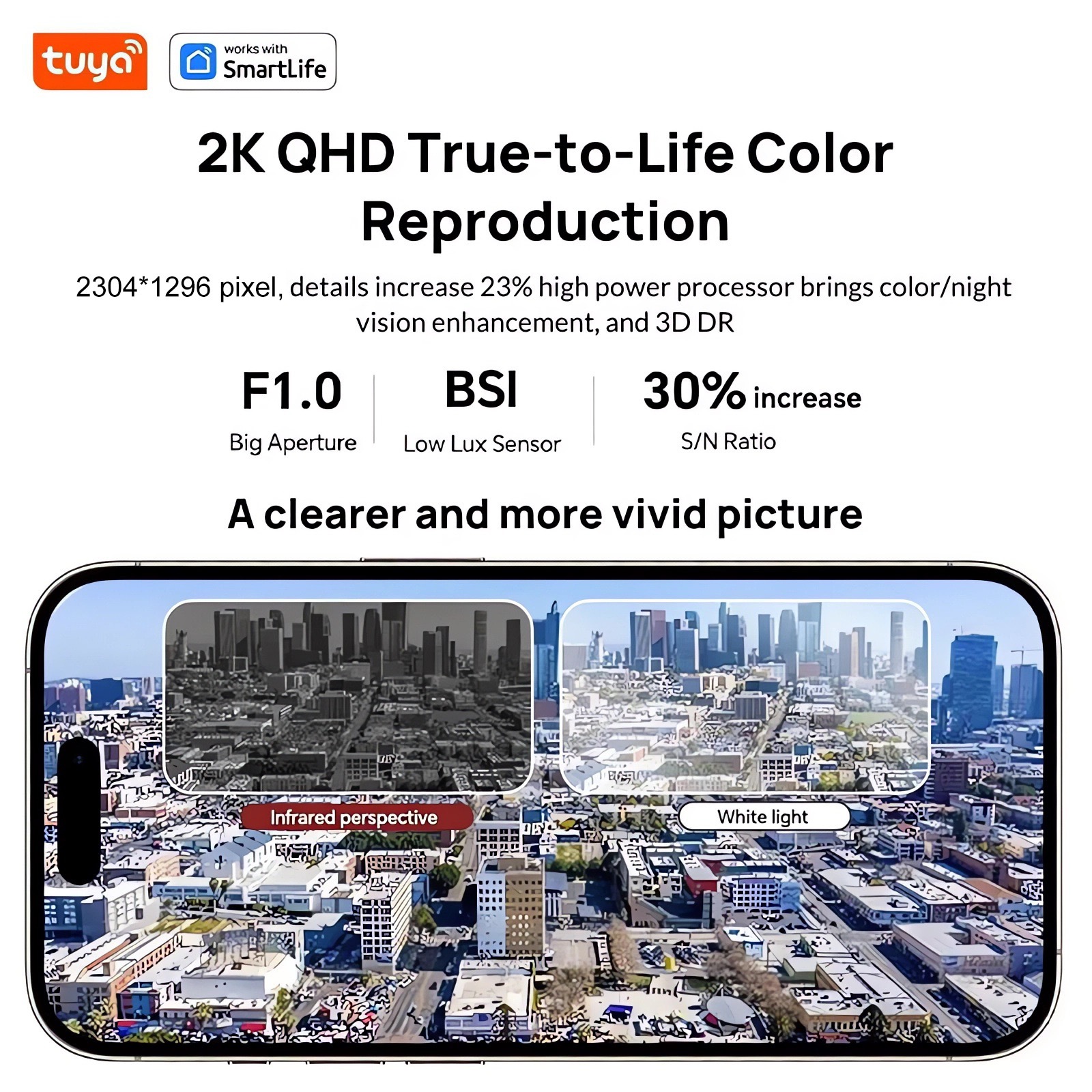
For a window looking onto a driveway, 2 MP is the practical minimum to read a face or plate at close range. Wider views need more, not less.

Posted on — Leave a comment

Do You Need a Hub for Tuya ZigBee Devices

Tuya ZigBee devices need one Tuya ZigBee gateway on the same account. They do not each need their own hub, and they do not connect to your phone directly. The gateway is the only thing that speaks to the cloud; the switches and sensors talk to it.

That single detail explains almost every confusing thing buyers run into later: why a ZigBee switch still works when the internet is down, why it stops working when you move the gateway, and why a “ZigBee” device from another brand refuses to pair.

What the gateway actually does

A Tuya ZigBee switch is a low-power radio node. It sleeps, wakes to report a press, and goes back to sleep. It cannot hold a Wi-Fi connection and it cannot reach your router. The gateway does three jobs on its behalf:

  • It is the ZigBee coordinator — it forms the mesh and assigns network addresses.
  • It is the translator — it converts ZigBee clusters into the Tuya cloud protocol your app understands.
  • It is the local automation engine — scenes stored on the gateway keep running after the internet drops.

So the honest answer to “do I need a hub” is: you need one. Not one per device, and not one per room. A single wired gateway typically covers an apartment; a larger house with concrete walls usually needs a second one, or a few mains-powered ZigBee switches acting as routers to extend the mesh.

ZigBee vs Wi-Fi: what changes in daily use

Both end up in the same Tuya / Smart Life app, which is why the difference is easy to miss at checkout.

  • Wiring: Wi-Fi devices join your router and nothing else. ZigBee devices join the gateway.
  • Router load: thirty Wi-Fi switches are thirty extra DHCP clients and thirty beacon streams. Thirty ZigBee switches are one IP address on your network.
  • Offline behaviour: with Wi-Fi, a cloud outage usually means the app goes dark. With ZigBee, local scenes stored on the gateway still fire, because the decision is made inside your house.
  • Range: ZigBee is short-range per hop but meshed — mains-powered devices relay for each other. Battery sensors do not relay; they are leaf nodes and need a router within reach.
  • Latency: a direct ZigBee binding (switch to bulb, no cloud) is noticeably faster than any app round-trip.

If you are fitting out one room, Wi-Fi is simpler. If you are doing a whole flat with a dozen switches and a pile of sensors, ZigBee is the version that stays stable.

Things that go wrong, and why

“It paired, then it dropped off and never came back”

Usually a weak link to the nearest router, not a faulty device. Battery sensors are the worst case: they pick the router that looked best on the day they joined and will not re-evaluate until they are re-paired. Move the gateway, add a mains-powered ZigBee device in between, then re-pair the sensor.

“My ZigBee device won’t pair with my hub”

ZigBee defines the radio and the mesh; it does not force every brand to use the same application layer. A Tuya ZigBee switch pairs with a Tuya ZigBee gateway. Cross-brand pairing sometimes works for simple on/off, then fails on anything more complex. Buy the gateway and the devices from the same ecosystem.

“Everything went offline after I changed routers”

The gateway is the only device that cares about your Wi-Fi credentials. Re-join it, and the mesh behind it comes back untouched.

“The app says offline but the switch still works”

That is the gateway losing internet while the mesh keeps running. Physical control and local scenes survive; remote control does not.

How many gateways do you need

Start with one, placed centrally and off the floor, at least a metre from the router to avoid 2.4 GHz interference. Add a second only when you have dead spots you cannot cover with mains-powered ZigBee devices — those double as mesh routers, so a hallway switch often solves a bedroom sensor problem.

If you are building the whole system from scratch, the practical order is: gateway first, then the mains-powered switches and sockets that form the mesh backbone, then the battery sensors last.

Browse Tuya ZigBee gateways and the matching smart switches if you are starting a mesh from zero.

Frequently Asked Questions

Can I use one gateway for switches and sensors together?

Yes. A single Tuya ZigBee gateway handles both, and mixing them is normal — the mains-powered switches strengthen the mesh that the battery sensors depend on.

Do Tuya ZigBee devices work without internet?

Local control and gateway-stored scenes keep working. Anything you trigger from outside your home, or through a voice assistant, needs the cloud.

Is ZigBee the same as the “Tuya ZigBee” label on the product page?

The label means the device uses Tuya’s application layer on top of ZigBee, so it pairs with a Tuya gateway and shows up in the Tuya / Smart Life app. Plain ZigBee hardware from another brand may not.

How far can one gateway reach?

Ten to twenty metres indoors per hop, less through concrete or brick. Range comes from the mesh, not from the gateway’s radio — every mains-powered device you add extends it.

Should I buy Wi-Fi switches to avoid buying a gateway?

Only for a small setup. Past roughly ten devices, the router load and the rebuild pain after a Wi-Fi change make a gateway the cheaper option in the long run.

Can two gateways share the same devices?

No. A device joins one gateway’s mesh. Two gateways on one account simply cover two areas, and you re-pair a device if you want it on the other one.

Do battery-powered ZigBee devices extend the mesh?

No. Sleepy end devices do not relay traffic. Only mains-powered ones — switches, sockets, in-wall modules — act as routers.

What happens if the gateway dies?

The mesh stops. The devices themselves are fine; pair a replacement gateway and re-pair the devices, or keep a spare configured if the system is load-bearing for you.

Posted on — Leave a comment

Smart Switch Wiring: Neutral vs No Neutral Explained

A smart switch needs a continuous supply of power to run its electronics, and there are only two ways to get it. A neutral-wire switch takes that supply from a dedicated neutral conductor in the wall box. A no-neutral switch (also called single-fire or two-wire) steals a small current through the lamp itself. That single difference decides whether the switch will work in your house at all, and it is the most common reason a replacement behaves badly after a clean-looking installation.

Safety first. Switch boxes are mains wiring. Isolate the circuit at the consumer unit and confirm it is dead with a tester before touching anything, and use a qualified electrician if you are not certain what you are looking at.

Neutral vs no-neutral at a glance

How the two switch types differ in practice
Aspect Needs a neutral wire No-neutral (single-fire)
How it is powered Dedicated neutral conductor in the box Small leakage current drawn through the load
Wiring requirement Live, switched live and neutral Live and switched live only
Works in older boxes Only if a neutral is present Yes, which is why it exists
LED glow when off Rare Common without mitigation
Minimum load None in practice Typically a few watts to stay stable
Load it can drive Usually higher and better specified Often lower, check the rating
Energy monitoring Commonly supported Rarely, and less accurate
Typical regions Common in 86 type boxes in Europe and Asia Common in older 118 type homes in North America

What the leakage current actually does

A no-neutral switch has to keep its radio alive while the lamp is off, so it lets a small current pass through the load continuously. With an old incandescent lamp that current is far too small to matter. With an LED lamp it can charge the driver’s input capacitor until the lamp flashes or holds a dim glow, because an LED needs orders of magnitude less current to produce visible light. This is not a fault in the lamp and not a fault in the switch: it is the physics of powering a device in series with the load.

Two ways the problem is solved

  • A bypass capacitor wired in parallel with the lamp gives the leakage current a path that does not charge the LED driver. Most no-neutral switches ship with one.
  • A switch designed for very low loads keeps the leakage below the point where an LED driver will react, so no extra part is needed.

If an LED glows after fitting a capacitor, the usual causes are a capacitor rated for the wrong load, a very low wattage fitting, or too many lamps on one circuit each contributing a little.

How to check what you have

  • Isolate the circuit and confirm it is dead, then photograph the wiring before disconnecting anything.
  • Pull the switch and look for a bundle of conductors that are not connected to the switch. A group of neutrals tucked at the back of the box usually means you can use a neutral-wire switch.
  • If the box contains only two conductors and both go to the switch, it is a switch loop with no neutral, and a no-neutral model is the realistic option.
  • Check box depth. Smart switches carry electronics behind the plate and need more room than a mechanical switch.
Frequently Asked Questions

How do I know if my switch box has a neutral wire?

Look for a group of conductors joined with a connector and not attached to the switch itself. If the box has only the two wires that run to the switch, there is no neutral and a switch that needs one will not work there.

Why does my LED lamp glow faintly after fitting a smart switch?

Because a no-neutral switch passes a small current through the lamp to power itself, and an LED needs very little current to emit visible light. Fitting the supplied bypass capacitor across the lamp normally fixes it.

Will a capacitor always fix the glow?

Usually, but not always. A capacitor rated below the circuit’s load, a very low wattage fitting, or several lamps on one circuit can all leave a residual glow. In those cases a switch designed for very low minimum loads is the better answer.

Can I add a neutral wire to an old house?

Sometimes, but it is a rewiring job rather than a switch swap. Running a new cable to the box needs access through the wall or ceiling, which is why most people in that situation choose a no-neutral switch instead.

Do no-neutral switches work with all lamps?

They work best with loads above their stated minimum. Very small LED fittings, long LED strips with their own drivers, and some fluorescent fittings are the awkward cases and are worth checking against the switch’s specification before buying.

Why does the lamp flicker once and then settle?

That is normally the leakage current charging the LED driver until it discharges. It is most visible on cheap drivers with small input capacitors and is the same root cause as the steady glow.

Which type should I buy?

If your box has a neutral, a neutral-wire switch is the more stable choice and usually supports energy monitoring. If it does not, a no-neutral model is the practical one. Our smart switch range covers both, and the smart switch board guide goes through the panel and wiring decisions in more detail.

Posted on — Leave a comment

Tuya ZigBee vs WiFi Smart Switch: Spec Comparison

Tuya smart switches come in two radio variants that look identical on the wall and behave very differently behind it. A Tuya WiFi switch joins your home router directly. A Tuya ZigBee switch joins a low-power mesh that reports to a Tuya ZigBee gateway, which then connects to the router. Both are controlled in the Tuya or Smart Life app, both work with the same voice assistants, and both can be automated together. The choice is about network behaviour, not about features.

Specification comparison

Tuya WiFi versus Tuya ZigBee smart switches
Spec Tuya WiFi Tuya ZigBee
Hub required No, connects to the router Yes, a Tuya ZigBee gateway
Network topology Star, each device talks to the router Mesh, mains-powered devices relay for each other
Router load One IP address per switch Only the gateway holds an IP address
Standby power Higher, the WiFi radio stays associated Lower, designed for sleepy low-power nodes
Typical response Direct, but depends on router and cloud Very fast for local automations
Behaviour when internet drops App control usually lost Local scenes and direct bindings often still run
Range limits WiFi coverage, 2.4 GHz only Mesh hops extend reach, but every hop needs a powered node
Best fit A handful of switches on good WiFi Whole-home installs with many devices
Upfront cost Lower, no hub to buy Higher once the gateway is included

Why the hub question matters more than the radio

A WiFi switch is the simpler purchase because nothing else is needed, but every switch becomes another client on the router and another device that expects the internet to be available. A ZigBee switch adds a gateway to the budget, and in exchange it takes the switches off the WiFi network entirely, keeps standby draw low, and lets mains-powered devices relay messages for each other. On a house with twenty or thirty switches that difference is the whole argument.

Range is not the same as coverage

WiFi range is fixed by the router and any access points you own, and 2.4 GHz coverage through masonry and metal can be worse than the spec sheet suggests. ZigBee range is short per hop but the mesh extends it, because every mains-powered switch, socket or module can act as a repeater. A ZigBee network with enough powered nodes will usually reach further into a large house than a single router will, and it does not need battery devices to participate in routing.

Offline behaviour

This is the most underrated difference. When the internet connection drops, a WiFi switch generally becomes unreachable from the app. ZigBee switches paired to a gateway can keep executing local automations and direct bindings, because those decisions are made on the gateway rather than in the cloud. Physical control at the wall works either way.

Frequently Asked Questions

Do Tuya ZigBee switches need a hub?

Yes. They need a Tuya ZigBee gateway, which is the device that joins your router and translates between the mesh and the app. Once that gateway exists, additional ZigBee switches add nothing to the WiFi network.

Can I mix Tuya WiFi and ZigBee devices in one app?

Yes. Both appear in the same Tuya or Smart Life account and can be combined in the same automations, which is why it is reasonable to use WiFi in a few places and ZigBee everywhere else.

Is ZigBee faster than WiFi?

The radio is not faster in bandwidth terms, but the perceived response is often better, because local automations are executed on the gateway instead of round-tripping through a cloud service. Latency you notice is usually cloud latency, not radio latency.

Do ZigBee switches keep working if the internet goes down?

Local scenes and direct bindings generally continue, because the gateway handles them locally. Remote control from outside the home will not, since that depends on the internet either way.

How many devices can one ZigBee gateway handle?

It depends on the gateway model, and the practical limit is reached long before the theoretical one if most of your devices are battery powered. Mains-powered switches strengthen the mesh; battery sensors and remotes sleep and do not relay.

Which should I choose for a single room?

A Tuya WiFi switch is usually the sensible pick for one or two locations, because there is no hub cost and the install is self-contained. ZigBee earns its place as the number of switches grows.

Does either type need a neutral wire?

That is a separate question from the radio. Both WiFi and ZigBee switches are sold in neutral and no-neutral variants, so the deciding factor remains what your wall box actually contains. See our neutral versus no-neutral comparison, and browse the smart switch range or the large-format DS-1431WN 147 wifi touch switch.

Posted on — Leave a comment

147 × 86 mm Touch Switches: Fitting 4, 6 and 8 Gangs on One Plate

147 touch switches - 147 × 86 mm Touch Switches: Fitting 4, 6 and 8 Gangs on One Plate
147 × 86 mm Touch Switches: Fitting 4, 6 and 8 Gangs on One Plate

Standard plates stop at three gangs. When a room needs four, six or eight circuits on one position — a hotel bedside, a conference room, a large living room — the usual answer is a stack of plates and a lot of chasing. The 147 × 86 mm format puts all of them behind one piece of glass.

Why 147 × 86

The wider format gives room for up to 8 gangs at comfortable spacing, at 90–265 VAC, so it suits Pakistan, Middle East and other 220–240 V markets with wide boxes. Every unit in the family reports energy statistics and has a child lock. Where the DS-129JL Series Fits: Apartments, Hotels and Office Retrofits

WiFi or Zigbee

WiFi models (…WN) go straight to the router with no hub. Zigbee models (…ZN) need a gateway but give you mesh coverage and far lower standby consumption — the better choice when a floor has twenty plates. Where the DS-123Y Series Fits: Apartments, Hotels and Office Retrofits

Fan control on the same plate

Two models in the range add a Fan channel beside the Switch keys, so the light keys and the fan speed live on one plate instead of two. The DS-14A… variants use a 2.5D glass face on a plastic frame if you want the softer edge.

What to check before ordering

  • Box size — 147 × 86 mm, not 86 × 86. Measure the opening.
  • Gang count — 4, 6 or 8; more gangs means more load on one board, so check the per-gang rating.
  • Finish — White or Black across the family.
FAQ
Can I mix gang counts in one order?
Yes — 4, 6 and 8 gang plates can be mixed, and they share the same frame style.
Does the fan channel need a special fan?
Standard AC ceiling fans with a speed regulator chain work; check the rating before ordering.
Is a gateway needed?
Only for the Zigbee (…ZN) models.

Ready to specify it? Full specifications, gang options, colors and quantity pricing are on the 147 × 86 mm Touch Switch Series — 4 / 6 / 8 Gang, WiFi & ZigBee product page — OEM logo, manual and packaging are available from the first order.

Related Articles

You Might Also Like
Frequently Asked Questions

Is 147 Touch Switches worth buying?

Based on the breakdown in this article, 147 Touch Switches offers a solid mix of features and value. If your main goal matches the key benefits described above, it is a practical choice for everyday use.

How do I choose the right 147 touch switches for my needs?

Start with your core use case, then compare battery life, compatibility, and build quality as covered above. Choosing the right 147 Touch Switches comes down to matching specs with how you actually use it.