The battery-versus-wired decision shapes everything else about a Video doorbell: Where you can mount it, whether it can record continuously, and how often you think about it afterwards. Almost every other spec — resolution, field of view, night vision — matters less than this one.
Here is the comparison in plain terms, with the models in our video doorbell range as reference points: the AA-battery and rechargeable models such as the AA-powered WiFi doorbell and U9 rechargeable kit, against wired systems like the 2-wire intercom with a 7-inch monitor.
What each one needs at the door
| Battery Doorbell | Wired doorbell | |
|---|---|---|
| Power | Internal battery, charged off the Door | Bell wires or a low-voltage transformer |
| Mounting | Anywhere — adhesive pad or two screws | Where the wires reach |
| Rental friendly | Yes, fully reversible | Usually not |
| Recording | On motion / button press | Can record continuously |
| Upkeep | Recharge every few months | None |
| Best at | Flats, rentals, doors with no wiring | Owned homes, high-traffic doors |
Recording behaviour is the hidden difference
A battery doorbell sleeps and wakes on a trigger — a button press or a PIR detection. That is what makes a battery last months, and it is also why battery models can miss the moments between triggers. A wired unit can afford to stream and record continuously, which matters on a street-facing door where the interesting event might be a car, not a visitor.
If catching everything matters more than easy installation, wired wins. If you want a doorbell that simply works when someone presses it, battery is fine and far easier to fit.
WiFi is the other constraint, and it applies to both
App-based battery and WiFi doorbells both need a usable 2.4 GHz signal at the door. That is where installations usually fail, not at the power stage. Test before you buy: stand at the door with your phone, switch to 2.4 GHz, and check the signal. A thick external wall or a metal door can turn a strong indoor network into nothing at the doorstep.
If the signal is poor, the options are a WiFi extender nearer the entrance, or a kit that does not use your network at all — the monitor-based kits in our wireless doorbell comparison run their own link between camera and screen.
Choosing for a rental
Battery, every time. You can mount it with an adhesive bracket, take it with you when you leave, and refit the original bell. Avoid drilling into a frame unless your tenancy allows it, and keep the original chime wiring untouched so the next tenant inherits what you found.
Choosing for an owned home with existing bell wires
If there is already a working chime, you have free power at the door and a wired doorbell is the low-effort, high-reliability choice. A 2-wire Video intercom system also gives you a large indoor monitor and a properly loud ring — worth considering if the household includes people who will not check a phone notification.
FAQ
- Can a battery doorbell record 24/7?
- No, not practically. Continuous streaming would flatten the battery in days. Battery models record clips on motion or button presses.
- Does a wired doorbell keep working during a power cut?
- The doorbell loses power with the house, same as a wired chime. A battery model keeps running, though its WiFi usually goes with the router.
- How often will I charge a battery doorbell?
- Typically every two to six months depending on traffic, temperature and how often you view live Video. Cold winters shorten it.
- Can I use the existing chime?
- Some wired models can drive the existing chime; battery kits usually ship with their own indoor chime or rely on phone notifications. Check the product page for the specific model.
- Is 2.4 GHz WiFi enough for Video?
- Yes — doorbell Video is low-bitrate. The issue is signal strength at the door, not bandwidth.
- Which is better for a door that gets strong afternoon sun?
- Either works, but avoid direct sun on the lens and consider a model with an IP rating for exposed doors. Heat also ages batteries faster.
Related Articles
- Solar Video Doorbell: Does the Panel Actually Keep It Charged?
- Peephole Video Doorbell: Turning Your Door Viewer Into a Camera
- How to Install a Video Doorbell Without Existing Wiring
- P11 Wireless Low-Power Battery Security Camera: No-Wire No-Drill Indoor Home Surveillance
- P9 Low Power Battery Camera: Best Wire-Free Home Security Solution for 2026
You Might Also Like
 MHUB-MS Zigbee + Bluetooth Wired Multi-Mode Gateway$39.00
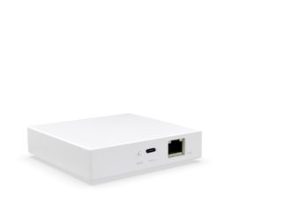 MZHUB Matter Zigbee Wired Gateway$43.00
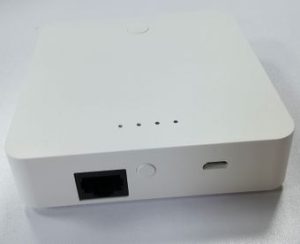 ZHUB-C Zigbee Wired Gateway – connects Zigbee devices to your network via Ethernet (wired),$20.00
 UFO-R 4Z Zigbee IR Remote (Compatible with Zigbee Wired Gateway)$13.00
Frequently Asked Questions
Is Battery Wired Video worth buying?
Based on the breakdown in this article, Battery Wired Video offers a solid mix of features and value. If your main goal matches the key benefits described above, it is a practical choice for everyday use.
How do I choose the right battery wired video for my needs?
Start with your core use case, then compare battery life, compatibility, and build quality as covered above. Choosing the right battery wired video comes down to matching specs with how you actually use it.
Does battery wired video require a companion app?
Most devices of this type pair with a free companion app for setup and firmware updates. A few advanced features may sit behind a paid plan, so check the official specs page before buying.
📌 This article is part of our Complete Wifi Hub — more guides and buying tips inside.
