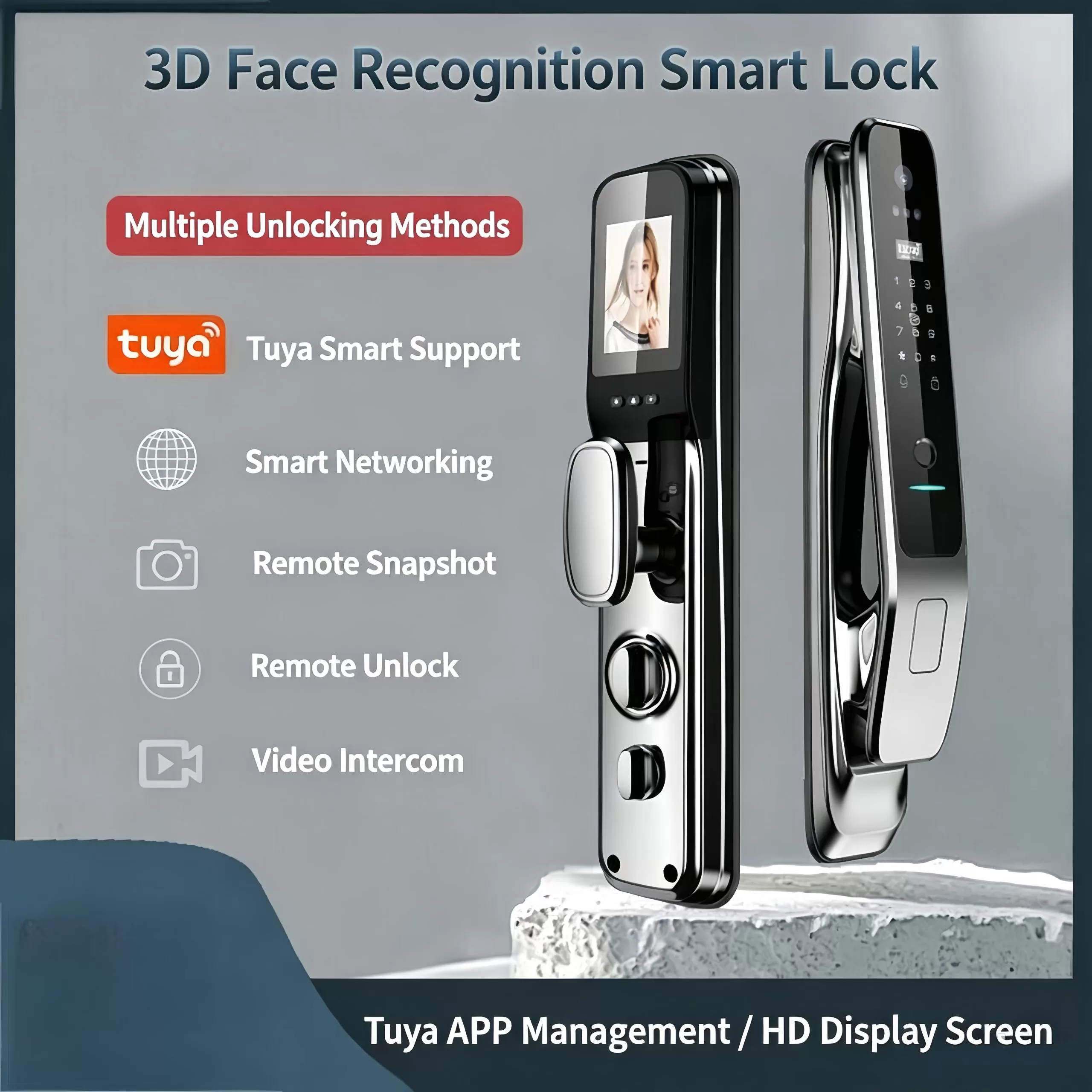
However, Upgrading your home security used to mean hiring a locksmith and Carrying a pocketful of keys. Furthermore, modern Smart locks combine biometric RecognitionVideo intercom. Therefore, And app control in one device that installs on your existing door. Additionally, the 3D face recognition smart lock with Tuya integration delivers nine ways to unlock and a built-in security camera. For example, Therefore, Consequently, this guide covers everything you need to know about choosing, installing, and using a smart door lock for your home.
Therefore, Key Features at a Glance: Smart Curtain Motor: Control Light and Privacy with One Tap Video Doorbell Review 2026: What to Look For, Smart Features Compared, and Buyer’s Guide
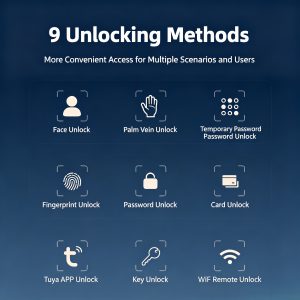
Nine Ways to Unlock Your Door: U9 Solar Video Doorbell: Wire-Free Front Door Security That Charges Itself
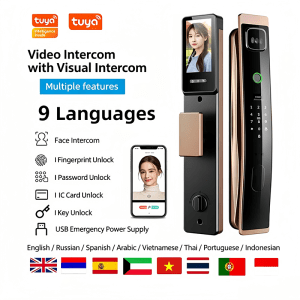
This smart lock offers more unlocking options than any standard lock on the market. In addition, Furthermore, the nine methods cover every possible scenario from daily convenience to emergency backup. Additionally, having Multiple options means every family member can choose the method that works best for them.
 Fly Repeller Fan: The Chemical-Free Guide to Keeping Flies Off Your Dining Table Solar Motion Sensor Street Light: Buying Guide, 4 Lighting Modes and FAQ
3D Face Recognition: Why It Beats 2D:
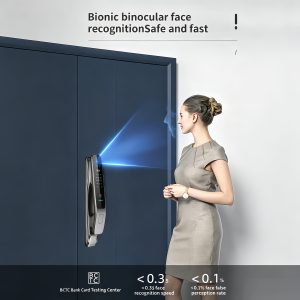
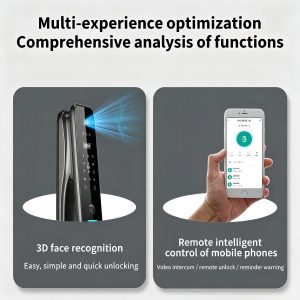
Standard 2D face recognition can be tricked by a printed photo or a smartphone screen. Moreover, For example, However, this smart lock uses 3D structural light technology that maps thousands of depth points across your face. Furthermore, the liveness detection system checks for blood flow, eye movement, and skin texture. Furthermore, Additionally, it works accurately in complete darkness using infrared illumination. In addition, Consequently, your home stays protected against sophisticated spoofing attempts.
Moreover, face recognition enables truly hands-free entry. Furthermore, this is a game-changer when your hands are full with groceries, a sleeping child, or luggage. As a result, Additionally, the recognition process takes less than one second from the moment you approach. Moreover, Therefore, you simply walk up to the door and it unlocks automatically.
Imported FPC Fingerprint Sensor:
The Fingerprint Sensor Is One Of The
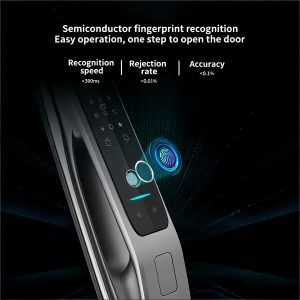
The fingerprint sensor is one of the most frequently used features on any smart lock. Furthermore, this lock uses an imported FPC semiconductor sensor that delivers exceptional accuracy. Importantly, And speed. Additionally, it reads fingerprints reliably even with wet hands, dry skin, or minor cuts and scratches. Notably, Furthermore, Consequently, you get consistent unlocking performance regardless of hand condition.
The sensor uses a blue LED indicator ring that lights up during authentication. Furthermore, the ring turns green for successful recognition and red for failure. However, Additionally, this visual feedback is especially helpful in low-light conditions. As a result, Moreover, the sensor self-learns with each use, improving accuracy over time as it records more fingerprint data points.
5A Diamond-Glass Front Panel: Durability Meets Elegance:
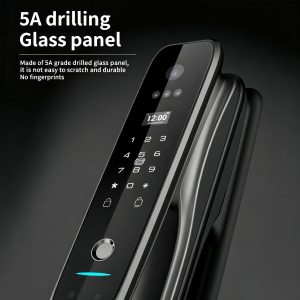
Cheaper smart locks use plastic panels that scratch easily and show fingerprint smudges. Therefore, However, this model features a premium 5A diamond-glass front panel. Furthermore, the tempered glass surface is scratch resistant and fingerprint free. For example, Importantly, Additionally, it maintains a clean, elegant appearance even after years of daily use.
The numeric keypad is seamlessly integrated beneath the glass surface. Furthermore, the backlit keys activate automatically when you approach or touch the panel. Additionally, the smooth glass finish complements modern home decor styles. In addition, Notably, Therefore, this smart lock looks as good on day one thousand as it did on day one.
Visual Active Intercom: See Who Is There Before You Unlock:
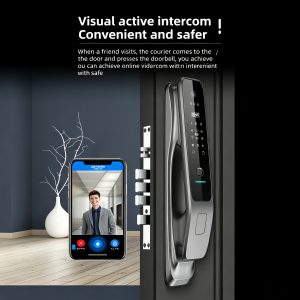
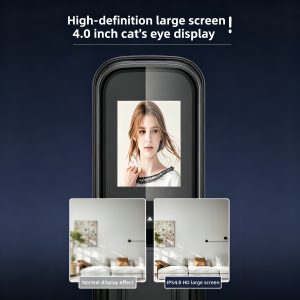
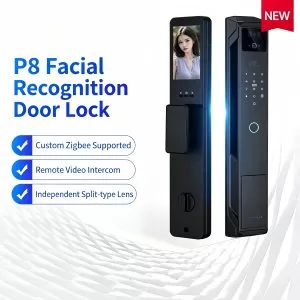
The built-in HD camera and two-way audio turn this lock into a video doorbell and security camera combined. Furthermore, when a visitor presses the doorbell, you receive a live video call on your smartphone. Moreover, Additionally, the indoor display screen shows a clear view of who is outside. However, Consequently, you can see and speak with visitors before deciding whether to unlock the door.
Moreover The Remote Snapshot Function Captures Photos
Moreover, the remote snapshot function captures photos of every visitor. Furthermore, motion detection triggers automatic recording so you never miss activity at your doorstep. Furthermore, Therefore, this lock provides 24/7 surveillance coverage in addition to access control.
Tuya Smart App: Control From Anywhere:
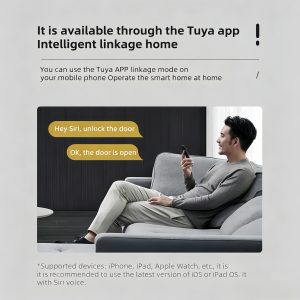
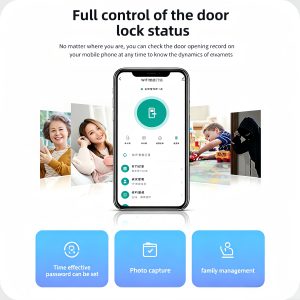
The Tuya Smart app is the command center for your smart lock. Therefore, Furthermore, it works on both iOS and Android devices. Additionally, the app lets you check lock status, view access history, manage user permissions. As a result, And unlock the door remotely. Consequently, you have complete control whether you are at home, at work, or on vacation.
Moreover, Tuya integration means your lock works with thousands of other smart home devices. For example, Therefore, you can create automation scenes like unlocking the door turns on hallway lights. Importantly, And adjusts the thermostat. Furthermore, you receive instant push notifications whenever someone unlocks the door or the doorbell rings.
Push-Pull Handle and Installation:
The ergonomic push-pull handle design eliminates the traditional twisting motion. Notably, Furthermore, you simply push from outside or pull from inside to open the door. In addition, Additionally, this design is particularly beneficial for elderly users, children, and people with arthritis. However, Moreover, the large oval handle provides a comfortable grip for all hand sizes.
Installation Fits Standard Residential Door Preparations
Installation fits standard residential door preparations. Furthermore, the package includes all mounting hardware and a detailed instruction manual. Moreover, Additionally, most homeowners can complete installation in under an hour with basic tools. Therefore, However, professional installation is recommended if you are not comfortable with door modification.
Security Features That Protect Your Home:
A smart lock is only as good as its security. Furthermore, this model includes multiple layers of protection. Furthermore, Firstly, the anti-pry alarm triggers a loud siren if someone attempts to force the lock off the door. For example, Additionally, tamper detection sends an instant alert to your phone if the lock body is being disassembled.
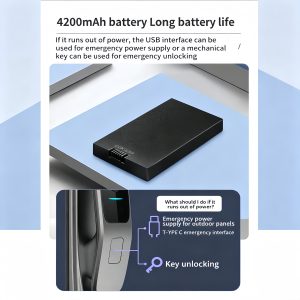
Moreover, the system locks out after multiple wrong password attempts to prevent brute-force guessing. Furthermore, the auto-lock feature ensures the door always secures itself after a set time. As a result, Additionally, a low battery alert notifies you weeks before the battery runs out. In addition, Finally, the micro-USB emergency power port lets you temporarily power the lock with a power bank if the battery dies completely.
Smart Lock Comparison:
How to Set Up:
Start by installing the lock body and mounting the front and indoor panels on your door. Furthermore, download the Tuya Smart app and create an account if you do not already have one. Moreover, Importantly, Additionally, follow the in-app instructions to connect the lock to your home WiFi network. Moreover, enroll face recognition, fingerprints, and RFID cards for each family member. Finally, test all unlocking methods to ensure everything works before relying on the lock for daily use.
FAQ:
Q: Does the lock work without WiFi? A: Yes, all local unlocking methods work without an internet connection. Furthermore, Notably, Furthermore, face recognition, fingerprint, password, card, and key access function normally offline. However, remote unlock, video intercom, and push notifications require WiFi connectivity.
Q How Long Does The Battery Last
Q: How long does the battery last? A: Battery life depends on usage frequency. As a result, Furthermore, the rechargeable lithium battery typically lasts 3 to 6 months on a full charge. However, Additionally, the app sends low battery notifications well before the battery depletes. Moreover, the micro-USB emergency power port provides temporary power if needed.
Q: Can I give temporary access to a cleaner or dog walker? A: Absolutely, the Tuya app lets you generate temporary passwords with custom time windows. Importantly, Furthermore, you can set passwords to expire after a single use, a specific date, or a recurring schedule. Therefore, Additionally, you can delete access remotely at any time.
Q: Is the 3D face recognition safe for privacy? A: Yes, all biometric data is stored locally on the lock itself, not in the cloud. Furthermore, the 3D scan does not create or store photographs. Notably, Additionally, the data is encrypted and cannot be accessed or transmitted. For example, Therefore, your facial data remains completely private and secure.
Q: Will the lock fit my door? A: This smart lock fits standard residential door thicknesses. However, Furthermore, it works with most common door preparations. Additionally, check the product specifications for exact dimensions and required hole patterns. Therefore, In addition, Moreover, the adjustable latch accommodates both left-hand and right-hand door swings.
Q: What happens if the power goes out? A: The lock includes two mechanical keys for emergency access. Furthermore, the micro-USB port on the front panel lets you connect a power bank for temporary power. For example, Additionally, the battery provides months of use, and the app notifies you well in advance of low battery. Moreover, Consequently, you should never find yourself locked out due to power loss.
Related Articles
- P8 Facial Recognition Door Lock: 3D Face + Palm Vein Smart Lock with Tuya Video Intercom
- Tuya 3D Face Recognition Smart Lock: Buying Guide, Setup Tips, and FAQ
- Biometric Smart Locks Go Mainstream: The Next Big Home Tech Trend Overseas
- Solar Rainwater Sensor: Zigbee 3.0 Leak Detection with Tuya Smart Home Automation
- Smart Fingerprint Door Lock: Keyless Security with Tuya Smart
You Might Also Like
 3D Face Recognition Smart Lock – Tuya App Fingerprint Password Video Intercom Anti-Theft Door Lock for Home Original price was: $165.98.$130.96Current price is: $130.96.
 Tuya Smart 3D Face Recognition Video Intercom Smart Lock WiFi. Original price was: $98.96.$82.96Current price is: $82.96.
 3D Face + Palm Vein Smart Lock: Next-Gen Biometric Security for Home and Office Price range: $112.86 through $133.96
Frequently Asked Questions
Is Face Recognition Lock Tuya worth buying?
Based on the breakdown in this article, Face Recognition Lock Tuya offers a solid mix of features and value. If your main goal matches the key benefits described above, it is a practical choice for everyday use.
How do I choose the right face recognition lock tuya for my needs?
Start with your core use case, then compare battery life, compatibility, and build quality as covered above. Choosing the right face recognition lock tuya comes down to matching specs with how you actually use it.
Does face recognition lock tuya require a companion app?
Most devices of this type pair with a free companion app for setup and firmware updates. A few advanced features may sit behind a paid plan, so check the official specs page before buying.
Does face recognition lock tuya work with both iPhone and Android?
Yes, in most cases this type of device ships with iOS and Android apps, and standard Bluetooth protocols keep cross-platform pairing simple.
📌 This article is part of our Complete Wifi Hub — more guides and buying tips inside.