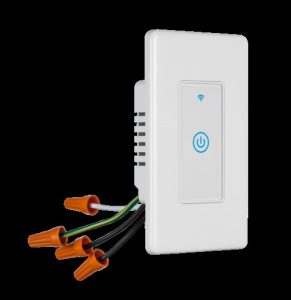
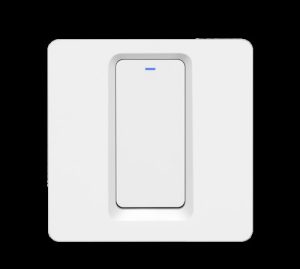
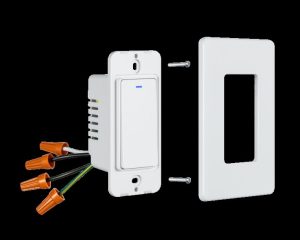
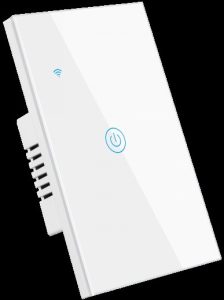
Shenzhen Xingliao Intelligent Technology Co., Ltd is a professional manufacturer of smart home hardware.
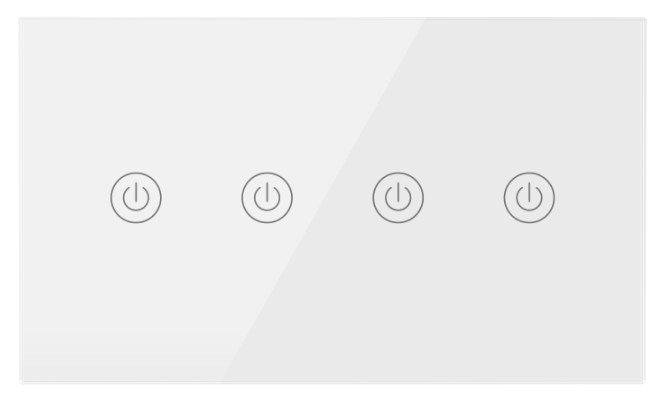
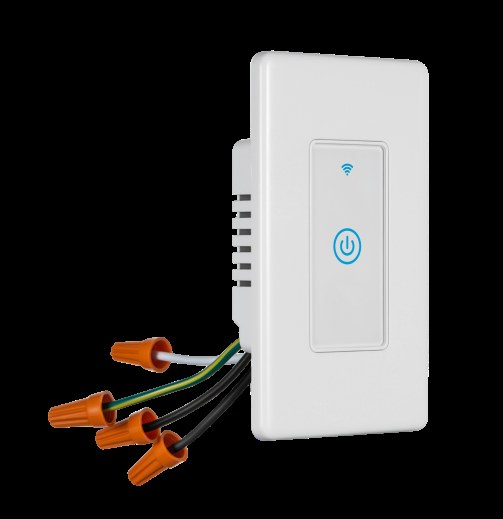
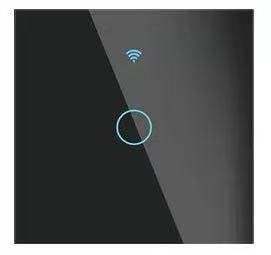
We supply smart wall switches, video doorbells, automatic pet feeders and various smart sensors.
We provide one-stop OEM & ODM services including appearance design, software & hardware development, mold opening and private packaging customization.
Our products support Tuya, eWeLink, Apple HomeKit, compatible with global multi-country power standards. Welcome global buyers for cooperation & sample testing.
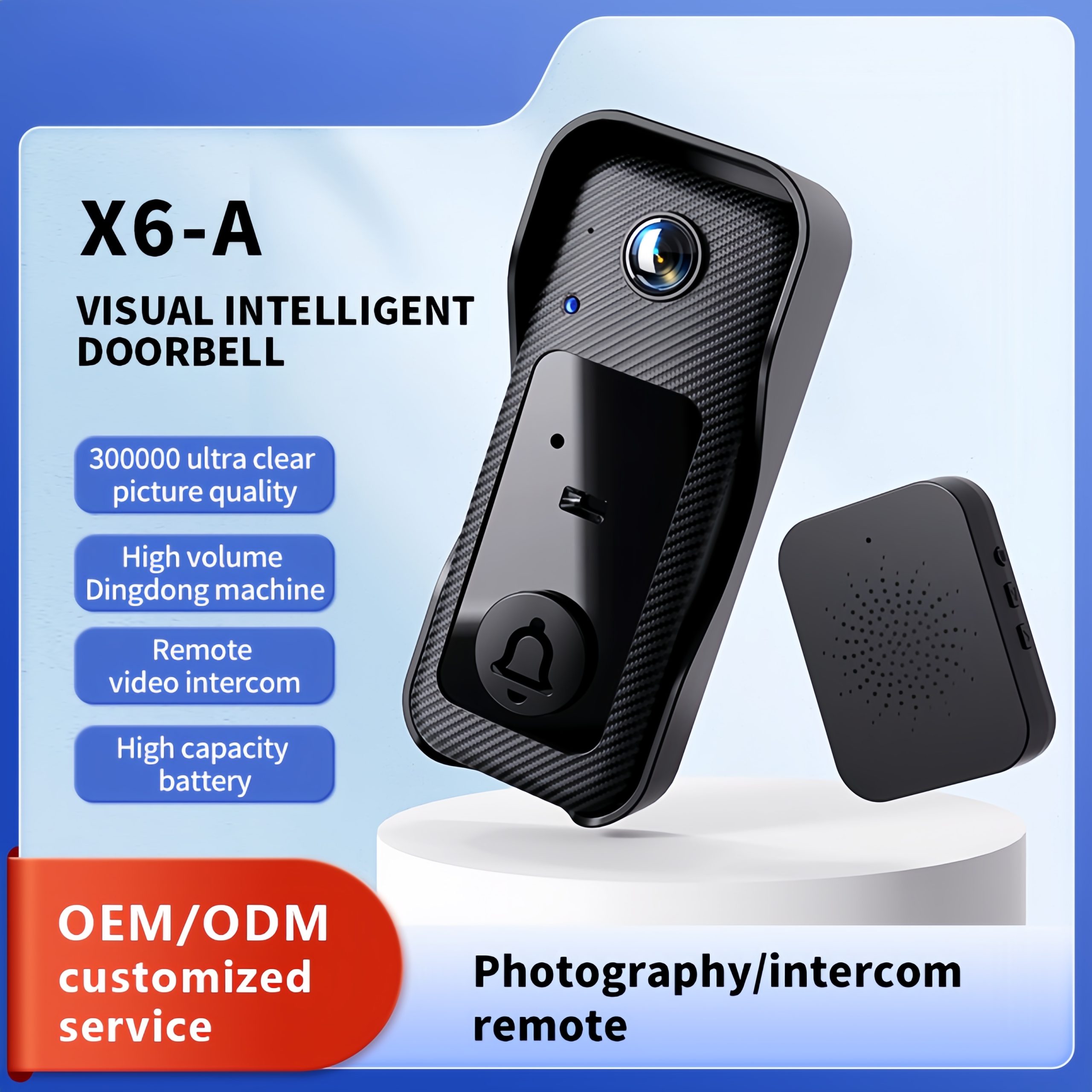
Twelve questions separate a factory from a trading company. Here are the ones that actually change the order before you pay a deposit on a video doorbell.
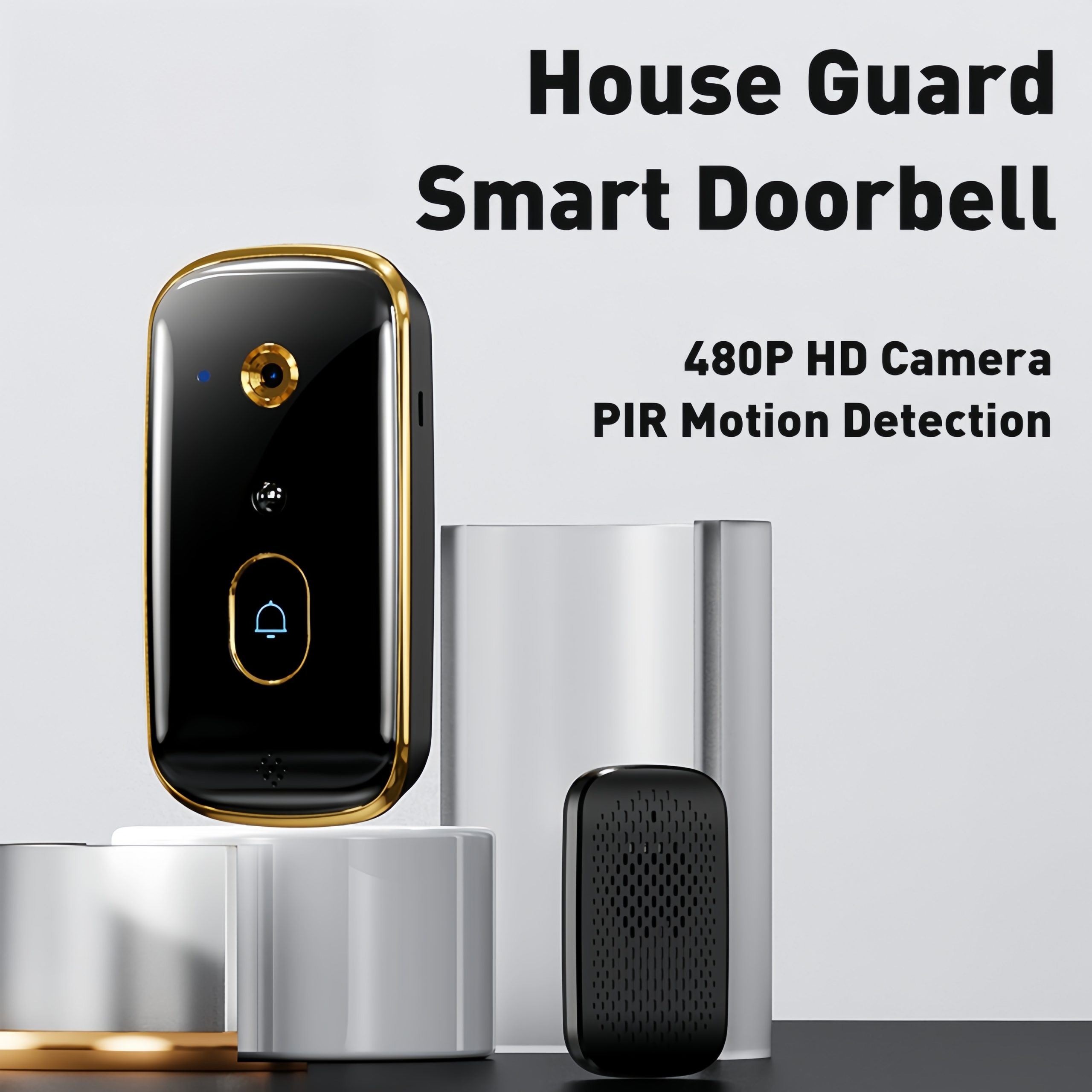
Ask for pixels, not adjectives. “HD” can mean 480P. A 480P doorbell is fine for many markets — just do not pay 1080P prices for it. Ask for the sensor model and the lens focal length in the spec sheet, not a marketing label. A narrow lens on a higher-resolution sensor can read a number plate worse than a well-matched 2 MP module, so ask for a sample clip taken at the distance you actually need.
Ask which cloud stores the clips. Cloud clips survive a stolen doorbell; TF-card clips do not. Get the exact cloud service name in the spec sheet, not the word “cloud”. Ask whether the subscription is required for basic recording or only for extras, and who pays it after the first year. A supplier who cannot name the cloud platform is reselling someone else’s hardware without a support agreement.
Ask how it behaves offline. RF intercom models pair directly to an indoor monitor and keep working when the router is down. App-only models need a 2.4 GHz router and a working internet connection to reach the chime. Both are valid products; only one fits an installation with no reliable network. Confirm this before you place a repeat order for a market with unstable broadband.
Ask for the certificate model match. CE, FCC, RoHS and UKCA are standard; UL and ETL are not. Request the test report that carries the exact model number you are buying, not a certificate for a sibling product in the same catalogue. Check the plug type and chime frequency for the destination market — EU and US chimes are not interchangeable, and getting this wrong at tooling stage is expensive.
Ask what the battery cycle life is in writing. “Long battery life” is not a specification. Ask for the rated charge cycles and the test conditions, then compare it against the warranty period you will offer your own customers. Battery models are easy to install but need recharging; wired two-wire systems are stable but need an electrician; solar kits sit between the two.
Two buyers walk into the same factory with the same switch specification. One leaves with a quote 30% higher. The difference is not the hardware — it is the branding level.
The four levels that matter
Level one is a logo on the product: silk-print from 10 pcs, laser engraving from 300 pcs. Level two adds a custom retail box from 500–1,000 pcs. Level three is private PID: from 1,000 pcs the Tuya app shows your logo and panel, and your cloud listing carries your brand. Level four is custom tooling at 2,000–3,000 pcs with 25–40 days of lead time.
Where the question comes from
A buyer recently searched: “top oem smart switch manufacturers with app branding and packaging customization?” That is a level-three question. If you ask a factory for “custom” without naming the level, they quote level four and you will think the price is unreasonable.
Verify before you sign
Ask for the certificate with the exact model number on it. Ask which branding level is included in the unit price. Ask for the MOQ per colour in writing.
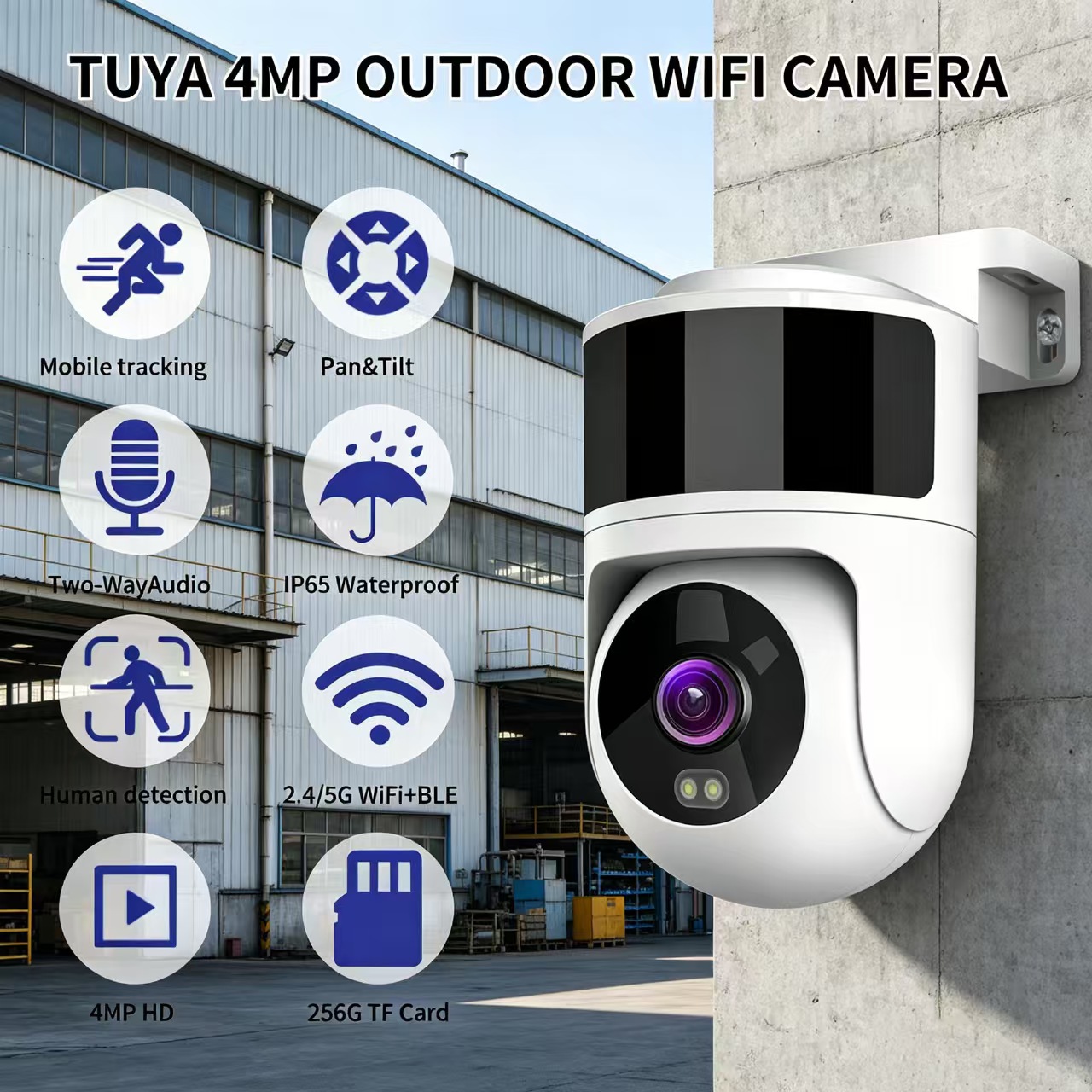
The camera market is crowded. These are the questions that separate a factory from a trading company.
Do you support private PID?
A branded app panel from 1,000 pcs is the difference between selling a generic camera and building a brand. Trading companies usually cannot offer this.
Is the outdoor model really IP65?
Ask for the test report, not a marketing image. Also ask how the cable gland is sealed — water travels along cables, not through housings.
Does it work without a subscription?
All Tuya cameras support TF-card local recording. Cloud is optional. If a supplier says cloud is mandatory, they are selling a service, not a camera.
4G for off-grid projects
Cameras with solar + LTE SIM work on farms and construction sites with no WiFi or mains power. Ask for the supported bands for your destination country.
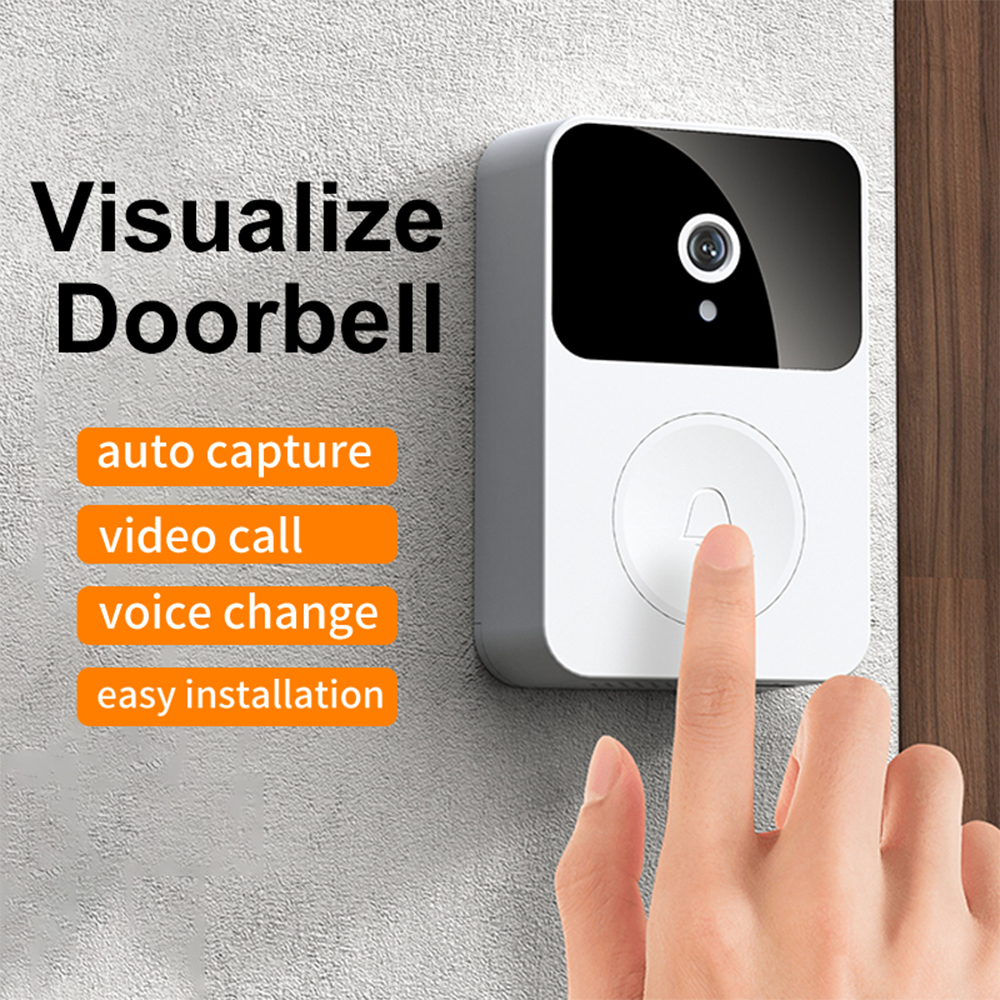
A video doorbell looks simple. The sourcing differences are not.
Power architecture decides your return rate
Battery models are easy to install but need recharging. Wired 2-wire systems are stable but need an electrician. Solar kits sit in the middle. Ask the factory for the battery cycle life in writing — not “long battery life”.
Ask which cloud stores the clips
Cloud clips survive a stolen doorbell; TF-card clips do not. Some suppliers say “cloud storage” but mean a third-party service with a subscription your customers will hate. Get the exact cloud name in the spec sheet.
Resolution claims need a number
“HD” can mean 480P. Ask for pixels, not adjectives. A 480P doorbell is fine for many markets — just do not pay 1080P prices for it.
Certificates and plug types
EU and US chimes need different plugs and frequencies. Confirm them before tooling the box.
Most sourcing guides stop at “find a supplier on Alibaba”. That is where the real work starts.
1. Certificates must match the model number
A CE certificate for a completely different switch means nothing. Ask for the test report with the exact model, then compare it with the quotation. CE, FCC, RoHS and UKCA are the expected set for EU/US smart switches; UL and ETL are not standard and must be quoted separately.
2. Decide white-label vs private-label before you ask for a price
White label: same proven hardware, your logo and box. Logo printing can start from 10 pcs for samples.
Private PID: 1,000 pcs gets you a branded app panel and your own cloud listing inside the Tuya ecosystem.
Custom tooling: 2,000-3,000 pcs and 25-40 days.
If you ask for “custom” without specifying which level, factories will quote the highest tier and you will think the price is unreasonable.
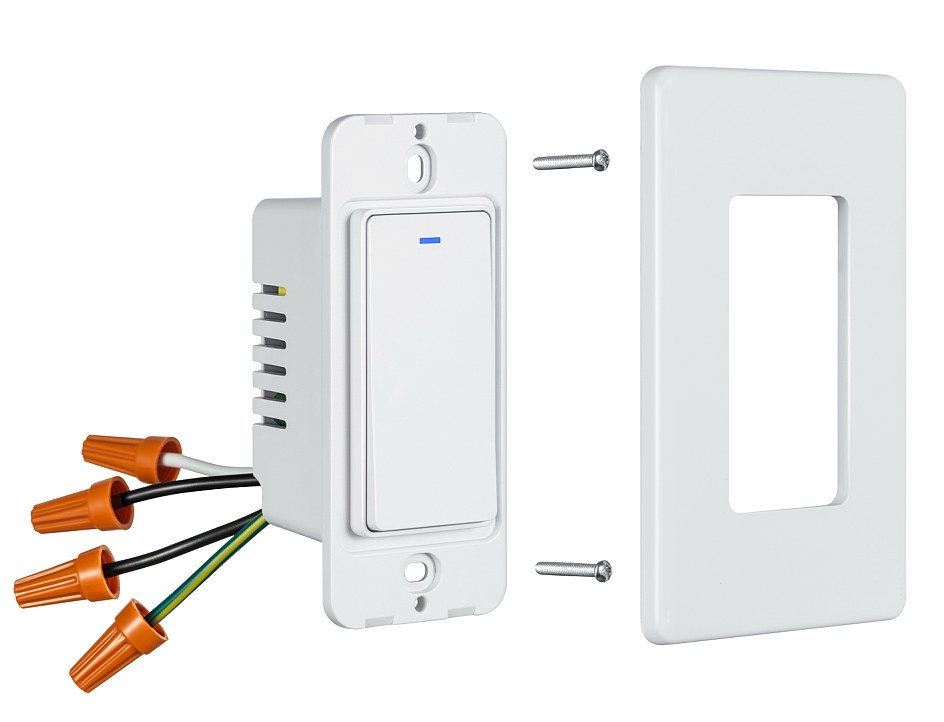
3. Test the no-neutral variant with your actual LED bulbs
No-neutral switches can flicker with certain LED drivers. Ask for the compatibility list and test with the bulbs your market actually uses. This is the number-one return reason we see.
4. Get the MOQ in writing, per colour
500 pcs is typical per colour for standard models. Mixed colours in one container are often negotiable; mixed models usually are not.
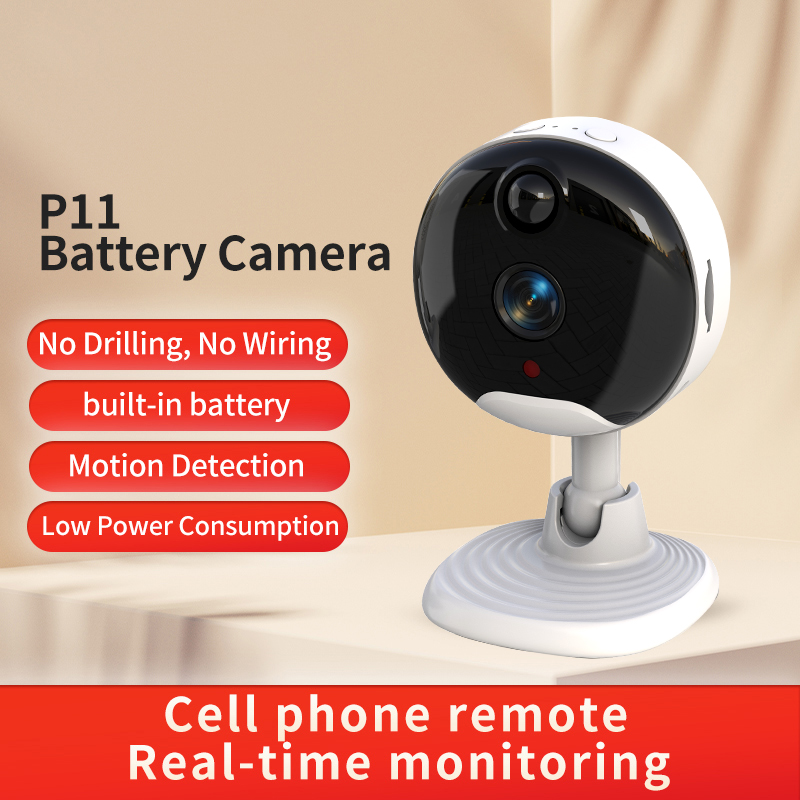
Security camera quotes fail in the same three places: the resolution claim, the weatherproof claim and the branding claim. None of them is visible in a product photo.
Resolution is a system number. A 4 MP sensor with a narrow lens reads a plate worse than a 2 MP sensor with the right focal length. Ask what the lens is, not just what the sensor is.
IP65 is a paperwork claim. Ask for the test report. Ask how the cable gland is sealed — water travels along cables, not through housings.
Private label has three levels. A logo from 10 pcs, a custom box from 500–1,000 pcs, and a private Tuya product ID from 1,000 pcs that puts your panel and cloud listing in the app. Tooling starts at 2,000–3,000 pcs with 25–40 days of lead time.
Off-grid is a different product. Solar plus 4G LTE models work on farms and construction sites with no WiFi or mains power, but the supported bands must match the destination country.
Storage and subscription. Every Tuya camera records to a TF card. Cloud is optional, so a subscription is not a hidden cost of the hardware.
Std MOQ is 5 pcs per colour and 5 pcs paid samples are credited against the first order. The detailed questions for security camera manufacturers in china cover the certificate and Incoterms checks that usually decide the order.
A trading company can send a doorbell sample as fast as a factory. The difference shows up on the fourth question, not the first.
Ask who owns the production line. A factory can show a specific SMT line, a test jig and a ageing rack for the model you are buying. A trading company can show a catalogue.
Ask what happens when the WiFi drops. RF intercom models pair directly to an indoor monitor and keep working. App-only models need a 2.4 GHz router. Both are valid products; only one fits an installation with no reliable network.
Ask where the clip is stored. Cloud clips survive a stolen doorbell. A TF card does not. Get the exact cloud service name in the spec sheet, not the word “cloud.”
Ask what “HD” means on the datasheet. Some 480P panels are sold as HD. That is fine for many markets — just do not pay 1080P prices for it.
Ask for the model-matched certificate. CE, FCC, RoHS and UKCA are the normal set. UL and ETL need case-by-case confirmation.
MOQ on standard models is 5 pcs per colour, with 5 pcs paid samples credited against the first order. The model-by-model questions are laid out for video doorbell manufacturers and for buyers comparing video doorbell suppliers.
Two quotes for the same 86×86 panel can differ by 30% because one factory priced a Tuya module with a private product ID and the other priced a bare ZigBee board. Reading the quote line by line is faster than asking for a cheaper number.
Line one: the panel standard. 86×86 is the European 230 V format with 60 mm hole spacing. 118×76 is the common North American format, often installed without a neutral. A 147×86 panel is a Middle East and Pakistan format. If the quotation does not name the standard, the unit price is not comparable.
Line two: the wireless scheme. “Tuya ZigBee” and “ZigBee” are not the same commercial product. The first arrives with an app ecosystem and a cloud listing; the second may need your own gateway and your own app work.
Line three: certification scope. Ask for the certificate with the exact model on it, not the company name. CE, FCC, RoHS and UKCA are the standard set. UL and ETL are not assumed — confirm the current file case by case.
Line four: the customisation level. Logo from 10 pcs, private product ID from 1,000 pcs, tooling from 2,000–3,000 pcs. MOQ is 5 pcs per colour; samples are 5 pcs, charged and credited against the first order.
A distributor asked three factories for a white label smart switch and got three quotes that were impossible to compare. One included a logo and nothing else. One included a retail box. One included a private app panel. All three called it “custom branding.”
The difference is the branding level, and the price steps are predictable:
Logo only. Silk-print from 10 pcs, laser engraving from 300 pcs. This changes the housing, not the firmware.
Retail packaging. A custom box from 500–1,000 pcs. This changes the unboxing, not the app.
Private product ID. From 1,000 pcs the Tuya app panel, firmware identity and cloud listing carry your brand. This is the level most buyers actually mean when they say “own brand.”
Custom tooling. 2,000–3,000 pcs with 25–40 days of tooling. Standard MOQ stays at 5 pcs per colour, and samples are 5 pcs, charged and credited against the first order.
Ask for the level in writing before comparing unit prices. Ask which certificates carry the exact model number — CE, FCC, RoHS and UKCA are standard, while UL and ETL need case-by-case confirmation. Ask whether the quoted panel is Tuya ZigBee or plain ZigBee: the difference decides whether your app works out of the box.
Most front doors are passive. They open if you have the right object, and otherwise they stay shut, offering no information about who is standing on the other side. That is fine until you are carrying two bags of shopping, or a delivery arrives while you are at work, or someone knocks at an hour when you would rather not open the door at all.
A door that recognises you and can show you who is outside changes that relationship. It is no longer a barrier you operate; it is an Entry point you manage, from the doorstep or from another city.
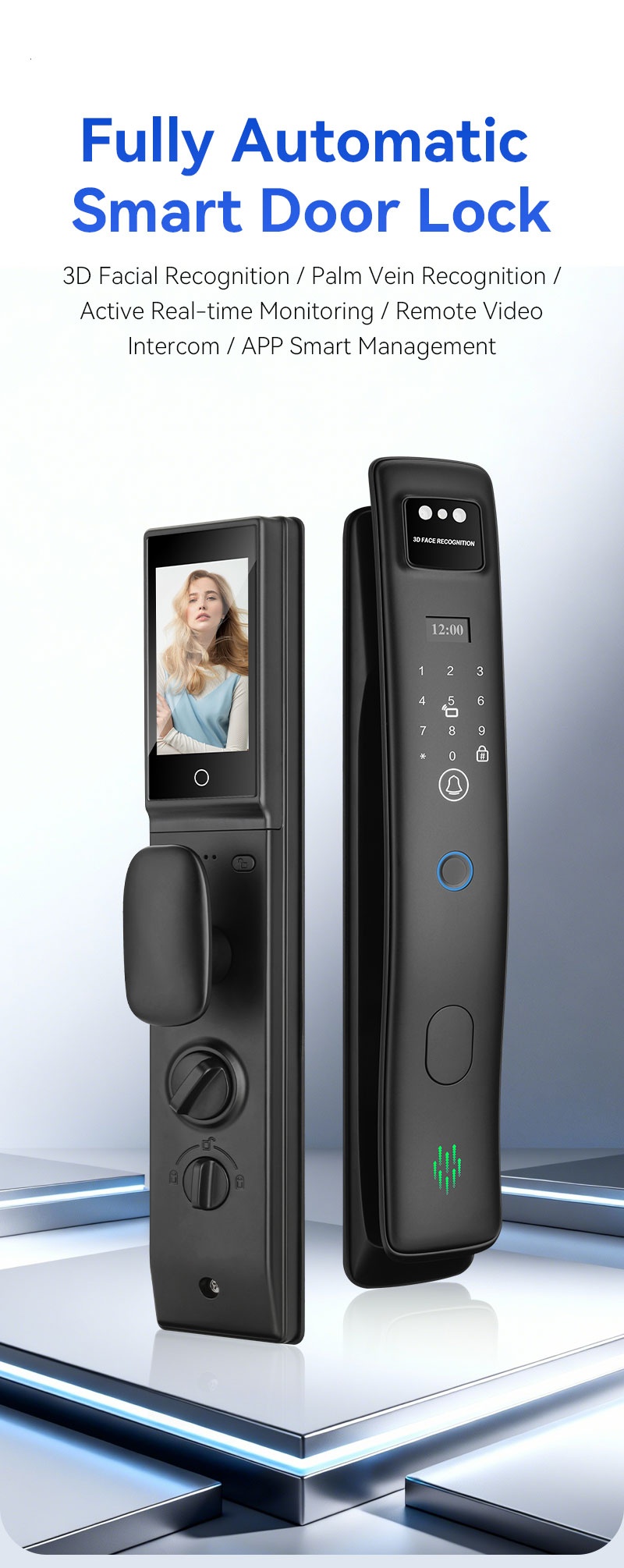
This lock combines three things that are usually sold separately: 3D face recognition that opens with your hands full, Palm vein recognition that works when fingerprints do not, and a camera with remote video intercom so you can see and speak to a visitor before deciding anything. It is fully automatic, so the bolt extends on its own once the door closes. Here is what it does, what it needs, and which doors it will not fit.
Automatic locking, door camera and indoor screen, remote video intercom and app management
What Actually Happens at a Front Door
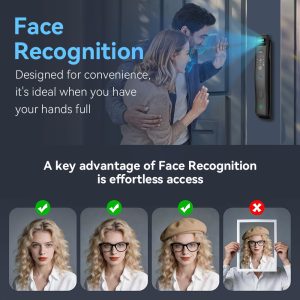
Hands-free entry when your hands are full; a printed photo cannot fool the 3D camera
The friction is small and constant, which is why people stop noticing it.
The Fumble With Keys and Bags
Arriving home with shopping, a stroller or a sleeping child means putting everything down to find a key. Every solution that requires a hand, a pocket or a specific object adds a step at the worst possible moment.
The Delivery You Missed
A courier knocks, nobody answers, and a card goes through the letterbox. Without a camera, the choice is between leaving packages outside all day and arranging to be home, neither of which is convenient.
The Conversation Through a Closed Door
Speaking to a stranger through a door with no way to see them is a small but genuine discomfort, and it happens more often than most people admit, especially for anyone living alone.
The Door Left Unlocked
A manual lock depends on someone remembering to lock it. The failure is not malicious, it is ordinary inattention at the end of a long day.
Five Things This Lock Does Differently
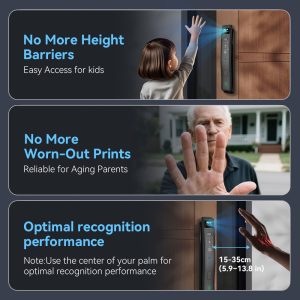
Children reach it easily, worn fingerprints do not matter, and the palm is held 15–35 cm away
Each feature maps to one of those moments rather than adding a specification for its own sake.
3D Face Recognition
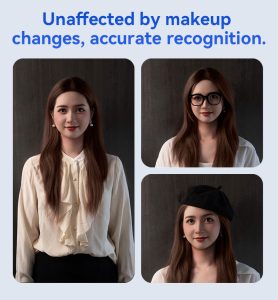
The camera builds a three-dimensional map of the face, so the door opens while your hands are occupied. It continues to work with spectacles, a cap or a beret, and a change of makeup or hairstyle does not require re-enrolling. Crucially, a printed photo or an image on a phone screen does not pass, because a flat image has no depth to compare.
Palm Vein Recognition
Near-infrared imaging reads the vein pattern beneath the skin. Sweat, dust, oil, peeling skin and small injuries sit on the surface and barely affect the result, which is exactly Wherefingerprint readers struggle. Hold the palm center about 15 to 35 cm from the sensor and the door opens without contact.
A Camera and Remote Video Intercom
The outside panel carries a camera, and the app supports real-time monitoring and two-way conversation. When someone rings or stands at the door, you can look, speak and then unlock remotely, or decide not to. That single capability changes how deliveries, visitors and unexpected callers are handled.
A Fully Automatic Bolt
There is no handle to turn. The motor retracts the bolt to let you in and extends it again once the door closes. Locking stops depending on memory, which is the quiet benefit most people notice after a week.
App Management and Temporary Codes
Faces, palms, fingerprints, cards and codes are all administered from the app. Guests get a code with a validity Window, cleaners get one limited to a two-hour slot, and departing staff are removed rather than chased for a key. The access log records which method opened the door and when.
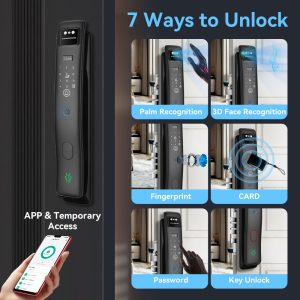
Palm vein, 3D face, fingerprint, password, IC card, app, mechanical key
Face recognition
3D structured-light scan, works with glasses, hats and makeup changes
Palm vein range
About 15 to 35 cm, palm center facing the sensor
Camera functions
Active real-time monitoring, remote video intercom
App management
Remote unlock, user management, temporary passwords, access log
Front panel size
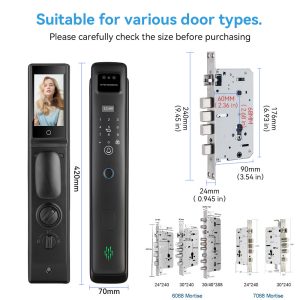
About 420 mm long by 70 mm wide
Mortise types
6068 and 7068
6068 mortise sizes
24 × 240 mm, 30 × 240 mm, 30/40 × 388 mm
7068 mortise sizes
24 × 240 mm, 30 × 240 mm
Backset
60 mm, about 2.36 inches
Face plate width
68 mm or 69 mm options
Mortise thickness
About 24 mm
Locking action
Automatic bolt extension, no handle required
Why Palm Vein, Not Just Fingerprint
Palm, 3D face, fingerprint, card, password, key and app access on one panel
Most locks stop at fingerprints. The addition is not a gimmick; it covers the population that fingerprint locks quietly exclude.
Worn Prints and Age
Decades of manual work, cooking or gardening smooth out ridge detail, and older skin loses definition. A sensor that needs clear ridges will ask for a second and third attempt, and the user eventually carries a key again.
Wet, Oily and Dirty Hands
Shopping bags leave hands damp, cooking leaves them oily, and a garden or a worksite leaves them dusty. Surface-based readers suffer; vein-pattern readers do not, because the pattern is under the skin.
Children and Height
A palm sensor does not require standing on tiptoe or pressing a small finger precisely onto a plate. A child can hold a hand up at the sensor and be recognised, which matters if the alternative is a key they lose.
Contactless and Hygienic
Nothing is touched, so nothing is left behind. In a shared entrance or a rental property, that is a small but real improvement over a shared fingerprint plate.
Face Recognition: What It Handles
New makeup, glasses or a hat do not require re-enrolling your face
The practical questions are always the same: does it work with my glasses, and can someone fool it with a picture.
Glasses, Hats and Makeup
Recognition continues with spectacles, a cap or a beret, and it is not thrown off by a change of makeup or hairstyle. That matters because a lock that needs re-enrolment after every haircut is a lock nobody trusts.
Photos Do Not Pass
A printed photograph or a phone screen held up to the camera is flat, and a 3D scan has nothing to match it against. Anti-spoofing is the difference between a convenience feature and a security hole.
Hands-Free Moments
The genuine value appears on the day you arrive with both arms full. Standing in front of the panel for a moment is a great deal easier than putting everything down on wet ground to search a pocket.
Fit: Mortise, Backset and Panel
Check panel size, mortise type and 60 mm backset against your door before ordering
A fully automatic lock replaces the mortise body, not just the handle. Compatibility is decided by measurements, and this is where most ordering mistakes happen.
Mortise Type, 6068 or 7068
The existing body inside the door must match one of those patterns. Sizes include 24 × 240 mm, 30 × 240 mm and 30/40 × 388 mm for 6068, and 24 × 240 mm or 30 × 240 mm for 7068.
Backset of 60 mm
Measure from the door edge to the centre of the spindle. A 60 mm backset is required, and it is the figure people most often guess rather than measure.
Panel Clearance, 420 by 70 mm
The front panel is tall. On doors with narrow stiles, decorative panels or an existing viewer, check that the footprint fits without overlapping trim before ordering.
Automatic Locking Changes the Habit
Because the bolt extends by itself, the door must be properly closed, not left ajar. It is worth testing alignment on the first day, since a misaligned frame that worked with a manual latch can cause repeated motor strain.
Who Should Install It
This is a mortise replacement with electronics, a camera and a screen. Professional installation is the sensible route, particularly on steel doors or where the existing cutout needs modification.
Where It Makes a Difference
The same hardware serves quite different households for quite different reasons.
Family Homes With Several Generations
Parents use face recognition with full hands, grandparents use palm vein because their prints have faded, and children use a card or a palm. One lock, and nobody has to adopt someone else’s preferred method.
Rental Properties and Self Check-In
A temporary code issued remotely handles arrival, the access log answers timing questions, and the camera shows who actually turned up. That combination is what makes self check-in credible rather than optimistic.
Households That Receive Deliveries
Seeing and speaking to a courier from the app turns a missed delivery into a conversation. It also means a package can be accepted into a hallway rather than left on a step.
Anyone Living Alone
Being able to look at the doorway before answering is a genuine comfort, and it costs nothing to use the intercom instead of opening the door to an unknown caller.
Small Offices and Studios
Staff access is added and removed in the app, and the log provides a record of arrivals without a separate attendance system.
What It Does Not Do
Boundaries are more useful than an extra bullet point.
Remote Functions Need Power and a Network
Palm, face, fingerprint, code, card and key all work locally. Remote unlocking, intercom and code issuing need the lock online, so the local methods remain the everyday ones.
The Camera Watches the Doorway, Not the House
It is an entry-point camera. It does not replace a broader security setup, and it will not cover a garden, a driveway or a back entrance.
It Will Not Fit Every Mortise
Doors with a different mortise pattern, a backset other than 60 mm, or insufficient panel clearance need another product. No feature compensates for a body that does not match.
The Mechanical Key Still Matters
A flat battery, a network outage or a lost phone are all ordinary events. Keep the key somewhere reachable from outside, not in a drawer that the lock is protecting.
Who This Smart Lock Suits
Multi-generational households where fingerprints, faces and cards all get used.
Landlords and Airbnb hosts wanting self check-in plus a camera at the door.
People who receive frequent deliveries and are not always home.
Older users or manual workers whose fingerprints read poorly.
Anyone who wants to see a caller before unlocking the door.
Care and Maintenance
Wipe the camera window, the face sensor and the palm sensor with a soft dry cloth rather than a wet one, since a smeared optical surface is the usual cause of a sudden recognition complaint. Keep the keypad free of grease, avoid abrasive cleaners on the panel, and check the bolt alignment every few months, particularly in humid seasons when doors swell.
Watch the battery indication in the app and change or charge before it becomes urgent. If the panel is exposed to driven rain, confirm the installation is sealed at the panel edge. Store the app account details where the whole household can find them, because a single phone should not be the only route to administration, and keep the mechanical key outside the door.
Is It Right for Your Door?
If the appeal is opening a door with full hands, seeing who is outside before answering, and never wondering whether the door got locked, this covers all three in one panel. Palm vein adds the group that fingerprint locks leave out, which in most families is at least one person.
The limits are real: a specific mortise and backset, a tall panel that needs clearance, remote features that depend on connectivity, and installation that is best done professionally. Measure first and the rest follows.
For a front door that has been asked to do more than it was designed for, the change is less about technology than about removing three small daily frictions. Fit guidance, the mortise options and the current variant are on the product page.
Frequently Asked Questions
These are the questions that most often decide an order.
Can a photo fool the face recognition?
No. The camera captures a three-dimensional face map, so a printed photo or a phone screen does not match.
Will it fit my door?
It requires a 6068 or 7068 mortise, a 60 mm backset, and clearance for a 420 by 70 mm panel. Measure the existing body and backset before ordering.
Does it lock itself?
Yes. The bolt extends automatically once the door is closed, so there is no handle to turn and no step to remember.
Can I see and talk to visitors?
Yes, through the app, using the outside camera with remote video intercom. You can also unlock remotely if you decide to let them in.
What if the battery runs out?
The app shows battery status in advance, and the mechanical key provides backup entry. Keep that key outside the door.
If you are unsure which mortise your door uses, send photos of the existing lock body with a tape measure in frame and we will confirm before you order.