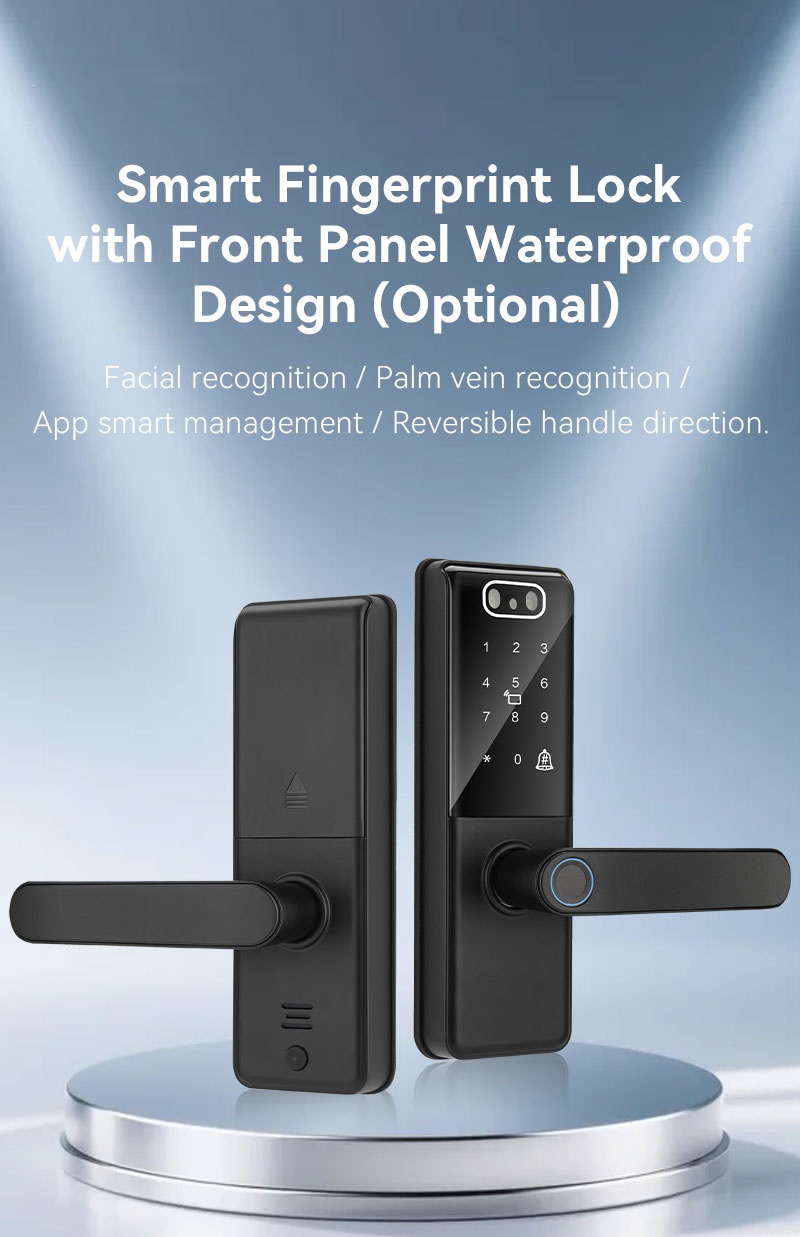
Fingerprint locks have a dirty secret that nobody mentions in the advertising: they only Work well on a very specific kind of hand. Young, dry, unmarked skin with clear ridges. The rest of the population, which includes everyone who works outdoors, everyone over sixty, everyone with eczema, and every child under a certain height, gets an inconsistent experience and assumes the product is faulty.
It usually is not faulty. It is reading the wrong thing. A fingerprint sensor photographs the surface of the skin, so anything on that surface, whether sweat, dust, oil, flour or a healing cut, changes what it sees.
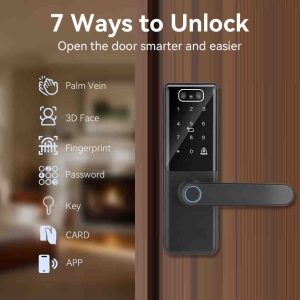
Palm vein recognition reads beneath the surface. Veins sit under the skin and do not change when your hands are wet, dirty or worn, which makes the technology far more forgiving in real households. This lock pairs that with 3D face recognition and five more conventional ways in, which is why it suits homes Where several generations share one front door.
Why Fingerprint Locks Let People Down
The failure modes are predictable, and they all come down to the same limitation.
Worn Prints From Real Work
Anyone who handles tools, cooks professionally, gardens, or works with chemicals gradually loses ridge definition. The sensor sees a blur and asks for a second attempt, then a third, and the user learns to carry a key instead.
Sweat, Oil and Dirt
Hands that are damp from carrying shopping, oily from cooking, or dusty from a worksite read poorly even when the print itself is intact. In hot climates this is a daily problem rather than an occasional one.
Dry, Cracked Winter Skin
Cold weather thins and dries the skin, and readers that worked in summer start failing in January. The seasonal complaint is so common that many users assume the lock has deteriorated.
Children and Small Hands
Small fingers barely cover the sensor, and children press inconsistently. A reader that requires precise placement is a reader that children stop using, and a lock they cannot operate is a lock they will not be given responsibility for.
What Palm Vein Recognition Actually Reads
The distinction matters because it explains why this approach behaves differently on a bad-hand day.
Under the Skin, Not on It
Near-infrared imaging maps the vein pattern inside the palm. Sweat, dust, oil, peeling skin and minor injuries sit on the surface and are largely irrelevant to that image, which is why the technology is marketed for sweaty, injured, peeling and dirty hands and it genuinely is.
No Contact Required
You hold your hand near the panel rather than pressing a finger onto a plate. Nothing to touch means nothing to leave smudges on, and in a shared hallway it also means the Entry point stays cleaner.
Distance and Placement
Recognition works at roughly 15 to 35 cm, about 5.9 to 13.8 inches, with the palm center facing the sensor. That is natural for an adult at a door; children may need showing once or twice.
Consistency Across Seasons
Because the reading does not depend on surface moisture, the same enrolment keeps working through summer heat and winter dryness. That reliability is the practical argument, more than any specification number.
What Else This Lock Offers
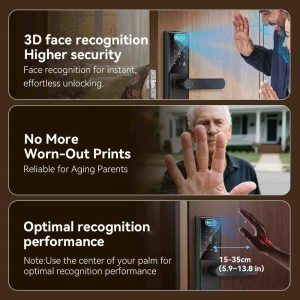
Palm vein is the headline. The rest of the package decides whether it fits a real household.
3D Face Recognition
A structured face scan allows hands-free entry at a normal standing distance. It is convenient when carrying bags or a child, and 3D imaging is specifically not fooled by a photograph the way older 2D systems were.
Fingerprint and Passcode
The handle carries a fingerprint reader for people who prefer it, and the keypad accepts a numeric code with anti-peeping entry, so digits typed around the real code conceal it from anyone standing behind you.
IC Card, App and Mechanical Key
A card suits a wallet or a school bag. The app handles remote unlocking and guest access. The mechanical key is the fallback for a flat battery or a network outage, and it should live outside the door rather than in a drawer the lock protects.
Built-In WiFi With the Tuya App
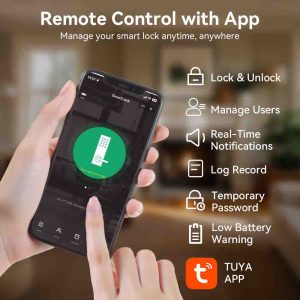
The lock connects directly to the home network, so there is no gateway to buy, power or troubleshoot. From the app you can issue temporary passwords with a validity Window, manage users, read the access log and receive unlock notifications.
Alarms That Report Rather Than Ignore
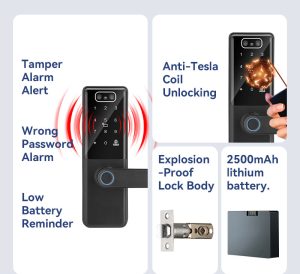
A tamper alarm sounds if the lock is forced or interfered with, a wrong-password alarm responds to repeated failed attempts, and a low battery reminder appears before the battery is actually flat. Those three cover the scenarios people worry about after buying.
2500 mAh and a Reinforced Body
The rechargeable 2500 mAh battery avoids disposable cells, and the lock body is built with an explosion-proof latch design. An anti-Tesla coil defends against electromagnetic unlock attempts, which is a real attack method rather than a marketing phrase.
Reversible Handle
The same unit fits left-handed and right-handed doors without a separate SKU, which removes one of the most common ordering mistakes.
Product Specifications
|
Attribute
|
Detail
|
|---|---|
|
Product type
|
7-in-1 biometric smart handle lock
|
|
Unlock methods
|
Palm vein, 3D face, fingerprint, password, IC card, app, mechanical key
|
|
Palm vein range
|
About 15 to 35 cm, palm center facing the sensor
|
|
Door thickness
|
35 to 55 mm, about 1.38 to 2.17 inches
|
|
Door hole size
|
38 to 54 mm, about 1.50 to 2.13 inches
|
|
Backset
|
60 to 70 mm, about 2.36 to 2.76 inches
|
|
Panel footprint
|
About 63 mm wide by 193 mm tall
|
|
Door edge requirement
|
Chiseled lock case cutout required
|
|
Door handing
|
Reversible, fits left and right handed doors
|
|
Battery
|
2500 mAh rechargeable lithium
|
|
Connectivity
|
Built-in WiFi, Tuya app, no gateway needed
|
|
Alarms
|
Tamper alarm, wrong password alarm, low battery reminder
|
|
Security build
|
Anti-Tesla coil, explosion-proof lock body
|
|
Guest access
|
Temporary passwords with set validity periods
|
|
Front panel option
|
Waterproof front panel variant available
|
Fit Check Before You Order
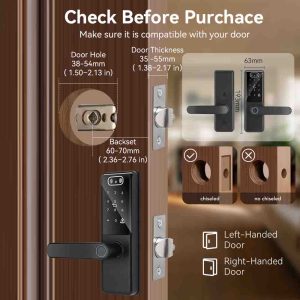
A retrofit handle lock is decided by measurements, not by features. Five minutes with a tape measure prevents most returns.
Door Thickness, 35 to 55 mm
Measure the leaf at its edge. Thinner doors cannot seat the spindle properly and thicker ones leave the panel standing off the surface. There is no adjustment that resolves either case.
Door Hole, 38 to 54 mm
This is the existing bore through the door. Outside that range the handle and the internal linkage will not line up, and the fix is a different lock rather than a longer screw.
Backset, 60 to 70 mm
Backset is the distance from the door edge to the center of the spindle. It is the single most commonly mis-measured figure, and it decides whether the latch aligns with the frame.
The Edge Cutout Must Be Chiseled
The lock requires a chiseled lock case opening on the door edge. A door with a plain, non-chiseled edge is not compatible, and that is worth confirming in a photograph before ordering rather than after delivery.
Panel Clearance
The panel is about 63 mm wide and 193 mm tall. On doors with narrow stiles or an existing handle plate, check it fits without overlapping trim.
Where It Fits in Real Life
The households that benefit most are not the ones with the newest doors, they are the ones with the most varied hands.
Multi-Generational Homes
Grandparents use palm vein because their prints have faded; teenagers use the app; a child uses a card because the reader is at their height. One lock, four different access methods, no arguments about who gets a key.
Households Where Hands Get Dirty
Gardeners, cooks, tradespeople and anyone coming in from a worksite can open the door without cleaning up first. Sweaty hands after carrying shopping stop being a problem rather than a daily irritation.
Airbnb and Short-Term Rentals
Temporary passwords issued remotely remove the key handover entirely, and the access log answers arrival questions without messaging the guest. Self check-in becomes real rather than approximate.
Small Offices and Studios
Staff are added and removed in the app. A cleaner gets a code valid for a two-hour window, and nobody has to chase a departing employee for a key.
The First Week: Enrolment and Habits
Setup is quick, but a few minutes spent properly saves months of small frustrations.
Enrol Palms Properly
Register with the palm center facing the sensor at the recommended distance, and do it twice per hand if the app allows. Enrolling in the position you will actually use, standing at the door, produces better results than enrolling seated.
Set Up Two Methods Per Person
Give each person a primary method and a fallback: palm vein plus a card, or face plus a code. Redundancy stops one unreadable moment from becoming a lockout.
Test Before the Door Closes
After installation, test every method with the door open, then test again with it closed. The closed-door test is the one that reveals alignment problems, and it is much easier to fix before the household starts relying on the lock.
What It Does Not Do
Stating the boundaries is more useful than lengthening the feature list.
It Will Not Fit Every Door
Doors outside that thickness range, with a non-standard bore, an unusual backset or no chiseled edge cutout need another product.
Remote Features Need Power and WiFi
Palm, face, fingerprint, code, card and key all work locally. Remote unlocking and code issuing need a working network and a charged battery, so the local methods remain the everyday ones.
Recognition Is Positional
Palm vein needs the palm center aligned at the stated distance, and face recognition works best facing the panel squarely. Standing off to the side will disappoint.
It Replaces the Handle, Not the Door
The mortise body stays. This is a retrofit, which is why it is affordable and also why the compatibility check exists.
Who This Smart Lock Suits
-
Households with older parents whose fingerprints no longer read reliably.
-
Families with children who need a method that works at their height.
-
Anyone with sweaty, rough or frequently dirty hands from work or climate.
-
Landlords and Airbnb hosts who want remote check-in and expiring codes.
-
Small businesses that add and remove staff access regularly.
Care and Maintenance
Wipe the palm sensor and the face camera window with a soft dry cloth rather than a wet one, since a smeared optical surface is the usual cause of a sudden recognition complaint. Keep the keypad free of grease, avoid abrasive cleaners on the panel, and check the handle mounting every few months for looseness.
Recharge before the low battery reminder turns into a lockout, and keep the mechanical key outside the door rather than inside the house. If the front panel is the waterproof variant and the door faces driven rain, confirm the installation is sealed at the panel edge, because water ingress shortens the life of any outdoor lock. Store the app account details somewhere the whole household can find them, since a single phone should not be the only route to administration.
Is It Right for Your Door?
If your household has ever stood at the door pressing a finger three times while holding shopping, this solves that specific problem rather than adding another gadget. Palm vein reads what does not change, and the other six methods cover everyone who prefers something else.
The limits are the door dimensions, the chiseled edge requirement, and the fact that remote functions need a network while local access does not. Measure first, and the rest is a matter of enrolling hands and issuing codes.
For a home where keys have multiplied and nobody is sure who still has one, this removes a friction point that had become normal. Fit details, the waterproof panel option and the current variant are on the product page.
Frequently Asked Questions
These are the questions that decide most orders.
Does palm vein work with wet or dirty hands?
Yes. It images veins beneath the skin, so sweat, water, dust, oil, peeling skin and minor injuries do not affect recognition the way they affect a fingerprint sensor.
Will it fit my door?
It fits doors 35 to 55 mm thick with a 38 to 54 mm bore, a 60 to 70 mm backset and a chiseled lock case cutout on the door edge. Doors without that cutout are not compatible.
Do I need a gateway for app control?
No. WiFi is built in, so the Tuya app connects to the lock directly without additional hardware.
What if the battery runs out?
A low battery reminder appears in advance, the battery is a rechargeable 2500 mAh unit, and the mechanical key opens the door as a backup.
Can children and elderly parents use it?
Yes. Palm vein suits faded fingerprints and small hands, IC cards work at any height, and passcodes remain a fallback.
If you are unsure about your door size or the edge cutout, send a photo with a tape measure in frame and we will confirm before you order.
Related Articles
- P8 Facial Recognition Door Lock: 3D Face + Palm Vein Smart Lock with Tuya Video Intercom
- Choosing a Smart Lock That Fits the Door You Already Have
- Smart Door Lock: How to Choose the Right One
- The X3 Smart Visual Doorbell: No WiFi Required Two-Way Video Doorbell Guide
- Smart Home Automation Guide 2026: 7 Practical Scenes That Save Time, Money and Energy
You Might Also Like
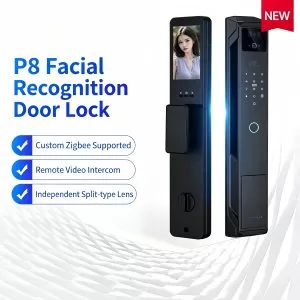 3D Face + Palm Vein Smart Lock: Next-Gen Biometric Security for Home and Office Price range: $112.86 through $133.967-in-1 Smart Door Lock with Palm Vein, 3D Face, Fingerprint & Tuya App Control Original price was: $89.99.$75.96Current price is: $75.96.
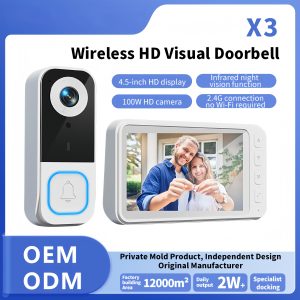 X3 Smart Visual Doorbell – 4.5 Inch Screen, 300K Pixels, Wide Angle Lens, Two-Way Voice, Full Color Night Vision Original price was: $79.96.$67.96Current price is: $67.96.
 3D Face Recognition Smart Lock – Tuya App Fingerprint Password Video Intercom Anti-Theft Door Lock for Home Original price was: $165.98.$130.96Current price is: $130.96.