Front doors are badly designed for the way we actually Live. Someone knocks while you are upstairs, in the shower, on a call, or asleep, and the door offers you two choices: open it blind, or ignore it and spend the next hour wondering who it was.
The peephole was supposed to fix that, but it gives you a coin-sized circle that fogs up in the cold, and using it means standing where a stranger expects you to stand.
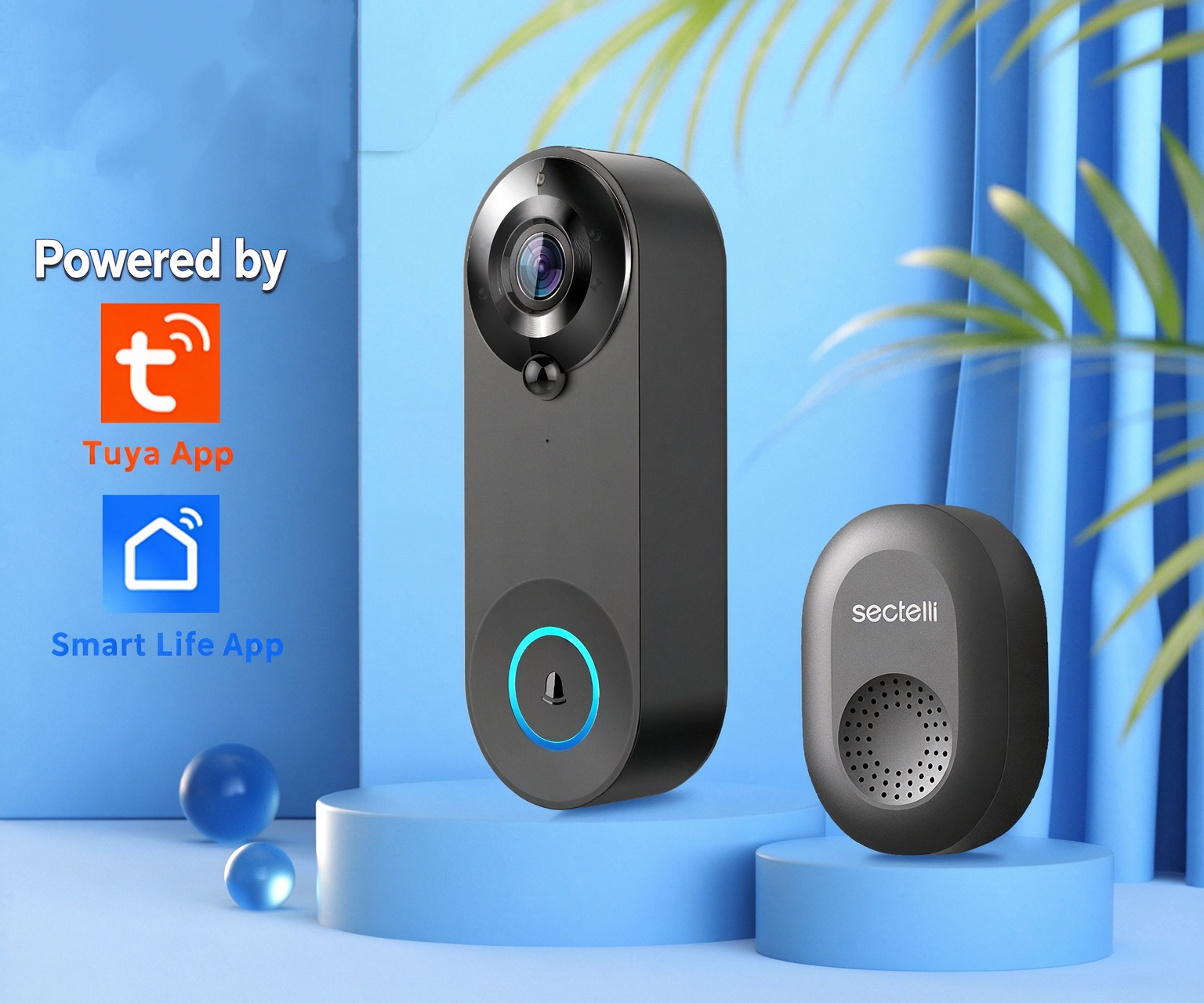
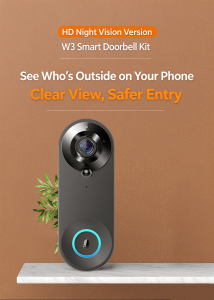
The W3 smart Doorbell kit takes a different approach. It is a battery-powered camera doorbell that mounts on the outside of the door, an indoor chime that rings inside the house, and an app that puts the same view on your phone from anywhere. No wiring, no electrician, no hole in the wall.
What You Get and How It Sits on the Door
The kit is deliberately simple. Three pieces do the whole job, and only one of them is outdoors.
The Doorbell Unit
The outdoor piece is a slim vertical camera with a wide lens at the top, a PIR sensor below it, a small status light and a bell button in a blue ring at the bottom. It runs on its own battery and talks to your WiFi, so there is no transformer to install and no doorbell wire to reuse.
The Indoor Chime and the App
The indoor chime plugs in somewhere in the house and rings when someone presses the button, which matters because a phone on silent is not a doorbell. The app is the third surface: live view, recordings, motion alerts and one-tap video calls, all on the phone you already carry.
No Wiring, No Electrician
Installation is described as peel, stick and install: the mounting plate goes on, the unit clips into it, the app binds the device to your account, and you are finished. For renters this is the whole point. Nothing is drilled into a wall, nothing needs the landlord’s electrician, and nothing has to be undone when you move out.
What It Changes Day to Day
Specifications matter less than the moments they create. These are the ones that come up most often.
A 150-Degree View of the Approach
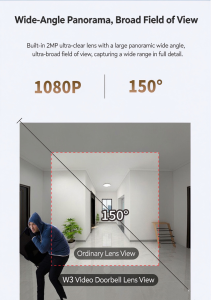
An ordinary doorbell camera sees the person at the moment they press the button. A 150-degree lens also sees the corridor or path they walked in from, plus whatever is happening beside the door. When something goes missing from a porch, that extra width is the difference between seeing a face and seeing a direction.
1080P and a Lens That Reads Faces
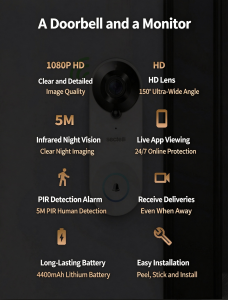
2MP at 1080P is not the highest resolution on the market, and it does not need to be. What matters at a front door is whether you can recognise the person, read a uniform, or see what is in someone’s hands. The app also flags a detected face in the recording timeline, so you can jump to the moment a person appears instead of scrubbing through a corridor.
Five Metres of Night Vision
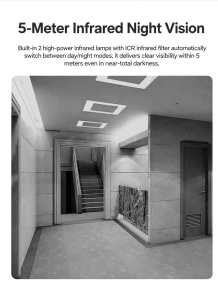
Two high-power infrared lamps with an automatic infrared filter switch between day and night, giving usable images out to about five metres in near-total darkness. In a dim hallway at midnight you get a clear view of a figure, clothing and posture rather than a grey blur.
A PIR That Starts Recording on Its Own
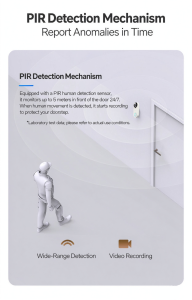
The motion sensor watches up to five metres in front of the door and starts recording when a person moves into that zone. You do not have to arm anything, remember anything, or press anything. The camera is already looking before the visitor reaches for the button, which is what makes the recordings useful rather than decorative.
One Tap to a Video Call
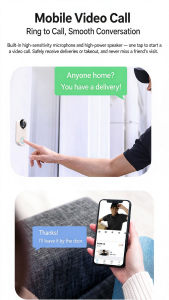
When the bell rings, the app lets you open a two-way video call with a single tap: a high-sensitivity microphone on the door side and a speaker loud enough to be heard over street noise. That is how you tell a courier to leave the box Behind the planter, or tell a stranger through the speaker that you are not interested, without opening the door.
Local and Cloud Storage Side by Side
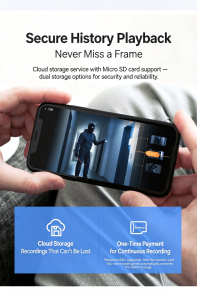
Footage can go to a micro SD card in the unit, up to 64GB, with older clips overwritten automatically once the card is full, or to cloud storage through the app. Running both is the sensible configuration: the card keeps recording when the network is down, and the cloud keeps a copy that a removed card cannot take with it.
Product Specifications
|
Attribute
|
Detail
|
|---|---|
|
Model
|
W3 smart doorbell kit, HD night vision version
|
|
Resolution
|
2MP, 1080P HD
|
|
Field of view
|
150 degrees, ultra-wide panoramic lens
|
|
Night vision
|
2 high-power infrared lamps with ICR filter, automatic day and night switching, clear range about 5 m
|
|
Motion detection
|
PIR human detection, range up to 5 m, automatic recording on trigger
|
|
Audio
|
High-sensitivity microphone and high-power speaker, two-way talk, one-tap mobile video call
|
|
Power
|
Built-in 4400mAh lithium battery, fully wireless, no wiring
|
|
Connectivity
|
WiFi, paired with indoor chime and mobile app
|
|
Storage
|
Micro SD card up to 64GB with loop recording, plus cloud storage in the app
|
|
Live view
|
24/7 online monitoring from the app, with face detection marks in the timeline
|
|
Account binding
|
Device is bound to a cloud account and cannot be re-paired until the owner unbinds it
|
|
Controls on unit
|
Power switch, reset button, network indicator, TF card slot
|
|
Installation
|
Peel, stick and install; battery powered, no doorbell wiring required
|
|
In the box
|
Doorbell unit, indoor chime, mounting parts, quick start guide
|
The Detail Most Buyers Ask About: Where the Footage Lives
A doorbell camera is only as good as the recording you can still find three days later. This one gives you two independent places to keep it, and the difference between them is worth understanding before you buy, not after.
The Memory Card Is the Reliable One
A micro SD card up to 64GB sits in a slot under the back cover, next to the power switch. Recording is continuous and circular: when the card fills, the oldest footage is overwritten so you never have to clear it manually. No network, no subscription, no account dependency. If you want the simplest possible setup, this is it.
The Cloud Is the One That Survives
Cloud storage is handled inside the app and keeps recordings where a person who takes the doorbell cannot reach them, which is exactly the scenario a local-only camera fails at. Cloud service terms are set by the provider in the app, so treat the cloud as an addition rather than a replacement for the card.
Account Binding Protects You, and Can Trip You Up
The unit is tightly bound to the cloud account that first pairs with it, and it will not pair again until that owner unbinds it. For a buyer this is an anti-theft feature: a stolen doorbell is a brick. For a reseller or a second-hand buyer it is a real constraint, so unbind the device before handing it over.
Where This Doorbell Fits
It is a front-door device, and the situations where it earns its keep are fairly specific. None of them are about luxury; all of them are about a door other people come to when you are not next to it.
Apartments and Rental Flats
In a building, the door opens onto a shared corridor where anyone can walk past. A battery doorbell with a stick-on mount gives you a view of that corridor without a wall camera the landlord may not allow and a deposit you would rather keep.
Houses That Get a Lot of Parcels
Couriers arrive at the worst possible time and leave with the box if nobody answers. A video call from the app lets you direct the delivery to a porch, a neighbour or a locker, and the recording documents that the exchange happened.
Homes With Older Parents or Children
The indoor chime means the person at home does not need a phone, an app or a login to know someone is at the door. A child who has been told not to open the door for strangers gets a second layer of supervision, and a parent who does not use a smartphone still hears the bell.
Small Shops, Studios and Home Offices
A studio or small storefront has the same problem as a front door, only with customers instead of couriers. Two-way audio lets you say you are coming, and continuous recording covers the minutes you spend in the back room.
Who This Doorbell Suits
-
Renters who want a door camera without drilling, wiring or asking permission.
-
Households that miss deliveries because nobody is near the door when the bell rings.
-
Anyone who lives alone and would rather speak to a stranger through a speaker than open the door.
-
Homes where the person at home will not use a phone app to check who is outside.
-
Small shops, studios and home offices that need a record of who came to the door and when.
Care and Maintenance
The unit lives outdoors, so most of the maintenance is about keeping the lens and sensors clean. Wipe the camera Window and the PIR window with a soft dry cloth; do not use solvent cleaners or abrasive pads, and do not spray water directly at the housing. Keep the button ring and the speaker grille free of dust so the chime and the audio stay clear.
The battery is the part that needs a habit rather than attention. A 4400mAh cell lasts according to how busy your doorway is and how often you open live view, so charge it when the app reports a low level rather than when the unit goes dark. Cold weather shortens the interval, which is worth remembering in winter.
The memory card deserves two minutes a month. Check in the app that recording is still running, and format the card from the app if clips stop appearing. The card slot is under the back cover next to the power switch, so it is reachable without tools but not something to open in the rain.
Is It Right for Your Door?
The honest answer starts with your WiFi. A wireless doorbell depends on a signal that reaches the outside of your door, and a thick wall or a door at the far end of the house can make that marginal. Check the signal strength on your phone standing at the door before you order; if it is weak there, the doorbell will be too.
The second condition is the mounting surface. The unit is designed to be stuck on rather than screwed through a wall, which is what makes it renter-friendly, but a textured, damp or painted surface needs cleaning and drying first so the adhesive holds. For a metal door or an exposed coastal wall, plan the position with care.
The third is about expectations. This is a doorway camera, not a whole-home security system. It watches the strip in front of the door, it stores footage locally and in the cloud, and it needs its battery charged. It is not a lock, it does not replace an alarm, and its night vision reaches about five metres rather than across a garden. Within those limits, it does its job well and without a single wire.
Frequently Asked Questions
Do I need to hire an electrician?
No. The doorbell runs on a built-in 4400mAh battery and connects over WiFi, and the indoor chime plugs into a normal socket. Installation is peel, stick and install, with no doorbell wiring and no transformer.
What happens when the memory card is full?
Recording is circular. Once the card reaches capacity, new clips automatically overwrite the oldest footage, so you keep the most recent recordings without ever clearing the card by hand. Cards up to 64GB are supported.
Can I talk to a visitor from my phone?
Yes. When someone presses the button, the app opens a one-tap video call with two-way audio through the unit’s microphone and speaker. You can see the visitor and speak to them from anywhere you have a connection.
How far can it see at night?
About five metres in near-total darkness, using two high-power infrared lamps with an automatic day and night filter. In a corridor or porch that covers the doorway and the approach.
Can I move it to another door or give it away?
The device is bound to the cloud account that first paired with it and will not re-pair until the owner unbinds it in the app. Unbind it before moving it to a new account, selling it, or handing it to someone else.
If your WiFi reaches the door and your doorway is the place people come to when you are not standing next to it, there is very little left to decide: the unit sticks on, the chime rings inside, the app shows you who is outside, and the next knock stops being a guess.
Related Articles
- The Doorbell That Lets You Answer the Door From Bed
- Remote Live View on a Tuya Video Doorbell: Reading the Clip Carefully
- 480P vs 1080P Video Doorbell: What “HD” Really Costs You
- Video Doorbell Cloud vs TF Card: What Survives a Theft
- What to Ask a Video Doorbell Supplier Before You Pay a Deposit
You Might Also Like
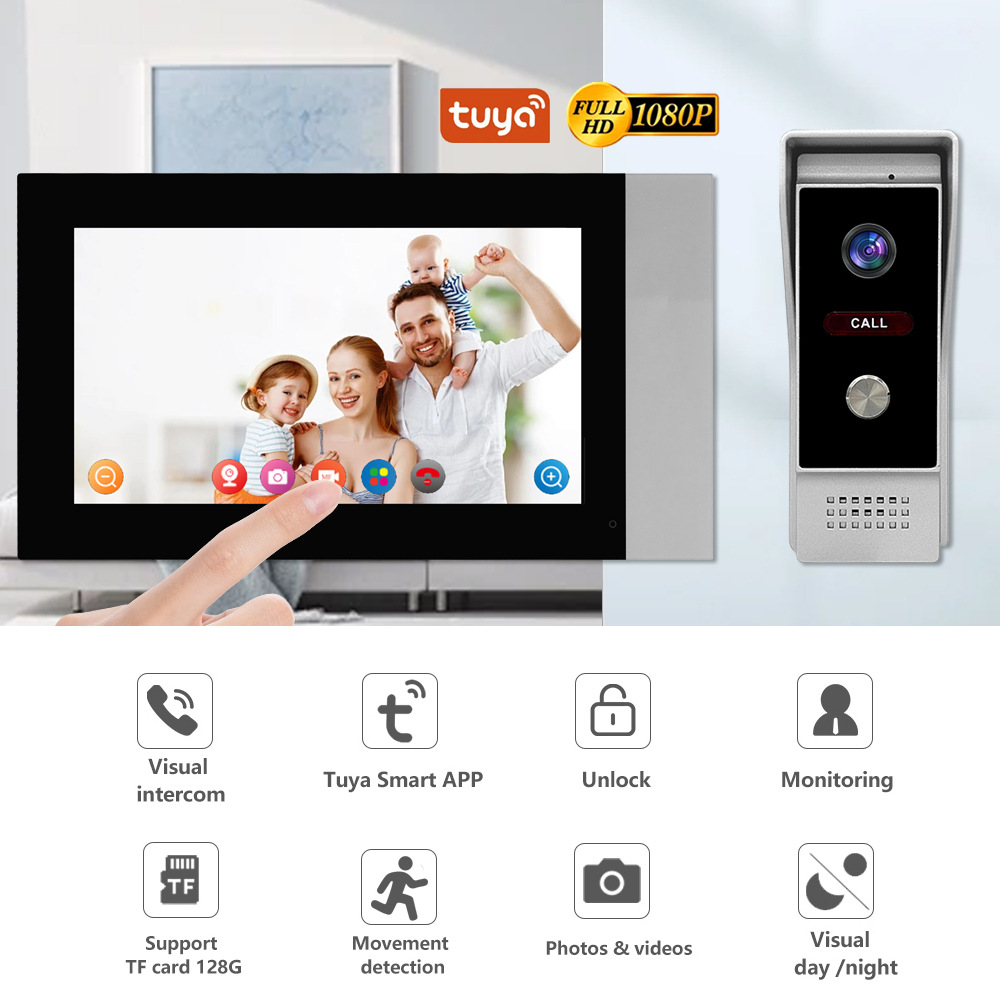
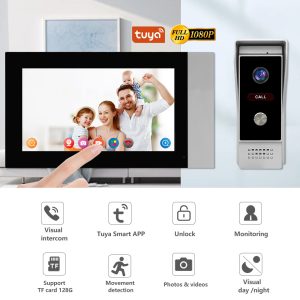 Tuya Smart 7 Inch Wired Video Door Phone Intercom System,1080P Waterproof Doorbell Camera with Monitor, Motion Detection Remote Unlock Night Vision Original price was: $129.96.$113.99Current price is: $113.99.
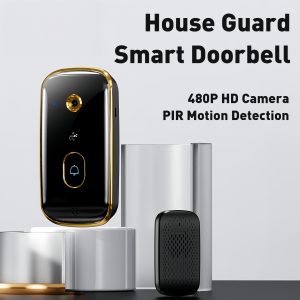 Smart Wireless Video Doorbell 480P HD PIR Motion Detection Infrared Night Vision Voice Change Original price was: $29.96.$26.99Current price is: $26.99.
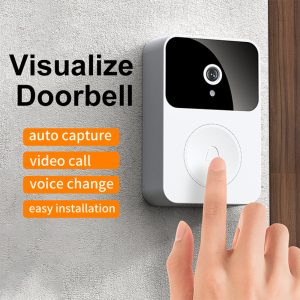 Smart Visual Wireless Video Doorbell with Indoor Chime, Voice Change & Cloud Storage Original price was: $19.96.$12.96Current price is: $12.96.
 X6A Visual Intelligent Doorbell Wireless Video Doorbell with Indoor Chime Remote Video Intercom & Cloud Snapshot Storage Original price was: $39.96.$29.99Current price is: $29.99.