You can install a Video doorbell without existing wiring in three ways: use a battery model and mount it with screws or adhesive, use a model with a plug-in indoor chime, or use a 4G model that does not Need Home WiFi at all. No electrician is required for the first two. The trade-offs are battery charging intervals, slightly longer wake-up latency, and — for 4G models — a data plan.
This guide covers each route, what you need to check before drilling, and the mistakes that cause most “it stopped working” complaints.
Before you buy: four checks
1. What is at the door already
Look for an existing doorbell transformer and chime. If you have a working wired chime, a low-voltage (typically 8–24 V AC) model can replace it. If there is nothing at the Door, choose a battery or 4G model. Do not assume a battery model can drive your existing mechanical chime — most need their own wireless chime.
2. Door and frame material
Brick, concrete and rendered walls take screws with wall plugs. Metal doors and metal frames weaken WiFi and can block the signal from the chime; move the chime further into the house or pick a model with a long-range (433 MHz or sub-G) link. uPVC and composite doors usually drill cleanly, but keep holes above the seal line so water does not track inside. Hotel Smart Security OEM Solutions
3. WiFi reach at the door
Stand at the door with your phone on the home WiFi and run a speed or signal test. Video doorbells are the single worst-placed device in a smart home: a solid brick wall plus a metal door can cost you 10–20 dB. If the signal is weak, add a mesh node on the inside wall nearest the door, or choose a 4G model instead. Note that most doorbells only join 2.4 GHz WiFi — 5 GHz-only networks will not pair.
4. Sun, rain and viewing angle
Avoid a position in direct afternoon sun: infrared night vision and PIR motion detection both suffer, and dark plastic housings fade. Aim for a slight downward tilt so the camera sees faces rather than the top of a head, and leave roughly 1.2–1.5 m mounting height.
Option 1: battery doorbell with adhesive mount (no drilling)
Steps:
- Charge the battery fully before the first install — pairing on low charge fails often.
- Pair indoors, next to the router. Confirm live view and two-way audio work before mounting.
- Clean the door frame with alcohol and let it dry. Adhesive on dusty or painted-but-flaking surfaces fails within weeks.
- Stick the plate, press for 30 seconds, and leave it 12–24 hours before hanging the doorbell.
- Set motion sensitivity to medium and define a detection zone that excludes the pavement if you get passing-traffic alerts.
Expect to charge it: a typical 2–4 month interval for a battery doorbell with 10–20 triggers a day; much shorter if it faces a busy street or if live view is used heavily.
Option 2: battery doorbell with a plug-in chime
Identical mounting, but the indoor chime plugs into a mains socket and extends the wireless link — useful in flats and thick-walled houses Where the doorbell cannot reach the router directly. Some models also use the chime as a local storage hub (microSD), which keeps recordings even if the internet drops.
Option 3: 4G doorbell, no home WiFi
A 4G doorbell uses a SIM card and mobile data. It is the right answer for gates, outbuildings, rental properties and any door where WiFi cannot be made reliable. Costs to plan for: a data-only SIM plan (video is data-hungry — budget hundreds of MB per month for normal use, several GB if you stream often), slightly higher latency to wake the stream, and a model with a large battery or a solar panel.
Getting detection right
- PIR range and angle: most Sensors cover 120–160° and 5–8 m. Point it across the approach path, not straight at it, so a walking person crosses detection zones.
- Pet immunity: mount a little higher and tilt down slightly to reduce cat and dog triggers.
- False triggers from heat: direct sunlight, a boiler flue or a car exhaust in view will trigger PIR. Move the unit or mask the zone in the app.
- Night: infrared gives monochrome video; LED “colour night vision” models need a little ambient light.
Common installation mistakes
- Pairing outdoors at the door instead of next to the router.
- Using a 5 GHz-only SSID or a router with AP isolation enabled.
- Mounting on a metal door without checking chime range afterwards.
- Leaving motion sensitivity at maximum, which drains the battery in weeks.
- Installing without checking that the chime volume is audible from the rooms you actually use.
Which no-wiring option fits your door
| Option | Power source | Needs home Wi-Fi | Drilling | Best for |
|---|---|---|---|---|
| Battery doorbell with adhesive mount | Rechargeable battery | Yes | No | Renters, apartments, tiled or glass frames |
| Battery doorbell with plug-in chime | Rechargeable battery | Yes | Screws only | Houses with no existing doorbell wiring |
| 4G doorbell with SIM card | Battery or solar | No | Screws | Gates, farms, and sites without home Wi-Fi |
Rule of thumb: if you can hear your indoor chime from the door, Wi-Fi signal is usually fine. If the door is more than about 10 m from the router or behind a metal door, choose the 4G model instead of adding a Wi-Fi extender.
Frequently Asked Questions
Can I install a video doorbell if I have no wiring at all?
Yes. A battery model mounted with screws or adhesive needs no wiring; add a plug-in indoor chime for the ring. Only a wired model requires a transformer, and those are the ones that usually need an electrician.
Do I need WiFi for a video doorbell to work?
Not necessarily. Standard models need 2.4 GHz WiFi to send notifications and stream video. Models with local recording will still record to microSD without internet, and 4G models use a SIM card instead of home WiFi entirely.
How long does a battery video doorbell last per charge?
Typically two to four months with 10–20 motion events a day. Heavy live viewing, a busy street, cold weather and maximum sensitivity all shorten that considerably.
Will a video doorbell work through a metal door?
The camera will work, but the radio link to your router and to the chime will be weaker. Test before you drill: pair indoors, then mount and check that notifications still arrive promptly.
What height should I mount a video doorbell?
Around 1.2–1.5 m from the ground, tilted slightly down. That puts faces in frame rather than the top of a head, and keeps the PIR sensor aimed at people rather than the sky.
Can I use it in an apartment with a shared entrance?
Yes, if you can mount it at your own door. Battery and 4G models are the practical choice there because you cannot alter shared wiring.
Related guides
- Video doorbell without WiFi: how it actually works
- Zigbee vs WiFi: which to use for each device
- Motion sensors: PIR motion detectors for smart homes
- How to choose a security camera for your home
- How to set up a CCTV camera system at home
- Video doorbell without subscription: local recording options
Browse wireless video doorbells · Ask us about a model for your door
Related Articles
- How to Install a Video Doorbell Without Drilling: Complete DIY Guide
- Smart Wireless Video Doorbell – 24/7 HD Front Door Security With Night Vision & Voice Change
- Smart Visual Wireless Video Doorbell: Upgrade Your Home Security in 2026
- X6-A Visual Intelligent Doorbell: How A Wireless Video Doorbell Improves Your Home Front Door Security
- U9 2-in-1 Smart Video Doorbell: No-Drill Home Security With Free Cloud Storage
You Might Also Like
 U9 Smart WiFi Video Doorbell with Indoor Chime Rechargeable Battery No-Drill 3M Installation 2-Way Audio Live Monitoring Original price was: $49.96.$30.96Current price is: $30.96.
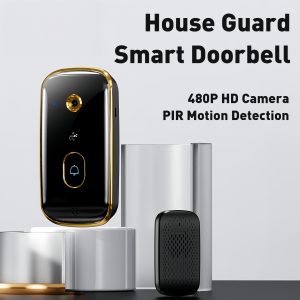 Smart Wireless Video Doorbell 480P HD PIR Motion Detection Infrared Night Vision Voice Change Original price was: $29.96.$26.99Current price is: $26.99.
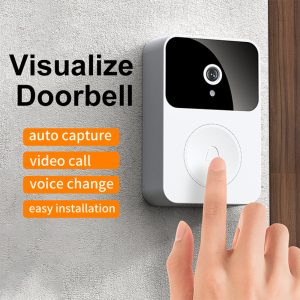 Smart Visual Wireless Video Doorbell with Indoor Chime, Voice Change & Cloud Storage Original price was: $19.96.$12.96Current price is: $12.96.
 X6A Visual Intelligent Doorbell Wireless Video Doorbell with Indoor Chime Remote Video Intercom & Cloud Snapshot Storage Original price was: $39.96.$29.99Current price is: $29.99.
📌 This article is part of our Complete Doorbell Hub — more guides and buying tips inside.
