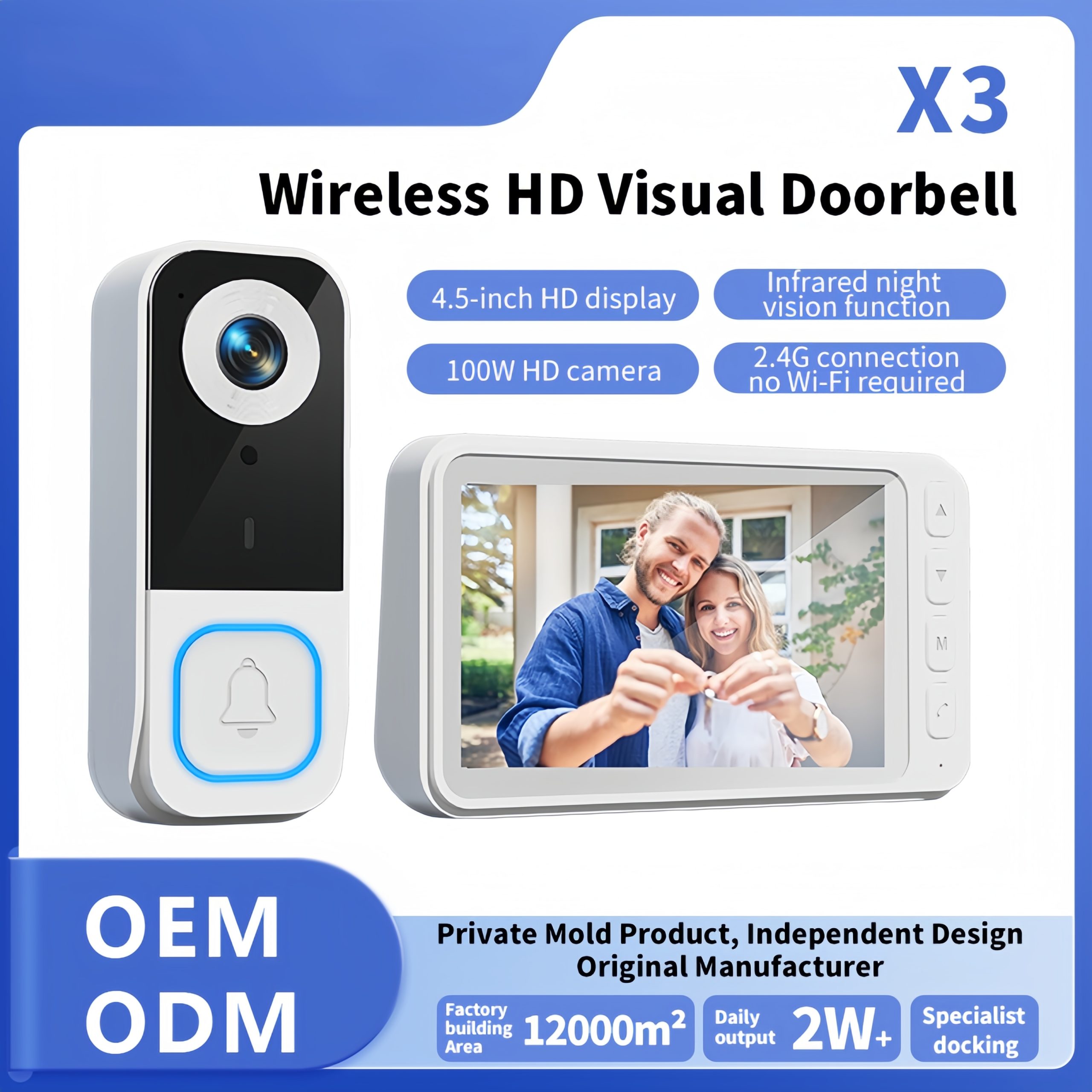
Smart Video doorbells usually drag a router, an app, and a monthly cloud plan into your home. The X3 Smart Visual Doorbell takes the opposite approach: a Wireless doorbell and a 4.5 inch indoor monitor that talk to each other over a private 2.4GHz connection, with no WiFi and no app required. It is built for homes, rentals, and older users who want to see and speak with visitors without learning new technology. Here is what the X3 actually delivers, based on the product images and specification sheets.
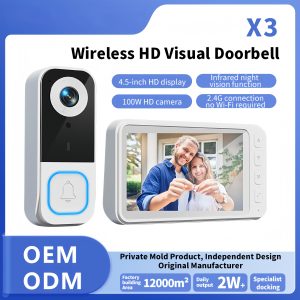
Heading: X3 at a Glance
The table below summarizes the key specifications shown on the product materials.
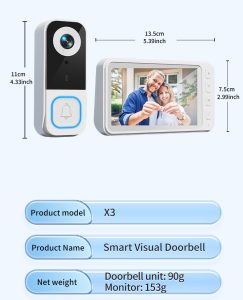
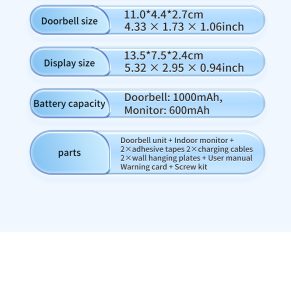
<table> <tr><th>Item</th><th>Specification</th></tr> <tr><td>Model</td><td>X3 Smart Visual Doorbell</td></tr> <tr><td>Monitor screen</td><td>4.5 inch high-definition display</td></tr> <tr><td>Camera quality</td><td>1,000,000 pixel ultra clear picture quality</td></tr> <tr><td>Viewing angle</td><td>120 degree extra-large main camera view</td></tr> <tr><td>Night vision</td><td>Infrared lights with high-sensitivity sensor, auto ambient sensing</td></tr> <tr><td>Wireless connection</td><td>2.4GHz FHSS private and secure connection</td></tr> <tr><td>Intercom</td><td>Two-way calls, one-click answer, one-click hang up</td></tr> <tr><td>Doorbell battery</td><td>1000mAh</td></tr> <tr><td>Monitor battery</td><td>600mAh (external power recommended)</td></tr> <tr><td>Memory</td><td>Supports Micro SD card up to 128GB</td></tr> <tr><td>Doorbell size</td><td>11.0 x 4.4 x 2.7 cm (4.33 x 1.73 x 1.06 in)</td></tr> <tr><td>Monitor size</td><td>13.5 x 7.5 x 2.4 cm (5.32 x 2.95 x 0.94 in)</td></tr> <tr><td>Net weight</td><td>Doorbell 90g, monitor 153g</td></tr> <tr><td>Mounting</td><td>Adhesive backing (no drilling) or screws</td></tr> </table>
Heading: No WiFi, No App, No Fuss
The biggest difference between the X3 and most modern doorbells is that it does not rely on your home network at all. The outdoor doorbell and the indoor monitor communicate through a private 2.4GHz FHSS wireless link, which the product sheet describes as a private and secure connection. You do not pair the device to a router, you do not install a mobile application, and you do not create a cloud account.
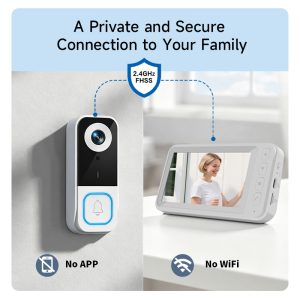
That design removes the three most common sources of frustration with smart doorbells: a weak home WiFi signal, an app that stops working after an update, and a subscription that bills you every month. Because the link between the two units is direct, there is no dependency on your internet provider. If your broadband goes down, the doorbell still rings and the monitor still shows the visitor.
Heading: See Everything Outside
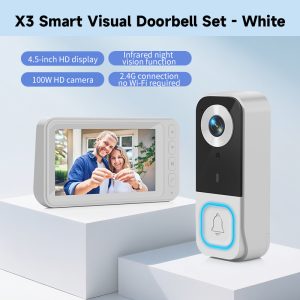
The camera uses a wide-angle lens with a 120 degree extra-large field of view. That wider coverage matters in real life: a visitor standing close to the Door, a package left to one side, or a person walking past the porch all stay inside the frame instead of being cut off. The image quality is rated at 1,000,000 pixel ultra clear picture quality, which is enough to recognize faces and read details such as clothing or a delivery uniform.
The X3 also handles darkness automatically. It is equipped with infrared lights and a high-sensitivity sensor, and the product image shows the infrared switching on by itself when ambient light drops. The result is crisp footage day and night: a clear color view during the day and a bright infrared view after dark, so the doorway is never a blind spot.
Heading: Talk Without Opening the Door
Two-way intercom is handled with one-touch controls. Pressing the call button on the doorbell lets you answer from the monitor, and a one-click answer starts a two-way conversation immediately. The monitor is described as supporting multiple voices, which means the person outside and the person inside can talk naturally, and anyone in the house can use the screen without training.
The privacy aspect is worth noting. Because there is no app and no cloud upload, your video stays inside the device. The connection between the doorbell and the monitor is private, so you are not streaming footage to a third-party server every time someone rings.
Heading: Battery Life and Power Advice
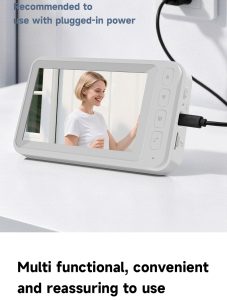
The outdoor doorbell carries a 1000mAh battery, and the product materials emphasize long-lasting battery life as one of the main selling points. The monitor has a 600mAh battery, which supports about 2 hours of continuous use without being plugged in. For everyday use, the manufacturer recommends keeping the monitor connected to an external power source for long-term operation, and the product sheet says plainly: plugged in is better use.
That recommendation is practical. A monitor that stays on the wall or shelf near a power outlet is always ready, always charged, and never dies when a visitor arrives. The doorbell, with its larger battery, runs for an extended period between charges and is easy to take down and recharge when needed.
<table> <tr><th>Unit</th><th>Battery</th><th>Power Recommendation</th></tr> <tr><td>Outdoor doorbell</td><td>1000mAh</td><td>Recharge when low; long battery life</td></tr> <tr><td>Indoor monitor</td><td>600mAh</td><td>Keep plugged into external power</td></tr> </table>
Heading: Recording and Playback
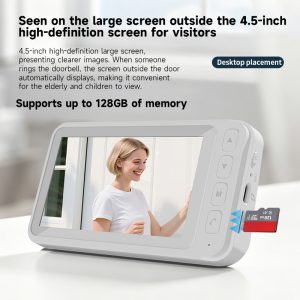
The X3 includes a recording system that is triggered by the doorbell button. When someone rings, the device captures real-time footage, and you can answer and record at any time. The monitor supports playback so you can review a recording and catch every critical moment after the fact.
Storage is handled locally through a Micro SD card, supporting up to 128GB. The product image shows the SD card slot on the monitor, and the description notes that playback requires a Micro SD card to be installed. That local storage approach is simple and private: your recordings stay in your home, with no cloud fees and no risk of a cloud account being hacked.
Heading: Installation Options
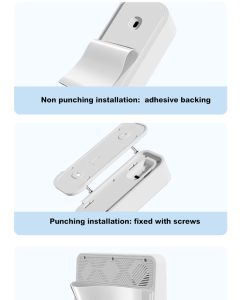
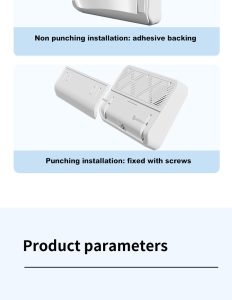
The X3 is designed for quick, flexible mounting. Two methods are available for the doorbell.
<table> <tr><th>Installation Method</th><th>How It Works</th><th>Best For</th></tr> <tr><td>Non-punching (adhesive backing)</td><td>Stick the included adhesive tape to the back of the doorbell and press it onto the door or wall</td><td>Rentals, apartments, quick setup</td></tr> <tr><td>Punching (screws)</td><td>Fix the doorbell with the included screw kit</td><td>Permanent installation, long-term use</td></tr> </table>
The included screw kit and wall hanging plates make either option straightforward, and no specialist tools or wiring are required. The monitor can be placed on a desktop or hung on a wall, and the product images show both a wall-mounted screen and a desktop placement.
Heading: What Is in the Box
<table> <tr><th>Part</th><th>Quantity</th></tr> <tr><td>Doorbell unit</td><td>1</td></tr> <tr><td>Indoor monitor</td><td>1</td></tr> <tr><td>Adhesive tapes</td><td>2</td></tr> <tr><td>Charging cables</td><td>2</td></tr> <tr><td>Wall hanging plates</td><td>2</td></tr> <tr><td>Screw kit</td><td>1</td></tr> <tr><td>User manual</td><td>1</td></tr> <tr><td>Warning card</td><td>1</td></tr> </table>
Heading: Who Should Buy the X3
The X3 fits best in three situations. First, households with elderly family members who do not use smartphones: the monitor is a simple screen with buttons, so there is no app to learn. Second, rented homes or apartments where drilling holes and touching the home network are not allowed, thanks to the adhesive mounting and the standalone connection. Third, anyone who wants a privacy-focused doorbell without a cloud subscription. If you already have a WiFi-based security camera system and simply need a reliable door answering unit, the X3 slots in without adding another network device.
Heading: Buying Tips
Does the X3 need WiFi to work?
No. The doorbell and the monitor communicate through a private 2.4GHz FHSS connection, and no router, app, or cloud account is required.
What size Micro SD card should I buy?
The device supports up to 128GB. Recording and playback require a card to be installed.
How long does the monitor last on battery?
The 600mAh battery supports about 2 hours of continuous use. The manufacturer recommends keeping the monitor plugged into external power for daily use.
Can I install it without drilling holes?
Yes. The included adhesive backing supports non-punching installation, and the screw kit is available if you prefer a permanent mount.
How far apart can the doorbell and monitor be placed?
The connection uses a 2.4GHz wireless signal between the two units; place the monitor within a normal household range of the doorbell for the clearest picture and audio.
Heading: Final Thoughts
The X3 Smart Visual Doorbell is a self-contained answer to a simple problem: seeing and talking to the person at your door without relying on your internet connection. Between the 4.5 inch screen, the 120 degree camera, the automatic infrared night vision, the two-way intercom, and the local recording through a Micro SD card, it covers the essentials of home entry security in a package that anyone in the family can operate. For renters, seniors, or anyone tired of app-based doorbells, this is a practical and low-maintenance option.
Related Articles
- 4MP 2K HD WiFi Smart Home Camera: Color Night Vision, Spotlight, and Siren Alarm Guide
- Smart Curtain Motor Track: Automated Window Control System
- WiFi Smart Wall Socket: Intelligent Power Control for Modern Homes
- Smart WiFi Pet Feeder: Automated Pet Care with APP Control
- P8 Facial Recognition Door Lock: 3D Face + Palm Vein Smart Lock with Tuya Video Intercom
You Might Also Like
X3 Smart Visual Doorbell – 4.5 Inch Screen, 300K Pixels, Wide Angle Lens, Two-Way Voice, Full Color Night Vision Original price was: $79.96.$67.96Current price is: $67.96. Tuya Bluetooth Smart CO2 Detector 3-in-1 | 2.4" TFT Display | 40… Original price was: $49.96.$45.65Current price is: $45.65.
 Tuya Zigbee Smart Light Sensor – Real-Time Ambient Light Detec… Original price was: $49.96.$35.96Current price is: $35.96.
Frequently Asked Questions
Is Smart Visual Doorbell worth buying?
Based on the breakdown in this article, Smart Visual Doorbell offers a solid mix of features and value. If your main goal matches the key benefits described above, it is a practical choice for everyday use.
How do I choose the right smart visual doorbell for my needs?
Start with your core use case, then compare battery life, compatibility, and build quality as covered above. Choosing the right smart visual doorbell comes down to matching specs with how you actually use it.
Does smart visual doorbell require a companion app?
Most devices of this type pair with a free companion app for setup and firmware updates. A few advanced features may sit behind a paid plan, so check the official specs page before buying.
